Sequel 6018 - Office BDI - Free user manual and instructions
Find the device manual for free Sequel 6018 BDI in PDF.


User questions about Sequel 6018 BDI
0 question about this device. Answer the ones you know or ask your own.
Ask a new question about this device
Download the instructions for your Office in PDF format for free! Find your manual Sequel 6018 - BDI and take your electronic device back in hand. On this page are published all the documents necessary for the use of your device. Sequel 6018 by BDI.
USER MANUAL Sequel 6018 BDI
PLEASE FOLLOW THESE INSTRUCTIONS CAREFULLY.
SEQUEL®
OFFICE
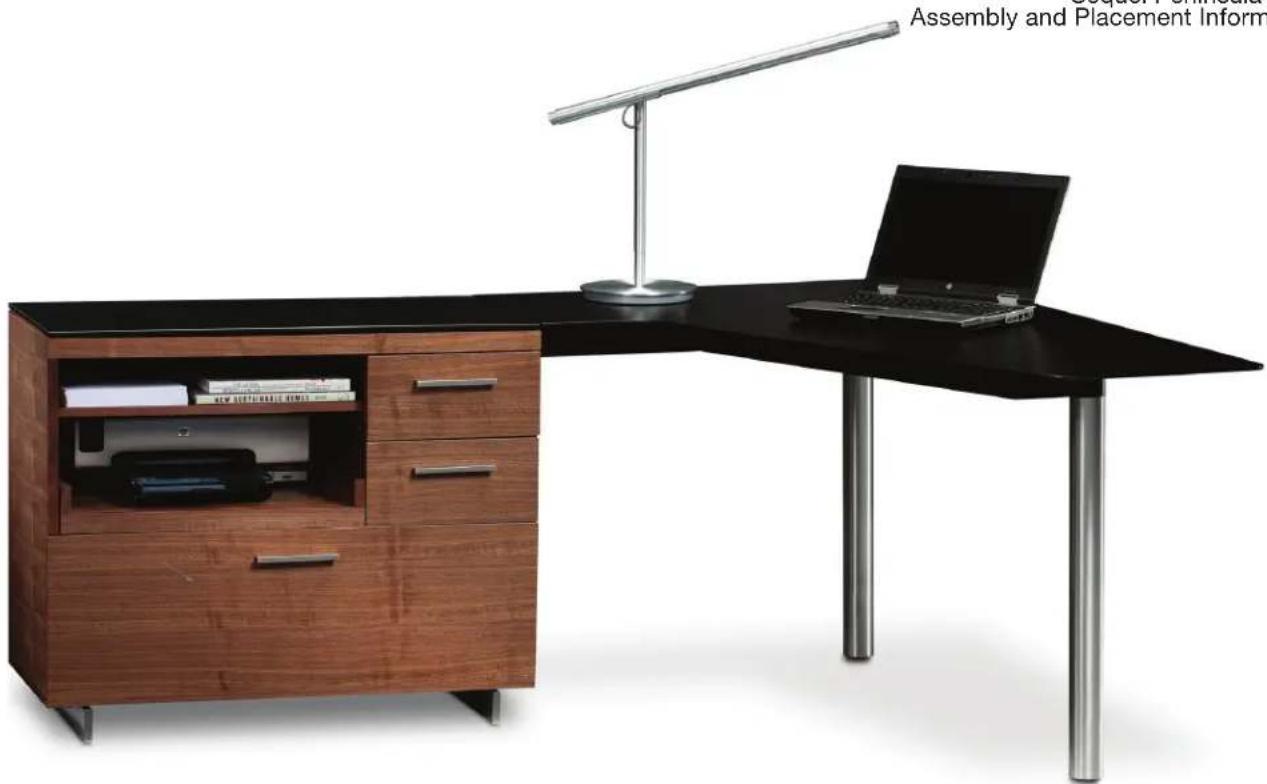
Sequel Peninsula 6018
Assembly and Placement Information
natural_image
Modern office desk setup with wooden cabinets, a laptop, and a metal lamp (no visible text or symbols)PENINSULA
6018
BDi

text_image
STOP
natural_image
Simple icon of a person reading a book against a yellow background (no text or symbols)Thanks for purchasing the Sequel System.
Before you begin setting up the Sequel System Components, it is imperative that you read the Consumer Considerations section on the next page.

Placement
Placement
Once the Sequel System is fully assembled, it cannot be moved. Make all positioning adjustments prior to final assembly.

Plan
Plan your space.
Forethought is essential in determining the placement of each component. Using a measuring tape, determine how much fl oor space each unit will require. A cardboard template has been provided in order to help aid this process.

2-Person Assembly
Get someone to help you.
Help from a second person is required for the majority of the steps outlined in this instruction manual.

Power
AC power outlet and wire management
Depending on the configuration of your office set up, the Sequel cabinet may end up resting in front of an AC power outlet. If so, be sure to plug in the AC power strip, phone/ethernet or extension cords prior to placing the cabinet in its final position.
Levelers
Leveling
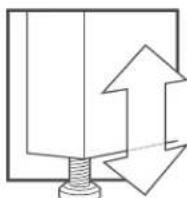
SEQUEL Furniture is designed for indoor use on level floors. If the floors are uneven, adjust levelers as necessary.

Tempered Glass
Tempered glass.
Exercise caution while handling the glass, and be sure to employ the help of another person. Keep edges of glass panels away from hard surfaces in order to prevent breakage.
Power & Placement
This page outlines two scenarios:
Scenario 1
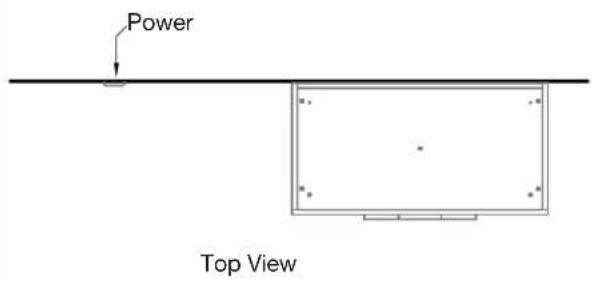
If cabinet is NOT blocking an AC power outlet, it may be positioned close to the wall.
text_image
Power Top View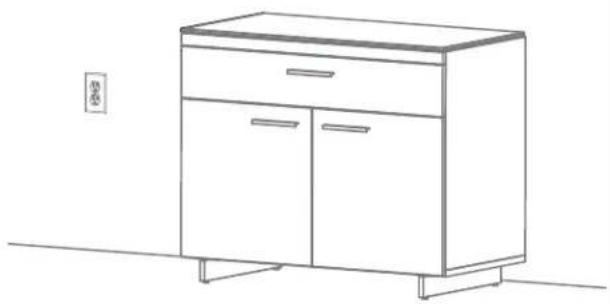
natural_image
Line drawing of a two-door cabinet with drawers and legs, placed on a table (no text or symbols)Scenario 2
If cabinet is going to block an AC power outlet, position cabinet approximately 3" from wall. Low profi le extension plugs may be used to reduce the amount of space required in this application.

text_image
3" Power Top View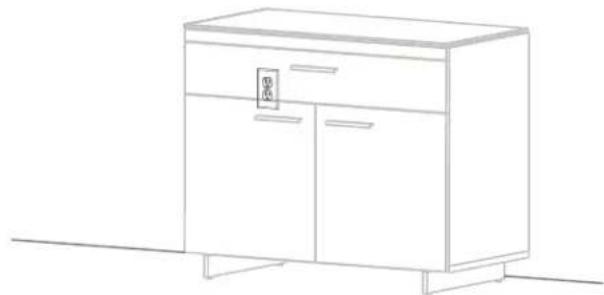
natural_image
Line drawing of a simple cabinet with two doors and a side table, no text or symbols presentPeninsula
Model 6018
Your SEQUEL® 6018 Furniture is engineered for easy assembly. Carefully follow this procedure to prevent any damage.
Do not use power tools for assembly of this product.
NOTE: This instruction sheet is intended for both the Left and Right Peninsula 6018; the Right is shown for illustration.
Placement and Maintenance
SEQUEL® 6018 Furniture is designed for indoor use on level floors. Clean glass with glass cleaner, and steel parts and wood veneer with a moist cloth.
Unpack and identify the components. The assembly workspace should be a non-marring surface such as carpet. For missing hardware pieces, please contact BDI Customer Service at customerservice@bdiusa.com. For all other concerns, please contact your BDI Retailer.

natural_image
Simple line drawing of a spray gun with an orange handle and base, crossed out by a diagonal line (no text or symbols)No Power Tools
text_image
I E G D C F H J H J 1 d ers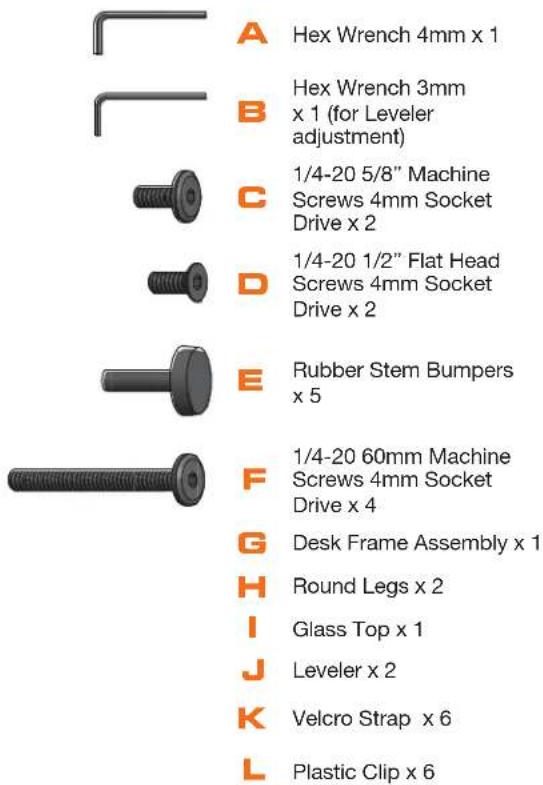
text_image
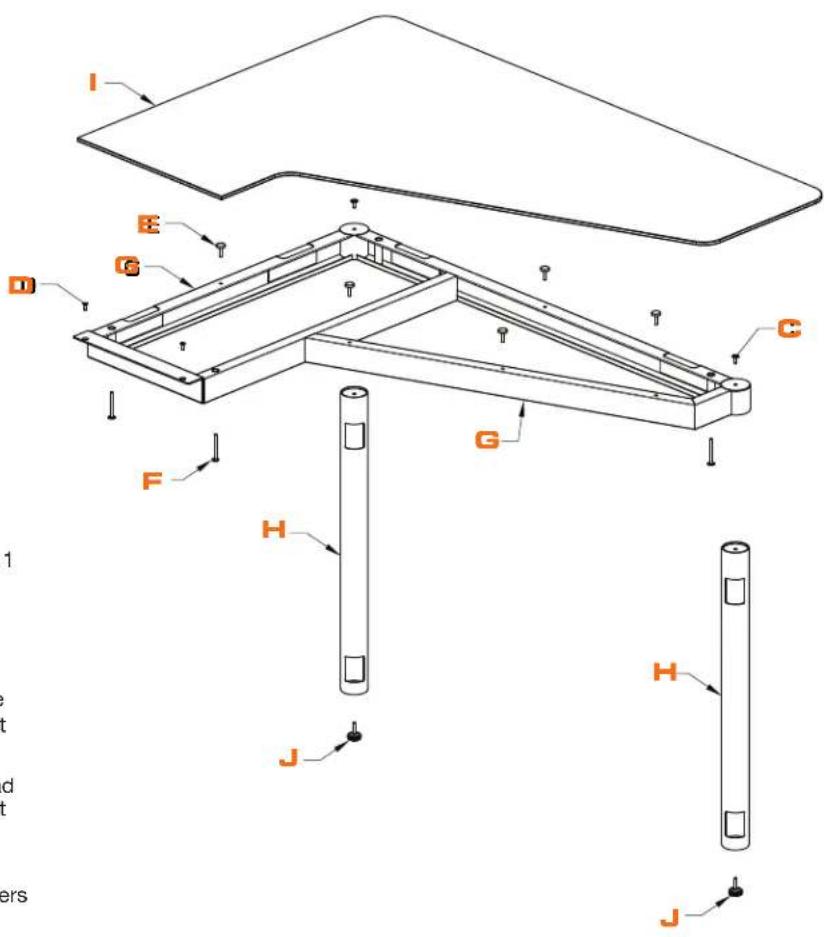
A Hex Wrench 4mm x 1 B Hex Wrench 3mm x 1 (for Leveler adjustment) C 1/4-20 5/8" Machine Screws 4mm Socket Drive x 2 D 1/4-20 1/2" Flat Head Screws 4mm Socket Drive x 2 E Rubber Stem Bumpers x 5 F 1/4-20 60mm Machine Screws 4mm Socket Drive x 4 G Desk Frame Assembly x 1 H Round Legs x 2 I Glass Top x 1 J Leveler x 2 K Velcro Strap x 6 L Plastic Clip x 6
text_image
BDI K x 6 L x 6Wire Management
(Optional)
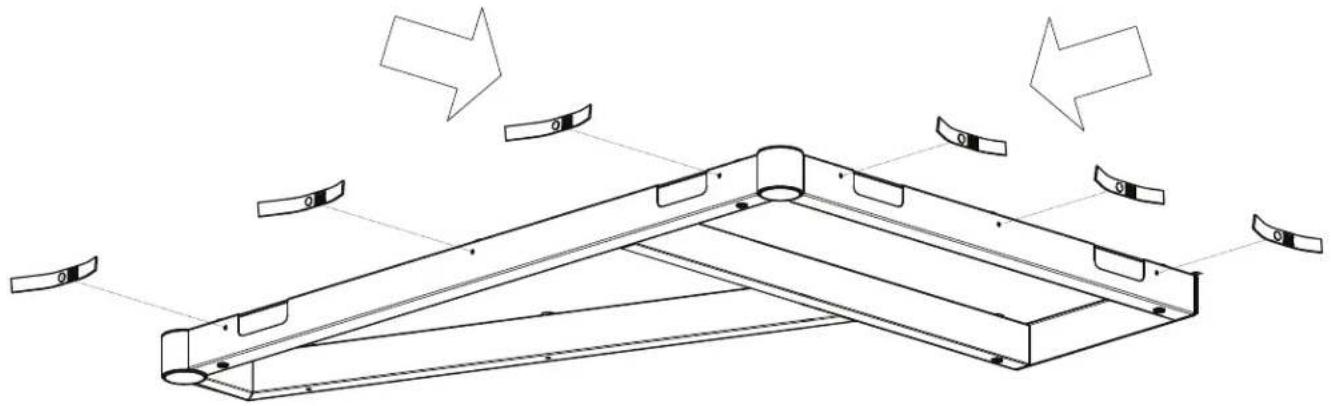
For the purpose of wire management, use Plastic Clip (L) to install Velcro Straps (K) to outside perimeter of Desk Frame Assembly (G).
natural_image
Technical line drawing of a mechanical bracket assembly with multiple curved components and directional arrows indicating motion (no text or symbols)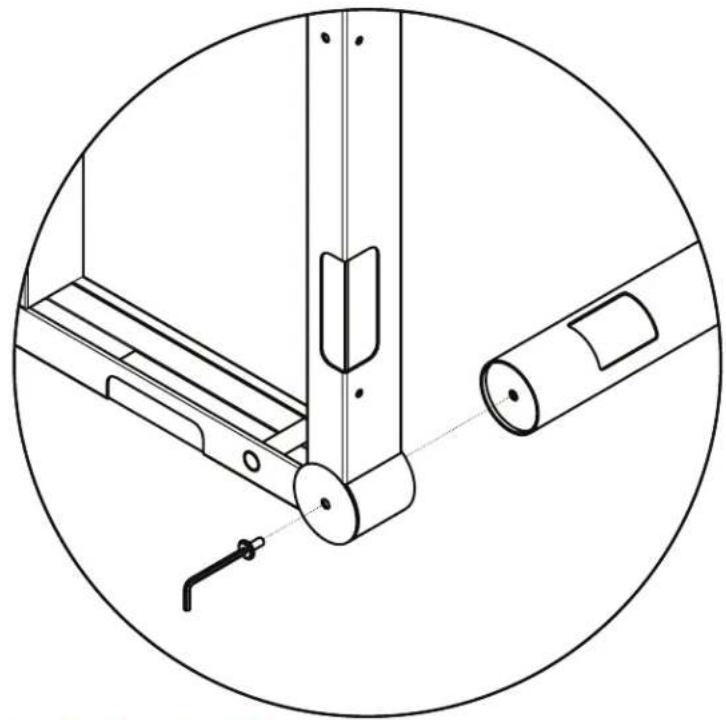
natural_image
Technical line drawing of a mechanical assembly with no visible text or symbols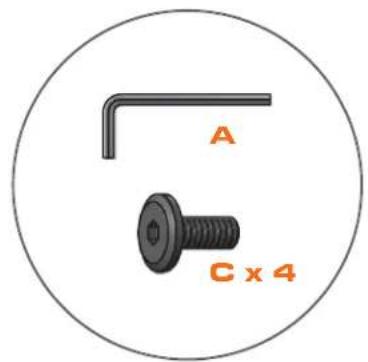
text_image
A C x 4Attach Leg to Desk Frame
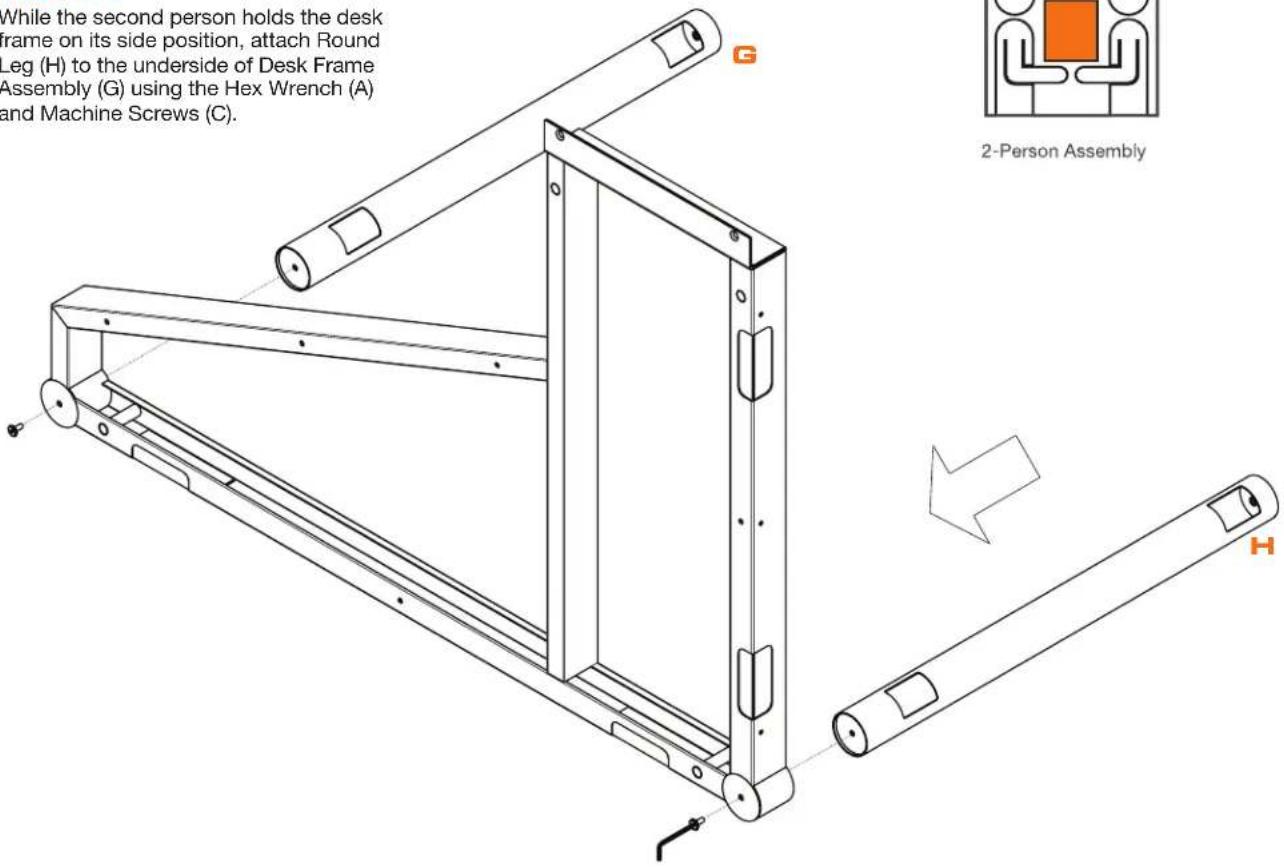
While the second person holds the desk frame on its side position, attach Round Leg (H) to the underside of Desk Frame Assembly (G) using the Hex Wrench (A) and Machine Screws (C).

text_image
While the second person holds the desk frame on its side position, attach Round Leg (H) to the underside of Desk Frame Assembly (G) using the Hex Wrench (A) and Machine Screws (C). 2-Person Assembly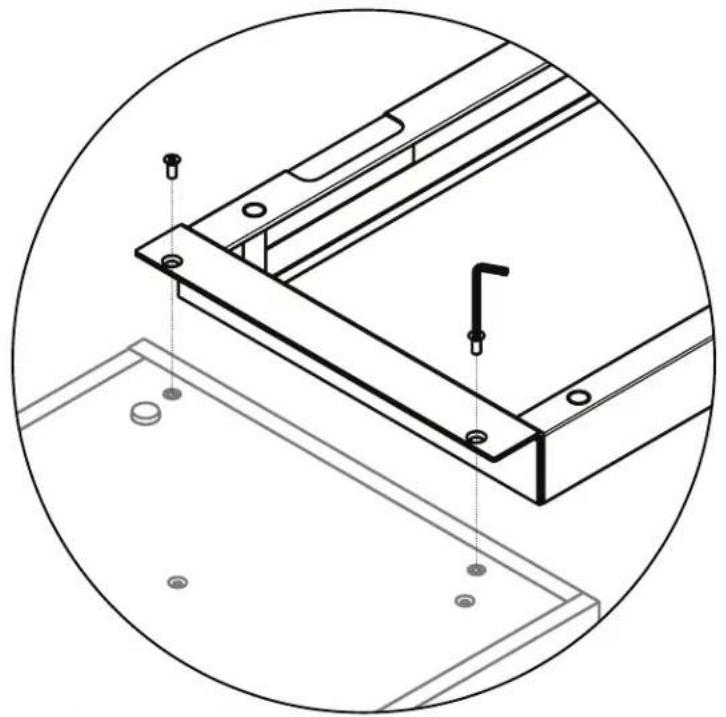
natural_image
Technical line drawing of a mechanical bracket assembly with mounting holes and mounting feet (no text or symbols)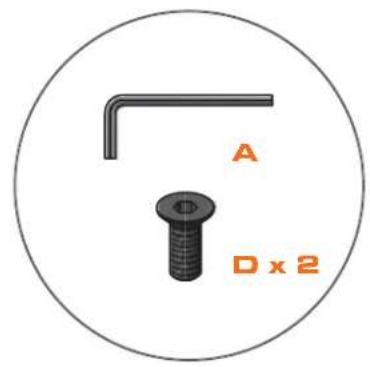
text_image
A D x 2Attach Desk Frame to Cabinets
With the help of another person, carefully lower Desk Frame Assembly (H) onto the adjacent cabinets (Sequel Models 6014, 6015, 6016, or 6017). Adjust frame so that the holes are aligned with the threaded inserts on top of the cabinets. Once holes are aligned, install Flat Head Screws (D) using Hex Wrench (A).


text_image
s. Once holes Screws (D) 2-Person AssemblyBumpers
Install Rubber Stem Bumpers (E).

natural_image
3D rendered mechanical part inside a circle, labeled 'E x 5' (no other text or symbols)
natural_image
Technical line drawing of a structural frame assembly with mounting holes and a downward arrow indicator (no text or symbols)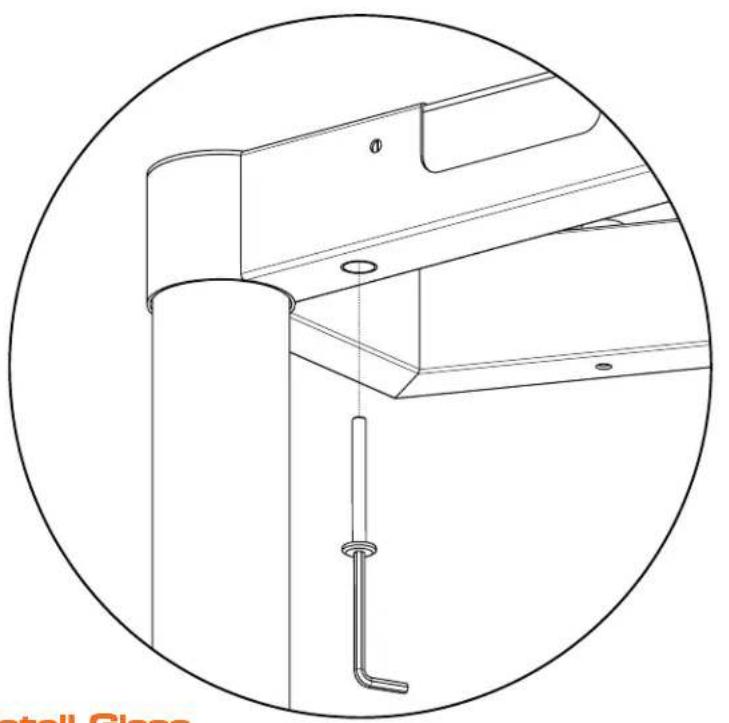
natural_image
Technical line drawing of a mechanical assembly with a cylindrical component and a bent pipe, enclosed in a circular frame (no text or symbols)
text_image
A F x 4Install Glass
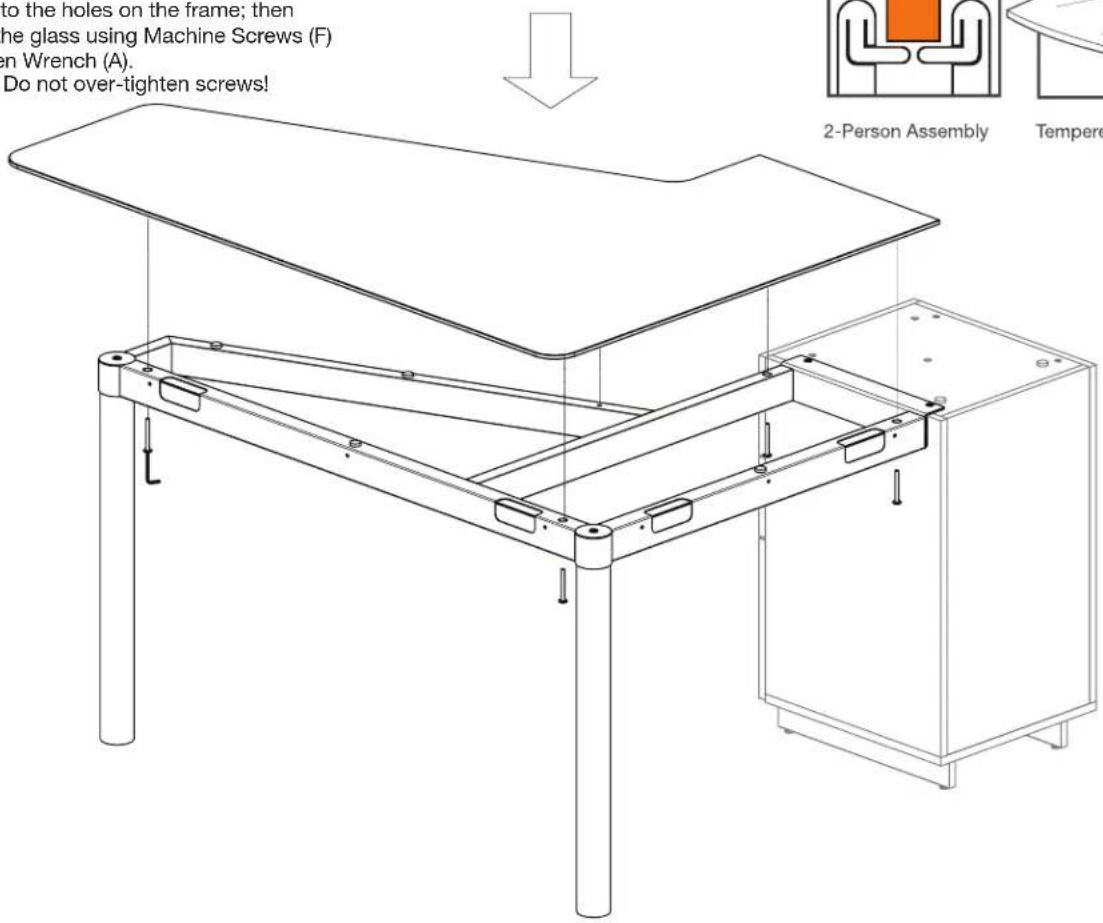
With the help of another person, carefully lower the Glass Top (I) onto the frame. Register the steel discs on underside of glass into the holes on the frame; then attach the glass using Machine Screws (F) and Allen Wrench (A).
NOTE: Do not over-tighten screws!


Tempered Glass
text_image
to the holes on the frame; then the glass using Machine Screws (F) en Wrench (A). Do not over-tighten screws! 2-Person Assembly Temper
text_image
C When sCAUTION:
When setting up multiple workstations, leave at least 1" between each station. Failure to do so may result in damage to tempered glass work surfaces.

text_image
6018L 6014 6014 6018R 11Plan View
Install Glass
Carefully lower the glass panel onto the Sequel Cabinet (Refer to individual cabinet instructions).


Tempered Glass
