
RPWF830WEB - Water filter PANASONIC - Free user manual and instructions
Find the device manual for free RPWF830WEB PANASONIC in PDF.
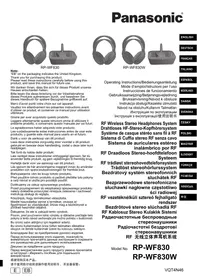


| Product type | RF Wireless Stereo Headphones |
| Brand | Panasonic |
| Model | RPWF830WEB |
| Transmitter power supply | 12 V DC, 300 mA (AC adapter included) |
| Headphone power supply | 2 Ni-MH rechargeable batteries 2.4 V or 2 AAA batteries 3 V |
| Battery life | Approx. 20 hours (24-hour charge) |
| Frequency response | 18 Hz – 22,000 Hz |
| Maximum range | Up to 100 meters (in open space) |
| Dimensions (W x H x D) | 175 mm x 210 mm x 85 mm |
| Weight (headphones without batteries) | Approx. 180 g |
| Modulation system | FM stereo |
| Operating temperature range | 0 °C to 40 °C |
| Operating humidity range | 35 % to 80 % RH (without condensation) |
| Supplied accessories | AC adapter, 2 Ni-MH rechargeable batteries |
| Maintenance and cleaning | Wipe with a soft, dry cloth. Do not use solvents. |
| Safety | Do not expose to water, moisture, or flames. Use only the supplied adapter. |
| Repairability | Refer all repairs to qualified personnel. Do not open the device. |
| Replacement parts | Replacement rechargeable batteries (ref. HHR-4AGE/2B) available from the dealer. |
Frequently Asked Questions - RPWF830WEB PANASONIC
User questions about RPWF830WEB PANASONIC
0 question about this device. Answer the ones you know or ask your own.
Ask a new question about this device
Download the instructions for your Water filter in PDF format for free! Find your manual RPWF830WEB - PANASONIC and take your electronic device back in hand. On this page are published all the documents necessary for the use of your device. RPWF830WEB by PANASONIC.
USER MANUAL RPWF830WEB PANASONIC
"EB" on the packaging indicates the United Kingdom.
Thank you for purchasing this product.
Please read these instructions carefully before using this product, and save this manual for future use.
Please check and identify the supplied accessories.
For the United Kingdom only:
Use the numbers indicated in parentheses when asking for replacement parts.
"As of November 2012"
- AC adaptor
For Continental Europe: RFX0B43
For United Kingdom: (RFX0B44)
RP-WF830
- 2 Nickel-metal hydride rechargeable batteries (HHR-4AGE/2B)
RP-WF830W
- 4 Nickel-metal hydride rechargeable batteries (HHR-4AGE/2B)
Information for Users on Collection and Disposal of Old Equipment and used Batteries
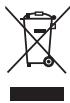
These symbols on the products, packaging, and/or accompanying documents mean that used electrical and electronic products and batteries should not be mixed with general household waste.
For proper treatment, recovery and recycling of old products and used batteries, please take them to applicable collection points, in accordance with your national legislation and the Directives 2002/96/EC and 2006/66/EC. By disposing of these products and batteries correctly, you will help to save valuable resources and prevent any potential negative effects on human health and the environment which could otherwise arise from inappropriate waste handling. For more information about collection and recycling of old products and batteries, please contact your local municipality, your waste disposal service or the point of sale where you purchased the items. Penalties may be applicable for incorrect disposal of this waste, in accordance with national legislation.

For business users in the European Union
If you wish to discard electrical and electronic equipment, please
contact your dealer or supplier for further information.
[Information on Disposal in other Countries outside the European Union] These symbols are only valid in the European Union. If you wish to discard these items, please contact your local authorities or dealer and ask for the correct method of disposal.
Cd
Note for the battery symbol (bottom two symbol examples):
This symbol might be used in combination with
a chemical symbol. In this case it complies with the requirement set by the Directive for the chemical involved.
Precautions
Restriction of use
For use only in the countries listed on page 6.
The radio frequencies this unit uses (863 to 865 MHz) are not permitted in some countries.
AC adaptor
Handle the AC adaptor carefully. Improper handling is dangerous.
- Do not touch it with wet hands.
- Do not place heavy objects on top of it.
- Do not forcibly bend it.
Be sure to use the supplied AC adaptor.
Batteries
- The rechargeable battery can be recharged about 500 times. If its operating time becomes extremely short, you should replace it.
- Do not mix old and new batteries or different types of batteries.
- Remove all the batteries if the set will not be used for a long period of time.
- Carry and store the rechargeable batteries in the battery carrying case to prevent contact with metal objects.
- Do not heat or expose to flame.
- Do not leave the batteries in a car exposed to direct sunlight for a long period of time with doors and windows closed.
- Do not peel off the covering on batteries and do not use if the covering has been peeled off.
Mishandling of batteries may cause electrolyte leakage which may damage items when the leaked fluid comes into contact.
If electrolyte leaks from the battery, consult your dealer.
Wash thoroughly with water if electrolyte comes in contact with any part of your body.
- Keep the battery and 6.3 mm stereo standard plug adaptor out of reach of children to prevent swallowing.
The unit
No altering or remodeling
This may cause malfunctioning.
No dropping or strong impacts
This may damage the unit.
Avoid using the unit in the following locations since they may cause malfunctioning.
- Bathrooms and other moisture-prone places
- Warehouses and other dusty places
- Very hot places near heating appliances, etc.
Do not leave the unit exposed to direct sunlight for long periods of time.
This may deform or discolor the cabinet and may also cause malfunctioning.
Power sources
See illustrations on page 3-④.
Recharge the batteries before using the unit.
1 Insert the two rechargeable batteries (supplied) into the battery compartment in the left housing (L) of the headphones.
- Correctly align the and poles when inserting.
- Push toward pole spring when inserting.
- Remove the poles first when removing.
- Push the edge of [BATT] compartment lid up to open.
- Close [BATT] compartment lid firmly after inserting the batteries.
Connect the supplied AC adaptor to the transmitter, and then to a household mains socket.
Household mains socket
(AC 230 V to 240 V, 50 Hz)
3 Turn off [OPR] switch and place the headphones on the transmitter.
Place the headphones on the transmitter so that the charging pins on the transmitter engage the charging contacts on the bottom of the left housing (L).
[OPR/CHG] indicator goes red and charging starts.
The indicator goes out when the batteries are fully charged.
- Approximate recharging and operating time
Recharging: 24 hours
Operating: 20 hours
4 To check the remaining battery strength:
Recharge the batteries when the [OPR] indicator on the left housing (L) starts to fade and/or flash, or when sound becomes distorted or fades.
Recharge the batteries in an ambient temperature between 5°C and 35°C. In other environments, charging time may become longer, or charging may be impossible.
Service life of the batteries:
If the [OPR] indicator on the left housing (L) dims or fails to light even after recharging the batteries, they have come to the end of their serviceable life and need to be replaced.
2 Nickel-metal hydride rechargeable batteries (Part no.: HHR-4AGE/2B).
For your reference:
Dry cell batteries (R03/LR03, AAA) can also be used to power the headphones.
Do not attempt to recharge them.
Connections
See illustrations on pages 3-8.
1 Connect the transmitter to the audio-visual equipment.
The audio input plug ③ of the transmitter can be connected directly to the 3.5 mm stereo mini headphones jack on your equipment ⑥.
Use the 6.3 mm stereo standard plug adaptor (not supplied) © if the headphones jack is large (6.3 mm stereo).
Portable CD player, headphones stereo, radio/tape players, personal computer, etc.
2 Connect the supplied AC adaptor to the transmitter, and then to a household mains socket.
Household mains socket (AC 230 V to 240 V, 50 Hz)
Disconnect the AC adaptor from the household mains socket if the unit is not going to be used for a long time.
The unit is in the standby condition when the AC adaptor is connected. The primary circuit is always "live" as long as the AC adaptor is connected to an electrical outlet.
- Do not use any other AC adaptors except the supplied one.
Installation
This unit uses radio waves.
The waves can be transmitted to a range of up to 100 meters.
Note
Under optimum conditions, the headphones can pick up clean signals from the transmitter to a maximum of 100 meters. Metal between the two units and the presence of other radio waves may cause interference to occur at a shorter distance. This interference can be cleared by moving closer to the transmitter, removing the obstructions, or changing the transmitter channel.
You may occasionally experience interference due to dead spots in the area covered by the transmitter. This phenomenon occurs with any kind of radio signal and is not a malfunction. Dead spots can be moved by moving the transmitter and the headphones.
Operation
Preparation
Turn on the audio-visual equipment the transmitter is connected to. 2 Turn the volume on the sound source up as much as possible without causing distortion.
Sound is more susceptible to noise interference when the source volume is set to low.
See illustrations on page 3-⑥.
1. Remove the headphones from the transmitter. 2. Reduce the volume of the headphones with the [VOL] dial. 3. Switch the [OPR] switch to "ON". The [OPR] indicator goes red. 4. Put the headphones on. 5. Adjust the volume on the headphones. 6. Turn the [TUNING] dial to the position of least interference to adjust the frequency.
If there is interference, you can change the transmitter channel to improve reception.
After listening
1. Take the headphones off. 2. Switch the [OPR] switch to "OFF". The [OPR] indicator goes out. 3. Reset the headphones on the transmitter, and recharge them. 4. Turn off the audio-visual equipment the transmitter is connected to.
Note
- Avoid listening for prolonged periods of time to prevent hearing damage.
- Discontinue use if you experience discomfort with the headphones that directly contact your skin. Continued use may cause rashes or other allergic reactions.
- A small abnormal sound may be heard from the AC adaptor. This is not a malfunction.
- If noise occurs in a radio, etc., keep the AC adaptor away from the radio.
Concerning the AUTO POWER ON/OFF function:
When audio signals are input, the transmitter's power is turned on ([OPR/CHG] indicator lights in green). When audio signals are not input for 1 to 2 minutes, its power is automatically turned off ([OPR/CHG] indicator goes out). When the volume of the connected unit is too low, this function doesn't work. Turn up the volume as much as possible without causing distortion.
See illustrations on page 3-①.
If reception is still poor
The radio waves from the transmitter may be being interfered with by other radio waves. You can change the transmitter channel to improve reception. If you use the unit near a cordless telephone, it may cause radio interference.
1 Select another channel with [CHANNEL] switch. 2 Turn [TUNING] dial to the position of least interference to adjust the frequency.
Note
Some sound or noise may still be heard even if no sound signals are passing through the transmitter.
Maintenance
Wipe with a soft, dry cloth.
- When extremely dirty, wipe away the dirt using a cloth dampened with water and firmly wrung out, and then wipe away any remaining moisture with a dry cloth.
- Do not use solvents such as benzine, thinner, alcohol and kitchen detergent, or chemically treated cloth. Doing so may degrade the exterior case or cause the paint to peel.
Specifications
General
Modulation system
Stereo frequency modulation system
Carrier frequency rate
863 to 865 MHz
Transmitting distance
up to 100 m
RF Stereo Transmitter
Power supply DC 12 V, 300 mA (Using AC adaptor, supplied)
Dimensions (W x H x D)
157 mm x 100 mm x 124 mm
Mass
Approx. 195 g
RF Stereo Headphones
Frequency response
18 Hz to 22000 Hz
Power supply
DC 2.4 V: 2 x Nickel-metal
hydride rechargeable batteries or DC 3 V: 2 x R03/LR03 (size AAA) batteries
Dimensions (W x H x D)
175 mm x 210 mm x 85 mm
Mass Approx. 180 g (without batteries)
Approximate recharging and operating time
Recharging: 24 hours
Operating: 20 hours
Operating temperature range
0°C to 40°C
Operating humidity range
35% to 80% RH (no condensation)
Note
Actual life of the battery will depend on operating conditions.
Specifications are subject to change without notice.
Troubleshooting guide
Before requesting service, make the following checks. If you are in doubt about any of the check points, or if the remedies indicated in the chart do not solve the problem, consult your dealer for instructions.
| Problem | Probable cause(s) | Suggested remedy |
| No sound. | Is the audio-visual equipment that the transmitter is connected to on? | Turn the audio-visual equipment on. |
| Are the audio-visual equipment and the transmitter connected? | Connect the audio-visual equipment correctly and ensure the plug is properly inserted. | |
| Is the volume too low? | If the transmitter is connected to the headphones jack, turn up the volume of the connected audio-visual equipment. | |
| Turn up the volume on the headphones. | ||
| Sound is distorted. | Is the input level of the audio signal too high? | If the transmitter is connected to the headphones jack, turn down the volume of the connected audio-visual equipment. |
| Excessive noise. | Is there an obstruction between the transmitter and the headphones? | Remove the obstruction, move the transmitter, or change position yourself. |
| • Are other radio waves obstructing the transmitter's waves? • Are the transmission frequency and the receiver's frequency tuned correctly? | Change the transmitter channel with [CHANNEL] switch and then turn [TUNING] dial on the headphones to the position of least interference. | |
| Is the input level of the audio signal too low? | If the transmitter is connected to the headphones jack, turn up the volume of the connected audio-visual equipment. | |
| No sound, sound is distorted, or there is excessive noise. | Is [OPR] indicator dim or does it fail to light at all? | The batteries have run down. Recharge them. If the indicator remains dim after recharging, the batteries have come to the end of their serviceable life and need to be replaced. |

Declaration of Conformity (DoC)
Hereby, "Panasonic Corporation" declares that this product is in compliance with the essential requirements and other relevant provisions of Directive 1999/5/EC.
Customers can download a copy of the original DoC to our R&TTE products from our DoC server:
http://www.doc.panasonic.de
Contact to Authorised Representative: Panasonic Marketing Europe GmbH, Panasonic Testing Centre, Winsberging 15, 22525 Hamburg, Germany
This product is intended to be used in the following countries.
The UK, FRANCE, GERMANY, ITALY, SWITZERLAND, AUSTRIA, NETHERLANDS, BELGIUM, SPAIN, SWEDEN, NORWAY, DENMARK, FINLAND, HUNGARY, CZECH REPUBLIC, SLOVAKIA, SLOVENIA, BULGARIA, POLAND, GREECE, PORTUGAL, ROMANIA, TURKEY
This product is intended for general consumer. (Category 3)
WARNING:
To reduce the risk of fire, electric shock or product damage.
- Do not expose this unit to rain, moisture, dripping or splashing.
- Do not place objects filled with liquids, such as vases, on this unit.
- Use only the recommended accessories.
- Do not remove covers.
- Do not repair this unit by yourself. Refer servicing to qualified service personnel.
CAUTION!
To reduce the risk of fire, electric shock or product damage,
- Do not install or place this unit in a bookcase, built-in cabinet or in another confined space. Ensure this unit is well ventilated.
- Do not obstruct this unit's ventilation openings with newspapers, tablecloths, curtains, and similar items.
- Do not place sources of naked flames, such as lighted candles, on this unit.
This unit is intended for use in moderate climates.
The mains plug is the disconnecting device. Install this unit so that the mains plug can be unplugged from the socket outlet immediately.
This unit may receive radio interference caused by mobile telephones during use. If such interference occurs, please increase separation between this unit and the mobile telephone.
CAUTION
- Danger of explosion if battery is incorrectly replaced. Replace only with the type recommended by the manufacturer.
- When disposing the batteries, please contact your local authorities or dealer and ask for the correct method of disposal.
Product Identification Marking is located on the bottom of unit.
Wide band characteristic voltage equal or larger than 75mV
For indoor use only.
Sales and Support information (For the United Kingdom and Ireland customers)
Customer Communications Centre - For customers within the U.K.: 0844 844 3899
For customers within Ireland: 01289 8333 - Monday - Friday 9:00am - 5:00pm, (Excluding public holidays). For further support on your product, please visit our website: www.panasonic.co.uk
Direct Sales at Panasonic U.K.
- Order accessory and consumable items for your product with ease and confidence by phoning our Customer Communications Centre Monday - Friday 9:00am - 5:00pm, (Excluding public holidays).
- Or go on line through our Internet Accessory ordering application at www.pas-europe.com
- Most major credit and debit cards accepted.
- All enquiries transactions and distribution facilities are provided directly by Panasonic U.K.
- It couldn't be simpler!
- Also available through our Internet is direct shopping for a wide range of finished products. Take a browse on our website for further details.
- 2 rechargeable nickel-metal hydride batteries: HHR-4AGE/2B
RP-WF830W
- 4 rechargeable nickel-metal hydride batteries: HHR-4AGE/2B
Panasonic Corporation 1-15 Matsuo-cho, Kadoma City,
Osaka 571-8504, Japan
AUTHORIZED REPRESENTATIVE
Panasonic Elektronik Satis A.S.
Maslak Mah. Bilim Sok.
Sun Plaza No:5 K:16
34398 Maslak-Sişi Istanbul Turkey
Tel: (+90) 2123679400
Fax: (+90) 212 286 21 11
www.panasonic.com.tr
Info.TR@eu.panasonic.com
CUSTOMER SERVICES: 444 72 62
THE SERVICE LIFE OF THIS PRODUCT IS 3 YEARS
If interference occurs, you can change the direction of the antenna to improve reception.
After listening
Remove the headphones. Set the [OFF] switch to the "OFF" position. The [OFF] indicator goes off. Disconnect the headphones from the transmitter and receiver. Also turn off the audio/video equipment connected to the transmitter.
Precautions
- Avoid prolonged listening at high volume to prevent hearing damage.
- Stop using if you experience discomfort with the headphones that come into direct contact with your skin. Continued use may cause rashes or other allergic reactions. The AC adapter may produce a faint sound. This is not a malfunction.
- If interference occurs with radio reception, disconnect the AC adapter from the radio receiver.
Regarding the automatic power on/off function:
When audio is input to the device, the power turns on automatically (the [OPR/CHG] indicator lights up green). When no audio is input for 1 to 2 minutes, the power turns off automatically (the [OPR/CHG] indicator goes off). If the volume level of the connected device is too low, this function may not work. Increase the volume level as much as possible so that the sound is not interrupted.
See illustration on page 3-①
If the signal is weak
Radio transmitters may receive interference from other radio waves. You can change the transmission channel for better reception. If you use the device near a cordless phone, this may cause radio interference.
Select a different channel using the [CHANNEL] switch. 2 Turn the [TUNING] dial to the position with the least interference to adjust the frequency.
Note
The actual sound quality may be affected by the surrounding environment, and there may be some noise or hiss.
Technical specifications
Main specifications
Modulation system
Stereo frequency modulation
Carrier frequency 863-865 MHz
DC 12 V, 300 mA
(With use)
cTeBOro aanTepa,
BXOД幺eroB KOMПЛЕКТ NOCTABKn)
PaNoactoTHbIe CtepeOHayNnIK
YactoTHaxaPakTepeNCTnKa
18Tcdo22000Tc
Dnana3OH BJIaxKHOCTN
OT 35% Do 80% OTHOCHTeNbHOI
BlaJxHocTn (6e3 KOHdeHcaun)
PpIMeuaHne
DeiCTBNTeJIbHbI cPOK ClyjKbI
6atapen 6ydt3abicetb ot ycnoBn 3Kcnpyaataun.
TexHHueckMe xapaKTepeNCTKN MOrTy
6bITb N3MeHeHbI 6e3 yBeDoMJIeHnA.
PykoBoDCTBO no nOncKy uYcTpaHEnHou HnCnpaBnOtei
PpeIeOcbaueHnEM 3a TeXo6cnyKbAHnEM BblOnlInHe CneJyOuIe npoBepKn. EcnI y BaeNo8BnBncB comEHNe OTHocNTenBHO KAKIX-NiIO 63TNx PnoBepok, IIN pnpBcHHeBb T aTabmE peHNe He npBIOAT Y cYtpaHEnIO np6bnEmbl, npOKoHCynbTnpyTeBc BaaWIM dUnepOM OTHocNTenBHO danBHeuNix DeIctBnT.
| HéncnPraBHOCTb | BoZMOxHNA prnUHNa(bI) | PpèdràRaÉMbly cπoCo6 učtpaHEnHry |
| Hét 3Byka. | Вклучedo Ли aydINO-BvIDeO obOpuyobAHme, к КOTOPMyпОдКlучЕн ИЗЛучATENB? | ВклучITE aydINO-BvIDeO obOpuyobAHme. |
| Соединны Ли aydINO-BvIDeO obOpuyobAHme иИЗЛучATENB? | Правильно рОдcoeДинite aydINO-BvIDeO obOpuyobAHme ипровье,ЧтбblштЕр 6blлплOTH NO BCTaBLeH. | |
| СоюшКOM ИЗКУ уroВЕнгromKoCTN? | ЕслійЗУчATEь рОдcoeДинен K ГнEDу habuShNKOB,TO yBélnchte урòвЕнгromKoCTN на рОдcoeДинEHOM aydINO-BvIDeO obOpuyobAHm. | |
| Увелчыte уroВЕнгromKoCTN habuShNKOB. | ||
| ЗукИскжаэТсЯ. | ВхODнoy уroВЕньaydINOcINHaJIа СПИШКOMБILcOKNiz? | ЕслійЗУчATEь рОдcoeДиненК ГнEDу habuShNKOB,TO yBélnchte урòвЕнгromKoCTN на рОдcoeДинEHOM aydINO-BvIDeO obOpuyobAHm. |
| Увелчыte уroВЕнгromKoCTN habuShNKOB. | ||
| СиLBнБIenomExH. | Hét Ли пэрЯTСВIMMeЖду ИЗЛучATEмENi habuShNKaMn? | Удампite рряЯTСВи,пэрдын'te ИЗЛучATEьИиNi IЗМeнITe CBoeMeCTOPaCnIOnJokHne. |
| • Постороннiepe radioBOvIHbЯВЯЛOTCSpruchин ВОЗнIHOBeHnYnomex BOH nI3ЛучATENB?• Правиьн Влп NaStropeNBчAcTOTA ИЗЛучЕньичAcTOTA priněMнÍKA? | Измeнeнite kaHanpepeDAtChnKaC NOMOьуpekeLHyC[CHANNEL], a 3aTeM NOberpHTeДИСК [TUNING] na rOLOBbIXtelenФОнax B NOLOXeHne C habuMнБIshmIM NOMexAmi. | |
| ВхODнoy уroВЕньaydINOcINHaJIa СПИшКOMИЗКИ? | ЕслійЗУчATEь рОдcoeДиненК ГнEDу habuShNKOB,TO yBélnchte урòвЕньrromKoCTN na PОдcoeДинEHOM aydINO-BvIDeO obOpuyobAHm. | |
| Hét 3Byka, 3BykИскжаэТсЯ,IиIи ИмeHOTcScIIbHbIeIonomExH. | ИнДикатор [OPR] He roptinIиIи рогитТуСКIO? | Батарейкиразражени. 3apЯДITEnx.IСел.Nосяп ЗapадиЗБотарекИнДикатор OCTaEETСТУСКДБМ,TO 3TO03HaueT,чTo cspK cSpKbIbIaБatapeekIcTEK,Ии Xe HeOБxOДМо ZaměHNTb. |
Improper use may damage the product. Do not drop or hit the device.
The device may malfunction. Avoid using it in the following places: it may cause damage.
- In humid or wet places;
- In warehouses or other dusty places;
- Near sources of high temperature, etc.
Do not leave the device in direct sunlight for long periods.
It may cause deformation or damage, as well as malfunction.
Power supply
See page 3-A. Before using the device, charge the battery.
Insert the rechargeable batteries (included in the kit) into the battery compartment, located in the device body (L) of the device.
Insert the batteries, correctly positioning the polarity (+ and -). When inserting the batteries, press the spring on the - side of the battery, then insert from the + side. To close the battery compartment cover [BATT], press it down. Make sure the cover is closed properly. @ - Fully close the battery compartment cover [BATT] until the batteries are securely in place. <b>
2 Connect the AC adapter, included in the kit, to the transmitter, then to the electrical outlet.
Outlet (AC 230 V to 240 V, 50 Hz)
3 Turn on the switch [OPR] and place the device on the transmitter.
The transmitter is powered by a battery, so the contacts on the transmitter must be in contact with the contacts on the lower part of the device body (L). The [POWER/CHG] indicator will light up red, and then turn green. When the battery is fully charged, the indicator will turn off.
Carrier frequency 863-865 MHz
Transmission range up to 100 m
Radio frequency transmission of audio
12 V, 300 mA DC (using an AC adapter that was included in the kit)
Dimensions (W x H x D)
157 mm x 100 mm x 124 mm
Weight
approx. 195 g
Radio frequency stereo headphones frequency response
18 Hz - 22000 Hz
Audio input: 2 x 3.5 mm jack (for MP3 players, etc.) - 2 x AAA batteries (size AAA)
Dimensions (W x H x D)
175 mm x 210 mm x 85 mm
Safety information for customers in Finland and Norway
NORSK
ADVARSEL
Pursuant to the applicable EU legislation
Panasonic Marketing Europe GmbH Panasonic Testing Centre
Winsbergring 15, 22525 Hamburg, Germany
EaVikα
C
Anwon NiototntaC (DoC)
Hereby, Panasonic Corporation declares that this equipment complies with the essential requirements and other relevant provisions of Directive 1999/5/EC. The full text of the DoC is available at the following internet address: http://www.doc.panasonic.de. Authorized Representative: Panasonic Marketing Europe GmbH, Panasonic Testing Centre, Winsbergring 15, 22525 Hamburg, Germany (Germany). This equipment is intended for use in the following countries: UNITED KINGDOM, IRELAND, GERMANY, ITALY, SWITZERLAND, AUSTRIA, BELGIUM, SPAIN, SWEDEN, NORWAY, DENMARK, FINLAND, HUNGARY, CZECH REPUBLIC, SLOVAKIA, SLOVENIA, BULGARIA, ROMANIA, GREECE, PORTUGAL, TURKEY. This equipment is intended for general consumers (Category 3).
PpOpuAeIs
Pepiopioos xphons
For strong signal, keep the antenna upright.
The radio transmitters used in this equipment (863-865 MHz) are not permitted in certain countries.
EU
Panasonic Corporation
Web Site: http://panasonic.net


- RP-WF
- RP-WF830W
- INFORMATION FOR USERS ON COLLECTION AND DISPOSAL OF OLD EQUIPMENT AND USED BATTERIES
- FOR BUSINESS USERS IN THE EUROPEAN UNION
- NOTE FOR THE BATTERY SYMBOL (BOTTOM TWO SYMBOL EXAMPLES)
- PRECAUTIONS
- RESTRICTION OF USE
- AC ADAPTOR
- BATTERIES
- THE UNIT
- NO ALTERING OR REMODELING
- NO DROPPING OR STRONG IMPACTS
- POWER SOURCES
- SERVICE LIFE OF THE BATTERIES
- FOR YOUR REFERENCE
- CONNECTIONS
- INSTALLATION
- NOTE
- OPERATION
- PREPARATION
- AFTER LISTENING
- CONCERNING THE AUTO POWER ON/OFF FUNCTION
- IF RECEPTION IS STILL POOR
- MAINTENANCE
- SPECIFICATIONS
- GENERAL
- TROUBLESHOOTING GUIDE
- DECLARATION OF CONFORMITY (DOC)
- WARNING
- CAUTION
- SALES AND SUPPORT INFORMATION (FOR THE UNITED KINGDOM AND IRELAND CUSTOMERS)
- DIRECT SALES AT PANASONIC U.K
- AUTHORIZED REPRESENTATIVE
- REGARDING THE AUTOMATIC POWER ON/OFF FUNCTION
- IF THE SIGNAL IS WEAK
- TECHNICAL SPECIFICATIONS
- MAIN SPECIFICATIONS
- MODULATION SYSTEM
- PANOACTOTHBIE CTEPEOHAYNNIK
- YACTOTHAXAPAKTEPENCTNKA
- DNANA3OH BJIAXKHOCTN
- PPIMEUAHNE
- PYKOBODCTBO NO NONCKY UYCTPAHENHOU HNCNPABNOTEI
- IMPROPER USE MAY DAMAGE THE PRODUCT. DO NOT DROP OR HIT THE DEVICE
- DO NOT LEAVE THE DEVICE IN DIRECT SUNLIGHT FOR LONG PERIODS
- POWER SUPPLY
- SAFETY INFORMATION FOR CUSTOMERS IN FINLAND AND NORWAY
- NORSK
- ADVARSEL
- EAVIKΑ
- C
- ANWON NIOTOTNTAC (DOC)
- PPOPUAEIS
- PEPIOPIOOS XPHONS
- PANASONIC CORPORATION
Brand : PANASONIC
Model : RPWF830WEB
Category : Water filter