GOV35 - Oven GEMINI - Free user manual and instructions
Find the device manual for free GOV35 GEMINI in PDF.


| Product Type | Electric Built-in Oven |
| Brand | Gemini |
| Model | GOV35 |
| Dimensions (W x H x D) | 59.5 cm x 59.5 cm x 55 cm |
| Weight | 38 kg |
| Power Supply | 220-240 V, 50/60 Hz |
| Power Consumption | 2500 W |
| Oven Capacity | 70 L |
| Energy Efficiency Class | A |
| Cooking Modes | Conventional, Fan-Forced, Grill, Pizza, Defrost, Keep Warm |
| Temperature Range | 50°C - 250°C |
| Interior Light | Yes |
| Door Type | Cool-Touch, Triple Glazed, Removable |
| Cleaning Type | Easy-Clean Enamel, Steam Assist Option |
| Safety Features | Child Lock, Automatic Shut-Off, Cool-Touch Door |
| Control Type | Electronic Touch + Rotary Knobs |
| Display | LED Digital Display |
| Timer Functions | Delay Start, Cooking Duration, End Time |
| Replacement Parts Available | Heating Elements, Door Gasket, Glass Panel, Thermostat |
| Warranty | 2 Years |
Frequently Asked Questions - GOV35 GEMINI
User questions about GOV35 GEMINI
0 question about this device. Answer the ones you know or ask your own.
Ask a new question about this device
Download the instructions for your Oven in PDF format for free! Find your manual GOV35 - GEMINI and take your electronic device back in hand. On this page are published all the documents necessary for the use of your device. GOV35 by GEMINI.
USER MANUAL GOV35 GEMINI
natural_image
Industrial scene with glowing metal components and yellow warning symbols (no readable text)
Two independent temperature control for top & bottom heating pipes

natural_image
Close-up of a glowing incandescent light bulb mounted on a dark mechanical component (no visible text or symbols)Interior lamp & Non-stick inner surface for easy cleaning
natural_image
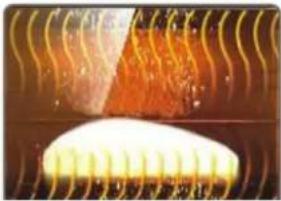
Abstract illustration of a glowing, flame-like shape with wavy lines above it (no text or symbols)Fermentation Function
natural_image
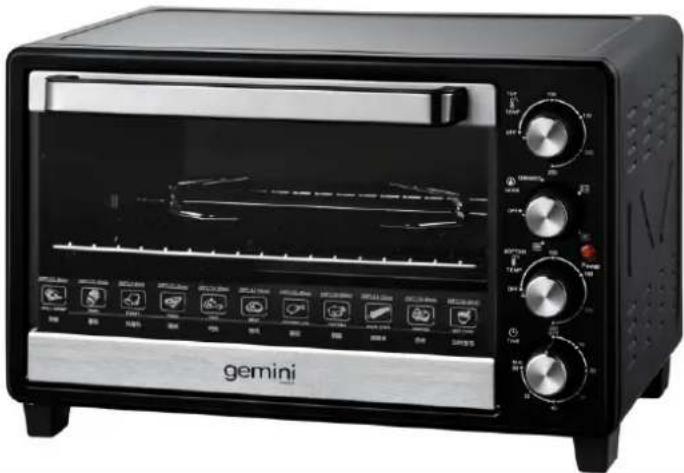
Exterior view of a black gemini microwave oven with control knobs and display screen (no visible text or symbols on main body)35L Electric Oven 35L獨立上下溫控對流電焗爐獨GOV35溫控對流電焗爐
• Power:16000W
• Capacity:355Liters
- 600minutesstimerwithreadysignal
- Two independent temperature control for Top and Bottom heating pipes
- 100-250 °C adjustable temperature setting
• 4 function setting:
Fermentation/ Rotisserie/ Convection and Rotisserie & Convection functions
• Non-stick inner surface for better oil removal and easy cleaning
- Interior lamp for clear view
• Product dimension (mm): 520(W) x 335(H) x 400(D)
• Accessories:
Non-stick bake tray, Grill rack, Tong,
Rotisserie tool and handle and Crumb tray