
GOV10DB - Oven GEMINI - Free user manual and instructions
Find the device manual for free GOV10DB GEMINI in PDF.


| Product Type | Countertop Oven |
| Brand | Gemini |
| Model | GOV10DB |
| Power Rating | 750 W |
| Voltage | 220 V ~ 50 Hz |
| Capacity | 10 L |
| Product Dimensions (W x H x D) | 335 x 237 x 232 mm |
| Heating Element | S-Shaped Heating Element |
| Number of Racks | 2 wire racks included |
| Included Accessories | Bake tray, 2 wire racks |
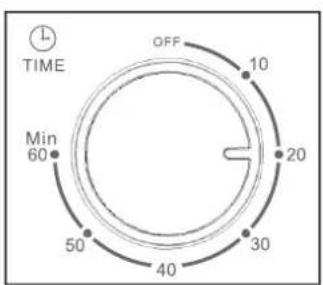
| Controls | Temperature control knob, Timer knob (60 min), Power indicator light |
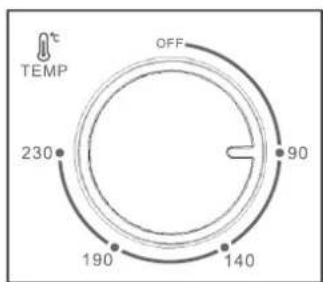
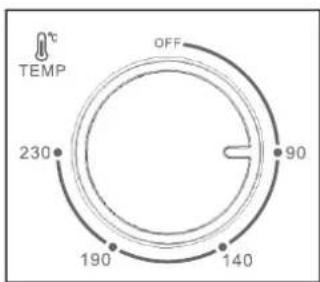
| Temperature Range | 90 °C to 230 °C |
| Material | Metal housing, glass door |
| Safety Features | Automatic shut-off via timer, cool-touch handle, overheat protection |
| Cleaning Method | Wipe exterior with damp cloth; wash removable racks and tray in warm soapy water |
| Usage | Household indoor use only |
| Certifications | CE compliant (estimated) |
| Warranty | Limited manufacturer warranty (check manual) |
Frequently Asked Questions - GOV10DB GEMINI
User questions about GOV10DB GEMINI
0 question about this device. Answer the ones you know or ask your own.
Ask a new question about this device
Download the instructions for your Oven in PDF format for free! Find your manual GOV10DB - GEMINI and take your electronic device back in hand. On this page are published all the documents necessary for the use of your device. GOV10DB by GEMINI.
USER MANUAL GOV10DB GEMINI
Model No. 型號: GOV10DB
750W
IMPORTANT SAFEGUARDS
- When using this electric oven, basic precautions should always be followed, included the followings:
- Read all instructions.
- Do not touch hot surface, use handles and knobs.
- Close supervision is necessary when any appliance is used by or near children.
- To protect against electric shock, do not immerse cord, plug or any parts of the oven in water or other liquids.
- Do not let cord hang over edge of table or counter, or touch hot surface.
- Do not operate appliances with damaged cord or plug or after the appliance malfunctions, or have been damaged in any manner. Return the appliance to the nearest authorized service center of examination, repair, or adjustment.
- Do not use mismatched accessory, it may cause hazard or injury.
- Do not place on or near a hot gas or electric burner, or in a heated oven or in a microwave oven.
- When operating the oven keep at least 4 inches of space on all sides of the oven to allow for adequate air circulation.
- Unplug from outlet when not in use and before cleaning. Allow to cool before putting on or taking off parts, and before cleaning.
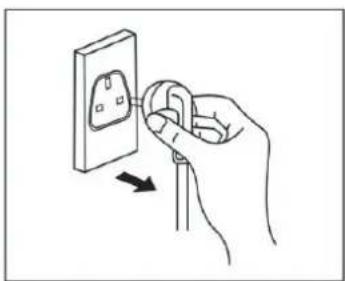
- To disconnect, turn the time control to OFF, then remove the plug. Always hold the plug, but never pull the cord.
- Extreme cautions must be used when moving an appliance containing hot oil or other hot liquid.
- Do not use metal to touch any part of oven when operating.
- Be extreme cautions when remove the tray or disposing of hot grease or other hot liquid.
- Do not clean with metal scouring pads pieces can break off the pad and touch electric parts, creating a risk of electric shock.
- Never leave the appliances unattended while broiling or toasting.
- Oversized foods and metal utensils must not be inserted in the oven as they may create a fire or risk of electric shock.
- A fire may cause if oven is covered or touching inflammable material, including curtains draperies, walls and like, when on operation, Do not store any item on the oven during operation.
- Extreme caution should be exercised when using containers constructed of anything other than metal or glass.
- Do not place any of the following materials on the oven: cardboard, plastic, paper or anything similar.
- Do not store any materials, other than recommended accessories in the oven.
- Always wear protective, insulated oven gloves when inserting or removing any items from the hot oven.
- This appliance is for household use only, do not use outdoor.
- Do not use appliance for other than intended use.
- This appliance can be used by children aged from 8 years and above and persons with reduced physical, sensory or mental capabilities or lack of experience and knowledge if they have been given supervision or instruction concerning use of the appliance in a safe way and understand the hazards involved.
- Children shall not play with the appliance. Cleaning and user maintenance shall not be made by children without supervised.
- If the supply cord is damaged, it must be replaced by the After-sales Service Center or a similarly qualified person in order to avoid a hazard.
- When opening and closing the oven door, be careful and gently open and close the door. Do not close and pull down the glass door forcefully to avoid breaking the glass.
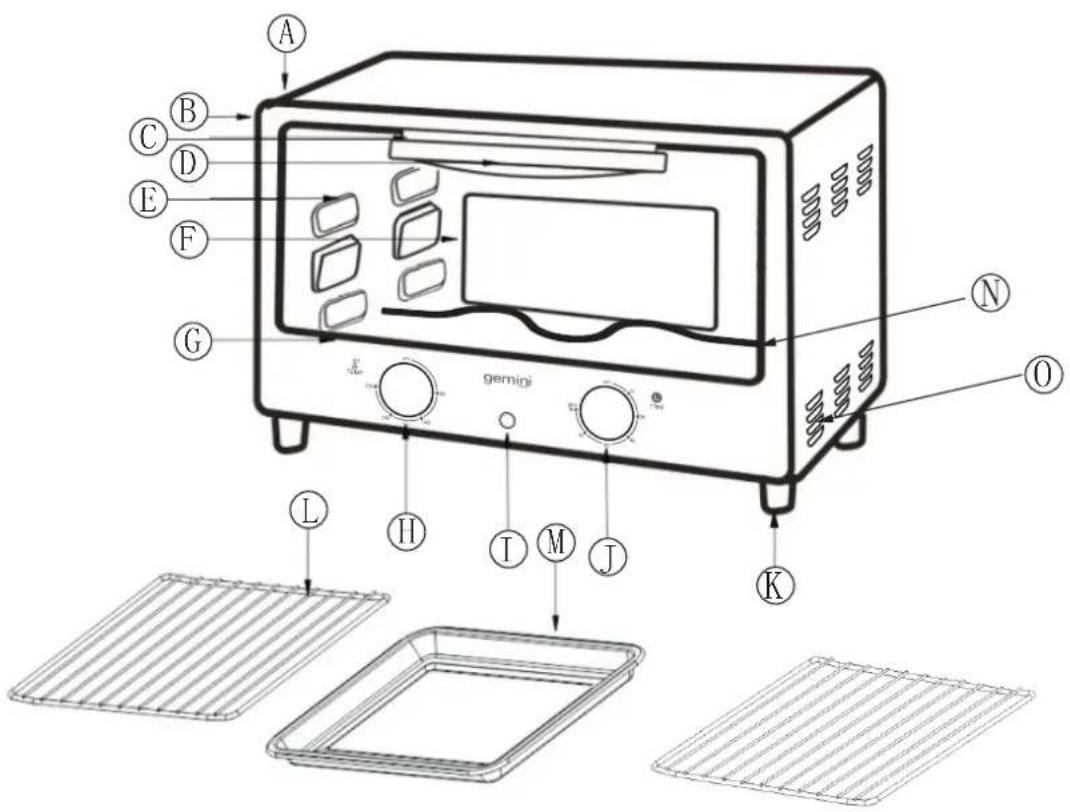
A. Housing
B. Front plate
C. Upper door clip
D. Door handle
E. Glass door
F. Back panel
G. Down door clip
H. Temperature control knob
I. Power indicator light
J. Timer Knob
K. Foot
L. Wire rack(Total 2 pieces)
M. Bake tray
N.S-Shaped Heating Element
O.Heat Emission outlet
Before using your oven for the first time
Be sure to
- Make sure that the oven is unplugged and the TIMER switch is on the OFF position.
- Remove all rack and bake tray and wash them in hot sudsy water or in the dishwasher.
- Thoroughly dry all accessories and re-assemble in oven. Plug the powder cord into wall socket and you are ready to use your new oven.
- After re-assembling your oven, we recommend that you run in at the max temperature for approximately 15 minutes to eliminate any dirty oil on its surface.
- The oven may emit smoke with first time use under normal operating conditions and will soon disappear after 5 minute.
HOW TO USE YOUR OVEN FOR BAKING
-
Put the power plug in the socket
-
Pre-heat the oven with approximate 15 minutes
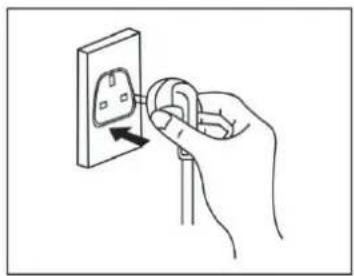
natural_image
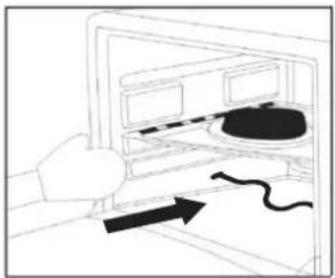
Hand inserting a plug into an electrical socket (no text or symbols visible)- Put the food into oven
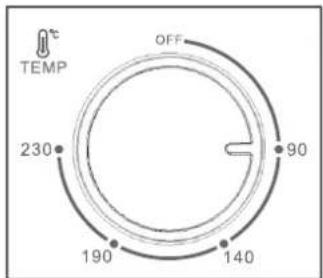
- Set cooking temperature and time
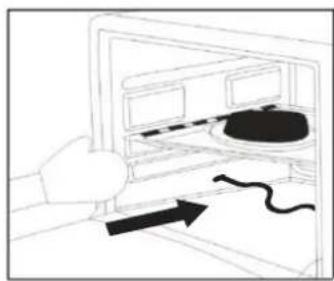
natural_image
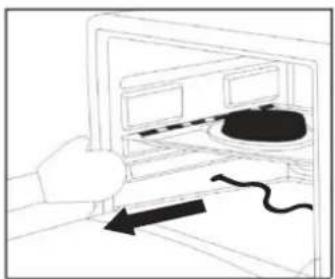
Simple line drawing of a hand pressing down on a device with a curved arrow indicating motion (no text or symbols)- Take out the food when the process finished with power signal light OFF
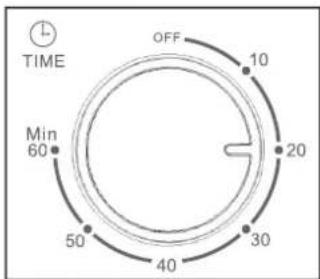
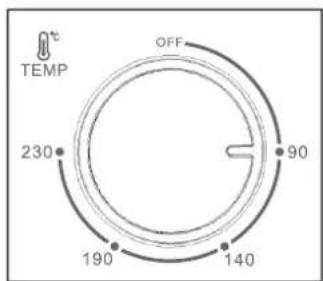
- Unplug the power
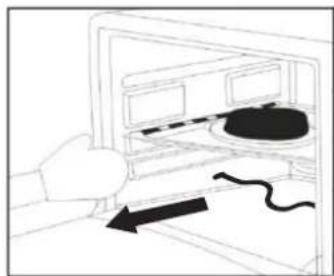
natural_image
Simple line drawing of a hand pressing down on a device with a black arrow indicating motion (no text or symbols)CLEANING
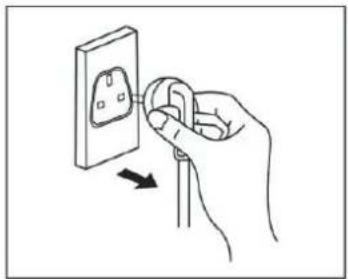
natural_image
Hand inserting a plug into an electrical socket (no text or symbols visible)- It is important that you clean the appliance after each use to prevent an accumulation of grease and avoid unpleasant odors.
- The appliance must be cool down and unplug from outlet before cleaning.
- Do not immerse appliance in water or wash it under waterspout.
-
Removable wire rack and bake tray can be washed, as normal kitchen ware.
-
Clean outer surface of appliance with damp cloth.
- Do not use abrasive cleaner or sharp utensils to clean the oven, as scratching may weaker it and cause shattering. Wipe the bottom with a dry cleaning towel and from the bottom of the gap to pour out debris and remove food residue.
- Let all parts and surfaces dry thoroughly prior to plugging oven in the socket.
SPECIFICATION
Model No.: GOV10DB
Power: 750 W
Voltage: 220V\~50Hz
Capacity: 10L
Product dimension: 335(W) x 237(H) x 232(D) mm
*The final product specification may be varied according to a different lot of material and actual input voltage power of the usage area.
安全注意事項
natural_image
Hand inserting a plug into an electrical outlet (no text or symbols visible)3. 放入食物開始烘烤
natural_image
Line drawing of a hand inserting a device into a computer monitor (no text or symbols)5. 結束烘烤,取出食物
natural_image
Line drawing of a hand holding a computer monitor with a mouse inside, showing a black arrow pointing to the mouse (no text or symbols present)2. 炗爐預熱約 15 分鐘
4. 設置好時間和溫度
6. 拔下插頭
natural_image
Hand inserting a plug into an electrical socket (no text or symbols visible)清潔及維護保養
Proudly Serviced by:
ToolBox
a Gilman Group Company
太平家庭電器
Brand : GEMINI
Model : GOV10DB
Category : Oven