VMS57 - Action Camera Valore - Free user manual and instructions
Find the device manual for free VMS57 Valore in PDF.


| Product Type | Action Camera |
| Brand | Valore |
| Model | VMS57 |
| Image Sensor | Sony IMX179 |
| Chipset | Allwinner V3 |
| Display | 2.0" TFT screen |
| Lens Angle | 170° ultra wide-angle |
| Video Resolution | 4K (3840x2160 @30fps), 2.7K, FHD 1080p @60fps, HD 720p @120fps |
| Still Image Resolution | 16M / 12M / 8M / 5M / 2M |
| Video Format | MP4 (H.264) |
| Photo Format | JPG |
| Storage | microSD up to 64GB, Class 10 or above |
| Water Resistance | Up to 30m with waterproof case |
| WiFi Distance | Up to 10m |
| Battery | 900mAh lithium-ion, removable |
| Input | 5V/1A via micro USB |
| Dimensions (L×W×H) | 59 × 41 × 29 mm |
| Weight | 41g (133g with waterproof case) |
| Remote Control | 2.4G wireless remote (button cell battery included) |
| Package Contents | Camera, waterproof case, mounts, USB cable, remote, lens cloth, adhesive tapes, etc. |
| Safety Precautions | Avoid high temperature, moisture, disassembly; do not charge with non-provided cable |
| Maintenance | Clean lens with provided cloth; keep camera dry |
| Technical Support | Email: v.info@valore.sg | Warranty: www.valore.sg |
Frequently Asked Questions - VMS57 Valore
User questions about VMS57 Valore
0 question about this device. Answer the ones you know or ask your own.
Ask a new question about this device
Download the instructions for your Action Camera in PDF format for free! Find your manual VMS57 - Valore and take your electronic device back in hand. On this page are published all the documents necessary for the use of your device. VMS57 by Valore.
USER MANUAL VMS57 Valore
Thank you for purchasing Valore Vital - 4K WiFi Action Camera.
Capture superior 4K ultra HD video quality for both underwater and outdoor footage and enjoy a smooth recording experience with the 2.4G remote controller. The Valore Vital 4K Action Camera is built for ultimate performance with an Allwinner V3 chipset and a Sony IMX179 image sensor.
Important: Please read the user manual thoroughly before using your 4K action camera.
Specifications:
• Image sensor: Sony IMX179
- Chipset: Allwinner V3
• LCD: 2.0" TFT screen
- Lens: 170^ ultra wide-angle
• Resolution: 4K 380 x 2160 @30fps
2.7K 2560 x 1440 @30fps
FHD 1080P 1920 x 1080 @60fps
HD 720P 1280 x 720 @120fps
• Still image resolution: 16M / 12M / 8M / 5M / 2M
- Input : 5V/1A
• Water resistance : Up to 30m (with waterproof case)
- WiFi distance: Up to 10m
- Battery type: 900mAh lithium battery (included)
• Video format: MP4
• Video codec: H.264
- Photo format: JPG
• Storage: Max 64GB Class 10 microSD card
• Dimension(L x W x H): 59 x 41 x 29mm
• Weight: 41g (with waterproof case 133g)
Packag
• Vital - 4K WiFi action camera
- Waterproof casing
- Bicycle holder
- Switch support x 3
- Base support
- Helmet base x 2
- Lens cloth
- Wire rope x 4
- USB charging cable
- Cable tie
- Adhesive x 2
- Base clip
- Shell
- Back splint
- Remote controller (button cell battery included)
UNDERSTANDING THE PRODUCT
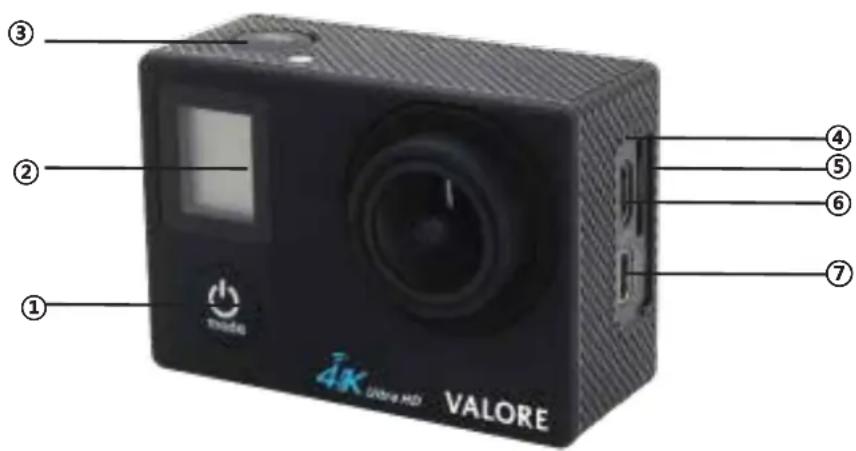
① On/Off switch/Mode
② Front LCD display
③ OK
④ Mic
⑤ Micro SD card slot
⑥ Micro USB port
⑦ HD out port

① Charging indicator
② Operation indicator
③ Up
④ Speaker
⑤ Down
⑥ Battery cover
Accessories


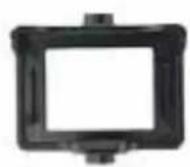


natural_image
Two black mechanical components with no visible text or symbols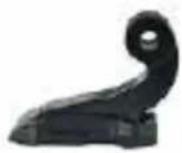
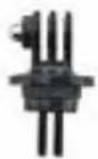
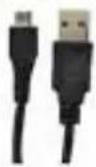







natural_image
Black and red handheld device with a square display and control buttons (no visible text or symbols)Mounting

1) 2.4G Remote

Video
a) Set action camera to video mode.
b) To start recording, press and hold the video button. The camera will emit one beep and the camera light will flash while recording.
c) Press the video button again to stop recording. The camera will emit one beep and the camera light will stop flashing.
Photo
a) Set action camera to photo mode.
b) To capture a photo, press the photo button.
To power off camera, press and hold the photo button.
2) Operating the camera
Installing and removing battery
a) Pull back the back cover lock to release the battery cap.
b) Correctly install battery into action camera as indicated by +/- symbols and direction of arrowed marked on battery.
Charging
a) Connect the USB cable to the computer of an adaptor to start charging.
b) While charging, a red indicator will be lit.
c) When the battery is full charged, the red indicator will go off.
Switching On/Off
a) Press and hold onto Mode/Power button for 3 - 5 seconds till welcome screen appears.
b) Press and hold onto Mode/Power button for 3 - 5 seconds till goodbye screen appears.
On/Off WiFi
a) Short press the up key to switch on.
b) Short press the up key to switch off.
Mode switching
a) After the action camera is switched on, short press the Mode/Power button to switch between video recording / photo shooting / playback / setting.
b) Symbols of mode will be displayed on the top left of the screen.
Video recording & photo shooting
a) Insert micro SD card, when in video recording mode, press OK button to start recording, the recording icon on the top left will start to flash. Press OK button again to stop recording.
b) When in photo shooting mode, press OK button to take photos.
Note: Format your micro SD card before use.
Switch on the action camera, in setup mode, choose format and confirm action.
File storage & playing
a) Micro SD card have to be Class 10 or above.
b) Use a USB cable to export the videos into a computer, the action camera will prompt Mass
Storage. Click on Mass Storage to play and store image.
c) Use a card reader to access the image data on the micro SD card.
Note: Make sure the action camera is turned off properly before removing the micro SD card.
Installation and use of WiFi
Before using the WiFi function, install "XDV" app from the Google Play / Apple store on your smartphone.
a) After switching the action camera on, press the up key. "WiFi message" will appear on screen.
b) In your smartphone's WiFi settings connect to "VMS57". Enter password "12345678" if required.
c) In the app, you can preview the shooting screen / remote video / playblack / download / delete / share.
*Application playback does not support 4K resolution.
TECHNICAL SUPPORT & WARRANTY
- For Technical Support, email us at v.info@valore.sg.
- For Warranty Registration, visit www.valore.sg.
Cautions:
Read all the instructions and warnings carefully prior to using this product.
- Do not store the action camera in a high temperature environment.
- Do not place the action camera near a fire or other excessively hot environments.
- Do not expose this action camera to moisture or submerge it in liquid. Keep action camera dry at all times.
- Do not attempt to charge the action camera using any other method or connection other than the action camera's provided charging cable.
- Do not disassemble this action camera or attempt to repair or modify it in any manner.
- Be cautious of excessive drops, bumps, abrasions or other impacts to this action camera. If there is any damage to the action camera such as dents, punctures, tears, deformities or corrosion, stop using the action camera and contact us immediately via email at v.info@valore.sg, or return this product to the store where you have purchased it from.
- If the product produces an abnormal smell, high temperature (low temperature during normal use), discolours or changes shape abnormally, stop using the product and contact us immediately via email at v.info@valore.sg.
DISCLAIMER & TRADEMARKS
All information, trademarks, logos, graphics, and images (“Materials”) provided on this user manual are copyrighted or trademarked and are the property of Valore Lifestyle Pte Ltd. Any unauthorized use of any material contained on the instruction manual may violate copyright laws, trademark laws, laws of privacy and communications statutes.
The trademarks, service marks and logos used and displayed in the Materials are registered and unregistered trademarks and service marks of Valore and others. All other registered and unregistered company names, product names and marks mentioned herein the (“Materials”) are the property of their respective owners and may be trademarks or registered trademarks.
CE
- Specifications:
- Packag
- UNDERSTANDING THE PRODUCT
- Accessories
- Mounting
- 1) 2.4G Remote
- Video
- Photo
- 2) Operating the camera
- Installing and removing battery
- Charging
- Switching On/Off
- On/Off WiFi
- Mode switching
- Video recording & photo shooting
- File storage & playing
- Installation and use of WiFi
- TECHNICAL SUPPORT & WARRANTY
- Cautions:
- DISCLAIMER & TRADEMARKS
- CE
Brand : Valore
Model : VMS57
Category : Action Camera