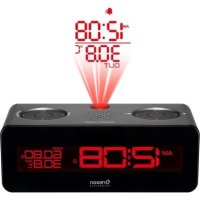
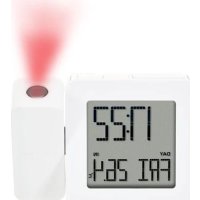
RRM112A - Alarm clock radio OREGON SCIENTIFIC - Free user manual and instructions
Find the device manual for free RRM112A OREGON SCIENTIFIC in PDF.


Pick your language and provide your email: we'll send you a specifically translated version.
| Product Type | Alarm Clock Radio |
| Brand | Oregon Scientific |
| Model | RRM112A |
| Dimensions (approx) | 150 x 80 x 50 mm |
| Weight (approx) | 300 g |
| Power Supply | AC adapter (120V/60Hz) or 2 x AAA batteries (backup) |
| Radio Bands | FM (87.5 - 108 MHz), AM (520 - 1710 kHz) |
| Display | LED digital display with adjustable brightness |
| Alarm Features | Dual alarms, wake to radio or buzzer, snooze (5 minutes) |
| Sleep Timer | Yes, 10-90 minutes |
| Clock Backup | Battery backup retains time and alarms during power outage |
| Dimmer Control | High/Low/Off display brightness |
| Antenna | Built-in ferrite bar for AM, telescopic wire for FM |
| Speaker | Built-in, mono, 2-inch diameter |
| Inputs/Outputs | DC power input, batteries compartment |
| Materials | Plastic housing, metal grille |
| Maintenance | Clean with a soft, dry cloth. Do not use liquids or abrasives. |
| Safety Precautions | Keep away from water and moisture. Use only the supplied AC adapter. |
| Spare Parts | Common: AA/AAA batteries. Other parts not user-serviceable. |
| Repair Services | Contact Oregon Scientific support or authorized service centers. |
| General Info | Designed for household use; warranty 1 year from purchase date. |
Frequently Asked Questions - RRM112A OREGON SCIENTIFIC
How do I set the time and date on my Oregon Scientific RRM112A?
Press and hold the CLOCK button for 2 seconds. The year will flash. Use the + / - buttons to set the year, then press CLOCK to confirm. Repeat for month, day, hour, and minute. The clock will exit setup automatically.
Why does my alarm not go off?
Check that the alarm is activated (the alarm icon appears on the display). Ensure the volume is set high enough if using radio alarm. Press the ALARM button to toggle alarm status. Also verify that the alarm time is correctly set.
Can I use batteries only without the AC adapter?
Yes, the clock operates on 2 AAA batteries (not included). However, the backlight and radio may not work if using only batteries. Use the AC adapter for full functionality.
How do I change the display brightness?
Press the DIMMER button repeatedly to cycle through High, Low, and Off brightness levels. Off mode is useful in a dark room.
What should I do if the radio reception is poor?
Extend the FM antenna fully for better FM reception. For AM, rotate the unit to find the best position. Keep the clock away from large metal objects and electronics.
How do I reset the clock to factory settings?
Remove both batteries and disconnect the AC adapter. Wait 10 seconds, then reconnect power. The clock will reset to default settings. You will need to set the time and alarms again.
Why does the display flash or dim randomly?
Flashing display often indicates a low battery. Replace the backup batteries. If using AC power, check the adapter connection. Dim display may be due to the dimmer setting.
How do I set the radio presets?
Tune to a desired station using the TUNE buttons. Press and hold a numbered preset button (e.g., 1-5) until the display confirms storage. Repeat for other presets.
Can I turn off the alarm on weekends?
The RRM112A does not have a dedicated weekend skip feature. You can manually turn off the alarm by pressing the ALARM button until the alarm icon disappears, then reactivate it on weekdays.
How do I clean my alarm clock?
Unplug the clock and remove batteries. Use a soft, dry cloth to wipe the exterior. Avoid using water, cleaning sprays, or abrasive cloths as they may damage the finish.
User questions about RRM112A OREGON SCIENTIFIC
0 question about this device. Answer the ones you know or ask your own.
Ask a new question about this device
No questions yet. Be the first to ask one.
Download the instructions for your Alarm clock radio in PDF format for free! Find your manual RRM112A - OREGON SCIENTIFIC and take your electronic device back in hand. On this page are published all the documents necessary for the use of your device. RRM112A by OREGON SCIENTIFIC.