
ZM-K900M - Keyboard ZALMAN - Free user manual and instructions
Find the device manual for free ZM-K900M ZALMAN in PDF.


| Product Type | Gaming Keyboard |
| Model Number | ZM-K900M |
| Dimensions (W x D x H) | 444 x 140 x 34 mm |
| Weight | 950 g |
| Cable Length | 1.8 m |
| Interface | USB 2.0 |
| Key Switch Type | Mechanical (Kailh Box) |
| Key Life | 50 million keystrokes |
| Backlighting | RGB per-key LED |
| Polling Rate | 1000 Hz |
| Anti-Ghosting | Full N-Key Rollover |
| Multimedia Keys | Dedicated multimedia controls |
| Onboard Memory | Yes, for macro storage |
| Software Support | Zalman Gaming Hub |
| Wrist Rest | Detachable, magnetic |
| Power Source | USB bus power |
| Power Consumption | 5 V / 500 mA (max) |
| Operating Temperature | 0°C to 40°C |
| Storage Temperature | -20°C to 60°C |
| Cleaning Instructions | Wipe with a soft, dry cloth |
| Safety Precautions | Avoid exposure to liquids and extreme temperatures |
| Spare Parts Availability | Keycaps and switches available separately |
| Warranty | 2 years limited warranty |
Frequently Asked Questions - ZM-K900M ZALMAN
User questions about ZM-K900M ZALMAN
0 question about this device. Answer the ones you know or ask your own.
Ask a new question about this device
Download the instructions for your Keyboard in PDF format for free! Find your manual ZM-K900M - ZALMAN and take your electronic device back in hand. On this page are published all the documents necessary for the use of your device. ZM-K900M by ZALMAN.
USER MANUAL ZM-K900M ZALMAN
 |  | at Speed + Faster Repeat Spe |  |  | |
 |  | Speed + (Max)Fastest Repeat |  |  |
Note
1). Some of function keys will not work in 6 key mode. If so, please change to the Z-Key mode (factory default).
2). To do a factory reset, press and hold the "FN" key and "Back space" for 6 seconds and release.

How to Set Up Hardware Macro
ZM-K900M has an internal memory, and records the user-defined macro keys without any software installation. The recorded macro settings on ZM-K900M are stored in the device and can be instantly used with other PCs (desktop or laptop).
Macro Usage

- When a macro is recorded via "Timing Macro Keys", it remembers the exact time interval between each key input.
- Thus, the macro will run at the same speed as the it was recorded during the setup.
• To record a macro pressand (also designated as ZM1) key for 3 seconds then release keys. The Z-KEY iconZ will start blinking slowly to indicate that the recording has begun. To finalize the recording, press the once more, and the Z-Key iconZ will stay solid. Macros can be added to P(ZM2), L(ZM3), and all the way to (ZM8)
• To accelerate the macro pressand <←>, and to decelerate the macro press and <→>.
Macro Usage

- To add mouse clicks to the macro: In USB Z-KEY mode,
1) To stop the time macro, just press any key during the macro running.
2) To delete the recorded macro setting, simply re-record the macro without pressing any keys
Macro Usage
![FN + {[A/VIO] FN + } LODP](/content/2026/05/1044608/images/2125a4c9d080704e0cf779bb5aaaed325dd1fe74961eea51fcb959f3a3a82acb.jpg)
- When a macro is recorded via "Auto Macro Key", a single key will register rapidly (e.g. tttttttttttttt...). To stop Auto Macro
and <[> press both key again. - When a macro is recorded and programmed via Loop Macro Key, it remembers the input sequence and time interval between the inputs, and runs the macro in a loop. To stop 'LOOP Macro' function, press both
and < ] > key again. Note
1) Users can add keys while running the 'LOOP Macro', as the macro will not stop when keys are pressed.
2) To remove the recorded macro setting, begin and finish the macro set up without pressing any keys.
RGB LED Functions and Usage
 +<~> +<~> | Turns RGB LED backlight effect On or Off |
 +<1>or <2> +<1>or <2> | Adjust the brightness of backlight LED. and <1> to dim (8 levels) andand <2> to brighten (8 levels) |
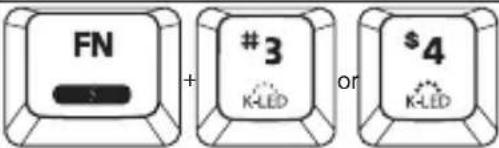 +<3>or <4> +<3>or <4> | Adjust the brightness of key LED. and <3> to dim (8 levels) andand <4> to brighten (8 levels). For better visual effects, brighter key LED light is recommended. |
 +<5> +<5> | K-EFFECT mode: 6 pre-set key effects. Press and <5> to alternate between 6 different modes. |
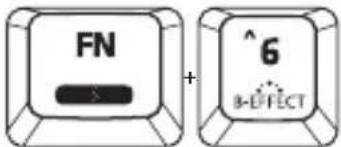 +<6> +<6> | B-EFFECT mode: 13 pre-set backlight effects. Press and <6> to alternate between 13 different modes.Note:1) K-EFFECT mode will both affect backlight and key effects.2) To disable the key effects, press and <5> several times until you find the “off” mode in the rotation.3) To disable the backlight effect, press and <7> several times until the backlight is off. |
 +<\> +<\> | SPEED Meter: There are 3 different effects for the typing speed meter. Pressingand<\>will set the mode to profile #1, and Pressing and <\>keys again will change to profile #2 and so on. |
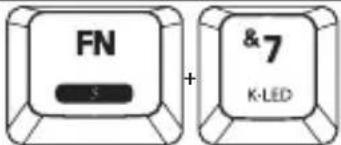 +<7> +<7> | KEY LED mode: Turn on your favorite keys (LED) only and other keys will not light up. Define and select your favorite keys you want to light up by pressingand<=>keys. |
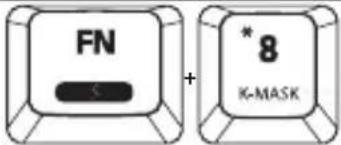 +<8> +<8> | Key MASK mode: Turn on your favorite keys (LED) only, and then the lighted keys work only. In this mode, other keys don’t work even though they’re pressed. Defines and select your favorite keys you want to light up and run via by pressingand<=>keys. |
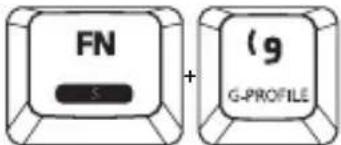 +<9> +<9> | G(Game)-Profile: 10 pre-set LED arrangements for different game genres (FCounter Strike, FPS, LOL, DOTA2, Starcraft II, MMO, MOBA, RTS, FIFA Online, Sudden Attack). The key patterns can be changed by pressingand <9>Note:1) To add a customized profile, it can be added by pressing and <=and specifying the key colors and set the backlight color.2) Optionally, pressing and <8> will turn on the specified keys (LED), and only the lighted keys will Work. |
 + <0> + <0> | Breath mode: LED backlight turns on and off softly with regular interval. And there is also a wave breathing effect. |
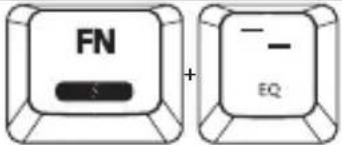 + <-> + <-> | There are 8 different LED Equalizer effects which triggers by the surrounding sound. You can alternate between 8 different LED effects one by one by pressingand <->. |
 + <=> + <=> | Fully customize the keys in different LED colors for KEY LED or KEY MASK Mode. Pressand =>together, and then select/press the keys for KEY LED or KEY MASK. After selecting the keys, press thekey again. Then, the recorded color palettes come up on ZM-K900M Keyboard. The color palettes (4 different color palettes) are changed by pressing “Space-bar” one by one. Just select and press your favorite color. Select and define your favorite colors for KEY LED and KEY MASK Mode.NoteK-LED cancel: Pressing “ Space-bar at 2 or 3 time. You can see the “U” key without LED lighting |
Additional Shortcuts
 | Go to ‘Google’ (Hot-key) |  | Go to ‘Bing’ (Hot-key) |
 | Go to ZALMAN webpage |
Changing Backlight Color & User Profile Storage
 + + | How to change backlight colors except the selected keysUser can change the backlight color of all keys except the keys which were selected in 'SELECT mode'. Pressandtogether, then the ZM-K900M will display a color palette on the keyboard. We call it 'Palette mode'. Just select your favorite color by pressing the color key. In 'Palette mode', user can change to a 4 different color palettes by pressing 'Spacebar' key. | ||||
 + + | All key backlight color changeUser can change all key backlight color at one time. Pressandtogether, then ZM-K900M Keyboard shows color palette on it. Just select your favorite color by pressing the color key. Color palette shows so many different colors and brightness. In case all key backlight color change, the keys which were selected and defined viaand<=>are also deleted and changed according to the color change. | ||||
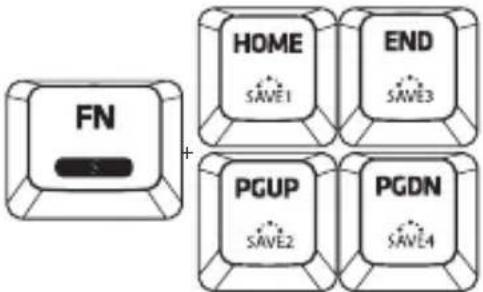 + + | Creating and Storing User ProfileCreating and Storing User Profile User can save the color setting, options (i.e. B-Effect, K-LED, K-MASK) and K-Effect on,, orkeyTo create a profile, first set up your backlight, key light, and lighting effects of your preference. Then pressand,, orfor 2 seconds. For example, if you select your favorite keys via 'SELECT mode:+<=, and then pressandtogether over 2 seconds. The profile will be saved on thekey. So, Whenever you pressand,the configured settings on(i.e. SAVE1) will be retrieved. ZM-K900M supports 4 different profile recordings on//andkey.To run the profiled and recorded setting on each '//key, just press bothand One of profile keys// together. | ||||
 + + | Dual ModeChange the modes(Z-KEY or 6-key) by pressing+keys over 2 seconds. | Mode | Z-key mode 6 key-mode | ||
| PS/2 interface | USB interface | USB interface | |||
| Key-Input | N-key Rollover(Full Key Rollover) | 6 key Rollover | |||
| Z-KEY mode LED | On On Off | ||||
| Repeat Speed | 4 steps Repeat Speed | Standard Speed | Standard Speed | ||
| Function Keys | Available Unavailable | ||||
Note
1). Z-key mode is mainly for gaming and 6-key mode is the standard mode with wide compatibility for Banks' keyboard security solution or complicated environment. Some functions are limited under 6-key mode
G(Game)-Profile Mode
Counter Strike MMO |  | |
FPS | MOBA | |
LOL | RTS | |
DOTA2 | FIFA Online | |
Starcraft II | Sudden Attack | |
Русский
RGB LED Functions and Usage
G(Game)-Profile Mode FN и 9
Counter Strike MMO |  |
FPS MOBA |  |
LOL RTS |  |
DOTA2 | FIFA Online |
Starcraft II | Sudden Attack |
한국어
Function Keys
하드웨어 매크로 기능


Brand : ZALMAN
Model : ZM-K900M
Category : Keyboard