IOPEXT359G - Mouse IOPLEE - Free user manual and instructions
Find the device manual for free IOPEXT359G IOPLEE in PDF.


| Product Type | Wireless Mouse |
| Model | IOPEXT359G |
| Brand | IOPLEE |
| Connection Type | 2.4 GHz Wireless |
| Receiver | USB Nano Receiver |
| DPI Levels | 800 / 1200 / 1600 |
| Dimensions (Mouse) | 108 x 65 x 37 mm |
| Weight (Mouse) | 60 g ± 5 g |
| Material | ABS Plastic |
| Power Source | 1 x AA Battery (1.5V) |
| Working Voltage | 1.1 - 1.6 V |
| Working Current | < 16 mA |
| Dormant Current | < 100 µA |
| Report Rate | 125 Hz |
| Optical Chip Speed | 28 ips |
| Operating Range | 8 - 10 meters |
| Compatible Systems | Windows, macOS, Chrome OS |
| Buttons | Left, Right, Scroll Wheel, DPI Button, On/Off Switch |
| LED Indicator | Yes (Battery/Status) |
| Battery Cover | Removable |
| Cleaning | Microfiber cloth and cotton swab; avoid liquids |
| Warranty | 2 years (defects in workmanship) |
| Disposal | WEEE compliant; separate collection |
| Manufacturer | Exertis Supply Chain Services Ltd., Ireland |
Frequently Asked Questions - IOPEXT359G IOPLEE
User questions about IOPEXT359G IOPLEE
0 question about this device. Answer the ones you know or ask your own.
Ask a new question about this device
Download the instructions for your Mouse in PDF format for free! Find your manual IOPEXT359G - IOPLEE and take your electronic device back in hand. On this page are published all the documents necessary for the use of your device. IOPEXT359G by IOPLEE.
USER MANUAL IOPEXT359G IOPLEE
natural_image
Line drawing of a computer mouse with a central scroll wheel (no text or symbols)natural_image
Line drawing of a mobile phone receiver with lens and keypad (no text or symbols)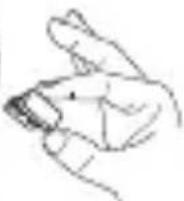
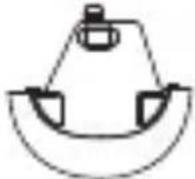
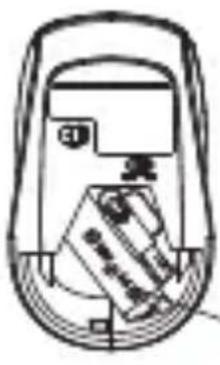
Step 1 Open the mouse battery cover and remove the USB receiver
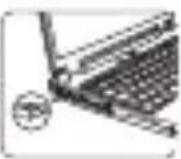
Step 2: Plug the USB receiver into your PC/laptop.
natural_image
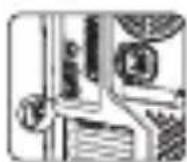
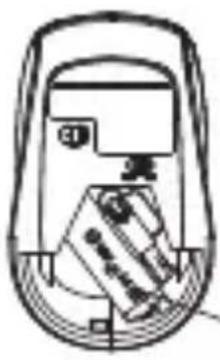
Line drawing of a device casing with a tray and control panel (no text or symbols)Step3: Insert one 1.5V AA battery into the mouse. Be sure to align with the positive (+)and negative (-)signs, then cover the battery cover.
natural_image
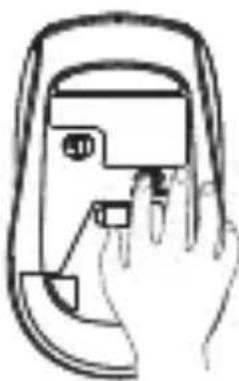
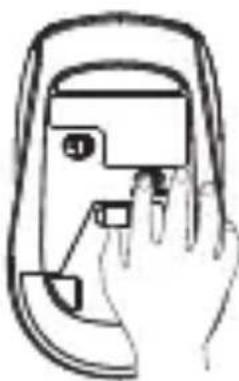
Line drawing of a hand pressing a button on a device (no text or symbols)Step 4: Turn on the Mouse by flipping the power switch to the "On" position. Then the mouse can start working now
NOTE: Ensure that the distance between your computer and mouse is within ten meters.
Dear Customer, thank you very much for purchasing one of our products. We kindly ask you to read this instruction manual carefully and to keep it, as it provides valuable information regarding the safe use and maintenance.
- Safety Warnings
- Description of the Appliance
- Before first use
- Operation
- Cleaning and maintenance
- Technical Specification
- Disposal
- Warranty and Compliance
1. Safety Warnings
- If the battery is not replaced properly, there is a possibility of leakage, explosion, and personal injury
- Do not use the battery in case of leakage, discoloration, deformation, or any other abnormalities.
- Do not leave the battery in a discharged or unused state for a long time.
- Do not short-circuit the product.
- The lifespan of batteries varies depending on usage, and discarded batteries should be disposed of in accordance with local laws or disposed of in trash cans used for recycling electronic devices.
- If any liquid accidentally enters the product, please immediately disconnect the power supply, and remove it
- Continued use of this product may cause a fire or electric shock. Please contact your agent or nearest customer service centre for inspection and repair in a timely manner.
Storing the mouse:
• Moisture-proof Keep the mouse storage environment dry and avoid moisture. When not in use for a long time, it is recommended to regularly check the storage environment to ensure dryness.
- Sunscreen Avoid prolonged exposure of the mouse to
sunlight to prevent accelerated aging.
- Anti-theft
Be careful when storing the mouse to avoid theft or damage. It is recommended to place the mouse in a safe place and ensure the security of the storage environment.
Other precautions:
• Do not let the mouse encounter harmful substances
- Avoid exposing the mouse to harmful substances such as alcohol, soap, and other chemicals. These substances may damage the coating on the surface of the mouse and affect its use.
• Do not expose the mouse to damp environments
Prolonged exposure of the mouse to a humid environment may cause damage to its internal circuits and affect its normal use. Therefore, special attention should be paid to protecting the mouse in damp environments.
• Pay attention to cleanliness
Regularly clean the surface and bottom of the mouse to maintain a good user experience. But be careful not to use overly strong cleaning agents to avoid damage to the surface of the mouse.
2. Description of the Appliance
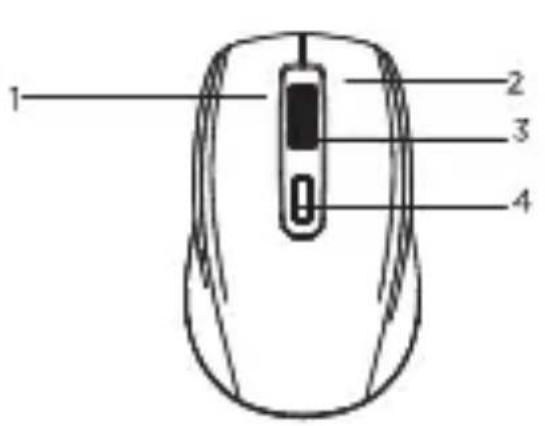
- Left Button
- Right Button
- Wheel
- DPI Button
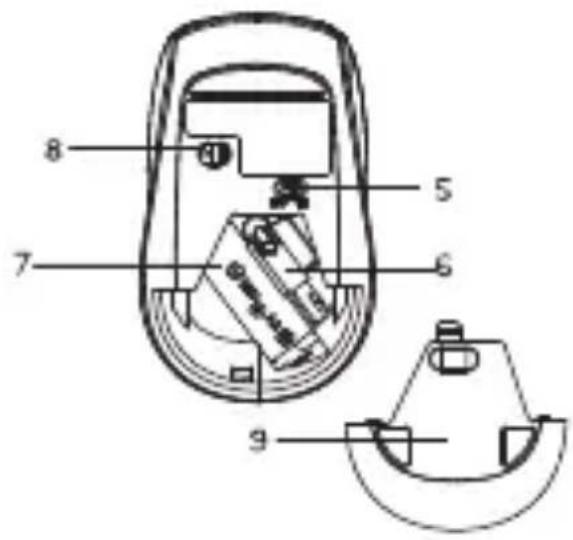
- On/Off Switch
- 2.4GHz USB Receiver
- 1 x AA Battery
- LED Light
- Battery Cover
3. Before first use
- Before using the mouse, be sure to carefully review the mouse manual and operate according to the requirements and specifications in the manual.
- When cleaning the mouse, do not rinse it directly with water, as it may result in the mouse being scrapped.
- The mouse should be kept as dry as possible.
4. Operation
This wireless mouse is plug and play device. Plug the USB receiver into the free USB port of your PC. Wait for a few moments until your system recognizes your new mouse. You will be notified once the mouse is ready.
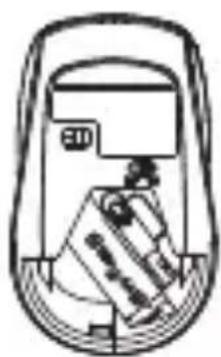
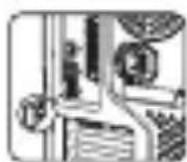
- Open the mouse battery cover and remove the USB receiver
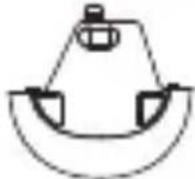
- Plug the USB receiver into your PC/Laptop
- Insert 1 x 1.5V AA battery. Take care to align the positive (+) and negative (-) signs, and then replace the battery cover
- Turn on the mouse by switching the power switch to the "On" position
NOTE: The mouse will only operate within a 10 metre distance of your PC/Laptop
natural_image
Line drawing of a device interior with no visible text or symbols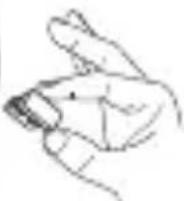
Step 1: Open the mouse battery cover and remove the USB receiver
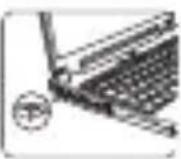
Step 2: Plug the USB receiver into your PC/laptop.
natural_image
Line drawing of a device casing with internal components (no text or symbols)Step3: Insert one 1.5V AA battery into the mouse. Be sure to align with the positive (+)and negative (-)signs, then cover the battery cover.
natural_image
Line drawing of a hand pressing a button on a mobile phone (no text or symbols)
Step 4: Turn on the Mouse by flipping the power switch to the "On" position. Then the mouse can start working now
NOTE: Ensure that the distance between your computer and mouse is within ten meters.
5. Cleaning and Maintenance
-
Disconnect the mouse, and if it is a wireless mouse, turn it off.
• Dampen a microfiber cloth and cotton swab in water, and then use a cotton swab to wipe all cracks, curves, and gaps that accumulate dust and dirt on the mouse.
• Gently wipe the sensor with a cotton swab dipped in water.
• Turn the mouse over, roll the scroll wheel to release the accumulated dirt, and then wipe the area with a microfiber cloth.
• Finally, use a toothpick to remove unnecessary dirt from the area that your cotton swab cannot reach for the first time. Flip the mouse and clean any dirty areas that you may have missed. -
Technical Specification
| Wireless mouse model | IOPEXTMOUSE359G |
| Connection type | 2.4 GHz wireless |
| Receiver | USB Receiver |
| DPI | 800/1200/1600 |
| Weight | 60g ± 5g |
| Mouse size | 108x65x37mm |
| Receiver size | 18.4 x14.6 x 6mm |
| Material | ABS plastic |
| Operation range | 8-10M |
| Working voltage | 1.1-1.6V |
| Optical Chip set detective speed | 28ips |
| Working current | <16mA |
| Dormant current | <100uA |
| Report Rate | 125Hz |
| Battery | 1 x AA battery |
| Compatible with | Windows,MacOS,Chrome |
7. Disposal
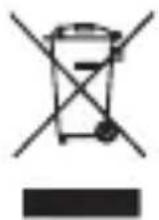
In accordance with Legislative Decree of March 14, 2014, No. 49, "Implementation of Directive 2012/19/EU on Waste Electrical and Electronic Equipment (WEEE)" the crossed-out wheeled bin symbol on the appliance or its packaging indicates that the product must be collected separately from other waste at the end of its life. Therefore, the user should dispose of the end-of-life appliance at the appropriate collection points for electronic and electrical waste or return it to the retailer when purchasing a new equivalent appliance, on a one-to-one basis. Proper separate collection for the subsequent disposal, treatment, and environmentally friendly disposal of the discarded appliance helps to prevent potential negative effects on the environment and health and promotes the recycling of the materials the appliance is composed of. Unauthorized disposal of the product by the user may result in the application of administrative sanctions provided by current regulations.
8. Warranty and Compliance
This Ioplee Warranty applies only to Ioplee products purchased for personal use and not those intended for resale.
Your loplee product is warranted in accordance with the terms and conditions of this warranty against defects in workmanship and conformity for a period of a 2 years, and that period begins upon delivery of the item, if purchased from an official dealer.
The warranty will not be valid if the product has been opened, in the presence of physical damage, damage resulting from incorrect use, modifications, repairs by unauthorized persons, negligence and in the event that the product has been used for purposes other than those for which it was intended; furthermore, the legal guarantee will not apply if the purchase methods or other circumstances demonstrate, with reasonable certainty, that the purchase itself is not exclusively aimed at private consumption.
In the event that the product is defective, it can be returned to the retailer along with a description of the type of malfunction, proof of purchase, and any accessories.
If the product is still under warranty, you will
receive a replacement product (if available) from the dealer.
These are not covered by the warranty:
• Accidental damage or damage resulting from incorrect or improper use, contact with liquids; damage caused by accidents or force majeure events such as fire, earthquake, flood, vandalism, theft or other external cause.
• Cosmetic damage such as scratches, dents, or other breakage of plastic parts.
• Defects resulting from normal product wear and tear (product aging).
• Incompatibility with other hardware/software products not listed in the minimum system requirements.
- Consumable accessories such as batteries, protective covers, and fuses, which normally wear out over time. Problems due to noncompliance related to labor or materials are excluded.
In no event shall the manufacturer be liable for incidental or consequential damages, including any loss of business profits or other commercial damages resulting from the use of the product.
The benefits conferred by this manufacturer's warranty are in addition to the rights provided by consumer protection legislation.
Due to the ongoing technological evolution of products, the data contained in this manual may undergo slight changes without prior notice from the manufacturer.

Made in China
SOMMARIO
ioplee
ioplee
Manufactured and imported by Exertis Supply Chain Services Ltd., Unit 21 Fonthill Business Park, Clondalkin, Dublin 22, D22 FR82, Dublin, Ireland "Ioplee" used under license from Unieuro S.p.A., Via Piero Maroncelli 10, 47121 Forll (FC).
Brand : IOPLEE
Model : IOPEXT359G
Category : Mouse