
ACP-400 - Car radio AKAI - Free user manual and instructions
Find the device manual for free ACP-400 AKAI in PDF.


| Product Type | Car Stereo |
| Brand | AKAI |
| Model | ACP-400 |
| Form Factor | 1-DIN (Standard) |
| Dimensions (Approx.) | 180 x 50 x 160 mm |
| Weight (Approx.) | 0.5 kg |
| Power Supply | 12V DC, Negative Ground |
| Tuner Bands | AM/FM, RDS |
| Disc Playback | CD, CD-R/RW |
| Audio Output | 4 x 40W Max (or 4 x 20W RMS) |
| Audio Inputs | Front AUX (3.5mm) |
| Equalizer | Preset EQ modes (Rock, Pop, Classic, etc.) |
| Display | LCD, Multi-color illumination |
| Remote Control | Wired remote control included |
| Steering Wheel Control Compatible | Yes (with adapter) |
| Detachable Faceplate | Yes |
| Maintenance | Clean faceplate with soft, dry cloth; avoid liquids |
| Safety | Fuse protection; disconnect battery before installation |
| Spare Parts & Repairability | Replacement faceplate, remote, screws available |
Frequently Asked Questions - ACP-400 AKAI
User questions about ACP-400 AKAI
0 question about this device. Answer the ones you know or ask your own.
Ask a new question about this device
Download the instructions for your Car radio in PDF format for free! Find your manual ACP-400 - AKAI and take your electronic device back in hand. On this page are published all the documents necessary for the use of your device. ACP-400 by AKAI.
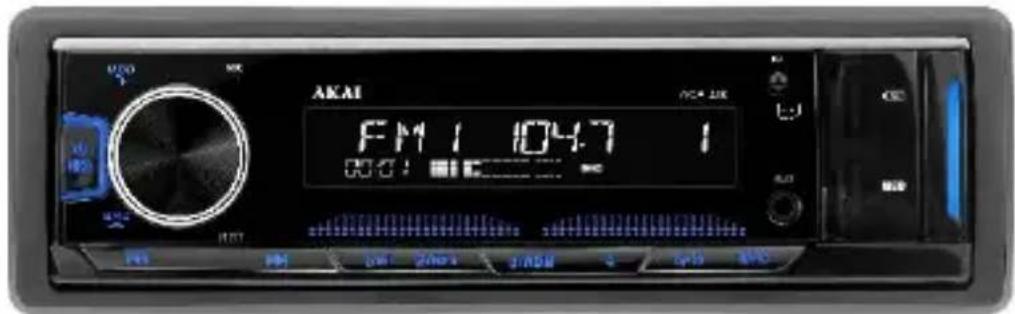
USER MANUAL ACP-400 AKAI
Please read the instruction manual carefully before using this product
ENGLISH
Notes:
-
The illustrations in this manual are for reference purpose only and may be somehow different with the actual product. The illustrations are merely to clarify how to control the unit.
-
Due to continuous product development, the product appearance, color and certain functions as described in this manual may differ from your actual model, in which case, the actual product will prevail.
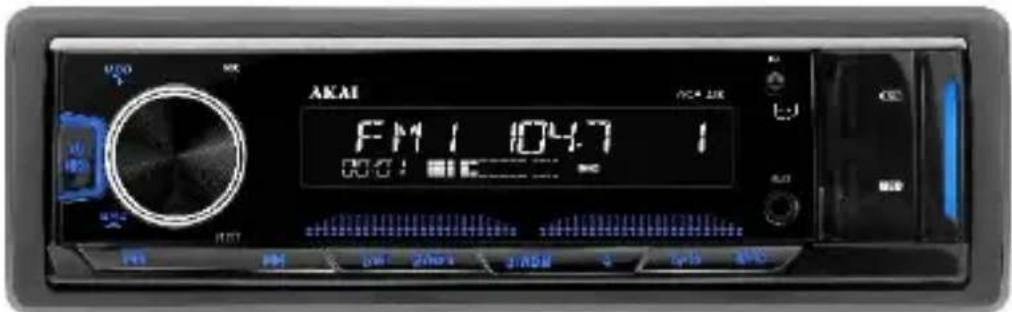
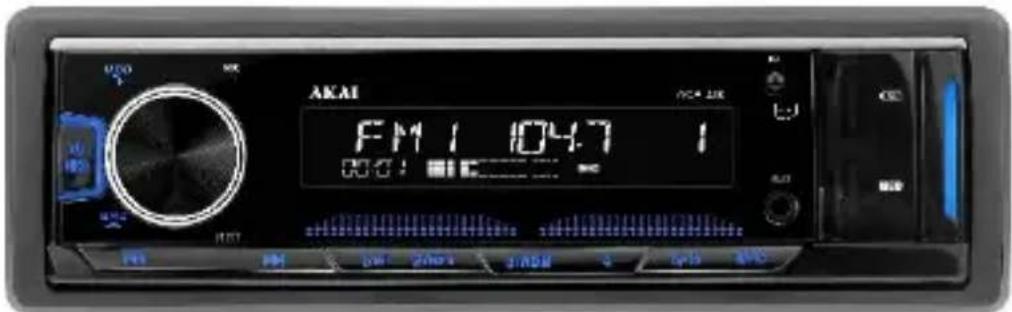
CONTROL PANEL

-
Power On-Off/Mute volume
-
BND
Radio receiving: short press to switch the radio band. Long press to automatically search and store Fm channels.
Mp3 playing: short press to enter track search mode. SCH will be displayed. Press number buttons (1-6) to input the number of needed track, or rotate the Volume button to select figures of the track number. Press Volume to start playback of the selected track.
3.

Radio receiving: short press to automatically tune to lower frequency radio. Long press to manually tune to lower frequency radio.
Mp3 playing: short press to play the previous song. Long press to manually fast rewind.
4.

Radio receiving: short press to automatically tune to higher frequency radio. Long press to manually tune to higher frequency radio.
Mp3 playing: short press to play the next song. Long press to manually fast forward.
5.
Radio receiving: short press for radio pre-stored in channel 1. Long press to store current radio channel.
Mp3 playing: short press for pause/play function.
6.
Mp3 playing: short press for radio pre-stored in channel 2. Long press to store current radio channel.
Radio receiving: short press for repeated play function.
7.
Mp3 playing:
Short press for radio pre-stored in channel 3. Long press to store current radio channel.
Radio receiving: short press for random play function.
8.
Radio receiving: short press for radio pre-stored in channel 4. Long press to store current radio channel.
9.
Radio receiving: short press for radio pre-stored in channel 5. Long press to store current radio channel.
Mp3 playing: short press to fast backward 10 tracks. Long press to access the previous folder.
10
Radio receiving: short press for radio pre-stored in channel 6. Long press to store current radio channel.
Mp3 playing: short press to fast forward 10 tracks. Long press to access the next folder.
1
AUX IN – Use to connect compatible devices using the 3.5mm - 3.5mm stereo jack.
12
USB - Use to connect a flash drive for direct MP3 playback.
13
Charging slot-Use a USB cable to charge your device using this slot.
14
TF card-insert a TF card to listen music files.
15
MOD- Switch between Radio/MP3 Play/Aux IN/Bluetooth
16
Volume: Rotate the knob to adjust volume. Short press to select the below functions and rotate the knob to adjust the parameters.
| VOLUM | 0- - - 40 |
| BAS | -7---+7 |
| TRE | -7---+7 |
| BAL | L10---R10 |
| FAD | R10---F10 |
| LOUD | ON---OFF |
| EQ | OFF-FLAT-ROCK-POP-CLASSIC-JAZZ |
| LOCAL | LOCAL-DX |
| STEREO | STEREO-MONO |
BLUETOOTH
- Open the machine and use the Bluetooth on your mobile phone to search for ACP-400 device name. To establish the connection, enter "0000"
- When Bluetooth is successfully paired BT ON will be displayed. Short press 1 to PLAY/PAUSE mobile phone music.
Short press → to answer the phone.
Short press 📞 to hang up the phone.
Short press → to switch between Bluetooth and mobile phone when calling
Long press ↗ to call back the last call record.
Long press 📞 to connect/disconnect Bluetooth.
- When Bluetooth disconnects, BT OFF will be displayed.
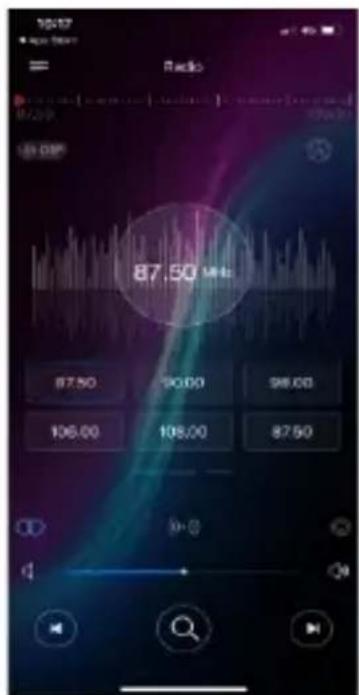
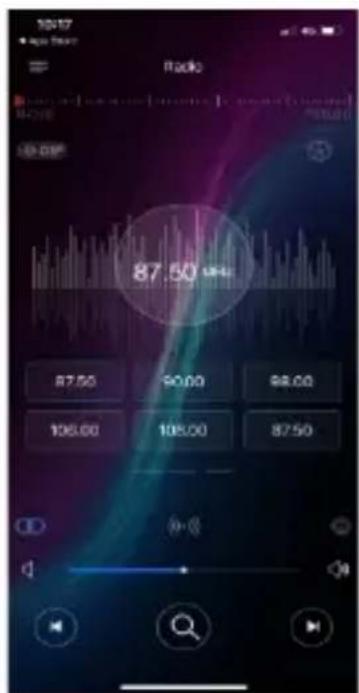
APP OPERATION
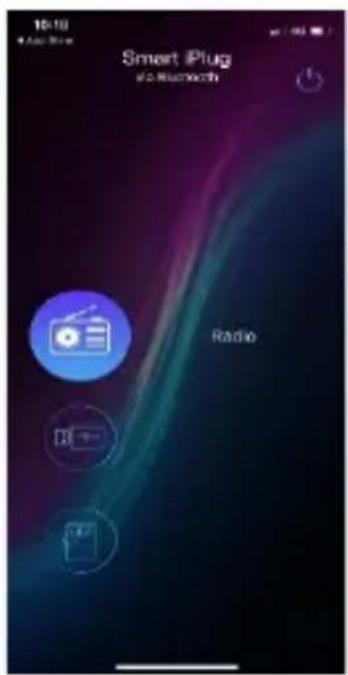
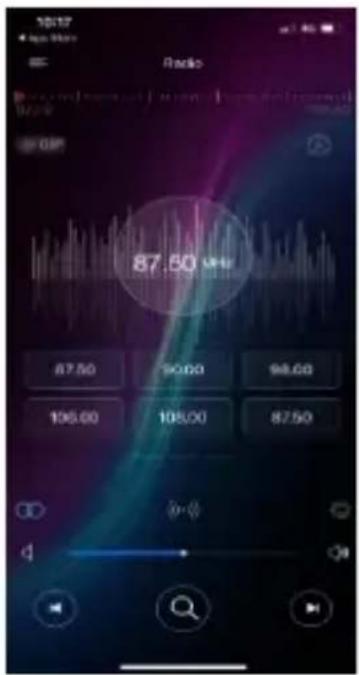
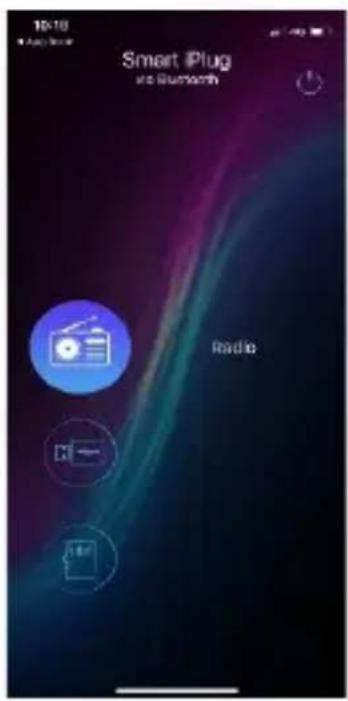
The SmartBT iPlug application is the ultimate wireless controller of your product. You can search "SmartBT iPlug" on Apple Store or Google Play Store and install into your smartphone.
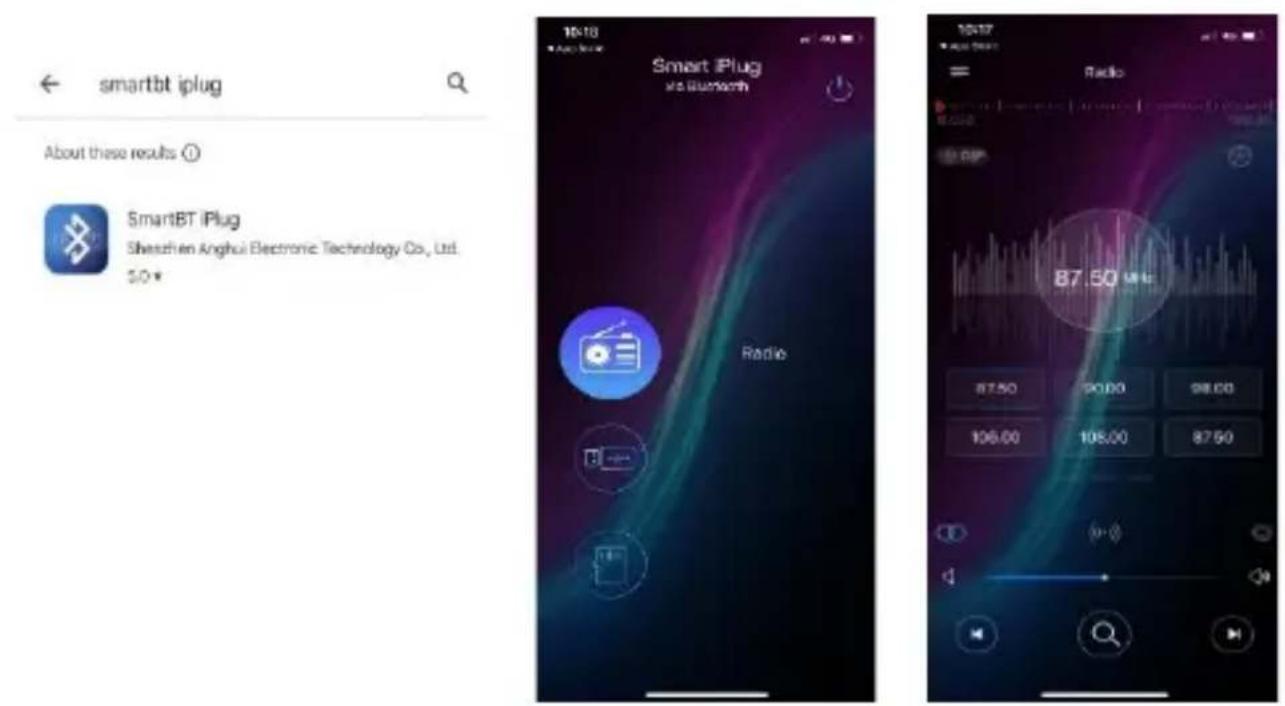
smartbt iplug
About these results ①
SmartBT Plug
Shenzhen Anghui Electronic Technology Co., Ltd. S.D.
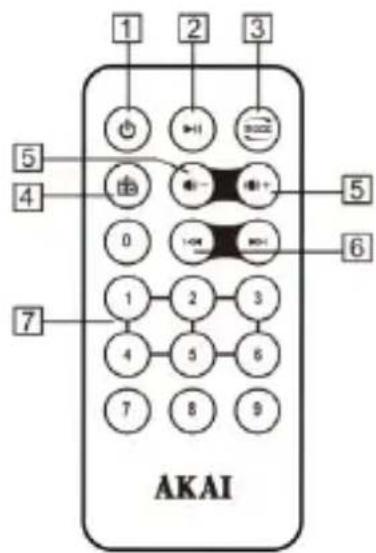
REMOTE CONTROL

- POWER: Power on /off
- Play/ pause
3.MODE: Mode switch
4.EQ: Equalizer - Adjust the volume
6.Fast forward/ backward:
Select the station when receiving the radio, select the songs when playing MP3.
7.0-9 Button
In FM mode, press "1" to "6" keys to choose radio stations, long press to store them.
In MP3 mode, long press "0" keys to enter into tracks selection mode, then press "0" to "9" keys to choose songs.
Note: Please take out the protection paper between the battery and the remote control before using.
CHANGE THE BATTERY
Please change the battery if the remote control only can work in a short distance or cannot work at all. And please distinguish the positive and negative as indicated.
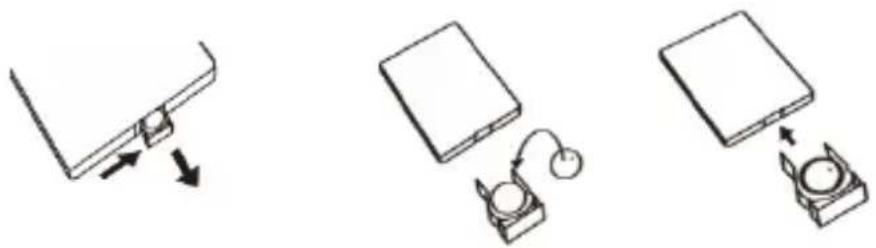
natural_image
Three technical diagrams showing a device with a lock, connected to a battery and a switch (no text or symbols present)
Please read all of the following instructions carefully before installing. This unit should only be installed by an authorized service center.
INSTALLATION
If the angle of the unit is bigger than 60 degrees, this unit may not reach optimum performance. (A)
Front installation (B)
- Instrument board
- Metal mantle. After putting the mantle into the instrument board, bend the steel of the mantle and fix it onto instrument board.
3.Fastening bolt
Rear Installation (C)
- Instrument board
2.Nut -
Spring washer
4.Bolt
5.Fastening bolt
6.Fixed steel -
Flat washer. In order to improve the

anti-interference, please fix onto the under-frame
of the car. Bend the steel if necessary.
UNLOAD THE UNIT
-
Please remove the front frame, when removing this model.
-
Insert the keys into the slots on both side until a locking sound is heard. (D)
-
Pull out the keys and the unit.

natural_image
Diagram showing a mechanical assembly with a tool interacting with a block, labeled 'D' (no text or symbols on the diagram itself)TROUBLESHOOTING
Before resorting to service, check the following troubleshooting guide. Ensure that all connections are correct and secure and that all operating procedures have been followed.
| PROBLEMS | CAUSES AND SOLUTION |
| No power | Check the fuse. Replace if necessary. |
| The display or the buttons do not work | Switch off. Check all connections and then power on again. |
| Cannot receive radio | Check antenna connection. |
| Radio reception is poor | Check that the antenna is fully extended and that it is not broken. Extend or replace if necessary. |
| Cannot read USB and SD card | The file format is not available / USB and SD card have been damaged. |
Note: If you are unable to resolve the problem after checking this guide, please call the supplier or an authorized service center.
NEVER attempt to repair or service this unit yourself.
TECHNICAL DATA
| The unit | ||
| Bluetooth version: 5.0 | ||
| Bluetooth channel emission power: + 2dbm | ||
| BT frequency: 2.400 - 2.483 GHz | ||
| Power source | 12V(10.8-15.1V) DC Negative pole earth | |
| Speaker | 4-8Ω | |
| High power machines | Max output | 25Wx4 |
| Output rating | 20Wx4 | |
| FM | |
| Frequency scope | 87.5-108MHZ |
| Sensitivity | ≤26dB |
| MP3 | |
| Sensitivity | ≥35dB |
| Frequency | (100HZ-10KHZ) ± 6dB |
| Harmonic voltage distortion(1KHz) | ≤5% |
| Channel separation | ≥35dB |
| Stereophonic reproduction channel balancing | ≤3dB |

natural_image
Symbol of a trash bin with crossed lines indicating no waste, and a solid black rectangle below (no text or labels)This symbol on the product or packaging means that the product should not be treated as household waste. Do not throw garbage at the end of its life, but take it to a collection center for recycling. in this way you will help to protect the environment and be able to prevent any negative consequences that it would have on the environment and human health.
To find your nearest collection center:
-Contact local authorities
- Access the website: www.mmediu.ro
- Request additional information from the store where you purchased the product.
Producer: SC Intervision Trading RO SRL
Pitesti city, Bdv. I.C. Bratianu, no. 48-52, building A, floor. 5, room 504-505, Arges county, Romania, post code: 110121; www.akai.com.ro
EU DECLARATION OF CONFORMITY
Nr. INT283
We, INTERVISION TRADING RO SRL, default importer (manufacturer), with registered office in Mosoaia Commune, Smeura Village, 8 Fagetului Alley, declare under sole responsibility that the following products:
Brand name: AKAI
Type:
ACP-400
Descriptions:
DUAL USB CAR RADIO
Lot: ACP40022100XXXX
to which this declaration related is in conformity with the essential requirements of the following directives of the Council of the European Communities:
EUROPEAN COMMUNITY DIRECTIVE 2014/35/EC
EUROPEAN COMMUNITY DIRECTIVE 2014/53/EC
EUROPEAN COMMUNITY DIRECTIVE 2011/65/EU Amd 2015/863/EU
The products are compliant with the following standards and safety regulations:
EN 62368-1:2014+A11:2017
EN 62479:2011
EN 301 489-1 V2.2.3 (2019-11)
EN 301 489-17 V3.2.4 (2020-09)
EN 300 328 V2.2.2 (2019-07)
EN 62321-1:2013
Certificate of conformity issued based on the Declaration BKC210500MC based on the test reports BKC210500MS ; BKC210200MF ; BKC210200ME and BKC210200MR of BKC Testing Co., Ltd. 6/F, Building 3, Zhouteng Industrial Park, Nanwan Street, Longgang District, Shenzhen, Guangdong, China
Intervision Trading Ro SRL,
Signature:

Printed name and Position: CIOBANU DORIN – GENERAL MANAGER
Date: 22
^nd September, 2022
Place: Pitesti, Romania
AKAI

ACP-400
RADIO AUTO CU DUBLU USB
Va rugam sa cititi cu atentie manualul de instructiuni inainte de folosirea acestui produs.
ROMANA
Nota:
About these results ①

SmartBT iPlug
Shenzhen Anghui Electronic Technology Co., Ltd. 5.0


FUNCTII TELECOMANDA

-
BUTON ALIMENTARE: Pornit/Oprit
-
▶II : Redare/Pauza
- MOD: Schimbare mod
- EQ: Egalizator
- Reglare volum
- Derulare rapida inainte/inapoi
natural_image
Simple line drawing of a mechanical component with arrows indicating direction (no text or symbols)Apasati clapeta si scoateti bateria in acelasi timp
natural_image
Simple line drawing of a closed book and a small electronic device connected by a curved cable (no text or symbols)Introduceti o baterie noua in locas

natural_image
Simple line drawing of a device with an open lid and a circular component inserted into it (no text or symbols)Repositionati clapeta in telecomanda

- Saiba plata. Pentru a imbunatati orice interferenta, va rugam sa-l fixati pe cadrul inferior al masinii. Indoiti cadrul metallic daca este necesar.
DEZASAMBLAREA APARATULUI
-
Scoateti mai intai cadrul frontal, cand doriti dezasamblarea acestui apparat.
-
Introduceti dispozitivele speciale in fantele aflate pe ambele parti, pana cand se aude un sunet de deblocare (D)
-
Trageti afara dispozitivele speciale impreuna cu aparatul.

natural_image
Diagram showing a mechanical component being inserted into a block, with arrows indicating force direction (no text or symbols present)DEPANARE
Producer: SC Intervision Trading RO SRL
Pitesti city, Bdv. I.C. Bratianu, no. 48-52, building A, floor. 5, room 504-505, Arges county, Romania, post code: 110121; www.akai.com.ro
AKAI
ACP-400
About these results ①

SmartBT iPlug
Shenzhen Anghui Electronic Technology Co., Ltd. 5.0
ФУНКЦИИ НА ДИСТАНЦИОННОТО

natural_image
Simple line drawing of a mechanical component with two arrows indicating direction (no text or symbols)natural_image
Simple line drawing of a laptop and a device with a curved cable (no text or symbols)Поставете нова батерия в отвора

natural_image
Simple line drawing of a device with a box and a magnifying glass inside, no text or symbols present.natural_image
Diagram showing a mechanical component being inserted into a block, with arrows indicating force direction (no text or symbols present)ОТСТРАНЯВАНЕ НА ПРОБЛЕМИ
Производител: SC Intervision Trading-RO SRL Pitesti city, Bdv. I.C. Bratianu, no. 48-52, building A, floor. 5, room 504-505, Arges county, Romania, post code: 110121; www.akai.com.ro
AKAI
ACP-400
KETTŐS USB AUTÓRÁDIÓ
About these results ①

SmartBT iPlug
Shenzhen Anghui Electronic Technology Co., Ltd. 5.0

natural_image
Simple line drawing of a mechanical component with arrows indicating direction (no text or symbols)natural_image
Simple line drawing of a closed book and a small device with a curved arm (no text or symbols)natural_image
Simple line drawing of a device with an open lid and a circular component inserted into it (no text or symbols)natural_image
Diagram showing a mechanical component being inserted into a block, with arrows indicating force direction (no text or symbols present)HIBAELHÁRÍTÁS
Producer: SC Intervision Trading RO SRL
Pitesti city, Bdv. I.C. Bratianu, no. 48-52, building A, floor. 5, room 504-505, Arges county, Romania, post code: 110121; www.akai.com.ro
AKAI
ACP-400
RADIO SAMOCHODOWE Z PODWÓJNYM PORTEM USB
About these results ⓘ

SmartBT iPlug
Shenzhen Anghui Electronic Technology Co., Ltd. 5.0


FUNKCJE PILOTA ZDALNEGO STEROWANIA

natural_image
Simple line drawing of a mechanical component with arrows indicating direction (no text or symbols)natural_image
Simple line drawing of a device with a box and a small circular component connected by an arc (no text or symbols)natural_image
Simple line drawing of a device with a square base and a circular component inserted into a housing (no text or symbols)INSTALACJA TYLNA (C)
natural_image
Diagram showing a mechanical component being inserted into a block, with arrows indicating force direction (no text or symbols present)Producent: SC Intervision Trading RO SRL
About these results ⓘ

SmartBT iPlug
Shenzhen Anghui Electronic Technology Co., Ltd. 5.0

FUNKCE DÁLKOVÉHO OVLÁDÁNÍ

natural_image
Simple line drawing of a mechanical component with arrows indicating direction (no text or symbols)natural_image
Simple line drawing of a closed book and a small device with a curved arm (no text or symbols)natural_image
Simple line drawing of a device with a rectangular block and a circular component inserted into it (no text or symbols)INSTALACE ZE ZADNÍ STRANY (C)
natural_image
Diagram showing a mechanical component being inserted into a block, with arrows indicating force direction (no text or symbols present)ŘEŠENÍ PROBLÉMŮ
About these results ①

SmartBT iPlug
Shenzhen Anghui Electronic Technology Co., Ltd. 5.0

FUNKCIE DIAL'KOVÉHO OVLÁDANIA
1.TLAČIDLO NAPÁJANIA: Zapnút'Vypnút'
- ▶II : Prehrávanie/Pozastavenie
- REŽIM: Zmenit' režim
- EQ: Ekvalizér
- Nastavenie hlasitosti
- Rýchly posun dopredu/spät'
natural_image
Simple line drawing of a mechanical component with arrows indicating direction (no text or symbols)natural_image
Simple line drawing of a laptop with an attached device (no text or symbols)Vložte novú batériu

natural_image
Simple line drawing of a device with a rectangular block and a circular component, no text or symbols present.natural_image
Diagram showing a mechanical component being inserted into a block, with an inset view of a cylindrical component (no text or symbols present)RIEŠENIE PROBLÉMOV


- Notes:
- CONTROL PANEL
- BLUETOOTH
- APP OPERATION
- REMOTE CONTROL
- 7.0-9 Button
- CHANGE THE BATTERY
- INSTALLATION
- Front installation (B)
- Rear Installation (C)
- UNLOAD THE UNIT
- TROUBLESHOOTING
- EU DECLARATION OF CONFORMITY
- AKAI
- RADIO AUTO CU DUBLU USB
- Nota:
- FUNCTII TELECOMANDA
- DEZASAMBLAREA APARATULUI
- DEPANARE
- ФУНКЦИИ НА ДИСТАНЦИОННОТО
- ОТСТРАНЯВАНЕ НА ПРОБЛЕМИ
- HIBAELHÁRÍTÁS
- RADIO SAMOCHODOWE Z PODWÓJNYM PORTEM USB
- FUNKCJE PILOTA ZDALNEGO STEROWANIA
- INSTALACJA TYLNA (C)
- FUNKCE DÁLKOVÉHO OVLÁDÁNÍ
- INSTALACE ZE ZADNÍ STRANY (C)
- ŘEŠENÍ PROBLÉMŮ
- FUNKCIE DIAL'KOVÉHO OVLÁDANIA
- RIEŠENIE PROBLÉMOV
Brand : AKAI
Model : ACP-400
Category : Car radio