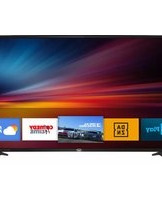
LTV 4301 SMART - Television Trevi - Free user manual and instructions
Find the device manual for free LTV 4301 SMART Trevi in PDF.


| Product Type | Smart LED Television |
| Brand | Trevi |
| Model | LTV 4301 SMART |
| Screen Size | 43 inches |
| Resolution | 1920 x 1080 (Full HD) |
| Display Technology | LED |
| Refresh Rate | 60 Hz |
| Smart Platform | Proprietary Smart OS |
| WiFi | Built-in 802.11 b/g/n |
| HDMI Inputs | 2 x HDMI |
| USB Ports | 1 x USB 2.0 |
| Other Connections | AV In, Headphone Out, Antenna In |
| Power Requirements | AC 100-240V, 50/60 Hz |
| Power Consumption (typ.) | 70 W |
| Standby Power | < 0.5 W |
| Dimensions (without stand) | 968 x 565 x 82 mm |
| Dimensions (with stand) | 968 x 610 x 220 mm |
| Weight (without stand) | 7.5 kg |
| Weight (with stand) | 8.0 kg |
| VESA Mount Pattern | 200 x 200 mm |
| Remote Control | Included |
| Cleaning Instructions | Wipe with a soft, dry cloth. Do not use liquid cleaners. |
| Safety | Place on a stable surface. Do not block ventilation slots. Keep away from heat sources and moisture. Use only provided power cord. |
| Spare Parts & Repairability | Contact Trevi service for spare parts. Repairs should be done by qualified personnel. No user-serviceable parts inside. |
Frequently Asked Questions - LTV 4301 SMART Trevi
User questions about LTV 4301 SMART Trevi
0 question about this device. Answer the ones you know or ask your own.
Ask a new question about this device
Download the instructions for your Television in PDF format for free! Find your manual LTV 4301 SMART - Trevi and take your electronic device back in hand. On this page are published all the documents necessary for the use of your device. LTV 4301 SMART by Trevi.
USER MANUAL LTV 4301 SMART Trevi

-OS Android 9.0
•Memoria interna 8GB - RAM 1GB
•Connessione internet LAN RJ45 o WI-FI 802.11 b/g/n
•Display LED da 43" (109 cm diagonale) 16:9
• Consumo massimo: 75W / Stand-by: <0.5W
• Alimentazione: 110-240V\~50/60H

- OS Android 9.0
•Internal memory 8GB - RAM 1GB
- Internet connections LAN RJ45 o WI-FI 802.11 b/g/n
-LED disp lay 43" (109 cm diagonal) 16:9
•Backlight D-LED
•Digital Satellite Receiver DVBS2 MPEG2 / MPEG4
•Digital Terrestrial DVBT2 MPEG2 / MPEG4
•Digital coaxial audio output / Headphone socket
• Remote control
• Max power consumption: 75W / Stand-by: <0.5W
•Power supply: 110-240V\~50/60Hz

bar
| Category | Value | | -------- | --------- | | A | 45 kWh/1000h | | B | 45 kWh/1000h | | C | 45 kWh/1000h | | D | 45 kWh/1000h | | E | 45 kWh/1000h | | F | 45 kWh/1000h | | G | 45 kWh/1000h |

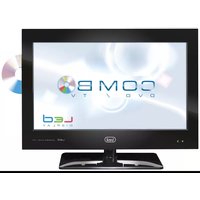
Brand : Trevi
Model : LTV 4301 SMART
Category : Television