ICR-231 - Alarm Clock Ices - Free user manual and instructions
Find the device manual for free ICR-231 Ices in PDF.


| Product Type | Alarm clock radio |
| Brand | Ices |
| Model | ICR-231 |
| Power Source | AC 230V 50Hz; backup batteries (2x AAA, not included) |
| Display Type | LED with adjustable brightness |
| Alarm Modes | Dual alarm (wake to radio or buzzer) |
| Radio Bands | FM (87.5-108 MHz), AM (520-1710 kHz) |
| Snooze Function | Yes, 9-minute snooze |
| Sleep Timer | Yes, 10-90 minutes |
| Volume Control | Rotary dial for radio and alarm volume |
| Dimensions (approx.) | 150 x 80 x 100 mm (5.9 x 3.1 x 3.9 in) |
| Weight (approx.) | 0.5 kg (1.1 lb) |
| Battery Backup | Maintains time and alarm settings during power outage |
| Material | Plastic casing |
| Cleaning Instructions | Wipe with a soft, dry cloth; do not use liquid cleaners |
| Safety Instructions | Do not expose to water or moisture; unplug during cleaning |
| Spare Parts / Repairability | Contact Ices support for replacement parts; not user-serviceable |
| Warranty | 1 year limited warranty |
| User Manual | Available for free download at notice-facile.com |
Frequently Asked Questions - ICR-231 Ices
User questions about ICR-231 Ices
0 question about this device. Answer the ones you know or ask your own.
Ask a new question about this device
Download the instructions for your Alarm Clock in PDF format for free! Find your manual ICR-231 - Ices and take your electronic device back in hand. On this page are published all the documents necessary for the use of your device. ICR-231 by Ices.
USER MANUAL ICR-231 Ices
www.-ices-electronics.com
Thank you for purchasing our product.
To use the player easily and correctly, please read the following information.
**** AC ADAPTOR AND BATTERIES ARE NOT INCLUDED. ****
FEATURES
• Power: battery AA*4 (not included)
• 12/24 hours system: clock + year + month + date + week (2000 - 2099 year)
• FM radio (frequency: 87 \~108MHz)
- Alarm + snooze
- Alarm ringing: 2 options (BIBI or FM radio)
- Digital display
- 0 \~15 digital volume (Defaulted volume is 3 grade)
KEYS:
-
Keys:【MODE】key、【SET】key、【UP】key、【DOWN】key、【ALARM】key、【SNOOZE】key、【RADIO】key、【VOL+】key、【VOL-】key
-
Power saving switch: switch to "OFF", the product won't be always display(disconnect with outer Power).
OPERATIONS:
1). After power on 2 seconds, the buzzer will issue one sound of "BI", then the product will display time. Default time is 00:00 Jan 1st, 2012
2). Clock mode
• After power on, clock will display on the LED screen.
- Press 【SET】key to display year, the press 【SET】to display month, then date. If no any operation 30 seconds, then exit from setting to clock mode
- Press 【SET】key 3 seconds to set time. Press【SET】to change setting contents. The setting order is: time → minute → year → month → date → exit; When setting, the digits of time will flash, press【UP】OR【DOWN】to adjust setting time. If no operation during 30 seconds, unit will exit from setting
- At clock mode press 【UP】to change 12/24 hours system.
- Press 【ALARM】to make alarm on or off.
3). Alarm mode
- AtClock mode, press 【MODE】key to activate the alarm mode.
- At alarm mode press 【SET】key to set the alarming time. Press【SET】key to change the setting content; setting order is: alarming hour → minute → exit. When setting, the set digits of time will flash. Press【UP】 or【DOWN】 key to adjust the setting alarming time. If mo any operation during 30 seconds then the unit will exit from settings. Once set, the alarm will be activated.
- At alarm mode, if no operation during 30 seconds then the unit will exit to clock mode.
- Alarm ringing:
- When setting alarm, press 【RADIO】key, then the playing radio station will be as the alarming ringing (the playing radio frequency is set as the last playing radio frequency), Ringing will last 15 minutes.
- If no above setting, then alarming ringing is BIBI sound, and ringing only
last 1 second.
- After setting alarming ringing, press 【MODE】key to exit to clock mode
- Press【ALARM】key, alarm mode will be on (ALARM light will be on) / off (ALARM light off)
- When it is the set alarming time, the product begins alarming. When alarming, press any key (except the 【SNOOZE】key) to stop alarming. If press 【SNOOZE】key then activate the snooze mode(SNOOZE light will flash, snooze time is 5 minutes (snoozing at most 2 times)
4). Radio mode
- When not at alarm mode, press 【RADIO】key to activate radio. At radio mode press 【RADIO】key to exit from radio mode.
- At radio mode, then the frequency will display
- Press 【SET】key to play the saved radio frequency, and continually pres 【SET】key to choose the next radio frequency.
- Press 【SET】key 3 seconds then one sound "BI" then the playing radio frequency will be saved as the last memory. Can save 20 stations. If continue saving, then the last saved frequency will make the first saved one lost.
- Press 【UP】to get previous frequency,【DOWN】to get the next, press 【UP or【DOWN】to auto scan stations forward or backward.
- Press 【ALARM】key 3 seconds to set sleeping time of radio, then press【UP or【DOWN】to change the sleeping time for 10/20/30/40/50/60 minutes. After setting sleeping time, repress【ALARM】key to exit the setting. When it is the set time, then radio will be off.
- At radio mode, press 【SNOOZE】key to change to clock mode, 10 seconds later radio will automatically restore.
- Short press 【VOL+】or 【VOL-】key to adjust the volume, each time one grade; Long press 【VOL+】or 【VOL-】key to fast adjust the volume.
5). Sound-control
- When it can't be always display, then sound-control can be effective
- If can receive the sound signal, then display can last 10 seconds.
When disconnect outer power and only make it be clock mode, better push the "Display"Switch to the "off" to save power.
- The product can display long time (need much power) / display by sound-control. When push the "display" switch to "off", display will be off within 10 seconds, then press any key and the display will last 10 seconds or by sound control it also can light up for 10 seconds.
- When display is light, display will be only half bright during 21:00 PM\~06:59:59 AM.
- Connect with outer power then the product will always display(DC 6V 600mA)
7). AUX IN function
During radio play back mode, you may insert any other audio device into the 3.5mm plug into the "AUX IN (Φ3.5mm" jack)
Service and support
For information: http://www.ices-electronics.com/
For support: http://icessupport.zendesk.com
ICES helpdesk:
Germany 0900-1520530 (Local charges)
The Netherlands 0900-23553626 (Local charges + 1ct P/min)
Belgium 02-6200115 (Local charges)
France 0170480005 (Local charges)
The helpdesk is accessible from Monday to Friday from 9 AM till 6 PM.
In case your device needs repair, our helpdesk will redirect you to your local dealer.
ICES offers service and warranty in accordance to European law, which means that in case of repair (both during and after the warranty period), you should contact your local dealer.
Please note: It is not possible to send products directly to ICES for repair.
Important note: If this unit will be opened, or accessed in any way by a non-official service center, the warranty expires immediately.
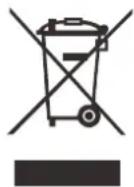
If at any time in the future you should need to dispose of this product please note that: Waste electrical products should not be disposed of with household waste. Please recycle where facilities exist. Check with your Local Authority or retailer for recycling advice. (Waste Electrical and Electronic Equipment Directive)

Explanation of symbols:

This symbol indicates that there are important operating maintenance instructions in the user manual accompanying the device.

This symbol indicates that dangerous voltage is present within this device, constituting a risk of electronic shock or personal injury.
CAREFULLY READ THE FOLLOWING SAFETY INSTRUCTIONS BEFORE USE.

WARNING RISK OF ELECTRIC SHOCK DO NOT OPEN THIS DEVICE


WARNING: DO NOT REMOVE ANY SCREWS OR OTHER COMPONENTS OF THE DEVICE TO PREVENT THE RISK OF ELECTRIC SHOCK.
- Install and use the device only as described in the user manual.
- This device must be used in combination with a power supply as specified in the specification table. If you are not sure of the type of power supply used in your home, consult your power company.
- Do not use loose or damaged cords and/or plugs.
- The power outlet must be located close the device and must be easily accessible.
- Make sure that power outlets or extension cables are not over overloaded. Overloading can cause short-circuits or fire.
- Always pull the plug when removing it from the power outlet.
- Do not pull the power cord. This may cause a short-circuit.
- If you notice smoke, an excessive build-up of heat or any other unexpected phenomena, you should disconnect the plug from the power outlet immediately.
- Disconnect the plug from the power outlet during lightning storms.
- Disconnect the plug from the outlet when the device will not be used for a long time.
- Do not step on the power cord and don't pinch the power cord.
- Do not place heavy objects on the power cord or any other cables as this may damage the cord or cables.
- Keep the device away from children! When they play with the power cord, they can seriously injure themselves.
- Keep the power cable away from rodents and rabbits.
- Make sure all ventilation openings are clear at all times, do not cover or block them.
- Leave 5 cm (2") free space around the device.
- Always make sure the device is well ventilated.
- Keep the device away from heat sources such as radiators, heaters, stoves, candles and other heat-generating products
- Avoid using the device near strong magnetic fields.
- Do not use this device when condensation may occur.
- Do not use this device near water or other liquids.
- Do not use this device in a damp room.
- Do not use this device near a swimming pool.
-
Electrostatic interference may interfere with the normal use of this device. If this occurs, reset the device and restart it according to the instructions in the user manual.
-
The display is made of plastic and might break when it's damaged. Beware of sharp plastic splinters when the screen breaks to avoid injury.
- Should the unit become wet, immediately remove the plug from the power outlet and let the appliance fry for 72 hours before trying to use it again.
- Remove the batteries from the device and/or remote control if they will not be used for a long time.
- This device and the supplied accessories contain sensitive components. Never drop them, put them in a microwave, burn them or paint them.
- Do not bite or suck on the device and/or supplied accessories.
- Do not insert the device or the supplied accessories in your ears, mouth or other body orifices.
- This device and/or accessories contain small parts that may lead to a choking hazard. Therefore, keep it away from children.
- When connecting the device, if a connector does not seem to fit, do not force it.
- Be careful when using this device when participating in traffic, the sound might distract your attention.

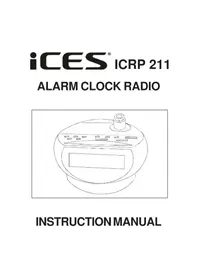

Brand : Ices
Model : ICR-231
Category : Alarm Clock