G Two - Pregnant GENELEC - Free user manual and instructions
Find the device manual for free G Two GENELEC in PDF.


| Product Type | Active Studio Monitor |
| Dimensions (H x W x D) | 300 x 189 x 178 mm |
| Weight | 3.3 kg |
| Power Consumption | 60 W (max), <0.5 W standby |
| Frequency Response | 55 Hz - 21 kHz |
| Maximum SPL | 100 dB |
| Drivers | 4" woofer, 0.75" tweeter |
| Amplifier Power | 30 W bass, 30 W treble |
| Input Connectors | XLR (balanced) and RCA (unbalanced) |
| Crossover Frequency | 3 kHz |
| Enclosure Material | MDF with real wood veneer |
| Operating Temperature | 0 °C to 40 °C |
| Humidity Range | 0% - 80% non-condensing |
| Cleaning Instructions | Use a soft, damp cloth. Do not use solvents. |
| Safety Precautions | Do not expose to water or moisture. Ensure ventilation. |
| Spare Parts Availability | Contact Genelec support for parts and repairs. |
| Country of Origin | Finland |
| Warranty | 2 years |
Frequently Asked Questions - G Two GENELEC
User questions about G Two GENELEC
0 question about this device. Answer the ones you know or ask your own.
Ask a new question about this device
Download the instructions for your Pregnant in PDF format for free! Find your manual G Two - GENELEC and take your electronic device back in hand. On this page are published all the documents necessary for the use of your device. G Two by GENELEC.
USER MANUAL G Two GENELEC
Operating Manual 6-11
Käyttöohje 12-17
Quick setup guide
Loudspeaker placement
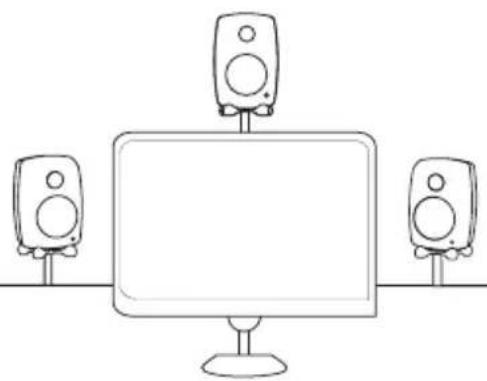
natural_image
Line drawing of a desktop computer setup with three speakers on top (no text or symbols)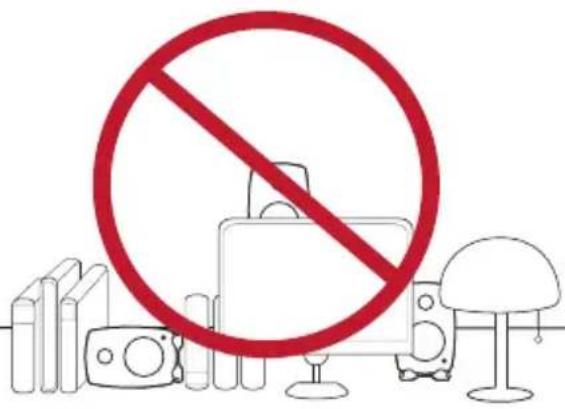
text_image
Prohibition sign with red circle and prohibition symbol over devices and a lampDesktop positioning
Tabletop Control
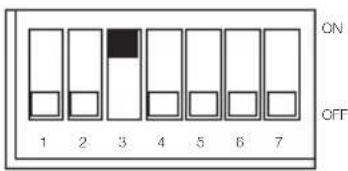
text_image
ON OFF 1 2 3 4 5 6 7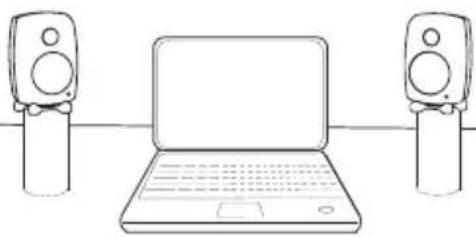
natural_image
Line drawing of a laptop connected to two speakers (no text or symbols)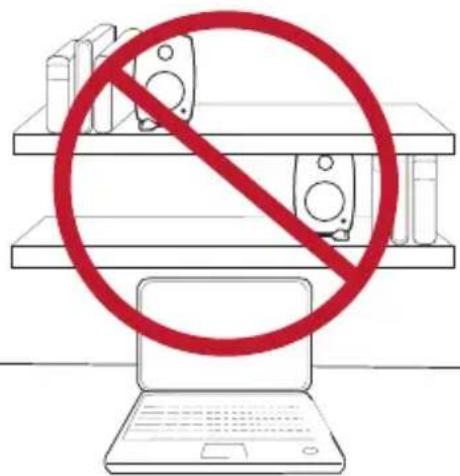
text_image
Diagram showing a laptop with a prohibition symbol crossed out by a red circle above shelves, indicating no restrictions on devices.Loudspeaker angle and distance
text_image
L C R 30° 110° LS RS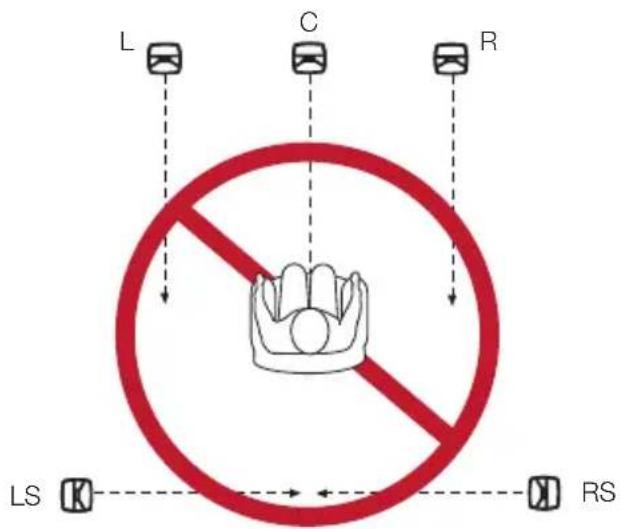
text_image
L C R LS RSSplitting the RCA cable
natural_image
Simple line drawing of two connected cylindrical objects with arrows indicating direction (no text or symbols)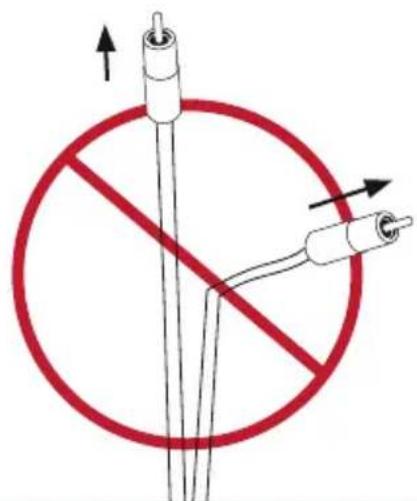
text_image
Diagram showing a no-smoking symbol with two plug connectors and directional arrows, indicating safety or resistance.Connecting
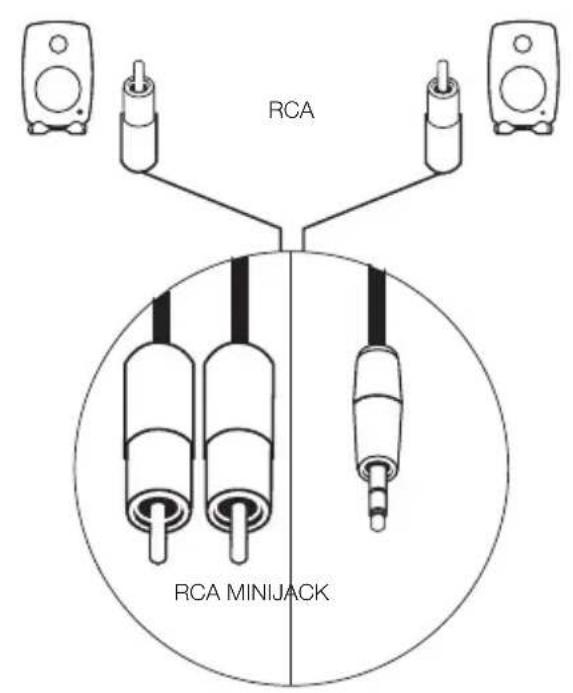
text_image
RCA RCA MINIJACK
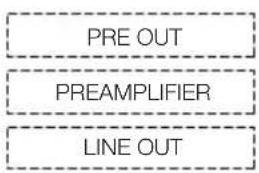
flowchart
graph TD
    A["PRE OUT"] --> B["PREAMPLIFIER"]
    B --> C["LINE OUT"]

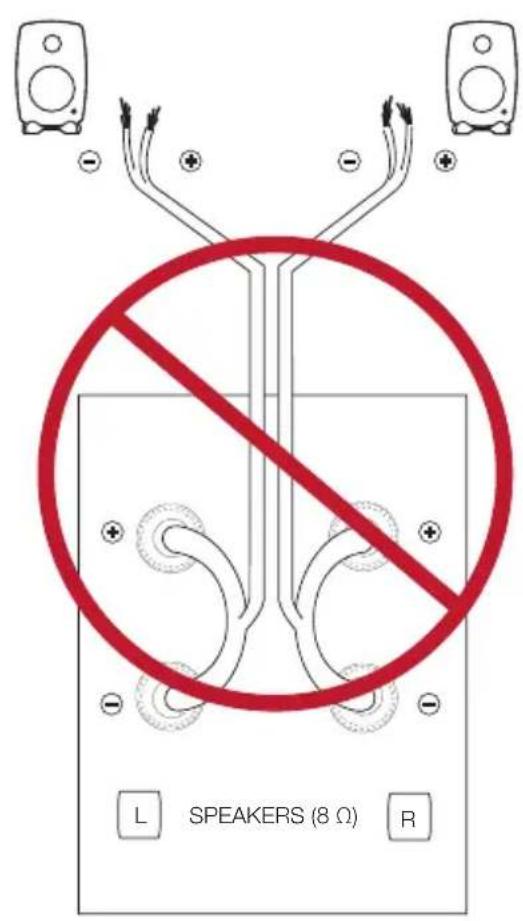
text_image
L SPEAKERS (8 Ω) RUsing tone controls
text_image
Corner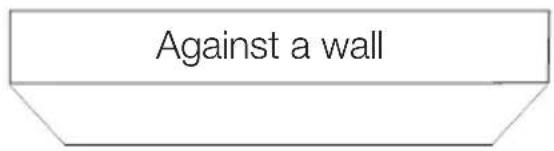
text_image
Against a wall
Bass -6 dB
text_image
ON OFF 1 2 3 4 5 6 7Bass -4 dB
text_image
ON OFF 1 2 3 4 5 6 7Operating Manual
G Two
Active Loudspeaker
General description
The Genelec G Two is a compact two way active loudspeaker designed to produce broad bandwidth sound with high output and low coloration.
Positioning the loudspeaker
Each loudspeaker is supplied with an built-in amplifier unit, signal cables, mains cable and an operating manual. After unpacking, place the loudspeakers in their required listening positions, pointing them to the center of the listening area. If possible, place the listening position to the central line of the room and the loudspeakers at equal distance from the walls.
Connections
Before connecting up, ensure that the power switch on the signal source is set to OFF.
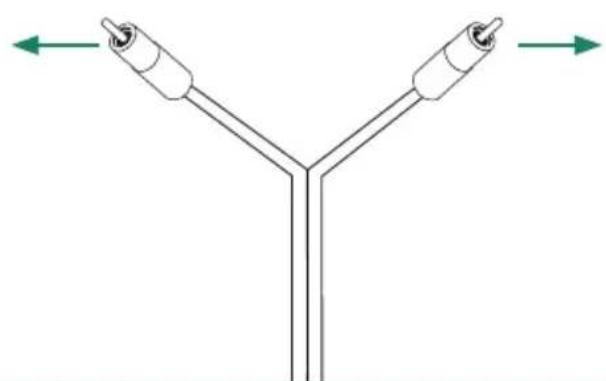
Audio input is via an unbalanced RCA connector. Only line level audio signal from a preamplifier, computer sound card or similar signal source can be connected, never a high power signal from the speaker terminals of a power amplifier. Once the connections have been made, the loudspeakers are ready to be switched on.
ISS Autostart function
When the power switch and the "ISS" switch on the back panel of the loudspeaker are set to "ON", the Intelligent Signal Sensing™ (ISS™) autostart function of the G Two is active. Automatic powering down to standby mode happens after a certain time when playback has ended. The power consumption in standby mode is typically less than 0.5 watts. The playback will automatically resume once an input signal is detected from the source.
There is a slight delay in the automatic powering up. If this is undesirable, the ISS ^TM function can be disabled by setting the “ISS” switch on the back panel to the “OFF” position. In this mode, the loudspeaker is powered on and off using the power switch on the back panel.
Switching off the power indicator LED
The power indicator LED of the G Two can be switched off by turning the "LED OFF" switch on the back panel to "ON".
Level -10 dB switch
The “LEVEL -10 dB” switch reduces the input sensitivity of the G Two by 10 decibels. Select the setting that matches the desired playback volume.
Setting the tone controls
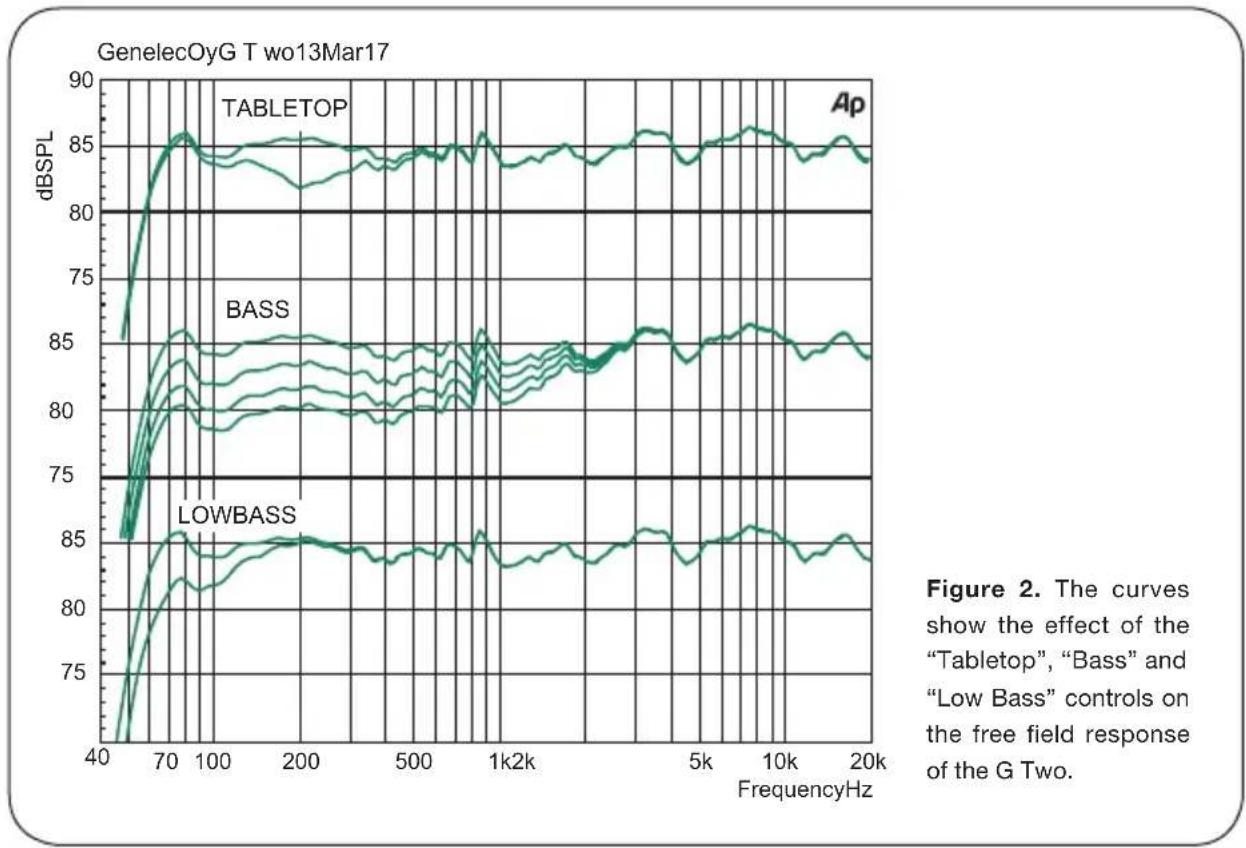
The frequency response of the Genelec G Two can be adjusted to match the acoustic environment by setting the tone control switches on the rear panel. The controls are “Tabletop” “Low Bass” and “Bass”. Table 1 shows some typical settings in various situations. Figure 2 shows the effect of the controls on the frequency response.

text_image
REFLEXPORT THREADSFOR CEILINGAND WALLMOUNTS TONECONTROLS GENELEC G T two ActiveLoudspeaker ON LED/LED/LED TALE/TALE LED/LED/LED TAG/TAG/TALE POWERSWITCH CONNECTORPANEL (HORIZONTAL) ISO-Pod™ T ABELE STANDFigure 1. Control and connector layout on the rear panel of a G Two.
Tabletop
This switch is recommended to be switched to "ON" when the loudspeakers are placed on a table or similar surface, such that there is a reflective surface between the loudspeaker and the listener. Such a placement typically causes a boost at certain bass frequencies, which the "Tabletop" function is designed to compensate for.
Low Bass
This switch activates a -4 dB filter to the lowest bass frequencies (65 Hz). This can be used for compensating for heavy and boosted bass in this frequency range.
| Loudspeaker Mounting Position Tabletop Bass Low Bass | |||
| Flat anechoic response OFF OFF OFF | |||
| Free standing in a damped room OFF OFF OFF | |||
| Free standing in a reverberant room OFF -2 dB OFF | |||
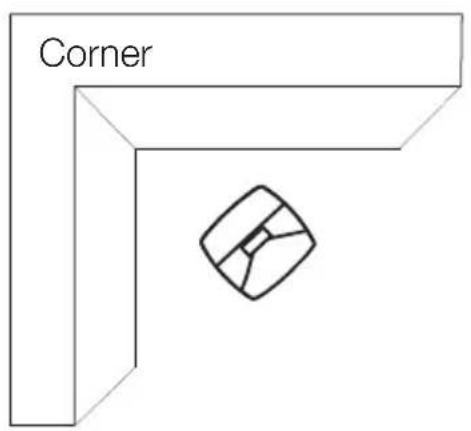
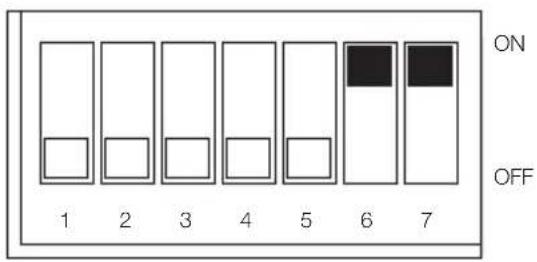
| In a corner OFF -6 dB If necessary | |||
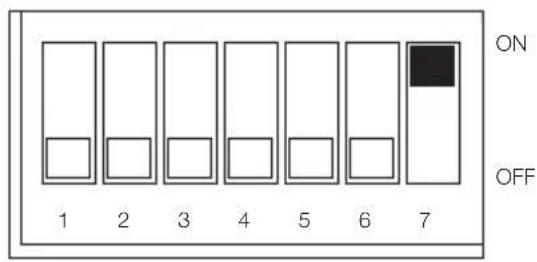
| Near to a wall | OFF -4 dB If necessary | ||
| On a desk | ON | -2 dB OFF | |
Table 1: Suggested tone control settings for different acoustical environments
Bass
The “Bass” control offers three attenuation levels for the bass response below 1 kHz, usually necessary when the loudspeakers are placed near room boundaries or other situations when the bass sounds boomy and too dominant. The attenuation levels are -2 dB, -4 dB and -6 dB. The -6 dB attenuation is selected by setting both “Bass” switches to “ON”.
The factory setting for the tone controls is all in the “OFF” position. This setting produces a flat frequency response in the free field, when the loudspeaker is located far from all walls and other acoustically hard boundaries. Always start adjustment by setting all switches to “OFF” position. Measure or listen systematically through the different combinations of settings to find the best tonal balance.
Mounting considerations
Align the loudspeakers correctly
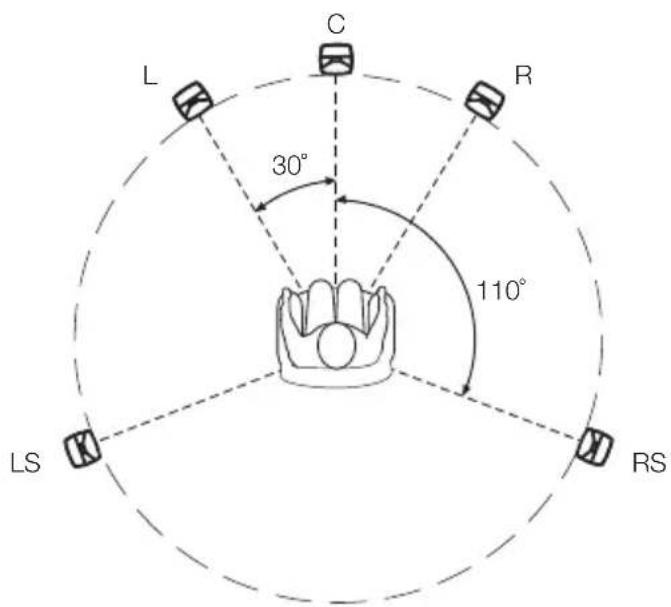
Always place the loudspeakers so that they are aimed towards the listening position. Vertical placement is preferable, as it minimizes acoustical cancellation problems between the drivers around the crossover frequency.
Maintain symmetry
Check that the loudspeakers are placed symmetrically and at an equal distance from the listening position. If possible, place the system so that the listening position is on the centerline of the room but not exactly at the center of the room. Place the loudspeakers are at an equal distance from the centerline and also at an equal distance from the listening position.
Minimize reflections
Acoustic reflections from objects close to the loudspeakers like desks, cabinets, computer monitors etc. can cause unwanted blurring of the sound image and also cause frequency response problems. These can be minimized by placing the loudspeaker clear of any hard surfaces.
Minimum clearances
Sufficient cooling for the amplifier and functioning of the reflex port must be ensured if the loudspeaker is installed in a restricted space such as a cabinet or integrated into a wall structure. The surroundings of
the loudspeaker must always be open to the listening room with a minimum clearance of 5 centimeters (2") behind, above and on both sides of the loudspeaker. The space adjacent to the amplifier must either be ventilated or sufficiently large to dissipate heat so that the ambient temperature does not rise above 35 degrees Celsius (95°F).
Mounting options
The G Two offers several mounting options: The Iso-Pod™ (Isolation Positioner/Decoupler™) vibration insulating table stand allows tilting the loudspeaker for correct vertical alignment. On the base of the loudspeaker is a 3/8" UNC threaded hole compatible with a standard microphone stand. On the rear there are threaded holes for Omnimount® brackets.
Maintenance
No user serviceable parts are to be found within the amplifier unit. Any maintenance or repair of the unit should only be undertaken by qualified service personnel.
Safety considerations
Although the G Two has been designed in accordance with international safety standards, the following warnings and cautions should be observed to ensure safe operation and to maintain the loudspeaker under safe operating conditions:
- Servicing and adjustment must only be performed by qualified service personnel.
- The loudspeaker must not be opened.
- Do not expose the loudspeaker to water or moisture. Do not place any objects filled with liquid, such as vases on the loudspeaker or near it.
• This loudspeaker is capable of producing
sound pressure levels in excess of 85dB, which may cause permanent hearing damage.
- Free flow of air behind the loudspeaker is necessary to maintain sufficient cooling. Do not obstruct airflow around the loudspeaker.
- Note that the amplifier is not completely disconnected from the AC mains service unless the mains power cord is removed from the amplifier or the mains outlet.
Guarantee
The G Two is guaranteed for a period of two years against faults in materials or workmanship. Refer to supplier for full sales and guarantee terms.
Compliance to FCC rules
This device complies with part 15 of the FCC Rules. Operation is subject to the following two conditions:
This device may not cause harmful interference, and this device must accept any interference received, including interference that may cause undesired operation.
Note: This equipment has been tested and found to comply with the limits for a Class B digital device, pursuant to part 15 of the FCC Rules. These limits are designed to provide reasonable protection against harmful interference in a residential installation. This equipment generates, uses and can radiate radio frequency energy and, if not installed and used in accordance with the instructions, may cause harmful interference to radio communications. However, there is no guarantee that interference will not occur in a particular installation. If this equipment does cause harmful interference to radio or television reception, which can be determined by turning the equipment off and on, the user is encouraged to try to correct the interference by one or more of the following measures:
• Reorient or relocate the receiving antenna.
- Increase the separation between the equipment and receiver.
- Connect the equipment into an outlet on a circuit different from that to which the receiver is connected.
- Consult the dealer or an experienced radio/TV technician for help.
Modifications not expressly approved by the manufacturer could void the user's authority to operate the equipment under FCC rules.
line
| FrequencyHz | TableTOP | Bass | LowBASS | | ----------- | -------- | ---- | ------- | | 40 | 75 | 75 | 75 | | 70 | 85 | 85 | 85 | | 100 | 86 | 85 | 85 | | 200 | 85 | 85 | 85 | | 500 | 85 | 85 | 85 | | 1k2k | 85 | 85 | 85 | | 5k | 85 | 85 | 85 | | 10k | 86 | 85 | 85 | | 20k | 85 | 85 | 85 |SYSTEM SPECIFICATIONS
Frequency response (-6 dB) 56 Hz - 25 kHz
| Max. short term sine wave acoustic output on axis in half space, averaged 100 Hz - 3 kHz at 1 m | ≥100 dB SPL |
| Maximum long term RMS acoustic output in same conditions with IEC weighted noise (limited by driver unit protection circuit) at 1 m: | ≥93 dB SPL |
| Self generated noise level in free field at 1 m on axis (A-weighted): | ≤5 dB |
| Harmonic distortion at 85 dB SPL at 1 m on axis 50...200 Hz <3 % | >200 Hz <0.5 % |
| Input connector type: 1 RCA female | |
| Input impedance: 10 kOhm: | |
| Crossover frequency, Bass/Treble: 3.0 kHz | |
| Tabletop control operating range: -4 dB at 200 Hz | |
| Bass control operating range in -2 dB steps: 0 to -6 dB at 100 Hz | |
| Low Bass control operating range: -4 dB step at 65 Hz | |
| Bass amplifier power (long term output power is limited by driver unit protection circuitry) | 50 W |
| Treble amplifier power (long term output power is limited by driver unit protection circuitry): | 50 W |
| Amplifier system distortion at nominal output THD+N: | ≤0.05 % |
| Mains voltage: | 100-240 V AC, 50-60 Hz |
| Voltage operating range: | ±10 % |
| Power consumption | |
| Standby (ISS active) | <0.5 W |
| Idle | 3 W |
| Full output | 60 W |
| Bass driver | 105 mm (4 in) |
| Treble driver | 19 mm ( ^3/_4 in) |
| Weight: | 3.2 kg (7 lbs) |
| Dimensions: | |
| Height including Iso-PodTM table stand | 242 mm ( 9^1/_2 in) |
| Height without Iso-PodTM table stand | 230 mm ( 9^1/_16 in) |
| Width | 151 mm (6 in) |
| Depth | 142 mm ( 5^5/_8 in) |
Käyttöohje
G Two
Aktiivikaiutin
natural_image
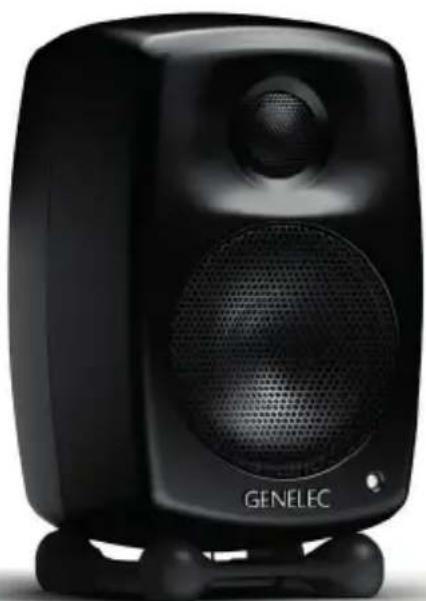
Black GENELEC audio amplifier speaker with visible sound waves and a small screen (no text or symbols on body)Yleistä
International enquiries
Genelec, Olvitie 5
FI 74100, lisalmi, Finland
Phone +358 17 83881
Fax +358 17 812 267
Email genelec@genelec.com
In Sweden
Genelec Sverige
Ellipsvägen 10B
Box 2036
S-127 02 Skärholmen
Phone +46 8 449 5220
Fax +46 8 708 7071
Email info@genelec.com
In the USA
Genelec, Inc., 7 Tech Circle
Natick, MA 01760, USA
Beijing Genelec Audio Co.Ltd
B33 - 101
Universal Business Park
No. 10 Jiuxianqiao Road
Chaoyang District
100015 Beijing, China
Phone +86 10 8580 2180
400 700 1978
Email genelec.china@genelec.com
www.genelec.com
Genelec Document D0105R001d. Copyright Genelec Oy 3.2017. All data subject to change without prior notice.