
D-EJ955 - Portable CD player SONY - Free user manual and instructions
Find the device manual for free D-EJ955 SONY in PDF.


| Product Type | Portable CD Player |
| Brand | Sony |
| Model | D-EJ955 |
| Dimensions (W × D × H) | 135.0 × 135.0 × 15.9 mm |
| Weight | Approx. 166 g (without batteries) |
| Power Supply | AC adapter 100-240 V, 2 LR6 (AA) batteries or rechargeable battery NC-6WM |
| Compatible Disc Formats | Audio CD, CD-R, CD-RW (finalized) |
| Anti-shock Functions | G-PROTECTION (2 modes) |
| Volume Limitation | AVLS (NORM/LIMIT switch) |
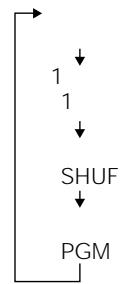
| Playback Modes | Normal, 1 (single track), SHUF (random), PGM (programmed), repeat |
| Sound Functions | SOUND: BASS 1, BASS 2 |
| Display | LCD screen (track number, elapsed time, remaining time, mode, battery status, CD text) |
| Remote Control | Wired with rotary dial |
| Outputs | Headphone jack (3.5 mm), LINE OUT (OPTICAL) for digital recording |
| External Power Input | EXT BATT/DC IN 4.5 V |
| HOLD Protection | HOLD switch to lock buttons |
| Supplied Accessories | AC adapter, battery charger (NC-6WM), charging cradle, headphones with remote control |
| Maintenance | Clean connectors with a dry cloth; avoid humidity and shocks |
| Operating Temperature | 5 °C to 35 °C |
| Repairability Index | Not evaluated; spare parts available via Sony after-sales service |
Frequently Asked Questions - D-EJ955 SONY
User questions about D-EJ955 SONY
0 question about this device. Answer the ones you know or ask your own.
Ask a new question about this device
Download the instructions for your Portable CD player in PDF format for free! Find your manual D-EJ955 - SONY and take your electronic device back in hand. On this page are published all the documents necessary for the use of your device. D-EJ955 by SONY.
USER MANUAL D-EJ955 SONY
Operating Instructions
User Manual

Warning
AC 100-240V
AC
AC
AC


WALKMAN
D-EJ955

4-8
1
AC
AC
1

2AC
3
Danger
Warning
Caution
Fire
Electric shock
Prohibition
Disassembly prohibited
Contact prohibited
Do not touch
Instruction
A 4
9
CD
- 12 2.CD 12
- 13
16 1 1 16 16 17
G-PROTECTION 18
CD-TEXT 18
CD 19
SOUND 19
AVLS 20
HOLD 20 21 21
22
24
26
27
28
29
30
32
33
34
English
Locating the controls 35
Troubleshooting 36
Chinese
Location of the controls 38
Troubleshooting 39
China
KreTlue SwoiIeJue's
Good day? But on 42
AC

AC
100V
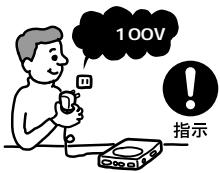
AC
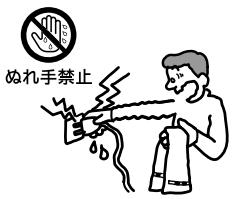
AC
Prohibited
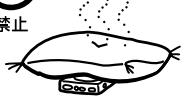
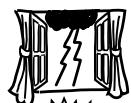
No contact
No disassembly
Next hepatitis
MD CD DAT

Prohibited
AC

Prohibited
7 8
Danger
.
.
.
.
.
∴ m = 3/11

Danger
Warning
Ni-Cd
Ni-MH
Li-ion
AC
EXT BATT/DC IN 4.5V
12 25 26
LINE OUT (OPTICAL)
22
3 VOL
13
4
+/-
CHARGE
- CHARGE
13 20 21 25
5 AMS/search
AMS/search
12 13 17
6
12
7 OPEN
12
8
24 29
AVLS
20
G-PROTECTION
18
24

HOLD
20
13 14 ▸ / ▸ ⊢ AMS/search 13 17 :AMS/search 13 17 VOL + / - + -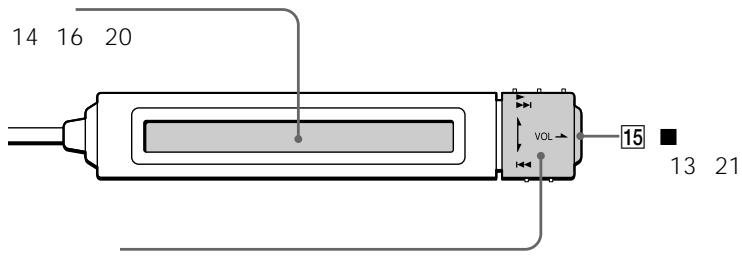
16
19 DISPLAY 18 19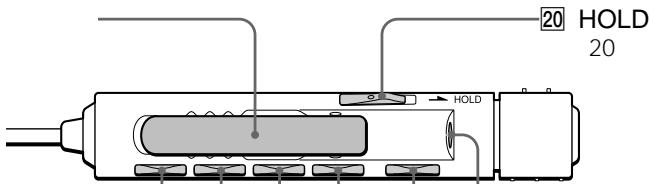
17
18
PLAY MODE
15 17 21
RPT (repeat)
ENT (enter)
15 17

CD
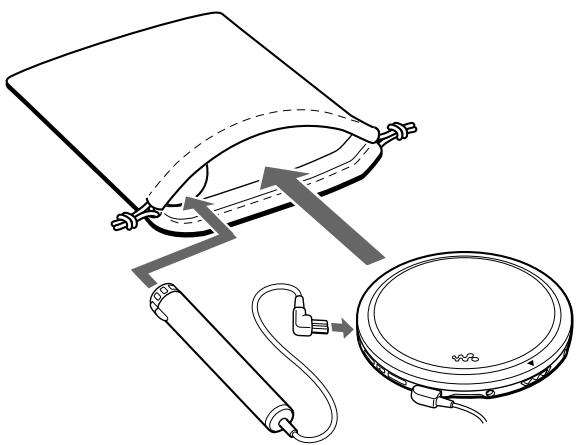
CD
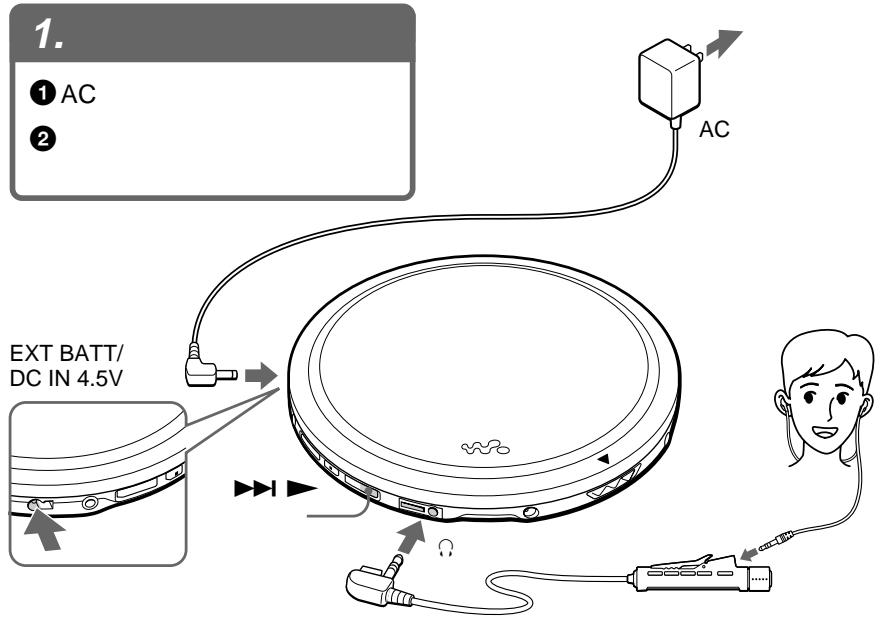
2. CD
1 OPEN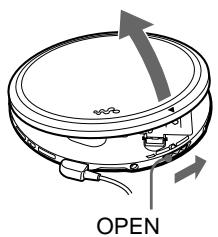
CD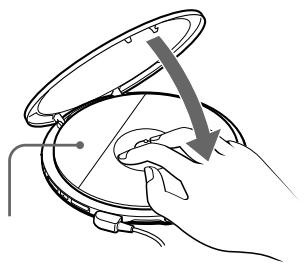
- 1▶▶ 2 VOL+/-
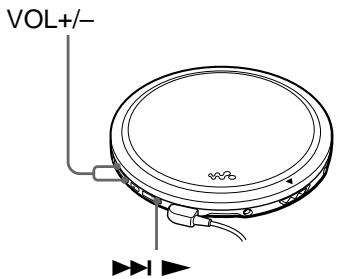
1 2 3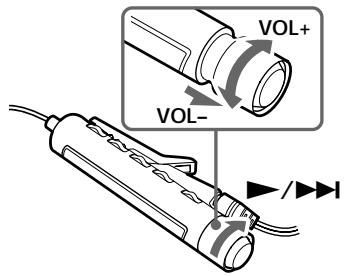
VOL +
1 AMS Automatic Music Sensor 2 3

1
1

CD

2
AVLS
NORM
LIMIT
AVLS
AVLS
.
LINE OUT (OPTICAL)
CD-R/CD-RW
CD-DA
CD-R
CD-RW
CD-DA
Compact Disc Digital Audio
CD
CD
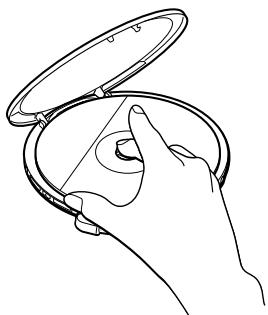
PLAY MODE
RPT/ENT
- RPT (repeat) PLAY MODE
- ENT (enter)
1
RPT/ENT
00:00:01

1 1
1 PLAY MODE
005 01:25

1
SHUF PLAY MODE
005 01:17

SHUF
64
1 PGM PLAY MODE

2
3 RPT/ENT

000
4 23
5 RPT/ENT
5 RPT/ENT
PGM PLAY MODE PGM RPT/ENT
RPT/ENT

364
000
65
G-PROTECTION
G-PROTECTION
G-PROTECTION 2
1
CD
G-PROTECTION 1
G-PROTECTION
1 2
12
G-PROTECTION

一
- CD
- CD-R/CD-RW
CD-TEXT
)
CD-TEXT
CD

CD TEXT
READING
DISPLAY
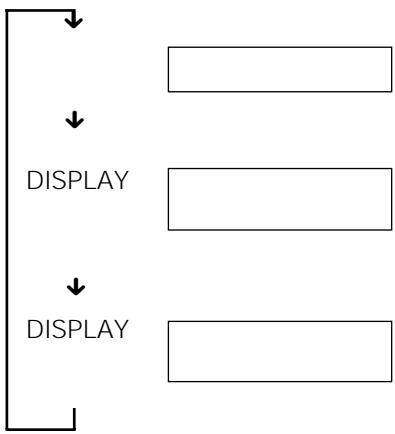
1

CD
CD
DISPLAY
CD
CD-TEXT
CD
SOUND
SOUND
SOUND
DISPLAY
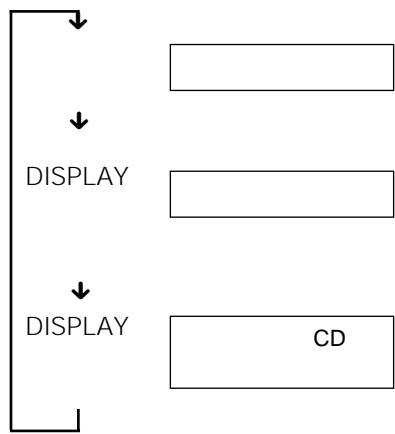
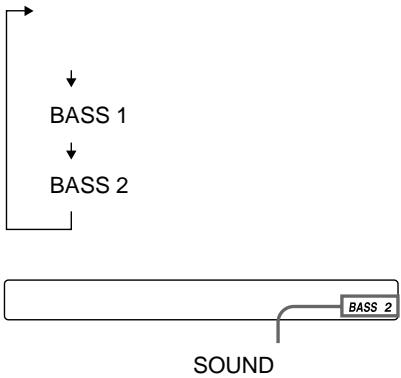
BASS 2
AVLS
HOLD
AVLS
LIMIT
AVLS NORM LIMIT
AVLS
HOLD

HOLD CHARGE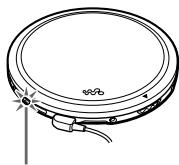

HOLD
HOLD
HOLD
AVLS
AVLS
NORM
AVLS Automatic Volume Limiter System
HOLD
HOLD
HOLD HOLD
1 AC 2 CHARGE
1 2 PLAY MODE
PLAY MODE
CHARGE
AC
5
CD
CD
.
AC
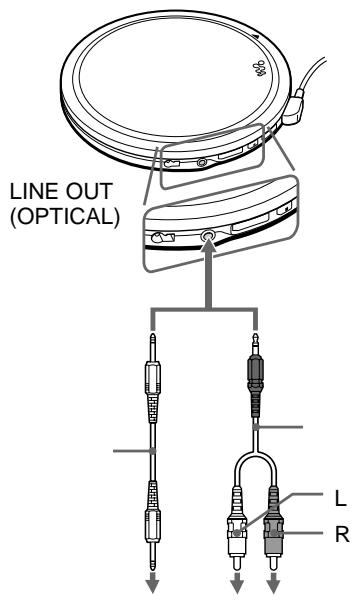
LINE OUT (OPTICAL)
DAT
G-PROTECTION
SOUND
CD
G-PROTECTION 1
- SOUND
LINE OUT
(OPTICAL)
DAT
JOINT TEXT
MD
MZ-R909
CD TEXT
CD MD
POC-5B
CD
RK-TXT1
MD
MD

3 (LR6)
AC
CD
NC-6WM
1 2 +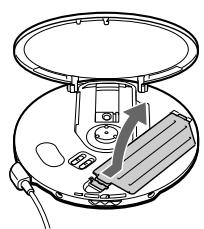
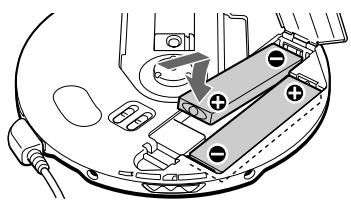
3 AC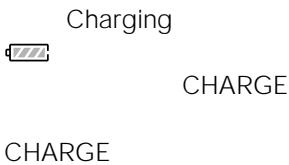
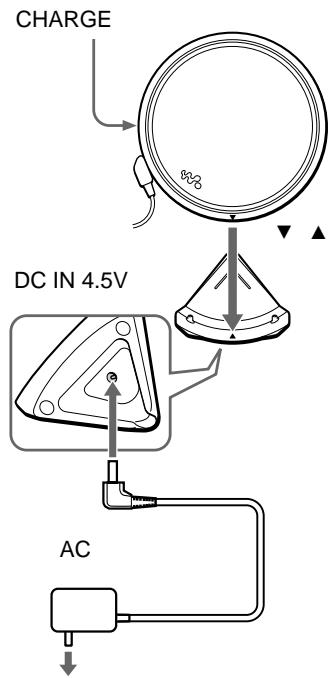
AC
AC
CHARGE
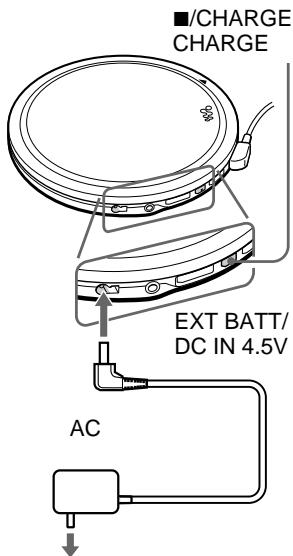




Lobatt*
For the next five times
1 4 1
•

AC
3 (LR6)
1
3 (LR6)
2
+
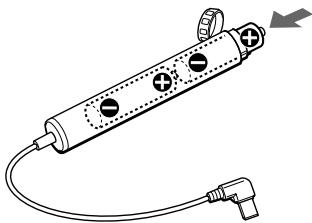
2
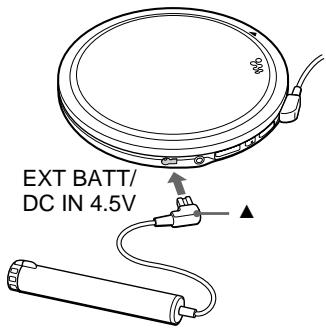
NC-6WM
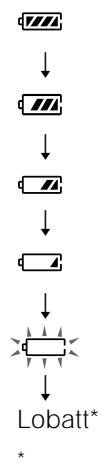


CD
CD
| / | ||||||
| →+ | - | 13 | VOL | |||
| →13 | ▶/▶ | |||||
| VOL | →AVLS20→LINE OUT (OPTICAL)Ω | 12 | NORM | |||
| →LINE OUT (OPTICAL)Ω | 12 | |||||
| → | 12 | |||||
| → | ||||||
| →3 | LR6 | 2626 | ||||
| → | 24 | 26 | ||||
| Lobatt00 | →3 | LR6 | 24 | |||
| → | 26 | |||||
| HiDCin | →AC | 34 | ||||
| → | 12 | 24 | 26 | |||
CD
8
1
D/A
1 bit
20 Hz 20 000 Hz ±1 dB
4.5 V
1
0.7 Vrms 47 kΩ
10 kΩ
JEITA/16 Ω
1
5 mW+5 mW
16Ω
1
-21 -15 dBm
630 690 nm
JEITA
NC-6WM2
DC 2.4 V
3 (LR6) 2
DC 3.0 V
DC4.5V
AC
AC 100 V
AC 100 240V
| G-PROTECTION | ||
| 1 | 2 | |
| NC-6WM2 | 19 | 19.5 |
| 5 | ||
| 66 | 71 | |
| 2 | ||
| NC-6WM | 88 | 92 |
| 2 + | ||
| 2 | ||
| JEITA | ||
LR6 (SG)
5°C 35°C
X X
135.0 × 135.0 × 15.9 mm
X X
JEITA
135.4 × 135.5 × 16.4 mm
166g
214g
JEITA
JEITA
| POC-5B | POC-5B | |
| POC-10B | POC-10B | |
| POC-15B | POC-15B | |
| POC-5AB | POC-5AB | |
| POC-10AB | POC-10AB | |
| POC-15AB | POC-15AB | |
| CD | RK-TXT1 | RK-TXT1 |
| SRS-Z1 | SRS-Z1 | |
| SRS-Z1000 | SRS-Z1000 | |
| MDR-E868SP | MDR-E848LP | |
| MDR-EX70SL | MDR-EX70LP | |
| MDR-A44SP | MDR-A44L | |
| MDR-A105SP | MDR-A110LP | |
| AC | AC-E45L | — |
| AC-E45MA | ||
| AC-E45A | ||
| NC-6WM | NC-6WM | |
| RK-G129 | RK-G129 | |
| RK-G136 | RK-G136 | |
| DCC-E84 | DCC-E345 | |
| CPA-8 | CPA-9C | |
| CPA-84U | DCC-E34CP |
Locating the controls
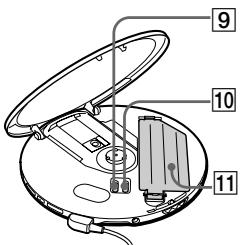
See the illustrations on pages 9 and 10.
1 EXT BATT (external battery)/ DC IN 4.5 V jack (external power input jack)
Connects to the AC power adaptor. Also connects to the external battery case.
2 LINE OUT (OPTICAL) jack
Connects to the stereo system.
3 VOL +/- buttons
Press to adjust the volume.
4 (stop)/CHARGE button CHARGE lamp
Press to stop play. Also press to start charging. The lamp flashes when the HOLD function is working, and lights up during charge.
5 14 (AMS*1/search)▶(AMS/search/play) button
: Press to start play.
: Press or turn once to find the beginning of the current/next tracks.
Press or turn repeatedly to find the beginning of the previous/succeeding tracks. Hold down to go backward/forward quickly.
6 (headphones) jack
Connects to the earphones with remote control.
7 OPEN switch
Slide to open the CD player lid.
8 Terminals for the charging stand
Connects to the supplied charging stand.
9 AVLS*2 switch
Set to "LIMIT" when you want to keep down the maximum volume to protect your hearing.
10 G-PROTECTION switch
Set to "1" or "2" to prevent sound skipping.
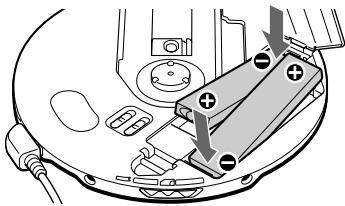
11 Battery compartment
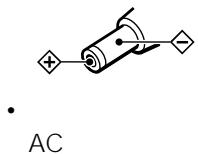
Insert the rechargeable batteries by matching the to the diagram in the battery compartment. To charge the rechargeable batteries, connect the supplied charging stand.
12 HOLD switch
Locks the control on your CD player to prevent accidental button presses.
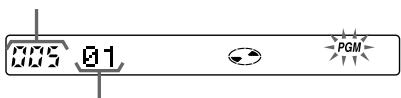
13 Display
Displays the track number, elapsed playing time, remaining time/tracks, battery status, and play mode and functions you selected.
Also displays CD text information (disc name, artist name, track name, etc.) when labeled on the CD.
14 Rotary control
/ : play, AMS/search*
:AMS/search*
VOL + / - : pull and turn to adjust the volume
*For AMS/search function, see 5.
15 (stop) button
Press to stop play.
16 Clip
17 DISPLAY button
Press to display the remaining time/ tracks.
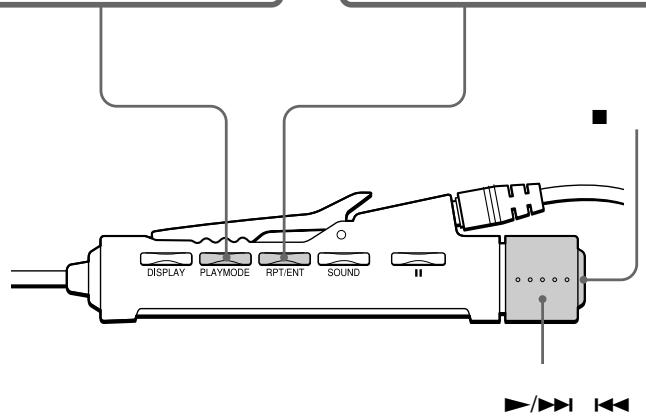
18 PLAY MODE button
Selects various playback options: 1 (single), SHUF (shuffle) and PGM (program).
19 RPT (repeat)/ENT (enter) button
Turns on the repeat play mode.
Press to select tracks during PGM play. Also press to start PGM play.
21 (headphones) jack
Connects to the earphones.
22 II (pause) button
Press to pause play.
23 SOUND button
Selects sound mode: BASS 1 or BASS 2.
*1 Automatic Music Sensor
*2 Automatic Volume Limiter System
Troubleshooting
Should any problem persist after you have checked these symptoms, consult your nearest Sony dealer.
| Symptom | Cause and/or corrective actions |
| Cannot adjust the volume by turning the rotary control on the remote control. | → Pull the rotary control in the direction of the arrow indicated on the control, then turn the control toward VOL + or -. |
| Cannot start play by turning the rotary control on the remote control. | → The rotary control is pulled out. Push the control back, then turn the control toward ▶/□□. |
| The volume does not increase even if you press the VOL + button repeatedly. | → Set the AVLS switch to “NORM.”→ The earphones are connected to the LINE OUT (OPTICAL) jack. Connect them to the ⌿ (headphones) jack. |
| Cannot adjust the volume. | → The earphones are connected to the LINE OUT (OPTICAL) jack. Connect them to the ⌿ (headphones) jack. |
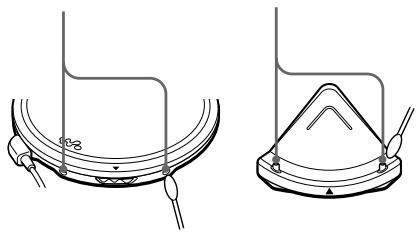
| No sound, or noise is heard. | → Connect the plugs firmly.→ Plugs are dirty. Clean the plugs with a dry soft cloth periodically. |
| The playing time is too short when powered with the dry batteries. | → Check that you are using alkaline batteries and not manganese batteries.→ Replace the batteries with new LR6 (size AA) alkaline batteries. |
| The playing time is too short when powered with the rechargeable batteries. | → Charge and discharge the rechargeable batteries several times. |
| “Lobatti” or “00” appears in the display. The CD does not play. | → The rechargeable batteries are used up completely. Charge the batteries.→ The dry batteries are used up. Replace them with new LR6 (size AA) alkaline batteries. |
| “HiDCin” appears in the display. | → Use only the supplied AC power adaptor or optional AC power adaptor.→ Use only the optional car battery cord.→ Remove all power sources, then insert the batteries or connect the AC power adaptor again. |
| The CD does not play, or “Nodisc” appears in the display when a CD is placed in the CD player. | → The buttons are locked. Slide the HOLD switch back.→ The CD is dirty or defective.→ Check that the CD is inserted with the label side up.→ Moisture condensation has occurred. Leave the CD player aside for several hours until the moisture evaporates.→ Close the lid of the battery compartment firmly.→ Make sure the batteries are inserted correctly.→ Connect the AC power adaptor to an AC outlet securely.→ The CD-R/CD-RW was not finalized. Finalize the CD-R/CD-RW with the recording device.→ There is a problem with the quality of the CD-R/CD-RW, recording device, or application software. |
| CHARGE lamp flashes on the CD player when you press a button, and the CD does not play. | → The buttons are locked. Slide the HOLD switch back. |
| Cannot adjust the volume with the VOL +/- buttons on the CD player. | → The CD player is connected to an audio device. Adjust the volume using the volume control on the connected device. |
| During recording with optical digital connection, the track number cannot be recorded correctly. | → Record the track number again using a MiniDisc recorder, DAT recorder, etc. → See the instruction manual that comes with the recording device. |
| The rechargeable batteries cannot be charged. | → The terminals on the charging stand or the CD player are dirty. Wipe them with a dry cloth. → The CD is playing. Stop play. → The external battery case is connected to the CD player. Remove it and start charging again. |
| Playback starts from the point you stopped. (resume function) | → The resume function is working. To start playing from the first track, turn the rotary control on the remote control toward ▷/□▶ and hold it until the first track starts playing (press ▷/□▶ for 2 seconds or more for the CD player), or open the lid of the CD player. Or, remove all power sources, then insert the batteries or connect the AC power adaptor again. |
| Rustling noise is heard from the CD. | → Close the lid of the battery compartment firmly. |
| When closing the lid of the CD player, the CD starts to rotate. | → The CD player is reading the information on the CD. It is not malfunctioning. |
| You cannot operate the CD player properly using the remote control. | → The buttons on the CD player are kept pressed by mistake. |
Position of the controller
Refer to the illustrations on pages 9 and 10.
Brand : SONY
Model : D-EJ955
Category : Portable CD player