ManualGo.com
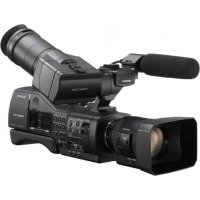
CVP305 - Video camera SONY - Free user manual and instructions
Find the device manual for free CVP305 SONY in PDF.


Download the instructions for your Video camera in PDF format for free! Find your manual CVP305 - SONY and take your electronic device back in hand. On this page are published all the documents necessary for the use of your device. CVP305 by SONY.
USER MANUAL CVP305 SONY
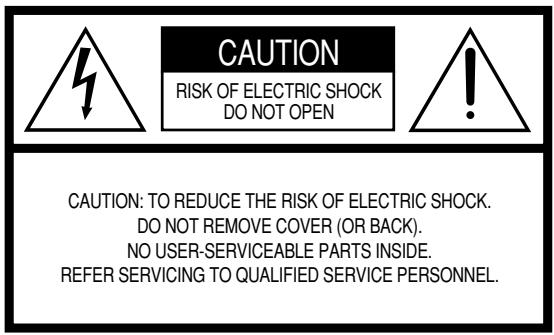
PRODUCT SAFETY MARKINGS: Yamaha electronic products may have either labels similar to the graphics shown below or molded/stamped facsimiles of these graphics on the enclosure. The explanation of these graphics appears on this page. Please observe all cautions indicated on this page and those indicated in the safety instruction section.
See bottom of Keyboard enclosure for graphic symbol markings.

The exclamation point within the equilateral triangle is intended to alert the user to the presence of important operating and maintenance (servicing) instructions in the literature accompanying the product.

The lightning flash with arrowhead symbol, within the equilateral triangle, is intended to alert the user to the presence of uninsulated "dangerous voltage" within the product's enclosure that may be of sufficient magnitude to constitute a risk of electrical shock.
IMPORTANT NOTICE: All Yamaha electronic products are tested and approved by an independent safety testing laboratory in order that you may be sure that when it is properly installed and used in its normal and customary manner, all foreseeable risks have been eliminated. DO NOT modify this unit or commission others to do so unless specifically authorized by Yamaha. Product performance and/or safety standards may be diminished. Claims filed under the expressed warranty may be denied if the unit is/has been modified. Implied warranties may also be affected.
SPECIFICATIONS SUBJECT TO CHANGE: The information contained in this manual is believed to be correct at the time of printing. However, Yamaha reserves the right to change or modify any of the specifications without notice or obligation to update existing units.
ENVIRONMENTAL ISSUES: Yamaha strives to produce products that are both user safe and environmentally friendly. We sincerely believe that our products and the production methods used to produce them, meet these goals. In keeping with both the letter and the spirit of the law, we want you to be aware of the following:
Battery Notice: This product MAY contain a small nonrechargeable battery which (if applicable) is soldered in place. The average life span of this type of battery is approximately five years. When replacement becomes necessary, contact a qualified service representative to perform the replacement.
Warning: Do not attempt to recharge, disassemble, or incinerate this type of battery. Keep all batteries away from children. Dispose of used batteries promptly and as regulated by applicable laws. Note: In some areas, the servicer is required by law to return the defective parts. However, you do have the option of having the servicer dispose of these parts for you.
Disposal Notice: Should this product become damaged beyond repair, or for some reason its useful life is considered to be at an end, please observe all local, state, and federal regulations that relate to the disposal of products that contain lead, batteries, plastics, etc.
NOTICE: Service charges incurred due to lack of knowledge relating to how a function or effect works (when the unit is operating as designed) are not covered by the manufacturer's warranty, and are therefore the owners responsibility. Please study this manual carefully and consult your dealer before requesting service.
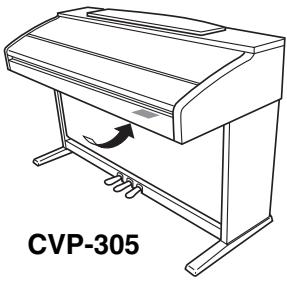
NAME PLATE LOCATION: The graphic below indicates the location of the name plate. The model number, serial number, power requirements, etc., are located on this plate. You should record the model number, serial number, and the date of purchase in the spaces provided below and retain this manual as a permanent record of your purchase.
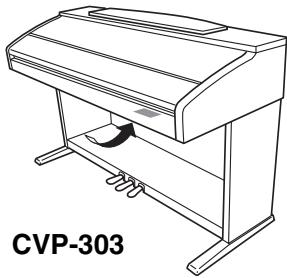
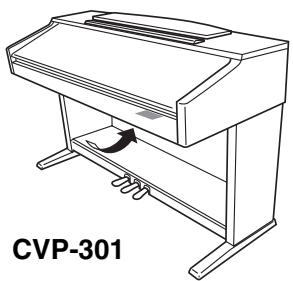
Model
Serial No.
Purchase Date
PRECAUTIONS D'USAGE
PRIERE DE LIRE ATTENTIVEMENT AVANT DE PROCEDURE A TOUTE MANIPULATION
(inclus/en option) 208
Spécifications 209
Index 211
Introduction
Playing the Clavinova
Internet Direct Connection.. page 166
Cadran [MASTER VOLUME] P 15
6 Touche [FADE IN/OUT] . P 46
TEMPO
7 Touche [TAP] . P 46
8 Touches [-][+] . P 30
TRANSPOSE
9 Touches [-][+] . P 53
SONG
10 Touche [GUIDE] .P 38
1 Touche [PERFORMANCE ASSISTANT] .P 42
12 Touche [SCORE] . P 37
18 Touche [KARAOKE] P 53
14 Touche [REPEAT] . P 40
15 Touche [EXTRA TRACKS (STYLE)]... P 134
16 Touche [TRACK 2 (L)] . P 40
17 Touche [TRACK 1 (R)] . P 38
18 Touche [SONG SELECT] P 34
19 Touche [REC] . P 41
2 Touche [STOP] P 35
2 Touche [PLAY/PAUSE] P 35
Touches [REW]/[FF] P 128
STYLE CONTROL
念 Touche [ACMP ON/OFF] .P 45
24 Touche [OTS LINK] .P 50
26 Touche [AUTO FILL IN] 47
26 Touches INTRO [I]/[II]/[III] .P 46
7 Touches MAIN VARIATION [A]/[B]/[C]/[D] .P 47
26 Touche [BREAK] .P 47
29 Touches ENDING/rit. [I]/[II]/[III] .P 47
30 Touche [SYNC STOP] .P 47
3 Touche [SYNC START] .P 46
Touche [START/STOP] .P 46
Touche [STYLE SELECT] .P 45
34 Touche [HELP] . P 57
念 Touche [FUNCTION] .P 26
36 Touche [SOUND CREATOR] . P 89
Touche [DIGITAL RECORDING] .P 113, 137
Touche [BALANCE] .P 39
Touche [MIXING CONSOLE] .P 80
46 Bouton [LCD CONTRAST] .P 19
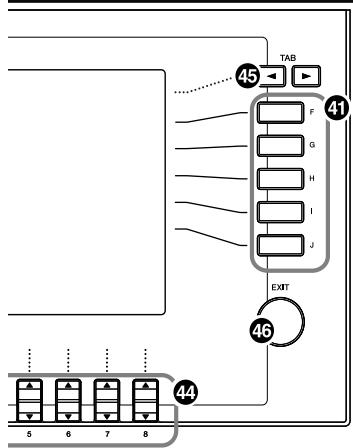
4 Touches [A]-[J]. P 25
42 Touche [DIRECT ACCESS] . P 58
48 Touche [CHANNEL ON/OFF] P 99, 133
44 Touches [1▲▼]-[8▲▼]. P 25
45 Touches TAB [▲][▶] .P 26
46 Touche [EXIT] .P 26
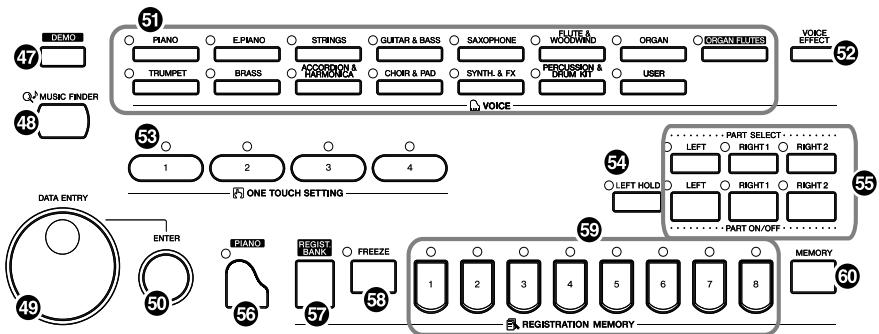
47 Touche [DEMO] .P 23
48 Touche [MUSIC FINDER] .P 50
49 Cadran [DATA ENTRY] . P 61
50 Touche [ENTER] . P 61
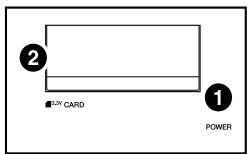
CVP-305/303
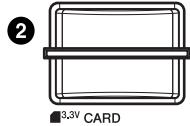
CVP-301
1
CVP-301
POWER
VOICE
5 Touches VOICE . P 31
Touche [VOICE EFFECT] P 78
ONE TOUCH SETTING
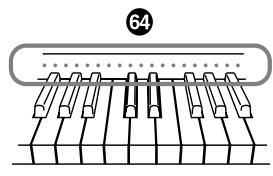
64 Touches [1]-[4] P 49
Touche [LEFT HOLD]. P 48
PART
念 Touches PART. P 73
Réglage PIANO
5 Touche [PIANO] P 28
REGISTRATION MEMORY
Touche [REGIST. BANK] .P 122
59 Touche [FREEZE] . P 123
60 Touches [1]-[8] P 121
6 Touche [MEMORY] P 121
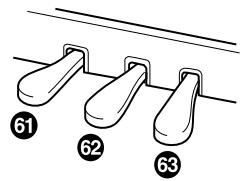
Pédales
Supports de partition
Transpose (Transposition)
Select files/folders.
ALL
OK GANGEL
| Effect Block | Effect-applicable parts | Effect characteristics |
| REVERB | All parts | Reproduces the warm ambience of playing in a concert hall or jazz club. |
| CHORUS | All parts | Produces a rich “fat” sound as if several parts are being played simultaneously. |
| DSP1 | STYLE PARTSONG CHANNEL 1-16 | In addition to the Reverb and Chorus types, the Clavinova has special DSP effects, that include additional effects usually used for a specific part, such as distortion and tremolo. |
| DSP2 | RIGHT 1, RIGHT 2, LEFT,SONG CHANNEL 1-16 | Any unused DSP blocks are automatically assigned to the appropriate parts (channels) as needed. |
| DSP3 | ||
| DSP4 | RIGHT 1, RIGHT 2, LEFT,SONG CHANNEL 1-16,MIC (CVP-305/303) |
Artificial Intelligence
- SPLIT POINT (Point de partage)
- Stop Accompaniment
$$ [ F U N C T I O N ] \rightarrow [ I ] U T I L I T Y \rightarrow T A B [ \triangleleft ] [ \triangleright ] S Y S T E M R E S E T $$
C, R = notes recommendées