
G35 - Razor Eldom - Free user manual and instructions
Find the device manual for free G35 Eldom in PDF.


| Product Type | Shaver |
| Brand | Eldom |
| Model | G35 |
| Dimensions (approx.) | 15 x 5 x 5 cm |
| Weight | 200 g |
| Power Source | Rechargeable battery (Li-ion) |
| Charging Time | 2 hours |
| Usage Time | 45 minutes |
| Shaving System | Rotary / Foil (3-head) |
| Trimmer | Built-in pop-up trimmer |
| Water Resistance | IPX5 (washable) |
| Wet/Dry Use | Wet and dry shaving |
| Display | LED battery indicator |
| Motor Speed | Linear motor |
| Replacement Blades | Yes, model HP35 |
| Replacement Foil | Yes, model HP35 |
| Travel Lock | Yes (hold power button 3s) |
| Auto Shut-off | After 5 minutes of inactivity |
| Cleaning | Rinse under running water |
| Included Accessories | Protection cap, cleaning brush |
Frequently Asked Questions - G35 Eldom
User questions about G35 Eldom
0 question about this device. Answer the ones you know or ask your own.
Ask a new question about this device
Download the instructions for your Razor in PDF format for free! Find your manual G35 - Eldom and take your electronic device back in hand. On this page are published all the documents necessary for the use of your device. G35 by Eldom.
USER MANUAL G35 Eldom
Eldom Sp. z o.o. ul. Pawła Chromika 5a, 40-238 Katowice, POLAND tel: 32 255-33-40, fax: 32 253-04-12
www.eldom.eu
WSKAZANIA BEZPIECZEŃSTWA
natural_image
Close-up of a white electronic device's head and neck (no visible text or symbols)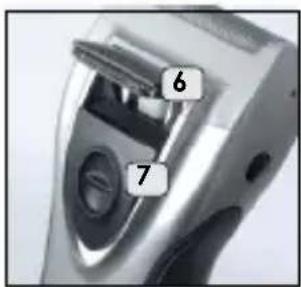
natural_image
Close-up of a handheld device with labeled parts (no readable text or symbols)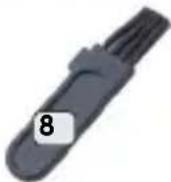
OCHRONA ŚRODOWISKA
natural_image
Close-up of a mechanical component with two orange arrows pointing upward, no visible text or symbols.fot. 2
Before operating the appliance, read the user manual thoroughly,
- the appliance is intended only for use in a household,
- The device can be used by children aged 8 and older and by persons with limited physical, sensory or mental capabilities, or persons without sufficient experience and knowledge only under supervision or if previously instructed on the safe use of the appliance and the possible risks.
Children shall not play with the appliance. Cleaning and maintenance that are the responsibility of the user shall not be carried out by children without supervision. Protect the appliance and the power cord against children under 8 years old.
- do not immerse the appliance in water and other liquids,
- use only with original accessories supplied with the appliance,
- do not use in open air,
- do not use when the power cable or the plug is damaged, when the appliance was dropped or damaged in a different manner,
SAFETY INSTRUCTIONS
- repairs of the equipment can only be performed by an authorized servicing point. Any modernizations or the use of non-original spare parts or components of the appliance are prohibited and may cause a serious hazard to the user.
The company Eldom sp. z o. o. shall bear no responsibility for any possible damages resulting from the improper usage of the appliance.
HOW TO USE THE APPLIANCE
- The appliance is equipped with inner batteries with charging time of about 12 hours. In order to increase the battery life-span charging should be done in one uninterrupted cycle after full discharging.
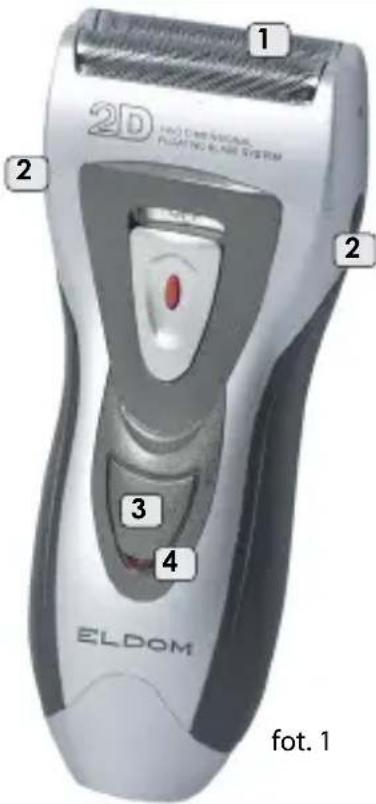
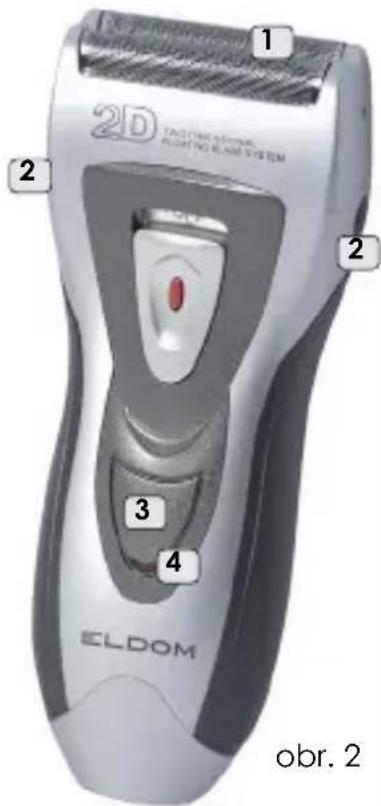
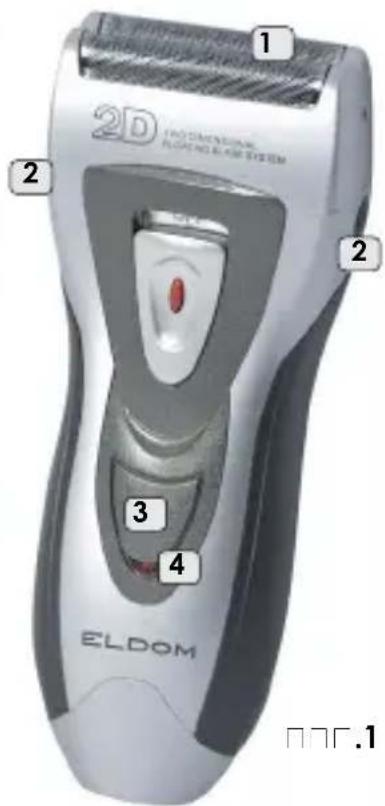
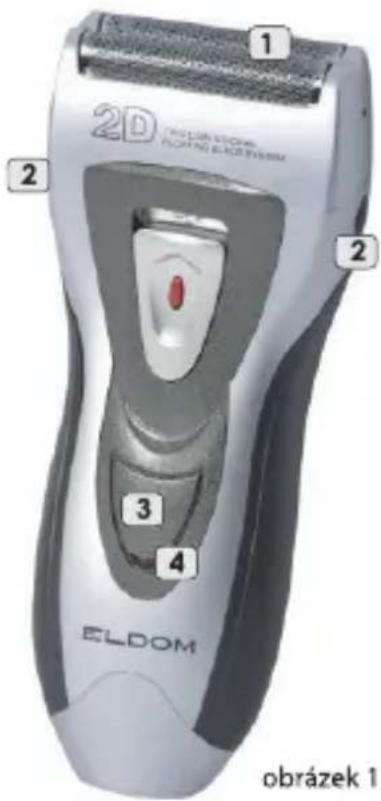
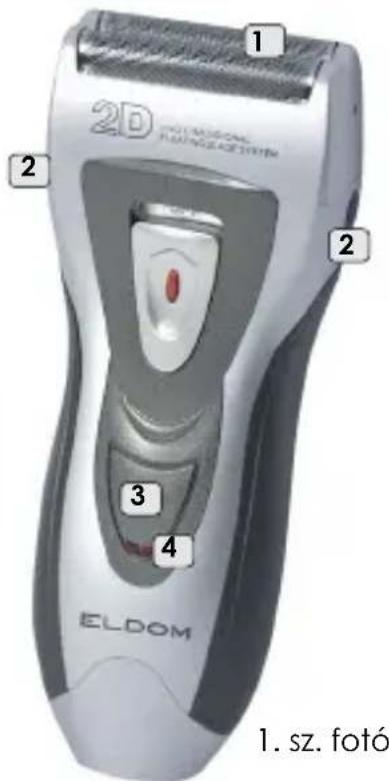
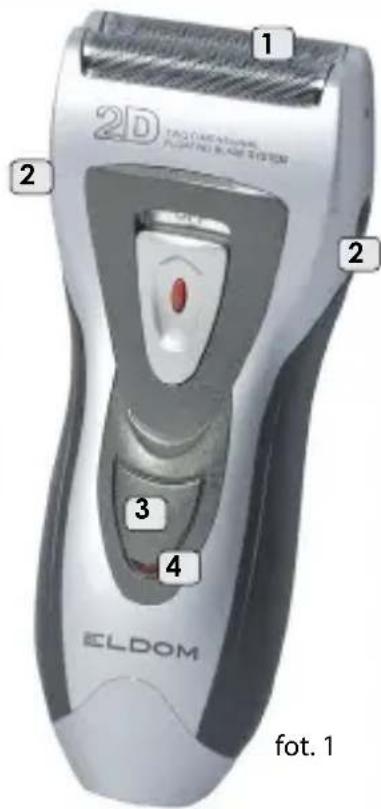
When the battery is being loaded the control lamp is on (4). NOTE The control lamp will not go out after the battery has been loaded up. - the appliance may be used after the battery has been loaded up. The electric shaver starts its operation when the main switch (3) is in "ON" position.- the appliance is equipped with a trimmer (6) to cut beard- the shaver ends its operation when the switch has been slid (3) into the "OFF".
CLEANING AND MAINTENANCE
- before cleaning, unplug the appliance
- do not immerse the appliance in water
- do not use strong or surface destructive cleansers and cleaning products
- wipe the housing with a damp cloth
- empty the cutting blade chamber after each shaving.
- empty the foil frame after each shave. Remove the outer foil frame pushing the buttons (2)
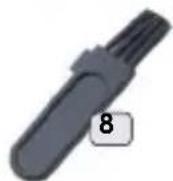
- use the attached brush for cleaning.
SCREENS AND KNIVES REPLACEMENT
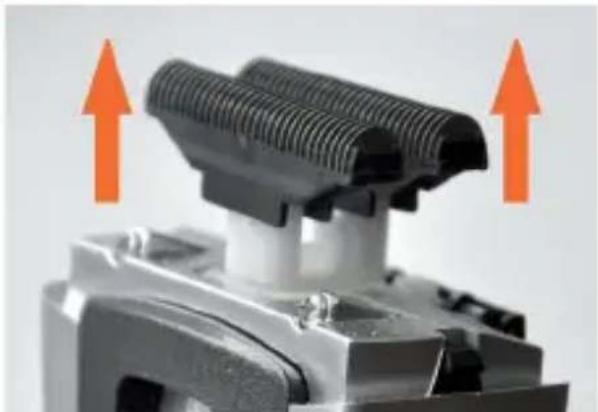
To replace the inner blade:
- open the outer foil frame pushing the buttons (2).
- remove the blade, fig. 2
- push a new blade
- fix the outer foil frame
In order to replace the foil:
- open the outer foil frame pushing the button (2).
- remove the foil from catches of the outer foil frame
- fix a new foil
- fix the foil frame
natural_image
Close-up of a mechanical component with two orange arrows pointing upward, no visible text or symbols.photo 2
Knives and screens are operating components and should be replaced regularly. They are not covered by the warranty.
INSTRUCTIONS FOR USE
ELECTRIC SHAVER G35

GENERAL DESCRIPTION
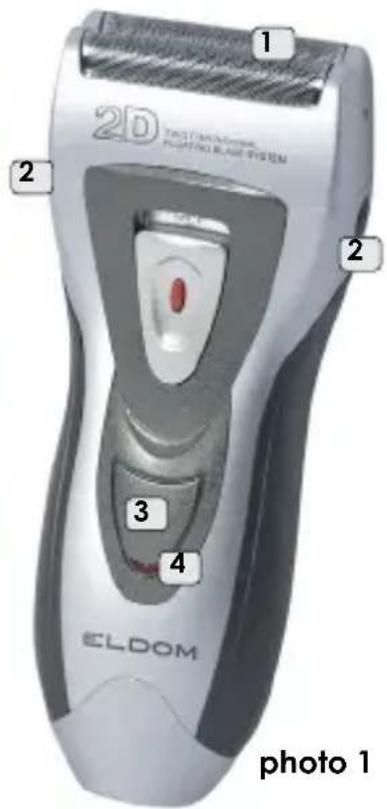
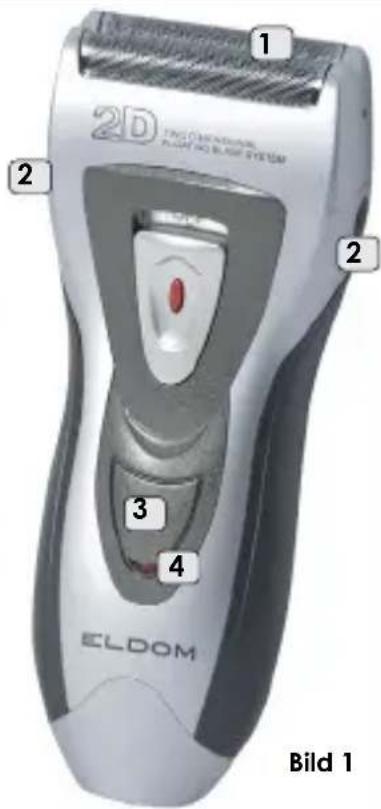
- Outer foil
- Opening buttons for the shaving head housing
- On/off switch
- Indicator
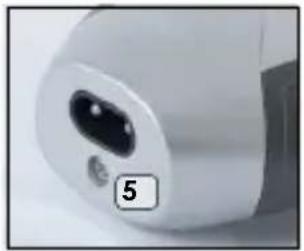
- Socket for the power cable
- Trimmer
- Trimmer opening button
- Cleaning brush
TECHNICAL DATA
- power 3W
- charging voltage 230V \~ 50Hz
- battery Ni-MH 600 mAh
- charging time 15h
natural_image
Close-up of a white electronic device component with a circular lens and a numbered label (5) on the side (no readable text or symbols beyond the number)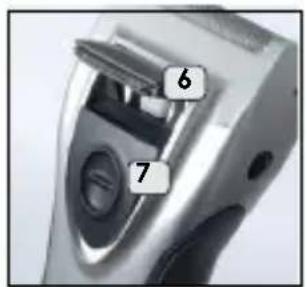
natural_image
Close-up of a metallic device with labeled parts (6 and 7), no readable text or symbols beyond labels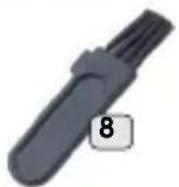

WARNING showers, swimming pools and similar water reservoirs.
ENVIRONMENTAL PROTECTION
- the appliance is made of materials which can be reprocessed or recycled,
- it should be handed over to a relevant point which deals with the collection and recycling of electric and electronic appliances.
WARRANTY
- The appliance is intended for domestic use only
- The appliance cannot be used for commercial purposes
- The blade and the blade strainer are subject to wear and tear and are not covered by warranty
- The warranty is considered void in event of inappropriate handling. Detailed warranty provisions are attached
BEZPEČNOSTNÍ DOPORUČENÍ
natural_image
Close-up of a mechanical component with two orange arrows pointing upward, no visible text or symbols.obr. 2
natural_image
Close-up of a white electronic device with a black lens and a numbered label '5' (no visible text or symbols on the device itself)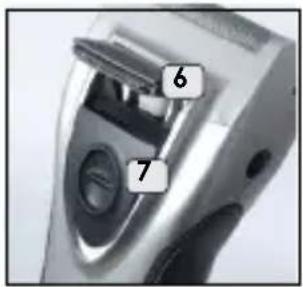
natural_image
Close-up of a metallic electronic device with labeled parts (no readable text or symbols)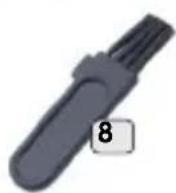

natural_image
Close-up of a white cylindrical device with a circular lens and a small circular button labeled '5' (no text or symbols on the device itself)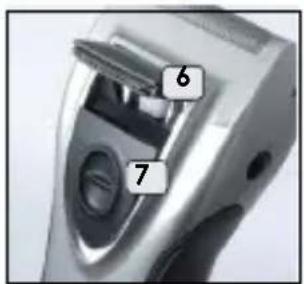
natural_image
Close-up of a mechanical device with numbered components (6 and 7), no visible text or symbols beyond labels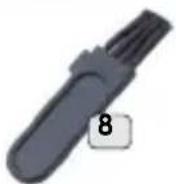

natural_image
Close-up of a mechanical component with two orange arrows pointing upward, no visible text or symbols.Bild 2.
natural_image
Close-up of a white electronic device with a black lens and a numbered label '5' (no readable text or symbols beyond the number)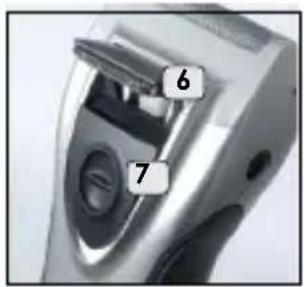
natural_image
Close-up of a handheld electronic device with labeled parts (no readable text or symbols)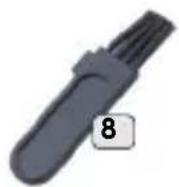

natural_image
Close-up of a mechanical component with two orange arrows pointing upward, showing internal threading and mounting features (no text or symbols visible)рис.2
natural_image
Close-up of a mechanical component with two orange arrows pointing upward, no visible text or symbols.obrázek 2
Všeobecný opis
- Holiaca hlavica
- Uvolňovacie tlačidlo holiaca hlavica
- Spínač ON/OFF
- Kontrolka
- Zástrčka na nabíjanie
- Zastrihávač
- Špínač na vysunutie zastrihávača
- Stetec na čistenie
Technické parametre
natural_image
Close-up of a white electronic device component with a black lens and a numbered label '5' (no readable text or symbols beyond the number)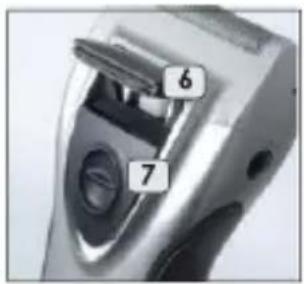
natural_image
Close-up of a mechanical device with numbered parts (6 and 7) indicating specific components, no readable text or symbols beyond labels.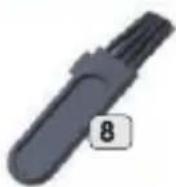
Bezpečnostné údaje
natural_image
Close-up of a mechanical component with two orange arrows pointing upward, no visible text or symbols.- sz. fotó
natural_image
Close-up of a white electronic device with a circular lens and a small square button labeled '5' (no readable text or symbols beyond the number)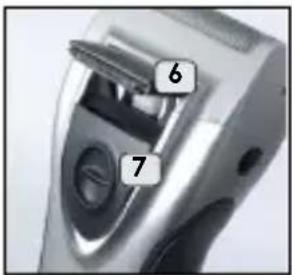
FIGYELMEZTETÉS
natural_image
Close-up of a mechanical component with two orange arrows pointing upward, no visible text or symbols.fig. 2
natural_image
Close-up of a white electronic device with a circular lens and a small button labeled '5' (no text or symbols on the device itself)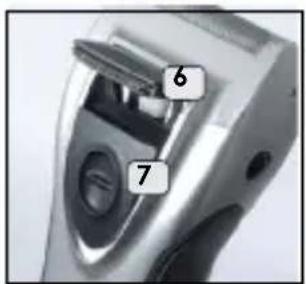
natural_image
Close-up of a metallic mechanical component with labeled parts 6 and 7 (no text or symbols beyond labels)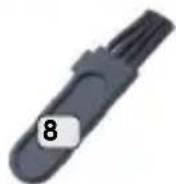
ADVERTENCIA


- WSKAZANIA BEZPIECZEŃSTWA
- OCHRONA ŚRODOWISKA
- SAFETY INSTRUCTIONS
- HOW TO USE THE APPLIANCE
- CLEANING AND MAINTENANCE
- SCREENS AND KNIVES REPLACEMENT
- INSTRUCTIONS FOR USE
- ELECTRIC SHAVER G35
- GENERAL DESCRIPTION
- TECHNICAL DATA
- WARNING showers, swimming pools and similar water reservoirs.
- ENVIRONMENTAL PROTECTION
- WARRANTY
- BEZPEČNOSTNÍ DOPORUČENÍ
- Všeobecný opis
- Technické parametre
- Bezpečnostné údaje
- FIGYELMEZTETÉS
- ADVERTENCIA
Brand : Eldom
Model : G35
Category : Razor