
BC DH04 - Rear Camera BLAUPUNKT - Free user manual and instructions
Find the device manual for free BC DH04 BLAUPUNKT in PDF.


| Product Type | Rear View Camera |
| Brand | Blaupunkt |
| Model | BC DH04 |
| Viewing Angle | 170° |
| Resolution | 720 x 480 pixels |
| Image Sensor | CMOS |
| Night Vision | Yes (IR LEDs) |
| Waterproof Rating | IP68 |
| Power Supply | 12V DC |
| Operating Temperature | -20°C to 70°C |
| Dimensions | 25 x 25 x 30 mm |
| Weight | 50 g |
| Cable Length | 6 m |
| Video Output | CVBS (composite) |
| Parking Lines | Adjustable |
| Mounting Type | License plate bracket / flush mount |
| Housing Material | Metal |
| Protection Features | Reverse polarity protection |
| Included Accessories | Power cable, video cable, mounting kit |
| Compatibility | Vehicles with 12V electrical system |
Frequently Asked Questions - BC DH04 BLAUPUNKT
User questions about BC DH04 BLAUPUNKT
0 question about this device. Answer the ones you know or ask your own.
Ask a new question about this device
Download the instructions for your Rear Camera in PDF format for free! Find your manual BC DH04 - BLAUPUNKT and take your electronic device back in hand. On this page are published all the documents necessary for the use of your device. BC DH04 by BLAUPUNKT.
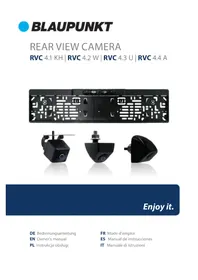
USER MANUAL BC DH04 BLAUPUNKT
natural_image
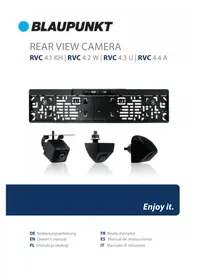
Two black camera lens components with visible lens and cable, shown from different angles (no text or symbols)Enjoy it.
Installation Diagram

flowchart
graph TD
    A["6M Video wire"] --> B["Control wire"]
    B --> C["Camera input"]
    C --> D["Reversing detection"]
    D --> E["DVD"]
    F["1.5M Power wire"] --> G["Control wire"]
    G --> H["Reversing lights-"]
    H --> I["Reversing lights+"]
    I --> J["0.7M Conversion wire"]
    J --> K["Camera"]
Ground the wire through the exterior body of the vehicle and keep connection intact.

Attention
- Remove protective film from camera lens before use.
• Take extra precautions when setting up the connection near petrol tank and wires. - Please connect Red Wire with reverse light.
SPECIFICATION
• Power Supply : DC12V±3V
• Current Consumption : 50mA
• Resolution : 600 TVL
• Optical Format : 1/3"
• Image Sensor : CMOS
• Eective Pixels : 1080 x 720
- Lens Angle: 170^ (D), 120^ (H), 100^ (V)
• Electronic Shutter : 1/60
• \~ 1/100000 sec
- White Balance : Auto
• Humidity : up to 95%
• Water Proof : Yes
• Illumination Min.: 0.1 Lux
• TV System : PAL/NTSC
• Operation Temperature : -20°C \~ +70°C
• Storage Temperature: -20^ +70^
Disclaimer
In no event shall Blaupunkt be liable for any direct, indirect, punitive, incidental, special consequential damages, to property or life, improper storage, whatsoever arising out of or connected with the use or misuse of our products.
USA & CANADA : Product no intended for sale in the United States and Canada. If purchased in the U.S. or Canada, this product is purchased as-is.
No warranty, express or implied is provided in the U.S. and Canada.
1. Installation Locations
1.1 At tail light (with metal bracket)

i. Remove one side of the reverse light socket from its housing then remove the bulb from its socket

ii. Connect the reverse light power cable to the camera, screwn the housing & camera back into position with a screwdriver
1.2 At hatch handle (with metal bracket)
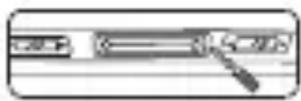
i. Use a screwdriver to remove the original hatch handle
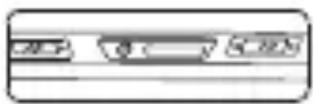
ii. Mount the camera where the original hatch handle used to be
1.3 On the car bumper

i. Remove the rotating mount before installation. Drill an access hole for the camera cables
ii. Mount the camera onto the acces hole & secure it in position with 3M tape/ screws
Pictures are for illustration purpose only, see actual vehicle for accurate installation location.
| TROUBLESHOOTING | |
| Problem | Solution |
| Display monitor / car radio does not show reverse view when reversing | Examine if the viewing mode is set to correct reverse view |
| Display monitor / car radio does not show reverse view even after correcting the view setting | Restart the display monitor / car radio |
| Reverse view does not show even after restarting the display monitor/ car radio | Examine if the power supplies of the reverse light or the rear car plate light is properly connected |
| Reverse view does not show even though power supplies of the reverse light or the rear car plate light is properly connected | Examine if the power supply cables of the reverse light or the rear car plate light is damaged. Repair/replace if the cables are damaged |
Blaupunkt India Private Limited
47, Atlanta Society, Nariman Point
Mumbai- 400 021. Maharashtra. India.
www.blaupunkt.com

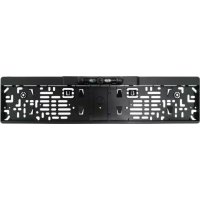
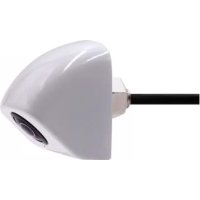
Brand : BLAUPUNKT
Model : BC DH04
Category : Rear Camera