
LP-E5080CL - κλιματιστικό LG - Δωρεάν εγχειρίδιο χρήσης
Βρείτε δωρεάν το εγχειρίδιο της συσκευής LP-E5080CL LG σε μορφή PDF.


Ερωτήσεις χρηστών για LP-E5080CL LG
0 ερώτηση για αυτή τη συσκευή. Απαντήστε σε αυτές που γνωρίζετε ή κάντε τη δική σας.
Κάντε μια νέα ερώτηση σχετικά με αυτή τη συσκευή
Κατεβάστε τις οδηγίες για το κλιματιστικό σε μορφή PDF δωρεάν! Βρείτε το εγχειρίδιό σας LP-E5080CL - LG και πάρτε ξανά την ηλεκτρονική σας συσκευή στα χέρια σας. Σε αυτή τη σελίδα δημοσιεύονται όλα τα έγγραφα που απαιτούνται για τη χρήση της συσκευής σας. LP-E5080CL της μάρκας LG.
ΕΓΧΕΙΡΊΔΙΟ ΧΡΉΣΗΣ LP-E5080CL LG
Package Air Conditioner OWNER'S MANUAL
Before using your air conditioner please read this manual carefully and keep it for future reference.
MODEL: LP-E5080CL/HL/ZL
LP-E5081CA/HA/ZA
LP-E5020CL/HL/ZL
LP-E5021CA/HA/ZA
LP-E5090CL/HL/ZL
LP-E5091CA/HA/ZA
LP-F8080CL/HL/ZL
LP-F8090CL/HL/ZL
Prior to installation of air-conditioning unit must be submitted for application by the utility service which provides electrical (EN 60555-3 Norm).
Safety Precautions
Installation Precautions.....3
Operation Precautions .....4
Operating Instructions
Features and Specifications 7
Indoor Unit Controls and Indicators....8
Name and Function Remote Control 9
Air Conditioner Operation....11
Care and Maintenance
During the season......21
Not used for a long time ...22
Operation Tips......23
Troubleshooting tips
Before You
Call For Service....24
FOR YOUR RECORDS
Write the model and serial numbers here for the indoor and outdoor units:
Indoor model #
Serial #
Outdoor model #
Serial #
You can find them on a label on the side of each unit.
Dealer's Name
Date Purchased
READ THIS MANUAL
• Inside you will find many helpful hints on how to use and maintain your air conditioner properly. Just a little preventive care on your part can save you a great deal of time and money over the life of your air conditioner.
- You'll find many answers to common problems in the chart of troubleshooting tips. If you review our chart of Troubleshooting Tips first, you may not need to call for service at all.

CAUTION
- Contact the authorized Service technician for repair or maintenance of this unit.
- Contact the installer for installation of this unit.
• The air conditioner is not intended for use by young children or infirm persons without supervision.
• The appliance is not intended for use by young children or infirm persons without supervision. - Young children should be supervised to ensure that they do not play with the appliance.
- If the supply flexible cord is damaged, it must be replaced by the manufacturer or the manufacturer's service agent or similar qualified person in order to avoid hazard.

natural_image
Illustration of a person reading a newspaper while sitting in a room with plants and bedding (no text or symbols)Important safety precautions Read all instructions before using.
To prevent injury to the user or other people and property damage, the following instructions must be followed.
■ Incorrect operation due to ignoring of instruction will cause harm or damage, the seriousness is classified by the following indications.

WARNING
: This symbol indicates the possibility of death or serious injury.

CAUTION
: This symbol indicates the possibility of injury or damage to properties only.
■ Meanings of symbols used in this manual are as shown below.

Be sure not to do.


Be sure to follow the instruction.

WARNING
■ Do not install, remove and re-install the unit by yourself.
Improper installation will cause water leakage, electrical shock, or fire. Please consult authorized dealer or specialist for the installation work.

CAUTION
Please confirm the following important points during installing.
■ This room air conditioner must be grounded.

It may cause electrical shock if grounding is not perfect.
■ Do not install the unit at place where leakage of gas may occur and/or in an explosive atmosphere.

In case of gas leaks and the gas may accumulate the unit, it may cause fire ignition.
■ Confirm drainage piping is connected properly.

If it is not connected perfectly, it may cause water leakage and dampen the furniture.
■ The reverse cycle system of the air conditioner is based on the air cooling type heat pump which absorbs heated air from the outdoor unit and discharges it indoor.
Therefore if the outdoor unit is exposed to very low temperature, specifically below 0°C, the heating capacity drops off rapidly. In this case, we recommend customers don't operate the air conditioner.
| COOLING MODE | |||
| INDOOR | OUTDOOR | ||
| MAX. | MIN. | MAX. | MIN. |
| 32°C | 21°C | 43°C | 21°C |
| HEATING MODE | |||
| INDOOR | OUTDOOR | ||
| MAX. | MIN. | MAX. | MIN. |
| 27°C | 20°C | 24°C | 1°C |
WARNING
- It will cause electrical shock or fire.
• It will cause electrical shock.



natural_image
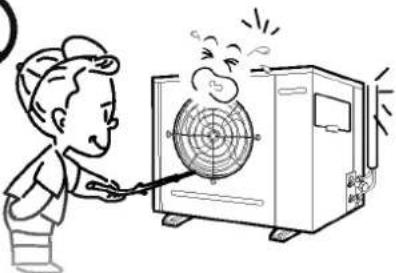
Line drawing of a hand pointing upward with droplets falling (no text or symbols)- Since the fan rotates at high speed, this may cause an injury or damage the unit.
• This could damage your health.

natural_image
Cartoon illustration of a person using a tool to clean or exhaust air from a large industrial machine (no text or symbols)
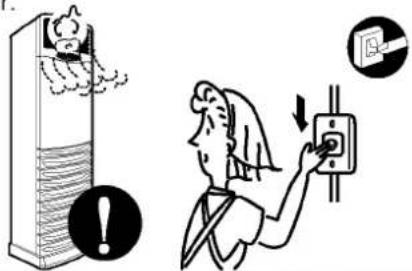
- If the unit continues to operate in an abnormal condition, it may cause fire, damage, etc. In this case, consult your dealer.
- If this is done incorrectly, it may cause a fire, electric shock, injury by dropping of the unit, water leakage, etc. Consult your dealer.


CAUTION
- It may cause an injury. - Should be disconnected from supply
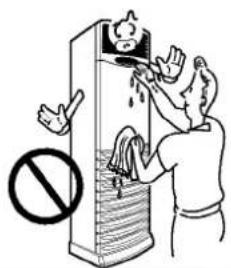
• Water may enter the unit and degrade the insulation. It may cause an electric shock.
• An oxygen shortage may occur.


natural_image
Illustration of a person cleaning a window with a wall-mounted air conditioner unit (no text or symbols)- It may cause an electric shock, burning.
• This could injure the pet or plant.
- Do not use this air conditioner to preserve precision devices, food, animal, plants, and art objects. It may cause deterioration of quality, etc.

natural_image
Illustration of a potted plant next to an air conditioner unit emitting exhaust smoke, with no visible text or symbols.
• It may cause an electric shock.
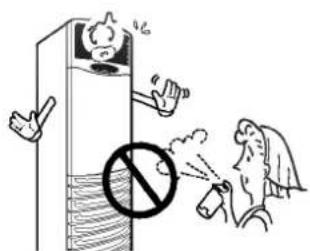
- It may cause a fire or deformation of the cabinet.
- It may affect combustion.


CAUTION
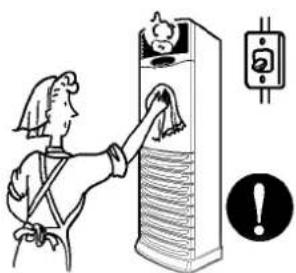
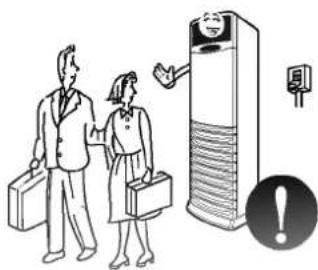
When the unit is not going to be used for a long time, run off the circuit breaker.
- If not, dirt may collect and cause a fire.
Do not operate for a long time in high humidity, e.e. leaving a door or window
• In the cooling mode, if it is operated in a room with high humidity (80%RH or more) for a long time, water condensed in the air conditioner may drop and may wet and spoil furniture, etc.

- It may cause an injury through dropping or falling down.
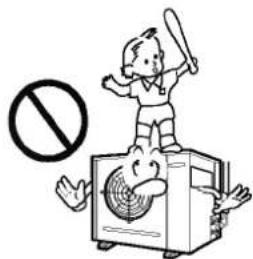
- It may cause an injury, electric shock by the high voltage.
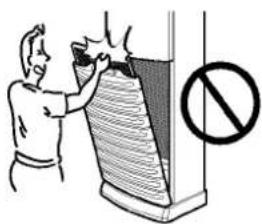

• The unit may drop or fall down and cause an injury.

natural_image
Cartoon illustration of a character wearing a fan-shaped device with a prohibition symbol (no text or symbols present)
• It will cause an injury, electric shock by the high voltage

For installation

WARNING
- Consult your dealer for installing the air conditioner.

CAUTION
- Do not connect a grounding wire to a gas pipe, water pipe, lightning rod, or ground wire of a telephone. If grounding is incorrect, it may cause an electric shock.

Install a ground fault interrupter depending on the place where the air conditioner is to be installed (huid place, etc.)
• If the ground fault interrupter is not installed, it may cause an electric shock.

- If gas leaks and collects around the unit, it may cause an explosion.

- If the drainage route is incomplete, water may drop from the unit. It may wet and spoil furniture.

Features and Specifications
Features
Design for cooling and heating
3 cooling/heating speeds
Super energy efficiency
Removable air filter
Micom control
Auto-Bacteria filter
Whisper quiet operation
3 minutes delay circuit
Wireless remote control
Plasma Air purifying System
Specifications

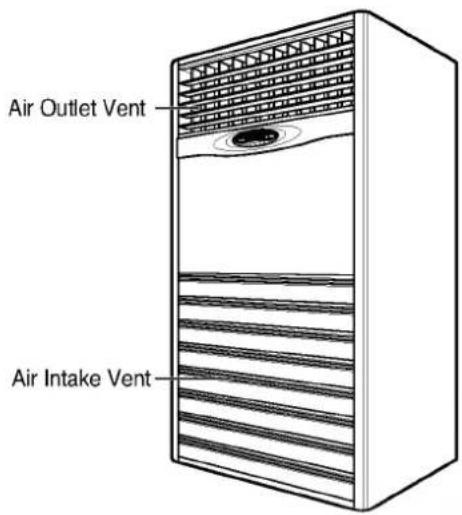

Indoor Unit Controls and Indicators
Display

(Heat Pump Model)

(Cooling Model)
START/STOP BUTTON
Operation starts when this button is pressed and stops when the button is pressed again.
OPERATION MODE SELECTION BUTTON
Used to select the operation Mode.
● ROOM TEMPERATURE SETTING BUTTONS
Used to select the room temperature.
INDOOR FAN SPEED SELECTION
Used to select fan speed in three steps-low, med, high.
AIR CLEANER OPERATION BUTTON(OPTION)
Used to purify the Room air.
FAN OPERATION LAMP
COOLING OPERATION LAMP
SOFT DRY OPERATION
HEATING OPERATION LAMP
DEFROST OPERATION LAMP
AUTO OPERATION LAMP
OFF TIMER OPERATION LAMP
AUTO AIR FLOW OPERATION LAMP(HORIZONTAL)
AIR CLEANER OPERATION LAMP(OPTION)
ELECTRIC HEATER OPERATION LAMP
OUT DOOR UNIT OPERATION LAMP
ELECTRIC HEATER OPERATION BUTTON(OPTION)
Name and Function-Remote Control

Control
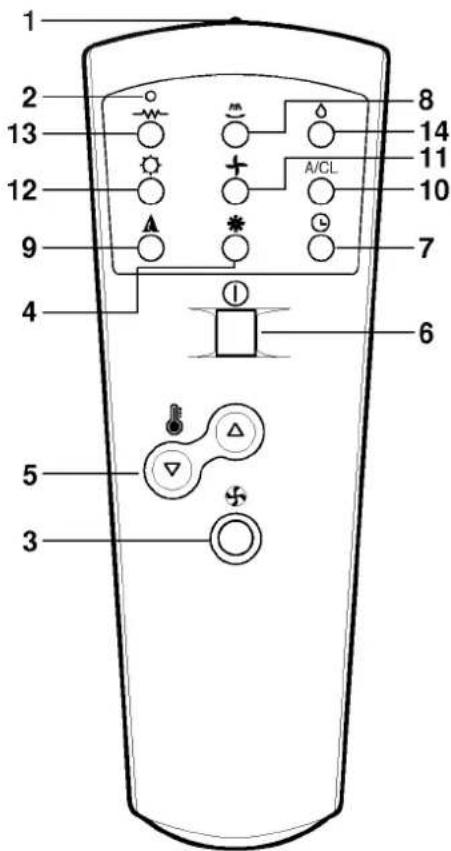
[1] Signal Transmitter
- Transmits the signals to the package air conditioner
Operation Display of the Remote Control
Indoor Fan Speed Selection Button
• To select the desired fan speed in three steps [Low, Med, High]
4 Cooling ON Button
[5] Temperature Setting Buttons
Power ON/OFF Button
• Operation will start when this button is pressed, and stop when the button is pressed again.
Timer Set Button
- Each time the button is pressed, the mode is changed in the following process. Timer set (1, 2, 3, 4, 5, 6, 7 hours) If you select "0:00" the off Timer function will be cancelled.
[3] Auto Airflow Direction Control Button
• The vertical louvers swing left and right.
- The horizontal louvers can be adjusted manually.
Auto Mode Operation Button (Cooling Model Only)
[10] Plasma Air purifying Button (Option)
[1] Indoor Fan Operation Button
Heating Button (Heat Pump Model Only)
Electric Heater ON/OFF Button (Option)
Soft Dry Operation Button
Wireless Remote Control Puts all functions at your fingertips
Handling the remote control
- Aim at the signal receptor on the package air conditioner when operating.
- The remote control signal can be received at a distance of up to about 7 meters.
- Be sure that there are no obstructions between the remote control and the signal receptor.
- Do not drop or throw the remote control.
- Do not place the remote control in a location exposed to direct sunlight, or next to a heating unit, or other heat source.
Remote Control Preparation
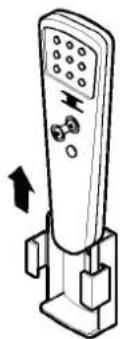
How to mount onto a wall

Use the screws to secure the holder to the wall or attach the holder side of indoor unit.


natural_image
Line drawing of a multi-tiered storage unit with curved top and side panel (no text or symbols)
To insert the remote control to the holder.
Insert

natural_image
Illustration of a remote control device with buttons and a directional arrow (no text or symbols)Pull
natural_image
Illustration of a remote control device with buttons and a directional arrow (no text or symbols)How to insert batteries
Remove the cover from the back of the remote controller.
- Slide the cover according to the arrow direction.
Insert two batteries.
- Be sure that the (+) and (-) directions are correct.
- Be sure that both batteries are new.
Re-attach the cover.
- Slide the cover into back position.

natural_image
Three-step illustration showing a hand holding a tool, with arrows indicating motion direction (no text or symbols)- Do not use rechargeable batteries such batteries as different from standard dry cells in shape, dimensions, and performance.
- Change the batteries with a new one if the remote control does not work properly after using for an extended length of time.
Air conditioner operation

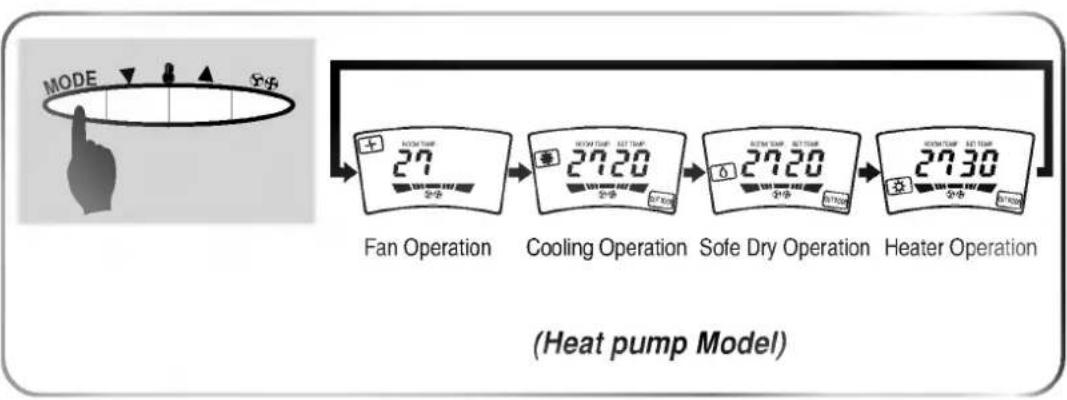
How to use the Operation Mode Button
• Each time the Operation Mode Selection Button is pressed, the Operation Mode is shifted in the arrow direction.


How to use the Fan speed Button
• Each time the Fan speed Button is pressed, the Fan speed is shifted in the arrow direction.


Cooling Operation Mode
1
Press the Start/Stop Button.


2
Select Cooling Operation.
Press the Operation Mode Selection Button.
Press the Cooling Operation Button on the remote controller.


3
Set the temperature lower than the room temperature.
The temperature can be set within a range of 16°C\~30°C by 1°C.
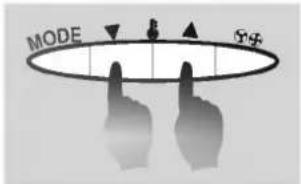

4
Set the Fan Speed.
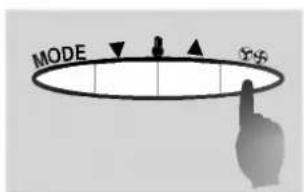

* Each time the Button is pressed, the Fan Speed mode is shifted.

Soft Dry Operation
1
Press the Start/Stop Button.


2
Select Soft Dry Operation.
Press the Operation Mode Selection Button.
Press the Cooling Operation Button on the remote controller.
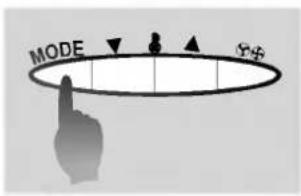
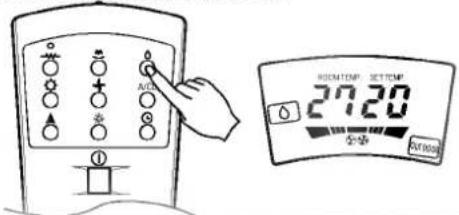
3
Set the temperature lower than the room temperature.
The temperature can be set within a range of 16°C\~30°C by 1°C.


During softy Dry Operation
- The indoor fan speed is automatically set to low and cannot be adjusted.

Heating Operation Mode(Heat Pump Model Only)
1
Press the Start/Stop Button.


2
Select heating Operation.
Press the Operation Mode Selection Button.
Press the heating Operation Button on the remote controller.

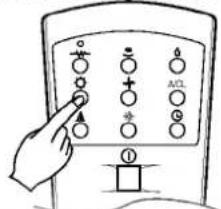

3
Set the temperature upper than the room temperature.
The temperature can be set within a range of 16°C\~30°C by 1°C.

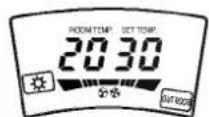

4
Set the Fan Speed.


*Each time the Button is pressed, the Fan Speed mode is shifted.
Electric Heater Operation Mode(Option)
- This mode is designed to be used when the unit operate in heating mode - This mode is option
1
Press the Start/Stop Button.


2
Select heating+ E/heater Operation.
- Press the Operation Mode Selection Button to select heating Operation. - Press the E/Heater Operation Button on the remote controller (When the unit operates in heating mode).
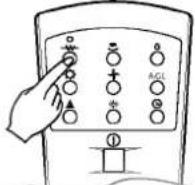
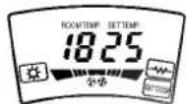
3
Set the temperature upper than the room temperature. The temperature can be set within a range of 16^ C\~ 30^ C by 1^ C.


To raise the temperature. □ To lower the temperature.
4
Set the Fan Speed.
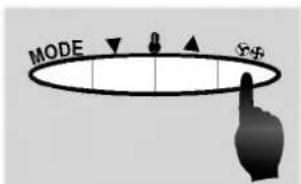

*Each time the Button is pressed, the Fan Speed mode is shifted.
Auto Operation Mode(Cooling Model Only)
1
Press the Start/Stop Button.


2
Select Auto Operation.
Press the Operation Mode Selection Button.
Press Auto Operation Button.

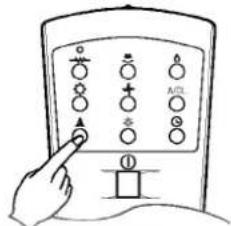
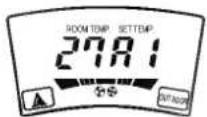
3
Set the temperature upper or lower than the standard temperature.
The temperature can be set within a range of -2\~2 by 1 level.

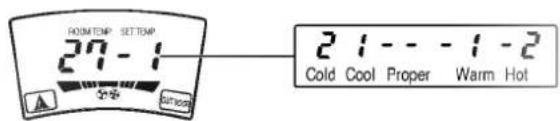
(This indication will be shifted to the initial Auto Mode Display state after 4 seconds.)
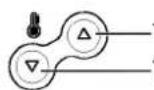
To raise the temperature. (When you feel too cool or cold)
To lower the temperature. (When you feel too warm or hot)
During Auto Operation
- It is impossible to switch the indoor fan speed because of being already set to the best conditioner by fuzzy rule.
Fan Operation Mode
1
Press the Start/Stop Button.

2
Press the Operation Mode Selection Button.
Press Fan Operation Button.
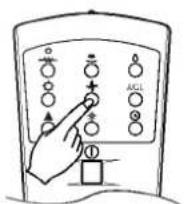

3
Set the Fan Speed.

* Each time the Button is pressed, the Fan Speed mode is shifted.
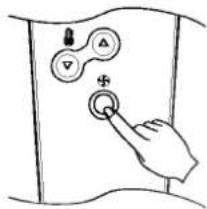
9
Airflow Direction Procedure
1
Press the Start/Stop Button.


(Operation will start when the button is pressed, and stop when the button is pressed again.)
2
Press the Auto Swing Button and then louvers will swing left and right.

Press the Airflow Direction Control Button again to set the Vertical louver at the desired airflow direction.
The vertical louver swing left and right.
NOTE
Always use the remote control to adjust the right/left airflow direction, manually moving the vertical airflow direction louver by hand could change the air conditioner.
Vertical Airflow Direction Control
Adjust the vertical airflow direction manually by moving the horizontal louvers with hand.

OFF Timer Setting Procedure(OFF TIMER Setting, or CANCEL)
1
Press the Start/Stop Button.


2
Select Function.
3
Press the Timer Button.

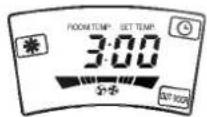
- If you press the button, the selected off timer is displayed as follows;
- If you select '0:00', the Off Timer function will be cancelled.
$$ \because 0 0 \rightarrow 2: 0 0 \rightarrow 3: 0 0 \rightarrow 4: 0 0 \rightarrow 5: 0 0 \rightarrow 6: 0 0 \rightarrow 7: 0 0 \rightarrow 8: 0 0 $$
4
When you finish the Off Timer setting, the Timer indicator lights off.
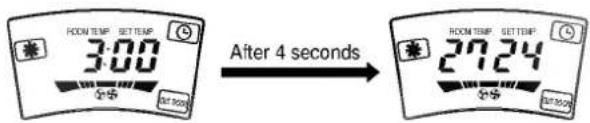
5
During off-timer operation if you press the Timer Button, the rest time will be displayed.

Plasma Air Purifying Operation Procedure

Air Purifying Operation only
1
Press the Plasma Air Purifying Operation ON/OFF Button.


(Operation will start when the Button is pressed, and stop when the button is pressed again.)
2
Select Fan speed.
The display shows low fan speed at the initial condition.


flowchart
graph LR
    A["Low"] --> B["Medium"]
    B --> C["High"]
- You can operate the Plasma Air Purifying under the unit operation of cooling, heating, soft dry or Auto mode.

Air Purifying Operation with Cooling, Heating or any other Operation.
- Press the Start/Stop button.
- Select the desired Operation Mode.
- Press the Plasma Air Purifying Operation ON/OFF button.
- Set the fan speed.

Child Lock Operation Procedure
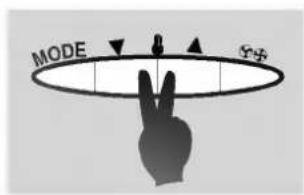
1 Press the low and high temperature setting buttons simultaneously for 3 seconds. The unit will respond with beep.


2
During Child Lock Operation
● Whenever you press any Button on Display Panel, it will immediately display "LOC", which means Display panel is Locked.
All the Button on the indoor unit Display panel will not work.
But the Button on the remote controller will work.
3
For releasing child lock Operation
Press the low and high temperature setting buttons simultaneously for 3 seconds again.
The unit will rospond with beep, Child Lock Operation will removed.

Care and Maintenance
CAUTION: Before performing any maintenance, turn off the main power to the system.
During the season
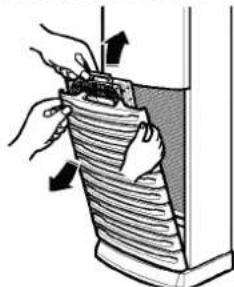
1 Remove the Air Filter.
Take hold of the tab and pull slightly forward to remove the filter.

natural_image
Diagram of a device with a curved panel and an arrow indicating direction (no text or symbols)Clean.
• To remove the dust adhering to the filters, either use a vacuum cleaner, or wash them in water and dry in the shade.
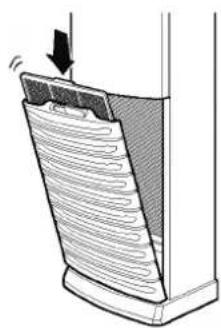
- Re-insert the filter to the original position.

- Don't wash with water.
• Wipe with a soft dry cloth.

1 Remove the Air Cleaner.
Take hold of the tab and pull slightly forward to remove the air cleaner.
natural_image
Illustration of hands holding a tool over a striped object, with arrows indicating motion (no text or symbols)Clean.
- Dip the air cleaner into the water mixed with detergent, for 20\~30 minutes, and dry in the shade.
- Re-insert the air cleaner to the original position.

natural_image
Illustration of a bucket pouring water from a container into a basin (no text or symbols)
• Water hotter than 40°C.
Could cause deformation and/or discoloration.
• Volatile substances.
Could damage the surfaces of the air conditioner.

Care and Maintenance
When the air conditioner is not going to be used for a long time.
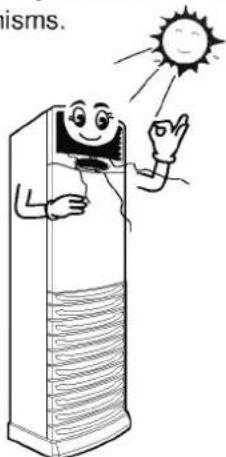
1 Operate the air conditioner at the following settings for 2 to 3 hours.
- Type of operation : Cooling.
• Temperature setting : 30°C.
This will dry out the internal mechanisms.
natural_image
Cartoon illustration of a smiling air conditioner with sun and waving hand (no text or symbols)2 Remove the batteries from the Remote Control.
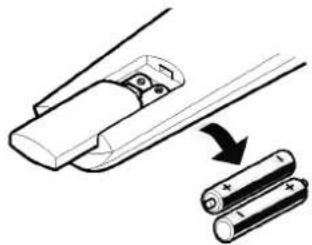
natural_image
Diagram showing two battery cells being inserted into a flexible rod, with an arrow indicating the insertion process (no text or symbols present)3 Turn off the circuit breaker.
Turn off the circuit breaker when the air conditioner is not going to be used for a long time. Dirt may collect and may cause a fire.
1 Clean the air filters, re-insert, then operate the air conditioner.
natural_image
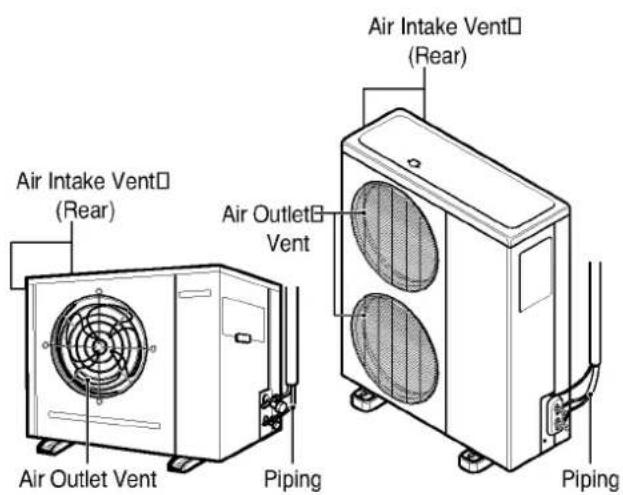
Diagram of a mechanical component with a curved surface and directional arrow, no text or symbols present2 Be sure that nothing obstructs the air outlet and intake vents.

natural_image
Illustration showing a crossed-out X symbol over stacked documents or containers, with no readable text or symbols.Operation Tips
This is not good for your health and wastes electricity.

Do not let direct sunshine enter the room when the air conditioner is in operation.

natural_image
Illustration of a cartoon-style air conditioner unit and a person in a room, both without any text or symbols.Adjust the vertical and horizontal airflow direction to ensure a uniform temperature in the room.

natural_image
Cartoon illustration of a smiling refrigerator with falling arrows and documents (no text or symbols)Avoid opening doors and windows as much as possible to keep the cool air in the room.

natural_image
Cartoon illustration of a distressed refrigerator with a surprised window and cloud-shaped smoke, next to an open door (no text or symbols)Blockages in the air filter reduce the airflow and lower cooling and dehumidifying effects. Clean at least once every two weeks.

natural_image
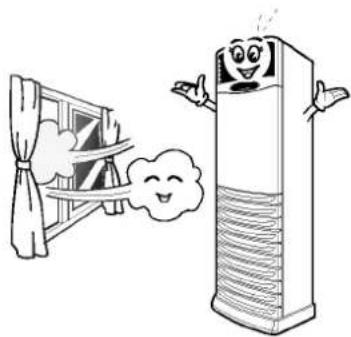
Illustration of a hand using a hose to clean a grid-patterned solar panel (no text or symbols visible)Since windows are kept closed, it is a good idea to open them and ventilate the room now and then.
natural_image
Cartoon illustration of a window with curtains and a smiling tower emitting cloud-like smoke (no text or symbols)Before you call for service...

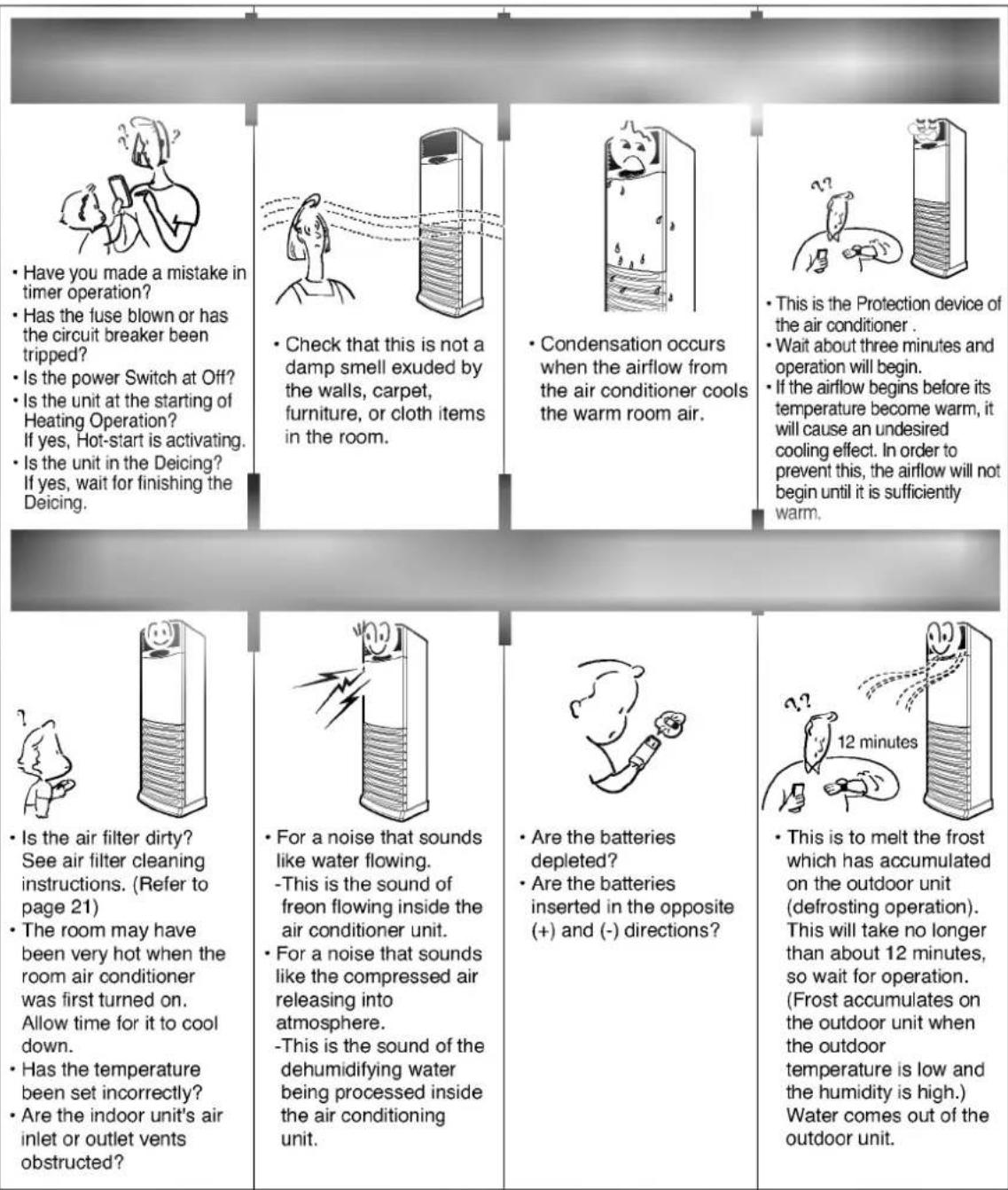
Troubleshooting Tips! Save time and money!
Check the following points before requesting repairs or service.... If the fault persists, please contact your dealer or service center.
NOTE
WATER RESISTANT: The outdoor side of this appliance is WATER RESISTANT. The indoor side is not water resistant and should not be exposed to excess water.

LG Electronics Inc.


- Package Air Conditioner OWNER'S MANUAL
- Safety Precautions
- Operating Instructions
- Care and Maintenance
- Troubleshooting tips
- FOR YOUR RECORDS
- READ THIS MANUAL
- CAUTION
- Important safety precautions Read all instructions before using.
- WARNING
- Be sure not to do.
- For installation
- Features and Specifications
- Features
- Specifications
- Indoor Unit Controls and Indicators
- Display
- Name and Function-Remote Control
- Control
- [1] Signal Transmitter
- Operation Display of the Remote Control
- Indoor Fan Speed Selection Button
- Cooling ON Button
- [5] Temperature Setting Buttons
- Power ON/OFF Button
- Timer Set Button
- [3] Auto Airflow Direction Control Button
- [10] Plasma Air purifying Button (Option)
- Wireless Remote Control Puts all functions at your fingertips
- Handling the remote control
- Remote Control Preparation
- How to mount onto a wall
- How to insert batteries
- Air conditioner operation
- How to use the Operation Mode Button
- How to use the Fan speed Button
- Cooling Operation Mode
- Soft Dry Operation
- During softy Dry Operation
- Heating Operation Mode(Heat Pump Model Only)
- Electric Heater Operation Mode(Option)
- Auto Operation Mode(Cooling Model Only)
- During Auto Operation
- Fan Operation Mode
- 9
- Airflow Direction Procedure
- NOTE
- Vertical Airflow Direction Control
- OFF Timer Setting Procedure(OFF TIMER Setting, or CANCEL)
- Plasma Air Purifying Operation Procedure
- Air Purifying Operation only
- 1
- 2
- Air Purifying Operation with Cooling, Heating or any other Operation.
- Child Lock Operation Procedure
- 3
- During the season
- Operation Tips
- Before you call for service...
- Troubleshooting Tips! Save time and money!
- LG Electronics Inc.
Μάρκα : LG
Μοντέλο : LP-E5080CL
Κατηγορία : κλιματιστικό