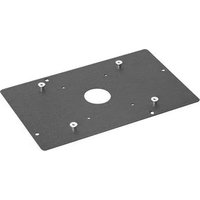
SLM208 - Projektortillbehör Chief - Gratis bruksanvisning och manual
Hitta enhetens manual gratis SLM208 Chief i PDF-format.


Användarfrågor om SLM208 Chief
0 fråga om denna apparat. Svara på dem du kan eller ställ din egen.
Ställ en ny fråga om denna apparat
Ladda ner instruktionerna för din Projektortillbehör i PDF-format gratis! Hitta din manual SLM208 - Chief och ta tillbaka ditt elektroniska enhet i hand. På denna sida publiceras alla dokument som behövs för att använda din enhet. SLM208 av märket Chief.
BRUKSANVISNING SLM208 Chief
INSTALLATION INSTRUCTIONS
SLB-208 and SLM-208 Interface Brackets
for BENQ SP830, SP831
SLB and SLM series Interface brackets are designed for use with Chief RPA, RPM, and Smart-Lift series projector mounts. See the specific installation instructions provided with the mount for additional installation information.
Unpack carton and verify kit contents. If any listed parts are missing, immediately contact a Chief Customer Service representative by calling 1-800-582-6480.

WARNING: IMPROPER INSTALLATION CAN LEAD TO EQUIPMENT FALLING CAUSING SERIOUS PERSONAL INJURY AND DAMAGE TO EQUIPMENT! DO NOT substitute hardware. Use only hardware supplied by manufacturer!
(1) Interface Bracket (4) WASHER, Flat, M4
(4) 10-24 Thumb Nuts ** (4) SCREW, Pan Head, M4 x 10mm
(1) All-Points Security Kit

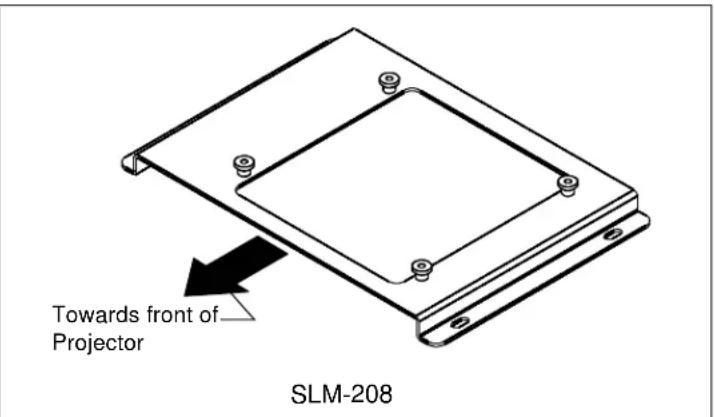
**Only used when installing SLB Interface brackets.
Installation:

WARNING: OVERTIGHTENING OF SCREWS CAN DAMAGE PARTS AND LEAD TO SERIOUS PERSONAL INJURY AND DAMAGE TO EQUIPMENT! DO NOT over tighten screws when installing interface brackets.
NOTE: Step 1 is only required when installing an SLB Interface bracket. If an SLM bracket is being installed proceed to step 2.
- Screw four thumb screws onto four 10-24 x 5/8" Philips pan head screws. DO NOT fully tighten thumb screws at this time.
- Turn projector upside down on a flat surface.
- Place the interface bracket onto the bottom of the projector lining up the four holes in the bracket with the four threaded inserts in the bottom of the projector.
- Using the four M4 X 10mm mounting screws and washers, start them into the mounting holes by hand and secure all four fasteners at this time.
NOTE: Security screws can be substituted when mounting Interface bracket to projector by using the parts and installation instructions in the All-Points Security Kit.
CSAV, Inc., and its affiliated corporations and subsidiaries (collectively, "CSAV"), intend to make this manual accurate and complete. However, CSAV makes no claim that the information contained herein covers all details, conditions or variations, nor does it provide for every possible contingency in connection with the installation or use of this product. The information contained in this document is subject to change without notice or obligation of any kind. CSAV makes no representation of warranty, expressed or implied, regarding the information contained herein. CSAV assumes no responsibility for accuracy, completeness or sufficiency of the information contained in this document.

CHIEF®
© 2007 Chief Manufacturing, 8401 Eagle Creek Parkway, Savage, MN 55378
• P: 800.582.6480 / 952.894.6280 • F:877.894.6918 / 952.894.6918
8802-000274
10/18/07

Märke : Chief
Modell : SLM208
Kategori : Projektortillbehör