SR8 - Amplificateur audio NAD - Notice d'utilisation et mode d'emploi gratuit
Retrouvez gratuitement la notice de l'appareil SR8 NAD au format PDF.

| Type de produit | Amplificateur audio avec télécommande |
| Marque | NAD |
| Modèle | SR8 |
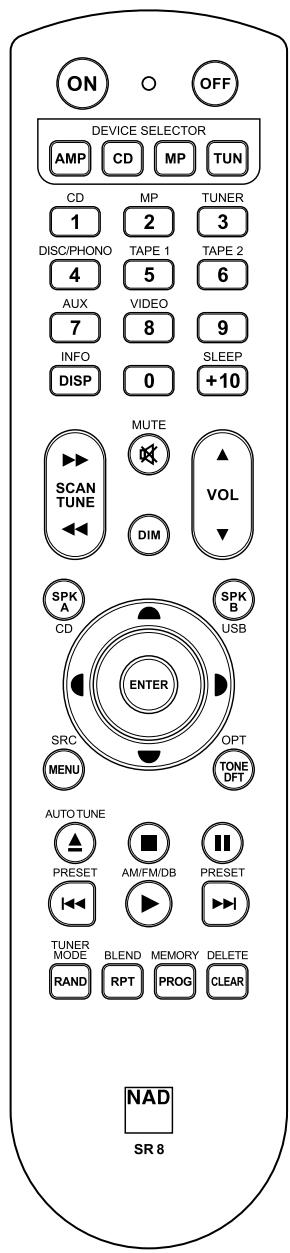
| Télécommande | Oui, avec sélecteur de périphérique (AMP, CD, MP, TUN) et fonction de programmation de codes bibliothèque |
| Codes bibliothèque | Programmables pour différents modèles NAD (ex: T517, C515BEE etc.) |
| Réinitialisation | Maintenir ON + DELETE/CLEAR pendant 10 secondes jusqu'à allumage du bouton AMP, puis relâcher |
| Alimentation | 230 V AC, 50 Hz (estimation) |
| Dimensions (L x H x P) | 435 x 100 x 350 mm (estimation) |
| Poids | 5 kg (estimation) |
| Fonctions principales | Amplification stéréo, sélection de sources, télécommande programmable, commande de zone 2, tuner intégré |
| Entretien | Nettoyer avec un chiffon doux et sec. Ne pas utiliser de solvants. |
| Sécurité | Débrancher avant nettoyage. Ne pas exposer à l'humidité ou aux liquides. |
| Pièces détachées et réparabilité | Réparation par un technicien qualifié. Utiliser des pièces détachées d'origine NAD. |
| Informations générales | Compatible avec les composants NAD utilisant les codes bibliothèque listés dans le manuel. |
FOIRE AUX QUESTIONS - SR8 NAD
Questions des utilisateurs sur SR8 NAD
0 question sur cet appareil. Repondez a celles que vous connaissez ou posez la votre.
Poser une nouvelle question sur cet appareil
Téléchargez la notice de votre Amplificateur audio au format PDF gratuitement ! Retrouvez votre notice SR8 - NAD et reprennez votre appareil électronique en main. Sur cette page sont publiés tous les documents nécessaires à l'utilisation de votre appareil SR8 de la marque NAD.
MODE D'EMPLOI SR8 NAD
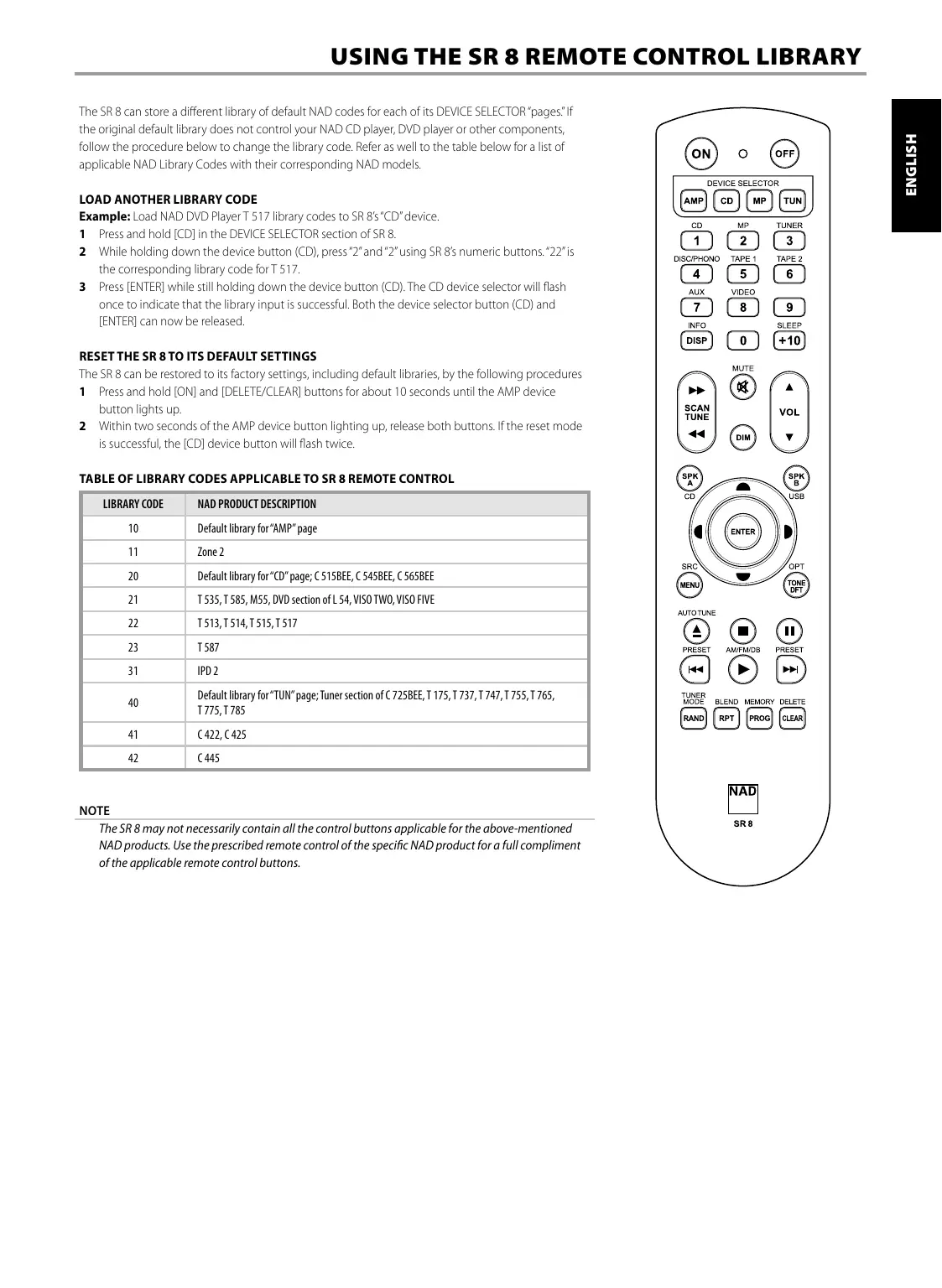
The SR 8 can store a different library of default NAD codes for each of its DEVICE SELECTOR "pages." If the original default library does not control your NAD CD player, DVD player or other components, follow the procedure below to change the library code. Refer as well to the table below for a list of applicable NAD Library Codes with their corresponding NAD models.
LOAD ANOTHER LIBRARY CODE
Example: Load NAD DVD Player T 517 library codes to SR 8's "CD" device.
1 Press and hold [CD] in the DEVICE SELECTOR section of SR 8.
2 While holding down the device button (CD), press "2" and "2" using SR 8's numeric buttons. "22" is the corresponding library code for T 517.
3 Press [ENTER] while still holding down the device button (CD). The CD device selector will flash once to indicate that the library input is successful. Both the device selector button (CD) and [ENTER] can now be released.
RESET THE SR 8 TO ITS DEFAULT SETTINGS
The SR 8 can be restored to its factory settings, including default libraries, by the following procedures
1 Press and hold [ON] and [DELETE/CLEAR] buttons for about 10 seconds until the AMP device button lights up.
2 Within two seconds of the AMP device button lighting up, release both buttons. If the reset mode is successful, the [CD] device button will flash twice.
TABLE OF LIBRARY CODES APPLICABLE TO SR 8 REMOTE CONTROL
| LIBRARY CODE | NAD PRODUCT DESCRIPTION |
| 10 | Default library for “AMP” page |
| 11 | Zone 2 |
| 20 | Default library for “CD” page; C 515BEE, C 545BEE, C 565BEE |
| 21 | T 535, T 585, M55, DVD section of L 54, VISO TWO, VISO FIVE |
| 22 | T 513, T 514, T 515, T 517 |
| 23 | T 587 |
| 31 | IPD 2 |
| 40 | Default library for “TUN” page; Tuner section of C 725BEE, T 175, T 737, T 747, T 755, T 765, T 775, T 785 |
| 41 | C 422, C 425 |
| 42 | C 445 |
NOTE
The SR 8 may not necessarily contain all the control buttons applicable for the above-mentioned NAD products. Use the prescribed remote control of the specific NAD product for a full compliment of the applicable remote control buttons.