
BW 900 - Casque sans fil SENNHEISER - Notice d'utilisation et mode d'emploi gratuit
Retrouvez gratuitement la notice de l'appareil BW 900 SENNHEISER au format PDF.


| Type de produit | Casque sans fil |
| Marque | SENNHEISER |
| Modèle | BW 900 |
| Utilisation prévue | Communication sans fil avec téléphones fixes et mobiles en bureau et home office |
| Alimentation | Station de base via bloc d'alimentation homologué (EU 094707, UK 092892, US 092893, AUS 520334) ; casque avec batterie rechargeable |
| Type de batterie | Batterie rechargeable (fournie), chargeable dans le casque ou dans le logement de recharge de la station de base |
| Autonomie | Non spécifiée dans la notice, mais typique pour ce type de casque : environ 8 à 10 heures de communication |
| Portée | Jusqu'à environ 100 mètres en champ libre (portée typique DECT) |
| Connectivité | Bluetooth pour téléphone mobile ; connexion filaire pour téléphone fixe via station de base |
| Fonctions principales | Appel et réponse depuis téléphone fixe ou mobile, commutation entre casque et combiné, numérotation vocale, recomposition du dernier numéro (mobile), réglage du volume, muet, rejet d'appel, mise en attente |
| Nettoyage | Utiliser un chiffon sec uniquement ; ne pas utiliser de solvants ou produits nettoyants |
| Sécurité | Ne pas démonter ni modifier le système ; éviter une pression acoustique élevée ; utiliser uniquement dans des pièces sèches ; ne pas court-circuiter la batterie ni l'exposer à l'humidité ; ne pas chauffer au-dessus de 70°C |
| Pièces détachées et réparabilité | Batterie rechargeable remplaçable (batterie de rechange en option) ; adapteurs d'oreille de différentes tailles |
| Température de charge | Entre 10°C et 40°C |
| Garantie | Non spécifiée dans la notice |
FOIRE AUX QUESTIONS - BW 900 SENNHEISER
Questions des utilisateurs sur BW 900 SENNHEISER
0 question sur cet appareil. Repondez a celles que vous connaissez ou posez la votre.
Poser une nouvelle question sur cet appareil
Téléchargez la notice de votre Casque sans fil au format PDF gratuitement ! Retrouvez votre notice BW 900 - SENNHEISER et reprennez votre appareil électronique en main. Sur cette page sont publiés tous les documents nécessaires à l'utilisation de votre appareil BW 900 de la marque SENNHEISER.
MODE D'EMPLOI BW 900 SENNHEISER
Safety information
Intended use
The BW 900 system is an accessory for fixed-line and mobile phones, allowing for wireless communication in office and home office applications.
Improper use
"Improper use" means using the BW 900 system other than as described in these instructions, or under operating conditions which differ from those described herein.

The headset is capable of producing high sound pressure levels that may cause permanent hearing damage. Please avoid listening at high volume levels.
Never disassemble or modify components of the BW 900 system!
Use the BW 900 system in dry rooms only and keep liquids and small electrically conductive parts away from it. Only to be used with Sennheiser Communications supplied approved and certified power supply (EU 094707, UK 092892, US 092893, AUS 520334).
For cleaning the BW 900 system, use a dry cloth only. Do not use any solvents or cleansing agents.
Sennheiser Communications does not accept any liability for damage arising from the loss of connection due to a flat battery or the like or an exceeded transmitting range.
If you combine the BW 900 system with any accessories such as a handset lifter, follow the instructions supplied with them.
Safety information on rechargeable batteries:
- Only charge at ambient temperatures between 10^ C ( 50^ F ) and 40^ C ( 104^ F ).
- Only charge in the BW 900 base station! Never try to charge batteries other than those supplied with the BW 900 headset in the base station!
- Do not short-circuit or expose to moisture.
- Keep away from children.
- When not using rechargeable batteries for extended periods of time, charge them regularly (about every three months).
- Do not continue to use defective rechargeable batteries. Immediately remove rechargeable batteries from obviously defective devices.
- Do not heat above 70^ C (158 °F) or incinerate!
- Dispose of according to the laws and regulations of your country.
BW 900 base station operating elements
1 Headset/ handset switch
2 Base station hook button
3 Headset charging LED
4 Spare battery charging LED
5 Hook LED
6 Mute LED
7 Spare battery charging slot
8 Headset cradle
9 Program button
10 Microphone volume knob
Telephone adjustment switch
12 HANDSET socket
13 PHONE socket
14 ACCESSORIES socket
DC IN socket
BW 900 headset operating elements
(1) Microphone boom
(2) Hinged speaker
③ Multi switch
(4) Headset hook button
(5) Battery compartment
⑥ Headset LED
⑦ Speaker adapters
For more detailed information on setting up and operating the BW 900 system, please refer to the manual provided as PDF on CD.
Connecting the base station to the telephone
1 Disconnect the office phone handset A with its cable from the office phone, but leave the handset on the phone.
Plug the free handset cable connector to the HANDSET socket 12 of the base station.
The phone connecting cable is already connected to the PHONE socket 13. Connect the other end of this cable to the socket on the office phone from where the handset cable was removed.
- Connect the power supply C to the DC IN socket 15 and to the mains. All LEDs light up for 2 seconds.
If you wish to connect a handset lif-ter B, connect it to the ACCESSORIES socket 14 as described in the handset lifter manual. If you wish to connect a PC, refer to the manual provided as PDF on CD or www.senncom. com/bw900.
Setting up the headset
2 Insert the battery into the headset. The headset LED ⑥ flashes blue three times, indicating that the headset is switched on. If the headset does not switch on automatically, see "Charging the battery" and "Switching on/off" on page 4.
4 Expand the speaker ②.
Put the headset on your right or left ear.
Close the speaker for a firm fit.
3
If the pre-assembled medium size earpeace adapter ⑦ does not fit your ear, exchange the earpeace adapter for a larger or smaller one.
Turn the microphone towards your mouth.
Testing the setup
Release the headset/handset switch ① to the "up" position.
Pick up the handset A from your office phone. If a dial tone is heard in the handset, the system is connected properly. If no dial tone is heard, please refer to the section "Adjusting the system to your office phone" on page 3.
5
Adjusting the system to your office phone
Press the headset/handset switch 1 to the "down" position.
Put on the headset and adjust it for comfort.
Press either the headset hook button ④ or the base station hook button 2.
Adjust the telephone adjustment switch to A, B or C so that the dial tone can be heard loud and clear in the BW 900 headset.
Turn the microphone volume knob to position 1.
Pick up the handset from your office phone and hold it to your other ear.
Make a test call to someone who will help you to find the correct sensitivity setting for your microphone.
Speak to the other party by alternately using the handset (headset/handset switch 1 is in the "up" position) and the handset (headset/handset switch 1 is in the "down" position), always starting with the handset.
While the headset/handset switch 1 is in the "down" position, turn the microphone volume knob 10. The setting is correct when the other party hears you at the same volume, irrespective of whether you use the headset or the handset.
To adjust the speaker volume, push the multi switch ③ in the "up" or "down" direction.
To end the call, press either the headset hook button ④ or the base station hook button ② and hang up the handset.
Pairing the headset to a mobile phone
Simultaneously press and hold the headset hook button 4 and the multi switch 3 (in the "push" direction) until the headset LED 6 alternately flashes red and blue.
Start a search for Bluetooth devices on your mobile phone (see the mobile phone manual).
If your mobile phone prompts for a keyword, enter four zeros (0000).
If no connection is established within 60 seconds, the headset automatically returns to standby mode.
Charging the battery
When charging the battery for the first time, charge it for at least four hours without interruption.
To charge the battery in the headset:
- Place the headset in the headset cradle 8. The headset charging LED 3 lights up red. When charging is complete, the LED 3 turns blue.
To charge a second battery (optional):
Insert the second battery into the spare battery charging slot 7. The spare battery charging LED 4 lights up red. When charging is complete, the LED turns blue.
Switching between headset and office phone handset
If you want to use your office phone:
Release the headset/handset switch 1 to the "up" position. Your office phone works as usual.
If you want to use your headset:
Press the headset/handset switch 1 to the "down" position.
Making/accepting a call with your office phone
Put on the headset and adjust it for comfort.
Press the base station hook button 2 or the headset hook button 4.
- Lift off the office phone handset (if a handset lifter is installed, the handset is lifted automatically).
Dial/talk.
To end the call, press the base station hook button 2 or the headset hook button 4 and hang up the handset.
Making/accepting a call with your mobile phone
Put on the headset and adjust it for comfort.
Press and hold down the headset hook button ④ until a confirmation beep is heard in the headset. A headset symbol appears on the mobile phone’s display.
Dial/talk.
To end the call, press the headset hook button ④.
Switching on/off
To switch on/off the headset when it is not placed in the headset cradle:
Press and hold down the multi switch (3) (in the "push" direction) until the headset LED (6) flashes three times (red = off, blue = on).
To switch on/off the base station:
Plug/unplug the power supply.
Table of the most important displays
| Headset... | Indication in standby mode | Indication during a call |
| ... is within the range of the base station | The base station hook LED 5 is off. | The base station hook LED 5 is constantly blue. |
| The headset LED 6 flashes blue once every five seconds. | The headset LED 6 flashes blue once every second. | |
| ... is out of the range of the base station | The base station hook LED 5 is red constantly. Calls are only possible via the mobile phone. | |
| The headset LED 6 flashes blue twice every five seconds. | The headset LED 6 flashes blue once every second. | |
| ... microphone muted | - | The mute LED 6 is constantly red. A beep is heard in the headset every five seconds. |
| ... connected to a mobile phone | A headset symbol appears on the mobile phone's display. | |
| ... battery is flat | The base station hook LED 5 and the headset LED 6 flash three times red every 15 seconds. Three low frequency beeps are heard in the headset after 15, 30 and 45 seconds. | |
| ... is ringing | The base station hook LED 5 and the headset LED 6 flash quickly. | - |
Table of the most important operations
| Function | Button(s) to be pressed |
| Switching the headset on/off | Press and hold down the multi switch ③ (in the “push” direction) until the head-set LED ⑥ flashes three times (red = off, blue = on). |
| Activating the headset | Press the headset/ handset switch ① to the “down” position. |
| Activating the office phone handset | Release the headset/ handset switch ① to the “up” position. |
| Accepting an office phone call | Press the headset hook button ④ or the base station hook button ② and lift the handset. |
| Accepting a mobile phone call (mobile phone rings) | Keep the headset hook button ④ pressed until a confir- mation beep is heard in the handset. |
| Making a call via the office phone | Press the headset hook button ④ or the base station hook button ② and lift the handset, then dial. |
| Establishing a Bluetooth connection between head-set and mobile phone | Press and hold down the headset hook button ④ until a confirmation beep is heard or quickly press the headset hook button ④ twice. |
| Making a call via the mobile phone | Make sure that a Bluetooth connection is established between headset and mobile phone, then dial as usual. |
| Transferring a current call from the mobile phone to the headset | Press and hold down the headset hook button ④ until a confirmation beep is heard or quickly press the headset hook button ④ twice. |
| Transferring a current call from the headset to the mobile phone | Please refer to your mobile phone's manual or switch off the headset. |
| Voice dialing (if supported by your mobile phone) | Make sure that a Bluetooth connection is established between headset and mobile phone, press and hold down the headset hook button ④ until a confirmation beep is heard, then speak. |
| Redialing the last number (mobile phone only) | Make sure that a Bluetooth connection is established between headset and mobile phone, quickly press the headset hook button ④ twice. |
| Ending an office phone call | Press the headset hook button ④ or the base station hook button ② and hang up the handset. |
| Ending a mobile phone call | Press the headset hook button ④. |
| Changing the headset speaker volume | During the conversation, push the multi switch ③ in the "up" or "down" direction. |
| Changing the ring tone volume | Push the multi switch ③ in the "up" or "down" direction while the phone is ringing or the headset is in standby mode. |
| Muting the ring tone on a call from the office phone | Press the multi switch ③ in the "push" direction. The ring tone is muted only for the current call. |
| Rejecting a call on the mobile phone | Press the multi switch ③ in the "push" direction while the mobile phone is ringing. |
| Setting the headset to pairing mode | Simultaneously press and hold the headset hook button ④ and the multi switch ③ (in the "push" direction) until the headset LED ⑥ alternately flashes red and blue. |
| Muting/unmuting the headset microphone | During the conversation, press the multi switch ③ in the "push" direction. |
| Switching between your mobile and office phone | Press and hold down the headset hook button ④ until a confirmation beep is heard in the headset. The current call is ended. The connection to the other phone is established. |
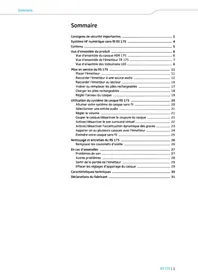
- Safety information
- Intended use
- Improper use
- BW 900 base station operating elements
- BW 900 headset operating elements
- Connecting the base station to the telephone
- Setting up the headset
- Testing the setup
- Adjusting the system to your office phone
- Pairing the headset to a mobile phone
- Charging the battery
- Switching between headset and office phone handset
- Making/accepting a call with your office phone
- Making/accepting a call with your mobile phone
- Switching on/off
Marque : SENNHEISER
Modèle : BW 900
Catégorie : Casque sans fil