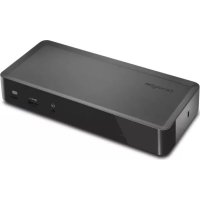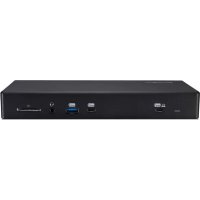
SD4850P - Autres accessoires informatique KENSINGTON - Notice d'utilisation et mode d'emploi gratuit
Retrouvez gratuitement la notice de l'appareil SD4850P KENSINGTON au format PDF.

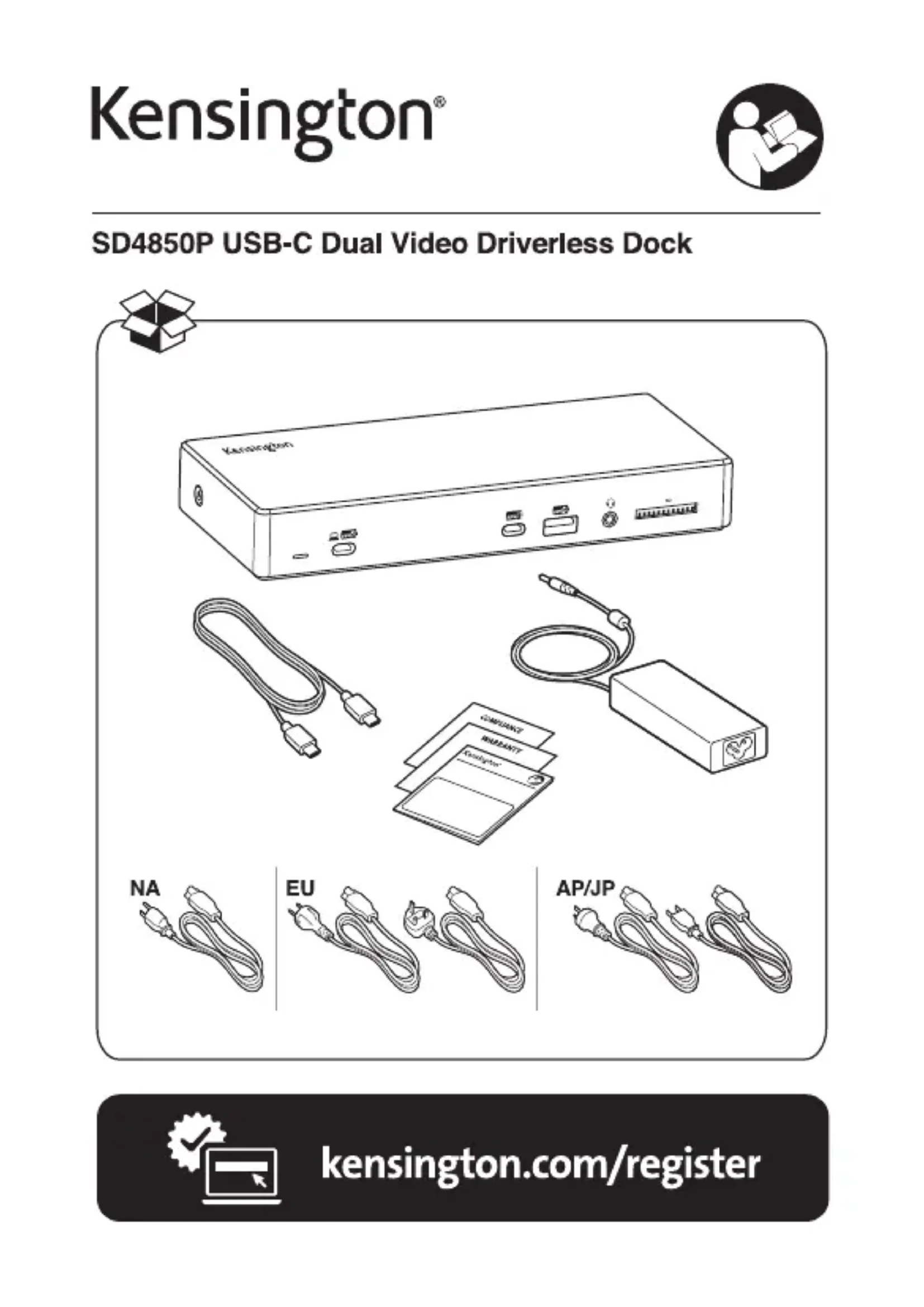
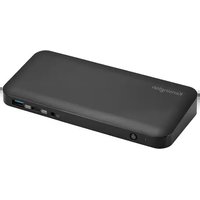
| Type de produit | Station d'accueil USB-C double écran |
| Marque | Kensington |
| Modèle | SD4850P |
| Connectivité | 1x USB-C amont (avec Power Delivery 100W), 1x DP++, 1x HDMI, 1x Ethernet Gigabit, 2x USB-A 3.1 Gen1, 2x USB-A 3.1 Gen2, 1x USB-C aval (données) |
| Résolution maximale | 4K (3840×2160) à 60 Hz via DP++ ou HDMI (selon capacité hôte) |
| Alimentation | Entrée DC 20V, sortie jusqu'à 100W USB-C PD pour ordinateur portable |
| Poids | 0,6 kg (1,32 lb) |
| Dimensions (L x l x h) | 20 x 10 x 3 cm (estimation) |
| Fonctions principales | Extension double écran (DP++ et HDMI), hub USB, Ethernet Gigabit, charge Power Delivery 100W |
| Compatibilité système | Windows, macOS, Chrome OS (sans pilote supplémentaire) |
| Débits Ethernet | 10/100/1000 Mbps |
| Ports USB amont | USB 3.1 Gen2 (10 Gbps) et Gen1 (5 Gbps) |
| Accessoires inclus | Câble USB-C, adaptateur secteur (non visible, supposé inclus) |
| Sécurité | Compatible verrous Kensington NanoSaver et MicroSaver (vendus séparément) |
| Entretien et nettoyage | Nettoyer avec un chiffon doux et sec, éviter les liquides |
| Pièces détachées et réparabilité | Aucune pièce réparable par l'utilisateur ; contacter le service après-vente |
| Informations générales | Certifications FCC, CE, RoHS ; garantie limitée (non spécifiée) |
FOIRE AUX QUESTIONS - SD4850P KENSINGTON
Questions des utilisateurs sur SD4850P KENSINGTON
0 question sur cet appareil. Repondez a celles que vous connaissez ou posez la votre.
Poser une nouvelle question sur cet appareil
Téléchargez la notice de votre Autres accessoires informatique au format PDF gratuitement ! Retrouvez votre notice SD4850P - KENSINGTON et reprennez votre appareil électronique en main. Sur cette page sont publiés tous les documents nécessaires à l'utilisation de votre appareil SD4850P de la marque KENSINGTON.
MODE D'EMPLOI SD4850P KENSINGTON
SD4850P USB-C Dual Video Driverless Dock
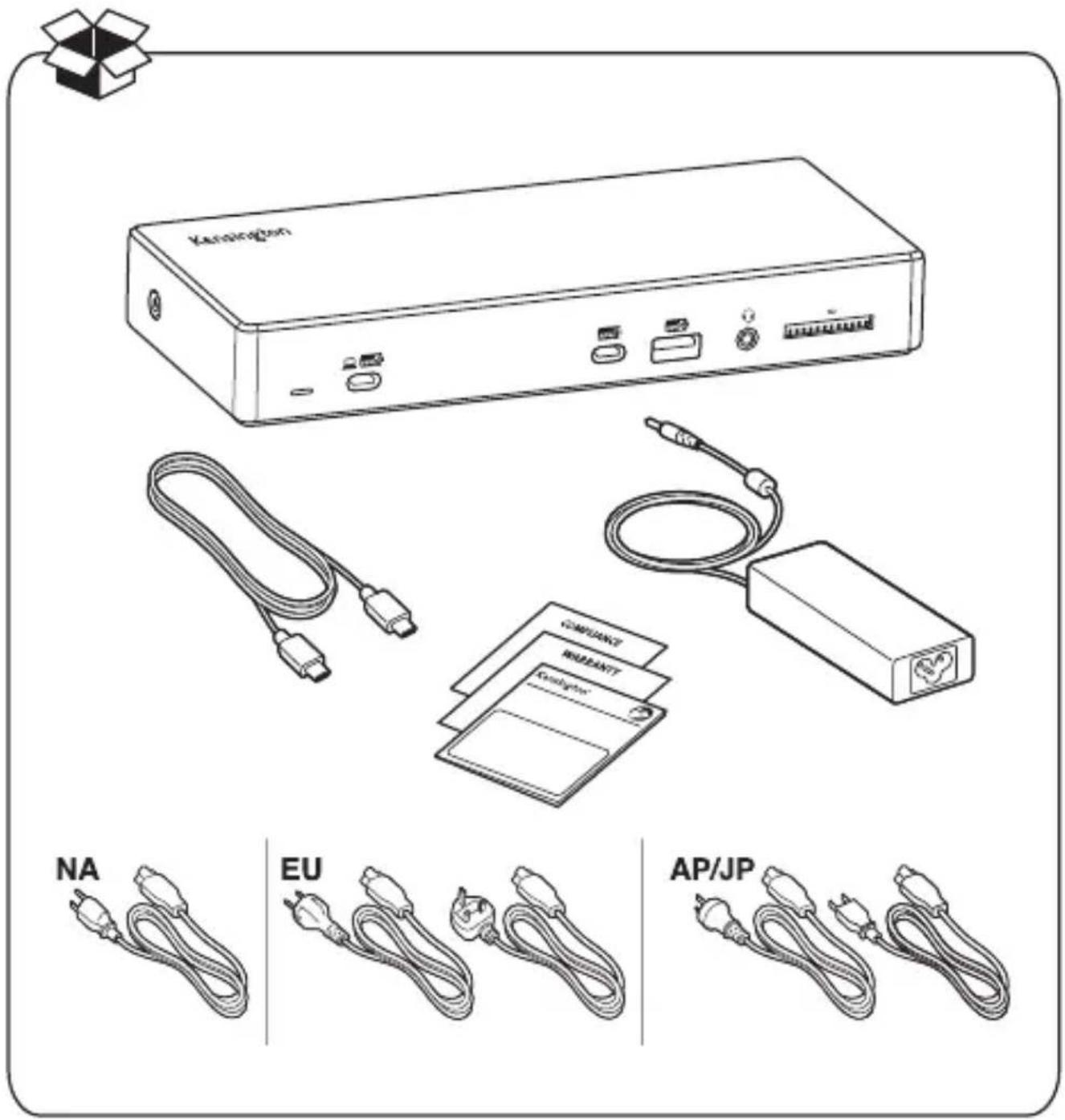
text_image
Kernington COMPACT NEMBANTT Compactor NA EU AP/JP
natural_image
Icon of a laptop with a checkmark and gear symbol (no text or symbols)kensington.com/register
1
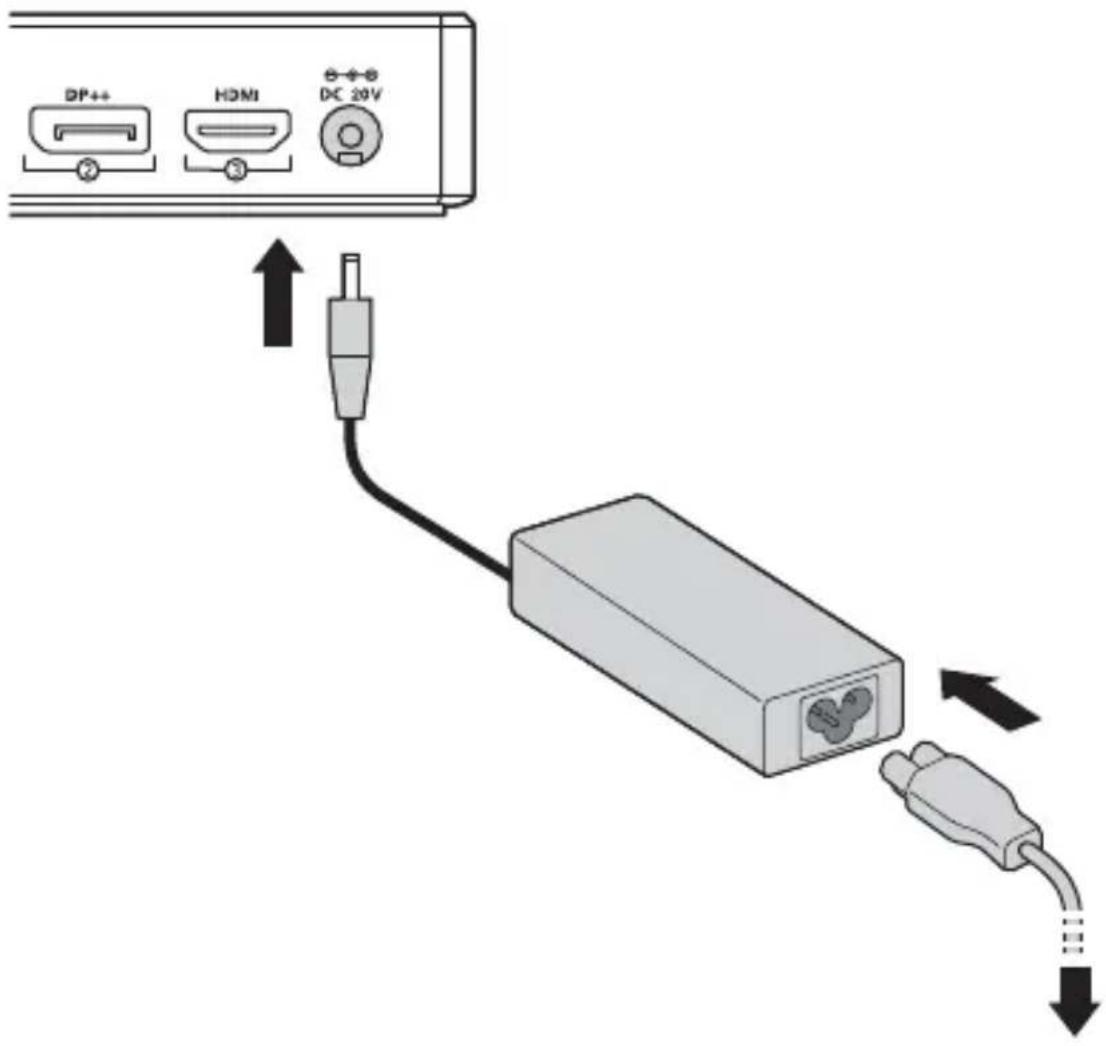
text_image
DP++ HDMI DC 20V| US |  | UK |
| AU | 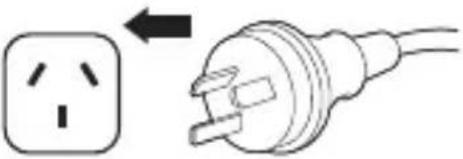 | 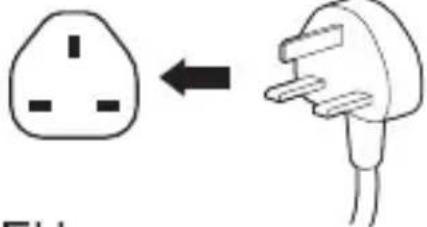 EU EU |
| JP | 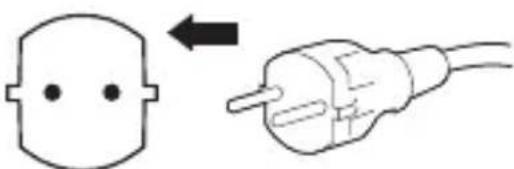 |
2
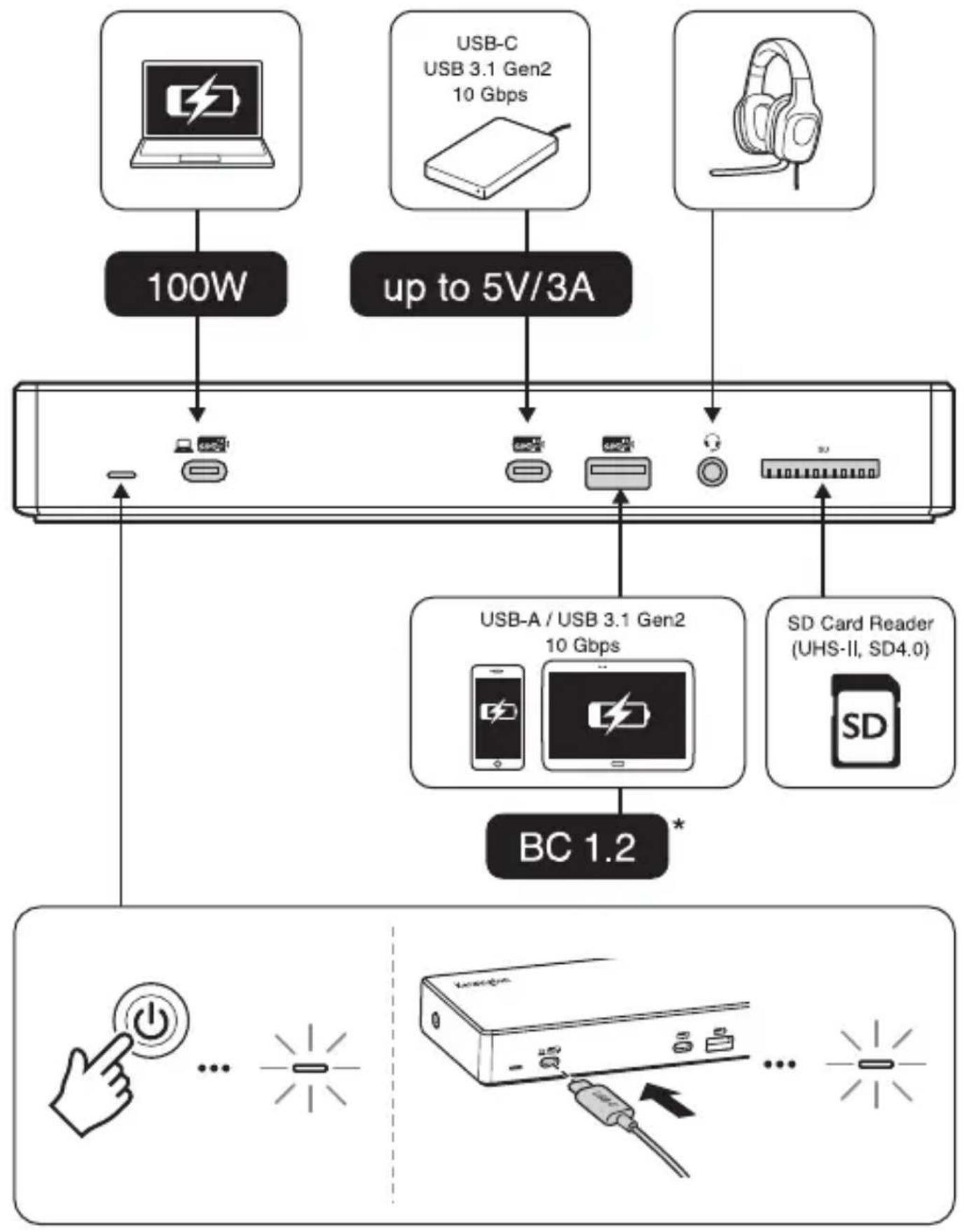
flowchart
graph TD
    A["Device 1"] -->|100W| B["Server"]
    C["Device 2"] -->|up to 5V/3A| D["Server"]
    E["Device 3"] -->|up to 5V/3A| D
    F["Device 4"] -->|up to 5V/3A| D
    G["Device 5"] -->|up to 5V/3A| D
    H["Device 6"] -->|up to 5V/3A| D
    I["Device 7"] -->|up to 5V/3A| D
    J["Device 8"] -->|up to 5V/3A| D
    K["Device 9"] -->|up to 5V/3A| D
    L["Device 10"] -->|up to 5V/3A| D
    M["Device 11"] -->|up to 5V/3A| D
    N["Device 12"] -->|up to 5V/3A| D
    O["Device 13"] -->|up to 5V/3A| D
    P["Device 14"] -->|up to 5V/3A| D
    Q["Device 15"] -->|up to 5V/3A| D
    R["Device 16"] -->|up to 5V/3A| D
    S["Device 17"] -->|up to 5V/3A| D
    T["Device 18"] -->|up to 5V/3A| D
    U["Device 19"] -->|up to 5V/3A| D
    V["Device 20"] -->|up to 5V/3A| D
    W["Device 21"] -->|up to 5V/3A| D
    X["Device 22"] -->|up to 5V/3A| D
    Y["Device 23"] -->|up to 5V/3A| D
    Z["Device 24"] -->|up to 5V/3A| D
    AA["Device 25"] -->|up to 5V/3A| D
    AB["Device 26"] -->|up to 5V/3A| D
    AC["Device 27"] -->|up to 5V/3A| D
    AD["Device 28"] -->|up to 5V/3A| D
    AE["Device 29"] -->|up to 5V/3A| D
    AF["Device 30"] -->|up to 5V/3A| D
    AG["Device 31"] -->|up to 5V/3A| D
    AH["Device 32"] -->|up to 5V/3A| D
    AI["Device 33"] -->|up to 5V/3A| D
    AJ["Device 34"] -->|up to 5V/3A| D
    AK["Device 35"] -->|up to 5V/3A| D
    AL["Device 36"] -->|up to 5V/3A| D
    AM["Device 37"] -->|up to 5V/3A| D
    AN["Device 38"] -->|up to 5V/3A| D
    AO["Device 39"] -->|up to 5V/3A| D
    AP["Device 40"] -->|up to 5V/3A| D
    AQ["Device 41"] -->|up to 5V/3A| D
    AR["Device 42"] -->|up to 5V/3A| D
    AS["Device 43"] -->|up to 5V/3A| D
    AT["Device 44"] -->|up to 5V/3A| D
    AU["Device 45"] -->|up to 5V/3A| D
    AV["Device 46"] -->|up to 5V/3A| D
    AW["Device 47"] -->|up to 5V/3A| D
    AX["Device 48"] -->|up to 5V/3A| D
    AY["Device 49"] -->|up to 5V/3A| D
    AZ["Device 50"] -->|up to 5V/3A| D
    BA["Device 51"] -->|up to 5V/3A| D
    BB["Device 52"] -->|up to 5V/3A| D
    BC["DC System"] --> BD["Power Switch"]
    BC --> BE["Power Button"]
    BC --> BF["Power Pulse"]
    BC --> BG["Power Source"]
    BC --> BH["Power Link"]
    BC --> BI["Power Link"]
    BC --> BJ["Power Link"]
    BC --> BK["Power Link"]
* USB Battery Charging 1.2-compliant devices (up to 5V/ 2.4A for Apple Devices)
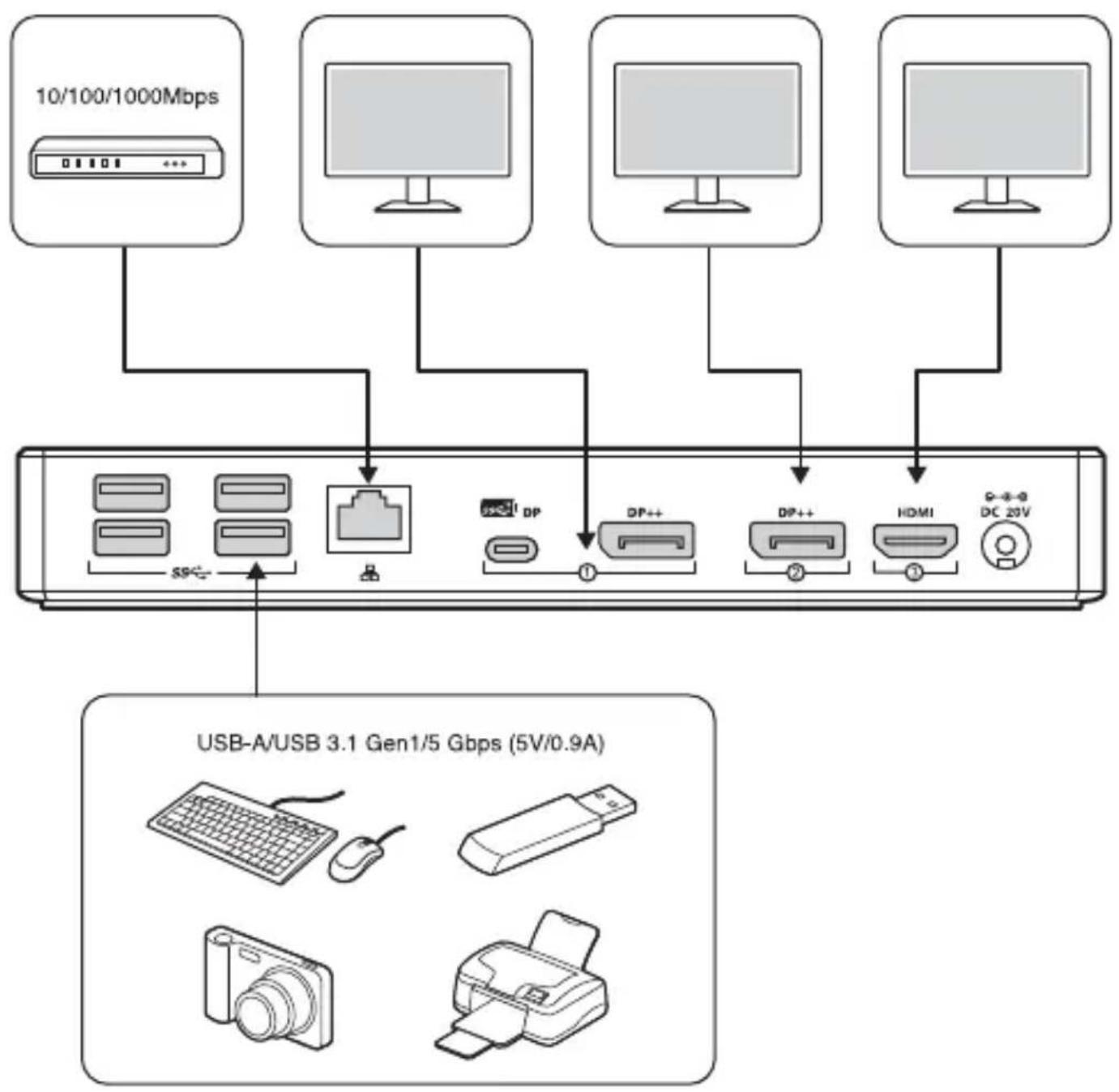
flowchart
graph TD
    A["10/100/1000Mbps"] --> B["USB-A/USB 3.1 Gen1/5 Gbps (5V/0.9A)"]
    C["Computer"] --> D["USB-A/USB 3.1 Gen1/5 Gbps (5V/0.9A)"]
    E["Computer"] --> F["USB-A/USB 3.1 Gen1/5 Gbps (5V/0.9A)"]
    G["Computer"] --> H["USB-A/USB 3.1 Gen1/5 Gbps (5V/0.9A)"]
    I["DC 20V"] --> J["USB-A/USB 3.1 Gen1/5 Gbps (5V/0.9A)"]
    K["HP"] --> L["USB-A/USB 3.1 Gen1/5 Gbps (5V/0.9A)"]
    M["DP"] --> N["USB-A/USB 3.1 Gen1/5 Gbps (5V/0.9A)"]
    O["DP++"] --> P["USB-A/USB 3.1 Gen1/5 Gbps (5V/0.9A)"]
    Q["DP++"] --> R["USB-A/USB 3.1 Gen1/5 Gbps (5V/0.9A)"]
    S["HDMI"] --> T["USB-A/USB 3.1 Gen1/5 Gbps (5V/0.9A)"]
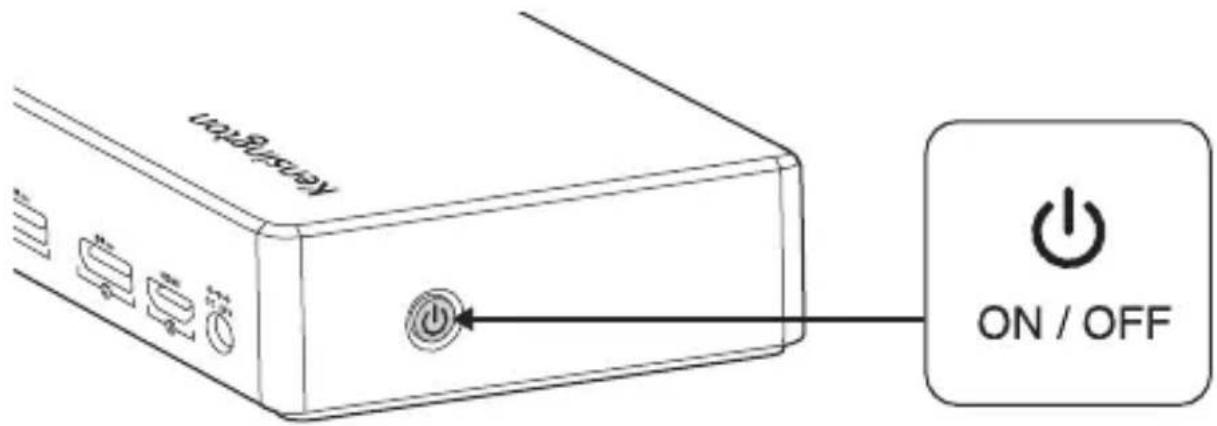
text_image
Reservoir ON / OFF3
natural_image
Illustration of a laptop with a battery icon and lightning bolt symbol (no text or labels)
natural_image
Simple line drawing of a laptop with two bidirectional arrows on screen (no text or symbols)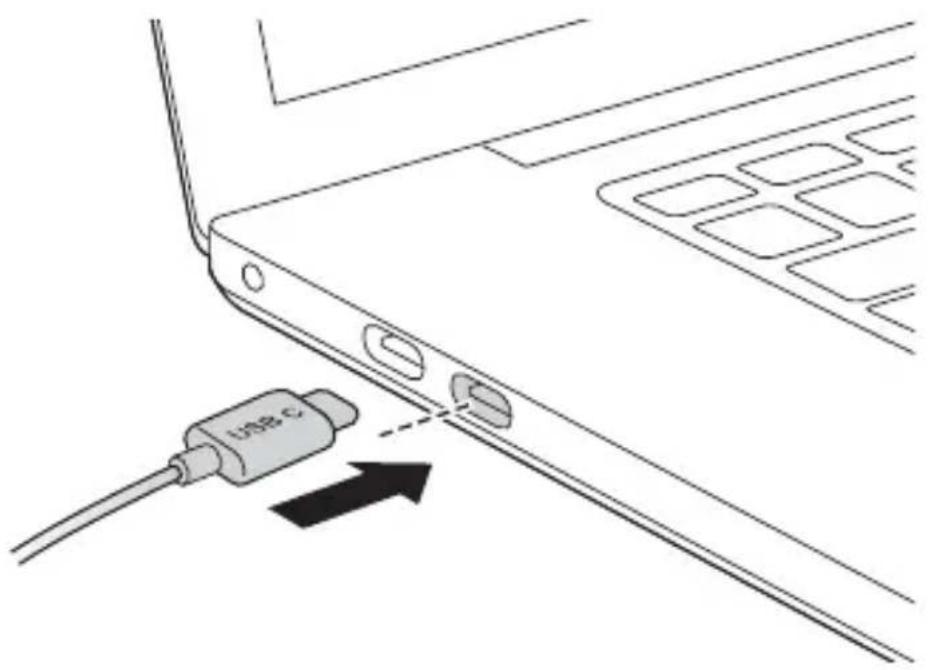
natural_image
Line drawing of a laptop edge with a USB cable and an arrow indicating connection (no text or symbols)4
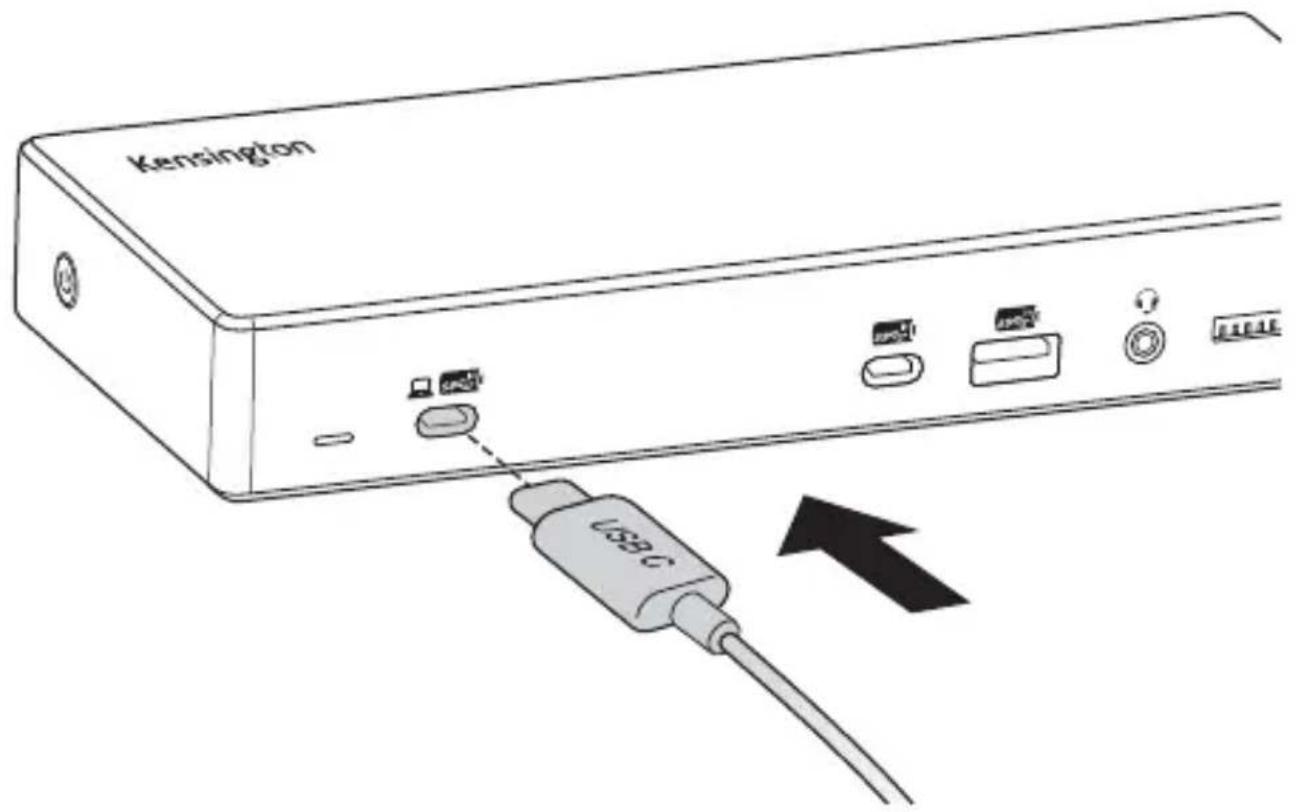
text_image
Kensington USB C| 1X | |||||
 |  |  | 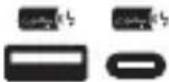 |  |  |
4K 30Hz | HBR2(DP1.2) | 3840*2160@30Hz | USB 3.1Gen2(10Gbps) | USB 3.1Gen1(5Gbps) | 1000Mbps |
| HBR3(DP1.4) | 3840*2160@60Hz | ||||
4K 60Hz | HBR2(DP1.2) | 3840*2160@60Hz | USB 2.0(480Mbps) | USB 2.0(480Mbps) | 100Mbps |
| HBR3(DP1.4) | |||||
| 2X | ||||||||
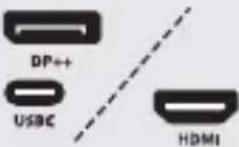
 |  |  DP++ DP++ |  HDMI HDMI |  USBC USBC | 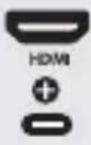 USBC USBC | 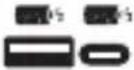 |  S9C S9C |  |
4K 30Hz | HBR2(DP1.2) | 1920*1080@60Hz | USB 3.1Gen2(10Gbps) | USB 3.1Gen1(5Gbps) | 1000Mbps | |||
| HBR3(DP1.4) | 3840*2160@60Hz | |||||||
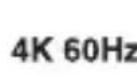  | HBR2(DP1.2) | 3840*2160@30Hz | USB 2.0(480Mbps) | USB 2.0(480Mbps) | 100Mbps | |||
| HBR3(DP1.4) | 3840*2160@60Hz | |||||||
| 3X | ||||||
 |  | 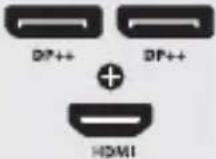 | 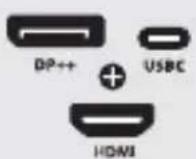 | 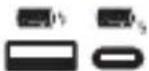 | 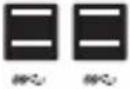 |  |
4K 30Hz | HBR2(DP1.2) | 1600*900@60Hz | USB 3.1Gen2(10Gbps) | USB 3.1Gen1(5Gbps) | 1000Mbps | |
| HBR3(DP1.4) | 3840*2160@30Hz | |||||
4K 60Hz | HBR2(DP1.2) | 1920*1080@60Hz | USB 2.0(480Mbps) | USB 2.0(480Mbps) | 100Mbps | |
| HBR3(DP1.4) | 3840*2160@60Hz | |||||
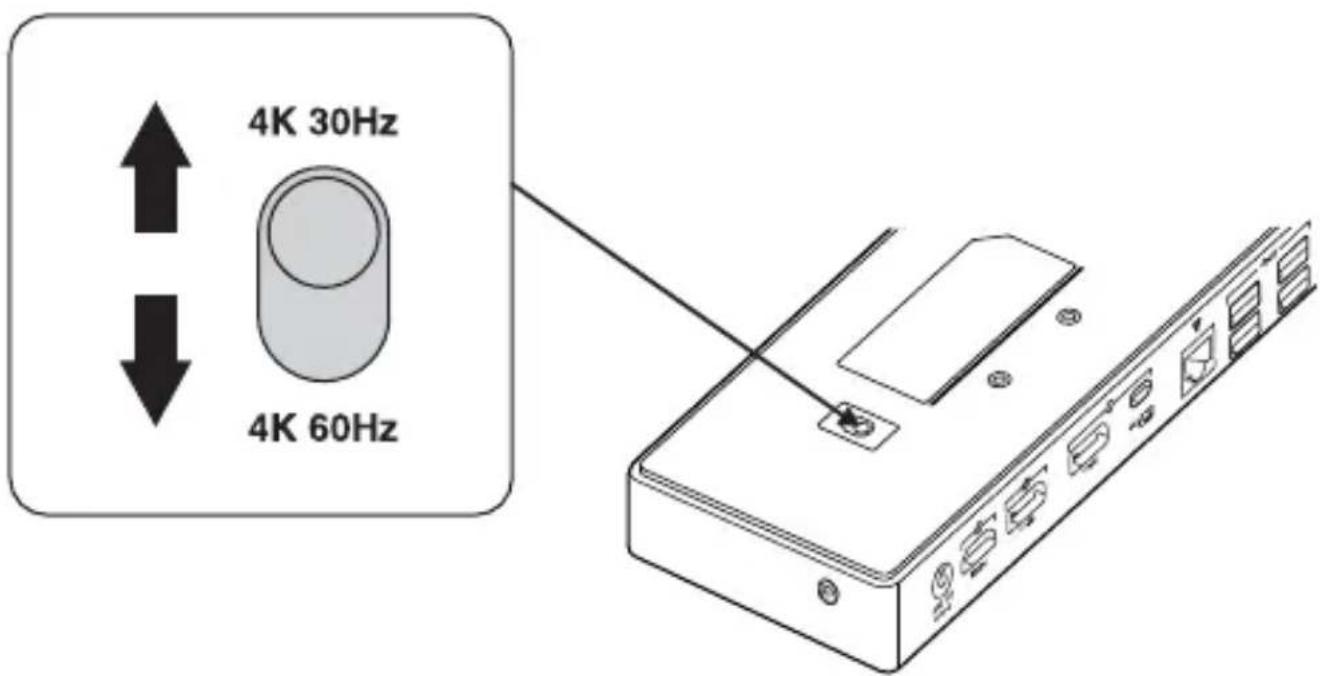
text_image
4K 30Hz 4K 60HzSold separately
1
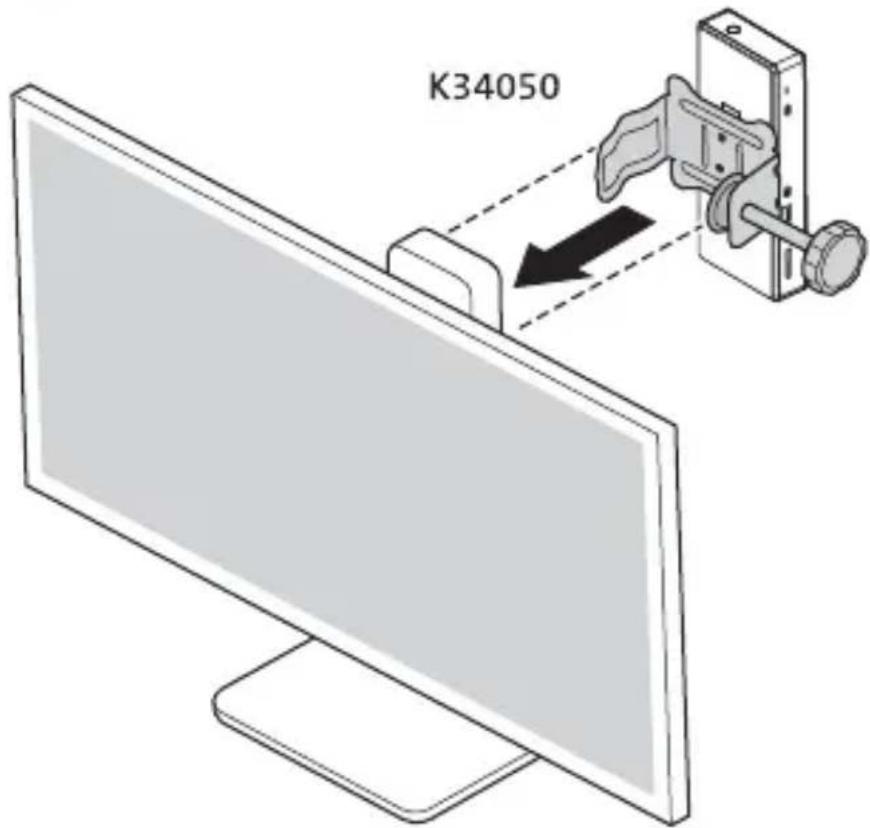
text_image
K340502
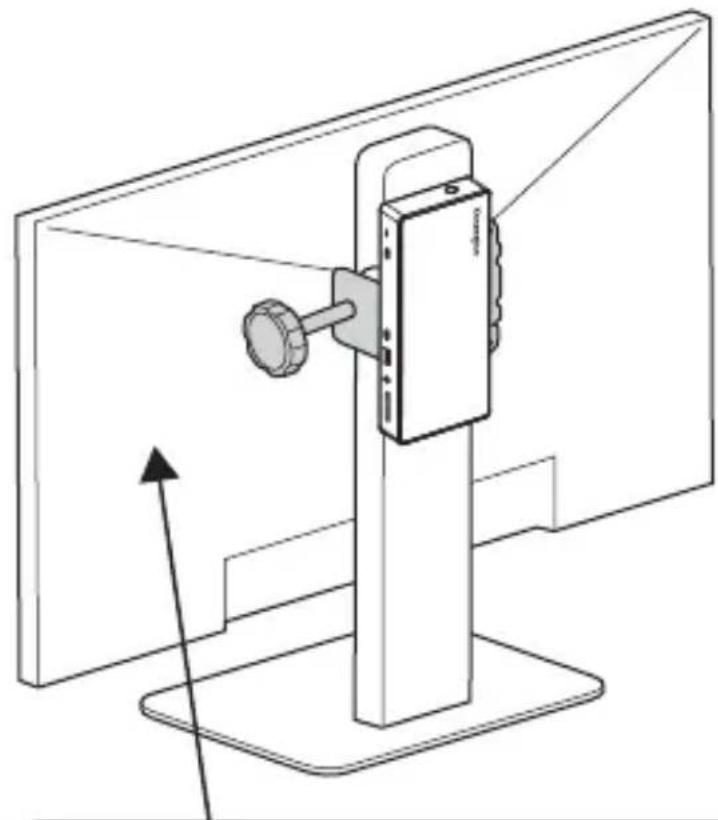
natural_image
Line drawing of a desktop monitor with a handheld device mounted on top, showing an upward arrow (no text or symbols)

$$ < = 1 3. 2 \mathrm{lbs} $$
$$ (< = 6. 0 \mathrm{kg}) $$
Sold separately
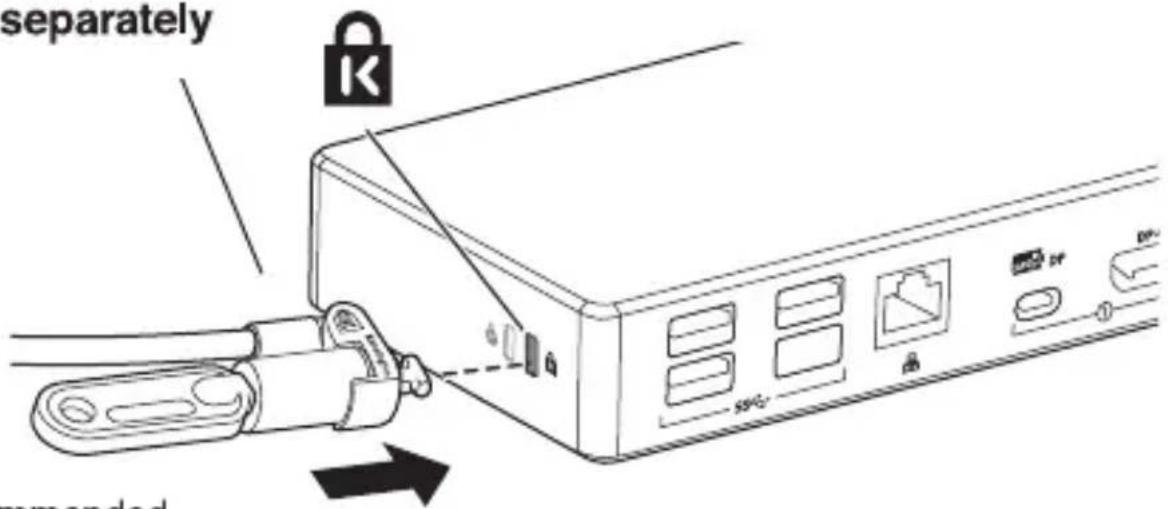
text_image
separately remandedRecommended
K65020WW MicroSaver®2.0 Keyed Lock
Sold separately

text_image
d separately K recommendedRecommended
K64444WW NanoSaver™ Keyed Laptop Lock
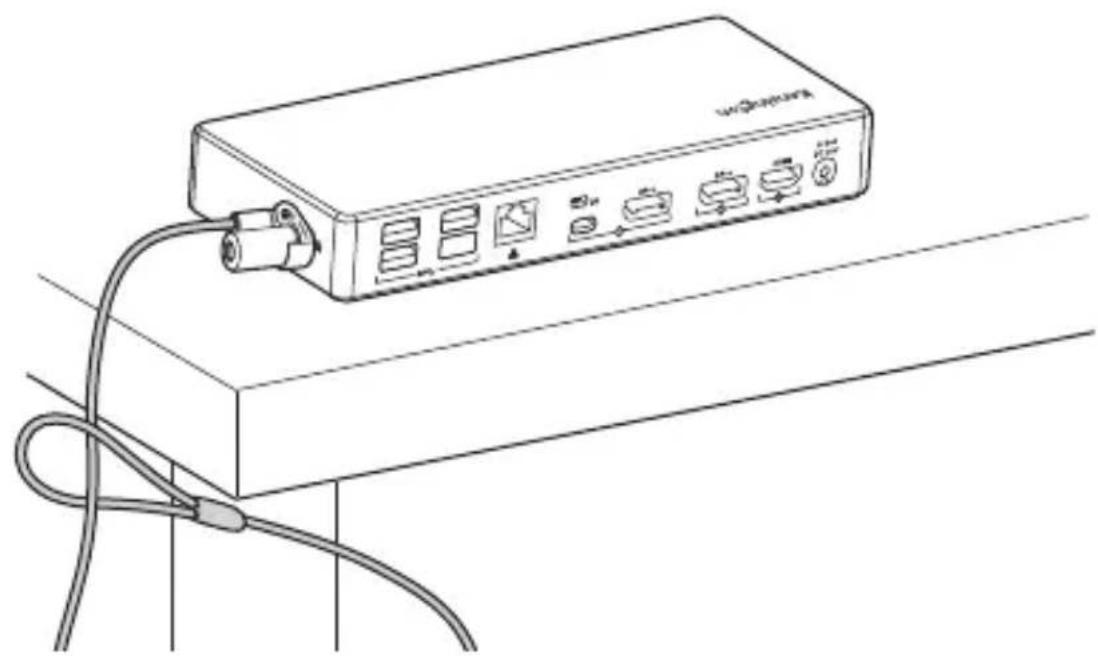
natural_image
Line drawing of a network device with ports and cables (no text or symbols)Kensington and the ACCO name and design are registered trademarks of ACCO Brands. All other registered and unregistered trademarks are the property of their respective owners. ©2020 Kensington Computer Products Group, a division of ACCO Brands. Any unauthorized copying, duplicating, or other reproduction of the contents hereof is prohibited without written consent from Kensington Computer Products Group. All rights reserved. 07/20

text_image
FCC € V€I 10 22 FAP D3D007 RoHS
Kensington Computer Products Group A Division of ACCO Brands
1500 Fashion Island Blvd, 3rd Floor San Mateo, CA 94404, USA
Importer:
LEITZ ACCO Brands GmbH & Co KG Siemensstraße 64 70469 Stuttgart Germany
ACCO Brands Chile S.A.,
Avda. Presidente Riesco # 5711, oficina 201 Las Condes, Santiago, Chile CP 7561114 www.accobrands.cl
Forgalmazza:
Esselte Kft, Váci út 76. V. torony I. emelet, 1133 Budapest, Magyarország
Импортер:
ООО «Эссельте», Россия, 125040, Москва, 3-я улица Ямского поля, д.18, тел. +7(495)933-27-63
广州市爱珂贸易有限公司
广州市天河区林和西路159号
中泰国际北塔5楼,501/701室
邮编:510620
电话:400 600 4599
网址:https://www.kensington.com/zh-CN
邮箱:infocn@kensington.com
ACCO Brands Canada Inc
7381 Bramalea Rd Mississauga, ON L5S 1C4 https://accobrandscanada.com/
Importado e Distribuído por:
Tilibra Produtos De Papelaria Ltda. CNPJ: 44.990.901/0001-43 Rua Aymorès, 6-9 – Bauru/SP – Brasil CEP 17013-900 sac@tilibra.com.br
Distribuitor:
Esselte Sales SRL, Gheorghe Titeica 121C, Sector 2, Bucureşti, Romania
дистрибьютор:
Esselte Polska Sp. z o.o., ul. Przemysłowa 11A, 26-900 Kozienice Импорттаушы: "АБДИ Компани" АК, Алматы к., Сейфуллин данг. 465/191
アコ・ブランズ・ジャパン株式会社 〒164-8721
東京都中野区本町1-32-2 ハーモニータワー14F https://www.kensington.com/ja-JP E-MAIL: JP.Kensington@acco.com
ACCO Brands Australia - Kensington
2 Coronation Avenue Kings Park NSW 2148 Australia
Dystrybuter:
Esselte Polska Sp. z o.o., ul. Przemysłowa 11A, 26-900 Kozienice
Distributor:
Esselte, s.r.o., V Lužich 818, 142 00 Praha 4, Česká republika
Дистрибютор:
Ессельте Польска Сп. з о.о., вулиця Пшемислова, 11А, 26-900 Козеніц