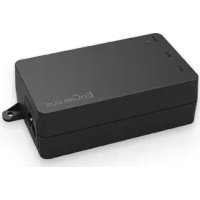
EPA5006GAT - Carte réseau / adaptateur ENGENIUS - Notice d'utilisation et mode d'emploi gratuit
Retrouvez gratuitement la notice de l'appareil EPA5006GAT ENGENIUS au format PDF.

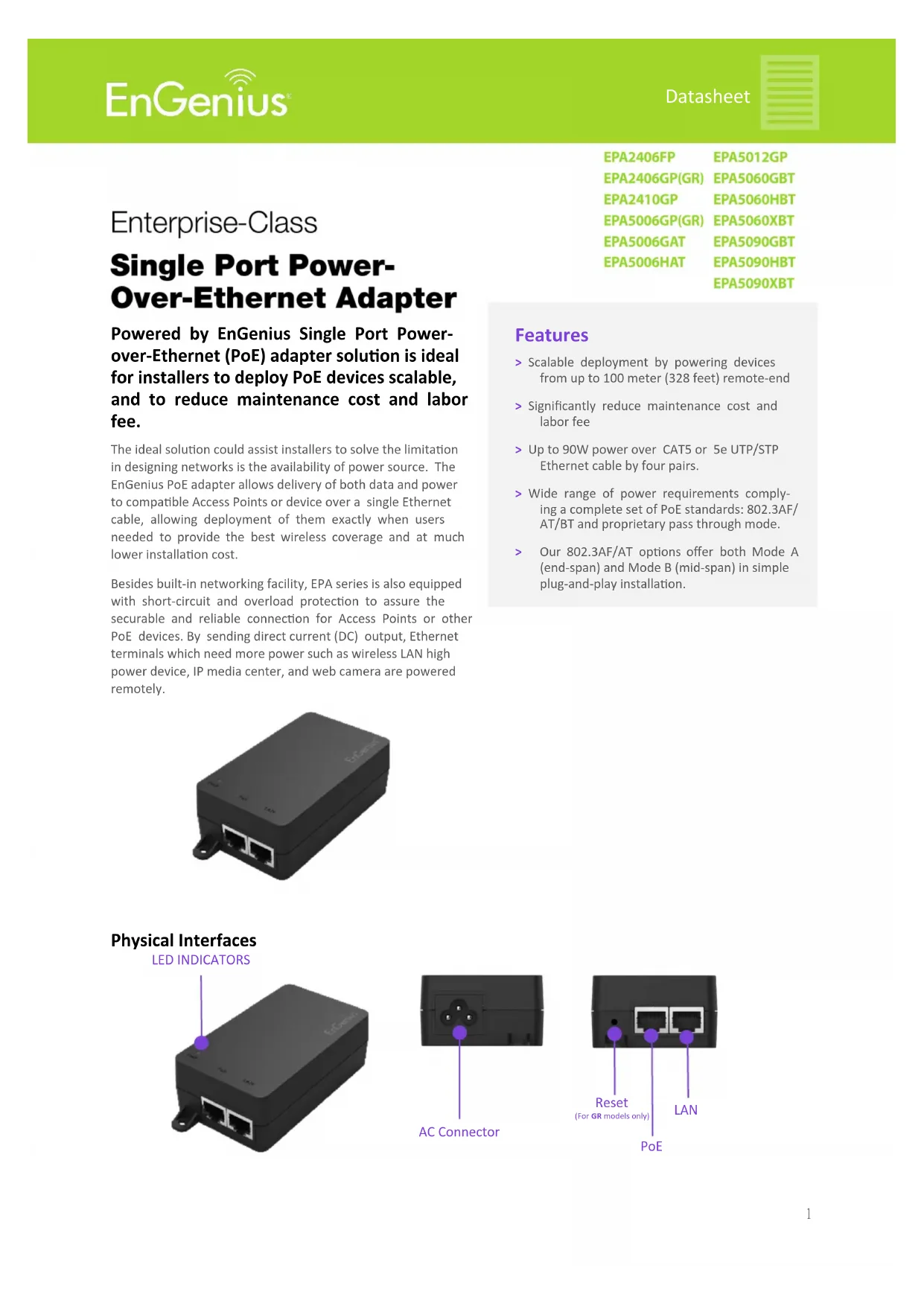
| Type de produit | Adaptateur Power-over-Ethernet (PoE) simple port |
| Marque | EnGenius |
| Modèle | EPA5006GAT |
| Dimensions (L x l x h) | 100 x 58,4 x 33,4 mm |
| Poids (adaptateur seul) | 154 g |
| Alimentation | Entrée 100-240 V CA, 50-60 Hz, 0,8 A |
| Puissance de sortie max. | 30 W |
| Normes PoE supportées | IEEE 802.3af / 802.3at |
| Ports Ethernet | 1 x RJ45 10/100/1000/2500 Mbit/s (entrée données) ; 1 x RJ45 10/100/1000/2500 Mbit/s (données + alimentation) |
| Protection | Surtension L-L 2 kV, L-G 4 kV ; ESD contact 4 kV / air 8 kV ; protection contre les courts-circuits, surtensions et surintensités |
| Indicateur LED | Vert (alimentation) |
| Température de fonctionnement | 0 à 40 °C |
| Température de stockage | -20 à 70 °C |
| Certifications | CB, UL, FCC, CE, RCM |
| Garantie | 1 an |
| Distance max. de l’équipement alimenté | Jusqu'à 100 mètres (328 pieds) |
| Entretien et nettoyage | Débrancher l’adaptateur avant nettoyage ; utiliser un chiffon sec ; ne pas exposer à l’humidité ou à des liquides. |
| Sécurité | Ne pas ouvrir l’appareil ; ne pas utiliser en extérieur sans protection adaptée ; respecter les tensions d’alimentation indiquées. |
| Pièces détachées et réparabilité | Aucune pièce détachée disponible ; l’appareil n’est pas réparable par l’utilisateur. Contacter le support en cas de défaut. |
| Informations générales | Fabriqué à Taïwan ; distribué par EnGenius (USA, Canada, Singapour, Europe, UAE). |
FOIRE AUX QUESTIONS - EPA5006GAT ENGENIUS
Questions des utilisateurs sur EPA5006GAT ENGENIUS
0 question sur cet appareil. Repondez a celles que vous connaissez ou posez la votre.
Poser une nouvelle question sur cet appareil
Téléchargez la notice de votre Carte réseau / adaptateur au format PDF gratuitement ! Retrouvez votre notice EPA5006GAT - ENGENIUS et reprennez votre appareil électronique en main. Sur cette page sont publiés tous les documents nécessaires à l'utilisation de votre appareil EPA5006GAT de la marque ENGENIUS.
MODE D'EMPLOI EPA5006GAT ENGENIUS
EPA2406FP EPA5012GP
EPA2406GP(GR) EPA5060GBT
EPA2410GP EPA5060HBT
EPA5006GP(GR) EPA5060XBT
EPA5006GAT EPA5090GBT
EPA5006HAT EPA5090HBT
EPA5090XBT
Enterprise-Class
Single Port Power-Over-Ethernet Adapter
Powered by EnGenius Single Port Powerover-Ethernet (PoE) adapter solution is ideal for installers to deploy PoE devices scalable, and to reduce maintenance cost and labor fee.
The ideal solution could assist installers to solve the limitation in designing networks is the availability of power source. The EnGenius PoE adapter allows delivery of both data and power to compatible Access Points or device over a single Ethernet cable, allowing deployment of them exactly when users needed to provide the best wireless coverage and at much lower installation cost.
Besides built-in networking facility, EPA series is also equipped with short-circuit and overload protection to assure the scurable and reliable connection for Access Points or other PoE devices. By sending direct current (DC) output, Ethernet terminals which need more power such as wireless LAN high power device, IP media center, and web camera are powered remotely.
Features
Scalable deployment by powering devices from up to 100 meter (328 feet) remote-end
Significantly reduce maintenance cost and labor fee
Up to 90W power over CAT5 or 5e UTP/STP Ethernet cable by four pairs.
Wide range of power requirements complying a complete set of PoE standards: 802.3AF/ AT/BT and proprietary pass through mode.
Our 802.3AF/AT options offer both Mode A (end-span) and Mode B (mid-span) in simple plug-and-play installation.
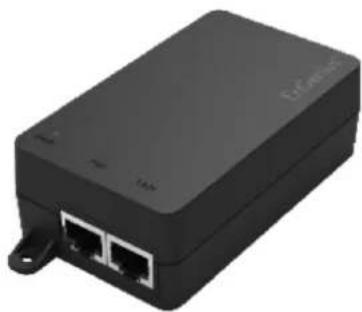
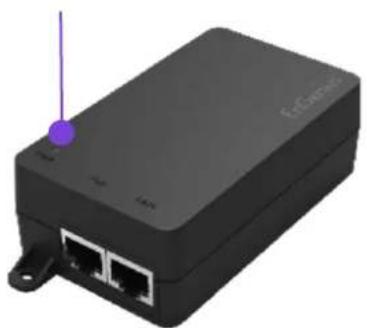
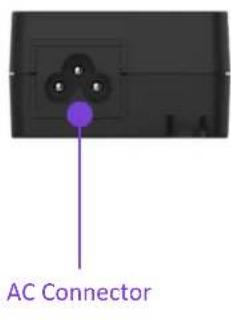
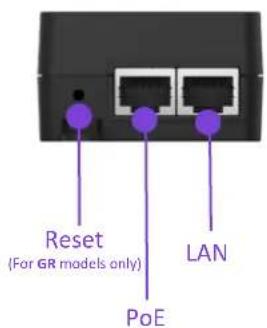
Physical Interfaces
LED INDICATORS
Technical Specifications Single Port Power-over-Ethernet (PoE) Adapter
| Model | EPA2406FP | EPA2406GP | EPA2406GR | EPA2410GP |
| Power Specification | ||||
| Input Voltage 100V~240V AC | ||||
| Input Current | 0.4A @ 120V AC | 0.4A @ 120V AC | 0.4A @ 120V AC | 0.7A @ 120V AC |
| 0.24A @ 240V AC | 0.24A @ 240V AC | 0.24A @ 240V AC | 0.35A @ 240V AC | |
| AC Input Frequency 50-60Hz | ||||
| Max. Output Power | 14.4W | 14.4W | 14.4W | 24W |
| Power Line | Pin4(Vdc+) & Pin5(Vdc+); Pin7(Vdc-) & Pin8(Vdc-) | |||
| Data Specifications | ||||
| Ethernet Ports Std. | 10/100 Mbit/s | 10/100/1000 Mbit/s | ||
| Data Lines | Pin1(Rx+) & Pin2(Rx-); Pin3(Tx+) & Pin6(Tx-) | |||
| Protection Level | ||||
| Surge Protection | L-L: 1KV; L-G: 2KV | L-L: 2KV; L-G: 4KV | ||
| ESD | Contact 4KV; Air: 8KV | |||
| Other Protection | Over-voltage and over-current protection; Short-circuit protection | |||
| Physical Interfaces & Indicators | ||||
| Ethernet Ports | 10/100 Mbit/s | 1 x 10/100/1000 Data input; 1 x 10/100/1000 Data & power output | ||
| AC Connector | 1 x IEC 320 C6 AC connector (US, EU, UK, AU) | |||
| LED Indicator | Power on : Green | |||
| Mechanical & Environment | ||||
| Dimension | 100mm x 58.4 mm x 33.4 mm (3.9" x 2.27" x 1.3") | |||
| Weight (Adapter Only) | 112g (3.95oz) | 112g (3.95oz) | 112g (3.95oz) | 144g (5.08 oz) |
| Temperatures | Storage : -20 ~ 70°C (-4 ~ 158 °F), Operation : 0 ~ 40°C (32 ~ 104 °F) | |||
| Compliance Regulatory | ||||
| CB | IEC 62328-1: 2014 | |||
| UL | UL 60950-1 2" | |||
| FCC | FCC Subpart15 B | |||
| CE | EN 55032:2012/AC:2013, EN 55024: 2010 | |||
| RCM | AS/NZS60950.1: 2011/Amdt 1: 2012 | |||
| Warranty | ||||
| 1 year hardware warranty | ||||
Technical Specifications Single Port Power-over-Ethernet (PoE) Adapter
| Model | EPA5006GP | EPA5006GR | EPA5006GAT | EPA5006HAT |
| Power Specification | ||||
| Input Voltage 100V~240V AC | ||||
| Input Current | 0.8A @ 120V AC | 0.8A @ 120V AC | 0.8A @ 120V AC | 0.8A @ 120V AC |
| 0.4A @ 240V AC | 0.4A @ 240V AC | 0.4A @ 240V AC | 0.4A @ 240V AC | |
| AC Input Frequency 50-60Hz | ||||
| Max. Output Power 32.8W 30W | ||||
| Power Line | Pin4(Vdc+)&Pin5(Vdc+); Pin7(Vdc-)&Pin8(Vdc-) | |||
| Data Specifications | ||||
| Ethernet Ports Std. | Proprietary | IEEE 802.3 AF/AT | ||
| Data Lines | Pin1(Rx+) & Pin2(Rx-); Pin3(Tx+) & Pin6(Tx-) | |||
| Protection Level | ||||
| Surge Protection | L-L: 2KV; L-G: 4KV | |||
| ESD Contact 4KV; Air: 8KV | ||||
| Other Protection | Over-voltage and over-current protection; Short-circuit protection | |||
| Physical Interfaces & Indicators | ||||
| Ethernet Ports | 1 x 10/100/1G Data input; 1 x 10/100/1G Data & power output | 1 x 10/100/1G Data input; 1 x 10/100/1G Data & power output | 1 x 10/100/1G/2.5G Data input; 1 x 10/100/1G/2.5G Data & power output | |
| AC Connector | 1 x IEC 320 C6 AC connector (US, EU, UK, AU) | |||
| LED Indicator | Power on : Green | |||
| Mechanical & Environment | ||||
| Dimension | 100mm x 58.4 mm x 33.4 mm (3.9" x 2.27" x 1.3") | |||
| Weight (Adapter Only) | 144g (5.08 oz) | 144g (5.08 oz) | 154g (5.44 oz) | 154g (5.44 oz) |
| Temperatures | Storage : -20 ~ 70°C (-4 ~ 158°F), Operation : 0 ~ 40°C (32 ~ 104°F) | |||
| Compliance Regulatory | ||||
| CB | IEC 62328-1: 2014 | |||
| UL | UL 60950-1 2- | |||
| FCC | FCC Subpart15 B | |||
| CE | EN 55032:2012/AC:2013, EN 55024: 2010 | |||
| RCM | AS/NZS60950.1: 2011/Amdt 1: 2012 | |||
| Warranty | ||||
| 1 year hardware warranty | ||||
Technical Specifications Single Port Power-over-Ethernet (PoE) Adapter
| Model | EPA5012GP | EPA5060GBT | EPA5060HBT | EPA5060XBT |
| Power Specification | ||||
| Input Voltage 100V~240V AC | ||||
| Input Current | 1.12A @ 120V AC | 1.12A @ 120V AC | ||
| 0.75A @ 240V AC | 0.75A @ 240V AC | |||
| AC Input Frequency 50-60Hz | ||||
| Max. Output Power 60W | 60W | |||
| Power Line | Pin4(Vdc+)&Pin5(Vdc+); Pin7(Vdc-)&Pin8(Vdc-) | |||
| Data Specifications | ||||
| Ethernet Ports Std. | Proprietary | IEEE 802.3 AF/AT/BT | ||
| Data Lines | Pin1(Rx+)&Pin2(Rx-); Pin3(Tx+)&Pin6(Tx-) | |||
| Protection Level | ||||
| Surge Protection | L-L: 2KV; L-G: 4KV | |||
| ESD Contact 4KV; Air: 8KV | ||||
| Other Protection | Over-voltage and over-current protection; Short-circuit protection | |||
| Physical Interfaces & Indicators | ||||
| Ethernet Ports | 1 x 10/100/1G Data input; 1 x 10/100/1G Data & power output | 1 x 10/100/1G Data input; 1 x 10/100/1G Data & power output | 1 x 10/100/1G/2.5G Data input; 1 x 10/100/1G/2.5G Data & power output | 1 x 10/100/1G/2.5G/10G Data input; 1 x 10/100/1G/2.5G/10G Data & power output |
| AC Connector 1 x IEC 320 C6 AC connector (US, EU, UK, AU) | ||||
| LED Indicator | Power on : Green | |||
| Mechanical & Environment | ||||
| Dimension | 100mm x 58.4 mm x 33.4 mm (3.9" x 2.27" x 1.3") | |||
| Weight (Adapter Only) | 186g(6.56oz) | 198g(6.98oz) | ||
| Temperatures | Storage : -20 ~ 70°C (-4 ~ 158 °F), Operation : 0 ~ 40°C (32 ~ 104 °F) | |||
| Compliance Regulatory | ||||
| CB | IEC 62328-1: 2014 | |||
| UL | UL 62328-1 | |||
| FCC | FCC Subpart15 B | |||
| CE | EN 55032:2012/AC:2013, EN 55024: 2010 | |||
| Warranty | ||||
| 1 year hardware warranty | ||||
Technical Specifications Single Port Power-over-Ethernet (PoE) Adapter
| Model | EPA5090GBT | EPA5090HBT | EPA5090XBT |
| Power Specification | |||
| Input Voltage 100V~240V AC | |||
| Input Current | 0.95A @ 120V AC0.5A @ 240V AC | ||
| AC Input Frequency 50-60Hz | |||
| Max. Output Power 90W | |||
| Power Line | Pin4(Vdc+)&Pin5(Vdc+); Pin7(Vdc-)&Pin8(Vdc-) | ||
| Data Specifications | |||
| Ethernet Ports Std. IEEE | 802.3 AF/AT/BT | ||
| Data Lines | Pin1(Rx+) & Pin2(Rx-); Pin3(Tx+) & Pin6(Tx-) | ||
| Protection Level | |||
| Surge Protection | L-L: 2KV; L-G: 4KV | ||
| ESD Contact 4KV; Air: 8KV | |||
| Other Protection | Over-voltage and over-current protection; Short-circuit protection | ||
| Physical Interfaces & Indicators | |||
| Ethernet Ports | 1 x 10/100/1G Data input;1 x 10/100/1G Data & power output | 1 x 10/100/1G/2.5GData input;1 x 10/100/1G/2.5GData & power output | 1 x10/100/1G/2.5G/10GData input;1 x10/100/1G/2.5G/10GData & power output |
| AC Connector 1 x IEC 320 C6 AC connector (US, EU, UK, AU) | |||
| LED Indicator Power on : Green | |||
| Mechanical & Environment | |||
| Dimension 150mm x 65 mm x 34 mm (5.9" x 2.56" x 1.34") | |||
| Weight (Adapter Only) | 354g(12.48oz) | ||
| Temperatures | Storage : -20 ~ 70°C (-4 ~ 158 °F), Operation : 0 ~ 40°C (32 ~ 104 °F) | ||
| Compliance Regulatory | |||
| CB | IEC 62328-1: 2014 | ||
| UL | UL 62328-1 | ||
| FCC | FCC Subpart15 B | ||
| CE | EN 55032:2012/AC:2013, EN 55024: 2010 | ||
| Warranty | |||
| 1 year hardware warranty | |||
Compliant Models
| Model | EPA2406FP | EPA2406GP | EPA2406GR | EPA2410GP |
| Compliant AP List | ENS202(EXT)(v2) | ENS500-AC | ENS500-AC | ENS620EXT |
| ENS202(EXT) | ENS500EXT-AC | EnStation5-AC | ||
| ENS500(EXT) | ENS610EXT | ENS610EXT | ENH200(EXT) | |
| ENH200(EXT) | ENS202(EXT) | ENS500(EXT) | ||
| ENH202(v2) | ENS202(EXT) | ENH200(EXT) | ||
| ENH500(v2) | ENH202(v2) | ENH500(v2) | ||
| EnStation5 | ENH500(v2) | EnStation5 |
| Model | EPA5006GP | EPA5006GR | EPA5006GAT | EPA5012GP | EPA5060HBT |
| Compliant AP List | EAP1250 | EAP1250 | |||
| EAP1300 | EAP1300 | ||||
| EAP1300(EXT) | EAP1300(EXT) | ||||
| EAP1750H | EAP1750H | ||||
| EAP2200 | EAP2200 | ||||
| ECB1750 | ECB1750 | ||||
| ENS1750 | ENS1750 | ||||
| EnStationAC | EnStationAC | ||||
| EWS330AP | EWS330AP | ||||
| EWS355AP | ENH1350EXT | EWS355AP | |||
| EWS357AP | ENStationAC(v2) | EWS357AP | |||
| EWS360AP | EWS850AP-FIT | EWS360AP | |||
| EWS370AP | EWS850 | EWS370AP | EWS860AP | ECW270 | |
| EWS371AP | ECW160 | EWS371AP | EWS870AP | ||
| EWS377AP | ECW260 | EWS377AP | EWS871AP | ||
| EWS385AP | ENH500-AX | EWS385AP | ENH1750EXT | ||
| EWS511AP | EnStation6 | EWS511AP | |||
| EWS550AP | ENS621EXT | EWS550AP | |||
| EWS660AP | EWS660AP | ||||
| ECW120 | ECW120 | ||||
| ECW115 | ECW115 | ||||
| ECW220(S) | ECW220(S) | ||||
| ECW230(S) | ECW230(S) | ||||
| ECW336 | ECW336 | ||||
| ECW215 | ECW215 | ||||
| EWS357-FIT | EWS357-FIT | ||||
| EWS377-FIT | EWS377-FIT | ||||
| ECW130 | ECW130 |
HQ, Taiwan
www.engenisnetworks.com
Costa Mesa, California, USA | (+1) 714 432 8668
www.engeniustech.com
Markham, Ontario, Canada | (+1) 905 940-8181
www.engeniustech.com
Singapore | (+65) 6227 1088
www.engeniustech.com.sg
Eindhoven, Netherlands | (+31) 40 8200 888
www.engeniusnetworks.eu
Dubai, UAE | (+971) 4357 5599
www.engenis-me.com

Features and specifications subject to change without notice. Trademarks and registered trademarks are the property of their respective owners. These limits are designed to provide reasonable protection against harmful interference in a residential installation. This equipment generates, uses, and can radiate radio frequency energy and, if not installed and used in accordance with the instructions, may cause harmful interference to radio communications. Operation of this equipment in a residential area is likely to cause harmful interference in which case the user will be required to correct the interference at his/her own expense. Prior to installing any surveillance equipment, it is your responsibility to ensure the installation is in compliance with local, state and federal video and audio surveillance and privacy laws.
Version 6.1-2022/10/25

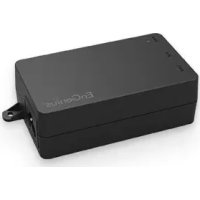
Marque : ENGENIUS
Modèle : EPA5006GAT
Catégorie : Carte réseau / adaptateur