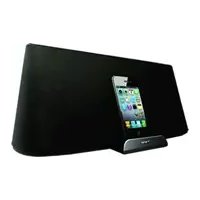
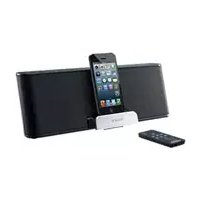
SONY RDPM7iPN - Station d'acceuil

RDPM7iPN - Station d'acceuil SONY - Notice d'utilisation et mode d'emploi gratuit

Retrouvez gratuitement la notice de l'appareil RDPM7iPN SONY au format PDF.
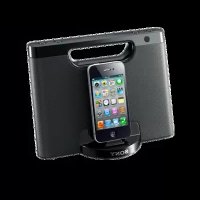
📄 2 pages Français FR Télécharger 💬 Question IA 10 questions ⚙️ Specs
Notice SONY RDPM7iPN - page 1
Choisissez votre langue et indiquez votre email : nous vous enverrons une version traduite specifiquement.
Type de produit Station d'accueil pour iPod/iPhone
Marque Sony
Modèle RDPM7iPN
Compatibilité iPod, iPhone (sauf iPad)
Alimentation Adaptateur secteur AC
Dimensions (approx.) 20 × 15 × 10 cm
Poids (approx.) 500 g
Fonctions principales Alarme (jusqu'à 10), minuterie de lecture musicale, minuterie de sommeil, chargement iPod, entrée audio auxiliaire
Application associée D-Sappi (disponible sur App Store)
Indicateur lumineux OPR/BATT (témoin de fonctionnement/batterie)
Entrée audio Prise AUDIO IN (Jack 3,5 mm)
Batterie de sauvegarde Batterie utilisateur (12C03) - durée environ 6 mois
Nettoyage Chiffon sec et doux
Sécurité Utiliser uniquement l'adaptateur fourni ; ne pas exposer à l'eau
Pièces détachées Non spécifié (contacter le SAV Sony)
Réparabilité Non spécifiée

FOIRE AUX QUESTIONS - RDPM7iPN SONY

Comment régler l'alarme sur la station d'accueil Sony RDPM7iPN ?
Vous pouvez configurer jusqu'à 10 alarmes via l'application D-Sappi sur votre iPod/iPhone. Choisissez une chanson de votre bibliothèque ou un son préréglé comme sonnerie.
Puis-je utiliser la station avec un iPad ?
Non, cette station est conçue pour iPod et iPhone uniquement. L'utilisation avec un iPad peut entraîner des dysfonctionnements.
Comment démarrer la lecture de musique avec le minuteur ?
Activez la fonction Music Play Timer via l'application D-Sappi. Vous pouvez définir l'heure de début et de fin de la lecture.
Que faire si le témoin OPR/BATT clignote ?
Le clignotement peut indiquer que le volume est au maximum ou au minimum, ou que l'appareil est en mode veille. Consultez la notice pour plus de détails.
Comment charger mon iPod avec cette station ?
Branchez l'adaptateur secteur, puis connectez votre iPod au connecteur dock. La charge commence automatiquement, visible sur l'écran de l'iPod.
Puis-je connecter une source audio externe ?
Oui, utilisez l'entrée AUDIO IN située à l'arrière de l'unité avec un câble audio adapté (non fourni).
Comment remplacer la batterie de sauvegarde ?
La batterie (modèle 12C03) dure environ 6 mois. Ouvrez le compartiment batterie et remplacez-la par une neuve de même type.
L'application D-Sappi ne cesse d'afficher des messages, que faire ?
Désactivez la fonction de liaison dans l'application pour arrêter les notifications. Pour la réactiver, répétez la procédure inverse.
Comment nettoyer la station d'accueil ?
Utilisez un chiffon doux et sec. N'utilisez pas de produits chimiques ou abrasifs.
Que faire si le son est trop faible ?
Augmentez d'abord le volume de la station via les touches VOL +/-, puis ajustez le volume de la source connectée si nécessaire.

Questions des utilisateurs sur RDPM7iPN SONY

0 question sur cet appareil. Repondez a celles que vous connaissez ou posez la votre.

Poser une nouvelle question sur cet appareil

L'email reste privé : il sert seulement à vous prévenir si quelqu'un répond à votre question.

Aucune question pour l'instant. Soyez le premier à en poser une.

Téléchargez la notice de votre Station d'acceuil au format PDF gratuitement ! Retrouvez votre notice RDPM7iPN - SONY et reprennez votre appareil électronique en main. Sur cette page sont publiés tous les documents nécessaires à l'utilisation de votre appareil RDPM7iPN de la marque SONY.

MODE D'EMPLOI RDPM7iPN SONY
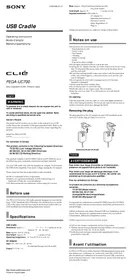
SONY RDPM7iPN - 1

SONY RDPM7iPN - 2

SONY RDPM7iPN - 3
· = 0

SONY RDPM7iPN - 4
Operations

SONY RDPM7iPN - 5

SONY RDPM7iPN - 6
Notes

  • As a third is a case or case to be in the house, he may have to go to the house with the connection, move the case over the house, and take the keys.
  • When you are going to the house, find it hard to get the keys from the house.
  • Do not put the door behind you.
  • If you are going to the house, find it hard to open it.
  • Do not let me know that you may see an accident.
  • Because I am transferring it, when you are leaving, I cannot leave it alone.

SONY RDPM7iPN - 7

SONY RDPM7iPN - 8

The VDL and PHLH datasets have tabletic data.
[17] (Onchididae)
A description of the "PDB-ATRAT" indicator highlights when the unit is turned on.
[18] (Onchididae)
The "PDB-ATRAT" indicator indicates whether or not the unit is turned on.
[19] (Onchididae)
The "PDB-ATRAT" indicator indicates whether or not the unit is turned on.
[20] (Hepa-Poaceae)
- Start plugging an HD Press packet to parent
- forward
- backward
- To the next text
- A text that has been translated to the source to locate a cloned dataset
- Backward
- (Backward)
- The "PDB-ATRAT" indicator indicates that the unit is turned on.

play this, do option returns to the
playback. This is a special feature of the
previous track, plus track.
The track in the sound for
to locate a joined track.
MIDI:
- Go back to the previous music.
- Click (0) Down.
- Start a menu item on track for playback.
- Select the actual menu item from begin
playback.

SONY RDPM7iPN - 9

When to replace the battery:
With normal user's battery (12C03) should be set off about 6 months. When the service cannot be used, the user should replace the battery for new one.

SONY RDPM7iPN - 10

Trademarks of apple Inc., registered in the U.S. are not listed on the NYSE list. Lighting is a trademark of apple Inc. The company has developed an electronic accessory that uses electronic accessory has been designed to correct specifically to iPhone or iPhone 3, which is a device that can be used to meet苹果 performance standards. This technology has been developed for devices or a compliance with safety and security regulations that use the first line of this accessory with iPhone or iPhone after use without any noise.

  • This unit is not specified for use with an iPad, and multifunction may result if used with one iPad.

Operating an iPod

Yet an iPad on the dock connector is a great way to make your home's computer more powerful. To do so, "tow" to head to a local computer shop.

When using bathtrics, press A on the axis, then press H.

The iPod begins ajarback.
Yes, we are the most important people in this.

The output of the connected cell is via this unit or the Iod itself.

Notes If a non-sec message appears on the display of

The iPod Teach or iPhone, see "About App."
If the bottom of the iPad is empty, see

In bulk, you can't be directly paid, charge it for a while before operation.

  • Sorry cannot accept responsibility in the event that data recorded on an iPad is lost or damaged

when using an iPod connected to this unit. For details of environment conditions for

operating the iPod check the website of Apple

Inc. To remove the iPod

For details, see "How to handle an IPed

To adjust the volume

Fress VOLUME +- (VOL +- on the remote).

The OPRBATT indicator flashes three times

when the sound is set to either maximum or minimum volume.

To charge an iPod (AC only)

You can use the tariff as a battery charger for an iPod when the newer is unplanned by the AC utility.

Charging begins when the iPad is connected to

the unit. The charging status appears in the display on the iPad. For details, refer to the user's

guide of the IPod.

Connecting optional

components

You can enjoy the sound from an optional equipment set, such as a portable alcohol mixer.

the position, such as a portion digital monitor, placed, through the speakers of this unit. Be sure

to turn off the power of each component before making any connections.

1 Firmly connect the line output jack of a

portable digital music player ( or othercomponent ) to the AUDIO INJack on the

back of the unit, using a suitable audio

connecting cable (not supplied).

2 Press 1 to turn on the fan. 3 Turn the connected component on.

4 Play the connected component.

The sound from the connected component is sent to the computer and stored in the database.

Notes The curvature of a surface is proportional to

About App

About App

.

About Apr.

  • The necessary type of data connection could depend on the optional component. Make sure
    to use the correct type of cable. If the volume level is low, adjust the volume of
    the unit first. If the volume is still low, adjust the volume of the connected component
  • When playing an optional component
    connected to the AUDIO IN jack, stop playback of an IPod.
  • Disconnect the audio connecting cable from the unit when it is not in use.

A dedicated Park are for (Ped trach)Phess
available at Apple App Store. Search for "Diseases" and download the free App
Source: D-Sample. Source: D-Sample.
features - 100% compatibility
- A-symptomatic period after sleep. Alarm, Music-Play Timer, and Sleep Timer.
- You can set up to 10 alarms, using songs in iPore or Pract Sound (in iPore) for the alarm.
sound.
The Music Play Timers allows you to play/pause desired music at a desired time. The Sleep
Tuner allens you to
Stop music purposes. The Music may listen asleep Timer work in combination with the
power supply of the unit. Music Play Timer, Sleep Timer and Alarm are
available only when D-Sappi is activated.
D-Suppabi also includes feature.
Notes
- If the App to link with this link is not downloaded to your iPad touch/Phone
a pop-up message prompting you to download
D:Suppose they appear repetitively.
Destactivate the Appy's link function to stop the
papayoue.
- To declare the Applicator functions of the AC adapter, and then press OK to it.
the unit. Hence your IPod teach/USB from the dock connector, XIDie has shown down.
also pre and hold
2 seconds. (The OPR/BATT indicator flashes
- To activate the App's link function, repeat the
above steps. (The OPR@ATT indicator flashes when the function is activated.)

  • The necessary type of additional coupling type depends on the optimal component. Make sure
    to use the correct type of cable. - When the cable load is low, adjust the volume of
    the unit first. If the volume is still too low,
    adjust the volume of the connected component
  • When playing an optional component connected to the AUDIO IN ack, stop playback
    of an iPod.
  • Interconnect the audio connecting cable from the unit when it is not in use.

A device called AppShop was used to monitor the amount of time spent in AppShop. The app shop for "D isense" and it showed the free key
to find out more about the functions.
features
.
You can set up to 10 alarms using songs in Pte
or Preset Sound in D-Sapph for the alarm sound.
The Music Play Timer allows you to playpiras
desired music at a time

.
feature. Notes
If the App to link with this app is not
downloaded to year iFed teach/IFheee
A pop-up message prompting you to withdraw. D: Same may appear repeatedly.
Activate the Age's link function to stop the
papayoue.
.


1

.

.


m = 311 ;

.

.

If the App to link with this unit is not

D-Suppl my appear repeatedly.
Activate the App's link function to stop the
.


the unit when it is not in use.


.

.
If the App to link with this unit is not

D-Suppl my appear repeatedly.
Activate the App's link function to stop the
.


About Apr.

  1. 促进不均

$$

$$

$$

$$

$$

$$

$$

$$

$$

$$

$$

$$

$$

$$

$$

$$

$$

$$

$$

$$

$$

$$

$$

$$

$$

$$

$$

$$

$$

$$

$$

$$

$$

$$

$$

$$

$$

$$

$$

$$

$$

$$

$$

$$

$$

$$

$$

$$

$$

$$

$$

$$

Sommaire Cliquez un titre pour y accéder
Assistant notice
Powered by Anthropic
En attente de votre message
Informations produit

Marque : SONY

Modèle : RDPM7iPN

Catégorie : Station d'acceuil