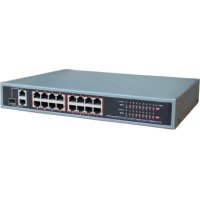
VT16P200 - Commutateur Vitek - Notice d'utilisation et mode d'emploi gratuit
Retrouvez gratuitement la notice de l'appareil VT16P200 Vitek au format PDF.

| Type de produit | Commutateur PoE (Power over Ethernet) |
| Marque | Vitek |
| Modèle | VT16P200 |
| Nombre de ports PoE | 16 ports 10/100Base-TX |
| Ports uplink | 1 port combo Gigabit SFP/RJ45 + 1 port Gigabit RJ45 |
| Standard Ethernet | IEEE 802.3, 802.3u, 802.3ab, 802.3af, 802.3at |
| Capacité de commutation | 7,2 Gbps |
| Taux de transfert | 14 880 pps (10 Mbps), 148 800 pps (100 Mbps), 1 488 000 pps (1000 Mbps) |
| Table d'adresses MAC | 4 K |
| Budget PoE total | 240 Watts |
| Alimentation | Intégrée, 100-240 VAC |
| Consommation électrique | 190 W (avec 16 ports PoE actifs) |
| Distance de transmission Ethernet | 100 mètres (328 pieds) |
| Température de fonctionnement | 0 °C à 40 °C (32 °F à 104 °F) |
| Humidité de fonctionnement | 20 % à 85 % HR |
| Dimensions (L × H × P) | 280 × 180 × 44 mm (11,02 × 7,09 × 1,73 pouces) |
| Poids | Environ 1,5 kg (estimation) |
| Garantie | 3 ans limitée |
| Contenu de l'emballage | Commutateur, adaptateur secteur, câble d'alimentation, accessoires, manuel |
| Entretien et nettoyage | Débrancher avant nettoyage ; utiliser un chiffon sec et doux ; éviter les liquides |
| Sécurité | Ne pas exposer à l'eau ou à l'humidité ; éteindre avant installation |
FOIRE AUX QUESTIONS - VT16P200 Vitek
Questions des utilisateurs sur VT16P200 Vitek
0 question sur cet appareil. Repondez a celles que vous connaissez ou posez la votre.
Poser une nouvelle question sur cet appareil
Téléchargez la notice de votre Commutateur au format PDF gratuitement ! Retrouvez votre notice VT16P200 - Vitek et reprennez votre appareil électronique en main. Sur cette page sont publiés tous les documents nécessaires à l'utilisation de votre appareil VT16P200 de la marque Vitek.
MODE D'EMPLOI VT16P200 Vitek

natural_image
Black wireless router device with four Ethernet ports (no visible text or labels)
natural_image
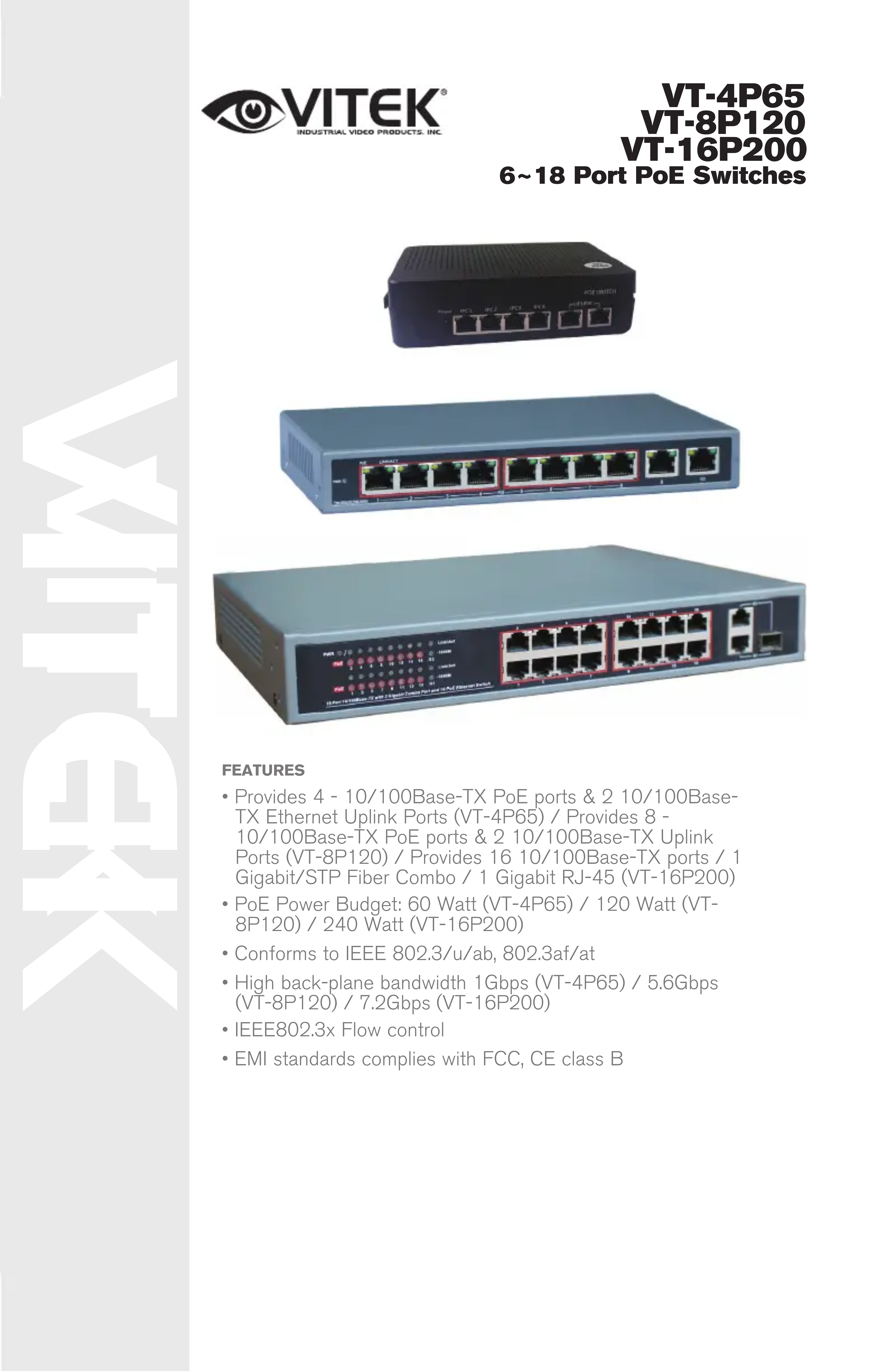
Front view of a network switch device with multiple Ethernet ports (no visible text or labels)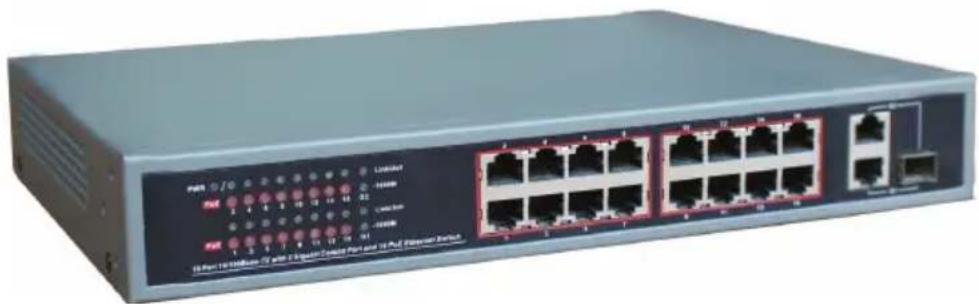
natural_image
Front view of a network switch device with multiple Ethernet ports and indicator lights (no readable text or symbols)FEATURES
- Provides 4 - 10/100Base-TX PoE ports & 2 10/100Base-TX Ethernet Uplink Ports (VT-4P65) / Provides 8 - 10/100Base-TX PoE ports & 2 10/100Base-TX Uplink Ports (VT-8P120) / Provides 16 10/100Base-TX ports / 1 Gigabit/STP Fiber Combo / 1 Gigabit RJ-45 (VT-16P200)
- PoE Power Budget: 60 Watt (VT-4P65) / 120 Watt (VT-8P120) / 240 Watt (VT-16P200)
- Conforms to IEEE 802.3/u/ab, 802.3af/at
• High back-plane bandwidth 1Gbps (VT-4P65) / 5.6Gbps (VT-8P120) / 7.2Gbps (VT-16P200) - IEEE802.3x Flow control
• EMI standards complies with FCC, CE class B
Product Layout
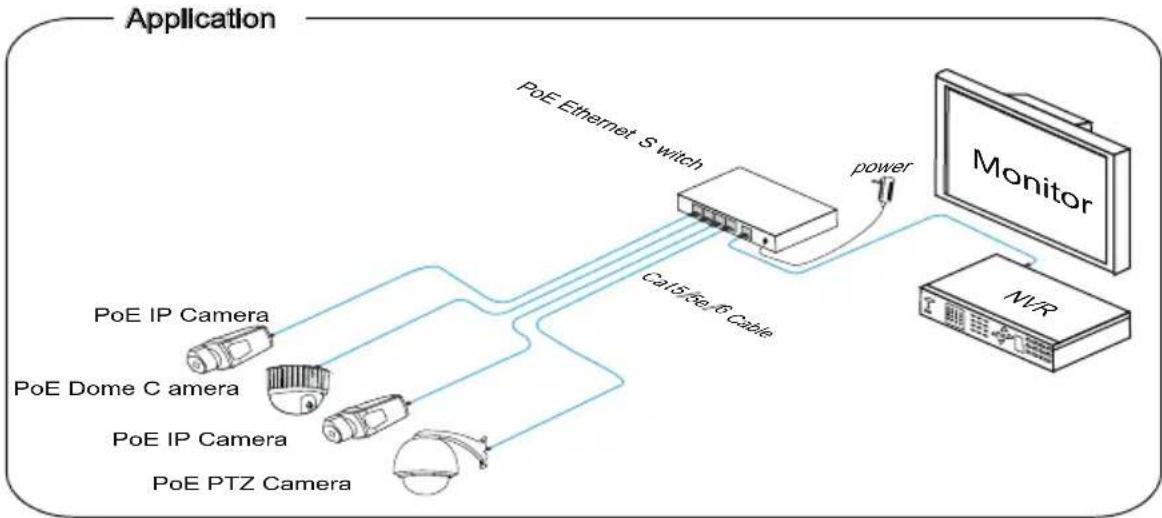
flowchart
graph TD
    A["Application"] --> B["PoE IP Camera"]
    A --> C["PoE IP Camera"]
    A --> D["PoE IP Camera"]
    A --> E["PoE IP Phone"]
    B --> F["Cable Cable"]
    C --> F
    D --> F
    E --> F
    F --> G["Cable Cable"]
    G --> H["Monitor"]
    H --> I["NVR"]
    I --> J["Power Supply"]
    J --> K["PoE Ethernet Switch"]
    K --> L["Cable Cable"]
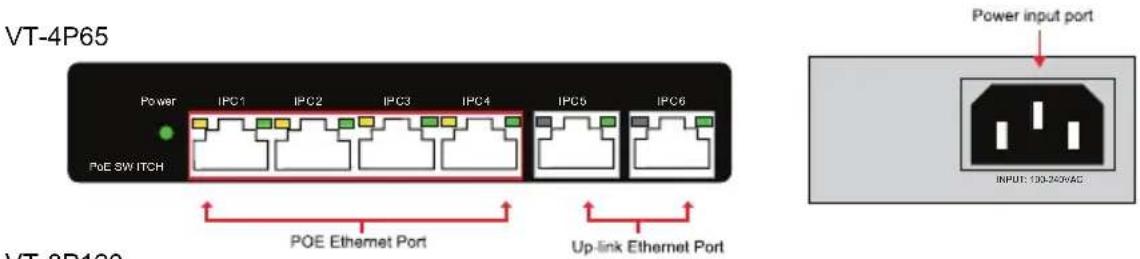

VT-16P200

Installation
Package Contents:
• PoE Ethernet Switch 1pcs
• Power adaptor 1pcs
• Ac power cable 1pcs
- Accessory 1pcs
- User manual 1pcs
Installation Steps:
1) Please turn off the PoE Switch & all ethernet devices power before installation to avoid damage,
2) Use network cable to connect IP cameras PoE ports
3) Use a network cable to connect equipment via up link port and NVR or computer
4) Connect power adapter
5) Check if the installation is correct and equipment is in good condition and the connection is stable
6) Ensure the Ethernet equipment with power is working properly.
Wiring
Tools: Wire Crimper & Network Tester. Wire Sequence of RJ45 plug should conform with EIA/TIA 568A or 568B.

EIA/TIA 568A



EIA/TIA 568B
Specifications
VT-4PG5 Specifications
| Ethernet Speed | 4x PoE Ports: 10/100Mbps / 2x Uplink Ports:10/100/Mbps |
| Ethernet Transmission Distance | 328 feet (100 Metres) |
| Ethernet Standard | IEEE802.3, IEEE 802.3u, IEEE802.3af, IEEE802. 3at |
| Switching capacity | 1G |
| Transfer Rate | 14,880 pps @ 10Mbps / 148,800 pps @ 100Mbps |
| MAC Address | 1K MAC address table |
| Power Supply | External Power Adaptor |
| Voltage Range | 52 VDC |
| Power Consumption | 6W |
| Working Temperature | 32°~104°F (0°~40°C) / 20~85% RH |
| Dimensions (W x H x D) | 6.50" x 4.06" x 1.77" (165 x 103 x 45mm) |
VT-8P120 Specifications
| Ethernet Speed | 8x PoE Ports: 10/100Mbps / 2x Uplink Ports:10/100Mbps |
| Ethernet Transmission Distance | 328 feet (100 Metres) |
| Ethernet Standard | IEEE802.3, IEEE 802.3u, IEEE802.3af, IEEE802. 3at |
| Switching capacity | 5.6G |
| Transfer Rate | 14,880 pps @ 10Mbps / 148,800 pps @ 100Mbps |
| MAC Address | 4K MAC address table |
| Power Supply | External Power Adaptor |
| Voltage Range | 52~55 VDC |
| Power Consumption | 70W (67W for PoE) |
| Working Temperature | 32°~104°F (0°~40°C) / 20~85% RH |
| Dimensions (W x H x D) | 7.48" x 3.94" x 1.10" (190 x 100 x 28mm) |
VT-16P200 Specifications
| Ethernet Speed | 16x PoE Ports: 10/100Mbps / G1 (combo) 10/100/1000Mbps & 1.25Gbps / G2 10/100/1000Mbps |
| Ethernet Transmission Distance | 328 feet (100 Metres) |
| Ethernet Standard | IEEE802.3, IEEE 802.3u, IEEE802.3af, IEEE802. 3at |
| Switching capacity | 7.2G |
| Transfer Rate | 14,880 pps @ 10Mbps / 148,800 pps @ 100Mbps / 1,488,000 pps @ 1000Mbps |
| MAC Address | 4K MAC address table |
| Power Supply | Built-In Power Supply |
| Voltage Range | 100~240 VAC |
| Power Consumption | 190W for 16 PoE |
| Working Temperature | 32°~104°F (0°~40°C) / 20~85% RH |
| Dimensions (W x H x D) | 11.02" x 7.09" x 1.73" (280 x 180 x 44mm) |
LIMITED PRODUCT WARRANTY
VITEK products carry a three (3) year limited warranty. VITEK warrants to the purchaser that products manufactured by VITEK are free of any rightful claim of infringement or the like, and when used in the manner intended, will be free of defects in materials and workmanship for a period of three (3) years, or as otherwise stated above, from the date of purchase by the end user. This warranty is nontransferable and extends only to the original buyer or end user customer of a VITEK Authorized Reseller.
The product must have been used only for its intended purpose, and not been subjected to damage by misuse, willful or accidental damage, caused by excessive voltage or lightning.
The product must not have been tampered with in any way or the guarantee will be considered null and void.
This guarantee does not affect your statutory rights.
Contact your local VITEK Reseller should servicing become necessary.
VITEK makes no warranty or guarantee whatsoever with respect to products sold or purchased through unauthorized sales channels. Warranty support is available only if product is purchased through a VITEK Authorized Reseller.
Marque : Vitek
Modèle : VT16P200
Catégorie : Commutateur