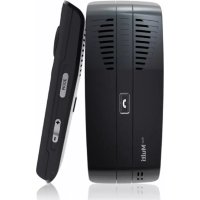
Blue Multi - Kit d'encastrement MR HANDSFREE - Notice d'utilisation et mode d'emploi gratuit
Retrouvez gratuitement la notice de l'appareil Blue Multi MR HANDSFREE au format PDF.

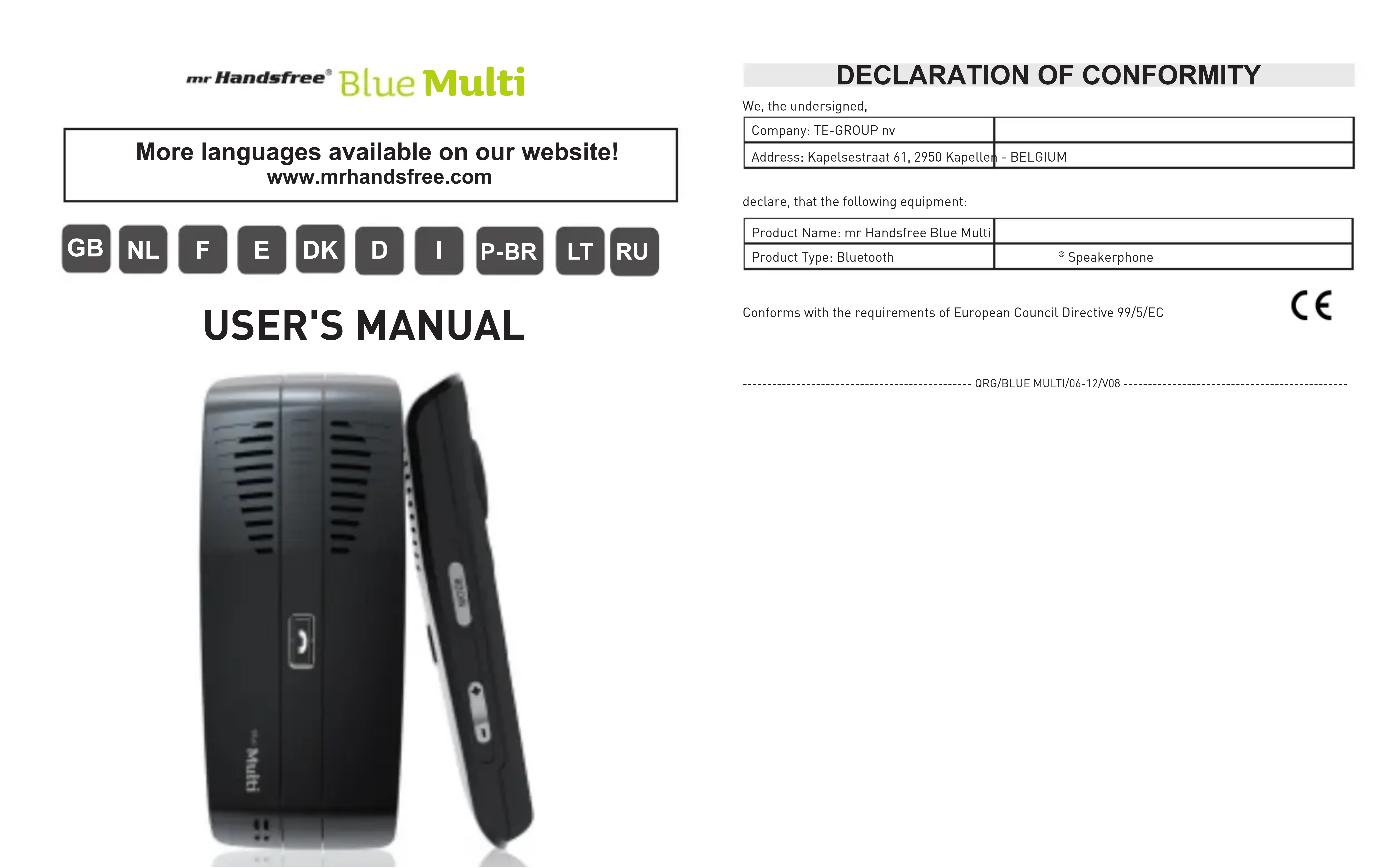
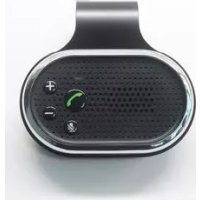
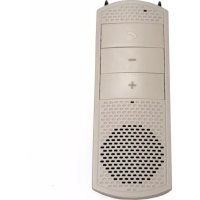
| Type de produit | Kit mains-libre Bluetooth pour voiture (kit d'encastrement) |
| Marque | MR HANDSFREE |
| Modèle | Blue Multi |
| Alimentation | Batterie rechargeable via USB ou allume-cigare |
| Autonomie | Environ 10 heures de conversation |
| Temps de charge | Environ 2 heures |
| Technologie Bluetooth | Bluetooth 2.1 |
| Portée Bluetooth | Jusqu'à 10 mètres |
| Fonctions principales | Appels en mains-libre, rejet d'appel, redial, commande vocale, mode privé, mode muet, multipoint (2 téléphones) |
| Indicateur LED | Rouge/bleu pour état et charge |
| Microphone | Intégré, portée optimale de 30 à 50 cm |
| Haut-parleur | Intégré |
| Capteur de mouvement | Allumage/extinction automatique |
| Accessoires inclus | Clip visière, chargeur allume-cigare, câble USB |
| Garantie | 2 ans |
| Entretien et nettoyage | Nettoyer avec un chiffon doux et sec |
| Sécurité | Ne pas exposer à l'humidité ou à des températures extrêmes |
| Pièces détachées et réparabilité | Clip et câble USB disponibles |
FOIRE AUX QUESTIONS - Blue Multi MR HANDSFREE
Questions des utilisateurs sur Blue Multi MR HANDSFREE
0 question sur cet appareil. Repondez a celles que vous connaissez ou posez la votre.
Poser une nouvelle question sur cet appareil
Téléchargez la notice de votre Kit d'encastrement au format PDF gratuitement ! Retrouvez votre notice Blue Multi - MR HANDSFREE et reprennez votre appareil électronique en main. Sur cette page sont publiés tous les documents nécessaires à l'utilisation de votre appareil Blue Multi de la marque MR HANDSFREE.
MODE D'EMPLOI Blue Multi MR HANDSFREE
mr Handsfree
BlueMulti
More languages available on our website! www.mrhandsfree.com

NL


USER'S MANUAL
DECLARATION OF CONFORMITY
We, the undersigned,
| Company: TE-GROUP nv | |
| Address: Kapelsestraße 61, 2950 Kapellen - BELGIUM | |
declare, that the following equipment:
| Product Name: mr Handsfree Blue Multi | |
| Product Type: Bluetooth | ® Speakerphone |
Conforms with the requirements of European Council Directive 99/5/EC
C
- QRG/BLUE MULTI/06-12/V08
ILLUSTRATIONS
Illustration I

Illustration II

Illustration III
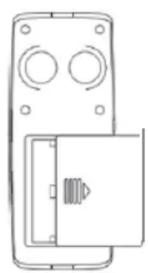
Illustration IV Illustration V


GB
WHAT YOU NEED TO KNOW!
Battery placement
Blue MULTI charging
With USE
- With cigarette lighter
Pair your mobile phone with the Blue MULTI
= establish Bluetooth connection between phone & carkit
Automatic pairing (When using the carkit for the FIRST TIME or after RESET)
Normal pairing (pairing procedure once carkit was ever connected to a phone)
→ YOUR BLUE MULTI IS NOW READY FOR USE!
Place the carkit on your sun visor using the clip.
RECONNECTION between phone and Blue MULTI
Automatic reconnection, no need to press CENTRAL button [4] (in normal situation)
- Manual reconnection, by pressing CENTRAL button [4] or using Bluetooth ® menu of your
phone
TURING ON/OFF
AUTOMATIC "ON" by motion sensor (APO = Automatic Power ON)
- Manual "ON" by pressing ON/OFF button (3) [always needed for FIRST use]
PARTS & FUNCTIONS
See illustration I
(1). BATTERY COMPARTMENT COVER
Open the battery compartment and place the battery (see illustration III).
[2]. USB CHARGING SOCKET (CHARGING THE BATTERY)
The Blue MULTI offers 2 charging options:
1. USB cable [13]
2. Cigarette Lighter [12]
Make sure that the Blue MULTI is fully charged before using the device.
[3]. ON/OFF BUTTON (PAIRING / TURNING ON/OFF / SWITCHING CALLS FROM BLUE MULTI TO MOBILE PHONE)
- Pairing:
Automatic pairing, for first use: Press the ON/OFF button (3)→ The Blue MULTI will automatically enter pairing mode and search for available Bluetooth devices [the LED indicator (5) starts flashing by blue and red colors alternately]. → Let your phone search for Bluetooth devices. → Confirm the connection with the Blue MULTI in the menu of your mobile phone and enter the PIN code 0000* to pair both devices. You will hear a beep. → The blue LED indicator (5) will start flashing again. *PIN code is usually not required for Bluetooth® 2.1 mobile phones
Normal (or manual) pairing: Make sure that the Blue MULTI is turned off. → Press and hold the ON/OFF button [3] until the LED indicator [5] starts flashing by blue and red colors alternately. → Let your phone search for Bluetooth devices. → Select the Blue MULTI in your mobile phone and enter the PIN code 0000 to pair both devices. You will hear a beep. → The blue LED indicator [5] will start flashing again. PIN code is usually not required for Bluetooth2.1 mobile phones
Attention!
-
Make sure that the Bluetooth® function of your mobile phone is turned ON and that it is in close proximity to the Blue MULTI.
If the automatic reconnection is not functioning, following reasons could be the cause: -
Blue MULTI is not set as "Authorized" in the Bluetooth® menu of your phone! Please refer to the manual of your mobile phone for more detailed information.
- While carkit was in ON-position and your phone was connected to the carkit, you switched the Bluetooth® function of the phone OFF and ON again (we advise NOT to do during connection with the carkit)
- After last use of the carkit, you created a Bluetooth connection with your phone and another Bluetooth® device, different from the Blue MULTI.
- Turning ON / OFF automatically (by motion sensor):
When using the Blue MULTI for the first time, you ALWAYS have to use the ON/OFF button (3) for powering ON the unit and start pairing procedure.
The Blue MULTI is provided with a motion sensor → The Blue MULTI turns ON and connects automatically with the last connected phone the moment you enter the car! You will also hear the connection beep tone. The Blue MULTI will also turn OFF automatically the moment you leave the car.
In the following cases we advise you to turn the Blue MULTI OFF manually (by pressing the ON/OFF button[3]):
- When driving with the Blue MULTI and no Bluetooth connection with your phone.
- When hand carrying without using (e.g. when travelling in luggage, ...).
Turning ON / OFF manually (by pressing ON/OFF button [3]):
- Turning ON: Press the ON/OFF button (3) until you hear a beep tone and the blue LED indicator (5) starts flashing.
- Turning off: Press the ON/OFF button (3) until you hear a beep tone and the red LED indicator (5) lights up briefly before turning OFF again.
NOTE: After entering the Bluetooth range of your carkit or when the carkit just turned ON by motion sensor, automatic reconnection sometimes can take more than 10 seconds.
- Switching calls from Blue MULTI to mobile phone:
During a conversation, press the ON/OFF button (3) once to continue the conversation through your
Baring a converse mobile phone
To continue the conversation through the Blue MULTI, press the ON/OFF button (3).
(4).CENTRAL BUTTON
- Incoming call: Press 1x to answer a call.
- Incoming call: Press and hold (2 sec.) to reject a call.
During a conversation: Press 1x to end a call.
Standby mode: Press 3 sec to restore the Bluetooth connection manually after it has been
broken.
- Standby mode: Press 1x to activate voice dialing.
Attention! The voice dialing function is only available if it is supported by your mobile phone!
Standby mode: Press quickly 2x to redial the last dialed number.
During a conversation: Press 2x when you hear a beep (2d call) to answer a 2d call and put the current call ON hold.
During a conversation: Press briefly 2x to switch between 2 calls.
During 2nd call: Press 1x to end 1 of the 2 active calls.
Attention! Some phones do not support this Bluetooth® function or need confirmation through the mobile phone menu!
(5).LED INDICATOR
Red indicator:
- Flashes in Standby mode: low battery capacity.
ON while charging the battery.
ON in mute mode.
Blue indicator:
- Flashes slowly in Standby mode.
- Flashes quickly when no phone connected.
Red & Blue indicators:
- Flash alternately in pairing mode.
- Flash when restoring default settings.
(6).MICROPHONE
Make sure that the microphone is directed towards your mouth. For optimum performance, the microphone should be located at a distance of 30 - 50cm from the drivers' mouth. Make sure that there are no obstacles in front of the microphone of the Blue MULTI.
[7]. SPEAKER
[8]. (+) AND (-) VOLUME BUTTONS (ADJUST VOLUME / RESTORE TO DEFAULT SETTINGS)
- Press [+ to increase the volume level.
Press [-] to decrease the volume level. - Press and hold (+) and [-] simultaneously until the blue and red LED indicator starts flashing by blue and re colors 2 times.
(9). MODE-BUTION (ACTIVATE PRIVACY & MUTE MODE)
Activate privacy mode: Press 1x briefly during a conversation.
Hold the speakerphone against your ear and use the Blue MULTI as a normal phone (see illustration
V
Deactivate privacy mode: Press 2x briefly.
Turn ON mute mode: During a conversation, press and hold for 2 sec. to temporarily turn off the microphone of the Blue MULTI. The red LED indicator (5) will light.
Turn off mute mode: Press and hold for 2 sec. The blue LED indicator [5] will light and starts
flashing
(10). MAGNETS FOR FIXATION OF THE SUN VISOR CLIP (see illustration IV)
ACCESSORIES IN THE BOX (see illustration II)
(11). Clip for sun visor fixation
(12). Car charger
(13). USB charging cable
GUARANTEE
Mr Handsfree is a registered trademark of TE-Group NV. The mr Handsfree brand stands for superior product quality and outstanding customer service. That is why mr Handsfree warrants this product against all defects in material and workmanship for a period of two (2) years from the date of original purchase of the product. The conditions of this guarantee and the extent of responsibility of mr Handsfree under this guarantee can be downloaded from our website:
www.mrhandsfree.com
MULTIPOINT BLUETOOTH
- How to do? - 2 phones, 1 carkit -
mr Handsfree Blue MULTI supports MULTIPOINT BLUETOOTH, which allows you to connect and use 2
different Bluetooth® telephones at the same time with your carkit.
When 2 phones are connected to the Blue MULTI you always have:
Primary phone (1st phone connected to the carkit) Secondary phone (2nd phone connected to the carkit)
Supported functions:
- Primary phone: Make, Answer, End & Reject calls / Redial / Voice dialing / Privacy mode / Mute mode/ Switching calls between carkit and phone
- Secondary phone: Make, Answer, End & Reject calls / Privacy mode / Mute mode / Switching calls between carrif and phone (NO Voice dial, NO redial possible for 2nd phone)
Attention!
If 1 phone is connected to the Blue MULTI and this phone receives a 2nd call, you will hear a BEEP. Press the CENTRAL button (4) 2X to answer the 2nd call and put the current call on hold.
If 2 phones are connected to the Blue MULTI (= multipoint), and one of these phones receives a 2nd call on the same phone during a conversation this call can not be operated from the carkit.
MULTIPOINT PAIRING PROCEDURE
PAIRING phone 1
Pair the 1st phone with the Blue MULTI as described in chapter 3 "Pairing". Connect the phone to the carkit.
PAIRING phone 2
Turn off the Blue MULTI after 1st phone has been paired. → Press and hold the ON/OFF button (3) for 6 seconds to enter pairing mode again to pair and connect with the 2nd phone.
Turn OFF the Blue MULTI and then turn ON again, by using the ON/OFF button (3). Blue MULTI will reconnect with both phones automatically.
At any time you can add second phone. Always turn OFF the Blue MULTI first and then start pairing procedure as described in chapter 3 "Pairing".
MULTIPOINT CONNECTION PROCEDURE
When the Blue MULTI is switched on, it will automatically search and connect with the 2 last mobile phones that had Bluetooth connection with the carkit.
-
If only 1 phone is available: only one phone will be connected to the Blue MULTI. This phone will be the primary phone.
-
One or both phones are shortly disconnected: the carkit will automatically reconnect.
Attention!
To ensure automatic reconnection between the phones and the Blue MULTI, we recommend setting the Blue MULTI as "Authorized" in the Bluetooth® menu of your phone!
Please refer to the manual of your mobile phone for more detailed information.
If for any reason one of the 2 phones, or both phones, will spontaneously lose the Bluetooth connection with the Blue MULTI, it will automatically make a reconnection. If this automatic reconnection fails, you can always restore the Bluetooth connection manually by pressing the CENTRAL button (4) for 3 seconds.
RECEIVING CALLS ON THE 2 PHONES
If during a telephone conversation another incoming call is received on the 2nd phone, you will hear a BEEP.
Now you CAN:
Answer the incoming call on 2nd phone: Press the CENTRAL button (4) 2x quickly to HOLD the call on the 1st phone and answer the call on the 2nd phone.
Reject the incoming call on the 2nd phone: Press and hold the CENTRAL button (4) for 3 seconds to reject the call on the 2nd phone.
End current call and accept call on the 2nd phone: Press the CENTRAL button 1x to end the current call and continue on the 2nd phone.
When you have accepted the 2nd call, you CAN:
Switch between 2 calls: Press the CENTRAL button (4) 2x quickly to switch between the 2 calls.
End one of the calls: Press the CENTRAL button (4) 1X to end the current call and continue with the other call.
- Declaration of conformity
- Illustrations
- Illustration i
- Illustration ii
- Illustration iii
- Illustration iv illustration v
- Gb
- What you need to know
- → Your blue multi is now ready for use
- Parts & functions
- (1). Battery compartment cover
- [2]. USB charging socket (charging the battery)
- [3]. On/off button (pairing / turning on/off / switching calls from blue multi to mobile phone)
- Pairing
- Attention
- Turning on / off automatically (by motion sensor)
- (4).CENTRAL button
- (5).LED indicator
- Red indicator
- Blue indicator
- Red & blue indicators
- (6).MICROPHONE
- [7]. Speaker
- [8]. (+) And (-) volume buttons (adjust volume / restore to default settings)
- (9). Mode-bution (activate privacy & mute mode)
- Accessories in the box (see illustration ii)
- Guarantee
- Multipoint bluetooth
- Supported functions
- Multipoint pairing procedure
- Pairing phone 1
- Pairing phone 2
- Multipoint connection procedure
- Receiving calls on the 2 phones
- Now you can
Marque : MR HANDSFREE
Modèle : Blue Multi
Catégorie : Kit d'encastrement