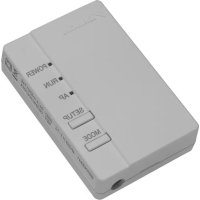
BRP069A42 - Station Météo DAIKIN - Notice d'utilisation et mode d'emploi gratuit
Retrouvez gratuitement la notice de l'appareil BRP069A42 DAIKIN au format PDF.


| Type de produit | Station météo connectée |
| Marque | Daikin |
| Modèle | BRP069A42 |
| Fonctions principales | Mesure de température intérieure, hygrométrie, compatibilité IFTTT |
| Capteurs intégrés | Température, humidité |
| Connectivité | Wi-Fi, IFTTT |
| Alimentation | Piles (non fournies) ou adaptateur secteur |
| Dimensions (approx.) | 120 x 80 x 30 mm |
| Poids (approx.) | 200 g |
| Plage de mesure température | 0°C à 50°C |
| Plage de mesure humidité | 20% à 90% HR |
| Compatibilité | Daikin, IFTTT, smartphone |
| Installation | Simple, via application Daikin |
| Entretien et nettoyage | Nettoyer avec un chiffon doux et sec |
| Sécurité | Utilisation en intérieur uniquement, éviter l'humidité excessive |
| Pièces détachées et réparabilité | Contactez le service client Daikin |
| Informations générales | Notice d'utilisation disponible en téléchargement |
FOIRE AUX QUESTIONS - BRP069A42 DAIKIN
Questions des utilisateurs sur BRP069A42 DAIKIN
0 question sur cet appareil. Repondez a celles que vous connaissez ou posez la votre.
Poser une nouvelle question sur cet appareil
Téléchargez la notice de votre Station Météo au format PDF gratuitement ! Retrouvez votre notice BRP069A42 - DAIKIN et reprennez votre appareil électronique en main. Sur cette page sont publiés tous les documents nécessaires à l'utilisation de votre appareil BRP069A42 de la marque DAIKIN.
MODE D'EMPLOI BRP069A42 DAIKIN
DAIKIN
QUICK-START GUIDE FOR IFTTT
Chapters:
1 Creating a New IFTTT User Account 2
2 Activating and Authorising the Daikin Channel ...3
3 Using recipes 6
1 Creating a New IFTTT User Account
1.1
Go to the IFTTT website: https://ifttt.com
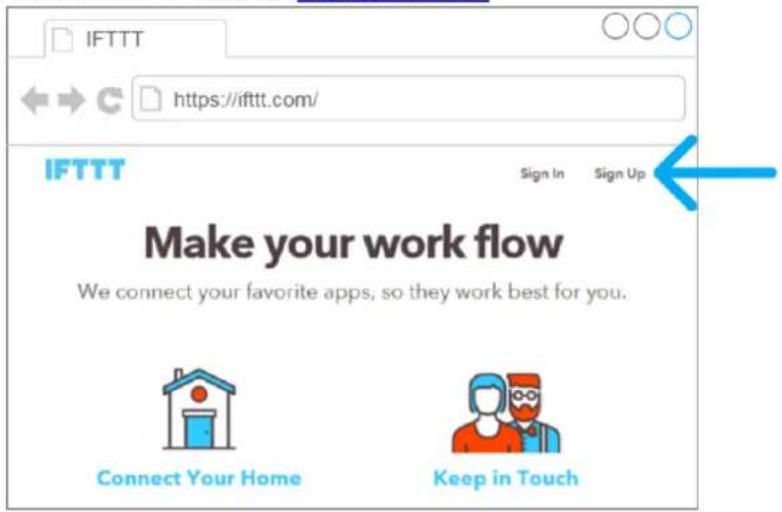

If you are new to IFTTT, you'll have to sign up.
If you are already signed up, go to chapter
2 Activating and authorising the Daikin Channel.
1.2
Fill in the form
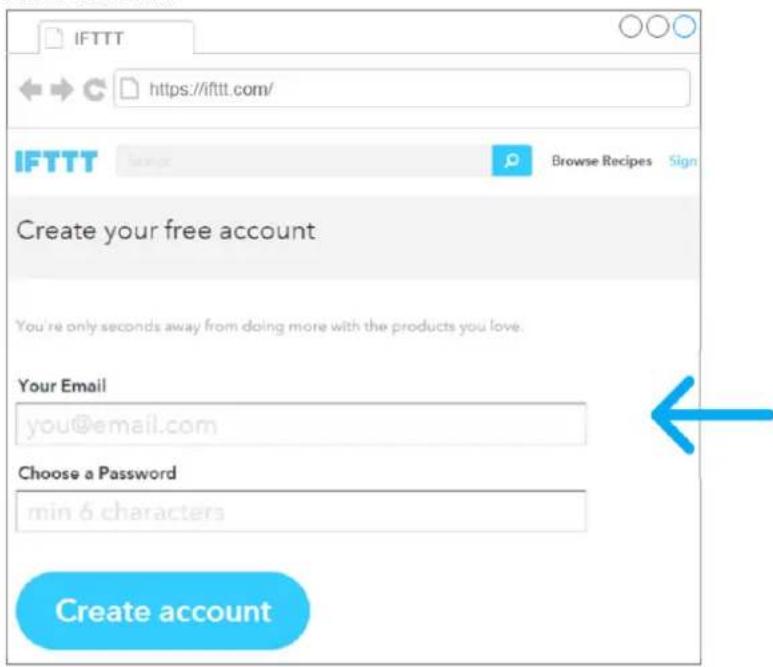

To create an account, enter your email address and choose a password.
2 Activating and Authorising the Daikin Channel

Connect to the Daikin Channel
2.1
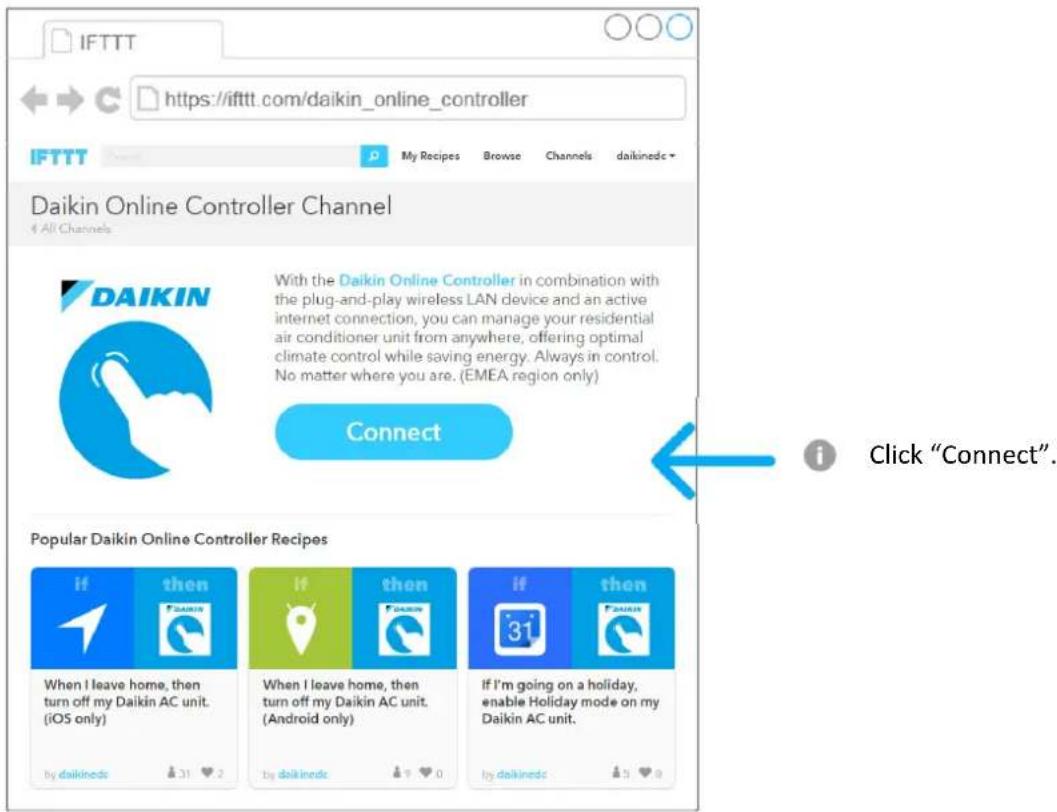
2.2
Authorise the Daikin Channel - 1/3
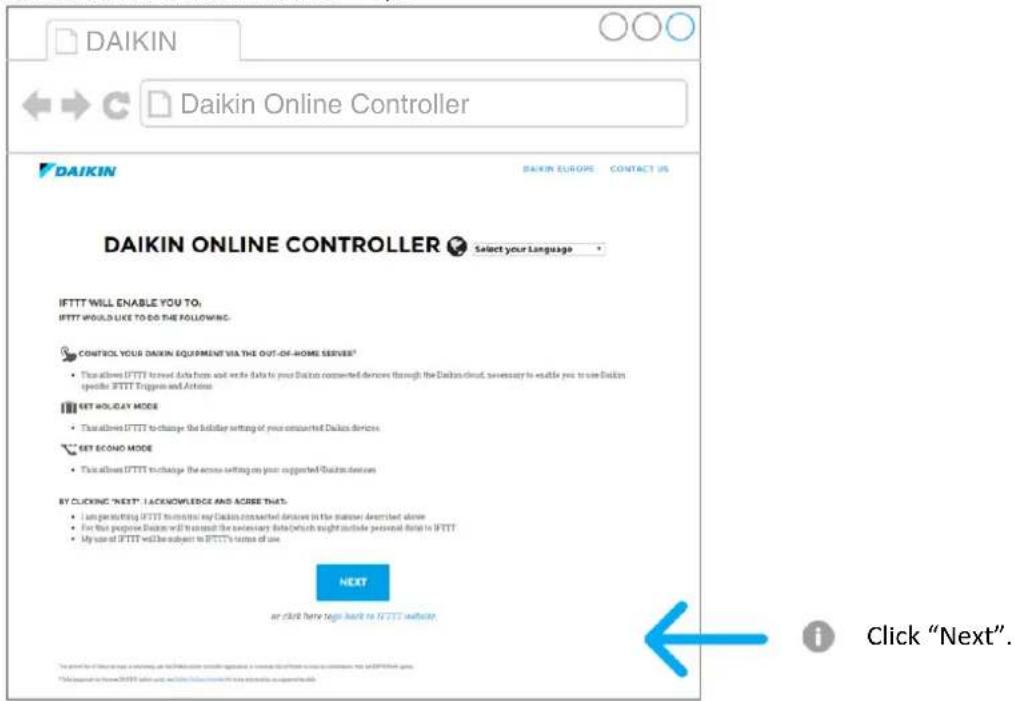
2.3
Authorise the Daikin Channel - 2/3
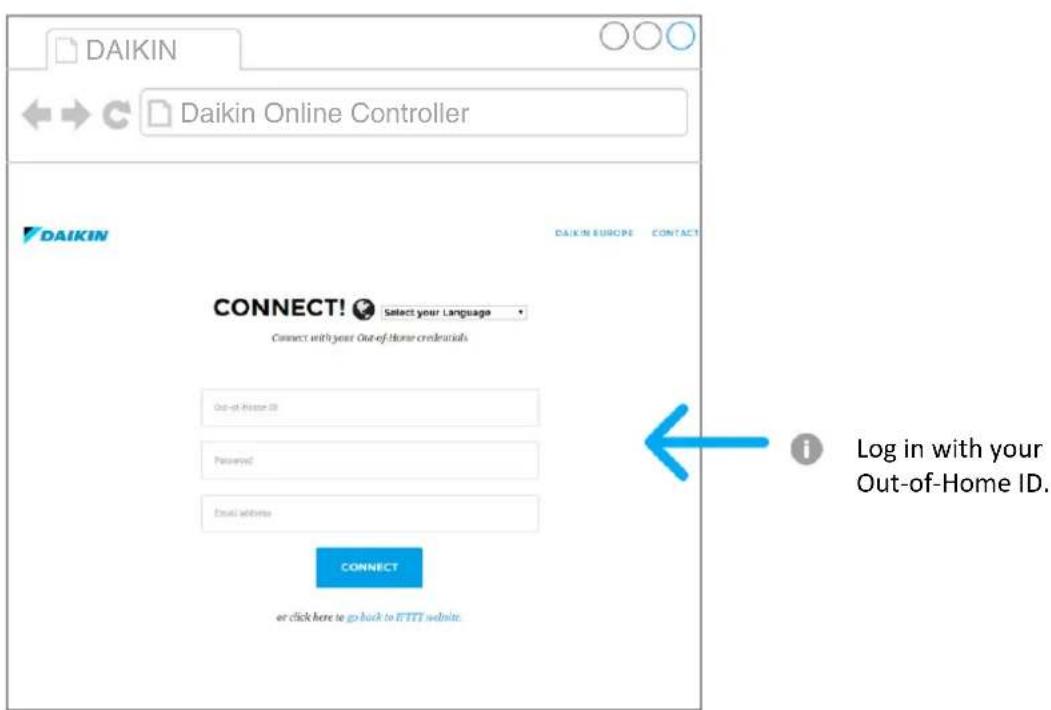
2.4
Authorise the Daikin Channel - 3/3
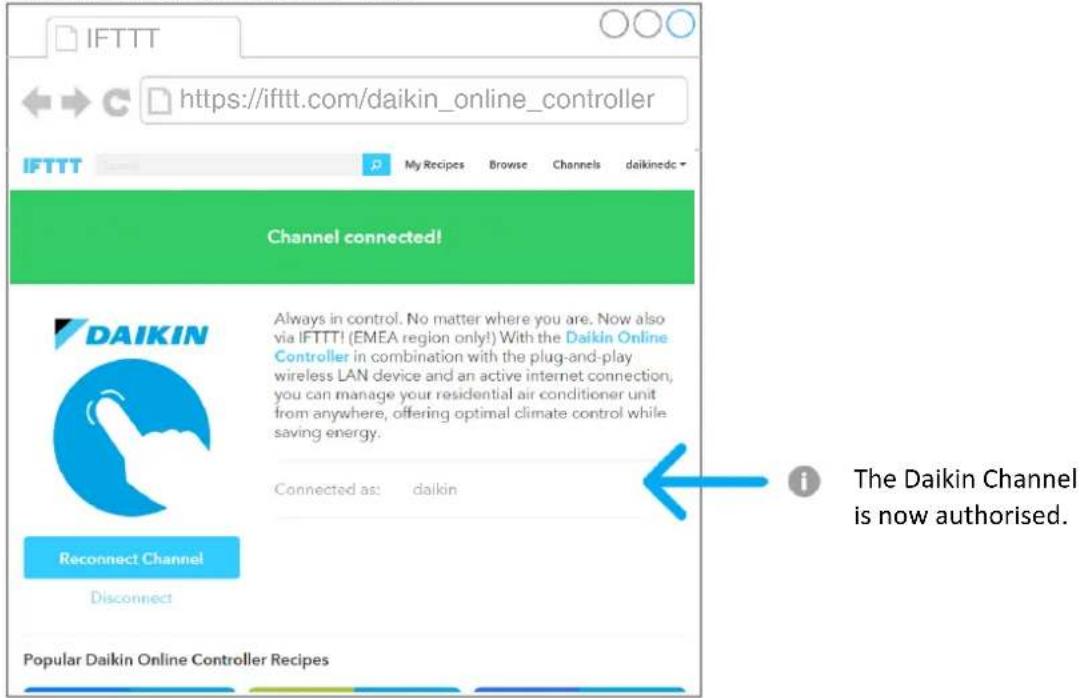
3 Using recipes
3.1
Browse the Daikin Channel
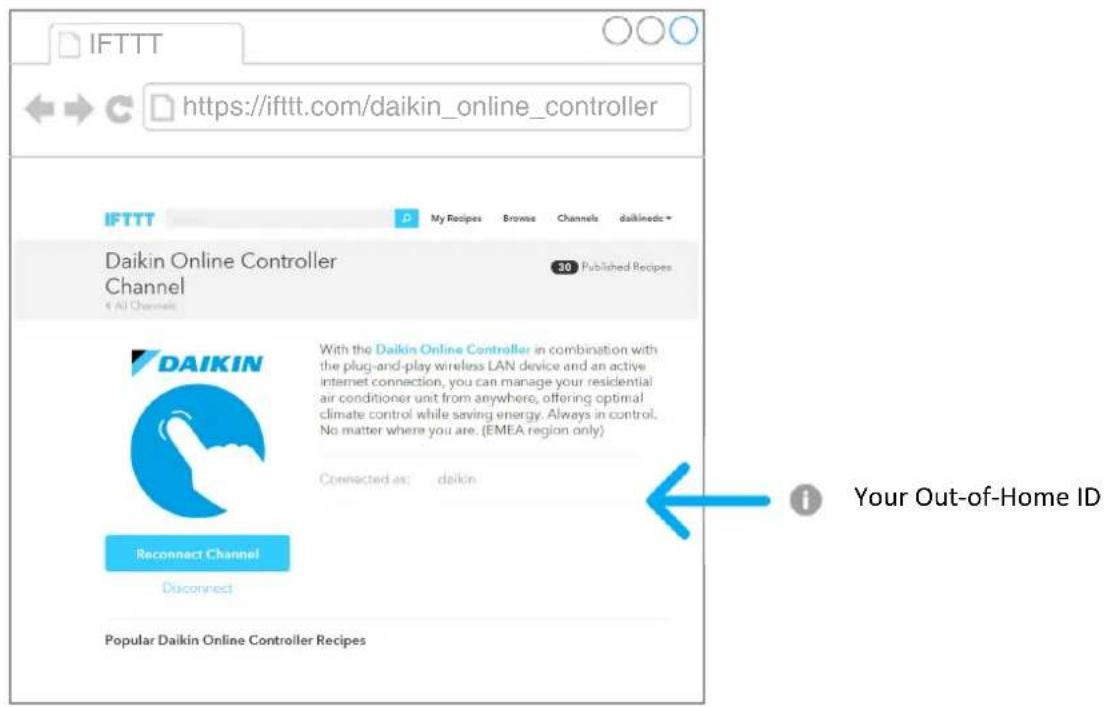
3.2
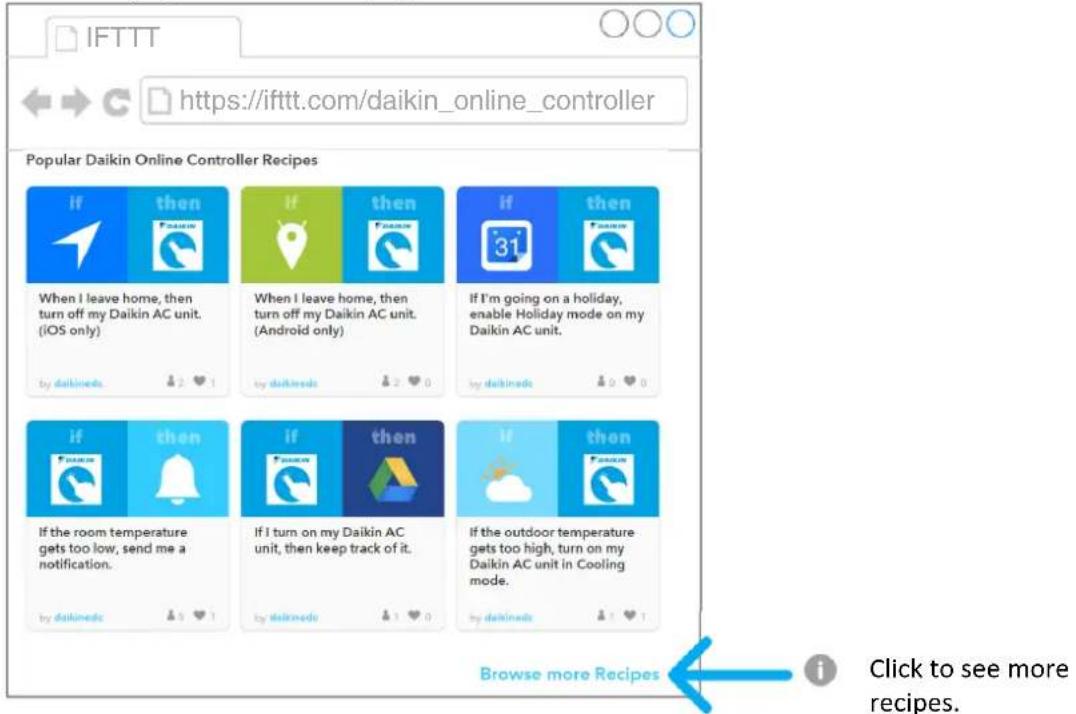
To see recipes, scroll down the page
3.3
Choose a recipe
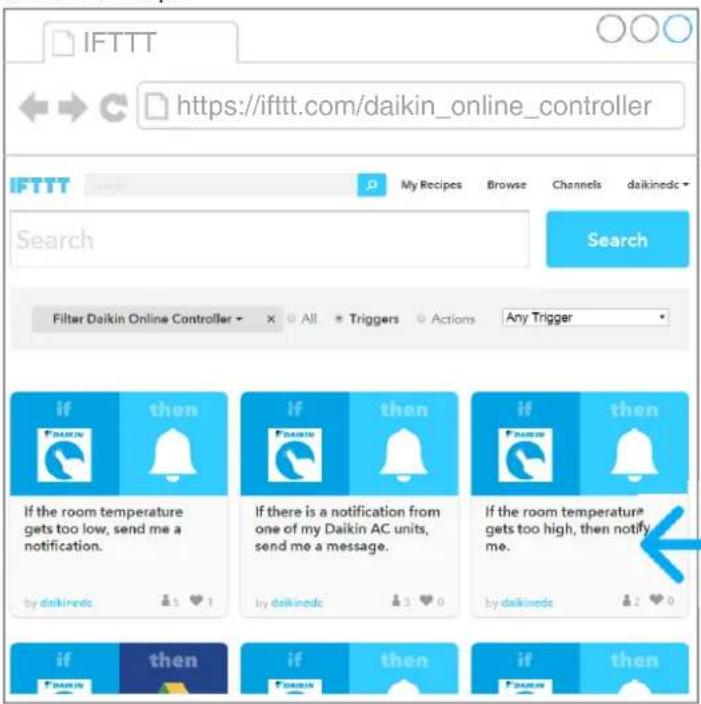
Click to choose a recipe.
3.4
Configure the recipe
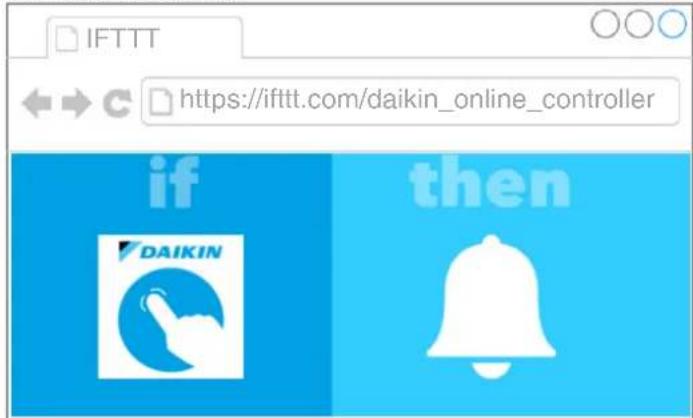
If the room temperature gets too high, then notify me.
Notes: This recipe sends a IFTTT notification to your smartphone to let you know it's getting too hot in your house.

Please select
Temperature
30
The indoor temperature sensed by your selected Daikin unit (in degrees Celsius).

The indoor temperature is currently:
IndoorTemperature (detected by: Device).
Add

Select your unit.
Type in the threshold temperature.

After configuring, click "Add".
3.5
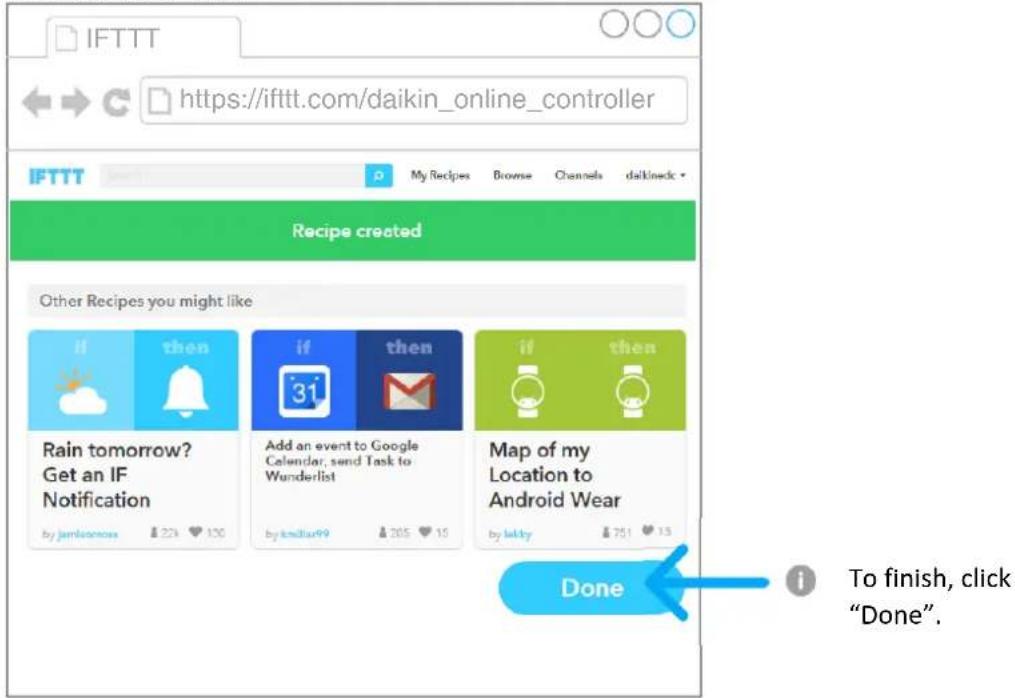
The recipe is created
Marque : DAIKIN
Modèle : BRP069A42
Catégorie : Station Météo