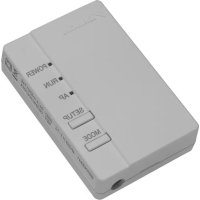
BRP069A42 - Weather Station DAIKIN - Free user manual and instructions
Find the device manual for free BRP069A42 DAIKIN in PDF.


User questions about BRP069A42 DAIKIN
0 question about this device. Answer the ones you know or ask your own.
Ask a new question about this device
Download the instructions for your Weather Station in PDF format for free! Find your manual BRP069A42 - DAIKIN and take your electronic device back in hand. On this page are published all the documents necessary for the use of your device. BRP069A42 by DAIKIN.
USER MANUAL BRP069A42 DAIKIN
1 Creating a New IFTTT User Account 2
2 Activating and Authorising the Daikin Channel ...3
3 Using recipes 6
1 Creating a New IFTTT User Account
1.1
Go to the IFTTT website: https://ifttt.com
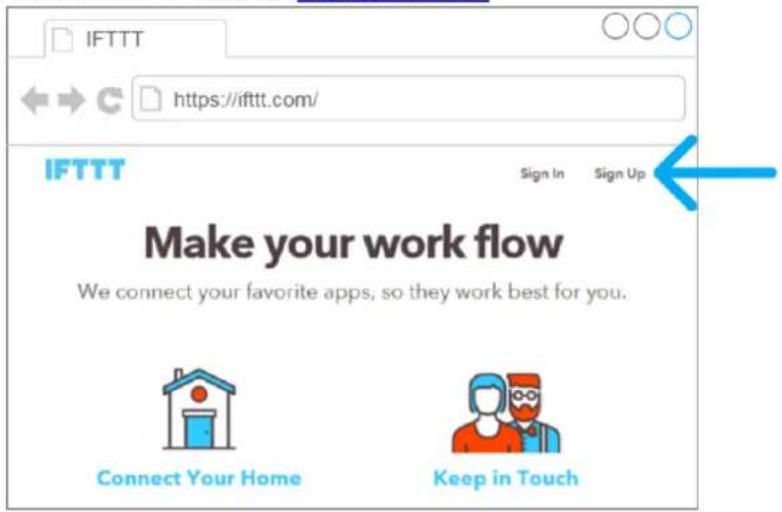

If you are new to IFTTT, you'll have to sign up.
If you are already signed up, go to chapter
2 Activating and authorising the Daikin Channel.
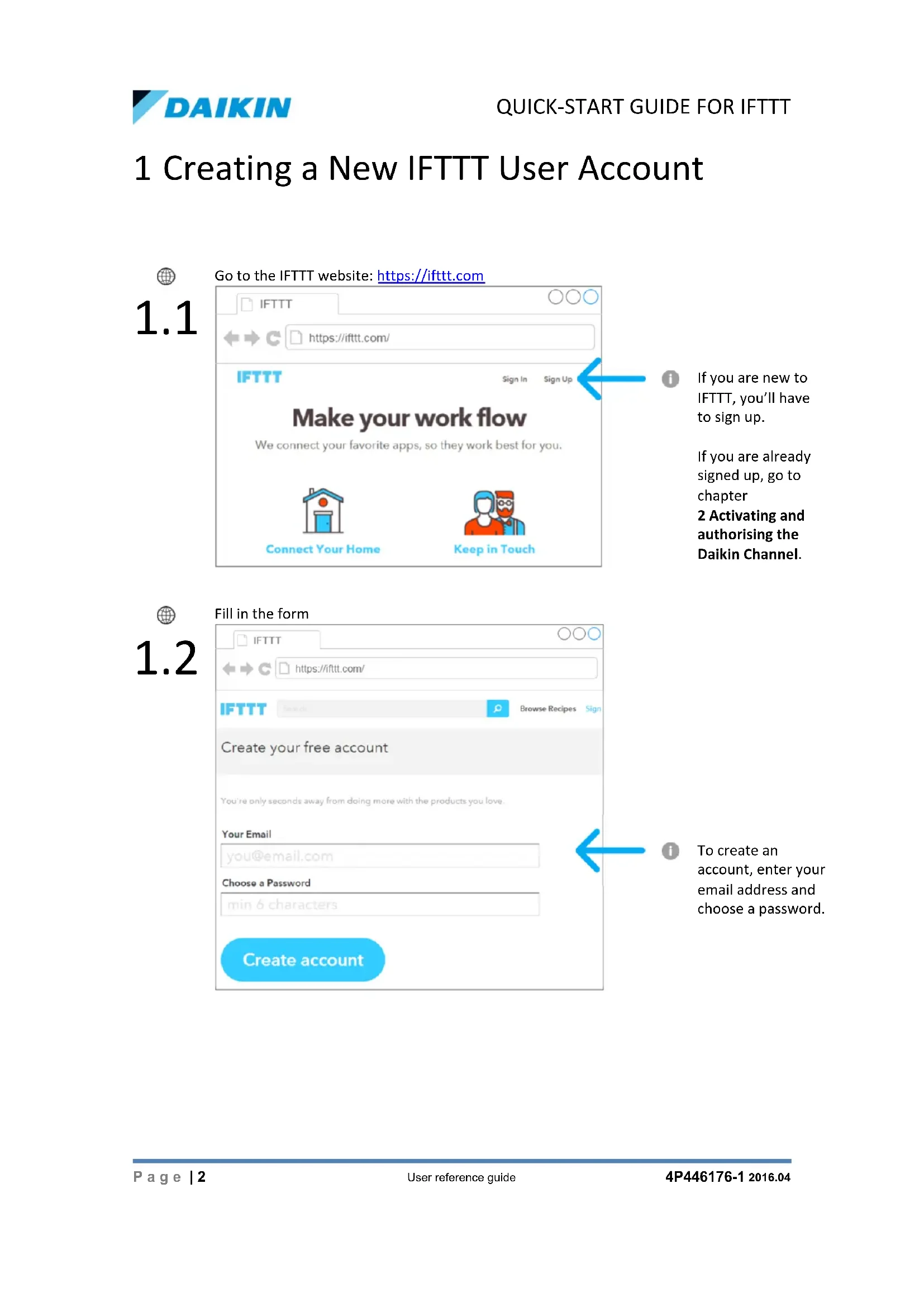
1.2
Fill in the form
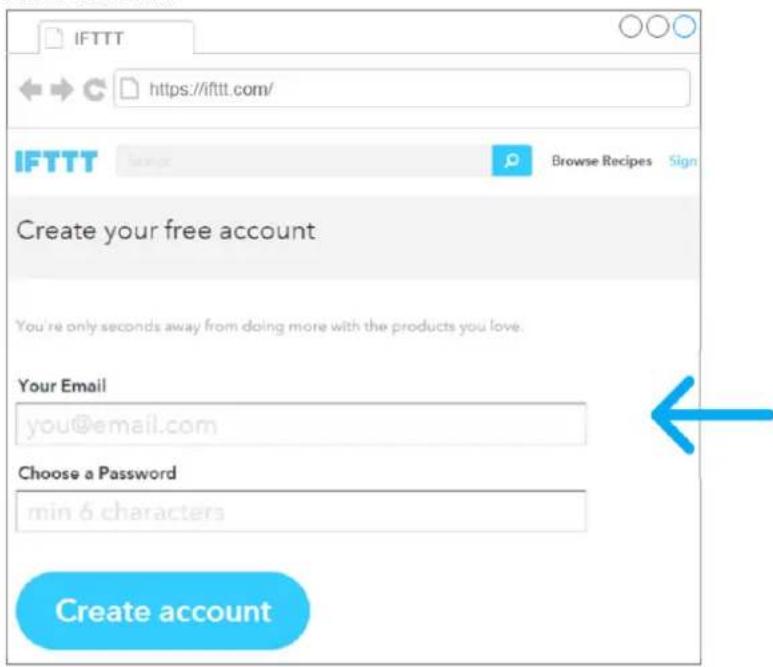

To create an account, enter your email address and choose a password.
2 Activating and Authorising the Daikin Channel

Connect to the Daikin Channel
2.1
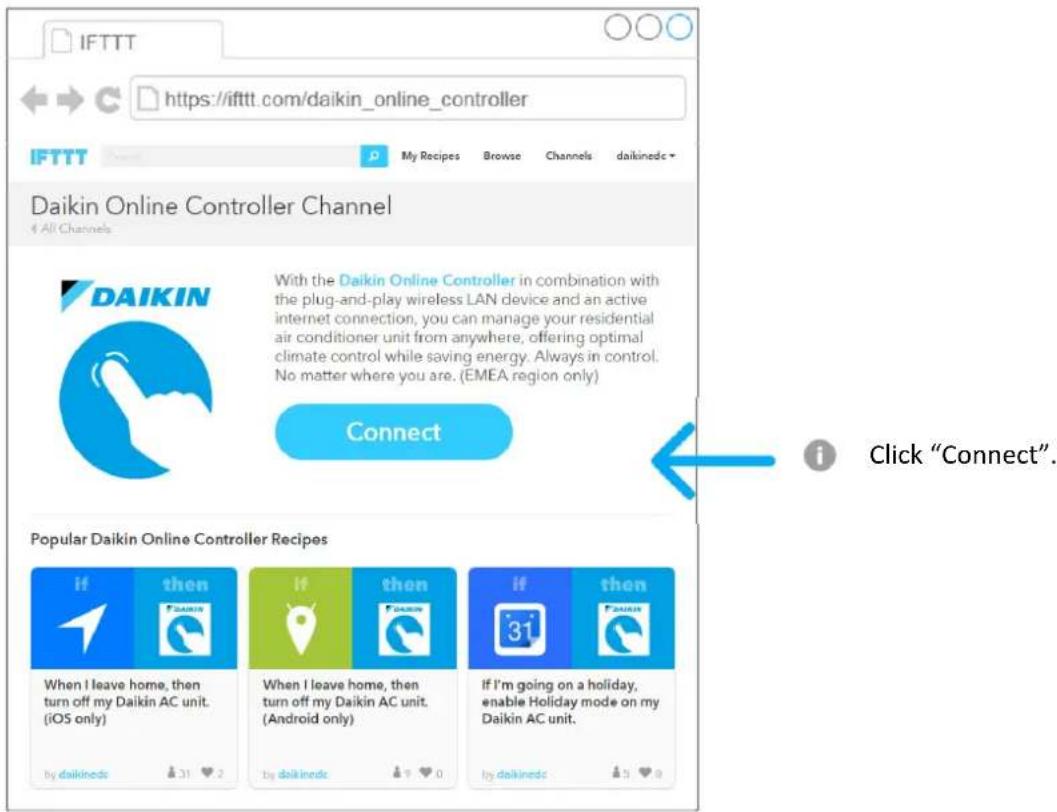
2.2
Authorise the Daikin Channel - 1/3
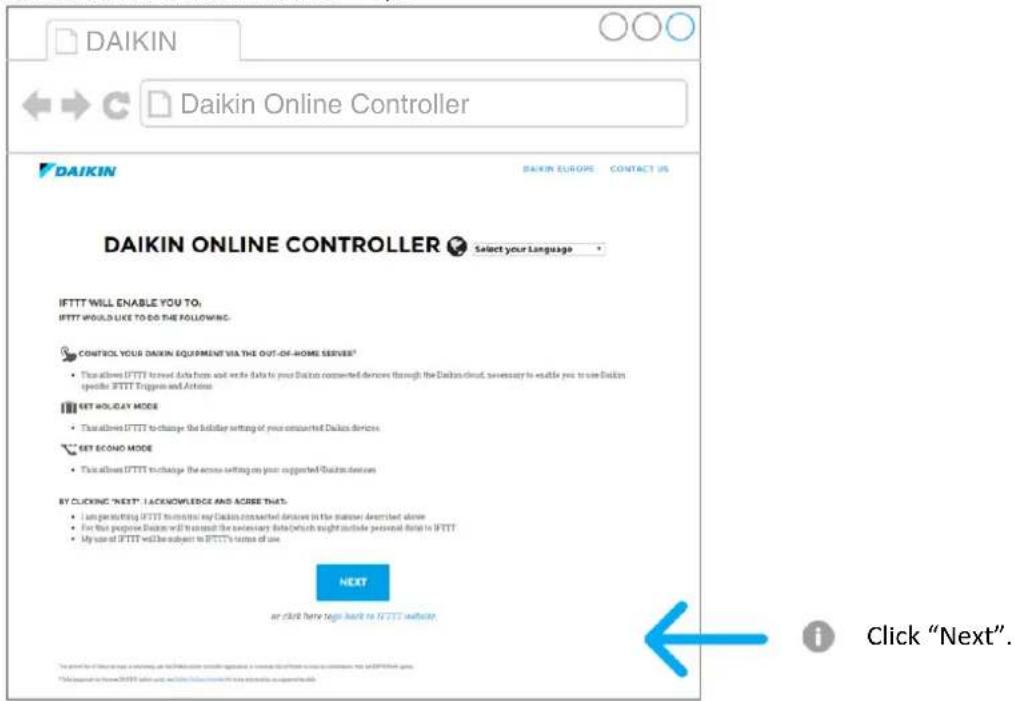
2.3
Authorise the Daikin Channel - 2/3
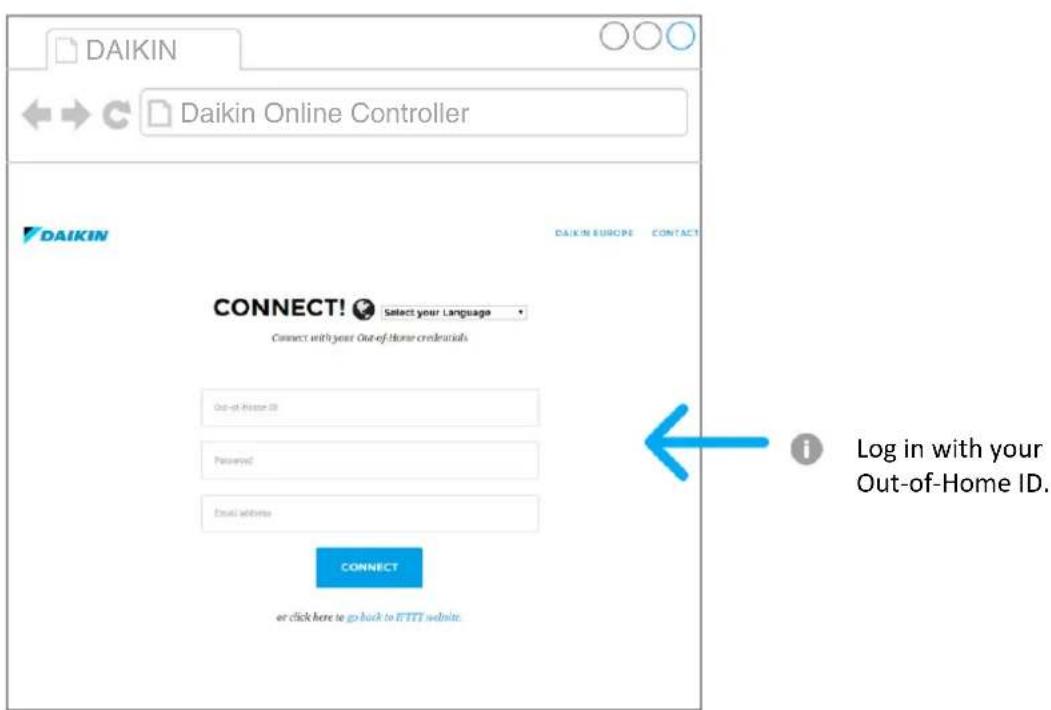
2.4
Authorise the Daikin Channel - 3/3
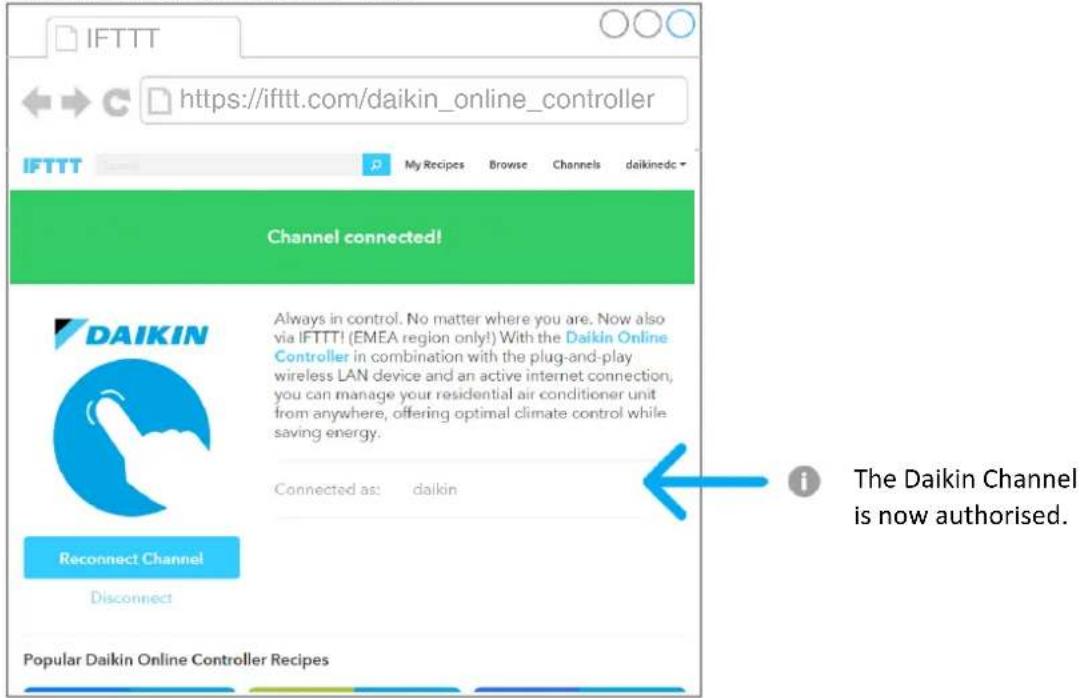
3 Using recipes
3.1
Browse the Daikin Channel
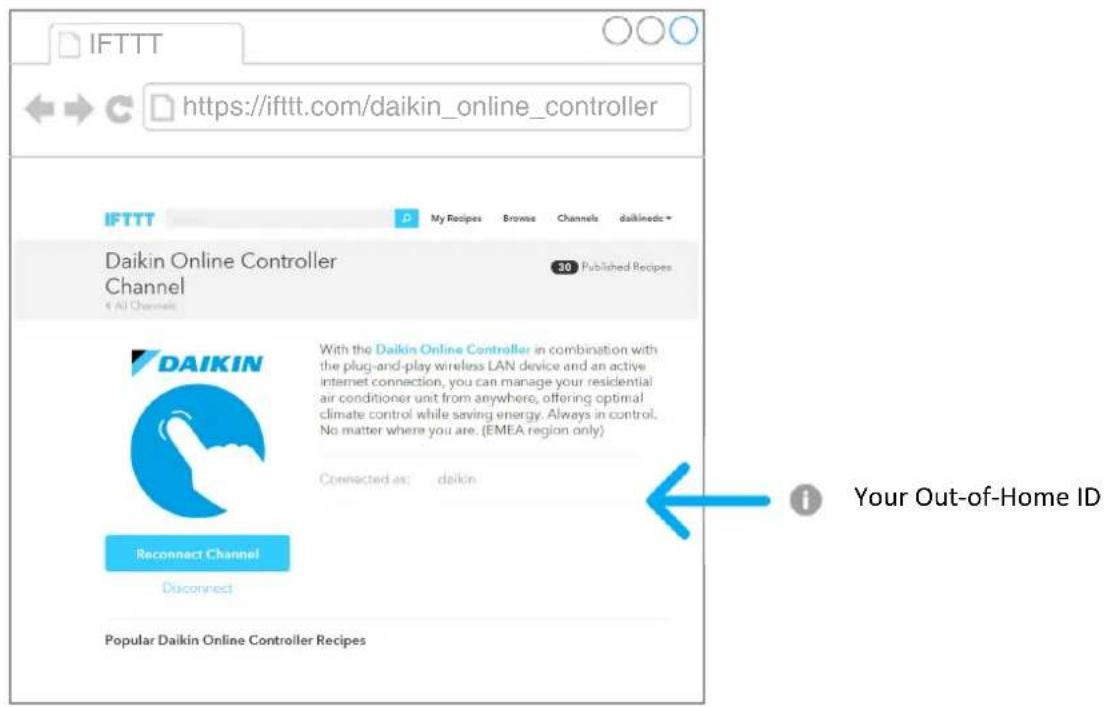
3.2
To see recipes, scroll down the page
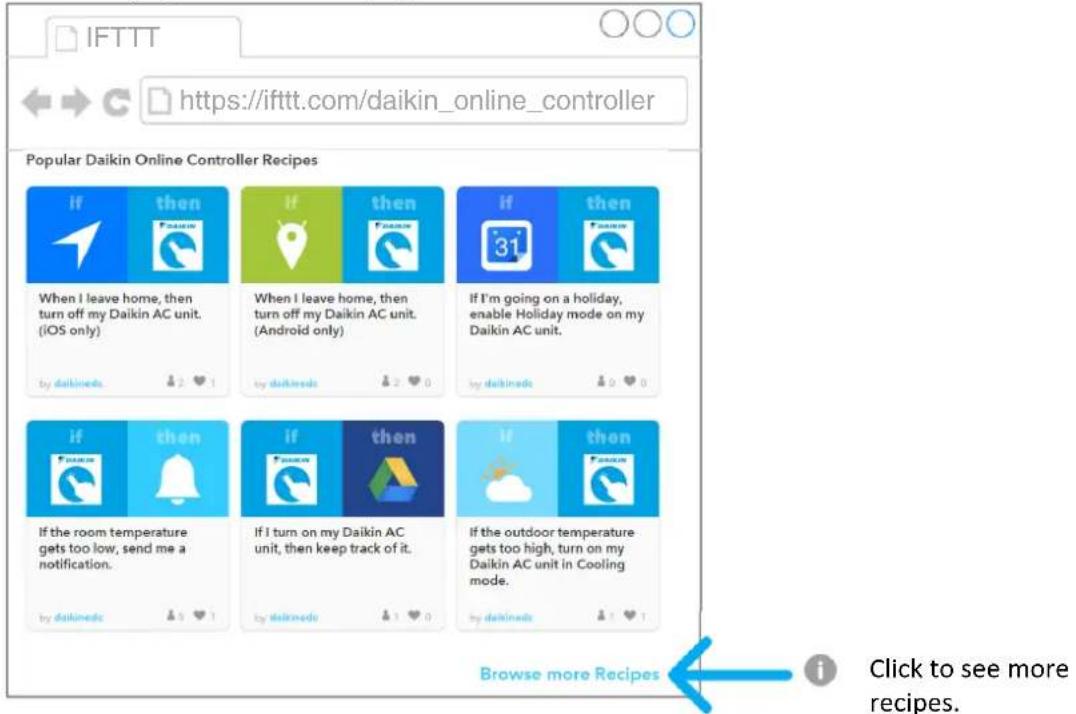
3.3
Choose a recipe
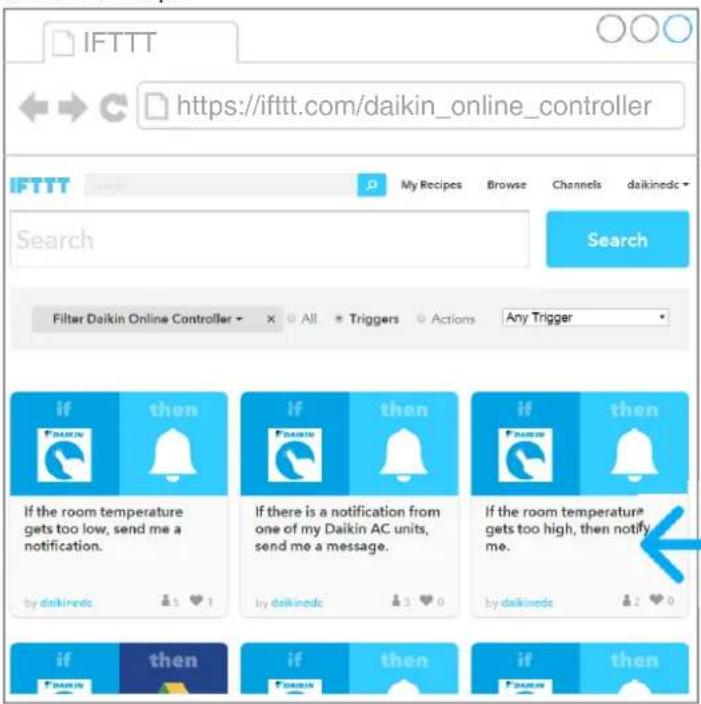
Click to choose a recipe.
3.4
Configure the recipe
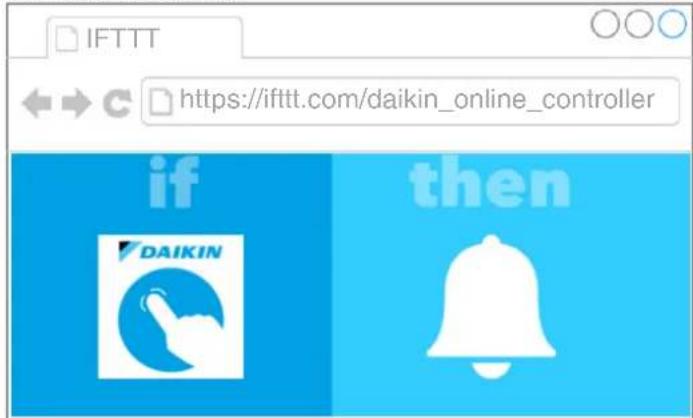
If the room temperature gets too high, then notify me.
Notes: This recipe sends a IFTTT notification to your smartphone to let you know it's getting too hot in your house.

Please select
Temperature
30
The indoor temperature sensed by your selected Daikin unit (in degrees Celsius).

The indoor temperature is currently:
IndoorTemperature (detected by: Device).
Add

Select your unit.
Type in the threshold temperature.

After configuring, click "Add".
3.5
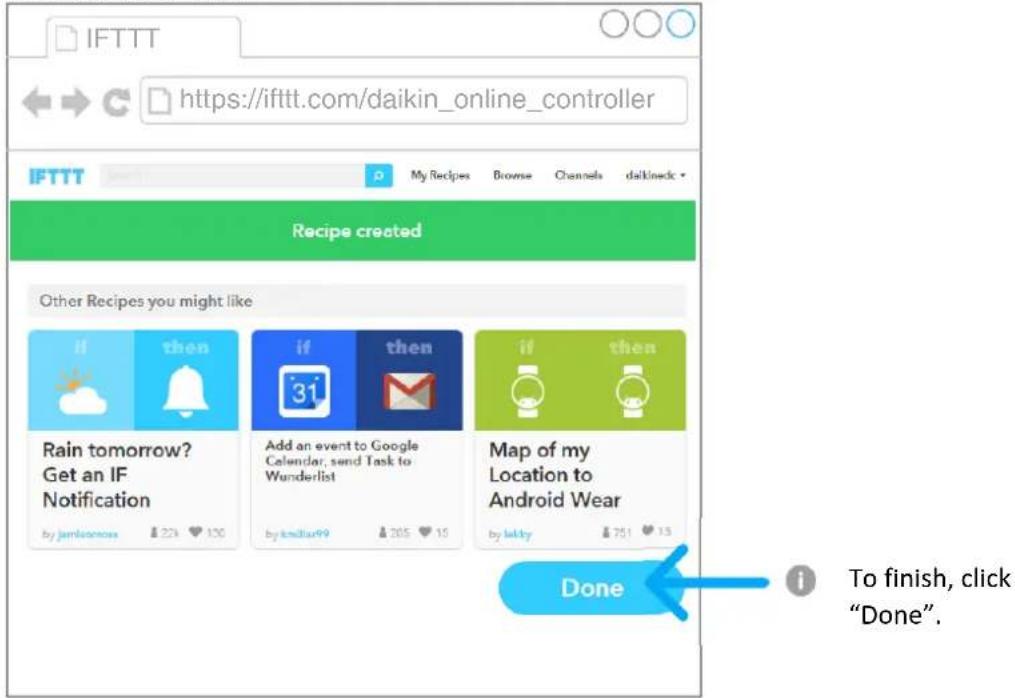
The recipe is created