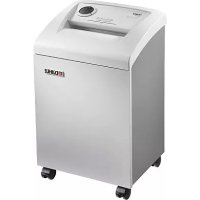
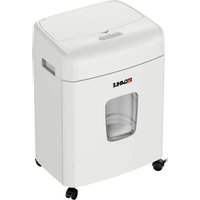
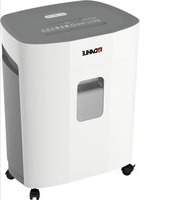
40214 - Destructeur de document Dahle - Notice d'utilisation et mode d'emploi gratuit
Retrouvez gratuitement la notice de l'appareil 40214 Dahle au format PDF.


| Type de produit | Destructeur de document |
| Marque | Dahle |
| Modèle | 40214 |
| Dimensions (H x L x P) | 706 x 430 x 347 mm |
| Poids | 25,5 kg |
| Alimentation | 220-240 V ~ 50-60 Hz, 350 W (100-120 V ~ 50-60 Hz, 400 W) |
| Niveau de sécurité | S3 (coupe croisée) |
| Type de coupe | Coupe croisée 3,9 mm x 40 mm |
| Capacité de coupe (70 g/m²) | 10 feuilles |
| Capacité de coupe (80 g/m²) | 8 feuilles |
| Volume du bac de collecte | 40 litres |
| Niveau sonore | ≤ 46 dB(A) |
| Démarrage | Automatique par photodiode |
| Fonctions | Marche avant, marche arrière, arrêt, mode continu |
| Indicateurs lumineux | Marche, veille, bac plein, porte ouverte, huile |
| Sécurité | Verrouillage de porte, protection thermique, arrêt automatique sur bourrage |
| Entretien | Lubrification automatique avec huile DAHLE (uniquement coupe croisée) |
| Accessoires inclus | Bac de collecte pour papier, bac pour CD/DVD/cartes, huile DAHLE |
| Température d'utilisation | 15 °C à 32 °C |
| Humidité ambiante | 15% à 95% sans condensation |
| Position de transport | Verticale uniquement |
| Distance murale minimale | 100 mm |
FOIRE AUX QUESTIONS - 40214 Dahle
Questions des utilisateurs sur 40214 Dahle
0 question sur cet appareil. Repondez a celles que vous connaissez ou posez la votre.
Poser une nouvelle question sur cet appareil
Téléchargez la notice de votre Destructeur de document au format PDF gratuitement ! Retrouvez votre notice 40214 - Dahle et reprennez votre appareil électronique en main. Sur cette page sont publiés tous les documents nécessaires à l'utilisation de votre appareil 40214 de la marque Dahle.
MODE D'EMPLOI 40214 Dahle
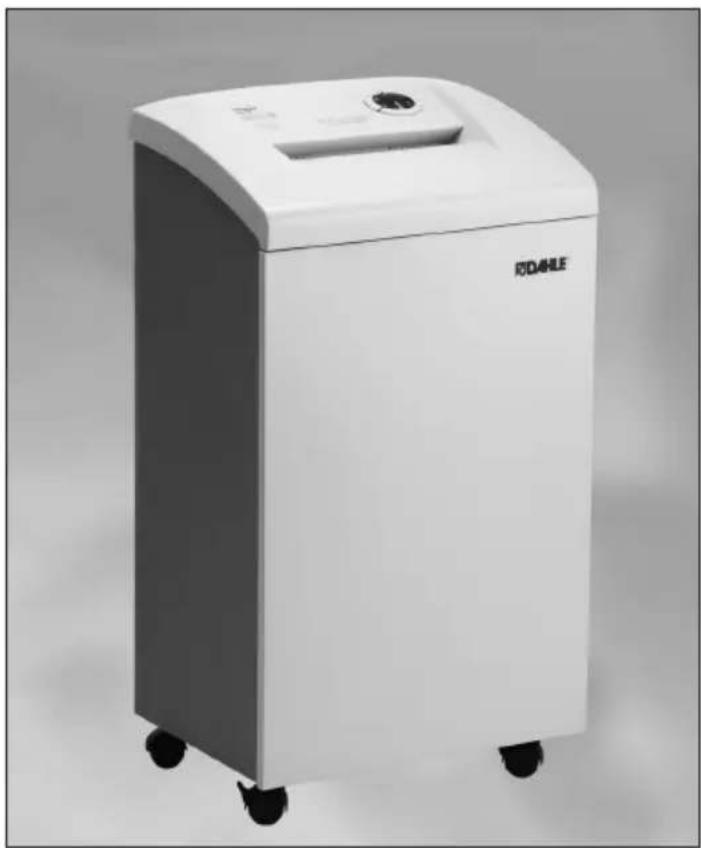
40204 - 40634
DE Bedienungsanleitung
UK/US Operating instructions
FR Instructions de service
ES Manual de instrucciones
IT Istruzioni per l'uso
PT Manual de instruções
NL Gebruiksaanwijzing

General information
Prior to placing in operation the document shredder, read the operating instructions and safety instructions carefully! Keep the instructions for later use.
- Only store, transport and operate the document shredder in an upright position!
- Only use liquids and gases that comply with DAHLE guidelines on the document shredder!
- The document shredder must only be operated in closed rooms at temperatures of 15 °C to 32 °C and with a non-condensed humidity of 15% to 95%!
- Do not place the document shredder near a source of heat!
- Ensure the document shredder is standing firmly on the floor and with a distance of 100 mm to the wall; activate brakes and fasten using the mounting kit if supplied!
- Avoid any accumulation of heat!
- The mains socket must be easily accessible at all times!
- Only use the mains cable supplied by DAHLE!
- It is to be ensured the installation in the building is protected against short circuits (max. 20 A)!
- Do not use near inflammable liquids or gases!
- Do not use near caustic substances!
- Do not subject to moisture!
- Remove paper clips and staples prior to shredding!
- Starts automatically!
- Do not operate the document shredder without inserting documents!


1 - Follow safety regulations!
2 Prior to placing in operation the document shredder, read the operating instructions and safety instructions carefully!
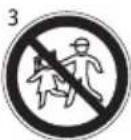
3 - This document shredder is not intended to be used by children (the product is not a toy)!
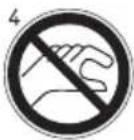
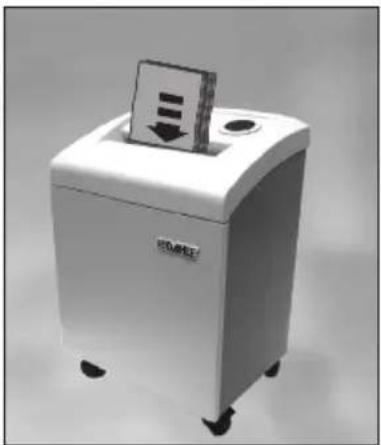
4 - Do not touch the paper feed with your hands!
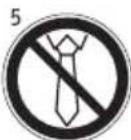
5 - Do not allow items of clothing to touch the paper feed!
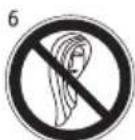
6 - Do not allow your hair to touch the paper feed!
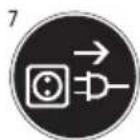
7 - Prior to maintenance work, disconnect the document shredder from the electrical power supply!
Pay attention to warnings!
1
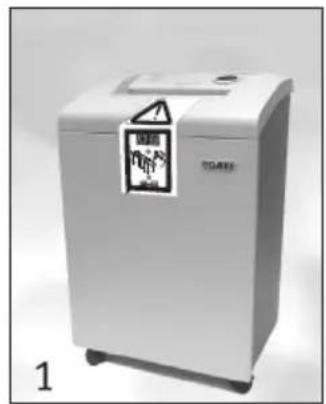
EMN

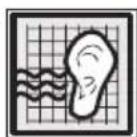
1 - Noise in operation without shredding documents (in accordance with DIN)
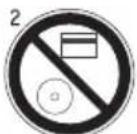
2 - Do not shred CDs/DVDs or bank cards/credit cards!
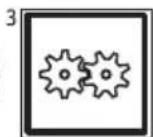
3 - Document shredder in standby
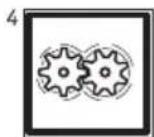
4 - Document shredder in operation
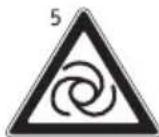
5 - Starts automatically
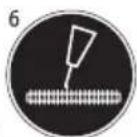
6 - Oiling (only use DAHLE oil!)
7 - Dispose of the document shredder appropriately and in an environmentally friendly manner at an authorised collection point. Do not dispose of any parts of the document shredder or packing in domestic waste.

General information
Intended use, warranty
The document shredder is intended to be used for shredding paper.
Depending on the model variant, a small amount of the following materials can also be shredded:
CDs/DVDs, bank cards and credit cards (see technical data)
Wear, damage due to improper use or unauthorised modifications and repairs is not covered by the warranty or the guarantee.
Subject to technical change!
Remove transport lock!
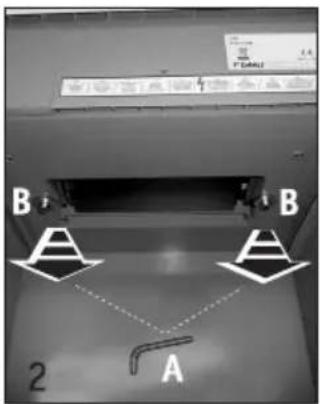
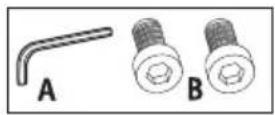
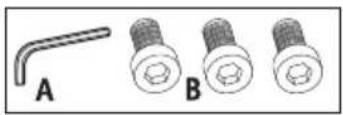
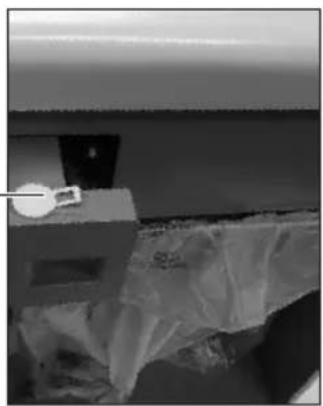
- Actuate brakes! Prior to placing in operation for the first time, open the door, remove paper collection bin.
- Remove the screws for the transport lock (paper collection bin compartment) from the base plate underneath the shredding mechanism, re-fit paper collection bin and close door.
- Each time the appliance is moved, the transport lock is to be re-fitted.
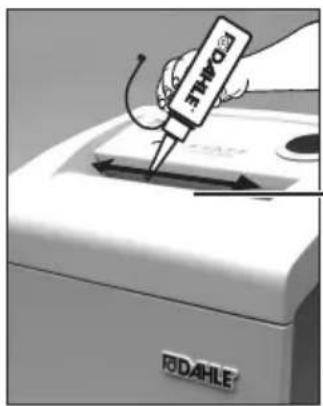
1
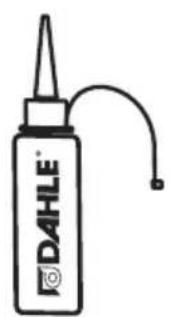
2
- Oil the shredding rollers using DAHLE document shredder oil (only cross-cut shredding)!
- Fill the oil tank using DAHLE document shredder oil!

General information
Depending on the model variant, your document shredder may not have all the possible components and functions.
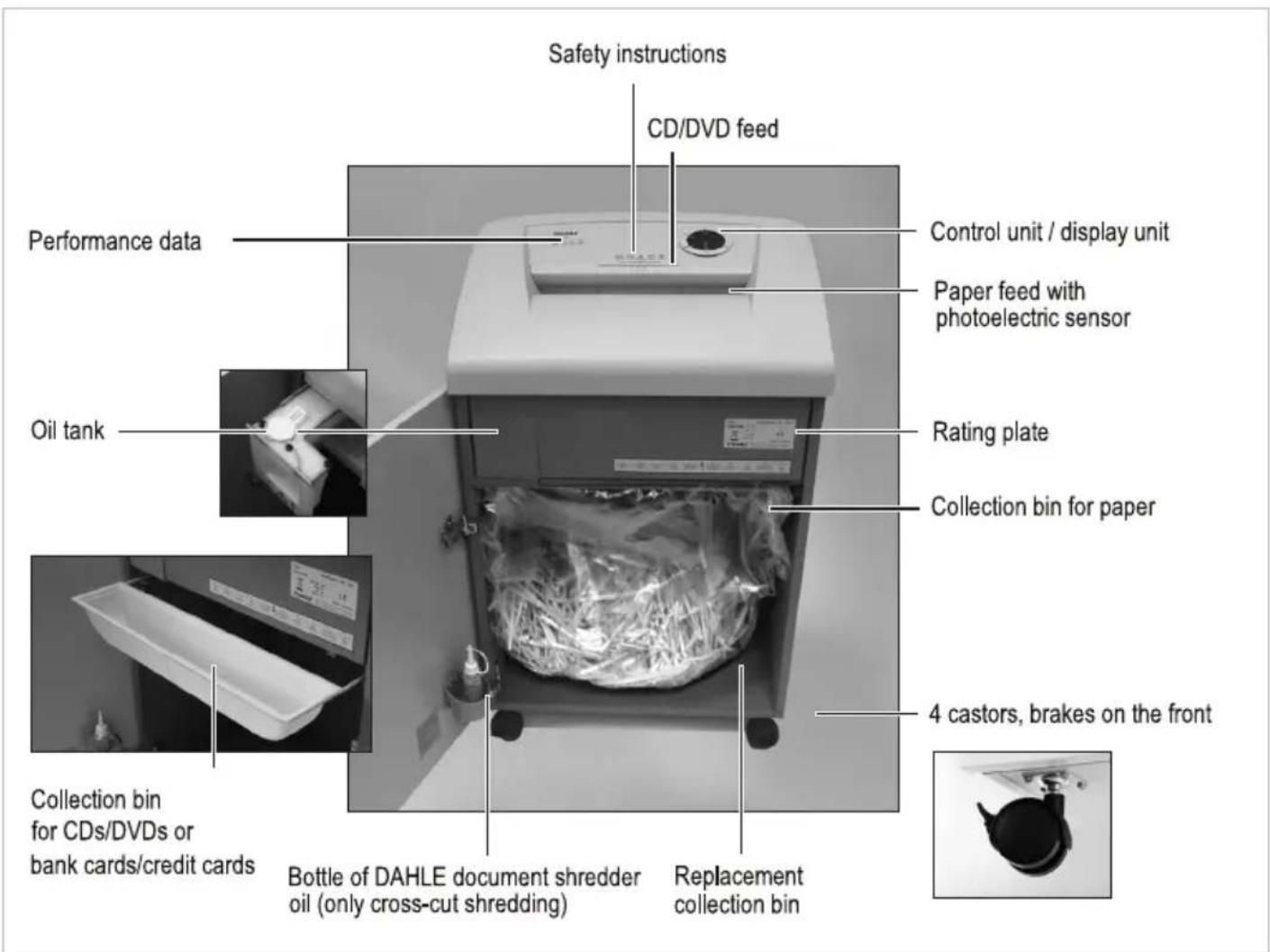
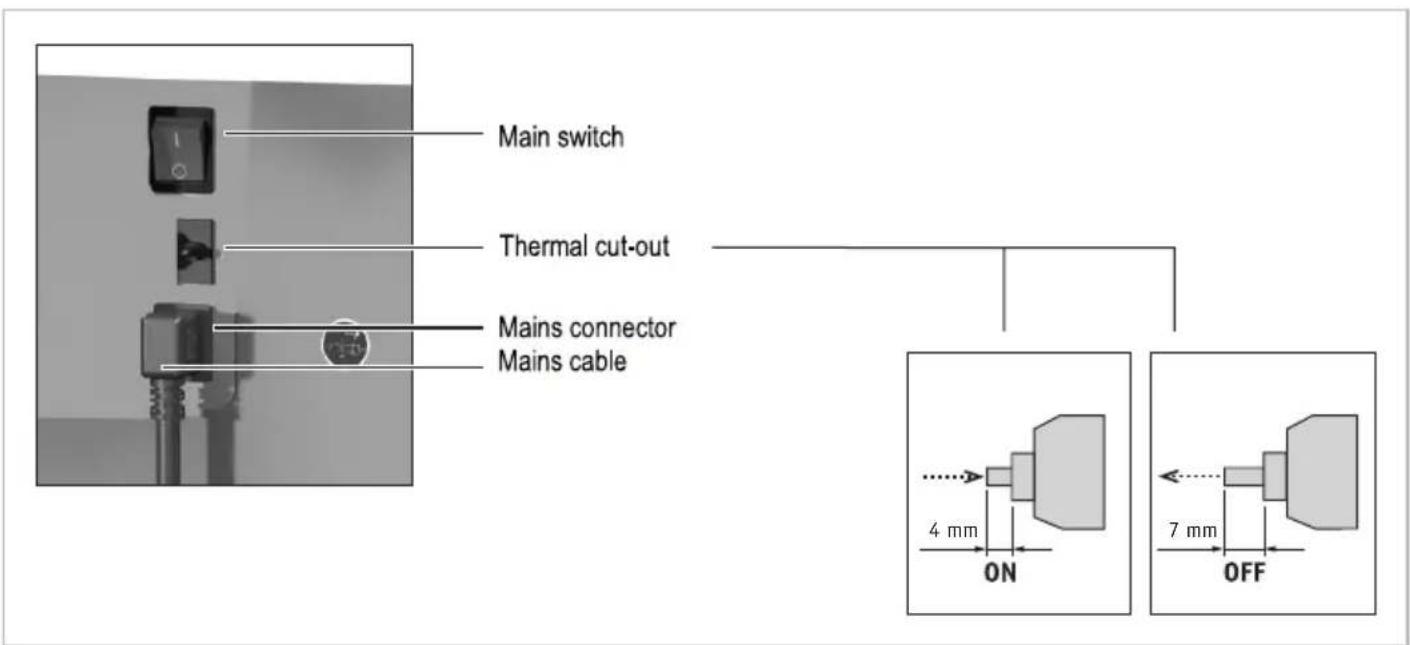

General information
Depending on the model variant, your document shredder may not have all the possible components and functions.
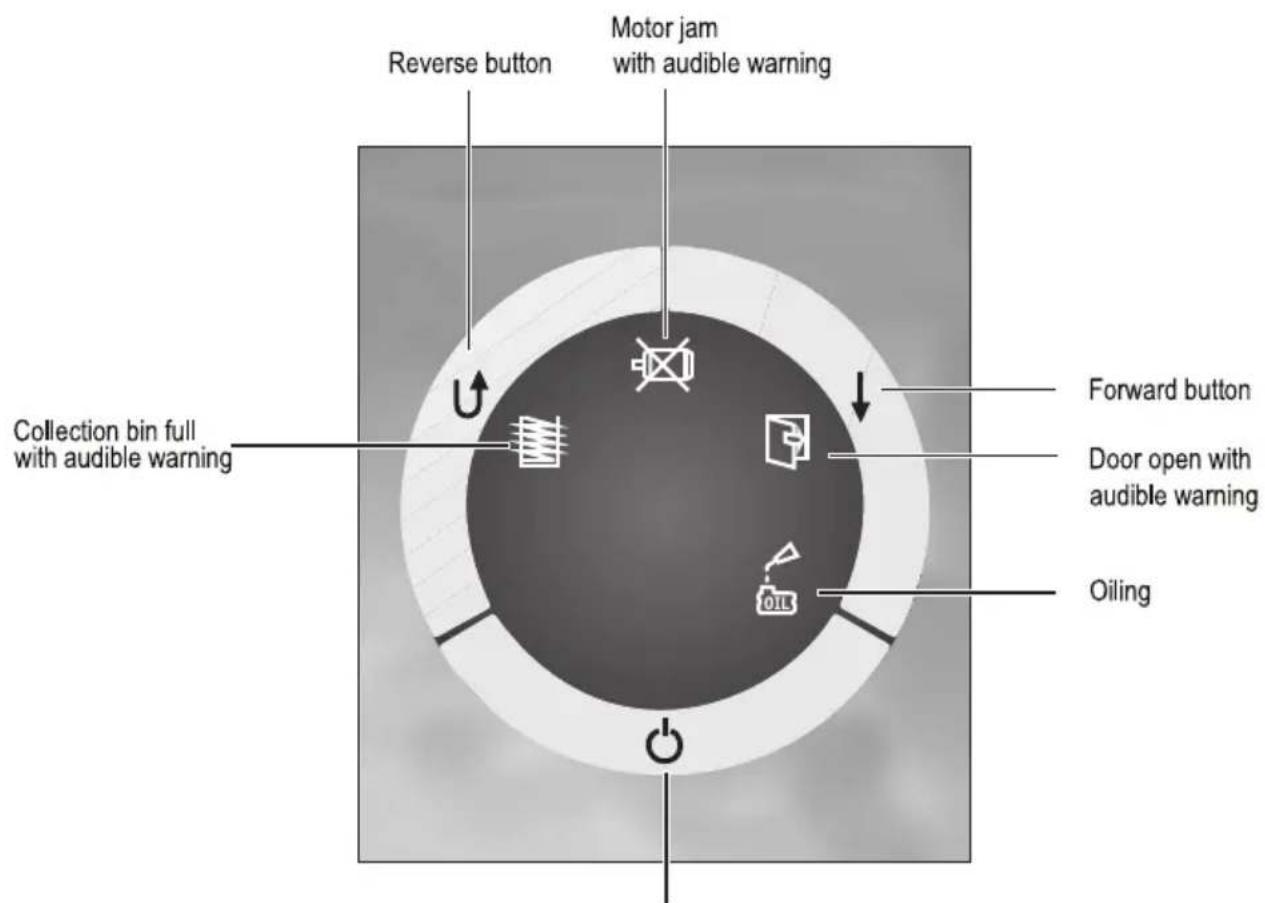
On, Off, Stop button
On indicator (LED illuminated) optionally stand-by indicator
Energy-saving mode (LED flashing)
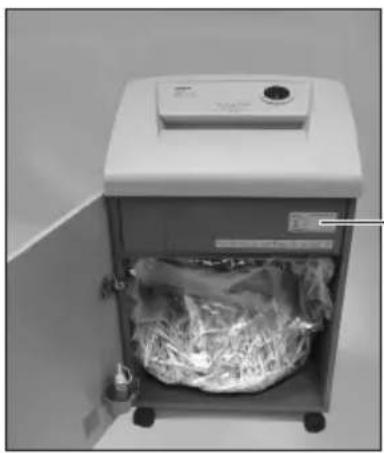
- Check the voltage and mains frequency of your electricity supply match the information on the rating plate.
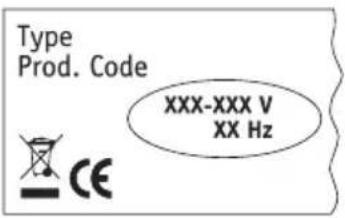

Technical data
| DIN A4 - 70 g/m | DIN A4 - 80 g/m | 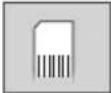 | 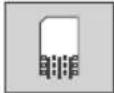 | 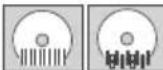 | 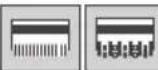 | Security level | |
| 40204 | 17 | 14 | 3,9 mm | ∅ | ☐ | S2 | |
| 40206 | 19 | 16 | 5,8 mm | ☐ | ☐ | S2 | |
| 40214 | 10 | 8 | 3,9 mm x 40,0 mm | ∅ | ☐ | S3 | |
| 40222 | 6 | 5 | 2,0 mm x 15,0 mm | ∅ | ☐ | S4 | |
| 40230 | 3 | 2 | 0,8 mm x 12,0 mm | ∅ | ∅ | S5 | |
| 40304 | 23 | 18 | 3,9 mm | ☐ | ☐ | S2 | |
| 40306 | 27 | 22 | 5,8 mm | ☐ | ☐ | S2 | |
| 40314 | 16 | 13 | 3,9 mm x 40,0 mm | ☐ | ☐ | S3 | |
| 40322 | 11 | 9 | 2,0 mm x 15,0 mm | ∅ | ☐ | S4 | |
| 40330 | 6 | 5 | 0,8 mm x 12,0 mm | ∅ | ☐ | S5 | |
| 40334 | 6 | 5 | 1,0 mm x 4,7 mm | ∅ | ☐ | S6 | |
| 40404 | 24 | 19 | 3,9 mm | ☐ | ☐ | S2 | |
| 40406 | 29 | 23 | 5,8 mm | ☐ | ☐ | S2 | |
| 40414 | 16 | 13 | 3,9 mm x 40,0 mm | ∅ | ☐ | S3 | |
| 40422 | 13 | 10 | 2,0 mm x 15,0 mm | ∅ | ☐ | S4 | |
| 40430 | 7 | 6 | 0,8 mm x 12,0 mm | ∅ | ☐ | S5 | |
| 40434 | 6 | 5 | 1,0 mm x 4,7 mm | ∅ | ☐ | S6 |

Technical data
 |  |  | DimensionsH x W x D mm |  | Capacity |
| ≤ 46 dB/A | 220-240V 50-60Hz 350W100-120V 50-60Hz 400W | [5744] | 706 x 430 x 347 mm | 25,5 kg | 40 l |
| ≤ 47 dB/A | 220-240V 50-60Hz 350W100-120V 50-60Hz 400W |  | 706 x 430 x 347 mm | 25,5 kg | 40 l |
| ≤ 46 dB/A | 220-240V 50-60Hz 350W100-120V 50-60Hz 400W | [XTTW] | 706 x 430 x 347 mm | 25,5 kg | 40 l |
| ≤ 47 dB/A | 220-240V 50-60Hz 350W100-120V 50-60Hz 400W | [249H] | 706 x 430 x 347 mm | 25,5 kg | 40 l |
| ≤ 50 dB/A | 220-240V 50-60Hz 350W100-120V 50-60Hz 400W | [8VT3] | 706 x 430 x 347 mm | 25,5 kg | 40 l |
| ≤ 46 dB/A | 220-240V 50-60Hz 650W100-120V 50-60Hz 680W | [3WCZ] | 869 x 546 x 435 mm | 40,0 kg | 60 l |
| ≤ 47 dB/A | 220-240V 50-60Hz 650W100-120V 50-60Hz 680W | [DD37] | 869 x 546 x 435 mm | 40,0 kg | 60 l |
| ≤ 46 dB/A | 220-240V 50-60Hz 650W100-120V 50-60Hz 680W | [97ST] | 869 x 546 x 435 mm | 40,0 kg | 60 l |
| ≤ 46 dB/A | 220-240V 50-60Hz 650W100-120V 50-60Hz 680W | [CHDH] | 869 x 546 x 435 mm | 40,0 kg | 60 l |
| ≤ 47 dB/A | 220-240V 50-60Hz 650W100-120V 50-60Hz 680W | [3DHY] | 869 x 546 x 435 mm | 40,0 kg | 60 l |
| ≤ 50 dB/A | 220-240V 50-60Hz 650W100-120V 50-60Hz 680W | [CAOC] | 869 x 546 x 435 mm | 40,0 kg | 60 l |
| ≤ 51 dB/A | 220-240V 50-60Hz 650W100-120V 50-60Hz 900W | [CA47] | 944 x 546 x 435 mm | 43,0 kg | 100 l |
| ≤ 51 dB/A | 220-240V 50-60Hz 650W100-120V 50-60Hz 900W |  | 944 x 546 x 435 mm | 43,0 kg | 100 l |
| ≤ 52 dB/A | 220-240V 50-60Hz 650W100-120V 50-60Hz 900W | [3XBY] | 944 x 546 x 435 mm | 43,0 kg | 100 l |
| ≤ 53 dB/A | 220-240V 50-60Hz 650W100-120V 50-60Hz 900W | [TRKT] | 944 x 546 x 435 mm | 43,0 kg | 100 l |
| ≤ 52 dB/A | 220-240V 50-60Hz 650W100-120V 50-60Hz 900W |  | 944 x 546 x 435 mm | 43,0 kg | 100 l |
| ≤ 52 dB/A | 220-240V 50-60Hz 650W100-120V 50-60Hz 900W | [ACAT] | 944 x 546 x 435 mm | 43,0 kg | 100 l |

Technical data
| DIN A4 - 70 g/m | DIN A4 - 80 g/m | 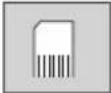 | 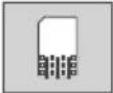 |  |  |  |  | Security level | |
| 40504 | 33 | 26 | 3,9 mm | S2 | |||||
| 40506 | 43 | 35 | 5,8 mm | S2 | |||||
| 40514 | 26 | 21 | 3,9 mm x 40,0 mm | S3 | |||||
| 40522 | 19 | 15 | 2,0 mm x 15,0 mm | S4 | |||||
| 40530 | 11 | 9 | 0,8 mm x 12,0 mm | S5 | |||||
| 40534 | 9 | 7 | 1,0 mm x 4,7 mm | S6 | |||||
| 40604 | 35 28 | 3,9 mm | S2 | ||||||
| 40606 | 45 | 36 | 5,8 mm | S2 | |||||
| 40614 | 30 | 24 | 3,9 mm x 40,0 mm | S3 | |||||
| 40622 | 20 | 16 | 2,0 mm x 15,0 mm | S4 | |||||
| 40630 | 14 | 11 | 0,8 mm x 12,0 mm | S5 | |||||
| 40634 | 11 | 9 | 1,0 mm x 4,7 mm | S6 |

Technical data
 |  |  | DimensionsH x W x D mm |  | Capacity |
| ≤ 47 dB/A | 220-240V 50-60Hz 900W100-120V 50-60Hz 900W | [2320] | 890 x 734 x 510 mm 1 | 40 l25,5 kg | |
| ≤ 46 dB/A | 220-240V 50-60Hz 900W100-120V 50-60Hz 900W |  | 890 x 734 x 510 mm 1 | 40 l25,5 kg | |
| ≤ 52 dB/A | 220-240V 50-60Hz 900W100-120V 50-60Hz 900W |  | 890 x 734 x 510 mm 1 | 40 l25,5 kg | |
| ≤ 53 dB/A | 220-240V 50-60Hz 900W100-120V 50-60Hz 900W | [277Z] | 890 x 734 x 510 mm | 25,5 kg | 140 l |
| ≤ 50 dB/A | 220-240V 50-60Hz 900W100-120V 50-60Hz 900W |  | 890 x 734 x 510 mm 1 | 40 l25,5 kg | |
| ≤ 52 dB/A | 220-240V 50-60Hz 900W100-120V 50-60Hz 900W |  | 890 x 734 x 510 mm 1 | 40 l40,0 kg | |
| ≤ 58,5 dB/A | 220-240V 50-60Hz 1650W100-120V 50-60Hz 1650W |  | 960 x 734 x 510 mm | 40,0 kg | 160 l |
| ≤ 56 dB/A | 220-240V 50-60Hz 1650W100-120V 50-60Hz 1650W | [SY46] | 960 x 734 x 510 mm 1 | 60 l40,0 kg | |
| ≤ 57 dB/A | 220-240V 50-60Hz 1650W100-120V 50-60Hz 1650W | [070H] | 960 x 734 x 510 mm 1 | 60 l40,0 kg | |
| ≤ 55,5 dB/A | 220-240V 50-60Hz 1650W100-120V 50-60Hz 1650W | [0723] | 960 x 734 x 510 mm 1 | 60 l40,0 kg | |
| ≤ 60 dB/A | 220-240V 50-60Hz 1650W100-120V 50-60Hz 1650W | [KD6W] | 960 x 734 x 510 mm 1 | 60 l40,0 kg | |
| ≤ 62 dB/A | 220-240V 50-60Hz 1650W100-120V 50-60Hz 1650W |  | 960 x 734 x 510 mm 1 | 60 l40,0 kg |

Operation - shredding paper
Depending on the model variant, your document shredder may not have all the possible components and functions.
Please follow the safety instructions.
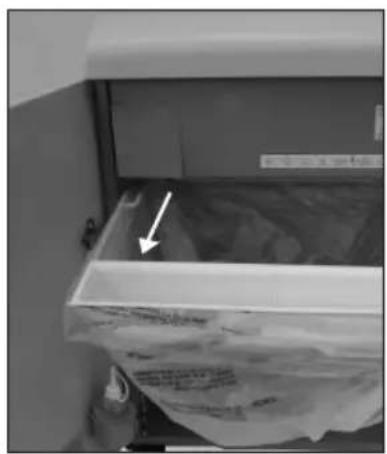
- Prior to using the document shredder, please check the position of the collection bin for CDs/DVDs and bank cards/credit cards. On shredding paper this bin must be at the front of the collection bin for paper.
- Close the door of the document shredder.
- Connect the mains cable supplied to the document shredder and plug into a mains socket. Switch on the main switch.
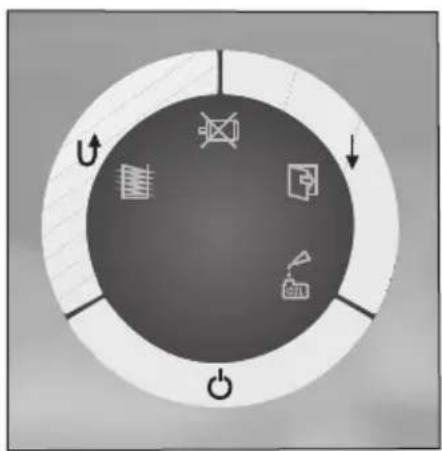
- Switch on the document shredder with the On, Off, Stop button.
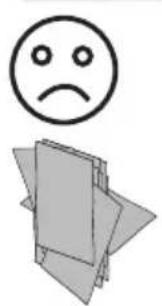
![graph LR A["😊"] --> B["Blank Box"] B --> C["0.K."] C --> D["→"]](/content/2026/02/352065/images/0d3b5315e457b429225921ba394ca31cb136f082dd7044921d833058ebe18109.jpg)
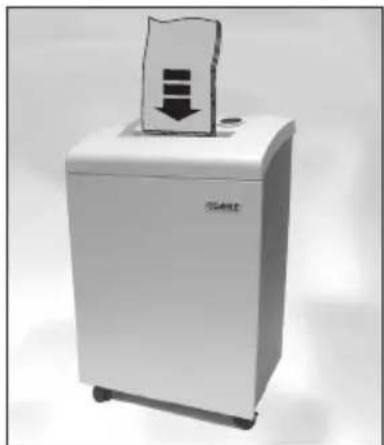
- Pay attention to maximum number of sheets of paper in the technical data!
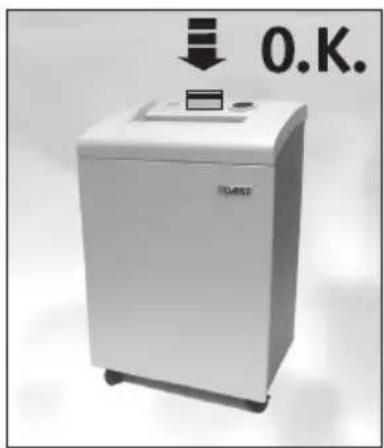
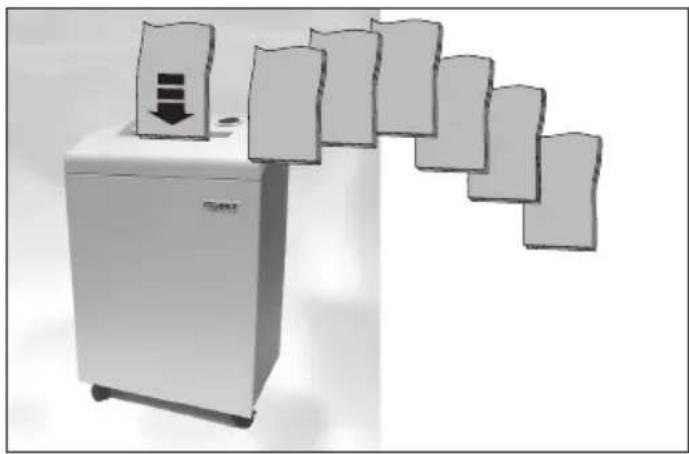
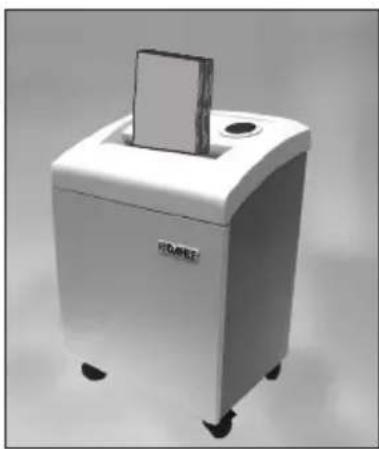
- Place the paper in the middle of the paper feed, the built-in photoelectric sensor starts the document shredder automatically.
- Once the paper feed is clear again, the document shredder switches off automatically and goes into stand-by.
- Continuous operation - after extended operation (approx. 5 sec.) of the forward button, the document shredder changes to continuous operation.
- If the supply of paper is interrupted for 15 seconds, continuous operation is interrupted.

Operation - shredding CDs/DVDs & bank cards
Depending on the model variant, your document shredder may not have all the possible components and functions.
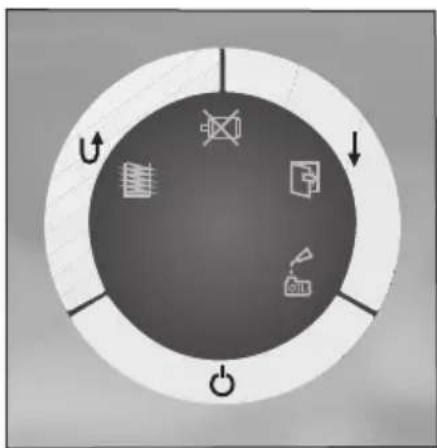
Please follow the safety instructions.
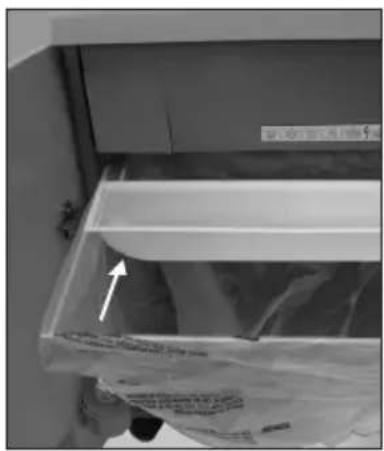
- Prior to using the document shredder, please check the position of the collection bin for CDs/DVDs and bank cards/credit cards. On shredding CDs/DVDs and bank cards/credit cards this bin must be at the rear of the collection bin for paper.
- Pull out collection bin and position the collection bin for CDs/DVDs and credit cards/bank cards at the rear.
- Close the door of the document shredder.

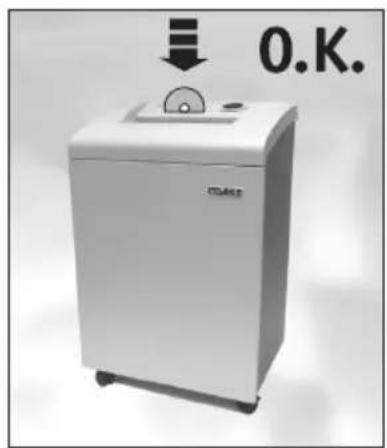
- Insert the CDs, DVDs or bank cards/credit cards in the middle of the feeder while keeping the Forward button pressed.
- Once the CD/DVD feed is clear again, the document shredder switches off automatically and goes into stand-by.

Significance of the signals
Depending on the model variant, your document shredder may not have all the possible components and functions.
Collection bin full - the LED flashes and an audible warning sounds.
![graph TD A["Data Flow"] --> B["Navigation Icon"] B --> C["Power Output"] style A fill:#f9f,stroke:#333 style B fill:#ccf,stroke:#333 style C fill:#cfc,stroke:#333](/content/2026/02/352065/images/328b6c755f78bed52a8ad9ca4e5d27edf5b2147290eac45de026f66578bc85e9.jpg)

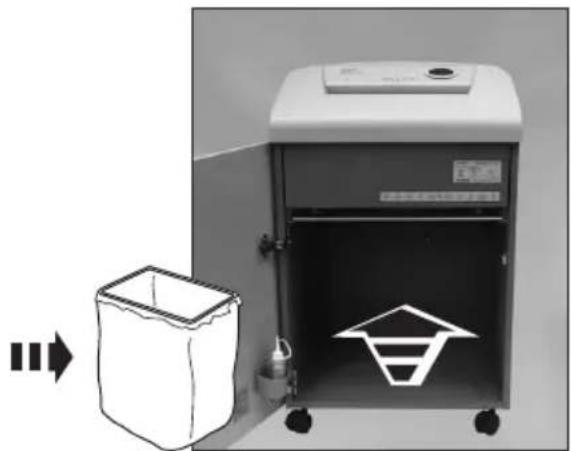
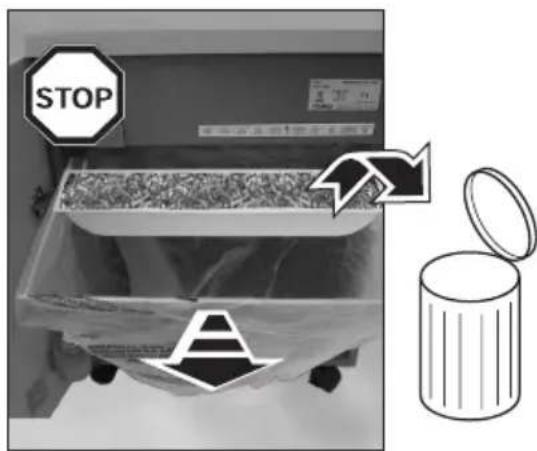
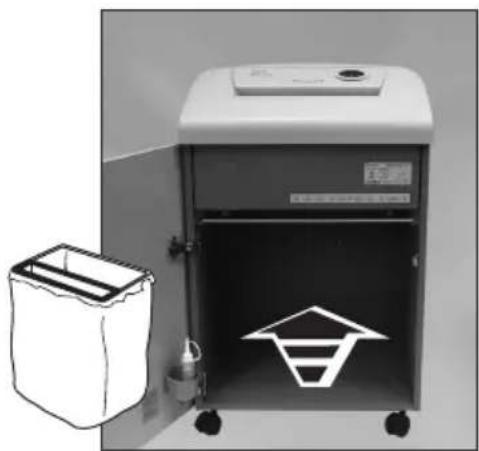
- If the collection bin is full, the shredding process is stopped, this situation is indicated acoustically and optically.
- Switch off the main switch and unplug the mains cable from the mains socket.
- Remove collection bin, empty and re-fit.
- Plug the mains cable into the mains socket and switch on the main switch.

Significance of the signals
Depending on the model variant, your document shredder may not have all the possible components and functions.
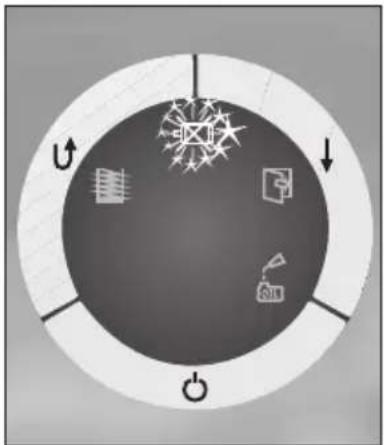
Automatic motor shut down - the LED flashes and an audible warning sounds.
-
Automatic motor shut down with audible warning in case of:
-
Overheating of the motor
- Paper jam
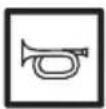
Door open - the LED flashes and an audible warning sounds.
![graph TD A["Grid"] --> B["Power"] B --> C{Decision Point} C -->|Yes| D["Power Supply"] C -->|No| E["Power Supply"] style A fill:#99ccff,stroke:#333 style B fill:#99ccff,stroke:#333 style C fill:#99ccff,stroke:#333 style D fill:#99ccff,stroke:#333 style E fill:#99ccff,stroke:#333](/content/2026/02/352065/images/b94bb94818fadbf1a0a37ad87257d7a3b397064ec03fc012bfcc3c5c3b594223.jpg)
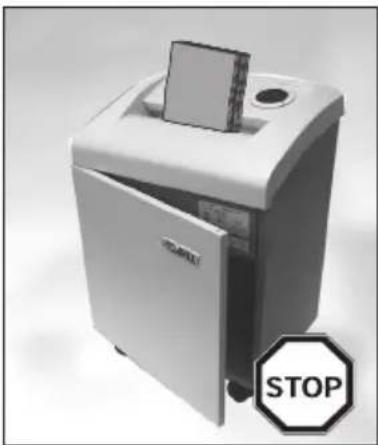
- If the door is open, the shredding process is stopped and a signal sounds, close the door.

Significance of the signals
Depending on the model variant, your document shredder may not have all the possible components and functions.
Oiling - the LED flashes.
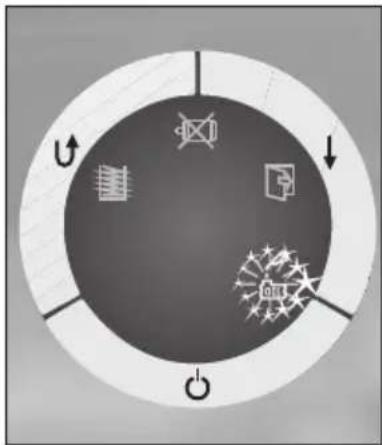
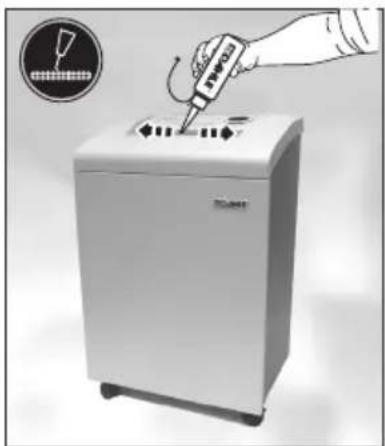
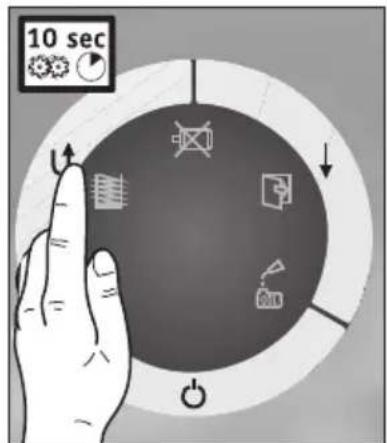
Oil the shredding mechanism if the shredding performance drops (only for cross-cut shredding S3 and S4).
- Switch off the document shredder with the On, Off, Stop button.
Oil the shredding rollers manually (use DAHLE document shredder oil!).
-
Switch on the document shredder with the On, Off, Stop button, leave shredding mechanism to run in reverse without paper feed.
-
Reset oil indication
Keep the Forward and Reverse button pressed for approx. 5 seconds.

Significance of the signals
Depending on the model variant, your document shredder may not have all the possible components and functions.
Automatic oiling - only for cross-cut shredding
Fill oil tank with DAHLE document shredder oil.
Integrated oil tank for regulated, automatic oiling of the rollers.
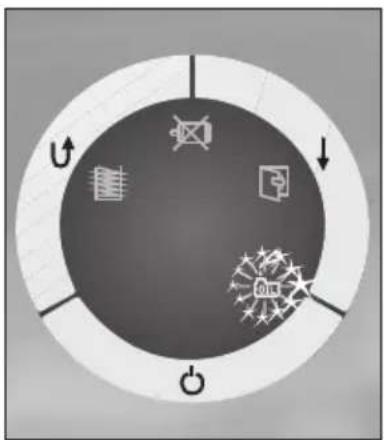
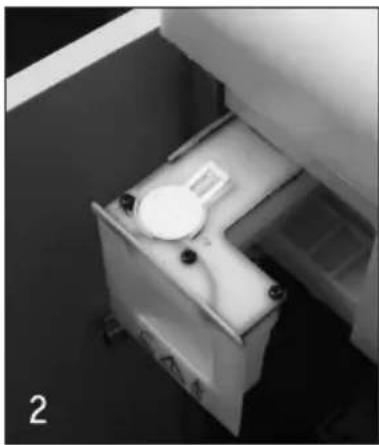
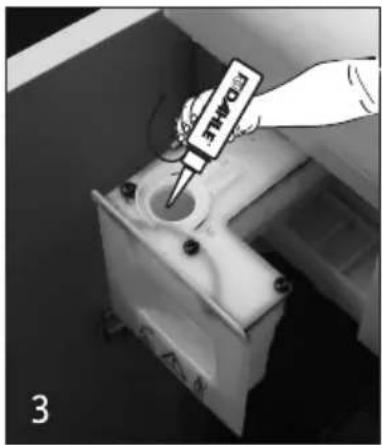
Fill the integrated oil tank in the document shredder in case of indication on the display.
- Switch off the document shredder with the On, Off, Stop button.
- Open the door, the integrated oil tank is in the cabinet, open the cap.
- Fill oil tank with oil (use DAHLE document shredder oil!) and close again.
Attention - 115 V
It is only possible to shred paper after filling (use DAHLE document shredder oil!) the oil tank.

Possible malfunctions
Depending on the model variant, your document shredder may not have all the possible components and functions.
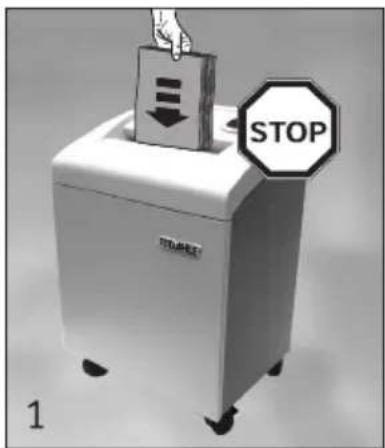
- If there are too many sheets of paper, the shredding process is stopped.
- The shredding mechanism automatically runs in reverse for a short time and the paper is ejected.
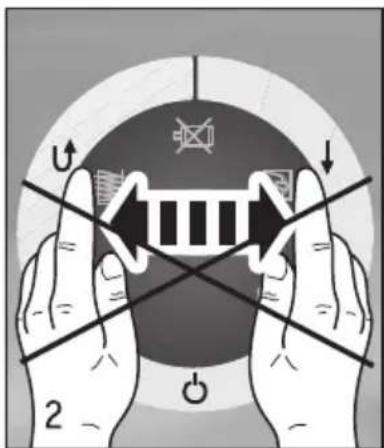
- ATTENTION! To avoid damaging the shredding mechanism, do not operate the forward-reverse switch alternately!
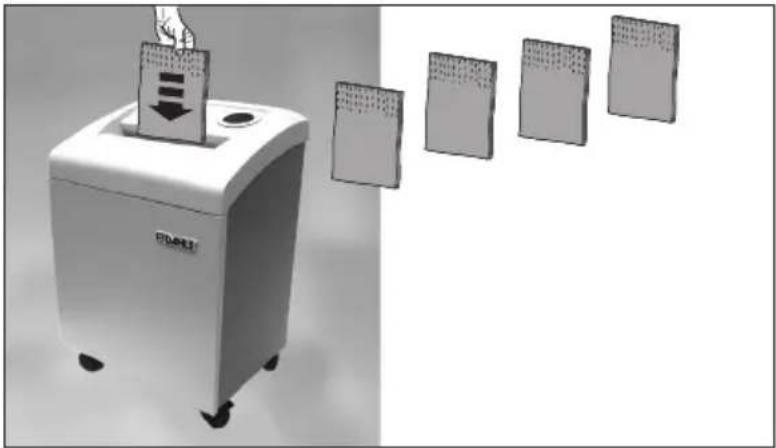
- If paper continues to be jammed, operate the Reverse button briefly.
- Reduce the number of sheets of paper by removing or tearing off.
- The shredding process starts automatically after the paper is inserted again, otherwise operate the Forward button.
40334, 40434, 40534, 40634
- In the event of a paper jam, the shredding mechanism runs in reverse for 0.5 seconds.
- Remove the paper. Then operate the Forward switch to clear the shredding mechanism.
The Reverse switch is inhibited until the Forward switch has been actuated. - Reduce the number of sheets of paper.

Possible malfunctions
Depending on the model variant, your document shredder may not have all the possible components and functions.
The document shredder switches off automatically after extended operation and/or overheating to cool down.
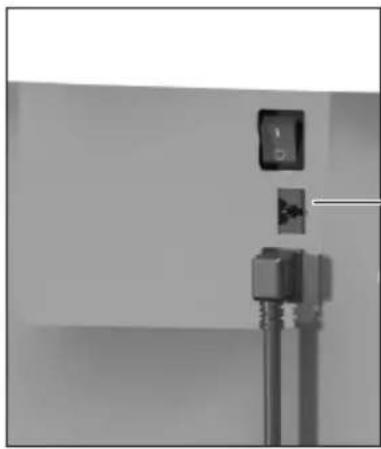
Thermal cut-out
1. The shredding process is not started:
1.1 LED not illuminated
- Mains cable not plugged into the mains socket?
- Main switch not on?
- On, Off, Stop button not switched on?
- Thermal cut-out OFF?
1.2 LED illuminated
- Door open?
- Collection bin full?
- Overload?
- Oil tank empty (115 V)?
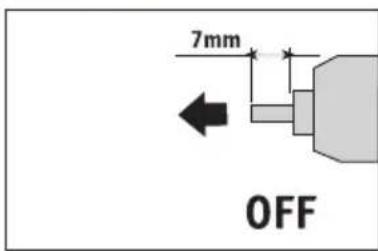
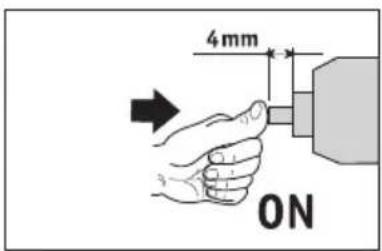
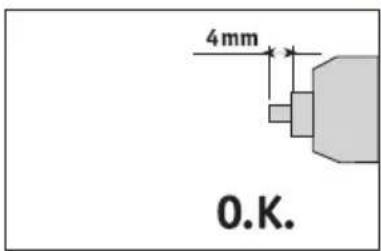
Place the thermal cut-out in the correct position - ON.

Possible malfunctions
Depending on the model variant, your document shredder may not have all the possible components and functions.
Energy-saving mode
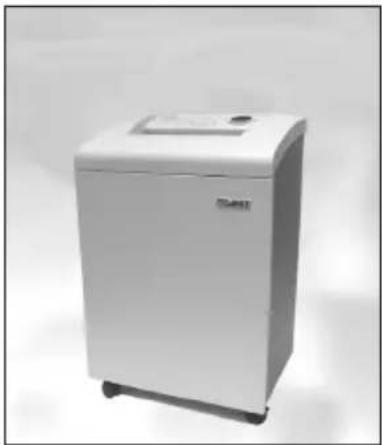
If not used, the document shredder switches to the energy saving mode (flashing LED) after approx. 10 minutes. On renewed use, the document shredder requires approx. 3 seconds to start.
In the energy-saving mode the document shredder switches off if it is not used after approx. 20 minutes (LED off). To use the document shredder, switch it back on with the On, Off, Stop button.

Maintenance and care
Use only DAHLE spare parts!
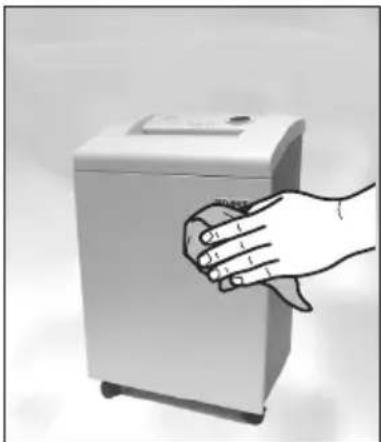
- Switch off the document shredder and unplug the mains cable from the mains socket.
- Only clean the appliance with a dry cloth.
- Plug the mains cable into the mains socket, switch on the document shredder.
Dahle Bürotechnik GmbH
Postfach 11 10
96466 Rödental | Germany
Nikolaus-A.-Otto-Straße 11
96472 Rödental | Germany
Tel.: +49 9563 75299-0
Fax: +49 9563 75299-333
E-Mail: dahle@dahle.de
Internet: www.dahle.de


- GENERAL INFORMATION
- PRIOR TO PLACING IN OPERATION THE DOCUMENT SHREDDER, READ THE OPERATING INSTRUCTIONS AND SAFETY INSTRUCTIONS CAREFULLY! KEEP THE INSTRUCTIONS FOR LATER USE
- PAY ATTENTION TO WARNINGS
- INTENDED USE, WARRANTY
- SUBJECT TO TECHNICAL CHANGE
- TECHNICAL DATA
- OPERATION - SHREDDING PAPER
- OPERATION - SHREDDING CDS/DVDS & BANK CARDS
- SIGNIFICANCE OF THE SIGNALS
- POSSIBLE MALFUNCTIONS
- 40334, 40434, 40534, 40634
- THE SHREDDING PROCESS IS NOT STARTED
- 1.1 LED NOT ILLUMINATED
- 1.2 LED ILLUMINATED
- ENERGY-SAVING MODE
- MAINTENANCE AND CARE
Marque : Dahle
Modèle : 40214
Catégorie : Destructeur de document