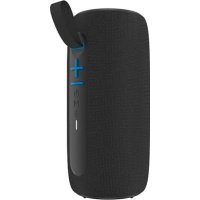
P190 - Enceinte sans fil ONEARZ - Notice d'utilisation et mode d'emploi gratuit
Retrouvez gratuitement la notice de l'appareil P190 ONEARZ au format PDF.


| Type d'appareil | Enceinte audio sans fil |
| Connectivité | Bluetooth |
| Autonomie | Non précisé |
| Puissance de sortie | Non précisé |
| Commandes | Volume +/-, Bouton multifonction |
| Alimentation | Batterie rechargeable intégrée |
| Temps de charge | Non précisé |
| Portée Bluetooth | Non précisé |
| Dimensions | Non précisé |
| Poids | Non précisé |
| Résistance à l'eau | Non précisé |
| Matériau | Plastique et tissu |
| Fonctions supplémentaires | Non précisé |
| Couleur | Noir |
| Accessoires inclus | Non précisé |
FOIRE AUX QUESTIONS - P190 ONEARZ
Questions des utilisateurs sur P190 ONEARZ
0 question sur cet appareil. Repondez a celles que vous connaissez ou posez la votre.
Poser une nouvelle question sur cet appareil
Téléchargez la notice de votre Enceinte sans fil au format PDF gratuitement ! Retrouvez votre notice P190 - ONEARZ et reprennez votre appareil électronique en main. Sur cette page sont publiés tous les documents nécessaires à l'utilisation de votre appareil P190 de la marque ONEARZ.
MODE D'EMPLOI P190 ONEARZ
xe on·earz
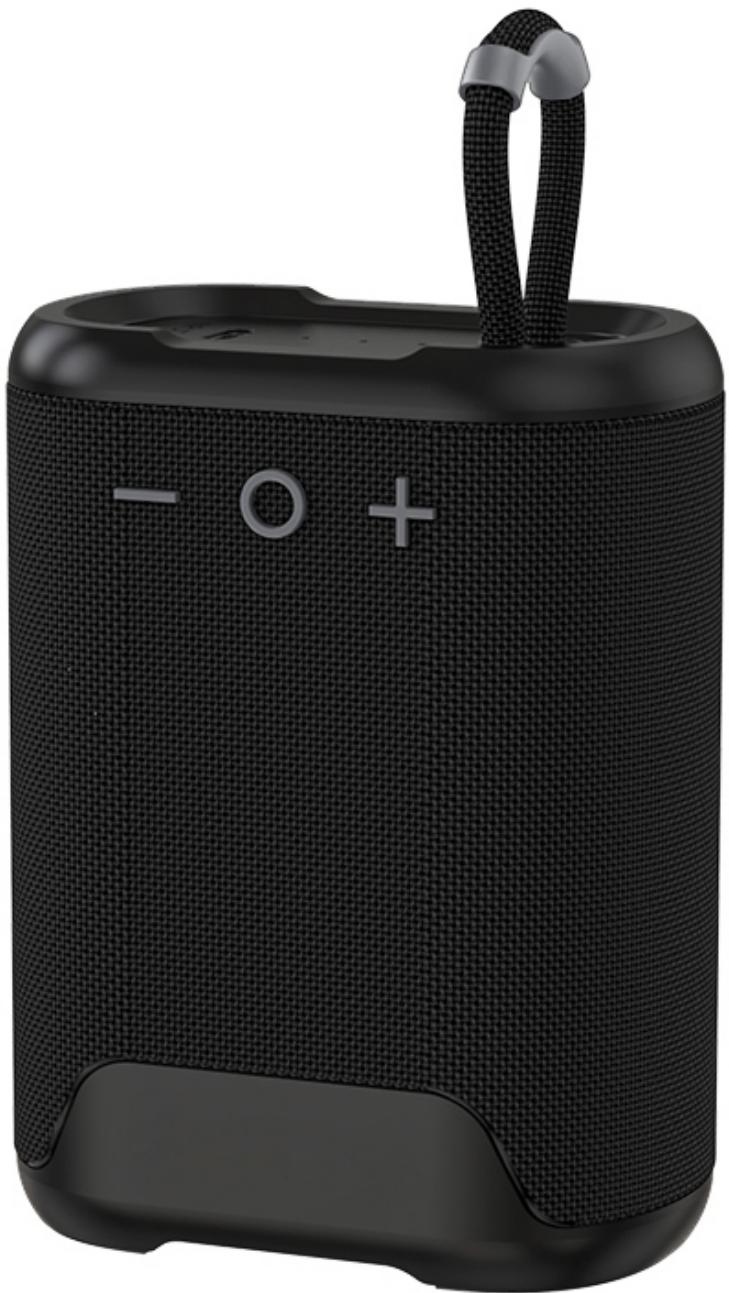
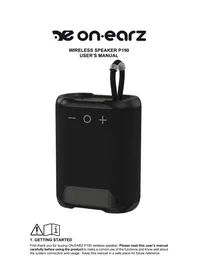
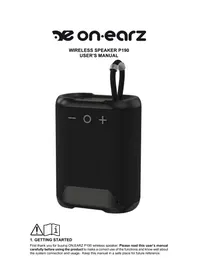
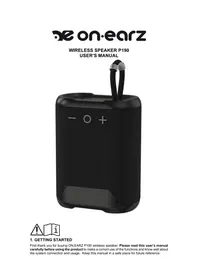
WIRELESS SPEAKER P190
USER'S MANUAL

1. GETTING STARTED
First thank you for buying ON.EARZ P190 wireless speaker. Please read this user's manual carefully before using the product to make a correct use of the functions and know well about the system connection and usage. Keep this manual in a safe place for future reference.
2. BOX CONTENT
Please make sure that the following items are in the packaging when you open it for the first time.
- P190 wireless Speaker
- User's Manual (FR-NL-EN-SP)
- USB-C charging cable
3. INTRODUCTION
This speaker allows you to listen wirelessly to your music from your mobile phone, tablet or other wireless audio enabled device. It delivers powerful and clear sound. The built-in microphone allows you to answer calls from mobile phone. The powerful battery offers a music play time of about 8 hours at 60% volume.
4. PRECAUTIONS
Read the following recommendations before using the speaker.
- Keep it dry and don't take it to damp places to avoid the product's internal circuit being affected.
-
Keep the product away from direct sunlight or hot places. High temperatures will shorten the life of electronic devices, destroy the battery or distort certain plastic parts.
-
Don't expose the product to extremely cold area. It may damage the internal circuit board.
- Don't try to disassemble the product as it may get damaged and the warranty will be cancelled.
- Don't let it fall down onto the floor or other hard surfaces. The internal circuit might get damaged.
- Don't use intensive chemical products or detergent to clean the product.
Don't scratch the surface with sharp objects.
Take care when charging the speaker, excessive prolonged charging can damage battery lifetime. Charge the speaker to full capacity when using for the first time.
When the battery voltage is low, the speaker will emit some beeps, please charge battery in time. If the speaker is not used for long time, please charge at least once within one month, in order to prevent the lithium battery from causing and damaging because of excessive consumption.
The normal function of the product may be disturbed by strong Electro-Magnetic Interference. If so, simply reset the product to resume normal operation by following the instruction manual. In case the function could not resume, please use the product in other location.
5. CHARGING THE SPEAKER
Connect the USB connector of the USB-C cable supplied together with the product to one free USB port of the computer or to a USB wall charger (not included), and the other end to the USB-C port (DC IN) located on the top of the product. The LED charge indicator light will turn RED during charging. It will take around 1-2 hours for the lithium battery to be fully charged with a 5.0V - 1.0A USB charger. The red LED indicator light will turn OFF when the battery is fully charged.
Note:
- Please use the good quality USB charger to charge the speaker.
- We suggest you use a power adaptor with specification 5.0V / 1.0A.
- When speaker has low battery capacity, please charge the it immediately.
- The speaker can be charged by different charging current, if using the computer USB port to charge the speaker, the charging time will be longer as the charging current will be about 500mA only.
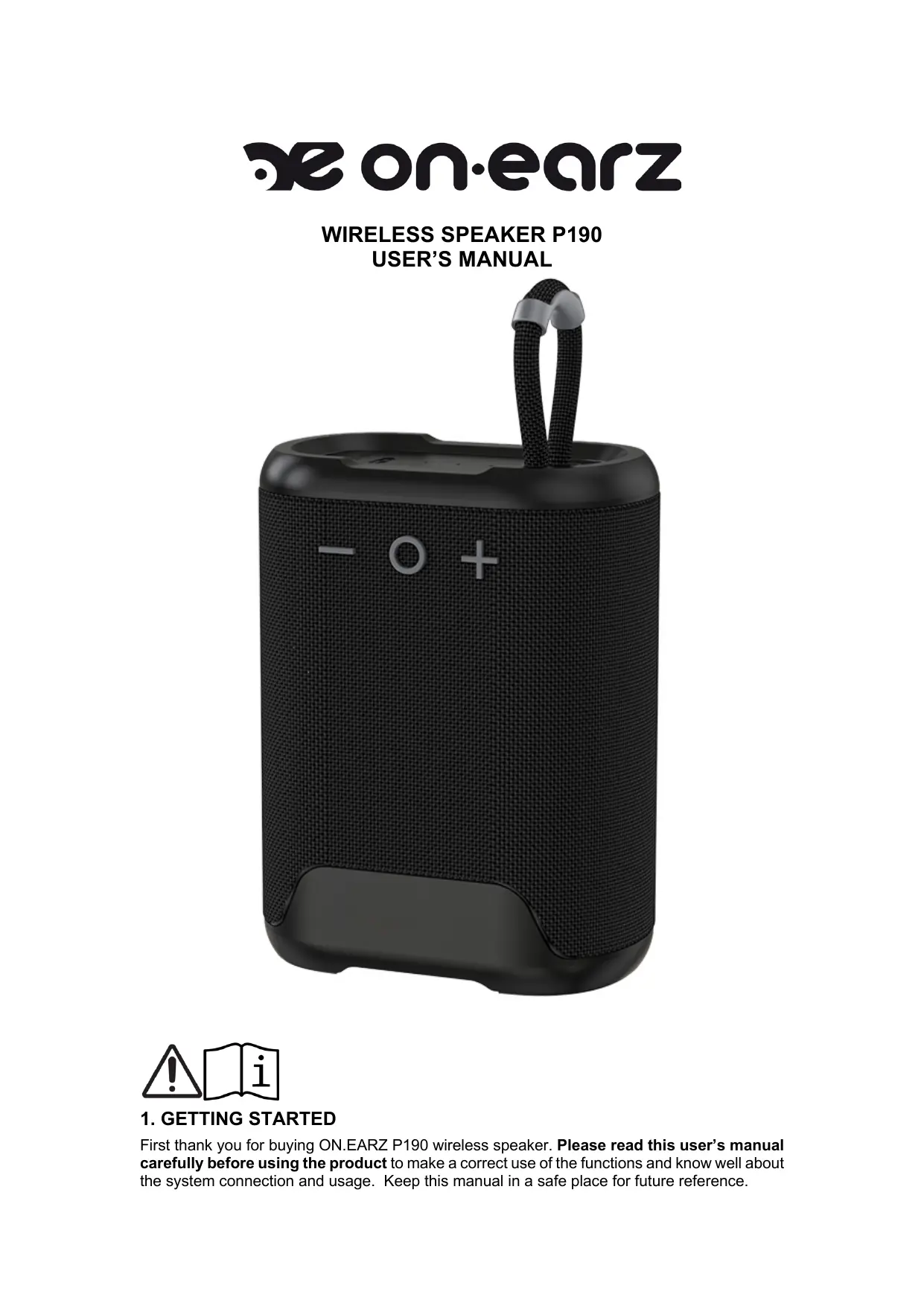
6. PRODUCT OVERVIEW AND KEYS DESCRIPTION
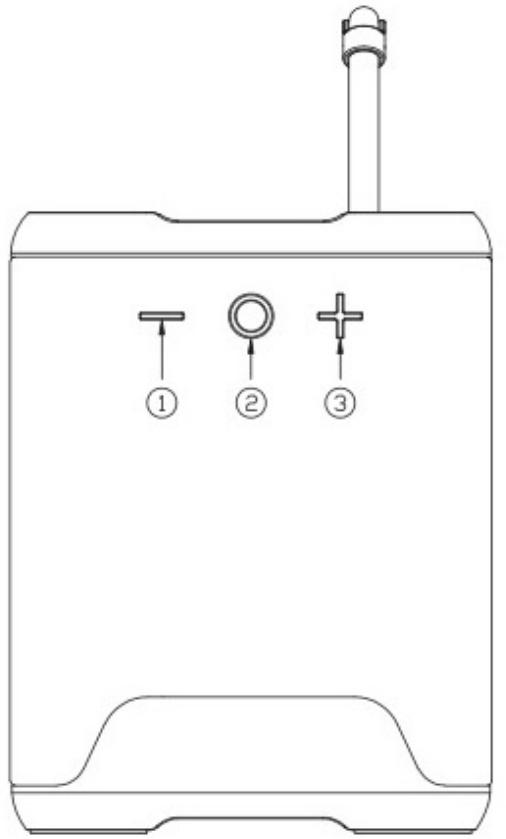
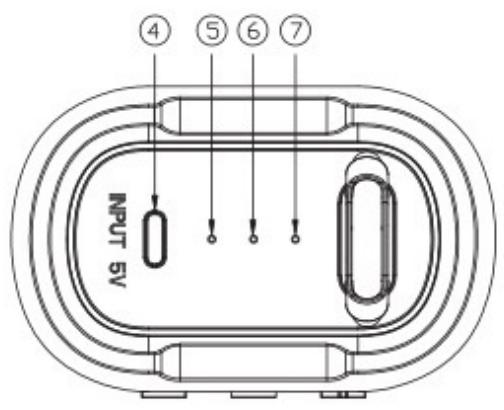
- Previous track / Decrease volume: Short press to decrease the volume Long press to go to previous track
- Power / Play / Pause / Phone: Press and hold about 3 seconds to turn ON or OFF
Short press to play or pause music
Short press to answer or end a phone call
Press and hold about 1 second the button to reject a call - Next track / Increase volume: Short press to increase the volume Long press to go to next track
- USB-C (5V INPUT) port for charging the battery
- LED charging indicator
- Wireless audio status LED indicator
- Microphone hole
7. OPERATING INSTRUCTIONS
Power ON/OFF
Press the "O" button and hold for 3 seconds to power on/off the speaker.
Wireless Music Pairing
- Power on the speaker. It will enter in pairing mode automatically. The BLUE LED indicator is now blinking.
-
Place the speaker and the audio player device close to each other.
-
Now turn on the wireless audio function of your mobile or other music player and start to search for new devices. The device named "OE_P190" will appear in the list, select it and confirm the connection. When connected, the speaker will emit a confirmation tone. The BLUE LED indicator is now fixed. Note: If a password is asked during pairing procedure, please enter 0000 and confirm.
- You can now start to use the speaker.
Note: Once you have paired the speaker with a device, the speaker will remember this device and will pair automatically when the device is in the range with the wireless audio activated. You don't need to re-pair any previously connected devices.
The speaker will attempt to automatically connect to the last device paired with when the wireless audio mode is turned on. If you want to pair it with a new device, please disconnect it first from your last wireless audio device (phone or music device) then use your new device to search and select the pairing name.
Wireless Music Playing
Start to play music on the mobile phone or other music player devices, and the speaker will play the selected music accordingly.
Short press the “O” button to pause or play the music
Short press the "+" button to increase the volume
Short press the "-" button to decrease the volume
Long press the "+" button to go to the next music track
Long press the "-" button to go to the previous music track
Connecting two P190 speakers in TWS mode
- Turn ON both speakers by pression the "O" button for about 3 seconds. The BLUE LED status light is blinking rapidly.
- Long press the "+" and "-" button at the same time on one of the speakers. They will connect to each other after some seconds, you will hear a prompt tone when the connection is established. The BLUE LED on the auxiliary speaker is now fixed.
- Start the wireless audio pairing procedure as described above in this manual. Your mobile phone or other audio device will find one device names "OE_P190". After a successful connection, the BLUE LED status light is now fixed on the master speaker too.
- If you want to cancel the TWS connection, long press the "+" and "-" button at the same time on one of the speakers. They will disconnect to each other after some seconds. The BLUE LED lights will be blinking on both speakers.
In TWS mode:
Short press the "+" or "-" button on any speaker to adjust the volume Long press the "+" or "-" button on any speaker to go to next or previous song Press the "O" button on any speaker to pause or play the music. Long press the "O" button on any speaker and they will both shut down at the same time.
Mobile Hands-free Communication
If you receive a call when your mobile device is connected wirelessly to the speaker, the music will be paused and you will hear a ring tone in the speaker.
Short press the "O" button to answer the call.
Short press the "O" button again to end the call.
Long press for about 1 second the "O" button to reject the call.
8. TROUBLESHOOTING
1. The speaker can't pair with the wireless audio device and play music accordingly.
(1) Please check the specifications and the manual of the wireless audio device (mobile phone, tablet or computer), and check if the device can support the A2DP stereo audio transmission. If yes, please turn on the A2DP stereo mode.
(2) Ensure that the speaker mode is well on wireless audio mode. Also if there are many wireless audio devices around you, it may be hard to scan, then please turn off other devices.
(3) Check that the speaker is not already paired with another device. If yes disconnect it first from this device and then try to pair it again with the new device.
9. TECHNICAL SPECIFICATIONS
Wireless audio specifications: V5.0
Wireless operation range: up to 10 meters in open space
Speaker driver: Ø45mm, 4Ω / 5W
Musical power output: 12W Max.
RMS power output: 5W
Power Input: DC 5.0V - 1.0A
Built-in Battery: 3.7V 1800mAh
Charging Time: 1,5-2 hours (with a 5V 1A adapter)
Playing Time: about 8 hours at 60% volume
Waterproof with IPX5 level
Handsfree call function
Support TWS (True Wireless Stereo) function
Size: 105^80^50mm - Weight: 280g
Operating frequency: 2,4Ghz
MAX RF output power: 1.075 dBm
Protection class: Class III
10. DISPOSAL OF ELECTRICAL & ELECTRONIC EQUIPMENT
This symbol on the product or on its packaging indicates that this product shall not be treated as household waste. It should be taken to an applicable collection point for the recycling of electrical and electronic equipment. For more information, please contact your local council or waste disposal service.
11. ABOUT THIS MANUAL
We strive to ensure that the information contained in this manual are as accurate as possible. Changes may be made to the manual or the product without prior notification. The latest updates will be available on our website www.onearz.com. Our company shall under no circumstances be held liable for injury or damage caused by errors or omissions in this manual.
© ONEARZ 2022. All rights reserved. The specifications and/or design of the product can change without prior notice. All brands and trademarks mentioned in this manual are the property of their respective owners.
EU DECLARATION OF CONFORMITY
We, A6 Europe s.a. located 127-129 rue Colonel Bourg, 1140 Brussels, Belgium, declare under our own responsibility that the following equipment:
Brand: ON.EARZ
Item code: OE_P190
Product description: Wireless Speaker
Complies to the essential provisions of the following EC Directive(s):
RED Directive: 2014/53/EU
LVD Directive: 2014/35/EU
EMC Directive: 2014/30/EU
RoHS Directive: 2011/65/EU, amendment 2015/863/EU
And complies with the essential provisions of the following harmonized European standards:
EMC:
ETSI EN301489-1 V2.2.3: 2019-11
ETSI EN301489-17 V3.2.4: 2020-09
EN55035:2017+A11:2020
EN55032:2015+A1:2020
EN IEC61000-3-2 :2019
EN61000-3-3 :2013+A1 :2019
Radio:ETSI EN300328 V2.2.2:2019-07
Safety: EN IEC62368-1:2020+A11:2020
Health: EN62479:2010 EN50663:2017
Date: November 2, 2022
David Peroo, Product Manager