KP105 - Sport_loisir_connecte TP-LINK - Notice d'utilisation et mode d'emploi gratuit
Retrouvez gratuitement la notice de l'appareil KP105 TP-LINK au format PDF.


| Type de produit | Prise connectée (Smart Wi-Fi Plug) |
| Marque | TP-LINK |
| Modèle | KP105 |
| Dimensions (approx.) | 6 x 4 x 3 cm |
| Poids (approx.) | 50 g |
| Matériau | Plastique ignifuge |
| Couleur | Blanc |
| Alimentation | 100-240 V AC, 50/60 Hz |
| Courant max | 16 A (versions EU/FR) / 13 A (UK) / 10 A (AU) |
| Type de prise | Selon version (EU, UK, AU, FR) |
| Connectivité | Wi-Fi 2,4 GHz (802.11 b/g/n) |
| Application | Kasa Smart (iOS/Android) |
| Compatibilité assistants vocaux | Amazon Alexa, Google Assistant |
| Fonction contrôle à distance | Oui, via application |
| Programmation horaire | Oui, jusqu'à plusieurs plages |
| Minuterie | Oui, temporisation réglable |
| Mode absent (Away Mode) | Oui, simulation de présence |
| Surveillance énergétique | Oui, suivi de consommation |
| Protection | Arrêt automatique en cas de surchauffe |
| Certifications | CE, RoHS, REACH |
| Température de fonctionnement | 0 °C à 40 °C |
| Humidité de fonctionnement | 10% à 90% HR (sans condensation) |
| Garantie | 2 ans |
| Entretien et nettoyage | Débrancher avant nettoyage ; utiliser un chiffon sec |
| Sécurité | Tension dangereuse à l'intérieur ; ne pas ouvrir |
FOIRE AUX QUESTIONS - KP105 TP-LINK
Questions des utilisateurs sur KP105 TP-LINK
0 question sur cet appareil. Repondez a celles que vous connaissez ou posez la votre.
Poser une nouvelle question sur cet appareil
Téléchargez la notice de votre Sport_loisir_connecte au format PDF gratuitement ! Retrouvez votre notice KP105 - TP-LINK et reprennez votre appareil électronique en main. Sur cette page sont publiés tous les documents nécessaires à l'utilisation de votre appareil KP105 de la marque TP-LINK.
MODE D'EMPLOI KP105 TP-LINK
User Guide
Kasa Smart Wi-Fi Plug Slim
KP105
Contents
About This Guide 1
Introduction 2
Appearance 4
Set Up Your Smart Wi-Fi Plug Slim 5
Main Device Controls 7
Configure Your Smart Wi-Fi Plug Slim……… 9
Create Scenes 10
Discover Kasa 11
Authentication 12
About This Guide
This guide provides a brief introduction to Kasa Smart Wi-Fi Plug Slim and the Kasa Smart app, as well as regulatory information.
Please note that features of Kasa Smart Wi-Fi Plug Slim may vary slightly depending on the model and software version you have, and on your location language and internet service provider. All images, steps, and descriptions in this guide are only examples and may not reflect your actual experience.
Conventions
In this guide, the following convention is used:
| Convention | Description |
| Teal | Key information appears in teal, including management page text such as menus, items, buttons and so on. |
| Underline | Hyperlinks are in teal and underlined. You can click to redirect to a website. |
More Info
- Specifications can be found on the product page at https://www.tp-link.com.
Our Technical Support and troubleshooting information can be found at https://www.tp-link.com/support/.
Introduction
Kasa Smart Wi-Fi Plug Slim is convenient and safe to turn your appliances on/off or set flexible schedules—all from your phone, free up your hands using voice control with Alexa or Google Assistant and prevent overheating with automatic shutoff.
Compact Design
Smart Plug's compact size leaves adjacent sockets accessible and ready for use.
Control from Anywhere
Manage connected electronics from anywhere with the Kasa Smart app.
No Hub Required
Connects to your home's Wi-Fi network. No need for a hub or extra equipment.

Home Automation
Set multiple schedules, create scenes and groups, and simulate occupancy while away with away mode.
| Model | Supported Load Type | Note |
| KP105(EU) | 100~240V ac, 50/60Hz, 16A max, Resistive Load; 100~240V ac, 50/60Hz, 2.5FLA/16LRA*, Motor Load Construction of Switch: Micro-Disconnection(μ) | |
| KP105(UK) | 100~240V ac, 50/60Hz, 13A max, Resistive Load; 100~240V ac, 50/60Hz, 2.0FLA/13LRA*, Motor Load Construction of Switch: Micro-gap Switch(μ) | *FLA = Full Load Ampere; LRA = Lock Rotor Ampere |
| KP105(AU) | 220~240V ac, 50/60Hz, 10A max, Resistive Load; 220~240V ac, 50/60Hz, 1.6FLA/10LRA*, Motor Load Construction of Switch: Micro-gap Switch(μ) | |
| KP105(FR) | 230V~, 50/60Hz, 16A Max, Resistive Load; 230V~, 50/60Hz, 2.5FLA/16LRA*, Motor Load Construction of Switch: Micro-Disconnection(μ) |
Appearance
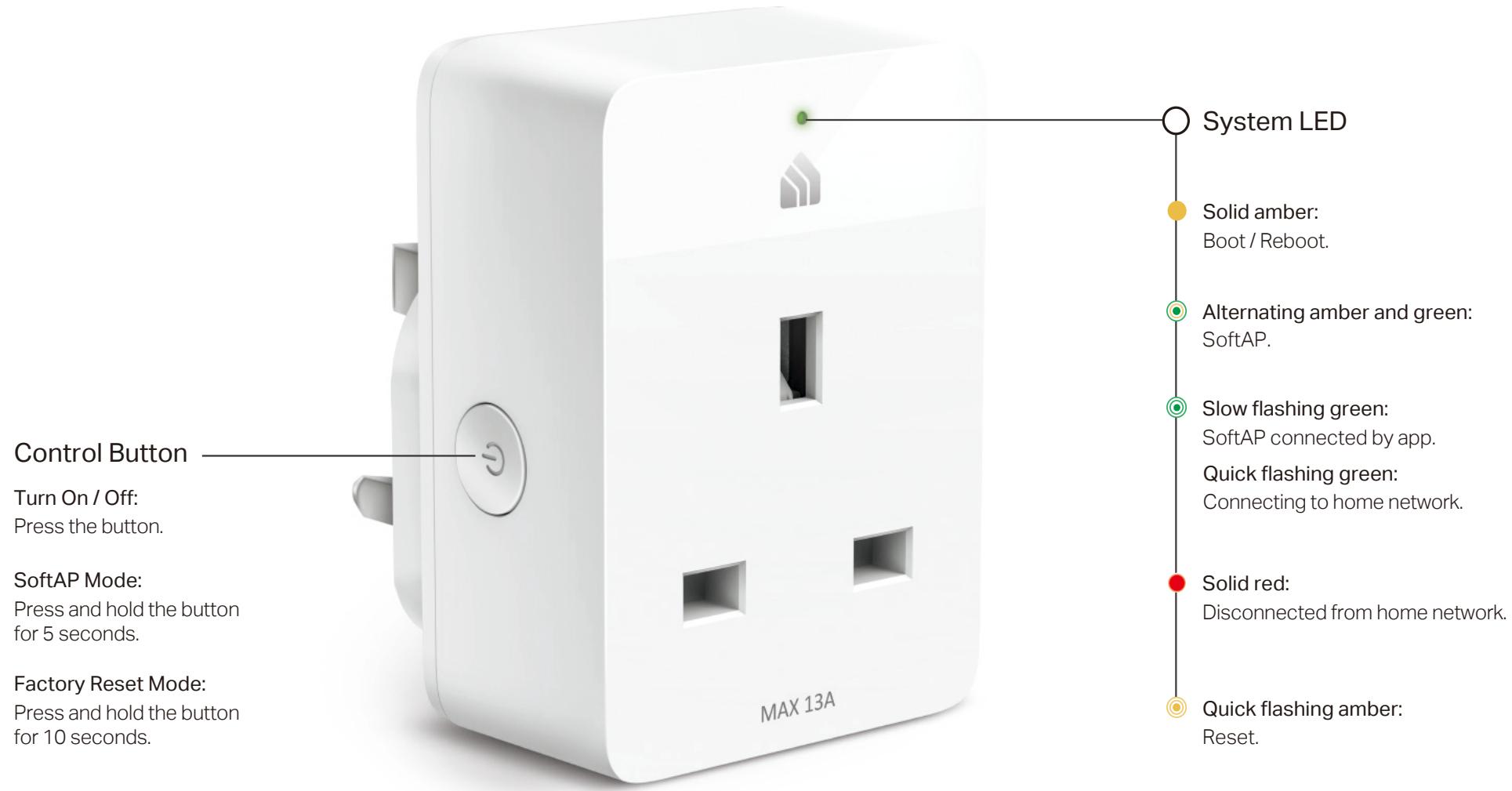
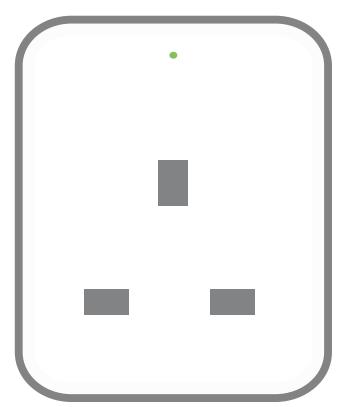
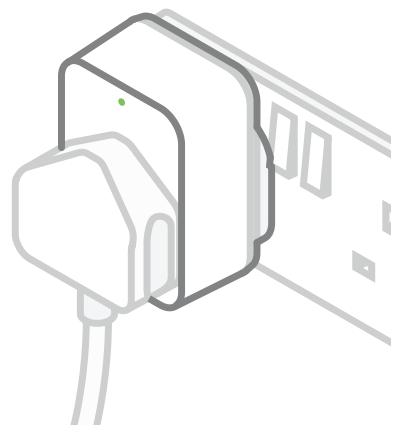
Kasa Smart Wi-Fi Plug Slim has 1 individual smart outlets, with a control button to turn on/off the device plugged in, and 1 LED to show you the current status. See the explanation below:
*KP105 (UK version) is used for demonstration in this guide.
Set Up Your Smart Wi-Fi Plug Slim
Follow the steps below to set up your smart plug via Kasa Smart app.
1. Install Kasa Smart app
Get the Kasa Smart app from Google Play or the Apple App Store, or scan the QR code below to download it.
2. Log in or sign up with TP-Link ID
Open the Kasa Smart app and log in with your TP-Link ID. If you don't have an account, create one first.
3. Add Device
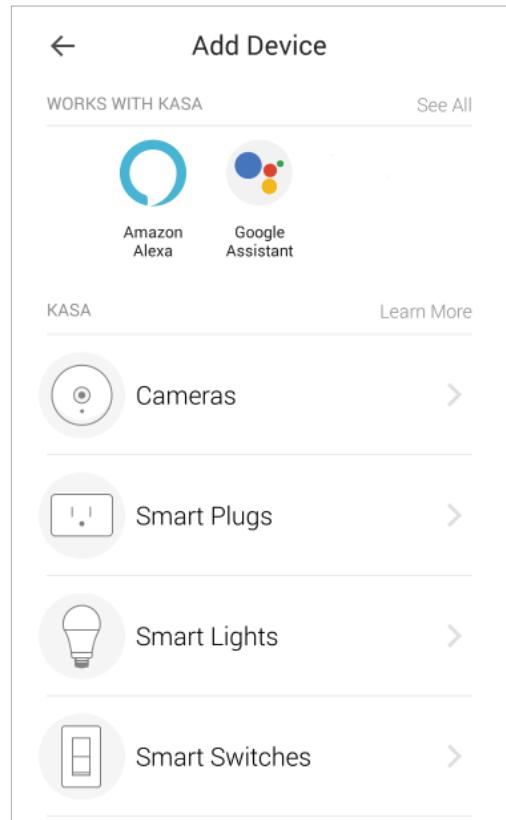
Tap the button in the Kasa Smart app, select Add a Device >Smart Plugs and then follow step-by-step app instructions to complete the setup.


OR
↓

Welcome Home to Kasa
Everything you need to get up and running, Kasa helps you enjoy the convenience and peace of mind of a fully connected smart
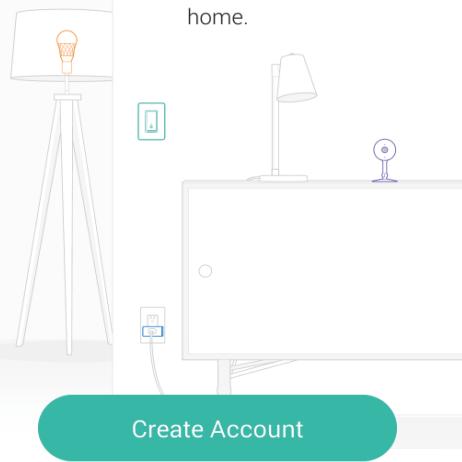
Log In
Simple to Set up and Use with Alexa
Setup is faster than ever before with Alexa. Use your Echo device to set up the plug via voice command.

1
Once you've set up your Echo device, plug in your TP-Link smart plug. If Alexa or the Alexa app says "New plug found," go straight to step 3.

2
In the Kasa app, click the ^ + icon and then follow the step-by-step instructions to set up your smart plug and link your TP- Link account to Amazon.

3
To use your device with Alexa, just say "Alexa, turn on First Plug."
Main Device Controls
After you successfully set up your smart plug, you will see the home page of the Kasa Smart app. Here you can view and manage all devices that you've added to Kasa. Tap a smart power plug to control and manage it.
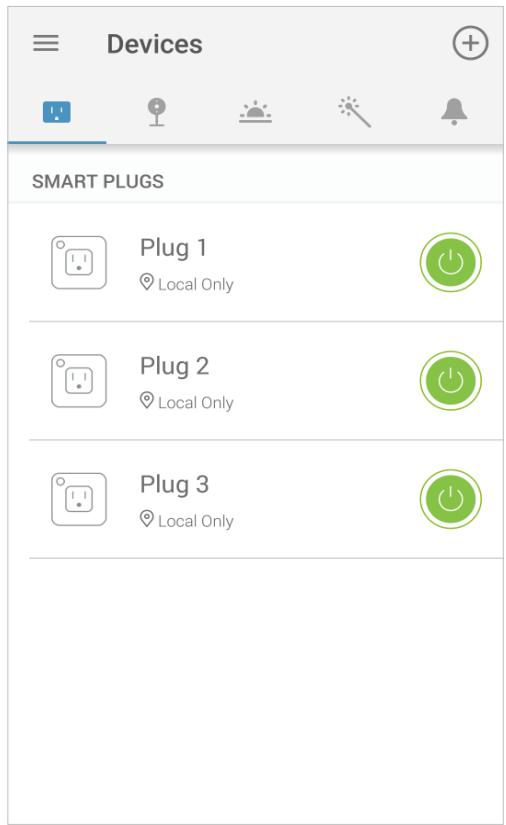
Home Page
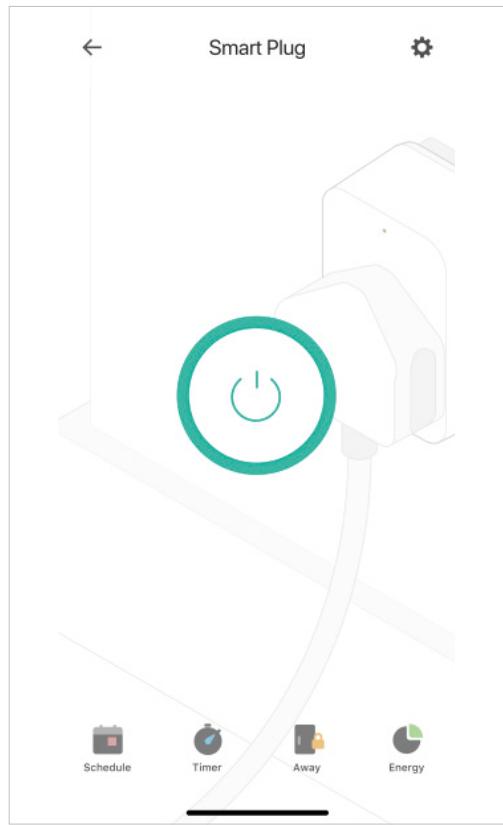
Device Status
Configure Your Smart Wi-Fi Plug Slim
On Device Status page, you can set Schedule, preset Away Mode, set Timer, check Usage and change the settings of your smart plug.
Set Schedule
Tap to set a schedule for your smart Schedule plug to simplify your daily routine by creating automatic On/Off action.
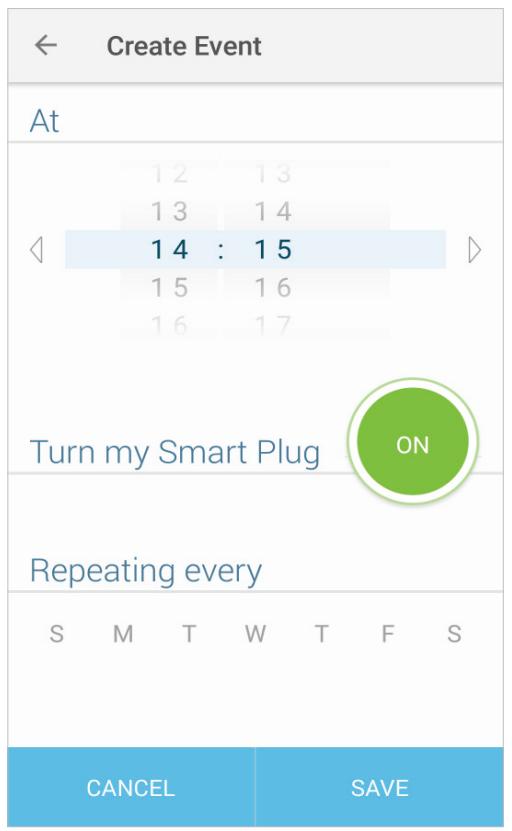
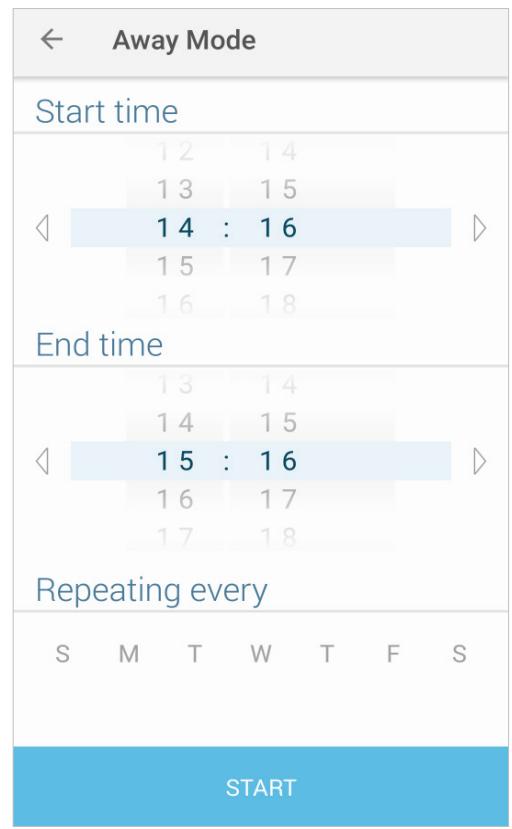
Preset Away Mode
Tap to preset the Away Mode and your smart plug will be randomly turned on/off during this time.
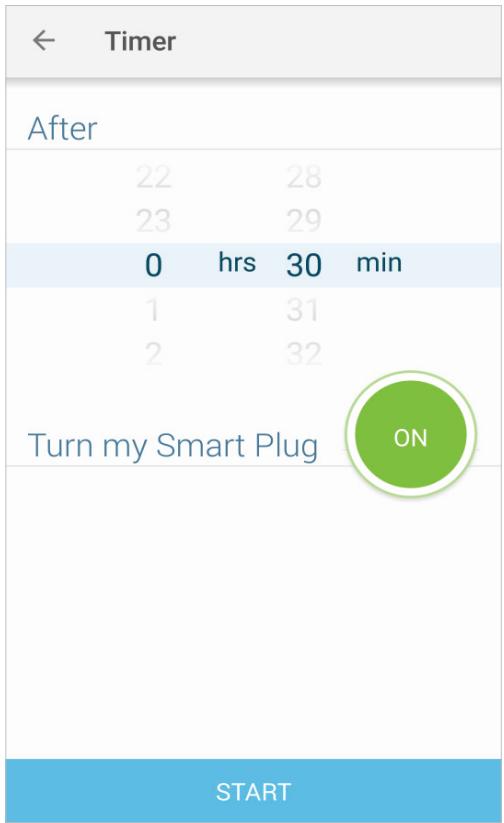
Set Timer
Tap to set the timer and your smart plug will automatically be turned on/off after the time ends.
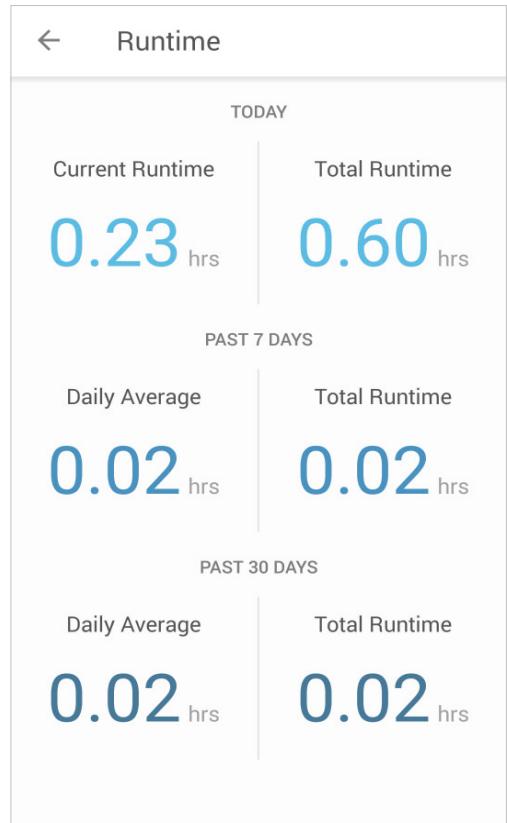
Check Usage
Tap to view and track energy consumption.
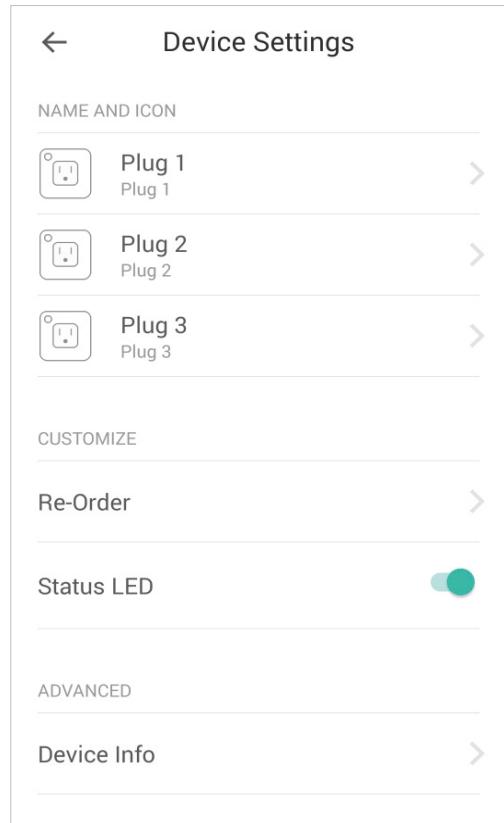
Device Settings
Tap to view and change the settings of your smart plug.
Create Scenes
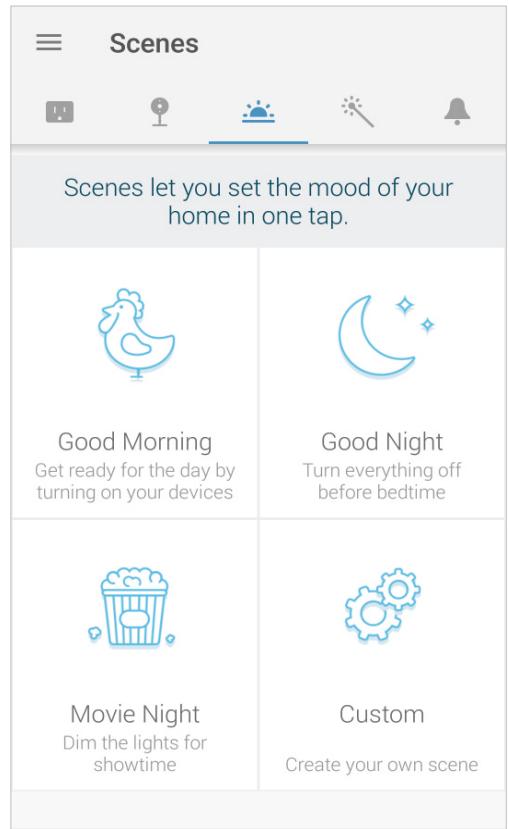
A scene is a preset group of smart devices that can be programmed, customized and activated simultaneously at the touch of a button from your smartphone or tablet, allowing you to easily set your mood, activity or fit any special occasion. This page allows you to preset how your smart home devices should act automatically at special occasions.
Discover Kasa
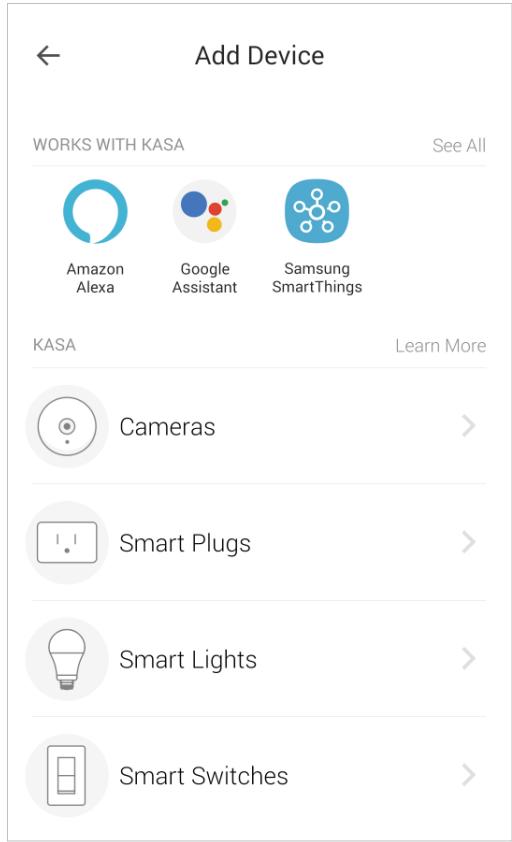
Use the Kasa Smart app to pair your Smart Wi-Fi Plug with Amazon Alexa, Google Home Assistant, and enjoy a full hands-free experience. Kasa helps manage the rest of your smart home too, working with Samsung SmartThings to trigger changes when you arrive home or leave for the day.
Launch the Kasa Smart app and go to Add Device > WORKS WITH KASA > Amazon Alexa / Google Assistant / Samsung SmartThings for detailed instructions.
Authentication
COPYRIGHT & TRADEMARKS
Specifications are subject to change without notice. tp-link is a registered trademark of TP-Link Technologies Co., Ltd. Other brands and product names are trademarks or registered trademarks of their respective holders.
No part of the specifications may be reproduced in any form or by any means or used to make any derivative such as translation, transformation, or adaptation without permission from TP-Link Technologies Co., Ltd. Copyright © 2020 TP-Link Technologies Co., Ltd. All rights reserved.
CE Mark Warning

This is a class B product. In a domestic environment, this product may cause radio interference, in which case the user may be required to take adequate measures.
OPERATING FREQUENCY(the maximum transmitted power)
2400 MHz - 2483.5 MHz(20dBm)
EU declaration of conformity
TP-Link hereby declares that the device is in compliance with the essential requirements and other relevant provisions of directives 2014/53/EU, 2009/125/EC, 2011/65/EU and (EU)2015/863.
The original EU declaration of conformity may be found at https://www.tp-link.com/en/ce.
RF Exposure Information
This device meets the EU requirements (2014/53/EU Article 3.1a) on the limitation of exposure of the general public to electromagnetic fields by way of health protection.
The device complies with RF specifications when the device used at 20~cm from your body.
Korea Warning Statements
当他用那双眼睛望向自己,他看到自己在那片天空里。
NCC Notice
注意!
依據低功率電波輻射性電機管理辦法
第十二條經型式認證合格之低功率射頻電機,非經許可,公司、商號或使用者均不得擅自變更頻率、加大功率或變更原設計之特性或功能。
第十四條低功率射頻電機之使用不得影響飛航安全及干擾合法通行;經發現有干擾現象時,應立即停用,並改善至無干擾時方得繼續使用。前項合法通信,指依電信規定作業之無線電信。低功率射頻電機需忍受合法通信或工業、科學以及醫療用電波輻射性電機設備之干擾。
BSMI Notice
安全諮詢及注意事項
·請使用原裝電源供應器或只能按照本產品注明的電源類型使用本產品。
·清潔本產品之前請先拔掉電源線。請勿使用液體、噴霧清潔劑或濕布進行清潔。
·注意防潮,請勿將水或其他液體灑到本產品上。
- 插槽與開口供通風使用,以確保本產品的操作可靠並防止過熱,請勿堵塞或覆蓋開口。
·請勿將本產品置放於靠近熱源的地方。除非有正常的通風,否則不可放在密閉位置中。
·請不要私自打開機殼,不要自行維修此產品,若有損壞,請聯繫廠家維修。
限用物質含有情況標示聲明書
| 產品元件名稱 | 限用物質及其化學符號 | |||||
| 鉛 Pb | 鎘 Cd | 汞 Hg | 六價鉻 CrVI | 多溴聯苯 PBB | 多溴二苯醚 PBDE | |
| PCB | ○ | ○ | ○ | ○ | ○ | ○ |
| 外殼 | ○ | ○ | ○ | ○ | ○ | ○ |
| 電源供應板 | - | ○ | ○ | ○ | ○ | ○ |
| 備考1. "超出0.1wt%"及"超出0.01wt%"系指限用物質之百分比含量超出百分比含量基準值。 備考2. "○"系指該項限用物質之百分比含量未超出百分比含量基準值。 備考3. "-"系指該項限用物質為排除項目。 | ||||||

IpoDyKT cepTnphiKOBaHO 3rIINO C npabINamCnCTeMn YkpCEPPO Ha BiIDNOBicHicTb BmOram HopMaTHBnX DoKymeHTiB Ta BmOram,
IIO nepeD6aueHi cHHNIMN 3aKOHOdABcHmN aKTAmN YkpaIHn.

Safety Information
- Keep the device away from water, fire, humidity or hot environments.
- Do not attempt to disassemble, repair, or modify the device.
- Do not use the device where wireless devices are not allowed.
- The socket-outlet shall be installed near the equipment and shall be easily accessible.
- For passthrough devices, plug the power strips into the integrated electrical sockets of the devices, but devices of the same or another type not be stacked in normal use.
- The devices are not intended for use in locations where the temperature may be less than actual room conditions, such as unheated warehouses or garages.
- Function switch of Micro-gap construction / Micro-disconnection is used. Power is completely off only when the plug has been withdrawn from Kasa Smart Wi-Fi plug.
Please read and follow the above safety information when operating the device. We cannot guarantee that no accidents or damage will occur due to improper use of the device. Please use this product with care and operate at your own risk.
Explanation of the symbols on the product label
| Symbol | Explanation |
| Indoor use only | |
| ~ | AC voltage |
| RECYCLING This product bears the selective sorting symbol for Waste electrical and electronic equipment (WEEE). This means that this product must be handled pursuant to European directive 2012/19/EU in order to be recycled or dismantled to minimize its impact on the environment. User has the choice to give his product to a competent recycling organization or to the retailer when he buys a new electrical or electronic equipment. | |
| Protection earth | |
| μ | Switch of micro-gap / micro-disconnection construction |