
X59PAQ - Carte mère AOPEN - Notice d'utilisation et mode d'emploi gratuit
Retrouvez gratuitement la notice de l'appareil X59PAQ AOPEN au format PDF.


| Type de produit | Carte mère |
| Marque | AOPEN |
| Modèle | X59PAQ |
| Facteur de forme | ATX |
| Socket processeur | Socket 7 |
| Processeurs compatibles | Intel Pentium, AMD K6, Cyrix M2 |
| Chipset | VIA VT82C598MV (MVP3) |
| Type de mémoire | SDRAM PC100 |
| Nombre de slots mémoire | 3 (maximum 768 Mo) |
| Slots d'extension | 1 AGP, 4 PCI, 2 ISA |
| Connecteurs USB | 2 ports USB (avec support Legacy) |
| Alimentation | ATX (prise principale 20 broches) |
| Fonctions d'alimentation | Soft Power On/Off, Modem Ring-On, RTC Wake Up, LAN Wake Up |
| Surveillance matérielle | Moniteur de tension, température et ventilateur (AOHW100) |
| Gestion d'énergie | ACPI et APM |
| Connecteur IDE | 2 connecteurs Ultra DMA/33 avec Bus Master IDE |
| Connecteur disquette | 1 connecteur |
| BIOS | Award BIOS avec support DMI |
| Dimensions | 305 mm x 244 mm (format ATX standard) |
| Entretien et nettoyage | Utilisez un chiffon doux et sec. Évitez tout contact avec l'eau. Débranchez l'alimentation avant nettoyage. |
| Sécurité | Débranchez l'alimentation avant toute intervention. Respectez les précautions contre les décharges électrostatiques (ESD). |
| Pièces détachées et réparabilité | Disponible via le service après-vente AOpen ou les revendeurs agréés. Consultez le manuel pour les procédures de remplacement. |
FOIRE AUX QUESTIONS - X59PAQ AOPEN
Questions des utilisateurs sur X59PAQ AOPEN
0 question sur cet appareil. Repondez a celles que vous connaissez ou posez la votre.
Poser une nouvelle question sur cet appareil
Téléchargez la notice de votre Carte mère au format PDF gratuitement ! Retrouvez votre notice X59PAQ - AOPEN et reprennez votre appareil électronique en main. Sur cette page sont publiés tous les documents nécessaires à l'utilisation de votre appareil X59PAQ de la marque AOPEN.
MODE D'EMPLOI X59PAQ AOPEN
Appendix A
Frequently Asked Question

Note: FAQ may be updated without notice. If you cannot find the information that you need in this appendix, visit our WWW home page, (address: http://www.aopen.com.tw) and check the FAQ area and other new information.
Q: How can I identify the mainboard BIOS version?
A: The AOpen mainboard BIOS version appears on the upper-left corner of the POST (Power-On Self Test) screen. Normally, it starts with R and is found in between the model name and the date. For example:

Q: How can I identify the model name & revision of the mainboard from PCB?
A: The AOpen mainboard revision appears as REV:X.X on the PCB, usually it is under beneath of AOpen Logo & mainboard model name. For example, "AX6L REV:1.2" shall appear on the PCB as follows:

AX6L REV:1.2
Q: What is MMX?
A: MMX is the new single-line multiple-instruction technology of the new Intel Pentium PP/MT (P55C) and Pentium II (Klamath) CPU. The AMD K6 and Cyrix M2 will support MMX, too. The MMX instructions are specifically useful for multimedia applications (such as 3D video, 3D sound, video conference). The performance can be improved if applications use these instructions. All AOpen MBs have at least dual power onboard to support MMX. It is not necessary to have special chipset for MMX CPU.
Q: What is USB (Universal Serial Bus)?
A: USB is a new 4-pin serial peripheral bus that is capable of cascading low/medium speed peripherals (less than 10Mbit/s) such as keyboard, mouse, joystick, scanner, printer and modem/ISDN. With USB, the traditional complex cables from back panel of your PC can be eliminated.
You need the USB driver to support USB device(s). AOpen MBs are all USB ready, you may get latest BIOS from AOpen web site (http://www.aopen.com.tw). Our latest BIOS includes the keyboard driver (called Legacy mode), that simulates USB keyboard to act as AT or PS/2 keyboard and makes it possible to use USB keyboard if you don't have driver in your OS. For other USB devices, you may get the drivers from your device vendor or from OS (such as Win95). Be sure to turn off "USB Legacy Support" in BIOS "Chipset Setup" if you have another driver in your OS.
Q: What is FCC DoC (Declaration of Conformity)?
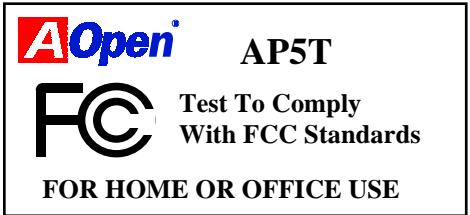
A: The DoC is new certification standard of FCC regulations. This new standard allows DIY component (such as mainboard) to apply DoC label separately without a shielding of housing. The rule to test mainboard for DoC is to remove housing and test it with regulation 47 CFR 15.31. The DoC test of mainboard is more difficult than traditional FCC test. If the mainboard passes DoC test, that means it has very low EMI radiation and you can use any kind of housing (even paper housing). Following is an example of DoC label.
Q: What is Bus Master IDE (DMA mode)?
A: The traditional PIO (Programmable I/O) IDE requires the CPU to involve in all the activities of the IDE access including waiting for the mechanical events. To reduce the workload of the CPU, the bus master IDE device transfers data from/to memory without interrupting CPU, and releases CPU to operate concurrently while data is transferring between memory and IDE device. You need the bus master IDE driver and the bus master IDE HDD to support bus master IDE mode. Note that it is different with master/slave mode of the IDE device connection. For more details, refer to section 2.3 "Connectors".
Q: What is the Ultra DMA/33?
A: This is the new specification to improve IDE HDD data transfer rate. Unlike traditional PIO mode, which only uses the rising edge of IDE command signal to transfer data, the DMA/33 uses both rising edge and falling edge. Hence, the data transfer rate is double of the PIO mode 4 or DMA mode 2. (16.6MB/s x2 = 33MB/s).
The following table lists the transfer rate of IDE PIO and DMA modes. The IDE bus is 16-bit, which means every transfer is two bytes.
| Mode | Clock per 33MHz PCI | Clock count | Cycle time | Data Transfer rate |
| PIO mode 0 | 30ns | 20 | 600ns | (1/600ns) x 2byte = 3.3MB/s |
| PIO mode 1 | 30ns | 13 | 383ns | (1/383ns) x 2byte = 5.2MB/s |
| PIO mode 2 | 30ns | 8 | 240ns | (1/240ns) x 2byte = 8.3MB/s |
| PIO mode 3 | 30ns | 6 | 180ns | (1/180ns) x 2byte = 11.1MB/s |
| PIO mode 4 | 30ns | 4 | 120ns | (1/120ns) x 2byte = 16.6MB/s |
| DMA mode 0 | 30ns | 16 | 480ns | (1/480ns) x 2byte = 4.16MB/s |
| DMA mode 1 | 30ns | 5 | 150ns | (1/150ns) x 2byte = 13.3MB/s |
| DMA mode 2 | 30ns | 4 | 120ns | (1/120ns) x 2byte = 16.6MB/s |
| DMA/33 | 30ns | 4 | 120ns | (1/120ns) x 2byte x2 = 33MB/s |
Q: What is ACPI (Advanced Configuration & Power Interface) and OnNow?
A: The ACPI is new power management specification of 1997 (PC97). It intends to save more power by taking full control of power management to operating system and not through BIOS. Because of this, the chipset or super I/O chip needs to provide standard register interface to OS (such as Win97) and provides the ability for OS to shutdown and resume power of different part of chip. The idea is a bit similar to the PnP register interface.
Frequently Asked Questions
ACPI defines momentary soft power switch to control the power state transition. Most likely, it uses the ATX form factor with momentary soft power switch. The most attractive part of ACPI for desktop user is probably the "OnNow" feature, an idea from notebook. This feature allows you to immediately resume to your original work without the long time waiting from bootup, entering Win95 and running Winword.
Q: What is ATX Soft Power On/Off and Momentary Switch?
A: The Soft Power On of the ATX specification means to provide a standby current for special circuit to wait for wakeup event when main power is off. For example, Infrared wakeup, modem wakeup, or voice wakeup. Currently, the most simple usage is to provide standby current for power switch circuit so that power switch can turn on/off the main power through soft power control pin. The ATX power specification does not mention anything about the power switch type. You can use toggle or momentary switch, note that ACPI specification requires momentary switch for power state control. All the AOpen ATX MBs support momentary switch and AX5T/AX5TC/AX6L/AX6LC/ AX6B/AX6BC support modem wakeup (Modem Ring-On).
Soft Power Off means to turn off system through software, Windows 95 Shutdown function can be used to verify if your mainboard supports soft power off. AOpen AX5T/AX5TC/AX6F/AX6L/AX6LC/AX6BAX6BC support soft power off.
Q: What is RTC Wake Up Timer (Alarm)?
A: RTC (Real Time Clock) is a device like electronic watch, and keep the date/time of the computer system running. The Wake Up Timer is more like an alarm, which wakes up and powers on your system at a pre-defined time for specific application. It can be set to wake up everyday or on specific date within a month. The date/time accurate is second. To set the date/time, go into BIOS setup, Power Management RTC Wake Up Timer, select Enable. RTC is a standard device of all the mainboard, but Wake Up Timer is not a standard design, AOpen AX5T/AX59Pro/AX5TC/AX6F/AX6L/AX6LC/AX6B /AX6BC support RTC Wake Up Timer.
Q: What is Lan Wake Up?
A: Lan Wake Up is a technology that enables you to remotely manage the PCs in your network even if they have been turned off. When the client has been powered off, the remote network management software could send a wake-up frame ( or Magic packet) to the client if needed. The Lan Wake Up enabled adapter in the client will receive that frame can check it to determine whether the frame contains the correct MAC address. If so, the client turns on the system by Wake-up call, just as the user turns on the system manually with
the ON/OFF button. The network management software will continue to perform the tasks that have been programmed to do.
Q: What is the AGP (Accelerated Graphic Port)?
A: AGP is a PCI-like bus interface targeted for high-performance 3D graphic. AGP supports only memory read/write operation and single-master single-slave one-to-one only. The AGP uses both rising and falling edge of the 66MHz clock and produces 66MHz x 4byte x 2 = 528MB/s data transfer rate. The AOpen AX6L and AX6B MB are designed to support AGP via the new Intel LX & BX chipset.
Q: Why is there a resource conflict between my AGP VGA card & PCI-to-PCI bridge (or AGP bridge) within Device Manger under Windows895?
A: It is normal for AGP cards to conflict with the PCI standard PCI-to-PCI bridge (or AGP bridge). Since Windows'95 does not inherently support AGP technology, it reports this conflict incorrectly. This conflict will not adversely affect the performance of your system. Attempting to resolve it will result in improper operation of the PC. This issue is expected to be fixed by Microsoft when Windows 98 released.
Q: Power Management Icon does not appear in the Windows 95 Control Panel even though the APM under BIOS Setup is enabled.
A: This problem occurs if you did not enable the APM function before you install Windows 95. If you have already installed Windows 95, re-install it after the BIOS APM function is enabled.
Q: Which version of the Windows '95 that I am using?
A: You may determine the version of Windows '95 by following steps.
- Double click "System" in "Control Panel".
- Click "General".
- Look for "System" heading & refer to following,
4.00.950
Windows 95
4.00.950A
Windows 95 + Service Pack or OEM Service Release 1
4.00.950B
OEM Service Release 2 or OEM Service Release 2.1
4.00.950C
OEM Service Release 2.5
If you are running OSR 2.1, you may tell it from by checking "USB Supplement to OSR2" in the list of installed program of Add/Remove program tool under Control Panel, and checking for version 4.03.1212 of the Ntkern.vxd file in the Windows\System\Vmm32 folder.
Q: How can I eliminate the "?" marks presented under Device Manager after installing Win'95 on TX/LX/BX/MVP3/5591 based system?
A: Even though your system will work fine with this "?" marks, we received many requests about how to eliminate it. AOpen software team spends few weeks to develop an utility AOchip.exe for the convenience of Win95 users. It is very user friendly and can be used on any TX/LX/BX/MVP3/5591 chipset based motherboard, not limited to AOpen products. You are welcome to distribute it, if you like it, simply say thanks to our software team. Note that you need USB driver for USB devices to work properly which is expected to be implemented on Windows'98.
Q: What is LDCM (LAN Desktop Client Manager)?
A: This is a software of Intel. The major goal is to provide an easy way for corporate network administrator to monitor the status of all the clients (workstation). You need at least DMI BIOS for LDCM. AOpen BIOS is also DMI ready but unfortunately, Intel LDCM needs Intel network card and ATI VGA to work properly. It is obviously not suitable for home user to pay LDCM extra cost.
Q: How to install Windows 95 USB driver?
A: If you are Win'95 OSR 2.0 user (.950B, shows "PCI Universal Serial Devices"), you may obtain USBSUPP.EXE from Microsoft or your OEM system provider for installing Microsoft USB supplement which will create "USB Supplement to OSR2" in the list of Add/Remove program tool under Control Panel. After above installation, please run AOchip.exe provided by AOpen to create USB Controller under Device Manager.
If you are Win'95 OSR 2.1 or 2.5 user, only AOchip.exe installation is necessary.
If you are Win'95 retail user (.950 or .950A), there is no direct upgrade path available from Microsoft at this moment. It is expected to be implemented under Windows'98.
Q: What is the benefit of using Resettable Fuse?
A: The traditional pico-fuse needs to be replaced once it is burned due to any abnormal surge current. It has to be replaced by qualified repairing engineer which is cost & time consuming. With the updated technology, AOpen motherboard starts to introduce new 3Resetable3 fuse, which is 3PolySwitch3, to protect your keyboard & USB circuit. When there is surge current, this PolySwitch will reach high impedance within few m/seconds so that the circuit
becomes opened. PolySwitch will be recovered to its original stage after surge current disappeared & the system is being cooled down for a while.
It is highly recommended to adopt 3Resetable3 fuse in order to fully support 3Hot-Plug3 feature on USB.
Q: What is Hardware Monitoring?
A: There are four high-valued 3Hardware Monitoring3 features being implemented on AOpen ATX mainboard.
- Over Current Protection: Providing over current protection for CPU Vcore. In conjunction with the over current protection provided by ATX power supply on 3.3V/5V/12V, it gives the full line over current protection.
- System Voltage Monitoring: As you turn your system on, this smart design will continue to monitor your system working voltage. If any of the system voltage is over the component's standard, there will be warning alarm from PC speaker when AOHW100 or ADM installed.
- Thermal Protection: The higher speed of CPU, the more heat dissipation ability is needed to be taken into consideration. If user does not use a correct fan for the CPU cooling, it is highly possible the CPU will be overheating and cause system unstable. AOpen mainboard monitors CPU & System temperatures by using two thermal sensors.
- Fan Monitoring: There are two three-pin fan connectors, one is for CPU and the other one can be connected to the housing fan. The system will report the rotational speed of the fan and alarm fan malfunction though utility software such as AOHW100 or ADM.
Q: What is AOHW100 (Hardware Monitoring Utility)?
A: This is the Hardware Monitoring Utility software (AOHW100) developed by AOpen which monitors the status of system voltage, thermal, & fan. Instead of using ADM or LDCM which supports network administration, AOHW100 is especially designed for personal user. You may install it on your AOpen mainboard based system which comes with Hardware Monitoring features.
Q: What is ADM (Advanced Desktop Manager)?
A: This is a desktop client and server management software developed by AOpen. It is similar as Intel LDCM with some improvement. ADM is not only for corporate network management, it can also be used as system status monitoring utility, for example, CPU fan, thermal and system voltage monitoring.
| Features | ADM 2.0 | LDCM 3.0 |
Frequently Asked Questions
| Features | ADM 2.0 | LDCM 3.0 |
| VGA card | No limitation | Only ATI |
| Network card | No limitation | Only Intel |
| Support DMI BIOS 2.0 | Yes | Yes |
| Support Win95 | Yes | Yes |
| Support Win NT | No (will be supported on ADM 2.1) | Yes |
| Real-Time CPU/Memory Utilization Monitoring | Yes | No |
| Multi-Machine Monitoring on One Screen | Yes | No |
| Remote Management Protocol | Standard SNMP protocol | Intel proprietary RAP protocol |
| Standard SNMP Trap | Yes (so that can work with standard software such as HP Open View) | No |
| Remote File Transfer | No | Yes |
Q: Why do AOpen MBs use many Electrolytic Capacitors instead of Tantalum Capacitor?
A: The quality of Electrolytic capacitor has huge difference depends on model and vendor. Normally, Tantalum capacitor is better than Electrolytic capacitor, but good quality and high price Electrolytic capacitor is even better than Tantalum capacitor. Originally, AOpen motherboards use 100uF Tantalum capacitor nears CPU to reduce voltage ripple, but the technology improvement has introduced an 1000uF very low ESR (Equivalent Serial Resistor) of Electrolytic capacitor with only 0.15 ohm comparing with 0.7 ohm of Tantalum capacitor. The lower the ESR and higher the capacitance value, the smaller the CPU voltage ripple.
Following are the specifications of capacitors that AOpen is currently using:
Tantalum: SPRAGUE 100uF,
Part number 595D107X06R3C2T,
Max ESR is 0.7 at 25 degree 100KHz.
Electrolytic: SANYO 1000uF,
Part number 16MV1000CG,
Max ESR is 0.15 at 20 degree 100khz.
Also, more capacitors are not exactly equal to better CPU voltage, it depends on where you put your capacitor (the layout). The most accurate way is to use storage scope to measure the CPU voltage directly, but of course, it is difficult for end user to do so. AOpen design team follows Intel, AMD and Cyrix's design specification strictly, it is approved by Intel, AMD and Cyrix.
Q: What is PC 100 SDRAM?
A: It's apparent that traditional FPM and EDO DRAMs won't be able to work properly under 100MHz system clock frequency. In order to fully support 100MHz or even above bus clock system, Intel provided PC SDRAM Specifications to facilitate the development of SDRAM products. This is also known as PC 100 SDRAM specification. For getting the best performance and stability under 100MHz or above external clock, we strongly recommend you use the Synchronous DRAMs which meet the PC 100 requirement. The PC 100 SDRAM that AOpen QA Team had tested are listed below.
| Size | Vendor | Model | Single/Double | Chip Count |
| 16M | Hyundai | HY57V168010CTC-10 | x1 | 8 |
| 32M | NEC | D4516821AG5-A10-7JF | x1 | 16 |
| 32M | SEC | KM48S2020CT-GH | x2 | 18 |
| 32M | Hyundai | HY57V168010CTC-10 | x2 | 16 |
| 32M | Micron | MT48LC2M8A1-08 | x2 | 16 |
| 32M | Fujitsu | 81F16822D-A10-7JF | x2 | 18 |
| 64M | Mitsubishi | M5M4V64S30ATP -10 | x1 | 9 |
| 64M | Fujitsu | 81F64842B-103FN | x1 | 9 |
| 64M | NEC | D4564841G5-A10-9JF | x1 | 9 |
| 64M | SEC | KM48S8030BT-GH | x1 | 9 |
| 64M | Toshiba | TC59S6408FTL-80H | x1 | 9 |