
200NI - Téléphone de conférence KONFTEL - Notice d'utilisation et mode d'emploi gratuit
Retrouvez gratuitement la notice de l'appareil 200NI KONFTEL au format PDF.


| Type de produit | Téléphone de conférence pour salles jusqu'à 30 m² (70 m² avec micros supplémentaires) |
| Marque | KONFTEL |
| Modèle | 200NI |
| Dimensions (unité centrale) | Diamètre 232 mm |
| Poids (unité centrale) | 800 g |
| Alimentation | Transformateur 240 V AC / 12 V DC, 700 mA |
| Interfaces réseau | Analogue POTS (RJ-11) et numérique ISDN S₀ (RJ-45) |
| Technologie audio | OmniSound® pour une qualité sonore cristalline |
| Fonctions principales | Appels à trois, répertoire jusqu'à 50 entrées, numérotation abrégée, rappel automatique, mise en garde (R) |
| Réglage du volume | Par touches Haut/Bas pendant l'appel ; syntonisation automatique et manuelle |
| Fonction muet | Touche Mute avec indicateur lumineux (rouge quand muet) |
| Affichage | Écran avec identification de l'appelant et durée d'appel |
| Clavier | 19 touches |
| Accessoires optionnels | Télécommande (jusqu'à 5 m), micros supplémentaires (2,5 m câble), support mural |
| Entretien et nettoyage | Nettoyer avec un chiffon doux et sec ; ne pas utiliser de liquides |
| Température de fonctionnement | 5 °C à 40 °C |
| Humidité de fonctionnement | 20 % à 80 % (sans condensation) |
| Sécurité électrique | EN 60950 |
| Compatibilité PBX | Ericsson MD110, Siemens Hicom, Nortel Meridian, Alcatel 4200/4400, etc. |
| Contenu de l'emballage | Unié centrale, transformateur, câbles réseau POTS et ISDN, guide utilisateur |
FOIRE AUX QUESTIONS - 200NI KONFTEL
Questions des utilisateurs sur 200NI KONFTEL
0 question sur cet appareil. Repondez a celles que vous connaissez ou posez la votre.
Poser une nouvelle question sur cet appareil
Téléchargez la notice de votre Téléphone de conférence au format PDF gratuitement ! Retrouvez votre notice 200NI - KONFTEL et reprennez votre appareil électronique en main. Sur cette page sont publiés tous les documents nécessaires à l'utilisation de votre appareil 200NI de la marque KONFTEL.
MODE D'EMPLOI 200NI KONFTEL
User guide
Conference phone Konftel 200NI
Deutsch | English | Français | Italiano
Conference phones for every situation
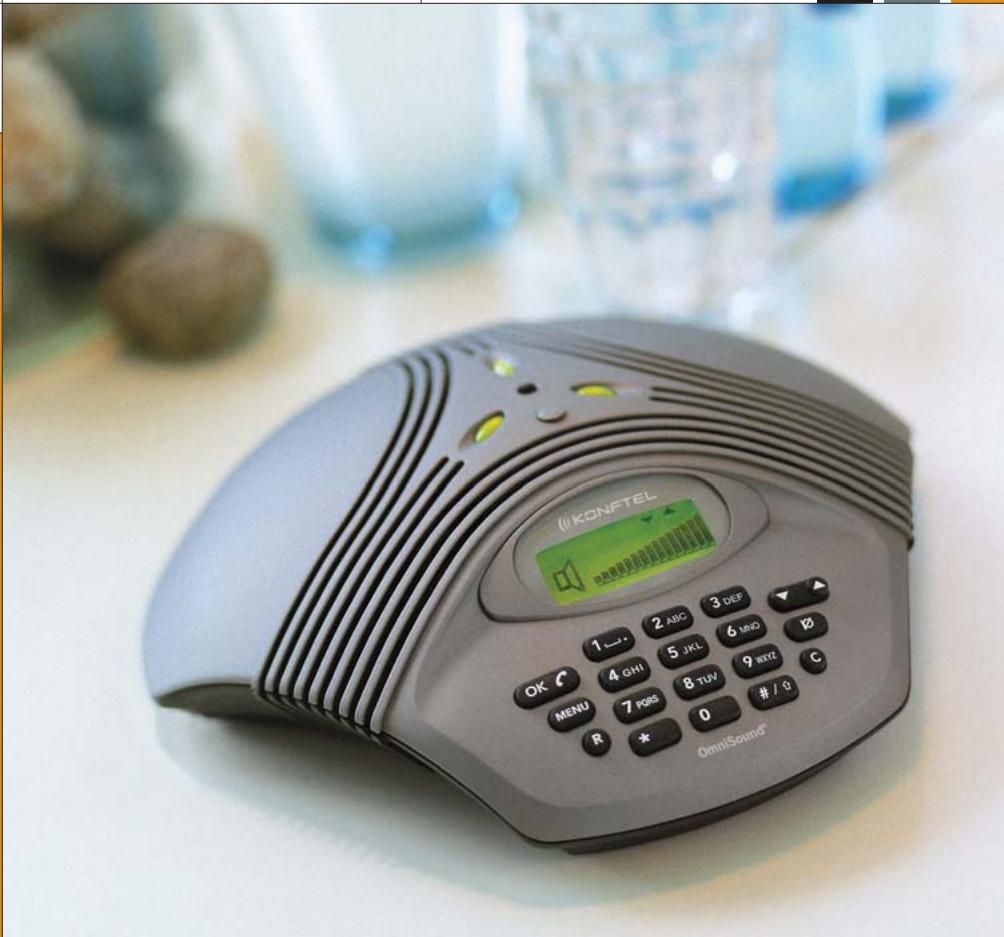
This package includes the following items:
1 pc User Guide
1 pc Conference phone
1 pc Mains transformer
1 pc Power supply and POTS network cable
1 pc Power supply and ISDN network cable
1 set Intermediate plugs
The optional equipment package includes the following items:
1 pair Extra microphones
2 pcs Extra microphone cable 1.5 m (4.9 ft)
2 pcs Extra microphone cable 2.5 m (8.2 ft)
1 pc Remote control
4 pcs Batteries for the remote control
Please check that the package contains all items listed. If any items are missing, please contact your dealer.
Contents
Arrangements 4
Description 5
Connections 6
Settings 7
Network setup after power on 7
Manual network selection 7
Video line sharing 8
Connection 8
Own MSN number 9
Volume control, mute, tuning 10
Calls 11
Three-party calls 12
Programming the R key 13
Speed dialling, redial 14
Menu 15
Add a new number in Phonebook 15
Edit Phonebook 16
Delete Name and Number 17
Adjust the Ring Signal Volume 17
Change Time and Date 18
Select Language 18
Keypad tone 19
Accessories 20
Remote control 20
Remote control functions 21
Extra microphones 22
Accessories and spare parts 23
Troubleshooting and maintenance 24
Technical data 25
Display and keyset 27
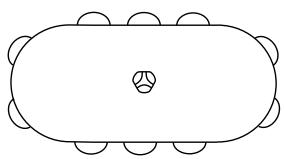
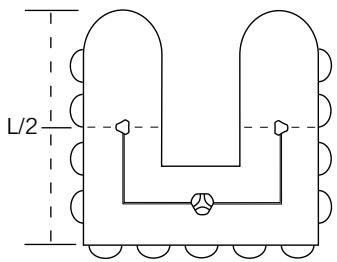
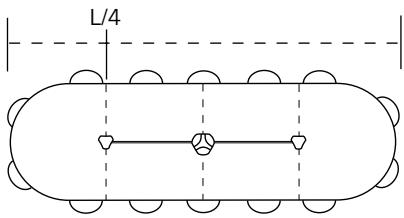
For optimum sound reproduction, position the units as shown in the illustrations
Use Konftel 200/NI for room size up to 30m^2 (323 sq ft)

Use Konftel 200/NI with extra microphones for room size up to 70m^2 (753 sq ft)
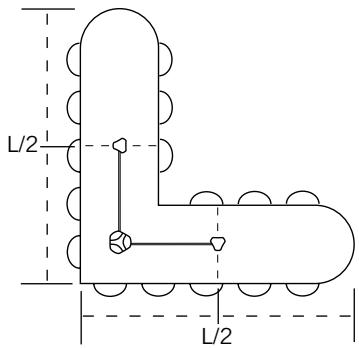
Top
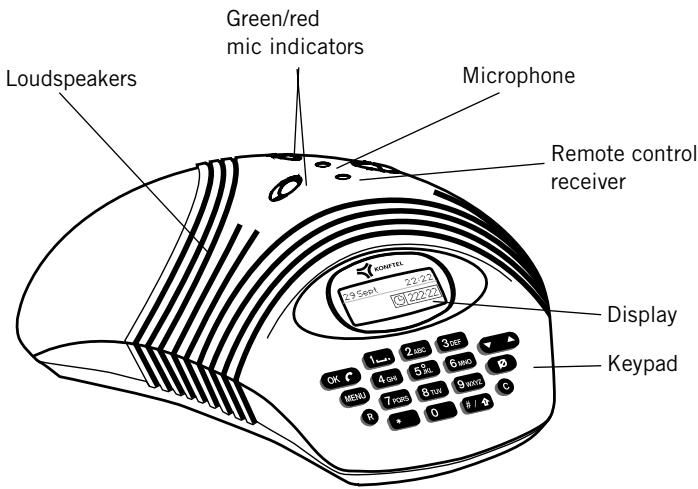
Bottom

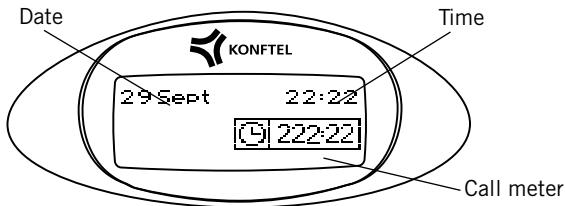
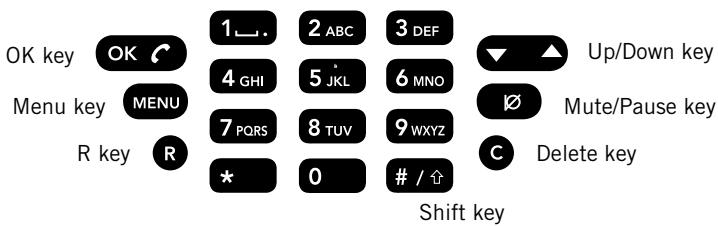
An overview of the Konftel 200/NI's keypad is shown on page 27.
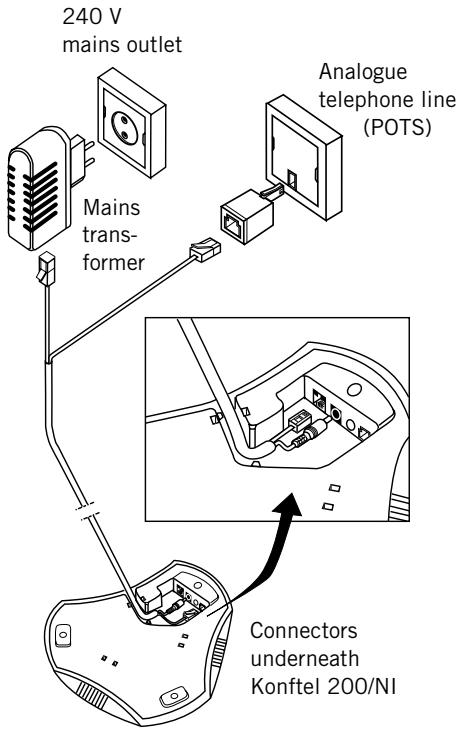
Analogue (POTS)
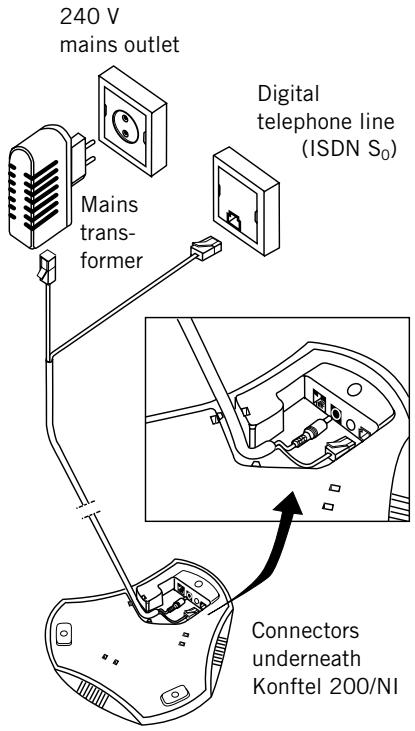
Digital (ISDN S_0 )
Only a mains transformer of the FRIWO type FW7237/12 or the Perfekt 2042 and 2043 type may be connected.
Network set-up after power on (default: Auto)
Connect Konftel 200/NI to the power socket outlet. Choose Auto for automatic search. Konftel 200/NI searches automatically for an ISDN S_0 line.
Certain ISDN S_0 lines will not be found automatically by the telephone, even though it is connected to such a line. If this happens, the line must be chosen manually; see below.
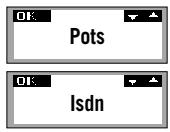

If not connected to a digital line, please use the Up/Down key to select ISDN (digital) or POTS (analogue). This setting will not be saved for the next time the telephone is powered-up.

Press OK to confirm.
Manual network selection (default: Auto)

Press Menu.
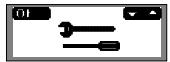

Select Settings menu.

Press OK.
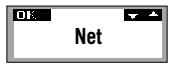

Select Net.

Press OK.
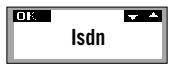

Select either digital line connection (ISDN), analogue line connection (POTS) or Auto mode for automatic searching. This setting will be saved for the next time the telephone is powered-up.
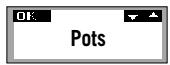

Press OK to confirm
8 Video line sharing
Connection
With Konftel 200/NI it is possible to share an ISDN S_0 line with any other ISDN device e.g., video conferencing equipment or a modem. Just enter a unique MSN number (multiple subscriber number) as your own number. The MSN-number separates a Telemeeting from a video conference, for example
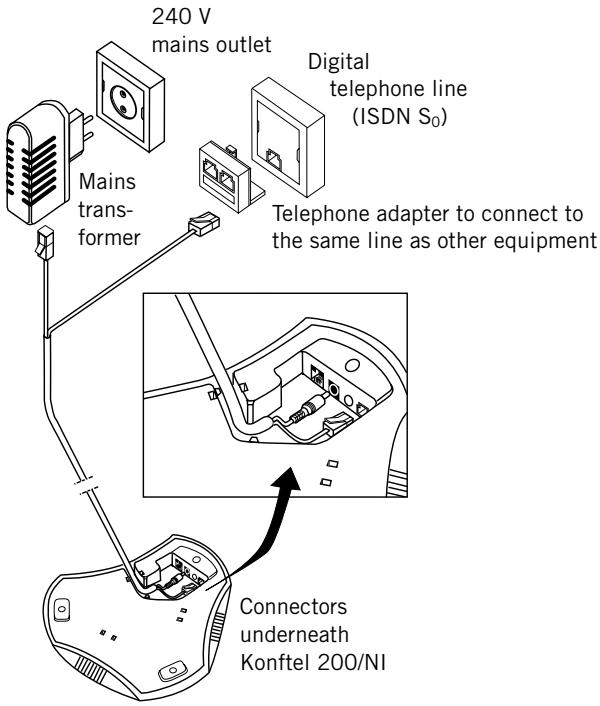
Only a mains transformer of the FRIWO type FW7237/12 or the Perfekt 2042 and 2043 type may be connected.
Note: Konftel cannot guarantee full functionality of the equipment which shares an ISDN line with the Konftel 200/NI. Please contact your reseller if you have any questions on this subject.
Own MSN-number (default: none)

Press Menu.

Select Special Settings menu.

Press OK.
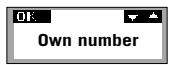

Choose Own number menu.

Press OK.

0-9...
Enter your telephone number (MSN number).

Press OK to save.

Press the C key to return to the starting position.
Note: The own MSN number feature only works when connected to an ISDN line.
If an own number has been programmed in, the Konftel 200/NI will only respond to incoming calls to that number.
If no own number has been programmed in, the Konftel 200/NI will respond to all incoming calls, regardless of the number.


An own number can be deleted using the C key in the Own number menu.
10
Volume control mute, tuning
Volume control


Adjust the speaker volume with the Up/Down key during the call.
Mute function
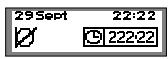

Press the Mute key to switch off the microphone. The mic indicators change to red. Press again to switch on the microphone. The mic indicators change back to green.
Tuning

The sound is adjusted automatically for the room and the telephone line when Konftel 200/NI is switched on. Konftel 200/NI senses the acoustics of the room and adapts continuously during the call. For manual tuning, press the Up/Down key at the same time. A brief noise will be heard.
Incoming calls
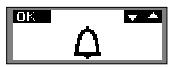
(POTS) A ring signal is heard and the green mic indicators light to indicate the incoming call.
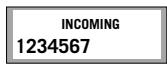
(ISDN) A ring signal is heard and the green mic indicators light to indicate the incoming call. The incoming call number ID is shown in the display.

Press the OK key to answer.
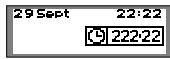
The call duration is displayed in the call meter display.

To end the call, press OK.
Outgoing calls

Press OK.
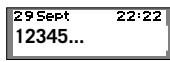
0-9...
Dial the number.
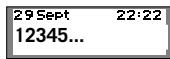
or
0-9...
To preview, first enter the phone number.

Press OK. The number is called within 3 sec.
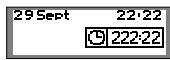
The call duration is displayed in the call meter display.

To end the call, press OK.
Three-party calls
29 Sept 22:22
1234567
Enter the number of the first meeting participant.

Press OK. The number is called within 3 sec.

When the first call is connected, press the R key to get a new dial tone.
29 Sept 22:22
1234567
Enter the number of the second meeting participant and wait for answer.

Press the R key followed by the 3 key, and all three can now participate in the call.
If your call is not answered

Press the R key followed by the 1 key to return to the first call.
Note: The availability and function of the three-party feature can vary from country to country but also depend on the PBX to which the Konftel 200/NI is connected. If you want to connect multiple participants we recommend you use a telephone meeting service. If you have questions regarding availability, please contact your dealer.
If the R key does not work (POTS)
The requirements for the operation of the R key vary between PBXs and from country to country. Konftel 200/NI therefore lets you program the R-pulse time so that it works with most PBXs on the market.
Programming the R key (default setting = 2)

Press Menu.
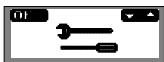

Select Special Settings menu.

Press OK.
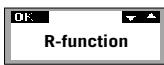

Choose R-function.

Press OK.
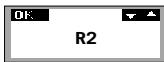

Enter the value for the R-pulse. The default setting is 2. Check in the table below whether the setting is right for your PBX/country.
Value: Time: PBX/country:
R1 65 ms Ericsson MD110
R2 100 ms Scandinavia, Europe
R3 150 ms Reserved
R4 270 ms Germany, France, Israel
R5 600 ms USA

Press the OK key to save the settings and exit.
14 Speed dialling, radial
Retrieve speed dial numbers
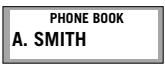

Press the Up/Down key to scroll/view the Phonebook in alphabetical order. The last number dialled will appear first in the list.

Press OK to dial the selected number. The number is displayed and dialled within 3 sec.

To end the call, press OK.
Redial
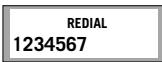

Press the Up key. The last number dialled will appear in the display.

Press OK to dial the number. The number is dialled within 3 sec.

To end the call, press OK.
Add a new number in Phonebook
MENU
Press Menu.
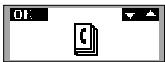

Select Phonebook menu.

Press OK.
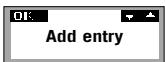

Select Add entry.

Press OK. The last number dialled will appear automatically.

0-9...
Enter a telephone number with the keypad.

Press OK.
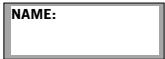
A-Z...
Enter a name with the keypad. Press the key until the desired letter appears in the display and then enter the next letter. (A description of the characters that can be used is found on page 27.)

Press OK. The number and name are now stored. "Memory full" appears in the display if you attempt to save more than 50 numbers.

Press the Shift key to write small letters.

Press the C key to delete a number or letter.

Press the Menu key to cancel.
Edit Phonebook
MENU
Press Menu.
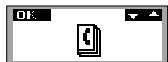

Select Phonebook menu.

Press OK.
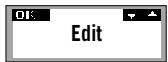

Select Edit.

Press OK.


Select the name you want to edit from the list using the Up/Down key.

Press OK.
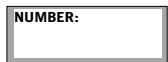
0-9...

Edit the number with the keypad and press OK.

A-Z...

Edit the name with the keypad and press OK.

The number/name is now stored.

Press the C key to delete a number or letter.

Press the Menu key to cancel.
Delete Name and Number

Press Menu.
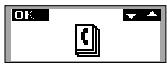

Select Phonebook menu.

Press OK.
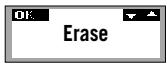

Select Erase.

Press OK.
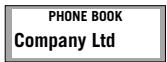

Select the name that you wish to delete from the list.

Press OK to select.
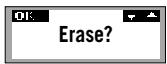
"Erase?" appears in the display.

If you do not wish to delete, press the C key.

If you wish to delete, press OK. The selected name and number are now deleted.
Adjust the Ring Signal Volume

Press Menu.
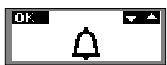

Select the Ring Signal Volume menu.

Press OK.


Adjust the volume with the Up/Down key. The ring signal is switched off by selecting the symbol with an oblique bar over the bell.

Press OK. The Ring Signal Volume is now stored.
Change Time and Date

Press Menu.
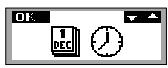

Select Time and Date menu.

Press OK.


Adjust Time and Date with the Up/Down key.

Select Date. Press OK.
Select Month. Press OK.
Select Year. Press OK.
Select Hour. Press OK.
Select Minutes. Press OK.
Time and date are now stored.

Go back with C key
Select Language

Press Menu.
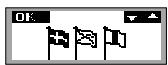

Select Language menu.

Press OK.
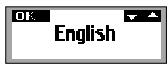

Select language with the Up/Down key.


Press OK.
Keypad Tone (default on)

Press Menu.
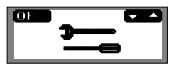

Select Special Settings menu.

Press OK.
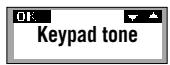

Select Keypad tone.

Press OK.
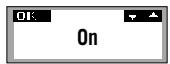

Select Keypad tone On/Off using the Up/Down key.
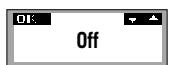

Press OK.
Note! When dialling, the touch tones will always be heard even if the keypad tone is switched off.
Remote control
Item No. 900102038

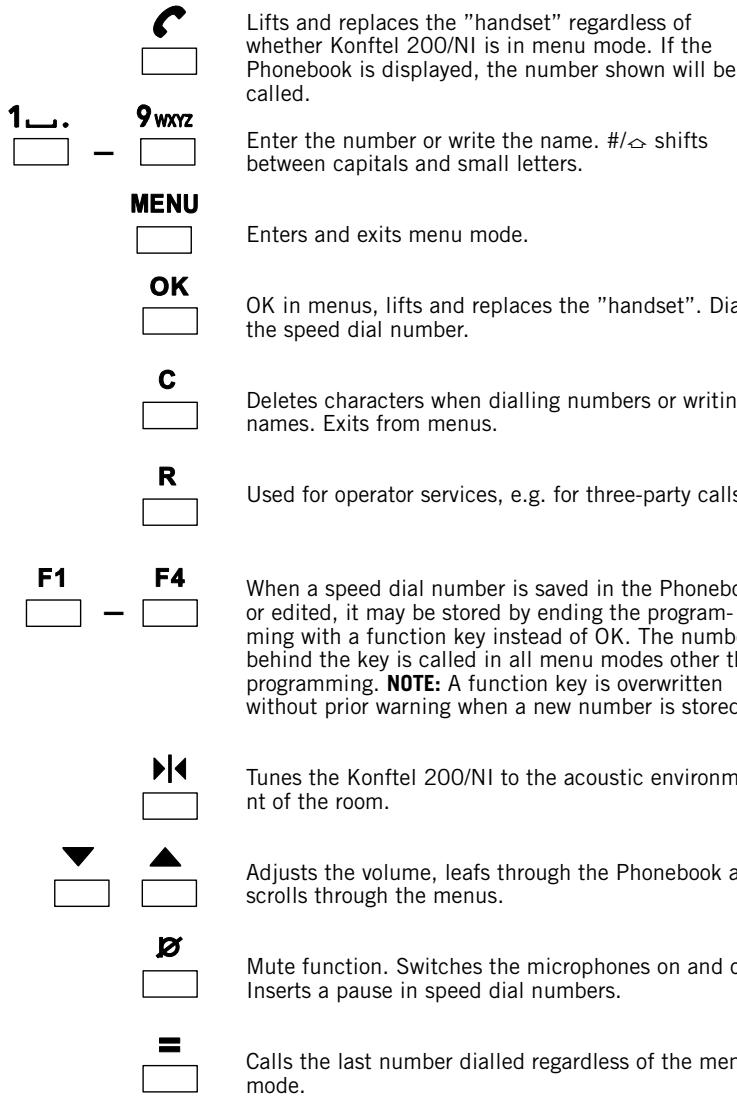
Konftel 200/NI can be supplemented with a remote control. All functions can then be operated from your position, regardless of where you are standing or sitting.
Remote control functions
Extra microphones
Item No. 900102041
Extra microphones
3-2.5 m
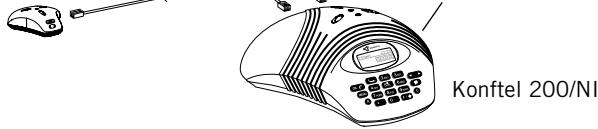
For larger rooms, Konftel 200/NI can be supplemented quickly and simply with two extra microphones. It is then able to provide coverage of up to 70m^2
Advantages: stronger sound from the speakers, higher microphone sensitivity.
The extra microphones are placed not less than 0.8m and not more than 2.5m from the central unit and are connected using the cables supplied before making the call.
Once they are connected, the built-in microphone of the Konftel 200/NI is disconnected and the display shows how many units are connected.
The extra microphones are supplied with two sets of cable, 1.5m and 2.5m . It may prove difficult to detach the cables when disconnecting the extra microphones, and this may be facilitated by the careful use of a screwdriver or ballpoint pen, for example.


The speaker volume can also be adjusted from the extra microphones. Tuning can also be performed from the extra microphones. Press the Up/Down key at the same time. A brief noise will be heard.
Press the Mute key for muting. Muting affects all the connected microphones. The microphone indicators will change from green to red.
Accessories and spare parts
Item No. Description
900102041 Extra microphones
900102038 Remote control
9146030 Wall mounting bracket
900103342 Tape recorder cable
900103339 Extension cable, power supply 10m
900103340 Extension cable, analogue network, 10 m
900103353 Extension cable, digital network, 10m
900103341 Extension cable, power and analogue network 7.5 m
900103352 Extension cable, power and digital network 7.5 m
Intermediate plugs
Item No. Description
208102012 Denmark
246102012 Finland
250102012 France
276102012 Germany
826102012 Great Britain
528102012 Netherlands
578102012 Norway
724102012 Spain
752102012 Sweden
756102012 Switzerland
Spare parts
Item No. Description
900103334 Power supply and analogue POTS network cable, 7.5 m
900103349 Power supply and digital ISDN network cable, 7.5 m
900102026 Mains transformer 12 V DC, Europe
826102026 Mainstrasformer 12 V DC,UK
24 Troubleshooting and maintenance
Troubleshooting
- Check that the microphone is on during the call. The green microphone indicators must be lit.
- Check that Konftel 200/N1 is connected.
Connection to an analogue line: check that the POTS network cable is connected between the POTS input and an analogue jack.
Connection to an ISDN S_0 line: check that the ISDN network cable is connected between the ISDN input and an ISDN S_0 line.
- Bypass any extension cables and check whether the system is functioning correctly. If not, contact your dealer.
- Disconnect the extra microphones and see if the system works without them. If not, return all units for service.
- If Konftel 200/NI must wait for a second dial tone, you should insert a pause with the Mute/ Pause key when entering telephone numbers in the Phonebook.

Maintenance
Clean the equipment with a dry, soft cleaning cloth. Do not use any liquids!
Central Unit
Power supply: DC transformer 240 V AC/12 V DC; 700 mA.
Network interface: Analogue POTS, RJ-11.
Digital ISDN S_0 , RJ-45.
Power supply and
POTS network cable: 7.5 metre, RJ-11 (line), EIAJ Class IV (power).
Power supply and ISDN 7.5 metre, RJ-45 (ISDN), EIAJ Class IV (power).
Recommended room Reverberation time: < 0.5 sec.
conditions: Background noise: < 45 dB(A).
Frequency response: 200 - 3700 Hz.
Loudspeaker volume: 85 dB SPL (increased if extra microphones are used).
Room echo suppression: 208 ms.
Line echo suppression: 25 ms.
Automatic calibration: <1 ms impulse (not discernible).
Tape recorder output: 3.5 mm tele jack. Contact for connection of tape recorder may only be connected to a SELV voltage in accordance with SS-EN 60 950.
Dimensions: Diameter 232 mm.
Weight: 800 g.
Temperature range: 5 - 40^ in operation.
Humidity: 20% - 80% non-condensing.
EMC: EN 50 081-1:1992.
EN 50 082-1:1992.
EN 61 000-4-2:1995.
Electrical safety: EN 60950.
Telecom approval POTS: EUROPEAN CTR21.
Telecom approval ISDN: EUROPEAN CTR3.
Keyboard: 19 keys.
Compatibility: Konftel 200/NI can be connected to any PBX equipped with ISDN S_0 or POTS extension, for example Ericsson: MD110, Fenix. Siemens: Hicom. Nortel: Meridan. Philips: Sopho. Alcatel: 4200, 4400. Ascom: Ascotel. Tenovis: Integral 3, 33.
Extra microphones (accessories)
Power supply: Power from microphone outlet
Cabling: Modular 4/4 contacts 2 × 1.5 ~m and 2 × 2.5 ~m
Microphone: Omnidirectional
Microphone indicator: Green - microphone on
Red - microphone off
5 - 40°C in operation
3 keys
Temperature range:
Keyboard:
Remote control (accessories)
Batteries: 4 x R03, 1.5 V
Temperature range: 5 - 40^
Range: Up to 5m
Dimensions: 205 × 55 × 21 mm (L x B x H)
Weight: 140 g
Keyboard: 26 keys
- 1, space, (period)
7, P, Q, R, S, p, q, r, s
2ABC 2,A,B,C,Å,Ä,Å,Ä,a,b,c,ä,ä,á,à
8TUV 8,T,U,V, ,U t,u,v, ,
3DEF 3, D, E, F, É, û, d, e, f, é, ñ
9WXYZ 9,W,X,Y,Z, W,x,y,z
4G,H,I, g,h,i
0 0
5 5, J, K, L, j, k, l
*
6, M, N, O, , , , m, n, o, , ,
#
Konftel is a leading company within speaker communication and audio technology. We develop and sell products and technology for telephone meetings based on cutting-edge expertise within acoustics and digital signal processing. Characteristic of our products is that all conference telephones contain the same high quality audio technology – OmniSound® – providing crystal clear sound. Read more about Konftel and our other products on www.konftel.com
Developed by Konftel AB
Box 268, SE-901 06 Umeå, Sweden
Phone: +46 90 706 489 Fax: +46 90 131 435
E-mail: info@konftel.com Web: www.konftel.com
- User guide
- Conference phone Konftel 200NI
- This package includes the following items:
- The optional equipment package includes the following items:
- Contents
- For optimum sound reproduction, position the units as shown in the illustrations
- Top
- Bottom
- Network set-up after power on (default: Auto)
- Manual network selection (default: Auto)
- Video line sharing
- Connection
- Own MSN-number (default: none)
- Volume control mute, tuning
- Volume control
- Mute function
- Tuning
- Incoming calls
- Outgoing calls
- or
- Three-party calls
- If your call is not answered
- If the R key does not work (POTS)
- Programming the R key (default setting = 2)
- Speed dialling, radial
- Retrieve speed dial numbers
- Redial
- Add a new number in Phonebook
- Edit Phonebook
- Delete Name and Number
- Adjust the Ring Signal Volume
- Change Time and Date
- Select Language
- Keypad Tone (default on)
- Remote control
- Remote control functions
- Extra microphones
- Accessories and spare parts
- Item No. Description
- Intermediate plugs
- Spare parts
- Troubleshooting and maintenance
- Troubleshooting
- Maintenance
- Central Unit
- Extra microphones (accessories)
- Remote control (accessories)
- #
Marque : KONFTEL
Modèle : 200NI
Catégorie : Téléphone de conférence