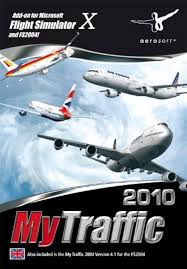
MY TRAFFIC 2010 - Simulateur de trafic aérien AEROSOFT - Notice d'utilisation et mode d'emploi gratuit
Retrouvez gratuitement la notice de l'appareil MY TRAFFIC 2010 AEROSOFT au format PDF.


| Type de produit | Simulateur de trafic aérien (add-on pour Microsoft Flight Simulator X) |
| Marque | AEROSOFT |
| Modèle | MY TRAFFIC 2010 |
| Compatibilité | Microsoft Flight Simulator X (FSX) et FS2004 (version séparée) |
| Configuration système minimale | Processeur 2,6 GHz, 1 Go RAM, carte graphique 256 Mo, 4,5 Go d'espace disque libre, lecteur DVD |
| Configuration système recommandée | Processeur Dual Core 2,5 GHz, 2 Go RAM, carte graphique 320 Mo |
| Support d'installation | DVD-ROM |
| Nombre d'aéroports | 8 100 aéroports (dont 2 100 avec trafic amélioré) |
| Nombre d'avions | 146 types d'avions |
| Nombre de livrées | Plus de 4 100 livrées |
| Trafic simulé | Environ 800 000 vols par jour |
| Fonctionnalités principales | Génération de trafic AI réaliste, éditeur MyTraffic inclus, démonstrations Super Traffic Board et Boeing 777 HD |
| Langues supportées (indicatifs) | Allemand, anglais, espagnol, français |
| Installation | Nécessite une clé de série et des droits administrateur |
| Support technique | Forum (forum.aerosoft.com), email (support@aerosoft.de), téléphone (lun-ven 14h30-17h00) |
| Mise à jour | Mise à jour disponible via le site officiel Aerosoft |
FOIRE AUX QUESTIONS - MY TRAFFIC 2010 AEROSOFT
Questions des utilisateurs sur MY TRAFFIC 2010 AEROSOFT
0 question sur cet appareil. Repondez a celles que vous connaissez ou posez la votre.
Poser une nouvelle question sur cet appareil
Téléchargez la notice de votre Simulateur de trafic aérien au format PDF gratuitement ! Retrouvez votre notice MY TRAFFIC 2010 - AEROSOFT et reprennez votre appareil électronique en main. Sur cette page sont publiés tous les documents nécessaires à l'utilisation de votre appareil MY TRAFFIC 2010 de la marque AEROSOFT.
MODE D'EMPLOI MY TRAFFIC 2010 AEROSOFT

Burkhard Renk:
Konzept für FSX/FS2004 Design,
Entwicklung, Programmierung,
Bemalungen, Koordination, Handbuch, Finanzierung
Concept FSX/FS2004 Details, Design and Development, Programming, Painting, Manual, Coordination, Financing.
Ein großer Dank Goes an Kambiz Agazi, Andrew Baker, Ben Citag, Jan Höfermann, Mikael Hojstedt, Mike Janacek, Simon Jones, Mathew Miller, Thorsten Reichert und Peter Werlitz für ihre Hilfe.
A very big thank you to Kambiz Agazi, Andrew Baker, Ben Citak, Jan Höfermann, Mikael Hojstedt, Mike Janacek, Simon Jones, Mathew Miller, Thorsten Reichert and Peter Werlitz for their help.
Copyright:
© 2009 / Aerosoft GmbH
Airport Paderborn/Lippstadt
33142 Bueren, Germany
Tel: +49 (0) 29 55 / 76 03-10
Fax: +49 (0) 29 55 / 76 03-33
E-Mail: info@aerosoft.de
Internet: www.aerosoft.com

aero SOFTGMBH
All trademarks and brand names are trademarks or registered trademarks of their respective owners.
All rights reserved.
MyTraffic 2010
Handbuch / Manual
Erweiterung zum:
Add-on for
Microsoft Flight Simulator X
Inhalt
Das Konzept 6
MyTraffic 2010 enthalt vier Hauptbestandteile: 7
Weitere Funktionen von MyTraffic 2010 13
Systemanforderungen 14
Installation 15
Deinstallation 17
MyTraffic 2010 im Flugsimulator. 18
Häufig gestellte Fragen 19
Content
The Concept 22
MyTraffic 2010 consists of four main parts: 23
Additional functions in MyTraffic 2010. 29
System requirements 30
Installation 31
De-installation 32
MyTraffic 2010 in Flight Simulator 33
Frequently asked questions 34
Das Konzept
Der AI Traffic ist in zu einem wesentlichen Bestandteil der Flugsimulation geworden. Sie fliegen nicht länger alleine, Flugzeuge bewegen sich auf den Rollwegen oder pendeln zwischen den Flughäfen. Leider ist der im FS enthaltene AI-Traffic nicht sehr realistisch. Nur weniger fiktionale Airlines starten und landen auf den Flughäfen mit einer Häufigkeit, die vor 40 Jahren realistisch gewesen wurde.
MyTraffic 2010 erzeugt Al-Flugverkehr auf 8100 Flughäfen, davon werden etwa 1500 von Airlern wie der 737 angeflogen. Auf den anderen Airports sind vor allem Zubringerflugzeuge zu sehen und die meisten sind keine Flugplätze der Allgemeinen Luftfahr. Außer dem gibt es auch eineine reine Militärplätze. Airliner repraesienten nur einen Teil der gesamten Luftfahr. MyTraffic 2010 tragt dem Rechnung, indem hier eine große Zahl von Flugzeugen der Allgemeinen Luftfahr, militärischer Flugverkehr sowie zahlreiche Marineflugzeuge und -hubschrauber hinzugefügt wurden.
Schauen Sie z.B. einmal nach San Diego, International Airport, North Island Naval Station. Sehen Sie sich hier in der Hafenbucht um und machen Sie einen kurzen Besuch auf dem Flugzeugträger „Nimitz".
Ist es Ohnen hier zu laut, besuchen Sie Loch Lomond in Schottland oder einen anderen Wasserlandeplatz in Norwegen, Australien, Kanada oder auf den Malediven.
MyTraffic 2010 enthalt 146 Flugzeugtypen in mehr als 4100 verschiedene Bemalungsvarianten. Sie werden Airlines aus allen Regionen der Welt antraffen. Die Texturen wurden darauf so gestaltet, dass sie die Bildwiederholrate nicht mehr als unvermeidbar beeinflussen und ein Gleichgewicht zwischen Realismus und Ablaufgeschwindigkeit entstehen.
Der FSX bestehtigmatbekanntermaBen einen groBen Teil der Computerressourcen. Deshalb ist es jetzt fur Zusatzprogramme noch wichtiger, auf einen schonenden Umgang mit der PC-Leistung zuchten. MyTraffic war bereits fur den FS2004 das AI-Packet mit der besten Performance.
Für den FSX bieten wir viele Modelle in zwei Versionen an, eine qualitativ hochwertige und eine reduzierte. Normalerweise wird das hochwertige Modell genutzt. Dadurch wechseln die Modelle im FS später zur vereinfachten Darstellung, was eine bessere optische Qualität bedeutet.
Sie können dies aber auch ändern, indem Sie in der jeweiligen Model.cfg das attribute -quality durch -performance ersetzen. Damit verbessert sich auch die Bildwiederholrate, wenn Sie dies für weitere Flugzeuge verändern.
MyTraffic 2010 enthalt vier Hauptbestandteile:
Flugzeuge und Flugzeug-Bemalungen
MyTraffic 2010 enthalt die Repaints der FS Standard-Flugzeuge und 146 zusätzliche Flugzeuge, die extra für den FSX von Grund auf neu gebaut wurden, jeder in den Bemalungen verschiedener Airlines. Die folgende Liste zeigt Ohnen, welche Flugzeugtypen enthalten sind. Zählt man alle Variationen der Flugzeuge einschließlich der entsprechlichen Registrations-Nummern zusammen, so erhält man durch MyTraffic ca. 55000 simulierbare AI-Flugzeuge. Mit anderen Worten: Etwa drei Viertel der gesamtten weltweiten Airliner-Flotte. Die Tabelle zeigt alle Maschinen, die Sie im FSX antreffen werden.
| Hersteller | Modell | Zahl der Bemalungen |
| Airbus | A300B | 50 |
| Airbus | A300-600 | 31 |
| Airbus | A310-200 | 20 |
| Airbus | A310-300 | 62 |
| Airbus | A318 | 8 |
| Airbus | A319 | 94 |
| Airbus | A320 | 144 |
| Airbus | A321 | 64 |
| Airbus | A330-200 | 57 |
| Airbus | A330-300 | 30 |
| Airbus | A340-200 | 14 |
| Airbus | A340-300 | 32 |
| Airbus | A340-500 | 10 |
| Airbus | A340-600 | 11 |
| Airbus | A380 | 6 |
| Antonov | An 12 | 24 |
| Antonov | An 24 | 20 |
| Antonov | An 26 | 11 |
| Antonov | An 30 | 1 |
| Antonov | An 32 | 3 |
| Antonov | An 74 | 9 |
| Antonov | An 124 | 8 |
| ATR | ATR 42 | 49 |
| ATR | ATR 72 | 43 |
| Beechcraft | 1900C | 20 |
| Beechcraft | 1900D | 44 |
| Boeing | B707-100 | 2 |
| Boeing | B707-300 | 59 |
| Boeing | B720 | 2 |
| Boeing | B717-200 | 16 |
| Boeing | B727-100 | 38 |
| Boeing | B727-200 | 94 |
| Boeing | B737-200 | 194 |
| Boeing | B737-300 | 130 |
| Boeing | B737-400 | 90 |
| Boeing | B737-500 | 61 |
| Boeing | B737-600 | 11 |
| Boeing | B737-700 | 70 |
| Boeing | B737-800 | 90 |
| Boeing | B737-900 | 7 |
| Boeing | B747 SP | 15 |
| Boeing | B747-100 | 6 |
| Boeing | B747-100 (SF) | 4 |
| Boeing | B747-200 | 71 |
| Boeing | B747-200 (SF) | 15 |
| Boeing | B747-200F | 19 |
| Boeing | B747-300 | 28 |
| Boeing | B747-300 (SF) | 4 |
| Boeing | B747-400 | 60 |
| Boeing | B747-400 (BCF) | 11 |
| Boeing | B747-400F | 17 |
| Boeing | B757-200 | 124 |
| Boeing | B757-200F | 12 |
| Boeing | B757-300 | 8 |
| Boeing | B767-200 | 62 |
| Boeing | B767-200F | 3 |
| Boeing | B767-300 | 117 |
| Boeing | B767-300F | 7 |
| Boeing | B767-400 | 2 |
| Boeing | B777-200 | 41 |
| Boeing | B777-200LR | 5 |
| Boeing | B777-300 | 8 |
| Boeing | B777-300ER | 16 |
| Boeing | E3 Awacs | 6 |
| Boeing | C135 | 9 |
| Boeing | CH 47 | 20 |
| Boeing | KC135 | 63 |
| Boeing | KC137 | 9 |
| Bombardier | DHC6 Twin Otter | 3 |
| Bombardier | DHC6 float plane | 5 |
| Bombardier | CRJ 200 | 56 |
| Bombardier | CRJ 700 | 16 |
| Bombardier | CRJ 900 | 17 |
| Bombardier | CRJ 1000 | 2 |
| Bombardier | Dash 8-100 | 69 |
| Bombardier | Dash 8-300 | 61 |
| Bombardier | Dash 8-400 | 13 |
| Bombardier | Challenger 300 | 6 |
| Bombardier | Challenger 601 | 5 |
| Bombardier | Challenger 604 | 6 |
| Bombardier | Challenger 850 | 5 |
| Bombardier | Global Express | 8 |
| British Aerospace | Nimrod | 1 |
| British Aerospace | BAe146-100 | 25 |
| British Aerospace | BAe146-200 | 39 |
| British Aerospace | BAe146-300 | 38 |
| British Aerospace Aerospatiale | Concorde | 5 |
| Cessna | 150 | 6 |
| Cessna | 150a | 6 |
| Cessna | 206 | 16 |
| Cessna | 206a | 40 |
| Dornier | Do 328 | 13 |
| Dornier | Do 328 Jet | 20 |
| Embraer | 120 | 39 |
| Embraer | RJ 135 | 8 |
| Embraer | RJ 140 | 2 |
| Embraer | RJ 145 | 28 |
| Embraer | RJ 170 | 20 |
| Embraer | RJ 175 | 8 |
| Embraer | RJ 190 | 16 |
| Embraer | RJ 195 | 7 |
| Embraer | R99 | 1 |
| Eurofighter | Typhoon | 11 |
| Fokker | Fokker 27 | 32 |
| Fokker | Fokker 28 | 27 |
| Fokker | Fokker 50 | 48 |
| Fokker | Fokker 70 | 5 |
| Fokker | Fokker 100 | 48 |
| Grumman | E2C | 14 |
| Grumman | EA6 | 16 |
| Grumman | S3 Viking | 10 |
| Iljushin | II 62 | 17 |
| Iljushin | II 76 | 35 |
| Iljushin | II 86 | 15 |
| Iljushin | II 96 | 6 |
| McDonnell | F18 Hornet | 70 |
| McDonnell Douglas | DC10 | 19 |
| McDonnell Douglas | DC10F | 10 |
| McDonnell Douglas | KC10 | 4 |
| Douglas | DC8-61 | 2 |
| Douglas | DC8-62 | 15 |
| Douglas | DC8-63 | 10 |
| Douglas | DC8-71 | 5 |
| Douglas | DC8-72 | 3 |
| Douglas | DC8-73 | 6 |
| Douglas | DC9-10 | 20 |
| Douglas | DC9-30 | 36 |
| Douglas | DC9-40 | 4 |
| Douglas | DC9-50 | 14 |
| McDonnell | MD 80 | 113 |
| McDonnell | MD 90 | 11 |
| McDonnell | MD 87 | 18 |
| McDonnell | MD 11 | 26 |
| McDonnell | MD 11F | 22 |
| Panavia | Tornado | 27 |
| Saab | 340 | 62 |
| Piper | PA32 R | 6 |
| Piper | PA32 T | 6 |
| Saab | S100 | 1 |
| Sikorsky | CH 53 | 18 |
| Transall | C160 | 5 |
| Tupolev | 134 | 17 |
| Tupolev | 154 | 49 |
| Tupolev | 204 | 11 |
| Yakolev | Yak 40 | 58 |
| Yakolev | Yak 42 | 35 |
| MODELS: | 146 | 4,100 |
Zusätzliche Flughäfen
Über 2100 Flugpläte erhalten erweiterte Al-Traffic Funktionen, vile hundert davon verfügten vorher über gar keinen Al-Flugverkehr, , andere wurden umgebaut, um die Flugzeugtypen beherbergen zu konnen, die im wahren Leben Dort anzutreffen sind. Einige Flughäfen wurden hinzugeführ, die in FSX ganz fehlen, zum Beispiel die großen Regionalflughäfen in Moskau. Alle MyTraffic Flughäfen finden Sie im Verzeichnis MyTraffic\scenery, Dort finden Sie auch
Die Traffic .bgl-Datei
These Datei enthalt alle Informationen (Flugpläne) fur den Al-Traffic. Ilst MyTraffic installiert, simuliert der FSX ca. 800.000 Flüge am Tag. MyTrafficcommercial.bgl ist damit die Datei, die alle Passagier- und Frachtmaschinen enthalt, MyTrafficglobal.bgl ist fur die allgemeine Luftfahrt zuständig, in MyTrafficmil.bgl befinden sich die Flugpläne der Militärmaschinen. Wollen Sie zum Beispiel die Militärmaschinen nicht sehen und damit Computerressourcen schonen, nennen Sie MyTrafficmil.bgl einfach um in MyTraffic.bgl.passive.
Die Sound Dateien
Die Anpassung der Sounddatein sorgt damit, dass die Maschinen mit den korrekten Rufzeichen angespochen werden. Unterstützung werden gegenüber die deutsche, englishe,SPANische und Französische Sprachversion des FSX.
Weitere Funktionen von MyTraffic 2010
MyTraffic Editor:
Mit diesen Programm konnen Sie selbst den weltweiten Al-Flugverkehr im FSX modifizieren, indem Sie z.B. zusätzliche Flugzeuge, weitere Airlines oder Flughäfen hinzufugen. Einzelheiten dazu finden Sie im Manual zum MyTraffic Editor, das Sie im Ordner „Flight Simulator X\MyTrafficManuals" finden.
Systemanforderungen
Um MyTraffic 2010 möglichst störungsfrei verwenden zu können, benötigen Sie folgende minimale Systemvoraussetzungen:
- Mircosoft Flugsimulator X
- Prozessor mit 2,6 GHz
4,5 GB freier Festplatten-Speicher
1 GB Arbeitsstpeicher (RAM)
DVD-Laufwerk
3D-Grafikkarte mit 256 MB
Für einen möglichst flüssigen Ablauf des Flugsimulators empfehlen wir folgende Systemvoraussetzungen:
- Dual - Core Prozessor mit 2.5 GHz oder Schneller
2048 MB Arbeitssspeicher (RAM) oder mehr
3D-Grafikkarte mit 320 MB
Installation
Sie,müssen als System administrator angemeldet sein,bevor Sie mit der Installation von MyTraffic 2010 beginnen. In der Regel wird das Setupprogramm automatisch gestartet. Das Setupprogramm installiert MyTraffic 2010 fur den Microsoft Flugsimulator X.
Solle das Setupprogramm nach dem Einlagen der DVD-ROM nicht automatisch gestartet werden, klichen Sie auf „START | AUSFUHREN" und geben Sie „D:\setup.exe" ein (D stegt hier symbolisch für den Buchstaben Ihres DVD-Laufwerks).itte beachten Sie, dass Sie für die Installation von MyTraffic 2010 eine gültige Seriennummer benötigen. Sie finden diese Seriennummer in der DVD-Hülle.
Im Eröffnungsbildschirm konnen Sie zunachst auswahlen, ob Sie MyTraffic 2010 für den FSX oder MyTraffic 2006 für den FS2004 installieren möchten. Für die Installation von MyTraffic 2010 für den FSX klichen Sie auf die entsprechende Schaltfläche.
Nach der Sprachauswahl werden Sie von der Installationsroutine begrüt und erhalten einige Informationen zu MyTraffic 2010.
AnschlieBend erschinen die Lizenzbestimmungen zur Nutzung von MyTraffic 2010. Sie müssen diesen Lizenzbestimmungen zustimmen, um MyTraffic 2010 installmenten zu konnen. Klicken Sie anschlieBend auf „Weiter".
Sie werden jetzt zur Eingabe der Seriennummer aufgefordert. Sie finden die Seriennummer in der DVD-Hülle. Geben Sie die Seriennummer genauso ein, wie sie auf dem Etikett aufgedruckt ist, beachten Sie darauf auch Groß- und Kleinschreibung. Klichen Sie anschließend auf „Weiter".
Nun wird das Installationsverzeichnis (Verzeichnis des Microsoft Flugsimulator) automatisch gesucht und geprüft. Sollte die Installationsroutine das Microsoft Flugsimulator Verzeichnis nicht finden oder Sie möchten ein anderes Verzeichnis vorgegeben, so können Sie diesen über den „Durchsuchen“-Button festlegen. Klichen Sie auch hier auf „Weiter".
Bevor nun der eigentliche Installationsvorgang beginnnt, werden die wichtigsten Daten noch einmal zusammengefasst angezeigt. Die Installationsroutine von MyTraffic 2010 kopiert nun im Einzelnen die Daten in das FSX-Verzeichnis. Dabei erscheint für jedem einzelne Flugzeug ein gesondertes Installationfenster. Sollten bereits Daten der Flugzeuge auf Ihrer Festplatte vorhanden sein (z.B. von einer früheren Installation) konnen Sie im Installationsfenster wahren, ob die bestehenden Daten überschreiben werden sollen oder nicht. Bestätigen Sie diese Wahl dann durch einen Klick auf „Start".
Die MyTraffic Szenerien werden automatisch in der Szeneriebibliothek angemeldet. Außer dem werden in den Dateien „fsx.cfg" und „dll.xml" die notwendigen Einträge vorgenommen. Zuvor werden automatisch Sicherungskopien dieser Dateien erstellt.
Zum Schluss haben Sie noch die Möglichkeit das officielle Soundpatch von MyTraffic 2010 ausführten zu halten. Dadurch werden die Rufnamen der verschiedene Airlines angepasst. Aktivieren Sie die Option „Run the Sound patch now" im Abschlussbildschirm und klichen Sie auf „Fertigstellen", um den Soundpatch zu installieren und die Installation abzuschreiben. Es erscheint das Installationsfenster für den Soundpatch. Die Sprachversion Ihres Flugsimulators wird automatisch ermittelt. Klichen Sie auf „OK" um den Soundpatch zu installieren. Je nachdem, wie Ihr PC ausgerüstet ist, kann die Installation des Soundpatches länger Zeit dauern (bis zu 30 Minuten). Brechen Sie die Installation auf keinen Fall manuell ab. Dies kann dazu führen, dass anschließend kein Controller mehr zu horen ist. Warten Sie deshalb, bis die Installation des Soundpatches abgeschlossen ist, auch wenn Sie den Eindruck haben, der Prozess „hinge".
Das Installationsprogramm erstellt auch automatisch eine neue Programmgruppe im Windows Start-Menu:
"Programme" - "Aerosoft" - "MyTraffic 2010".
In dieser Programmgruppe haben Sie Zugriff auf das Programm „Select AI Year“, den MyTraffic Editor, die Online-Dokumentation und die Soundpatch-Installation.
Deinstallation
Um MyTraffic 2010 zu deinstallieren, starten Sie über das Start Menu den MyTraffic Manager, im Menu „Configure MyTraffic" wahlen Sie „Remove aircraft, scenery and schedules in MyTraffic folder", und warten Sie, bis die Prozedur beendet ist. Empfehlenswert ist, FSX nun einmal zu starten, damit er seine internen Strukturen umändern kann. Danach erst klichen Sie auf den „Start“-Button in der Taskleiste von Windows. Hier wahren Sie dann „Einstellungen" und Dort „Systemsteuerung". In der Systemsteuerung gibt es ein Symbol „Software“, welches Sie mit einem Doppelklick anklichen. Sie erhalten eine(Liste der installierten Programme. Markieren Sie in dieser Listeden Eintrag „aerosoft's - MyTraffic 2010" mit einem Doppelklick. Nun meldet sich das Deinstallationsprogramm und entfernt alle MyTraffic Dateien von ihrer Festplatte. Die Anmeldung in der Szeeriebibliothek wird ebenfalls durch die Deinstallationsroutine entfernt.
MyTraffic 2010 im Flugsimulator
Nach der Installation nutzt der FSX automatisch die MyTraffic-Flugzeuge und -Flugpläne zur Erzeugung des Al-Flugverkehrs in Abhängigkeit der eingestellen Dichte für diesen Flugverkehr. Sie müssen keine zusätzlichen Einstellungen vornehmen. Wenn Sie die Art des Verkehrs oder die Verkehrsdichte ändern wollen, können Sie dies im Menu-Einstellungen - Verkehr im FSX selbst vornehmen.
Falls Sie die Traffic Toolbox des FSX Deluxe installiert haben, können Sie auch diese benutzen.
MyTraffic hat mehrere Autoren dazu bewegt, selbst wieder Addons dazu zu schreiben. Von zwei solchen Addons ist dieser Version eine Demo beigegeführt.
Super Traffic Board ist eine Ankunfts- und Abflugtafel, die viele Informationen über die MyTraffic-Flieger zeigt, und dem Benutzer auch erlaubt, life in das Geschehen einzugreifen. Die beigeufigte Demo enthalt alle Funktionen, ist aber auf den popularisten Flughafenden Welt, London Heathrow, beschrankt. Die bei Aerosoft erhältliche Vollversion fungkioniert so auf allen Flughäfen des FSX.
Boeing 777 High Definition enthalt mit sehr großem Aufwand erstellte, hochauflösende Bemalungen für alle Boeing 777. Die Vollversion enthalt sogg Texturen mit einer Auflösung von 2048x2048 Punkten, womit Details bis zu 2 cm Höhe dargestellt werden konnen. Für MyTraffic 2010 haben die Autoren Bemalungen der Boeing 777-200 von British Airlines und American Airlines mit 1024x1024 Punkten Auflösung zur Verfügung gestellt. Dieses Paket ist bei Simmarket erhältlich.
Häufig gestellte Fragen
F Ich habe eine neue Bemalung für eine bestimmtes Flugzeug und möchte diese gern auch in MyTraffic sehen.
A Das ist kein Problem. Suchen Sie den Texture-Ordner des entsprechenden Flugzeuges und kopieren Sie ihre neuen Texturen in diesen Ordner. Sie sollen darauf aber folgenden bedenken: Alle Texturen der Flugzeuge an einem Flughafen werden im freiener Speicher ihrer Grafikkarte abgelegt. Ist dieser Speicher belegt, werden Sie im Hauptspeicher Ihr's PC abgelegt und ständig zwischen Hauptspeicher und Grafikkarte kopiert. Das führt dann natürlich zu weniger Speicherbandbreite für die CPU-Funktionen und damit zum Abfall der Ablaufgeschwindigkeit des Flugsimulators. Ich habe eine Tests mit zusätzlichen Texturen durchgeführt und konne处于 auf großem Flughäfen wie Frankfurt einen Abfall der Bildwiederholrate um bis zu 8 Bilder/Sekunde beobachten.
Während andere Al-Traffic-Produkte, die auf sogenannten echten Flugplänen beruhen, nur einige weniger Bemalungsvarianten der Flugzeuge an einem großen Hub darstellen (und damit ziemlich langweilig wirken), bietet MyTraffic bis zu 100 verschiedene Flugzeugbemalungen an einem großen Flughafen an. Damit wird eine unglaublich belebe Atmosäre erzeugt. Aber diese erfordert auf der anderen Seite auch eine gewisse Sorgfalt bei der Große der Texturen.
F Auf einigen viel beflogenen Flughäfen kommt die Flugzeuge im Sekundentakt an, aber nur eines davon landet wirklich.
A Dies liegt in der Technik des FSX begründet, wie dieser den Al-Flugverkehr steuert. Die Ankunftszeit der Al-Flugzeuge am Zielflughafen hangt stark davon ab, was alles am Startflughafen und während des Fluges passiert. Grob gesagt kann die Ankunftszeit der Flugzeuge nur mit einer Genauigkeit von etwa +/- 15 Minuten vorausgesagt werden. Nur wenn weniger als 4 Flugzeuge/ Stunde an einem Flughafen landen, kann dieser Effekt vollig ausgeschaltet werden. Wir haben unser Bestes getan, um diesen Effekt so gering wie möglich zu halten.
F Wo kommt eigentlich diese vielen Flugzeugmodelle her?
A Alle 146 Modelle hat der Autor seit dem Erscheinen des SDK SP1 für den FSX von Grund auf neu gebaut, kompromisslos nur für den FSX, um dessen überlegene Grafikfähigkeit bis ins Letzte auszunutzen. Keine Modelle für frühere Versionen sind mehr in MyTraffic 2010 enthalten.
Technische Unterstützung
Der schnellste Weg, Hilfe und Unterstützung bei Fragen zu MyTraffic 2010 oder anderen Programmen von Aerosoft zu erhalten, ist ein Blick in unser Support-Forum unter: www.Forum.aerosoft.com.
Antwerten zu den tatsächlichen Fragen finden Sie auch auf unserer Support-Section im Internet unter: www.aerosoft.de. Unsere Hotline-Mitarbeiter erreichen Sie per E-Mail an: support@aerosoft.de oder Telefonisch Montags bis Freitag von 14:30 bis 17:00 Uhr unter: 0 29 55 / 76 03-11.
The Concept
AI Traffic has become an essential element in flight simulation. You never fly alone and you'll see other aircraft moving around on the taxiways or commuting between different airports. Unfortunately the default AI traffic supplied with the simulator is not very realistic. There are only a few fictional airlines and the frequency of takeoffs and landings would probably have been realistic 40 years ago.
MyTraffic 2010 generates AI traffic at 8,100 airports, Aircraft like the 737 fly to around 1500 of them. You will normally see commuter aircraft at the other airports and most of them are the smaller general aviation airfields. There are also a number of purely military airfields. Airliners represent only a part of the aviation whole. MyTraffic 2010 has taken all of this into consideration and provides a large number of general aviation aircraft has been added including military and numerous navy aircraft as well as helicopters.
Take a look at San Diego, International Airport, North Island Naval Station for instance. Fly around the harbor bay and pay a short visit to the aircraft carrier „Nimitz".
If you find it a little too loud there, go to Loch Lomond in Scotland or another sea-plane landing area in Norway, Australia or Canada or the Maldives islands.
MyTraffic 2010 contains 146 aircraft types in more than 4100 different liveries. You will encounter airlines from all regions of the world. The textures were so designed influence the framerate as little as possible and achieve a good balance between speed of execution and realism.
It is no secret that FSX requires a large part of the computer's resources. This is the reason why it is very important that any additional programs make as little impact on the computer's resource as possible. MyTraffic was the AI package for FS2004 with the best performance.
We have provided both a high and reduced quality model in each case for FSX. The high-quality model is used normally. In this way, the models change later to the simplified representation in the simulator and this helps to improve the optical quality.
You can change this if you wish by substituting the -quality with the -performance attribute in the corresponding Model.cfg. If you change a number of the aircraft in this way, it leads to an improvement in framerates.
MyTraffic 2010 consists of four main parts:
Aircraft and aircraft liveries
Contains repairs of the FS default as well as 146 additional aircraft, which have been created from scratch for FSX, each in the liveries of various different airlines. The following list shows you which aircraft types have been added. If all different variations including the different registration numbers are added together, MyTraffic provides 55,000 simulated AI aircraft. In other words, around three quarters of the entire worldwide airliner fleet. The table shows all aircraft, that you will encounter in FSX.
| Manufacturer | Aircraft Series | Number of variations |
| Airbus | A300B | 50 |
| Airbus | A300-600 | 31 |
| Airbus | A310-200 | 20 |
| Airbus | A310-300 | 62 |
| Airbus | A318 | 8 |
| Airbus | A319 | 94 |
| Airbus | A320 | 144 |
| Airbus | A321 | 64 |
| Airbus | A330-200 | 57 |
| Airbus | A330-300 | 30 |
| Airbus | A340-200 | 14 |
| Airbus | A340-300 | 32 |
| Airbus | A340-500 | 10 |
| Airbus | A340-600 | 11 |
| Airbus | A380 | 6 |
| Antonov | An 12 | 24 |
| Antonov | An 24 | 20 |
| Antonov | An 26 | 11 |
| Antonov | An 30 | 1 |
| Antonov | An 32 | 3 |
| Antonov | An 74 | 9 |
| Antonov | An 124 | 8 |
| ATR | ATR 42 | 49 |
| ATR | ATR 72 | 43 |
| Beechcraft | 1900C | 20 |
| Beechcraft | 1900D | 44 |
| Boeing | B707-100 | 2 |
| Boeing | B707-300 | 59 |
| Boeing | B720 | 2 |
| Boeing | B717-200 | 16 |
| Boeing | B727-100 | 38 |
| Boeing | B727-200 | 94 |
| Boeing | B737-200 | 194 |
| Boeing | B737-300 | 130 |
| Boeing | B737-400 | 90 |
| Boeing | B737-500 | 61 |
| Boeing | B737-600 | 11 |
| Boeing | B737-700 | 70 |
| Boeing | B737-800 | 90 |
| Boeing | B737-900 | 7 |
| Boeing | B747 SP | 15 |
| Boeing | B747-100 | 6 |
| Boeing | B747-100 (SF) | 4 |
| Boeing | B747-200 | 71 |
| Boeing | B747-200 (SF) | 15 |
| Boeing | B747-200F | 19 |
| Boeing | B747-300 | 28 |
| Boeing | B747-300 (SF) | 4 |
| Boeing | B747-400 | 60 |
| Boeing | B747-400 (BCF) | 11 |
| Boeing | B747-400F | 17 |
| Boeing | B757-200 | 124 |
| Boeing | B757-200F | 12 |
| Boeing | B757-300 | 8 |
| Boeing | B767-200 | 62 |
| Boeing | B767-200F | 3 |
| Boeing | B767-300 | 117 |
| Boeing | B767-300F | 7 |
| Boeing | B767-400 | 2 |
| Boeing | B777-200 | 41 |
| Boeing | B777-200LR | 5 |
| Boeing | B777-300 | 8 |
| Boeing | B777-300ER | 16 |
| Boeing | E3 Awacs | 6 |
| Boeing | C135 | 9 |
| Boeing | CH 47 | 20 |
| Boeing | KC135 | 63 |
| Boeing | KC137 | 9 |
| Bombardier | DHC6 Twin Otter | 3 |
| Bombardier | DHC6 float plane | 5 |
| Bombardier | CRJ 200 | 56 |
| Bombardier | CRJ 700 | 16 |
| Bombardier | CRJ 900 | 17 |
| Bombardier | CRJ 1000 | 2 |
| Bombardier | Dash 8-100 | 69 |
| Bombardier | Dash 8-300 | 61 |
| Bombardier | Dash 8-400 | 13 |
| Bombardier | Challenger 300 | 6 |
| Bombardier | Challenger 601 | 5 |
| Bombardier | Challenger 604 | 6 |
| Bombardier | Challenger 850 | 5 |
| Bombardier | Global Express | 8 |
| British Aerospace | Nimrod | 1 |
| British Aerospace | BAe146-100 | 25 |
| British Aerospace | BAe146-200 | 39 |
| British Aerospace | BAe146-300 | 38 |
| British Aerospace Aerospatiale | Concorde | 5 |
| Cessna | 150 | 6 |
| Cessna | 150a | 6 |
| Cessna | 206 | 16 |
| Cessna | 206a | 40 |
| Dornier | Do 328 | 13 |
| Dornier | Do 328 Jet | 20 |
| Embraer | 120 | 39 |
| Embraer | RJ 135 | 8 |
| Embraer | RJ 140 | 2 |
| Embraer | RJ 145 | 28 |
| Embraer | RJ 170 | 20 |
| Embraer | RJ 175 | 8 |
| Embraer | RJ 190 | 16 |
| Embraer | RJ 195 | 7 |
| Embraer | R99 | 1 |
| Eurofighter | Typhoon | 11 |
| Fokker | Fokker 27 | 32 |
| Fokker | Fokker 28 | 27 |
| Fokker | Fokker 50 | 48 |
| Fokker | Fokker 70 | 5 |
| Fokker | Fokker 100 | 48 |
| Grumman | E2C | 14 |
| Grumman | EA6 | 16 |
| Grumman | S3 Viking | 10 |
| Iljushin | II 62 | 17 |
| Iljushin | II 76 | 35 |
| Iljushin | II 86 | 15 |
| Iljushin | II 96 | 6 |
| McDonnell | F18 Hornet | 70 |
| McDonnell Douglas | DC10 | 19 |
| McDonnell Douglas | DC10F | 10 |
| McDonnell Douglas | KC10 | 4 |
| Douglas | DC8-61 | 2 |
| Douglas | DC8-62 | 15 |
| Douglas | DC8-63 | 10 |
| Douglas | DC8-71 | 5 |
| Douglas | DC8-72 | 3 |
| Douglas | DC8-73 | 6 |
| Douglas | DC9-10 | 20 |
| Douglas | DC9-30 | 36 |
| Douglas | DC9-40 | 4 |
| Douglas | DC9-50 | 14 |
| McDonnell | MD 80 | 113 |
| McDonnell | MD 90 | 11 |
| McDonnell | MD 87 | 18 |
| McDonnell | MD 11 | 26 |
| McDonnell | MD 11F | 22 |
| Panavia | Tornado | 27 |
| Saab | 340 | 62 |
| Piper | PA32 R | 6 |
| Piper | PA32 T | 6 |
| Saab | S100 | 1 |
| Sikorsky | CH 53 | 18 |
| Transall | C160 | 5 |
| Tupolev | 134 | 17 |
| Tupolev | 154 | 49 |
| Tupolev | 204 | 11 |
| Yakolev | Yak 40 | 58 |
| Yakolev | Yak 42 | 35 |
| MODELS: | 146 | 4,100 |
The Traffic .bgl-file
This file contains all information (flight plans) for the AI traffic. If MyTraffic is installed, FSX will simulate approx.. 800.000 flights per day. MyTrafficcommercial.bgl is the file , which shows all passenger and cargo flightplans, MyTrafficglobal.bgl the General Aviation, MyTrafficmil.bgl holds the flightplans of all military aircraft. If you don't want to see the military aircraft to save some performance just re-name the according file MyTrafficmil.bgl to MyTraffic.bgl.passive.
Additional airports
More than 2,100 airports contain enhanced AI traffic functions many of which previously did not have any AI traffic at all up until now. Others were rebuilt to accommodate aircraft types which can be seen here in real life. Other airports not featured in FSX were added , e.g. the big regional airports of Moscow. All MyTraffic airports can be found in the folder MyTraffic\scenery , here you can also find
The sound files
Adaptation of the sound files makes sure that the aircraft are addressed with their correct call sign. Currently only German, English, Spanish and French are supported in FSX.
Additional functions in MyTraffic 2010
MyTraffic Editor:
You can modify the worldwide AI air traffic in FSX with the help of this program by adding additional aircraft, Airlines or airports. Further details on this are in the manual for MyTraffic Editor that can be found in the „Flight Simulator X\MyTraffic\Manuals“ folder.
System requirements
In order for MyTraffic 2010 to run without any problems, your computer will need to meet the following minimum system requirements:
Microsoft Flight Simulator X
- Processor with 2.6 GHz
4.5 GB free hard disk space
1 GB memory (RAM)
DVD drive
3D graphic card with 256 MB
For optimal results we recommend the following minimum requirements:
Dual core processor with 2.5 GHz or faster
2048 MB memory (RAM) or more
3D graphic card with 320 MB
Installation
You must log on with administrator rights before you begin with the installation of MyTraffic 2010. The setup program normally starts automatically. The setup program installs MyTraffic 2010 for Microsoft Flight Simulator X.
If the setup program does not start automatically after you have inserted the DVD-ROM into the drive, click „START | RUN" and enter „D:\setup.exe" (D represents the drive letter of the device). You will need to enter a valid serial number in order to install MyTraffic X. This serial number is printer on the DVD sleeve.
In the opening screen, you must indicate whether you wish to install MyTraffic 2010 for FSX or MyTraffic 2006 for FS2004. Click on the corresponding button in order to install MyTraffic 2010 for FSX.
After you have stated your preferred language for installation, you will be greeted and presented with some additional information on MyTraffic 2010.
The license agreement on the use of MyTraffic 2010 will then be displayed. You must accept the license agreement before you can continue with the installation of MyTraffic 2010. Click on „Next".
You will now be asked to enter your serial number. You'll find the serial number on the DVD sleeve. The serial number is case-sensitive so you must enter it exactly as it is printed on the label. Click on „Next".
The install path (Microsoft Flight Simulator folder) will be automatically determined and checked. If the install program is unable to determine the path to Flight Simulator folder or you wish to install into another folder, click on the „Browse“ button. Click on „Next“.
A summary of the most important data is displayed before the actual installation procedure begins. The MyTraffic 2010 install program will copy all files into the FSX folder. A separate window is displayed for each single aircraft. If data for the aircraft already exists on your hard disk (e.g. from a previous installation), you can indicate within the window whether it should be overwritten or not. Confirm your choice by clicking „Start".
The MyTraffic scenery will be automatically added to the scenery library. All necessary changes will be made within the „fsx.cfg" and „dll.xml" files. Backup copies of those files will be made before any changes are written.
Finally you can select whether the MyTraffic 2010 official sound patch should be executed or not. This will adapt the call signs of the various different airlines. Activate the „Run the Sound patch now“ option on the final screen and click „Finish“ in order to install the sound patch and complete the installation. The install window for the sound patch will then be displayed. The flight simulator language version will be automatically determined. Click „OK“ to install the sound patch. The time needed for installing the sound patch will depend on your computer's configuration and could take up to 30 minutes. Do not manually cancel the installation under any circumstances. Otherwise it's possible that no controllers will be heard. Please wait until installation of the sound patch is complete even if you think the process has „hung up“.
The install program will automatically create a new program group in the Windows Start menu:
"Program Files" - "Aerosoft" - "MyTraffic 2010".
Here you can access „Select AI Year“, „MyTraffic Editor“, the online documentation and the sound patch installation.
De-installation
If you wish to remove MyTraffic 2010, start via the menu MyTraffic Manager, from the menu „Configure MyTraffic“ select the „Remove aircraft, scenery and schedules in MyTraffic folder“, and wait for the procedure to end. We recommend to only start FSX once, to allow it to change some structures. Then click the „Start“ button on the „Windows task bar. Click „Settings“ and select „Control Panel“. Click the „Add/Remove“ icon in the control panel. You will then be presented with a list of all programs installed on your system. Double click „aerosoft's - MyTraffic 2010“. De-installation of all MyTraffic files from your hard disk will begin. The entry in the scenery library will also be removed during de-installation.
MyTraffic 2010 in Flight Simulator
After installation the FSX automatically uses the MyTraffic-airplanes and -flight schedules to create the AI-air traffic in connection to the dense settings for traffic. No other adjustments are needed. If you want to change air traffic or the density you can do this via the FSX menu "Settings - Traffic".
You can also use the Traffic Toolbox if you have it installed.
MyTraffic gave some authors the opportunity to create add-ons for this add-on. We have added to of these tools in a demo version.
Super Traffic Board is a departure and arrival board, showing a lot of infos about the MyTraffic-aircraft, while allowing the user to take control of some of the action. The demo shows all ist functionality buut is restricted to London Heathrow The full version which is available at Aerosoft works on all airports of FSX.
Boeing 777 High Definition contains high resolution Boeing 777 repairs. The full version will give you a 2048x2048 pixel resolution, which can show you details in a size of only 2 cm. For MyTraffic 2010 we have added liveries for the Boeing 777-200 of British Airlines and American Airlines in a resolution of 1024x1024 pixel. The full package can be purchased at Simarket.
Frequently asked questions
F I have got a new painting for a particular aircraft and would like to use this in MyTraffic.
A This is easy. Locate the Texture folder for the corresponding aircraft and copy the new textures into it. However, you should consider the following: All textures for aircraft at an airport are stored in the graphic card's memory. If this is full, they are stored in your PC's main memory and are constantly copied between this and the graphic card's memory. This leads to less memory bandwidth for CPU functions and therefore to a decrease in flight simulator performance. I have carried out tests with additional textures and observed a decrease in framerates at larger airports such as Frankfurt of up to 8 frames per second.
Whereas other AI traffic-products claiming to use real flight plans only display fewer liveries at the larger hubs (which becomes a little boring), MyTraffic provides up to 100 various different liveries. This creates an unbelievably genuine feeling. On the other hand however, this requires care when determining the size of the textures.
Aircraft may be arriving almost every second at some of the busiest airports but only will one will actually land.
A The reason for this is the way FSX controls the AI traffic. Arrival times of the AI aircraft at the destination airport depend strongly on what is happening at the departure airport and during the actual flight. Generally it can be said that the aircraft's arrival time can only be estimated with an accuracy of +/- 15 minutes. This effect can only be completely ruled out if there are less than 4 aircraft per hour landing at an airport. We have done our best to keep this effect to a minimum.
F Where do all those aircraft models actually come from?
A All 146 models were created by the author from scratch after publication of the SDK SP1 for FSX and only for FSX in order to take full advantage of its superior graphic abilities. MyTraffic 2010 does not contain any models from previous versions.
Technical support
The fastest way to get help and support with questions on MyTraffic or other programs from Aerosoft is to visit our support forum under: www.Forum.aerosoft.com
Answers to frequently asked questions can be found on our support page in the internet under: www.aerosoft.de. Our hotline staff can be contacted by email at: support@aerosoft.de or by telephone from Monday to Friday from 14:30 to 17:00 under: +49 29 55 / 76 03- 11
Rise of Flight
The First Great Air War
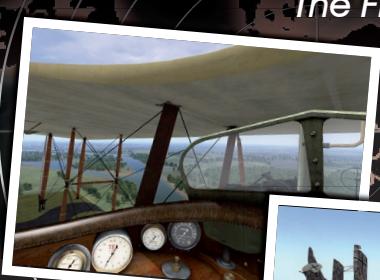
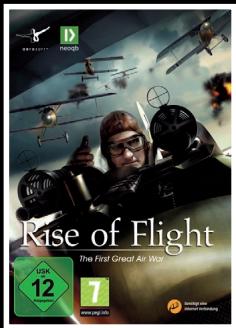
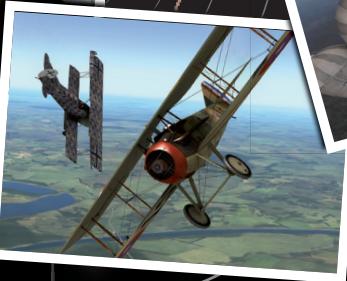
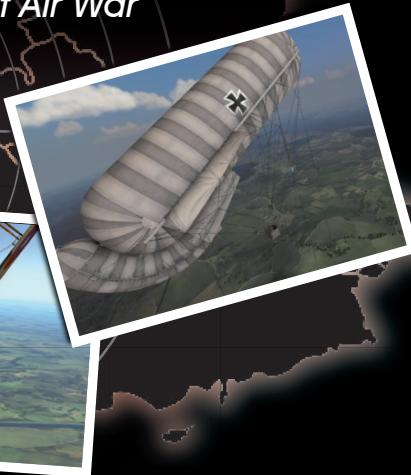
Rise of Flight ist der neue PC-basierte Luftkampf-Flugsimulator, welcher die Luftschlachten über der Westfront im Ersten Weltkrieg widerspiegelt. Neben dem bekannten „Battle of Britain" ist dieser Schaupplatz gleichwohlbekannt und berühmt. Die besten Piloten bisher Seiten trafen in nahezu gleichwertigen Maschinen aufeinander. Allein die Fähigkeit des Piloten war und ist hier ausschlaggebend für den Erfolg.
- Sie können mit einigen der berühmtesten Jagdflugzeuge des 1. Weltkriegs wie der Spad XIII, Fokker D.V.I, Albatros D.V.a und der Nieuport 28 fliegen - weitere Flugzeuge sind als Add-on verfügbar.
-
Extrem realistische Simulation der historischen Flugzeuge, Waffen und Umgebung.
125.000km² hochrealistisches Gelände (inklusive Lille, Cambrai, Reims, Verdun). -
Verschiedene Spielarten sind verfügbar: Training, Einzelmission, Karrieremodus und Multiplayer.
- Zusätzlich ein integrieter Mission Builder zum Erstellen eigener Szenarien.
- Antreten gegen andere Piloten im Multiplayer-Modus über Internet möglich.
- Ein spezielle Rise of Flight Website mit Community-Forum ist unter www.riseofflight.de mit Support, FAQs sowie mit News &Infos bereit gestellt
www.riseofflight.de
39,99 €