
XRAYVISION - Caméra de surveillance X10 - Notice d'utilisation et mode d'emploi gratuit
Retrouvez gratuitement la notice de l'appareil XRAYVISION X10 au format PDF.


| Marque | X10 |
| Modèle | XRAYVISION |
| Type de produit | Caméra de surveillance sans fil avec récepteur USB |
| Résolution vidéo | 640 x 480 pixels |
| Norme vidéo | PAL / NTSC (sélectionnable) |
| Connectivité | USB 2.0 (convertisseur inclus) |
| Portée sans fil | Jusqu’à 30 mètres en intérieur (estimation) |
| Nombre max de caméras | Jusqu’à 16 caméras avec le logiciel XRay Vision |
| Fonctions principales | Vidéo en direct, détection de mouvement, envoi d’images par e-mail, programmation des captures, visualisation à distance via XRay Vision Viewer |
| Intervalle de capture | De 10 secondes à 2 minutes (configurable) |
| Envoi automatique | E-mail de l’image la plus récente toutes les 1 minute à 3 heures |
| Stockage | Sur PC (base de données locale ou en ligne) |
| Alimentation | Adaptateur secteur 9 V DC (inclus) |
| Dimensions (estimées) | 10 x 7 x 5 cm (caméra) |
| Poids (estimé) | 200 g (caméra) |
| Entretien et nettoyage | Essuyer l’objectif avec un chiffon doux et sec. Débrancher avant nettoyage. |
| Sécurité | Mettre à jour le logiciel régulièrement. Utiliser un mot de passe pour le logiciel. |
| Pièces détachées et réparabilité | Pas de pièces réparables par l’utilisateur. Contacter le support X10 en cas de panne. |
| Contenu du kit | Caméra XCam2, convertisseur USB, logiciel XRay Vision, adaptateur secteur, notice |
FOIRE AUX QUESTIONS - XRAYVISION X10
Questions des utilisateurs sur XRAYVISION X10
0 question sur cet appareil. Repondez a celles que vous connaissez ou posez la votre.
Poser une nouvelle question sur cet appareil
Téléchargez la notice de votre Caméra de surveillance au format PDF gratuitement ! Retrouvez votre notice XRAYVISION - X10 et reprennez votre appareil électronique en main. Sur cette page sont publiés tous les documents nécessaires à l'utilisation de votre appareil XRAYVISION de la marque X10.
MODE D'EMPLOI XRAYVISION X10
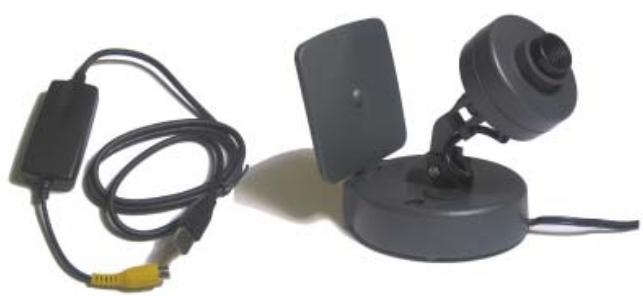
Product number : XRay Vision
Benefits
All the benefits of X10's XCam2 wireless camera, the XRay Vision kit is provided with an easy to install USB converter to connect the camera to your PC. With such a configuration, you can begin to imagine the possibilities. The XRay Vision software has been designed to give the user maximum use of his digital images and without the need of other hardware.
- Save the images to your database with several user definable preferences - based on fixed times, delay, motion or when you ask it.
- Send the images to your choice of ISP or e-mail address with your defined preference.
- Connect to your camera remotely through Xray Vision Viewer.
- Connect several cameras (up to 16) and scan locally and remotely.
- View exactly what your XCam2 sees on any remote PC. Control the frequency of image capture from every 10 seconds to every 2 minutes.
- Download images remotely from your PC or from the Online Imagebase.
- Have XRay Vision automatically e-mail the most recent image at any interval you choose — from 1 minute to 3 hours.
- Based on your settings, XRay Vision will recognize and highlight images where motion occurs — even automatically send you an e-mail of that frame.
- You remotely activate XRay Vision to automatically connect to your ISP, e-mail an image, or upload an image for later remote viewing.
Key Features
- Connect any Xcam to your PC.
- Transmit live colour video to your PC.
View images directly over the web. - No additional PC hardware required - plugs into your USB port.
Applications
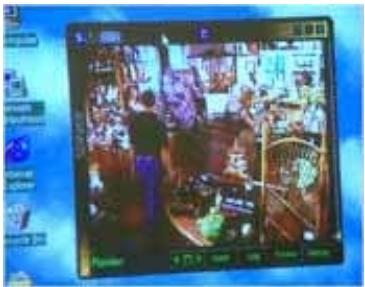
Monitor your business from home
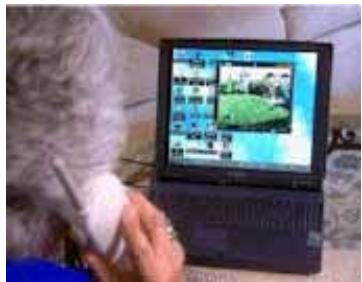
Let GrandMa watch the kids over the internet
Technical data
Video: PAL/NTSC
Size:640x480
Marque : X10
Modèle : XRAYVISION
Catégorie : Caméra de surveillance