
DRANOS 3 - ASCOM - Notice d'utilisation et mode d'emploi gratuit
Retrouvez gratuitement la notice de l'appareil DRANOS 3 ASCOM au format PDF.

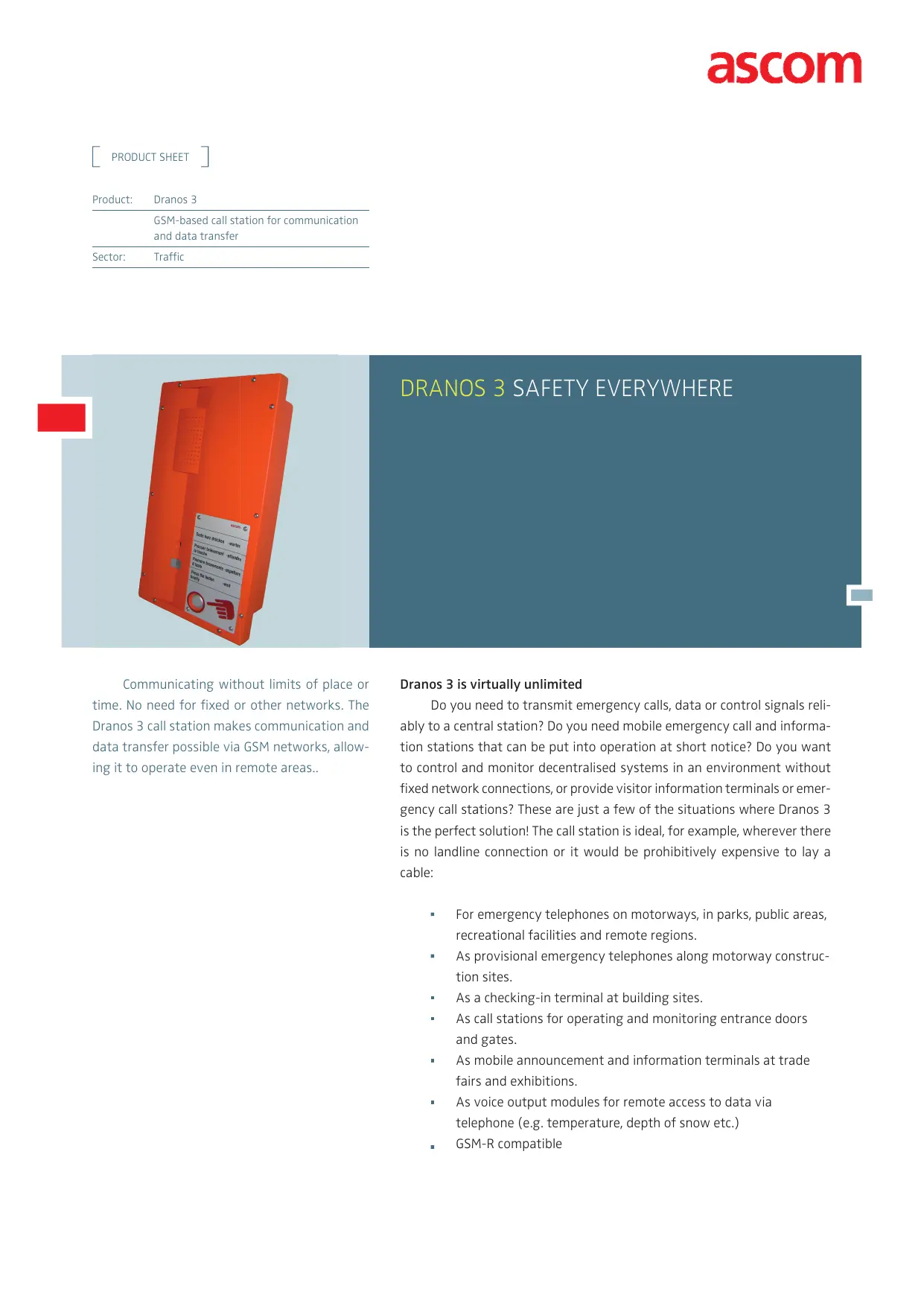

| Type de produit | Station d'appel GSM pour communication et transfert de données |
| Marque | ASCOM |
| Modèle | DRANOS 3 |
| Dimensions (L x H x P) | 240 x 445 x 101 mm |
| Poids | 3,3 kg |
| Matériau du boîtier | Polyuréthane (PUR) |
| Indice de protection | IP65 |
| Alimentation | Batterie interne 6V/3Ah avec panneau solaire ou source DC externe 8-45V |
| Autonomie | Jusqu'à plusieurs mois en fonctionnement normal |
| Technologie réseau | GSM tri-bande 900/1800/1900 MHz |
| Fonctions principales | Appels d'urgence, transmission de données, messages vocaux, configuration par SMS, détection de sabotage, autotest périodique |
| Haut-parleur | Niveau sonore réglable jusqu'à 100 dB à 0,3 m |
| Microphone | Sensibilité configurable |
| Touches d'appel | 1 touche standard, jusqu'à 4 touches lumineuses en option |
| Affichage visuel | LED pour l'état des appels |
| Messages vocaux | Capacité mémoire d'environ 460 secondes, messages définissables librement |
| Configuration | Par USB (boîtier ouvert), sans fil (SRD) ou par SMS |
| Entrées/Sorties | 2 entrées analogiques ou numériques, 2 sorties contacts libres de potentiel (max 50V DC/0,5A) |
| Antenne | Antenne omnidirectionnelle intégrée, connecteur SMA pour antenne externe en option |
| Température de fonctionnement | -30°C à +60°C (avec ensoleillement direct) |
| Montage | Mural, en niche ou encastré (vis par l'avant ou l'arrière) |
| Entretien et nettoyage | Nettoyage extérieur avec un chiffon humide et non abrasif |
| Sécurité | Détection de sabotage, autotest périodique des composants, transmission redondante par SMS |
| Normes | ISO 9001/14001, EN 60950, EN 50082-1, CTR 19/CTR 20 |
FOIRE AUX QUESTIONS - DRANOS 3 ASCOM
Questions des utilisateurs sur DRANOS 3 ASCOM
0 question sur cet appareil. Repondez a celles que vous connaissez ou posez la votre.
Poser une nouvelle question sur cet appareil
Téléchargez la notice de votre au format PDF gratuitement ! Retrouvez votre notice DRANOS 3 - ASCOM et reprennez votre appareil électronique en main. Sur cette page sont publiés tous les documents nécessaires à l'utilisation de votre appareil DRANOS 3 de la marque ASCOM.
MODE D'EMPLOI DRANOS 3 ASCOM
PRODUCT SHEET
Product: Dranos 3
GSM-based call station for communication and data transfer
Sector: Traffic
DRANOS 3 SAFETY EVERYWHERE
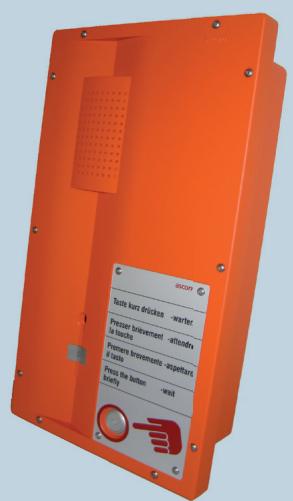
Communicating without limits of place or time. No need for fixed or other networks. The Dranos 3 call station makes communication and data transfer possible via GSM networks, allowing it to operate even in remote areas..
Dranos 3 is virtually unlimited
Do you need to transmit emergency calls, data or control signals reliably to a central station? Do you need mobile emergency call and information stations that can be put into operation at short notice? Do you want to control and monitor decentralised systems in an environment without fixed network connections, or provide visitor information terminals or emergency call stations? These are just a few of the situations where Dranos 3 is the perfect solution! The call station is ideal, for example, wherever there is no landline connection or it would be prohibitively expensive to lay a cable:
- For emergency telephones on motorways, in parks, public areas, recreational facilities and remote regions.
- As provisional emergency telephones along motorway construction sites.
As a checking-in terminal at building sites. - As call stations for operating and monitoring entrance doors and gates.
As mobile announcement and information terminals at trade fairs and exhibitions.
As voice output modules for remote access to data via telephone (e.g. temperature, depth of snow etc.)
GSM-R compatible
WIRELESS, DEPENDABLE DATA TRANSMISSION
In the Dranos 3, communication and data transfer are routed via GSM. Just how reliable this wireless solution is, is shown by the following security features:
GSM tri-band technology 900 / 1800 / 1900 for voice and data connections.
- Redundant message transmission via text message (SMS) if voice channel cannot be established.
- Integrated voice memory for local audio output of instructions, reassurance messages or general information.
- User-definable configuration of multiple numbers for each call key. LED for visual display of call status.
A sabotage detection feature automatically triggers a call if an attempt is made to break open or dismantle the device.
- Status messages regularly report the status of the call station. The interval between messages is freely configurable.
A periodic self-test of all main components quickly identifies possible malfunctions.
- With its solar-panel power supply and an intelligent power management system, the call station operates entirely autonomously.
A robust, multi-functional casing with a high protection class guarantees simple installation and operation even under adverse conditions.
System overview
Calls from Dranos 3 call stations are routed to the GSM network. Any analogue or ISDN telephone or GSM mobile phone can be used to receive the calls. On larger systems, however, it makes sense to use a central station. This offers additional functions such as visualisation and evaluation of incoming calls, regular monitoring of call stations, and centralised configuration of call stations.
One for all
The following features make the Dranos 3 call station particularly attractive:
Thanks to GSM technology, intelligent power management and an electricity supply via solar panel, the Dranos 3 call station is completely independent of fixed-line networks.
- With its versatile configuration options, Dranos 3 call station functions can be optimally tailored to customer requirements.
A robust casing with a high protection class guarantees reliable operation even in a harsh environment.
- A comprehensive PC software package is available to configure, operate and monitor Dranos 3 call stations.
Key parameters can be configured and modified by text message
Technical specifications
| Network | GSM network must be in place | |
| GSMR | optional | |
| GMS 900 | Class 4 / 2W | |
| GSM 1800/1900 | Class 1 / 1W | |
| SMS | For redundant call level, monitoring and configuration | |
| GSM Data / GPRS | Optional* | |
| Dual SIM | Optional: 2 providers for the highest redundancy* | |
| Front panel | Loudspeaker | Volume adjustable up to 100 dB / 0.3m |
| Microphone | Configurable sensitivity | |
| Dialling keys | Standard 1 key. Optionally up to 4 illuminated keys, with up to 4 different call numbers each* | |
| Visual display | LED for call status display | |
| Casing | Dimensions | 240 x 445 x 101mm (WxHxD) |
| Weight | 3.3 kg | |
| Material | Polyurethane / PUR | |
| Protection | IP 65 | |
| Mounting | On wall, in niche or flush-mounted (screws from front or back) | |
| Temperature range | Standard | -30 to +60°C (direct insolation) |
| Voice messages | Memory capacity | approx. 460 seconds |
| Organisation | Any number of messages can be defined; output either individually or in combination | |
| Power supply | Internal battery | Capacity 6V / 3Ah |
| Autonomy | Up to several months in normal operation | |
| Battery charging | With solar panel or ext. DC source 8 to 45V DC, 1 mA to 1.5 A external | |
| Antenna | Internal antenna | Integrated omni-directional antenna |
| External antenna | SMA connection (optional*) | |
| Configuration | Download of configuration, voice messages, firmware and to read device status | |
| Cable | With USB interface, casing open | |
| Wireless | With SRD interface, range approx. 5m | |
| Telecontrol | Data interface | USB, Ethernet (Video available as an option) |
| Outputs | 2 potential-free contacts, max. 50 V DC / 0.5 A | |
| Inputs | 2 analogue 1-5 V DC or digital inputs | |
| G sensor | 3D positional sensor (position receiver) | |
| Temperature measurement | from -30C to +65C | |
| Standards/Specifications | ISO 9001/ISO 1400 | SQS certificate |
| EN 60950 | Safety of information technology equipment | |
| EN 50082-1 | EMV interference resistance | |
| CTR 19/CTR 20 | ETSI GSM standards | |
| Operation | Configuration | Via USB interface with casing open, or wirelessly with SRD link Individual parameters (call numbers, etc.) also via SMS |
| SIM card | Standard mobile contract or prepaid card, PIN-protected | |
- Optional features.

Sample installation: Dranos 3 call station with mast and base
Marque : ASCOM
Modèle : DRANOS 3