MAGICOLOR 4650DN - Imprimante laser couleur KONICA - Notice d'utilisation et mode d'emploi gratuit
Retrouvez gratuitement la notice de l'appareil MAGICOLOR 4650DN KONICA au format PDF.


| Type de produit | Imprimante laser couleur |
| Marque | KONICA MINOLTA |
| Modèle | MAGICOLOR 4650DN |
| Vitesse d'impression | Jusqu'à 24 ppm couleur / 24 ppm monochrome |
| Résolution | PhotoART 9600 (600 x 600 x 4 bits) |
| Processeur | 500 MHz |
| Mémoire standard | 256 Mo |
| Mémoire maximale | 768 Mo |
| Cycle d'utilisation mensuel | 120 000 pages |
| Formats de papier supportés | A4, A5, A6, B5, B6, Letter, Legal, enveloppes, cartes postales, personnalisé (92-216 x 148-356 mm) |
| Grammage supporté | 60 à 210 g/m² (papier ordinaire, épais, recyclé) |
| Capacité d'alimentation standard | 250 feuilles (bac principal) + 100 feuilles (bac multifonction) |
| Capacité d'alimentation optionnelle | 500 feuilles (bac inférieur A4) |
| Capacité de sortie | 200 feuilles (face vers le bas) |
| Recto-verso automatique | Oui, intégré |
| Connectivité | Parallèle, USB 2.0, Gigabit Ethernet, port USB hôte |
| Langages d'impression | PostScript 3, XPS, PCL 6, PCL 5e/c |
| Systèmes d'exploitation compatibles | Windows (Vista, Server 2003, XP, 2000), Mac OS X, Linux, Netware |
| Contrôle des couleurs | eAIDC, profils ICC, tables Pantone |
| Impression sécurisée | Oui (avec disque dur optionnel) |
| Entretien | Accès frontal facile aux consommables et bacs |
| Garantie | 1 an sur site (UE) |
FOIRE AUX QUESTIONS - MAGICOLOR 4650DN KONICA
Questions des utilisateurs sur MAGICOLOR 4650DN KONICA
0 question sur cet appareil. Repondez a celles que vous connaissez ou posez la votre.
Poser une nouvelle question sur cet appareil
Téléchargez la notice de votre Imprimante laser couleur au format PDF gratuitement ! Retrouvez votre notice MAGICOLOR 4650DN - KONICA et reprennez votre appareil électronique en main. Sur cette page sont publiés tous les documents nécessaires à l'utilisation de votre appareil MAGICOLOR 4650DN de la marque KONICA.
MODE D'EMPLOI MAGICOLOR 4650DN KONICA

KONICA MINOLTA
Simitri HD
High Definition Polymerised Toner



PANTONE CALRRATEDM
CALIBRATED

SHOP
BORBERG SUIFES
a-shop.com



Works with
Windows
VistaTM

CLEAN PLANET PROGRAM
Konica Minolta printer supplies return program

ProtectPack

PowerPack
Konica Minolta
Business Solutions
Europe GmbH
Europaaallee 17
30855 Langenhagen, Germany
Tel: (+49) 511 74040
Fax: (+49) 511 741050
www.konicaminolta.eu
Technical specifications
Processor
500MHz
Print speed (ppm)
Up to 24 ppm colour / 24 ppm monochrome
Resolution
PhotoART 9600 (600 x 600 x 4-bit contour)
Duty cycle
120,000 pages per month
Memory
Standard: 256 MB, Max.: 768 MB
Standard interfaces
Parallel, USB 2.0 (High-Speed), Gigabit Ethernet
USB host port
PictBridge and Direct print
Media sizes
A4, A5, A6, B5, B5 (ISO), B6, letter, legal, 16K, Kai16, Kai32, J-Postcard, executive,
Government letter/legal, folio, envelope C6, envelope monarch, envelope DL,
envelope COM10, double postcard, statement, UK Quarto, foolscap, SP folio,
custom (92-216 mm x 148-356 mm)
Media weight
Plain paper (60-90 gsm), thick paper (91-210 gsm), recycled paper (60-90 gsm)
and duplexing1 (60-90 gsm)
Media input
-
Standard paper input: 250-sheet, 100-sheet manual feed tray
-
Optional paper input: 500-sheet A4 lower paper feeder
Media output
200-sheet face-down output tray
Print media types
Plain paper, thick paper, recycled paper, transparency, letterhead, envelope, labels,
postcard and glossy paper
Operating system compatibility
Driver support for:
- Windows®: Vista™, Server 2003, XP, 2000
Macintosh 假 :OSX(10.2,10.3,10.4)
Linux®: RedHat v9.0, SuSe v8.2 - Netware®: Netware 4/5/6
Colour control
Enhanced Automatic Image Density Control (eAIDC), ICC profile, Pantone® colour tables
Colour simulations
SWOP, Commercial Press, Eurocolor, DIC, TOYO
Secure printing
Hard disk option required3
Language compatibility
PostScript 3^TM , XPS³, PCL 6 (XL3.0), PCL 5e / c / 6
Warranty
1 year on-site (within EU; local law applies)
Duplexer supports plain paper only.
2 Optional CF card enables storing fonts/forms/overslveys/colour-profiles, direct printing (PDF, TIFF and JPEG), Collating, Job Accounting and User/Department authentication. More than 1GB CF card is required for Collating.
3 Optional hard disc kit enables Secure printing, Proof-then-Print, Print & Hold, Job storing and XPS emulation in addition to all extra functions with CF card2
All specifications relating to paper capacity refer to A4-size paper of 80 gsm quality.
All specifications relating to printing speeds refer to A4-size paper that is printed crosswise in multipage, simplex mode.
The support and availability of the listed specifications and functionalities varies depending on operating systems, applications, network protocols as well as network and system configurations.
The stated life expectancy of each consumable is based on specific operating conditions such as page coverage for a particular page size (5% coverage of A4). The actual consumables life will vary depending on the use and other printing variables including page coverage, page size, media type, continuous or intermittent printing ambient temperature and humidity.
- Some of the product illustrations contain optional accessories
- Specifications and accessories are based on the information available at the time of printing, and are subject to change without notice. Konica Minolta does not warrant that any prices or specifications mentioned will be error-free.
Microsoft, Windows and the Windows logo are trademarks, or registered trademarks, of Microsoft Corporation in the United States and/or other countries.
All other brand and product names may be registered trademarks or trademarks of their respective holders and are hereby acknowledged. Printed in Germany on clearing free blackboard paper
For extra information, go to www.konicaminolta.eu
Your Konica Minolta Business Solutions Partner:



KONICA MINOLTA

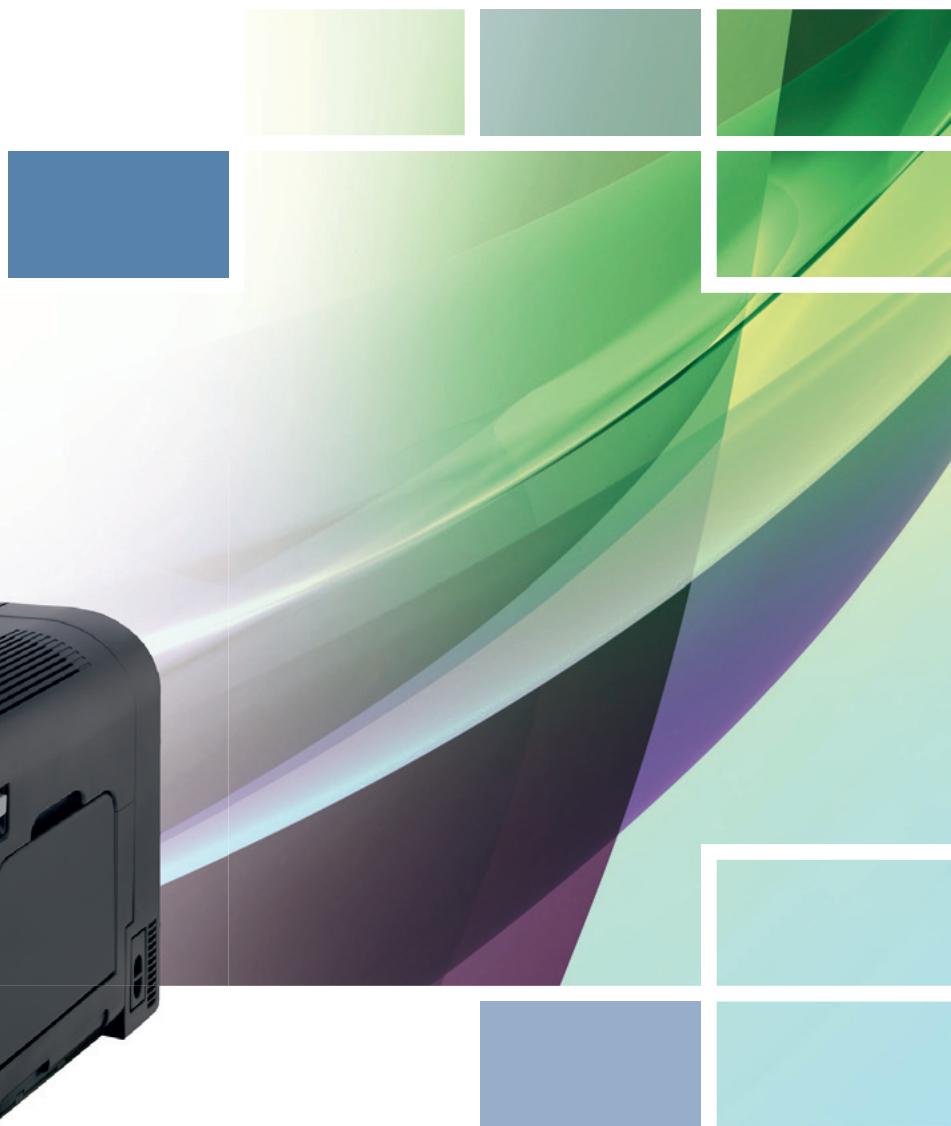
magicolor 4650EN magicolor 4650DN
Your colour desktop partner

Your colour desktop partner
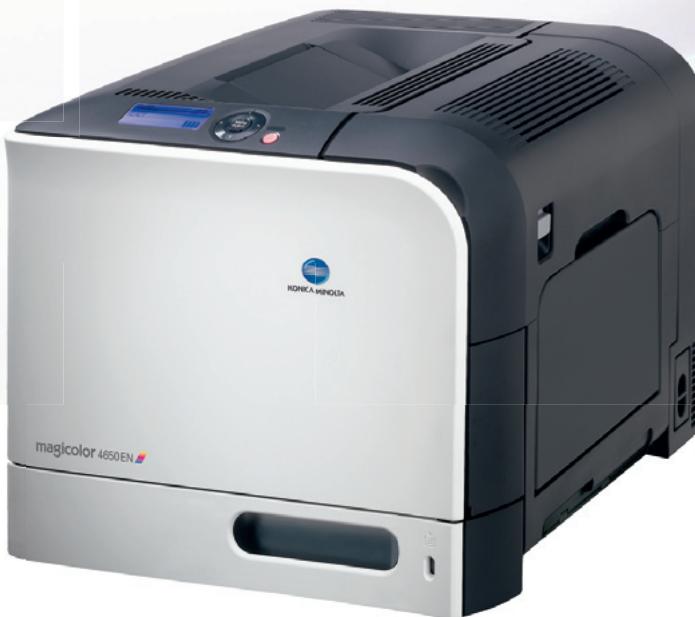
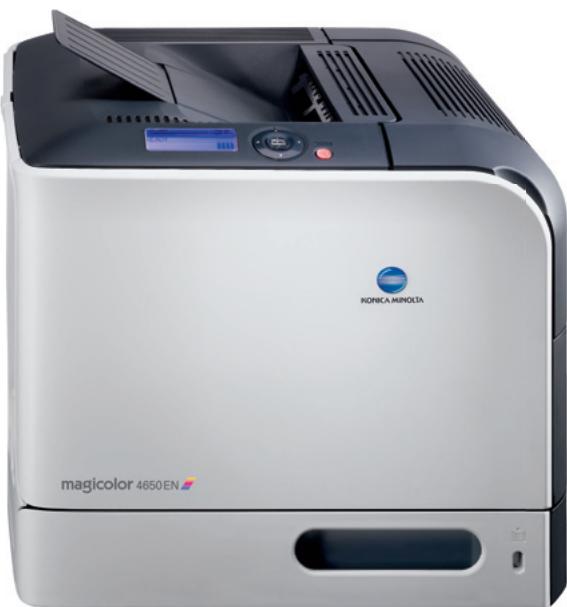
Choose to have the perfect office associate sitting right next to you at your desk. The magicolor 4650EN and magicolor 4650DN printer tackle any and all office jobs with gusto, speed and flexibility to deliver awesome PhotoART 9600 colour quality to single desktop users, small workgroups or little departments. And with a remarkably small footprint and low acoustic noise, they turn out to be your perfect silent partner. With a built-in duplexer the magicolor 4650DN lets you tell both sides of the story without the slightest drop in productivity or uptime.

Enjoy the help
of a silent companion
Boasting a fresh and stylishly compact design that makes them an asset to any desktop the magicolor 4650EN and magicolor 4650DN are your perfect partners to create everyday "general office" materials in colour and monochrome. With reduced noise levels - even with the built-in duplex of the 4650DN - they both offer a high office comfort factor that makes them especially suited to sit right next to you on your desktop. Under all working conditions they do their colourful jobs in respectful silence. And for you they eliminate unhandy manoeuvring with easy front access to paper trays and consumables.
magicolor 4650DN with duplexer
magicolor 4650DN and magicolor 4650EN with 500-sheet lower paper feeder

Give daily productivitya colourful new meaning
In the quiet presence of the magicolor 4650EN or magicolor 4650DN you can easily boost your daily productivity by turning out colour and monochrome prints at a swift 24 ppm. You will hold the first page in your hands after just 13 seconds. Ideal when you need to act and print fast. Neither the magicolor 4650EN nor the magicolor 4650DN shies away from handling large quantities of prints. With an optional lower feeder you can easily jump up their paper capacity to 850 pages, so frequent paper loads are a task of the past. Their compact design fits in any office environment and is packed with powerful attributes: the Emperor™ controller, 500 MHz processing and 256 MB memory.

Take care of the basics and beyond
The magicolor 4650EN and the magicolor 4650DN are designed to fulfil all basic printing needs for general office usage. They are ideal to create compelling business reports, persuasive presentations, elegant business cards, or to add visual impact to your stationary, labels and other media thanks to the multi-purpose tray which accepts 100 plain paper or up to 20 sheets of 210 gsm paper. Choose the magicolor 4650DN with built-in duplexer and producing professional-looking reports and booklets becomes child's play. Even when duplexing the magicolor 4650DN never needs a breather and will still work for you at 100 % of its capacity. Because the duplex unit is built in, you will hardly encounter paper jams and enjoy maximum machine uptime.

Enjoy the future today
Enter the new era of document processing with the magicolor 4650EN and magicolor 4650DN. Offering native support of the XPS³ (XML Paper Specification) file format from Microsoft Vista™, files can be shared more easily. Thanks to compatibility with various printing languages (PostScript3™ and PCL6), operating systems and business applications they are printed more accurately. Enjoy instant printing of PDF,TIFF,JPEG and XPS³ files on a USB memory stick² – no PC required. A set & go solution to get fast and easy colour prints of large-size reports and presentations, with your network clutter-free.

Introduce colour
into your office documents
Benefit from these printers' capability to produce fast and brilliant colour prints. All your documents will shine above the standard office fare, with PhotoART- 9600™ contone technology, which prints at 600 × 600 × 4 -bit, plus Simitri® HD polymerised toner. Tiny, uniformly shaped toner particles plus more colours per pixel ensures more detail and smoother images – or simply superb colour reproduction for a bigger, longer lasting impact. Razor-sharp text and lines, an unparalleled colour fade resistance combined with a highly durable print finish; your guarantee for longer-lasting prints. This is your perfect answer for professional materials like mailings and leaflets, as the print surface doesn't break or peel on folded pages.