CM-5 - Imprimante couleur KONICA - Notice d'utilisation et mode d'emploi gratuit
Retrouvez gratuitement la notice de l'appareil CM-5 KONICA au format PDF.


| Type d'appareil | Spectrophotomètre autonome |
| Port de mesure | Top-Port |
| Flexibilité | Maximum |
| Polyvalence | Élevée |
| Domaines d'application | Alimentation, Pharmaceutique, Cosmétiques |
| Écran | Écran couleur avec interface utilisateur |
| Mesure | Imagerie couleur |
| Connectivité | USB |
| Type d'échantillon | Solide, poudre, liquide |
| Précision | Non précisé |
| Dimensions | Non précisé |
| Poids | Non précisé |
| Alimentation | Non précisé |
| Logiciel | Inclus pour analyse couleur |
| Utilisation | Laboratoire, contrôle qualité |
FOIRE AUX QUESTIONS - CM-5 KONICA
Questions des utilisateurs sur CM-5 KONICA
0 question sur cet appareil. Repondez a celles que vous connaissez ou posez la votre.
Poser une nouvelle question sur cet appareil
Téléchargez la notice de votre Imprimante couleur au format PDF gratuitement ! Retrouvez votre notice CM-5 - KONICA et reprennez votre appareil électronique en main. Sur cette page sont publiés tous les documents nécessaires à l'utilisation de votre appareil CM-5 de la marque KONICA.
MODE D'EMPLOI CM-5 KONICA
Spectrophotometer CM-5
Stand alone Top-Port Spectrophotometer with maximum Flexibility and Versatility
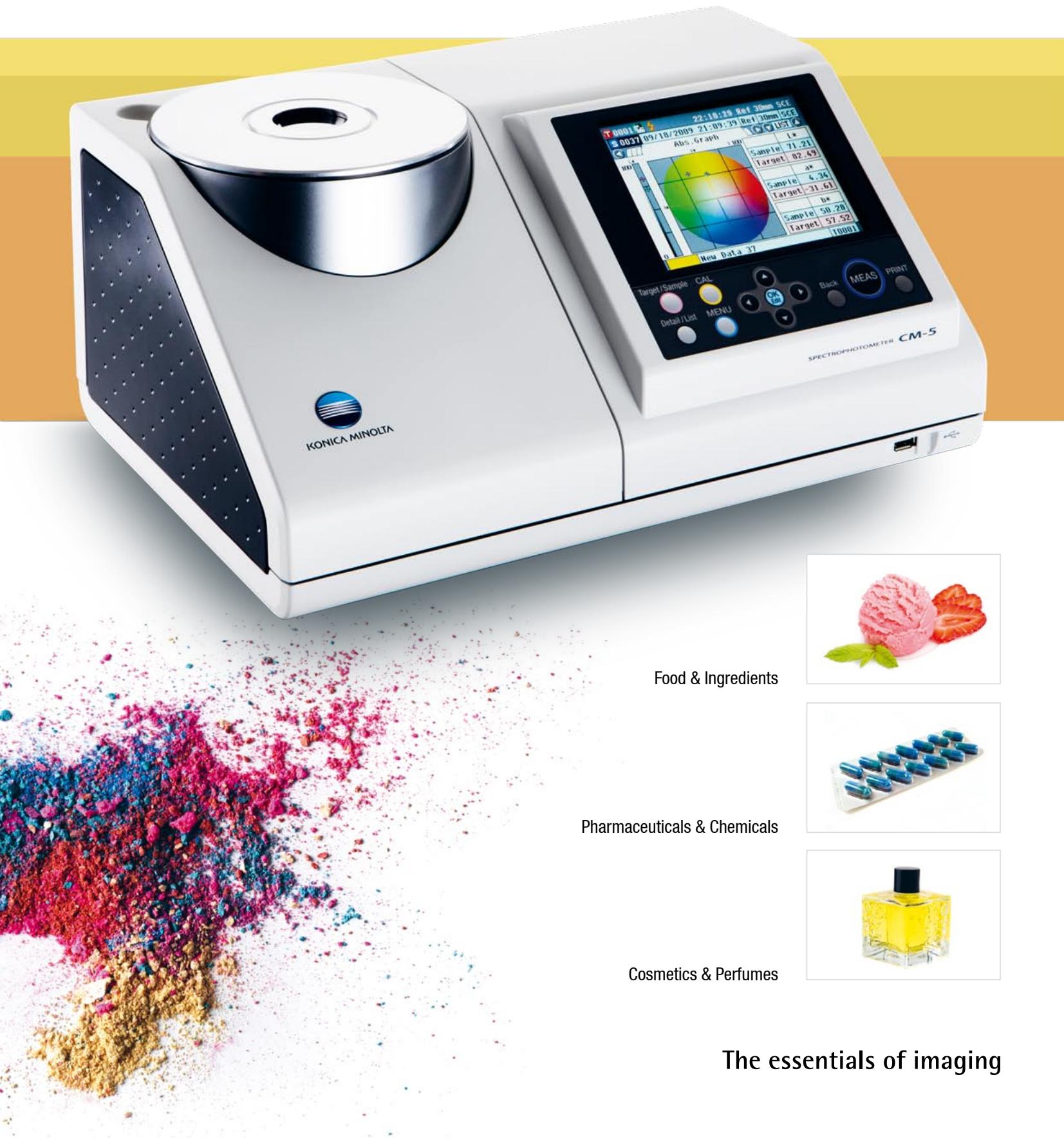
CM-5 Top-Port Spectrophotometer
offering versatile usage
and simple operation
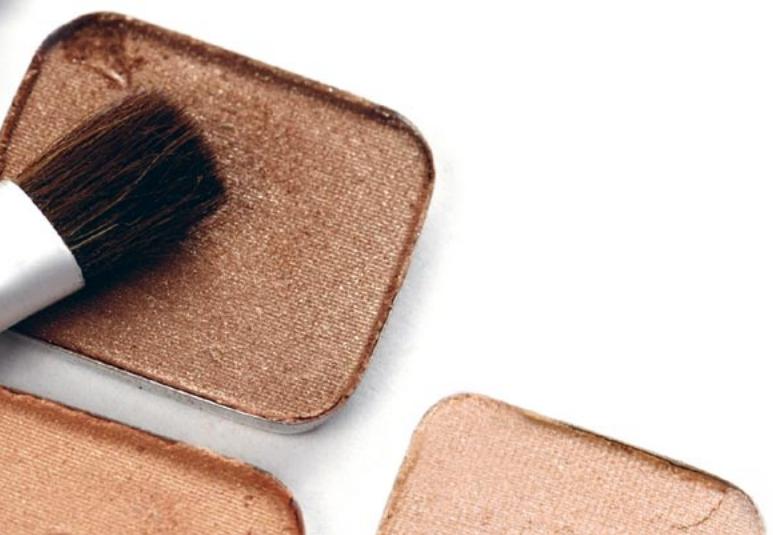
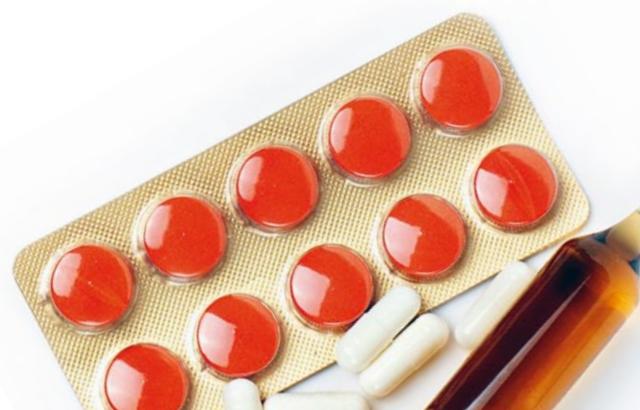
Requirements for Colour measurement of Foods, Ingredients, Flavours & Fragrances, Drinks, Pharmaceuticals, Cosmetics and base Chemicals are especially demanding due to the extreme diversity of sample forms, from solids to powders, granules paste, liquid to opaque, translucent or transparent, all forms are found.
An instrument capable of covering this wide range of products must not only be flexible in terms of measurement methodology but even more importantly in terms of user friendliness and minimum sample preparation time to allow fast routine measurements in the laboratory or in production control.
The new Konica Minolta Bench-Top Spectrophotometer CM-5 offers exactly this combination of versatility and simplicity to cover all the requirements in a true "All in one" concept.
Full-featured Stand alone instrument that covers all your applications

The top-port concept allows easy sample positioning and measurement of solid samples. Just place the sample on the measuring port and press the measurement button.
Measuring areas with 30, 8 and 3mm allow perfect adaption to the sample size.
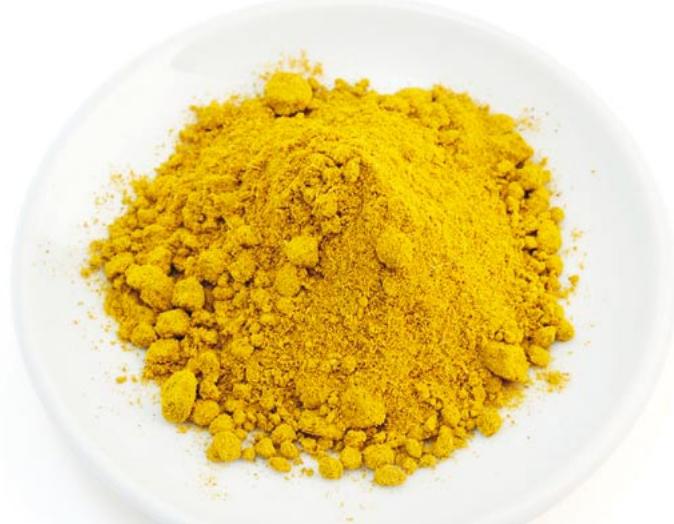
Samples in paste, powder or granule form can easily be measured with the optional Petri-Dish set.
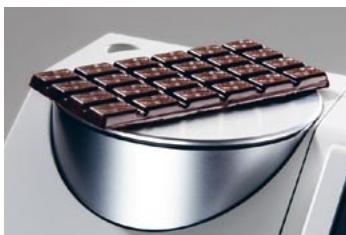
Reflection measurement of solids
Reflection measurement of paste products

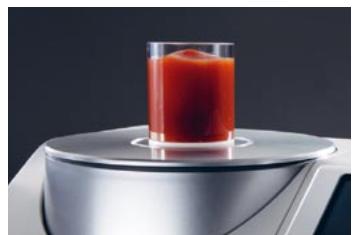
Simply sliding the top cover, opens the large transmission chamber to measure all kind of transparent liquids or solids, such as foils or glass plates in Transmission mode.
For liquids, glass or plastic cells of up to 60~mm path can be used, including 12.5mm standard glass cells when using the optional adapter.
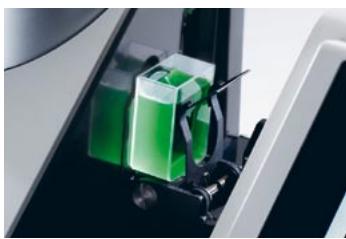
Measurement of liquids in transmission
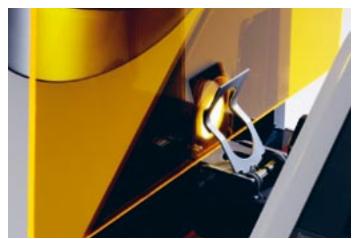
Measurement of solids in transmission
Functions & Features that make your daily work faster and easier

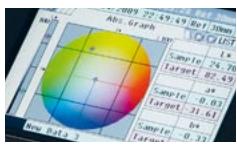
The large LCD screen show the measurement results delete either numerically or graphically including Reflectance values, all colour systems and PASS/FAIL evaluations.

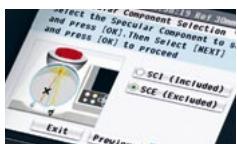
To simplify the operation; the "Operation Wizard" is a perfect step by step on screen user guide in 7 Languages to ease operation.

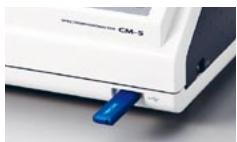
To simplify the use of the CM-5 by several people in parallel, measurement data and instrument settings can be saved on a USB stick.

In addition to the classic colorimetric evaluation systems, the CM-5 offers measurement results of liquids to be evaluated in terms of industry specific indices (colour scales) such as Gardner, lodine, Hazen (APHA), European and US Pharmacopeia.


Top 10 Features
- High-end Spectrophotometer with wide wavelength range
- Top-port concept for Reflectance measurements
- Large Transmission chamber for liquids & solids
- Stand alone function with LCD Screen and Firmware
- Measurement of Industry specific indices
- Storage of user settings and data on USB stick
- "Operation Wizard" with real time on screen user guidance
- Firmware in 7 Languages
- Extremely easy operation with automatic calibration
- Compact, lightweight and functional Design
| Specifications | Spectrophotometer CM-5 | |
| Illumination/viewing system | Reflectance: | di:8°, de:8° (diffuse illumination: 8° viewing) / SCI (specular component included)/SCE (specular component excluded) switchable Conforms to CIE No. 15, ISO 7724/1, ASTM E 1164, DIN 5033 Teil 7, and JIS Z 8722 (Condition c) |
| Transmittance: | di:0°, de:0° (diffuse illumination: 0° viewing) | |
| Integrating sphere size | Ø152 mm | |
| Detector | Dual 40-element silicon photodiode arrays | |
| Spectral separation device | Planar diffraction grating | |
| Wavelength range | 360 nm to 740 nm | |
| Wavelength pitch | 10 nm | |
| Half bandwidth | Approx. 10 nm | |
| Measurement range | 0 to 175 % (Reflectance or transmittance); Output/display resolution: 0.01% | |
| Light source | Pulsed Xenon lamp | |
| Measurement time | Approx. 1 s (to data display/output); Minimum measurement interval: Approx. 3 s | |
| Measurement/illumination area | Reflectance: | Changeable by changing mask and settings. LAV: Ø30 mm / Ø36 mm; MAV (optional): Ø8 mm / Ø11 mm; SAV (optional): Ø3 mm / Ø6 mm |
| Transmittance: | Ø20 mm | |
| Repeatability | Spectral reflectance: Standard deviation within 0.1% (400 nm to 740 nm) / Chromaticity value: Standard deviation within ΔE*ab 0.04 *When a white calibration plate is measured 30 times at 10-second intervals after white calibration | |
| Inter-instrument agreement | Within ΔE*ab 0.15 (Typical) I (Based on 12 BCRA Series II color tiles compared to values measured with a master body at 23°C) | |
| Transmittance chamber | No sides (unlimited sample length); Depth (maximum sample thickness): 60 mm Sample holder (optional) for holding sheet samples or containers of liquid samples can be installed/removed | |
| Display | 14.5 cm TFT color LCD | |
| Display languages | English, Japanese, German, French, Italian, Spanish, Simplified Chinese | |
| White calibration | Automatic white calibration (reflectance) / 100% calibration (transmittance) using internal white calibration plate | |
| Interfaces | USB 1.1 (Connection to PC; USB memory stick); RS-232C standard (Connection to serial printer) | |
| Observer | 2° Standard Observer or 10° Standard Observer | |
| Illuminant | A, C, D50, D65, F2, F6, F7, F8, F10, F12, ID50, ID65 (simultaneous evaluation with two light sources possible) | |
| Displayed data | Spectral values, spectral graph, colorimetric values, color-difference values, color-difference graph, pass/fail judgment, pseudo color, color assessment | |
| Color space | L*a*b*, L*c*h, Hunter Lab, Yxy, XYZ, Munsell, and color differences in these spaces (except for Munsell) | |
| Index | Reflectance: | MI; WI (ASTM E 313-73, ASTM E 313-96); YI (ASTM E 313-73, ASTM E 313-96, ASTM D 1925); ISO Brightness, B (ASTM E 313-73) |
| Transmittance: | Gardner, lodine, Hazen (APHA), European Pharmacopoeia, US Pharmacopoeia | |
| User index | User-defined index | |
| Color-difference equation | ΔE*ab (CIE 1976), ΔE*94 (CIE 1994), ΔE00 (CIE 2000), ΔE (Hunter), CMC (I: c) | |
| Pass/fail judgment | Tolerances can be set to colorimetric values (except Munsell), color-difference values, or reflectance index values | |
| Storable data | Sample data: 4,000 measurements; Target color data: 1,000 measurements | |
| USB memory stick storage | Storage of measurement data and target color data. Storage/reading of measurement condition settings (Security-en-abled USB memory sticks cannot be used.) | |
| Power | AC 100 to 240 V, 50/60 Hz (using exclusive AC adapter) | |
| Size | Slide cover closed: 385 (W) × 192 (H) × 261 (D) mm I Slide cover open: 475 (W) × 192 (H) × 261 (D) mm | |
| Weight | Approx. 5.8 kg | |
| Operating temperature/humidity range | 13 to 33°C, relative humidity 80 % or less (at 35°C) with no condensation | |
| Storage temperature/humidity range | 0 to 40°C, relative humidity 80 % or less (at 35°C) with no condensation | |
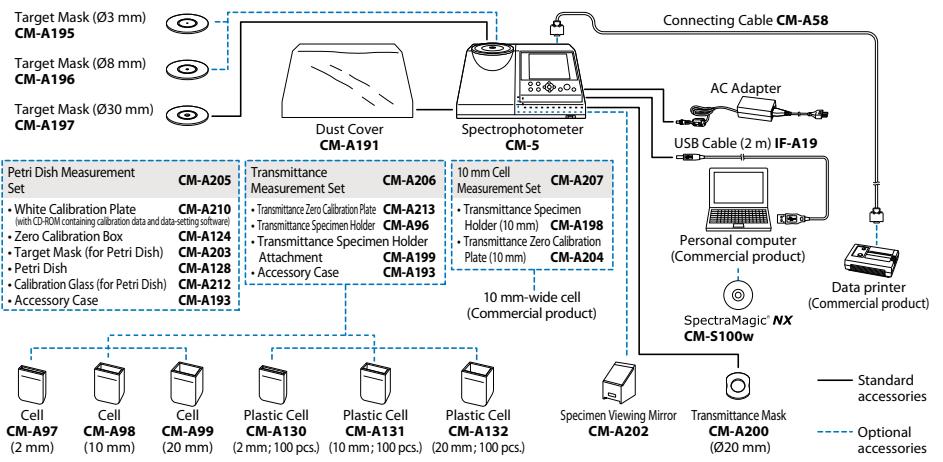
< System Configuration >
SPECTROPHOTOMETER
CM-5
SAFETY PRECAUTIONS
For correct use and for your safety, be sure to read the instruction manual before using the instrument.

- Always connect the instrument to the specified power supply voltage. Improper connection may cause a fire or electric shock.
- Be sure to use the specified batteries. Using improper batteries may cause a fire or electric shock.
Specifications and appearance subject to change without notice.
- Company names and product names herein are trademarks or registered trademarks of their respective companies.
- The specifications and drawings given here are subject to change without prior notice.
- If you have any questions about specifications, please contact your Kona Minolta representative.
Konica Minolta Sensing, Inc.
Konica Minolta Sensing Americas, Inc.
Konica Minolta Sensing Europe B.V.
Distribuidor para España y Portugal
Konica Minolta (CHINA) Investment Ltd.
Konica Minolta Sensing Singapore Pte Ltd.
Konica Minolta Sensing, Inc.
Osaka, Japan
New Jersey, U.S.A.
European Headquarter/BENELUX
German Office
French Office
UK Office
Italian Office
Swiss Office
Nordic Office
Austrian Office
Polish Office
AQUATEKNICA S.A.
SE Sales I
SE Beijing
SE Guangzhou Office
Singapore
Seoul Office
Nieuwegein, Netherland
München, Germany
Roissy CDG, France
Milton Keynes, United Kingdom
Milan, Italy
Dietikon, Switzerland
Västra Frölunda, Sweden
Wien, Austria
Wroclaw, Poland
Valencia, Spain
Shanghai, China
Beijing, China
Guangzhou, China
Seoul, Korea
Phone: 888-473-2656 (in USA),
201-236-4300 (outside USA)
Phone: +31(0)30 248-1193
Phone: +49(0)89 4357 156 0
Phone: +33(0)1 493-82519
Phone: +44(0)1908 540-622
Phone: +39 02 39011.425
Phone: +41(0)43 322-9800
Phone: +46(0)31 7099464
Phone: +43(0)1 87882-430
Phone: +48(0)71 33050-01
Phone: +34 963 30 20 13
Phone:+86-021-54890202
Fax:86-021-54890202
Phone:+86-010-85221551
Phone:+86-020-3826 Phone:05-5509-5509
Phone: +65 6563-5533
Phone: +82(0)2-523-9726
Fax:+31(0)30248-1280
Fax: +49(0)89 4357 156 99
Fax: +33(0)1 493-84771
Fax: +44(0)1908 540-629
Fax: +39 02 39011.223
Fax: +41(0)43 322-980
Fax: +46(0)31 474945
Fax: +43(0)1 87882-431
Fax:+48(0)717345210
Fax:+34963300396
Fax:+86-021-54890005
Fax:+86-010-852212415-000-9999-1999
Fax:+86-020-38264223 Fax: 65-6589-3791
Fax: +65 6560-9721
Fax: +82

Certificate No:YKA 0937 154
Registration Date: 10/12/1985
March 3, 1995

ISO 14
Certificate No: JQA-E-80027
Registration Date 10:00-2007