
CX-ONE V4 - Logiciel de programmation pour automates OMRON - Notice d'utilisation et mode d'emploi gratuit
Retrouvez gratuitement la notice de l'appareil CX-ONE V4 OMRON au format PDF.


| Type de produit | Logiciel de programmation pour automates |
| Version | CX-ONE V4 |
| Marque | OMRON |
| Langues disponibles | Français, Anglais, Allemand, Espagnol, Italien, etc. |
| Fonctions principales | Programmation (LD, ST, SFC), configuration réseau, visualisation HMI, simulation intégrée, édition en ligne, sauvegarde et restauration |
| Automates supportés | Omron CJ1, CJ2, CP1, CS1, etc. |
| Packages disponibles | CX-One FULL (gamme complète), CX-One LITE (solutions Lean) |
| Types de licence | Mono-utilisateur, 3, 10, 30, 50 utilisateurs, licence site |
| Supports de distribution | CD, DVD, téléchargement (licence uniquement) |
| Fonctionnalités avancées | Smart Input Ladder, Structures et tableaux, types Timer/Counter, paramétrage Ethernet/IP, Cross Reference Popup |
| Normes de programmation | IEC 61131-3 (ST, SFC) |
| Système d'exploitation requis | Windows 7, 8, 10 (64 bits) |
| Mise à jour | 12 mois de mises à jour gratuites via enregistrement en ligne |
FOIRE AUX QUESTIONS - CX-ONE V4 OMRON
Questions des utilisateurs sur CX-ONE V4 OMRON
0 question sur cet appareil. Repondez a celles que vous connaissez ou posez la votre.
Poser une nouvelle question sur cet appareil
Téléchargez la notice de votre Logiciel de programmation pour automates au format PDF gratuitement ! Retrouvez votre notice CX-ONE V4 - OMRON et reprennez votre appareil électronique en main. Sur cette page sont publiés tous les documents nécessaires à l'utilisation de votre appareil CX-ONE V4 de la marque OMRON.
MODE D'EMPLOI CX-ONE V4 OMRON
OMRON EUROPE B.V. Wegalaan 67-69, NL-2132 JD, Hoofddorp, The Netherlands. Tel: +31 (0) 235681300 Fax: +31 (0) 235681388 www.industrial.omron.eu
Austria
Tel: +43 (0) 2236 377 800
www.industrial.omron.at
Belgium
Tel: +32 (0) 2466 2480
www.industrial.omron.be
Czech Republic
Tel: +420 234 602 602
www.industrial.omron.cz
Denmark
Tel: +45 43 44 00 11
www.industrial.omron.dk
Finland
Tel: +358 (0) 207 464 200
www.industrial.omron.fi
France
Tel: +33 (0) 156637000
www.industrial.omron.fr
Germany
Tel: +49 (0) 2173 680 00
www.industrial.omron.de
Hungary
Tel: +36 1 399 30 50
www.industrial.omron.hu
Italy
Tel: +39 02 326 81
www.industrial.omron.it
Netherlands
Tel: +31 (0) 235681100
www.industrial.omron.nl
Norway
Tel: +47 (0) 22657500
www.industrial.omron.no
Poland
Tel: +48 (0) 22 645 78 60
www.industrial.omron.pl
Portugal
Tel: +351 21 942 94 00
www.industrial.omron.pt
Russia
Tel: +7 495 648 94 50
www.industrial.omron.ru
South Africa
Tel: +27 (0)86 066 7661
www.industrial.omron.co.za
Spain
Tel: +34 913 777 900
www.industrial.omron.es
Sweden
Tel: +46 (0) 8632 3500
www.industrial.omron.se
Switzerland
Tel: +41 (0) 417481313
www.industrial.omron.ch
Turkey
Tel: +90 216 474 00 40
www.industrial.omron.com.tr
United Kingdom
Tel: +44 (0) 870 752 08 61
www.industrial.omron.co.uk
More Omron representatives
www.industrial.omron.eu
Automation Systems
- Programmable logic controllers (PLC) - Human machine interfaces (HMI) - Remote I/O
- Industrial PC's - Software
Motion & Drives
- Motion controllers - Servo systems - Inverters
Control Components
- Temperature controllers • Power supplies • Timers • Counters • Programmable relays
- Digital panel indicators - Electromechanical relays - Monitoring products - Solid-state relays
- Limit switches - Pushbutton switches - Low voltage switch gear
Sensing & Safety
- Photoelectric sensors • Inductive sensors • Capacitive & pressure sensors
- Cable connectors · Displacement & width-measuring sensors · Vision systems
- Safety networks - Safety sensors - Safety units/relay units - Safety door/guard lock switches
CX-ONE V4
One software is all you need
CX-One
» Control, visualise, position, detect and regulate
» One Programming tool
» A common automation environment
One software is all you need…
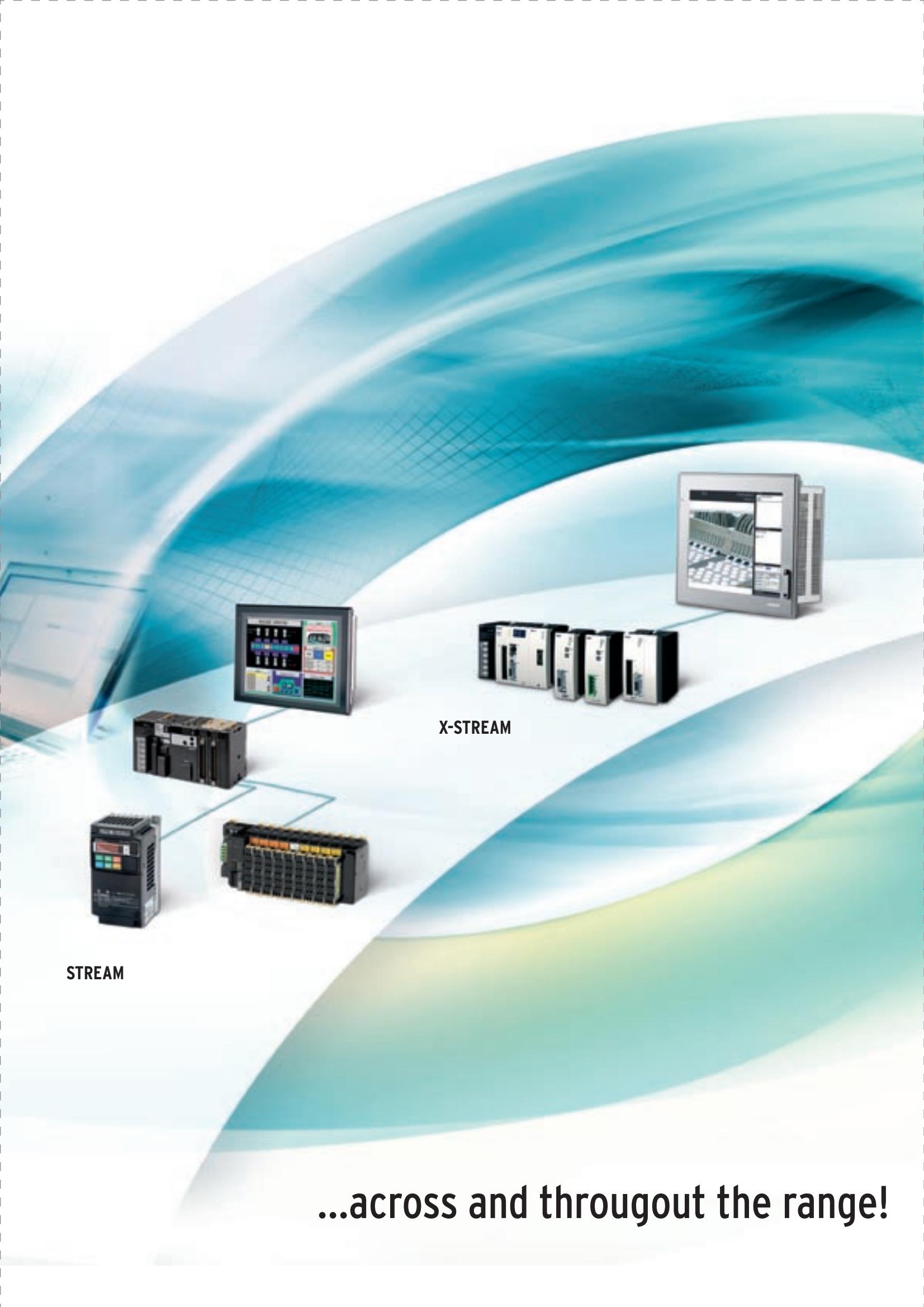
Omron is able to supply different scalable solutions for the variety of needs in the market today. Depending on the level of complexity of the application, we offer an increasing level of sophistication. Lean, Steam & XStream.
CX-One supports the entire range of scalable automation - it's the only software you need for your solution:
Configuration
From drive configuration and network set-up to regulation and sensing. CX-One includes all the software you need whatever device you have.
Programming
Whether you are programming a compact PLC or a top of the range CJ2, it's the same programming tool! Know one; know them all with our one software solution
Visualise
Visualise and interact with your machine in a minute with a range of easy to use runtime solutions from panel HMI to IPC.
Enhanced features that make your life even easier
We continually improve CX-One by adding new features that reduce your development time, reduce programming mistakes and make it quiker to find and solve problems. Our new features make it easier to reuse your code again and again. Its this simple strategy to accelerate, simplify and reuse that has directed the new features in CX-One v4.
New features
- Smart Input Ladder Programming
- Structures & Arrays
- TIMER & COUNTER Data Types
Cross Reference Popup - Simple EthernetIP Symbol Setting
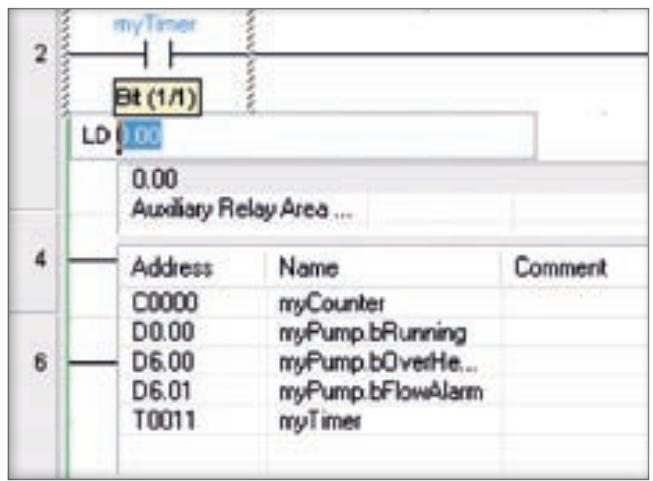
Ladder smart input
Allows intuitive fast programming with fewer key presses (and mistakes), as you are guided through symbol selection, etc. Block copy and paste will automatically increment addresses and rung lines are automatically completed.
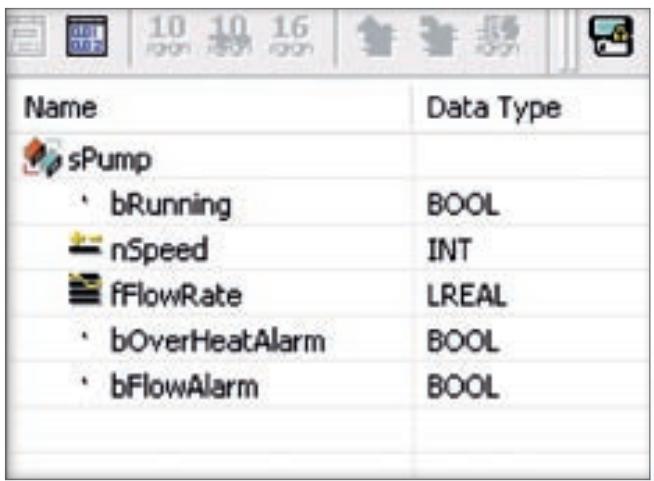
Structures and arrays
Enables reuse without hours of readdressing and makes handling data blocks of various data types so easy. Arrays and nested structures enable very complex data to be modelled easily and passed throughout your program.
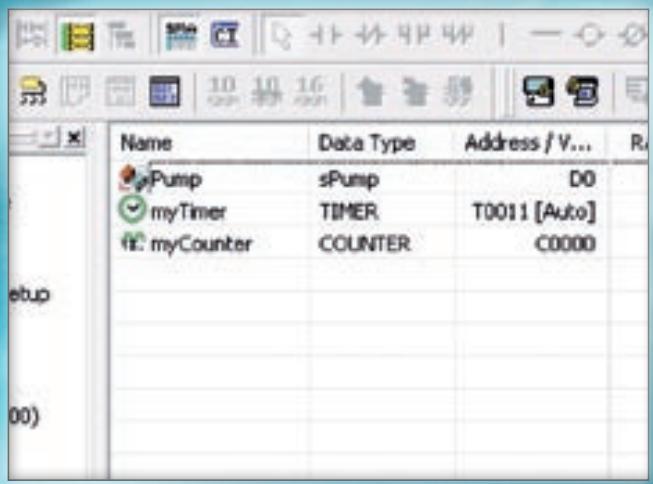
Timer & counter
With CJ1 and CJ2 PLCs, these additional data types greatly simplify the use of timers in a ladder. Auto allocation enables you to define a timer symbol and never worry about where it is stored! Simply refer to the symbol name everywhere.
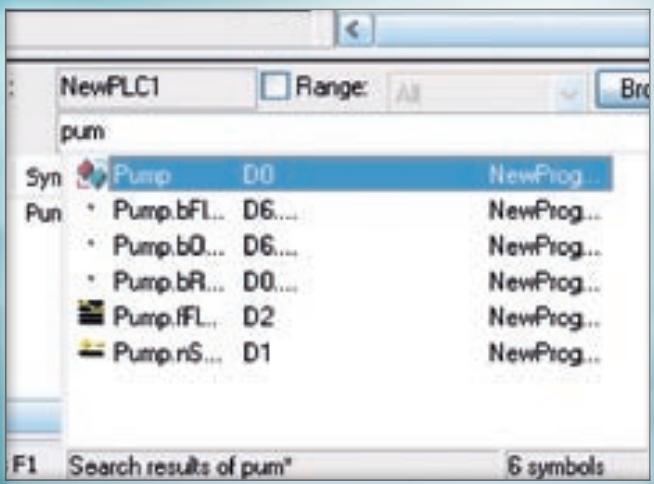
Save even more time
The address reference tool enables you to search with wildcards (* or ?) to find the symbol you want to check. With CJ2 PLC, the EM Area can now be address as symbols (including force set/reset) thus avoiding limitation of small W area. An EthernetIP setup wizard that makes it quick and easy to setup network symbols.
All the familiar time-saving features
As a proven product, CX-One already has many features that enhance your development. These include, IEC61131 languages such as Sequential Function Charts (SFC) and Structured Text (ST), integrated simulation, system backup, compare & restore and online editing of programs.

IEC 61131 - ST & SFC
CX-programmer includes support sequential function charts (SFC), which enables the flow of the program to be understood at a glance, helps to achieve a structured program and allows easy monitoring and debugging. Structured Text (ST) makes numerical processing or complex logical comparisons simple.
Integrated simulation
Testing your project is now so easy with the integrated simulation feature of CX-One. With one click you can simulate your PLC & HMI to test the interaction of the system. Avoid the pain of downtime by finding problems early, even on your desk without the equipment.
Online Editing
Being able to quickly modify your program without stopping the entire system greatly reduces downtime when problems are found. With CX-One even Function Blocks (FB) can be edited online without changing the PLC from run mode.
Backup & Restore
Easily and quickly backup, compare or restore data for the PLC (including CPU unit programs, data memory, PLC setup and settings for CPU bus units and special I/O units in the PLC) with just one click.
CX-One saves you money too!
One update system
Register for free online and receive 12 months of free updates delivered over the web. One managed update system that informs you when updates are available.
One installation - one licence
With the CX-One Package all of the applications can be purchased and installed together, and all of the applications can be registered together as a single package.
The right package for you
Omron's one software concept is available in two packages: CX-One FULL is the perfect choice if you use products right across our scalable automation range, or CX-One LITE which is designed for lean automation solutions with support for our compact devices.
Ordering Information
| CX-One FULL | Media | Order code |
| Single user licence | Licence only | CXONE-AL01-EV_ |
| Three user licence | Licence only | CXONE-AL03-EV_ |
| Ten user licence | Licence only | CXONE-AL10-EV_ |
| Thirty user licence | Licence only | CXONE-AL30-EV_ |
| Fifty user licence | Licence only | CXONE-AL50-EV_ |
| Site licence | Licence only | CXONE-AL0XX-EV_ |
| Software on CDs | CD | CXONE-CD-EV_ |
| Software on a DVD | DVD | CXONE-DVD-EV_ |
| CX-One LITE | Media | Order code |
| Single user licence | Licence only | CXONE-LT01-EV_ |
| Software on CDs | CD | CXONE-LTCD-EV_ |
- Austria
- Belgium
- Czech Republic
- Denmark
- Finland
- France
- Germany
- Hungary
- Italy
- Netherlands
- Norway
- Poland
- Portugal
- Russia
- South Africa
- Spain
- Sweden
- Switzerland
- Turkey
- United Kingdom
- More Omron representatives
- Automation Systems
- Motion & Drives
- Control Components
- Sensing & Safety
- CX-ONE V4
- One software is all you need…
- Configuration
- Programming
- Visualise
- Enhanced features that make your life even easier
- New features
- Ladder smart input
- Structures and arrays
- Timer & counter
- Save even more time
- All the familiar time-saving features
- IEC 61131 - ST & SFC
- Integrated simulation
- Online Editing
- Backup & Restore
- CX-One saves you money too!
- One update system
- One installation - one licence
- The right package for you
- Ordering Information
Marque : OMRON
Modèle : CX-ONE V4
Catégorie : Logiciel de programmation pour automates