
C-220I - Laminatrice FELLOWES - Notice d'utilisation et mode d'emploi gratuit
Retrouvez gratuitement la notice de l'appareil C-220I FELLOWES au format PDF.

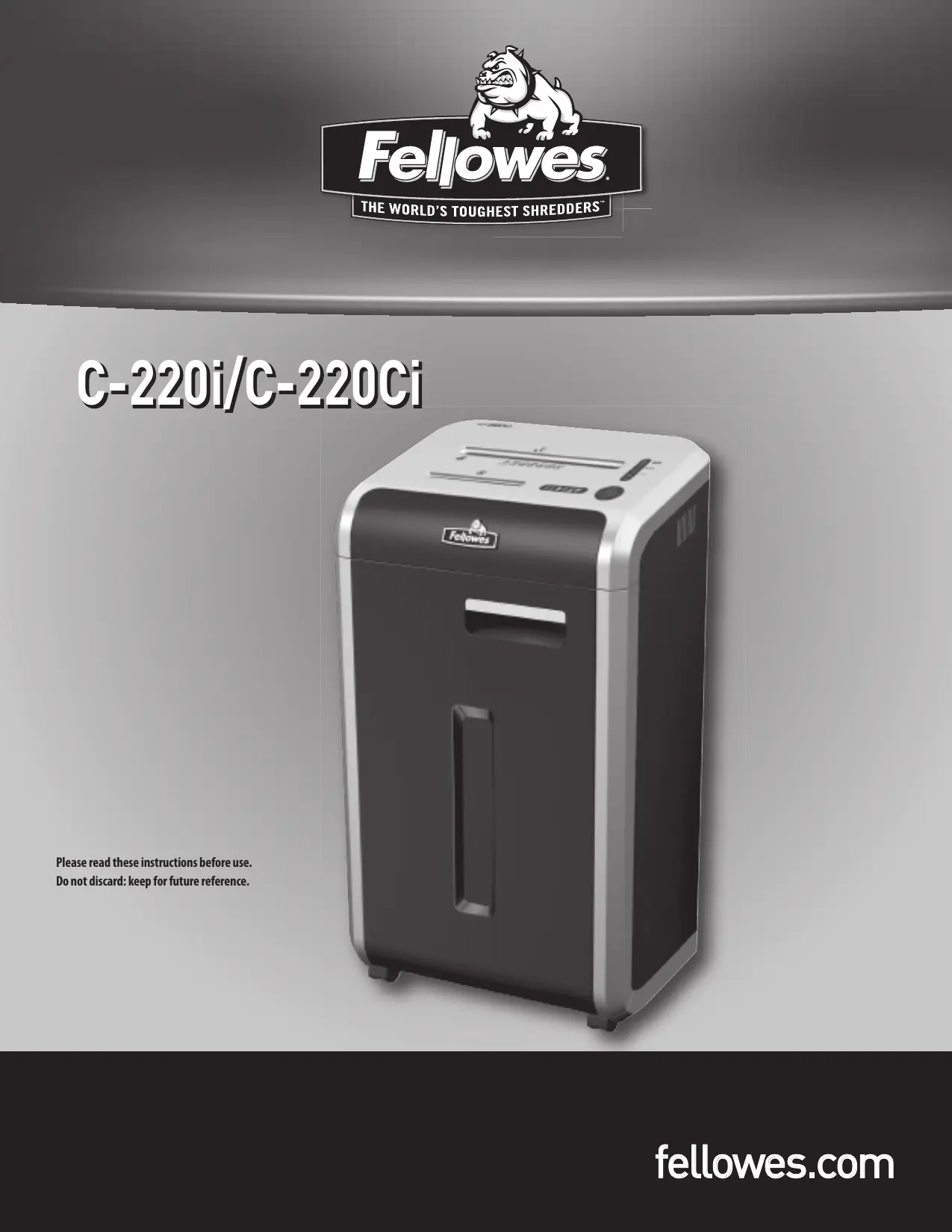

| Type de produit | Destructeur de documents |
| Marque | Fellowes |
| Modèle | C-220i / C-220Ci |
| Type de coupe | Coupe croisée (3,9 x 38 mm) ou coupe bandes (5,8 mm) |
| Capacité de feuilles par passage | Jusqu'à 20 feuilles (75 g/m²) |
| Capacité CD/cartes de crédit | 1 par passage |
| Largeur d'entrée papier | 240 mm |
| Alimentation | 120 V, 60 Hz, 2,9 A (C-220i) / 4,5 A (C-220Ci) |
| Utilisation quotidienne recommandée | Jusqu'à 10 000 feuilles / 200 cartes / 10 CD (C-220i) ; 5 000 feuilles (C-220Ci) |
| Technologie SafeSense | Arrêt immédiat si les mains sont trop près de l'entrée papier |
| Système anti-bourrage | Empêche les surcharges et traverse les papiers mal insérés |
| Auto Oil (C-220Ci uniquement) | Huile automatique des couteaux pour améliorer les performances |
| Mode veille | Arrêt automatique après 2 minutes d'inactivité |
| Réservoir d'huile | Capacité de 12 oz (environ 355 ml) |
| Indicateurs lumineux | Corbeille pleine, porte ouverte, retrait papier, huile basse, capacité feuilles, SafeSense |
| Sécurité | Interrupteur de déconnexion, arrêt d'urgence, arrêt automatique SafeSense |
| Entretien | Nettoyage périodique des capteurs, vidage de la corbeille, remplissage d'huile |
| Dimensions (approx.) | Non fournies, mais conçu pour usage bureau |
| Poids (approx.) | Non fourni |
| Garantie | 3 ans pièces et main-d'œuvre, garantie à vie sur les lames |
FOIRE AUX QUESTIONS - C-220I FELLOWES
Questions des utilisateurs sur C-220I FELLOWES
0 question sur cet appareil. Repondez a celles que vous connaissez ou posez la votre.
Poser une nouvelle question sur cet appareil
Téléchargez la notice de votre Laminatrice au format PDF gratuitement ! Retrouvez votre notice C-220I - FELLOWES et reprennez votre appareil électronique en main. Sur cette page sont publiés tous les documents nécessaires à l'utilisation de votre appareil C-220I de la marque FELLOWES.
MODE D'EMPLOI C-220I FELLOWES
C-220i/C-220Ci
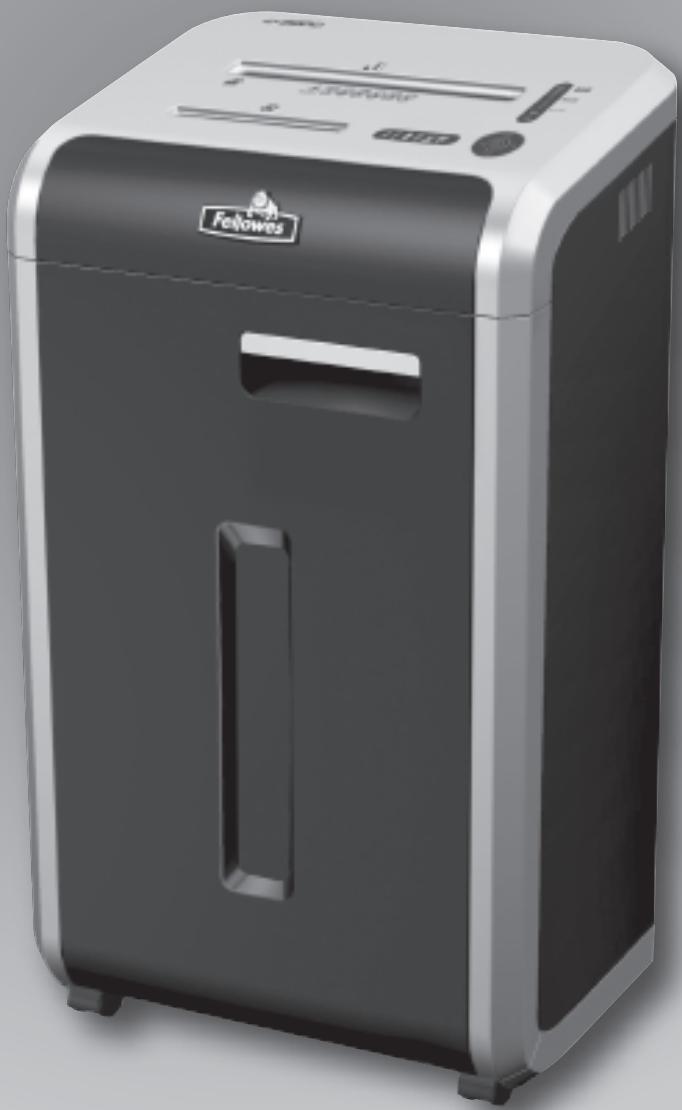
Veuillez lire ces instructions avant utilisation.
Ne pas jeter : conserver pour référence future.
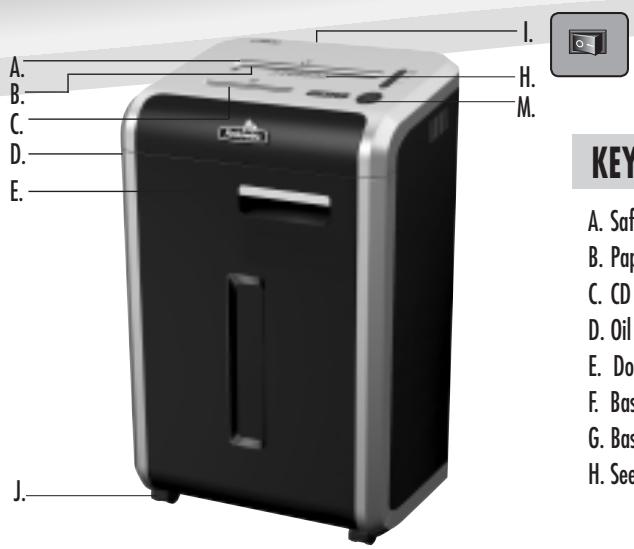
LÉGENDE
A. Technologie SafeSense B. Entrée papier C. Entrée CD D. Réservoir d'huile E. Porte F. Panier - papier (intérieur) G. Panier - CD (intérieur) H. Voir les consignes de sécurité
I. Interrupteur de déconnexion J. Roulettes K. Bouchon de vidange d'huile (intérieur) C-220Ci uniquement L. Boulons d'expédition (écrous à oreilles) À retirer avant utilisation
M. Panneau de commande et voyants LED
- Marche arrière 2. Marche/Arrêt 3. Marche avant
- Panier plein
- Porte ouverte
- Retirer le papier
- Niveau d'huile bas
- Indicateur de capacité de feuilles SAE 9. Voyant SafeSense (jaune)
- Bouton Auto
CAPACITÉS
Déchiquette : papier, cartes de crédit, CD/DVD, agrafes et petits trombones
Ne déchiquette pas : étiquettes adhésives, papier continu, transparents, journaux, carton, gros trombones, plastifiés, chemises de classement, rayons X ou plastique autre que ceux mentionnés ci-dessus
Taille de découpe du papier :
Découpe transversale : 5/32 pouces x 1-1/2 pouces (3,9 mm x 38 mm)
Découpe en lanières : 7/32 pouces (5,8 mm)
Maximum :
Feuilles par passage : 20*
CD/Cartes par passage : 1*
Largeur d'entrée du papier : 9 1/2 pouces (240 mm)
- Papier 8,5 x 11 pouces, 20 lb (75 g) à 120 V, 60 Hz, C-220i : 2,9 A, C-220Ci : 4,5 A ; un papier plus épais, une humidité élevée ou une tension autre que la tension nominale peuvent réduire la capacité. Taux d'utilisation quotidienne recommandés : C-220i : 10 000 feuilles par jour, C-220Ci : 5 000 feuilles par jour ; les deux : 200 cartes de crédit, 10 CD
Les destructeurs de documents Fellowes SafeSense® sont conçus pour fonctionner dans des environnements domestiques et de bureau dont la température est comprise entre 50 et 80 degrés Fahrenheit (10 à 26 degrés Celsius) et l'humidité relative entre 40 et 80 %.
FONCTIONNALITÉS AVANCÉES DU PRODUIT

Système anti-bourrage : élimine les frustrations en empêchant les surcharges et en maîtrisant les bourrages papier.

Technologie brevetée SafeSense®
Arrête immédiatement le destructeur lorsque les mains sont trop proches de l'entrée papier.

Auto-huile (C-220Ci uniquement)
Huile automatiquement les couteaux pour améliorer les performances et prolonger la durée de vie du destructeur.

Mode veille : fonction d'économie d'énergie qui s'arrête automatiquement après 2 minutes sans activité de destruction.
AVERTISSEMENT : INSTRUCTIONS DE SÉCURITÉ IMPORTANTES — À lire avant utilisation !


- Tenir à l'écart des enfants et des animaux domestiques. Garder les mains éloignées de l'entrée papier. Toujours éteindre ou débrancher lorsqu'il n'est pas utilisé.
- Éloigner les objets étrangers (gants, bijoux, vêtements, cheveux, etc.) des ouvertures du destructeur. Si un objet entre par l'ouverture supérieure, passer en mode inverse (I< I) pour le faire ressortir.
- Ne jamais utiliser de produits aérosols, de lubrifiants à base de pétrole ou d'autres produits inflammables sur ou à proximité du destructeur. Ne pas utiliser d'air comprimé en bombe sur le destructeur.
- Ne pas utiliser s'il est endommagé ou défectueux. Ne pas démonter le destructeur. Ne pas placer près ou au-dessus d'une source de chaleur ou d'eau.
- Ce destructeur est équipé d'un interrupteur de déconnexion (I) qui doit être en position MARCHE (I) pour fonctionner. En cas d'urgence, mettre l'interrupteur en position ARRÊT (O). Cette action arrêtera immédiatement le destructeur.
- Éviter de toucher les lames de coupe exposées sous la tête du destructeur.
- Garder les doigts éloignés du trou pour CD lors de la destruction.
- Ne pas introduire d'objets étrangers dans l'entrée papier.
- La prise de courant mise à la terre doit être installée à proximité de l'équipement et doit être facilement accessible.
FONCTIONNEMENT DE BASE DU DÉCHIQUETAGE
PAPIER/CARTE OU CD

Brancher et mettre l'interrupteur d'alimentation sur ON (I)
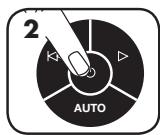
Appuyer sur ON pour activer
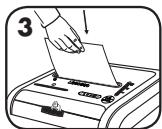
Introduire le papier/la carte droit dans l'entrée papier et relâcher
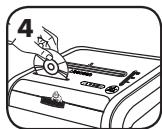
Tenir le CD par le bord, l'introduire dans l'entrée CD et relâcher
ou
Lorsque le déchiquetage est terminé, mettre sur OFF ()
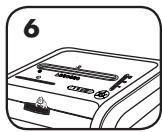
Ne rien faire et le déchiqueteur passera automatiquement en mode veille
Élimine les bourrages frustrants en évitant les surcharges et en gérant les papiers mal insérés.
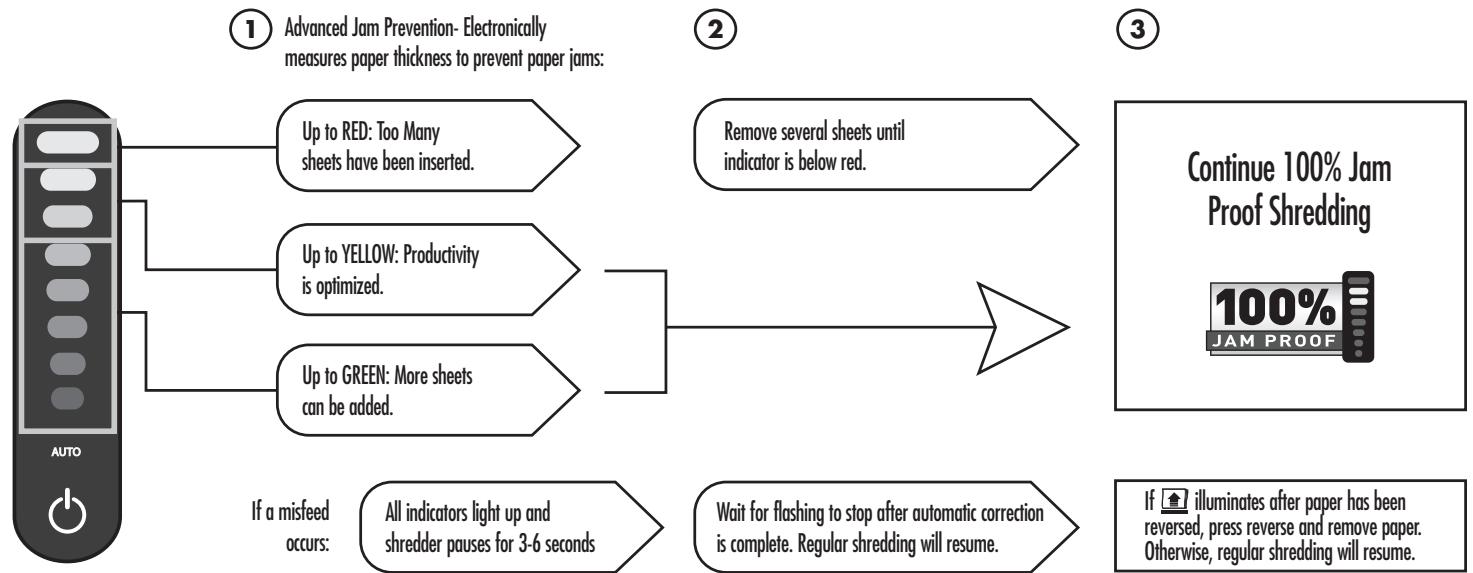
*100% anti-bourrage lorsqu'il est utilisé conformément au manuel d'utilisation
FONCTION D'HUILAGE AUTOMATIQUE
Huile automatiquement les couteaux pour améliorer les performances et prolonger la durée de vie du déchiqueteur. (C-220Ci uniquement)
INSTALLATION ET TEST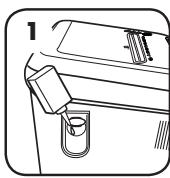
Avant utilisation, remplissez le réservoir d'huile avec 340 g d'huile pour destructeur de documents.
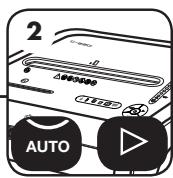
Pour tester, appuyez simultanément sur les boutons auto et avance (▷).
L'huile sera pulvérisée par les buses, confirmant que le système fonctionne correctement.
MODE VEILLE
EN MODE VEILLE
En mode veille,
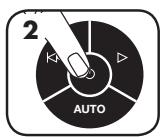
Pour sortir du mode veille, touchez le panneau de commande
ou
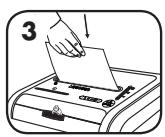
insérez du papier.
REMPLISSAGE D'HUILE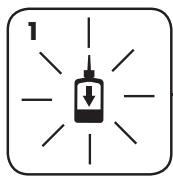
Le témoin de niveau d'huile bas signale quand le réservoir doit être rempli.
Pour maintenir les performances du destructeur, remplissez le réservoir avec jusqu'à 340 g d'huile pour destructeur (Fellows #35250).
NE PAS TROP REMPLIR.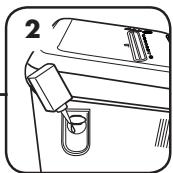
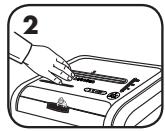
Touchez la zone de test et vérifiez que le témoin SafeSense s'allume.
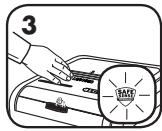
SafeSense est actif et fonctionne correctement.
ENTRETIEN PRÉVENTIF ET DÉPANNAGE DIVERS
- Bien que les capteurs de détection de papier soient conçus pour être sans entretien, ils peuvent parfois être obstrués par la poussière de papier, ce qui fait tourner le moteur même en l'absence de papier. Les deux capteurs sont situés au centre de l'entrée du papier.
- Cycle d'auto-nettoyage : Le destructeur de documents effectue périodiquement des cycles en marche avant et arrière d'une durée de 3 à 6 secondes.
- Videz le panier lorsque le voyant de panier plein s'allume.
- Le destructeur ne fonctionne pas si la porte est ouverte ou si le panier doit être vidé.
- L'entretien est important pour protéger votre investissement. N'oubliez pas notre huile (35250) et nos sacs pour destructeur (36054).
Consultez la section Support sur www.fellowes.com ou voir la dernière page du manuel pour les numéros de téléphone utiles.
GARANTIE
Notre promesse est simple. Les destructeurs Fellowes sont conçus pour être plus robustes, conçus pour durer plus longtemps, résister aux bourrages et traiter de gros volumes. La garantie sans souci Fellowes décrite ci-dessous couvre les performances du produit, fournit un service et une assistance rapides, ainsi qu'une garantie à vie sur les couteaux.
Garantie limitée : Fellowes, Inc. (« Fellowes ») garantit que les pièces de la machine sont exemptes de défauts de matériaux et de fabrication et fournit un service et une assistance pendant 3 ans à compter de la date d'achat par le consommateur d'origine. Fellowes garantit que les lames de coupe de la machine sont exemptes de défauts de matériaux et de fabrication pendant toute la durée de vie du destructeur. Si une pièce s'avère défectueuse
pendant la période de garantie, votre recours exclusif sera la réparation ou le remplacement, au choix et aux frais de Fellowes, de la pièce défectueuse. Cette garantie ne s'applique pas en cas d'abus, de mauvaise manipulation ou de réparation non autorisée. TOUTE GARANTIE IMPLICITE, Y COMPRIS CELLE DE QUALITÉ MARCHANDE OU D'ADAPTATION À UN USAGE PARTICULIER, EST LIMITÉE À LA DURÉE DE LA PÉRIODE DE GARANTIE APPLICABLE INDIQUÉE CI-DESSUS. En aucun cas Fellowes ne pourra être tenu responsable des dommages indirects ou accessoires attribuables à ce produit. Cette garantie vous confère des droits légaux spécifiques. La durée, les conditions et les modalités de cette garantie sont valables dans le monde entier, sauf si des limitations, restrictions ou conditions différentes sont requises par la loi locale. Pour plus de détails ou pour obtenir un service au titre de cette garantie, veuillez nous contacter ou contacter votre revendeur.
Ligne d'assistance
| Australia | +1-800-33-11-77 |
| Canada | +1-800-665-4339 |
| Europe | 00-800-1810-1810 |
| Mexico | +1-800-234-1185 |
| United States | +1-800-955-0959 |
- C-220I/C-220CI
- LÉGENDE
- CAPACITÉS
- MAXIMUM
- FONCTIONNALITÉS AVANCÉES DU PRODUIT
- AVERTISSEMENT : INSTRUCTIONS DE SÉCURITÉ IMPORTANTES — À LIRE AVANT UTILISATION
- FONCTIONNEMENT DE BASE DU DÉCHIQUETAGE
- PAPIER/CARTE OU CD
- ÉLIMINE LES BOURRAGES FRUSTRANTS EN ÉVITANT LES SURCHARGES ET EN GÉRANT LES PAPIERS MAL INSÉRÉS
- ANTI-BOURRAGE LORSQU'IL EST UTILISÉ CONFORMÉMENT AU MANUEL D'UTILISATION
- FONCTION D'HUILAGE AUTOMATIQUE
- HUILE AUTOMATIQUEMENT LES COUTEAUX POUR AMÉLIORER LES PERFORMANCES ET PROLONGER LA DURÉE DE VIE DU DÉCHIQUETEUR. (C-220CI UNIQUEMENT)
- MODE VEILLE
- ENTRETIEN PRÉVENTIF ET DÉPANNAGE DIVERS
- GARANTIE
Marque : FELLOWES
Modèle : C-220I
Catégorie : Laminatrice