
ML5791ECO - Imprimante matricielle OKI - Notice d'utilisation et mode d'emploi gratuit
Retrouvez gratuitement la notice de l'appareil ML5791ECO OKI au format PDF.

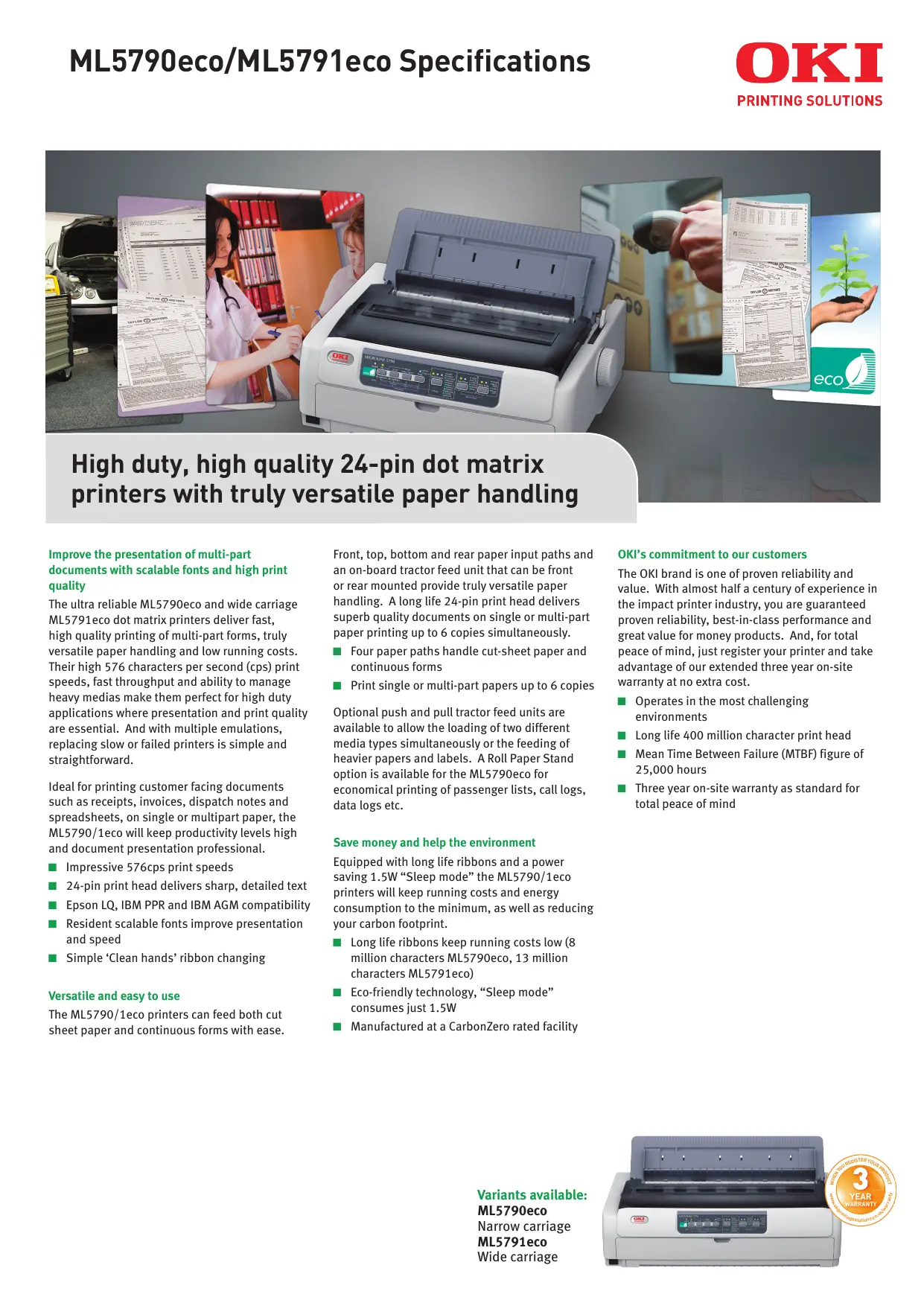
| Type de produit | Imprimante matricielle |
| Marque | OKI |
| Modèle | ML5791ECO |
| Nombre d'aiguilles | 24 |
| Vitesse d'impression | Jusqu'à 576 cps (12 cpi, brouillon rapide) |
| Résolution | Jusqu'à 360 x 360 dpi |
| Interfaces standard | Parallèle IEEE 1284, USB 2.0 (pleine vitesse) |
| Interfaces optionnelles | Ethernet 10/100, Série RS-232C |
| Émulations | Epson LQ ESC/P2, IBM PPR, IBM AGM |
| Largeur de papier | 76,2 à 406,4 mm (papier continu) |
| Nombre de copies | Jusqu'à 6 (original + 5 copies) |
| Types de papier | Feuilles, formulaires continus, rouleaux (ML5790eco uniquement), enveloppes, cartes, étiquettes |
| Alimentation papier | Manuelle avant/arrière, tracteur poussant avant/arrière, tracteur tirant avant/arrière/bas |
| Mémoire tampon | 128 Ko |
| Consommation électrique | 52 W (en fonctionnement), 1,5 W (mode veille) |
| Niveau sonore | 57 dB(A) (normal), 52 dB(A) (silencieux) |
| Dimensions (L x P x H) | 592 x 375 x 191 mm |
| Poids | Environ 10 kg |
| Durée de vie de la tête d'impression | 400 millions de caractères |
| Fiabilité (MTBF) | 25 000 heures |
| Garantie | 3 ans sur site (sur enregistrement dans les 30 jours) |
| Ruban (durée de vie) | 13 millions de caractères (réf. 44173406) |
| Options disponibles | Coupe-feuille, tracteur poussant/tirant, support rouleau (ML5790eco), interface réseau/série |
FOIRE AUX QUESTIONS - ML5791ECO OKI
Questions des utilisateurs sur ML5791ECO OKI
0 question sur cet appareil. Repondez a celles que vous connaissez ou posez la votre.
Poser une nouvelle question sur cet appareil
Téléchargez la notice de votre Imprimante matricielle au format PDF gratuitement ! Retrouvez votre notice ML5791ECO - OKI et reprennez votre appareil électronique en main. Sur cette page sont publiés tous les documents nécessaires à l'utilisation de votre appareil ML5791ECO de la marque OKI.
MODE D'EMPLOI ML5791ECO OKI
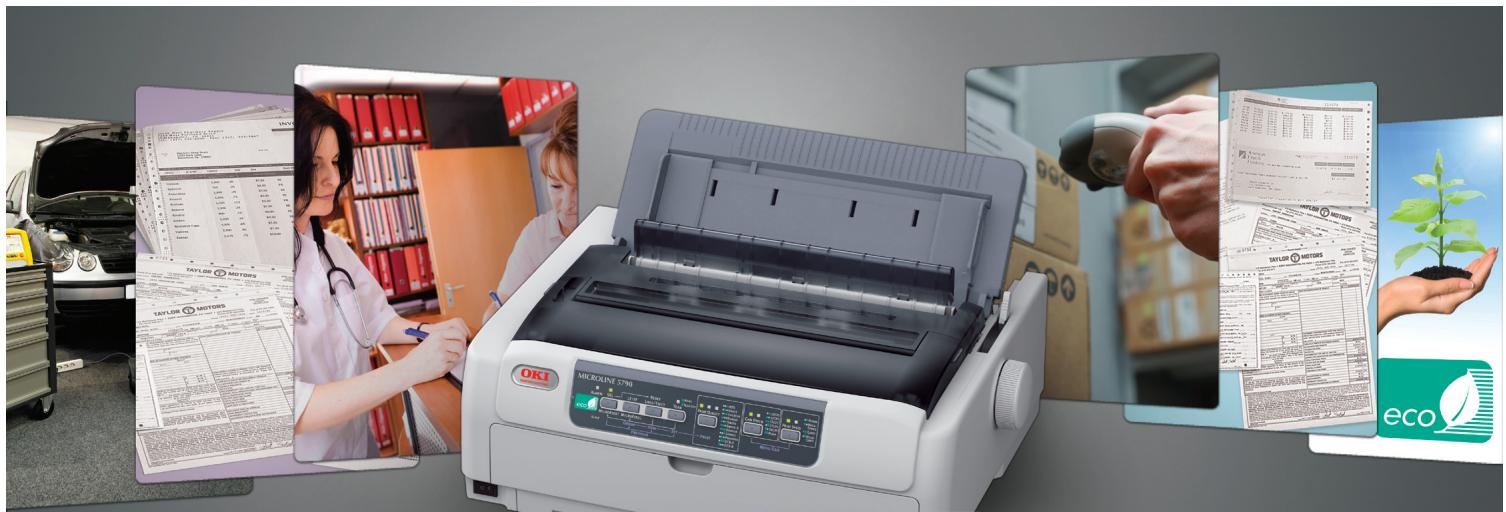
High duty, high quality 24-pin dot matrix printers with truly versatile paper handling
Improve the presentation of multi-part documents with scalable fonts and high print quality
The ultra reliable ML5790eco and wide carriage ML5791eco dot matrix printers deliver fast, high quality printing of multi-part forms, truly versatile paper handling and low running costs. Their high 576 characters per second (cps) print speeds, fast throughput and ability to manage heavy medias make them perfect for high duty applications where presentation and print quality are essential. And with multiple emulations, replacing slow or failed printers is simple and straightforward.
Ideal for printing customer facing documents such as receipts, invoices, dispatch notes and spreadsheets, on single or multipart paper, the ML5790/1eco will keep productivity levels high and document presentation professional.
Impressive 576cps print speeds
24-pin print head delivers sharp, detailed text
Epson LQ, IBM PPR and IBM AGM compatibility
Resident scalable fonts improve presentation and speed
Simple 'Clean hands' ribbon changing
Versatile and easy to use
The ML5790/1eco printers can feed both cut sheet paper and continuous forms with ease.
Front, top, bottom and rear paper input paths and an on-board tractor feed unit that can be front or rear mounted provide truly versatile paper handling. A long life 24-pin print head delivers superb quality documents on single or multi-part paper printing up to 6 copies simultaneously.
Four paper paths handle cut-sheet paper and continuous forms
Print single or multi-part papers up to 6 copies
Optional push and pull tractor feed units are available to allow the loading of two different media types simultaneously or the feeding of heavier papers and labels. A Roll Paper Stand option is available for the ML5790eco for economical printing of passenger lists, call logs, data logs etc.
Save money and help the environment
Equipped with long life ribbons and a power saving 1.5W "Sleep mode" the ML5790/1eco printers will keep running costs and energy consumption to the minimum, as well as reducing your carbon footprint.
Long life ribbons keep running costs low (8 million characters ML5790eco, 13 million characters ML5791eco)
Eco-friendlyly technology, "Sleep mode" consumes just 1.5W
Manufactured at a CarbonZero rated facility
OKI's commitment to our customers
The OKI brand is one of proven reliability and value. With almost half a century of experience in the impact printer industry, you are guaranteed proven reliability, best-in-class performance and great value for money products. And, for total peace of mind, just register your printer and take advantage of our extended three year on-site warranty at no extra cost.
Operates in the most challenging environments
Long life 400 million character print head
Mean Time Between Failure (MTBF) figure of 25,000 hours
Three year on-site warranty as standard for total peace of mind
PRINTER
| Number of pins | 24 |
| Columns | ML5790eco: 80 (10cpi); 160 (maximum in compression mode) |
| ML5791eco: 136 (10cpi); 272 (maximum in compression mode) | |
| Character pitch | 5/6/7.5/8.5/10/12/15/17.1/20 pitch and proportional |
| Graphics resolution | Up to 360 x 360 dpi |
| Print speed | High Speed Draft: 576cps (12cpi); High Speed Draft: 480cps (10cpi); Draft: 540cps (15cpi); Draft: 432cps (12cpi); Draft: 360ps (10/20cpi); Draft: 309ps (17.1cpi); Letter Quality: 240ps (20cpi); Letter Quality: 206ps (17.1cpi); Letter Quality: 180ps (15cpi); Letter Quality: 144ps (12cpi); Letter Quality: 120ps (10cpi) |
INTERFACE AND SOFTWARE
| Interfaces | IEEE 1284 parallel interface, USB 2.0 (full speed) |
| Optional interfaces | Ethernet 10/100, Serial RS232C |
| Emulations | Epson LQ ESC/P2, IBM PPR, IBM AGM |
| Typeface & font | HSD, Draft, Courier (scalable), Roman (scalable), Swiss (scalable), Swiss Bold, Orator, Gothic, Prestige, OCR-A, OCR-B |
| Typestyle | Emphasised, Enhanced, Double Width, Double Height, Italics, Outline, Shadow, Superscript, Subscript, Underline |
| Barcode fonts | UPC-A, UPC-E, EAN8, EAN13, Code39, Interleaved 2of5, Code128 (A/B/C), CODABAR (NW-7), POSTNET, Industrial 2of5, Matrix 2of5 |
| Printer driver1 | Windows 2000 / XP (32-bit & 64-bit) / Vista (32-bit & 64-bit) / 7 (32-bit & 64-bit) / Server 2003 (32-bit & 64-bit) / Server 2008 (32-bit & 64-bit) / Server 2008 R2 (64-bit) |
| Utilities | Status monitor, Button setup utility, Menu setup utility, TOF setup utility, Network setup utility, LPR utility |
PAPER HANDLING
| Paper | Cut Sheet (single sheet), Continuous Paper (single-part, multi-part), Roll paper (ML5790eco only), Envelope, Card, Label (cut sheet and fan fold) |
| Continuous paper (width) | ML5790eco: 76.2 - 254.0mm; ML5791eco: 76.2 - 406.4mm |
| Continuous paper (length) | 76.2 - 558.8mm |
| First printable line (from top of page) | Continuous: 2.12mm; Cut sheet: 0.5mm |
| No. of multi-part forms | Up to 6 (one original + 5 copies) |
| Multi-part paper thickness | Front/rear push feed: 0.36mm; Front/rear pull feed & front/rear push-pull feed: 0.44mm; Bottom pull feed: 0.48mm |
| Paper feeding | Manual insertion: Front or rear in, top out; Push Tractor: Front or rear in, top out; Pull tractor: Front or rear or bottom in, top out |
| Optional paper feeding | Single Bin Cut Sheet Feeder, Push Tractor (front/rear feeds), Pull Tractor (bottom feed), Roll Paper Stand (ML5790eco only) |
GENERAL FEATURES
| Input buffer | 128Kbytes |
| Power supply | Single phase 220 to 240VAC, +/- 10% |
| Power consumption | ISO/IEC 10561 Letter, Roman, Range1: 52W; Sleep mode: 1.5W (with no optional attachments) |
| Noise level | Normal: 57dB(A); Quiet: 52dB(A); Silent mode: 49dB(A) |
| Dimensions (HxWxD) | ML5790eco: 191 x 438 x 375mm; ML5791eco: 191 x 592 x 375mm |
| Weight | ML5790eco: 7.5kg approx; ML5791eco: 10kg approx |
| Print Head life | 400 million characters |
| Reliability | MTBF: 25,000 hours |
| Warranty | 3 years extended warranty upon registration within 30 days of purchase |
| Product order numbers | ML5790eco: 01293101; ML5791eco: 01293201 |
ACCESSIONS (ORDER NUMBERS)
| Single Bin Cut Sheet Feeder | ML5790eco: 44497402; ML5791eco: 44497502 |
| Push Tractor(front/rear feeds) | ML5790eco: 44454902; ML5791eco: 44455002 |
| Pull Tractor (bottom feed) | ML5720eco: 44753902; ML5721eco: 44754002 |
| Roll Paper Stand | 09002332 (ML5790eco) |
| Serial RS232C | 44455102 |
| Network Card | 44455302 |
CONSUMABLES (ORDER NUMBERS)
| Ribbon (8 million characters) | 44173405 (ML5790eco) |
| Ribbon (13 million characters) | 44173406 (ML5791eco) |
1Check local OKI Printing Solutions website for latest driver releases and OS compatibility
Consumables Information: Only use genuine OKI Printing Solutions Original consumables to ensure the best quality and performance from your hardware. Non OKI Printing Solutions Original products may damage your printer's performance and invalidate your warranty.

Simply Unique - 3 Year Warranty
Our devices are manufactured to the highest standards of quality and technology, which has been confirmed by independent tests. We are so convinced of the high quality of our products that we are offering you an extension of the standard warranty period to 3 years – for free! Simply register your product within 30 days of purchase to be eligible for our unique all inclusive offer. Fully covered by OK! For further information please visit: www.okiprintingsolutions.co.uk/warranty Without registration, the standard pan-European 1 year warranty applies.
WARNING! This product complies with EN55022 Class B. However when fitted with the optional network interface card or optional cut sheet feeder, compliance to EN55022 is Class A. In a domestic environment this configuration may cause radio interference, in which case the user may be required to take adequate control measures

ENERGY STAR
OKI SYSTEMS (UK) LTD.
550 Dundee Road, Slough
Berkshire, SL1 4LE
United Kingdom
T+44(0)1753819819
F+44(0)1753819899
WWW.OKIPrintINGSOLUTIONS.CO.UK