
PCTV 310C - Carte de télévision PINNACLE - Notice d'utilisation et mode d'emploi gratuit
Retrouvez gratuitement la notice de l'appareil PCTV 310C PINNACLE au format PDF.


| Type de produit | Carte de télévision hybride PCMCIA (CardBus Type II) |
| Marque | Pinnacle |
| Modèle | PCTV 310C |
| Dimensions (L x l x H) | 54 x 84,6 x 5 mm |
| Poids | Environ 50 g |
| Alimentation | Via le bus CardBus (PCMCIA) |
| Bus système | CardBus (PCMCIA), type II |
| Réception TV analogique | Oui, VHF/UHF (42-862 MHz) |
| Réception TNT (DVB-T) | Oui, démodulateur Zarlink ZL10353, 6/7/8 MHz, QAM/QPSK |
| Réception radio VHF | Oui (antenne dipôle incluse) |
| Entrées antenne | TV : 75 Ohm IEC via adaptateur ; Radio : jack 2,5 mm |
| Entrées A/V (via adaptateur) | S-vidéo (mini-DIN), composite vidéo (Cinch), audio stéréo (2 x Cinch) |
| Fonctions principales | Visualisation TV en direct, timeshift, enregistrement sur disque dur ou DVD, télétexte, guide électronique des programmes (EPG) |
| Température de fonctionnement | 0 °C à 50 °C (humidité relative 5-95 %) |
| Système d'exploitation requis | Windows XP (Home, Pro ou Media Center Edition 2005) avec dernier service pack |
| Processeur minimum | Pentium 4 2 GHz / Pentium M 1,3 GHz / AMD Athlon XP |
| Mémoire vive minimale | 256 Mo RAM (512 Mo recommandé) |
| Disque dur minimal | 5 Go d'espace libre (20 Go recommandé) |
| Carte graphique requise | Compatible DirectX 9 |
| Contenu de la boîte | Carte PCTV Hybrid Pro, antenne tige magnétique, antenne dipôle VHF, adaptateur antenne, câble adaptateur A/V, télécommande miniature (avec piles), guide de démarrage rapide, CD d'installation |
| Entretien et nettoyage | Dépoussiérer avec un chiffon doux et sec. Ne pas utiliser de solvants ni de produits abrasifs. Éviter l'humidité. |
| Sécurité | Ne pas exposer à des températures extrêmes, à l'humidité ou à des champs magnétiques puissants. Débrancher avant tout nettoyage. |
FOIRE AUX QUESTIONS - PCTV 310C PINNACLE
Questions des utilisateurs sur PCTV 310C PINNACLE
0 question sur cet appareil. Repondez a celles que vous connaissez ou posez la votre.
Poser une nouvelle question sur cet appareil
Téléchargez la notice de votre Carte de télévision au format PDF gratuitement ! Retrouvez votre notice PCTV 310C - PINNACLE et reprennez votre appareil électronique en main. Sur cette page sont publiés tous les documents nécessaires à l'utilisation de votre appareil PCTV 310C de la marque PINNACLE.
MODE D'EMPLOI PCTV 310C PINNACLE
PCTV Hybrid Pro Card Hardware
PCTV Hybrid Pro Card Hardware
GB February 2006
© Pinnacle Systems GmbH 2006
All rights reserved.
No part of this manual may be reproduced or transferred to other media without the explicit written permission of Pinnacle Systems GmbH, Brunswick, Germany.
All brand or product names are trademarks or registered trademarks of their respective holders.
Pinnacle Systems GmbH has written this manual to the best of its ability, but cannot guarantee that the programmes/systems will satisfy the users' intended applications.
No guarantee is given regarding the specifications of features.
Pinnacle Systems GmbH retains the right to make alterations to the content of the manual without the need to inform third parties.
All quotes, sales, supply and manufacturing contracts from Pinnacle Systems GmbH, including consulting, installation and other contractual services are subject exclusively to the General Sales and Delivery Terms of Pinnacle Systems GmbH.

Disposal and Recycling
Do not dispose of electric components in the garbage. Either return defective or unwanted devices to the retailer or take them to an appropriate recycling station!
Table of Contents
Introduction. 1
Box Contents 2
System Requirements 3
Processor 3
Operating Memory 3
Hard Disk 3
Graphics Controller 3
Sound Controller 3
Cardbus Slot 3
CD-ROM / DVD-ROM Drive or Recorder 3
Operating System 3
Connecting the TV Antenna 4
Positioning Tips for the Rod Antenna 5
Connecting the Radio Antenna (Optional) 6
Connecting Peripheral Devices (Optional) 7
Connecting to Your Computer 8
Using the Remote Control 9
Technical Data 10
Bus System 10
TV Tuner 10
DVB-T Demodulator 10
Antenna Inputs 10
A/V Inputs (via Adapter) 10
Operating Temperature 10
Dimensions 10
Congratulations! You are now the proud owner of a PCTV Hybrid Pro Card!
PCTV Hybrid Pro Card lets you receive the following on your PC, and with excellent image and sound quality:
VHF and DVB-T radio (DVB-T radio is not available everywhere)
- Analog TV
- Digital terrestrial television according to the DVB-T standard (Digital Video Broadcasting - Terrestrial)
Its optimized receiving capabilities and independence from the power supply make the PCTV Hybrid Pro Card the ideal mobile solution for receiving analog or digital television on your computer.
In addition to viewing live TV using your PCTV Hybrid Pro Card, you can also timeshift TV shows, as well as record them on your hard disk and on writable DVDs, without any compromise in sound or image quality.
You also get access to the free information services, videotext and the electronic program guide (EPG), which let you program the shows you want to record simply and easily.
And now, time to have fun with your PCTV Hybrid Pro Card!

More information about DVB-T can be found on the Internet at
www.dvb.org or at www.freeview.co.uk. For Australia, go to www.dba.org.au.
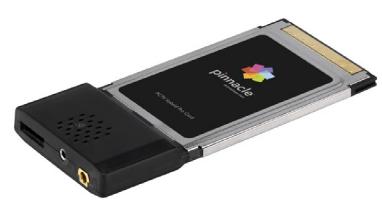
PCTV Hybrid Pro Card
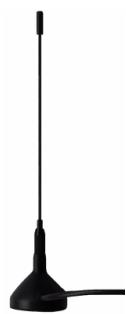
Passive mini rod antenna with magnetic foot (this illustration is an example only)
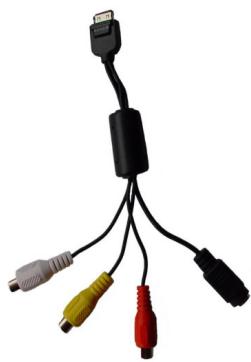
A/V adapter cable

Antenna adapter
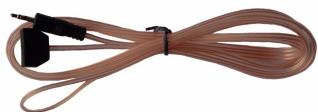
Dipole antenna for VHF reception
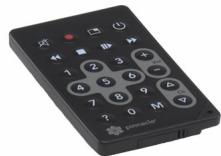
Mini remote control including batteries (this illustration is an example only)
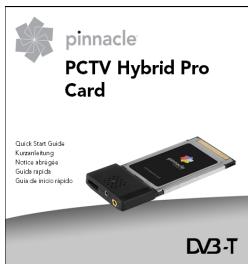
Quick Start Guide
Installation CD

The box contents may vary depending on the version of the product.
In order for the PCTV Hybrid Pro Card to function smoothly, your system must meet the following requirements:
Processor
Minimum: Intel Pentium 4 with 2 GHz, Pentium M with 1.3 GHz or equivalent AMD Athlon XP processor (for simple DVB-T reception, a Pentium 4 with 1.6 GHz is sufficient)
Recommended: Intel Pentium 4 with 2.5 GHz, Pentium M with 1.6 GHz or equivalent AMD Athlon 64
Operating Memory
Minimum: 256 MB RAM
Recommended: 512 MB RAM
Hard Disk
Minimum: IDE hard disk with master mode drivers and 5 GB of free disk space
Recommended: U-DMA hard disk with 20 GB of free disk space
Graphics Controller
Minimum: DirectX 9-compatible graphics card
Sound Controller
Minimum: DirectX 9-compatible sound controller
Cardbus Slot
CD-ROM / DVD-ROM Drive or Recorder
Minimum: CD-ROM or DVD-ROM drive Recommended: CD or DVD recorder
Operating System
Windows XP (Home Edition, Professional Edition or Media Center Edition 2005) with the latest Service Pack
Connecting the TV Antenna
Connect the rod antenna included in the box or your building antenna to the TV antenna input on your PCTV Hybrid Pro Card using the adapter provided.
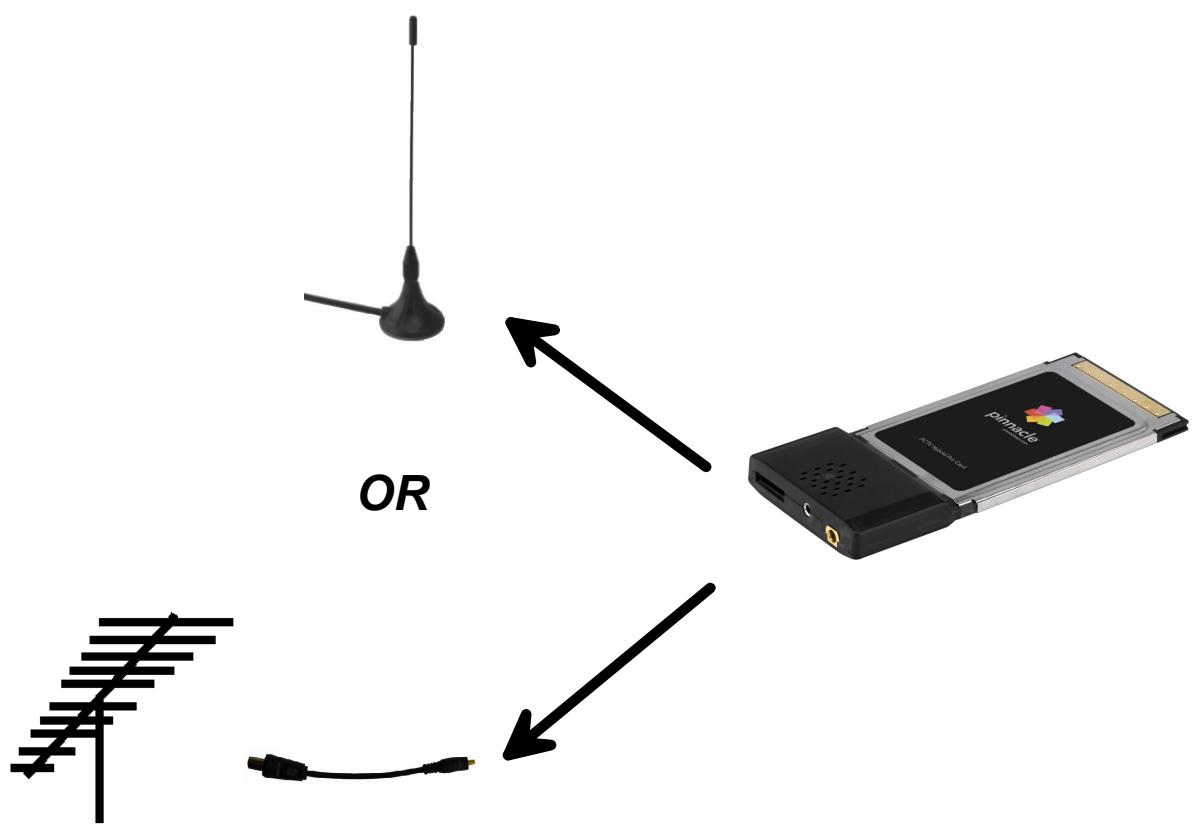

Use a suitable cable when connecting a building antenna. Please note that quality of the cable has a significant effect on reception.
Positioning Tips for the Rod Antenna
If you use the rod antenna (optional) included in the box to receive a television signal, read the following instructions (these instructions do not apply for other antennas):
If possible, place the antenna near a window.
- In addition, position the antenna as high as possible.
- The antenna should not be placed near a cathode ray tube monitor, television or similar equipment.

To avoid possible damage caused by the magnetic field around the antenna, take sure the antenna is placed a sufficient distance away from the hard drive other components that are sensitive to magnetic forces.
DVB-T reception is dependant on location and may be impaired by steel-reinforced walls as well as tall neighboring buildings. In this type of environment, an external/roof antenna is required. It is generally not possible to receive DVB-T while en route, e.g., in a car or train.
Connecting the Radio Antenna (Optional)
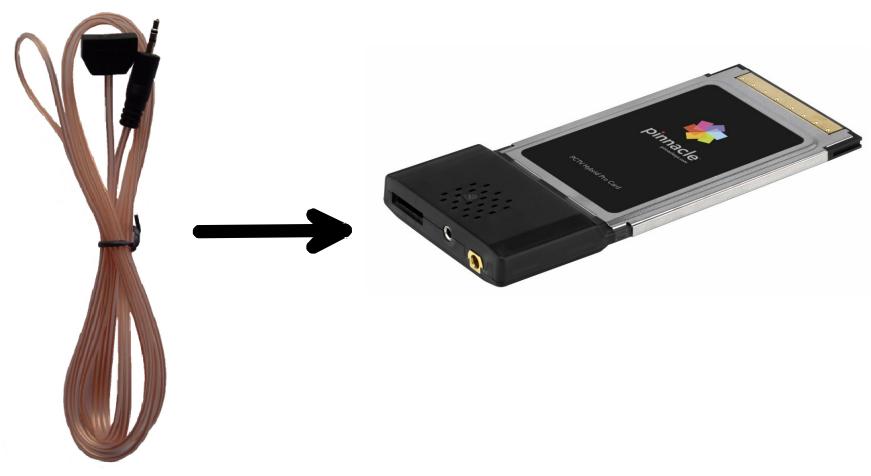
To receive VHF radio, connect the dipole antenna included in the box to the radio antenna input on your PCTV Hybrid Pro Card.
Connecting Peripheral Devices (Optional)
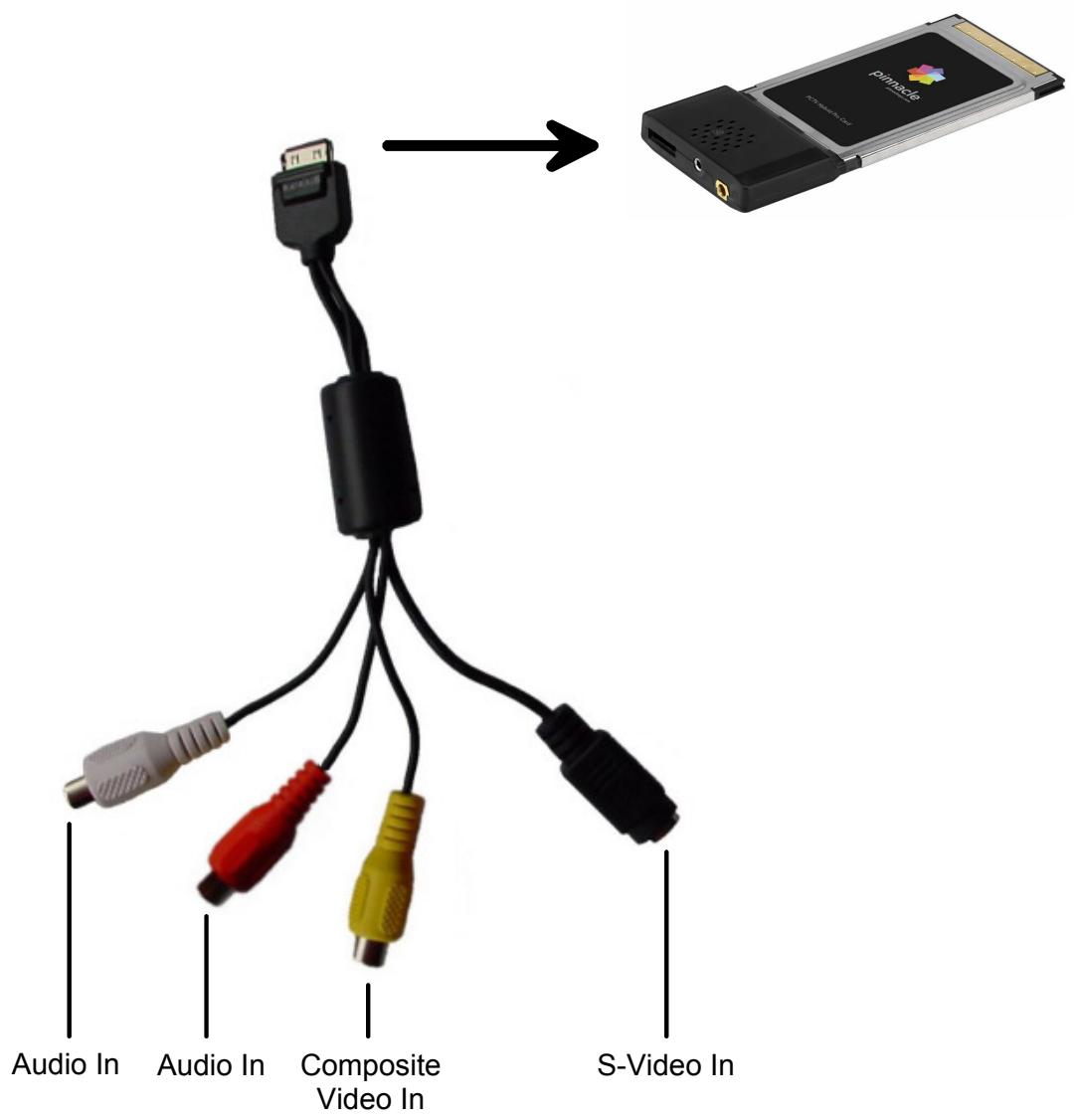
Connect the A/V adapter cable included in the box to the corresponding input on your PCTV Hybrid Pro Card. Now you can connect a peripheral device (for example, camcorder, video recorder, CCD camera, DVD/VCD recorder) to the corresponding input on the cable adapter.

If your peripheral device has an S-video output, connect this and not the composite video output in order to ensure optimal output quality.
Connecting to Your Computer
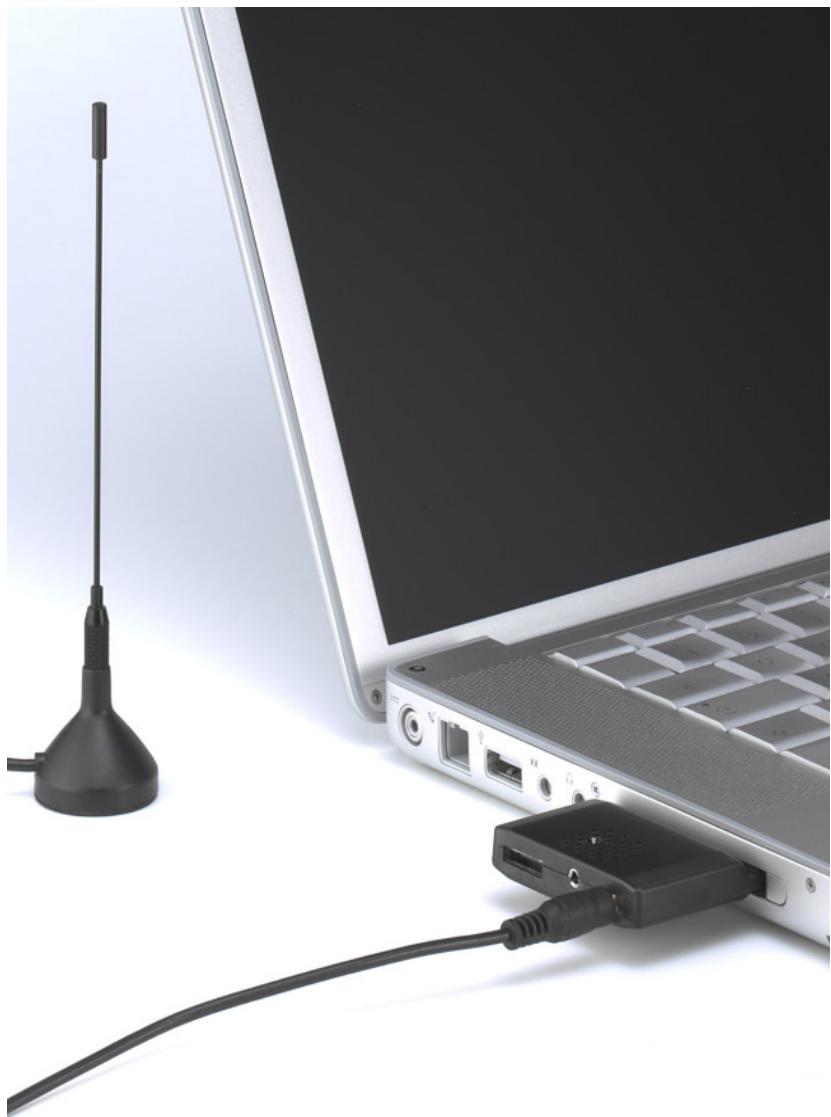
After you have connected the antennas to the PCTV Hybrid Pro Card, insert the PCTV Hybrid Pro Card into an available CardBus slot on your PC.
Using the Remote Control
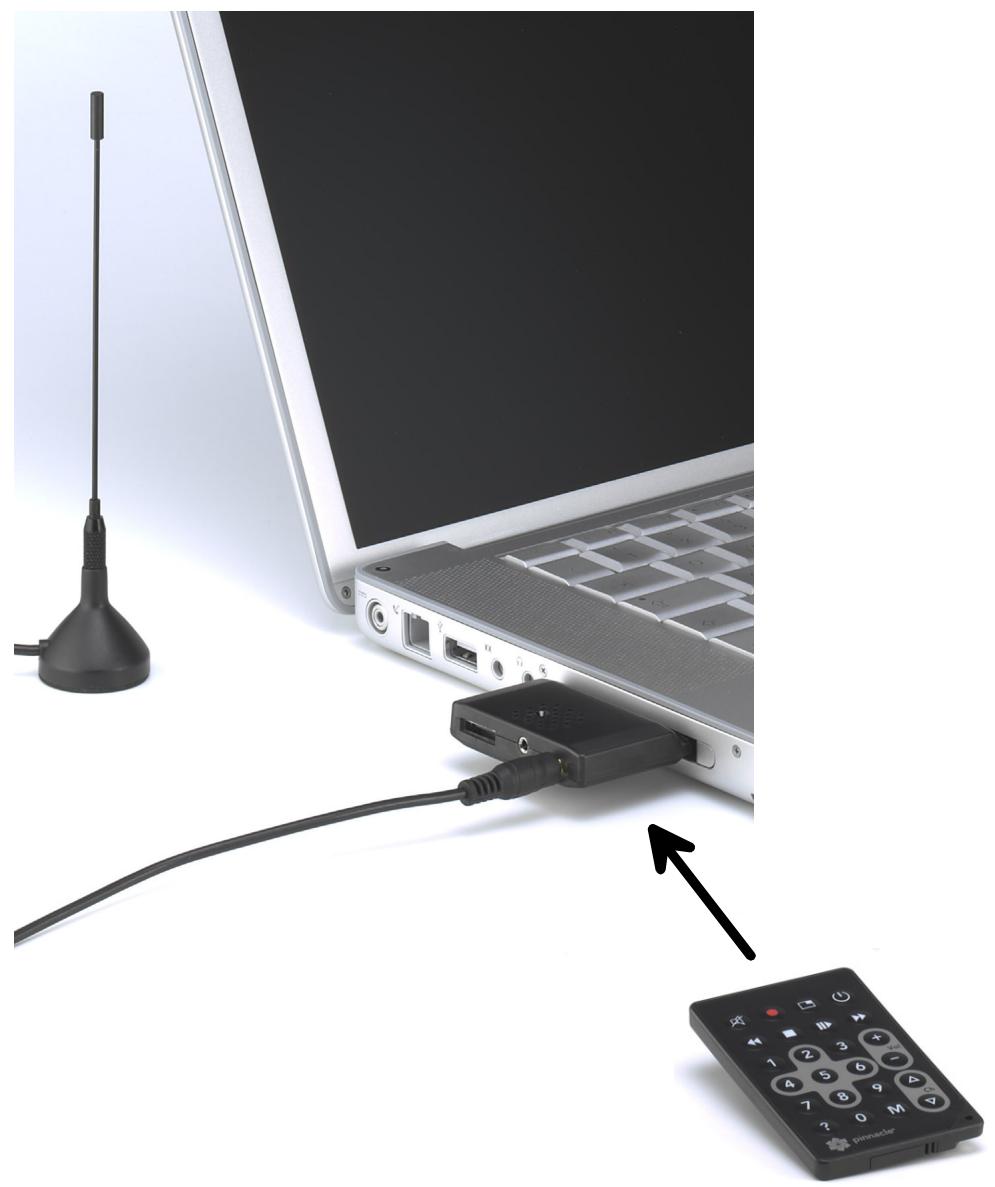
If you want to operate your PCTV Hybrid Pro Card using the remote control (optional), make sure that the remote control is aimed as directly as possible at the PCTV Hybrid Pro Card housing.
Bus System
CardBus (PCMCIA), type II
TV Tuner
Xceive XC3028 Frequency range 42-862 MHz (VHF and UHF).
DVB-T Demodulator
Zarlink ZL10353 16.64 QAM, QPSK 6, 7, 8 MHz bandwidth
Antenna Inputs
TV: 75 Ohm IEC via adapter Radio: VHF antenna, 2.5 mm jack
A/V Inputs (via Adapter)
S-video (mini-DIN)
Composite video (Cinch)
- Stereo audio (2 x Cinch)
Operating Temperature
- 0° C - 50° C ( 32° - 122° F ) at 5 - 95 % relative humidity
Dimensions
- 54 × 84.6 × 5 mm
Pinnacle Systems hereby declares that this TV reception equipment complies with the fundamental requirements and other relevant terms and conditions of EC directive number 89/336/EEC.
The EC declaration of conformity can be downloaded from http://www.pinnaclesys.com.
Pinnacle Systems GmbH
Frankfurter Strasse 3c
38122 Braunschweig
Germany
- PCTV Hybrid Pro Card Hardware
- Disposal and Recycling
- Table of Contents
- Processor
- Operating Memory
- Hard Disk
- Graphics Controller
- Sound Controller
- Cardbus Slot
- CD-ROM / DVD-ROM Drive or Recorder
- Operating System
- Connecting the TV Antenna
- Positioning Tips for the Rod Antenna
- Connecting the Radio Antenna (Optional)
- Connecting Peripheral Devices (Optional)
- Connecting to Your Computer
- Using the Remote Control
- Bus System
- TV Tuner
- DVB-T Demodulator
- Antenna Inputs
- A/V Inputs (via Adapter)
- Operating Temperature
- Dimensions
Marque : PINNACLE
Modèle : PCTV 310C
Catégorie : Carte de télévision