
MP C5000 - Imprimante multifonction RICOH - Notice d'utilisation et mode d'emploi gratuit
Retrouvez gratuitement la notice de l'appareil MP C5000 RICOH au format PDF.

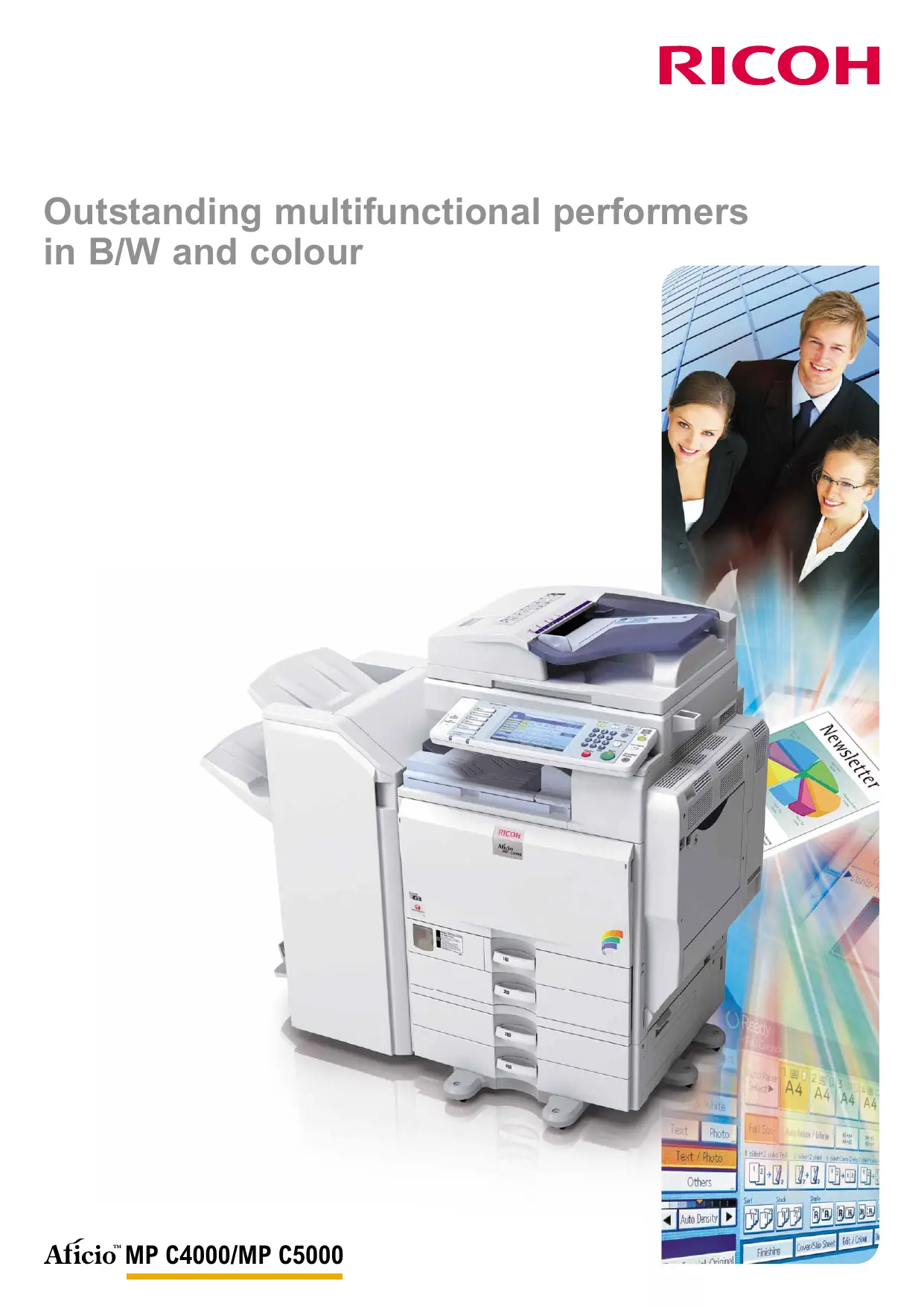

| Type de produit | Imprimante multifonction couleur |
| Marque | RICOH |
| Modèle | MP C5000 |
| Fonctions principales | Impression, copie, numérisation, télécopie (option) |
| Vitesse d'impression (N&B / couleur) | 50 pages par minute (ppm) |
| Vitesse de copie (N&B / couleur) | 50 copies par minute |
| Résolution d'impression | 1200 x 1200 dpi |
| Résolution de numérisation | Jusqu'à 1200 dpi |
| Temps de préchauffage | 51 secondes |
| Première sortie (N&B / couleur) | 3,5 / 5,9 secondes |
| Capacité papier maximale | 4400 feuilles |
| Formats de papier | A6 à A3 |
| Grammage papier | 60 à 256 g/m² (bacs), 60 à 169 g/m² (recto-verso) |
| Recto-verso | Automatique |
| Finition | Agrafage, assemblage, livret (en option) |
| Connectivité | USB 2.0, Ethernet 10/100/1000, Wi-Fi en option, Bluetooth en option |
| Écran tactile | Écran LCD couleur large |
| Mémoire | 1024 Mo + disque dur 160 Go |
| Dimensions (L x P x H) | 670 x 677 x 760 mm |
| Poids | Moins de 130 kg (avec chargeur de documents) |
| Alimentation | 220-240 V, 50/60 Hz |
| Consommation électrique | Max 1,6 kW (fonctionnement), < 137 W (économie d'énergie), < 2,9 W (arrêt auto) |
| Sécurité | Authentification utilisateur, chiffrement des données, unité de protection contre la copie, effacement des données |
| Entretien | Remplacement facile du toner, technologie de fusion par induction |
FOIRE AUX QUESTIONS - MP C5000 RICOH
Questions des utilisateurs sur MP C5000 RICOH
0 question sur cet appareil. Repondez a celles que vous connaissez ou posez la votre.
Poser une nouvelle question sur cet appareil
Téléchargez la notice de votre Imprimante multifonction au format PDF gratuitement ! Retrouvez votre notice MP C5000 - RICOH et reprennez votre appareil électronique en main. Sur cette page sont publiés tous les documents nécessaires à l'utilisation de votre appareil MP C5000 de la marque RICOH.
MODE D'EMPLOI MP C5000 RICOH
Outstanding multifunctional performers in B/W and colour
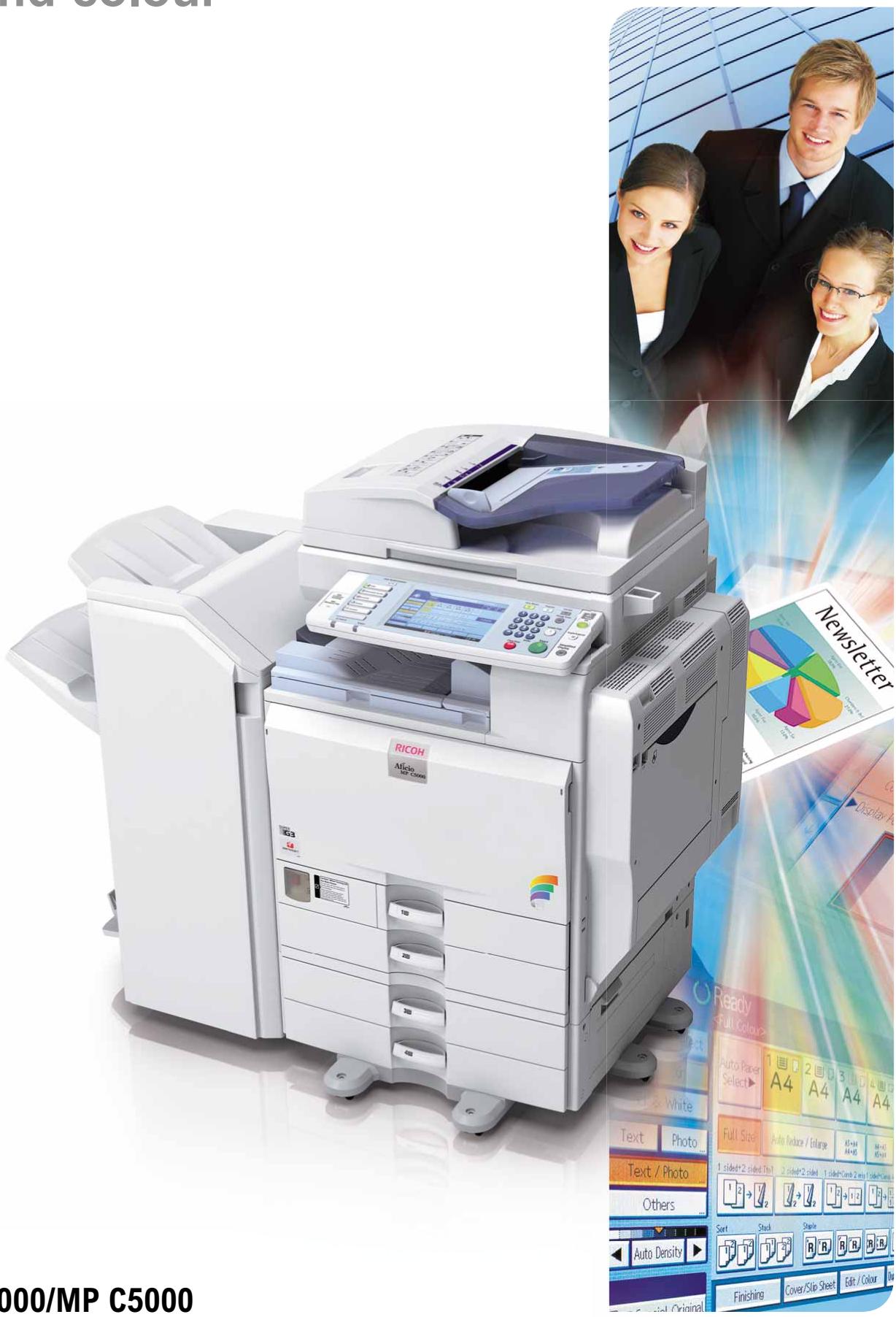
Astonish with in-house professional documents
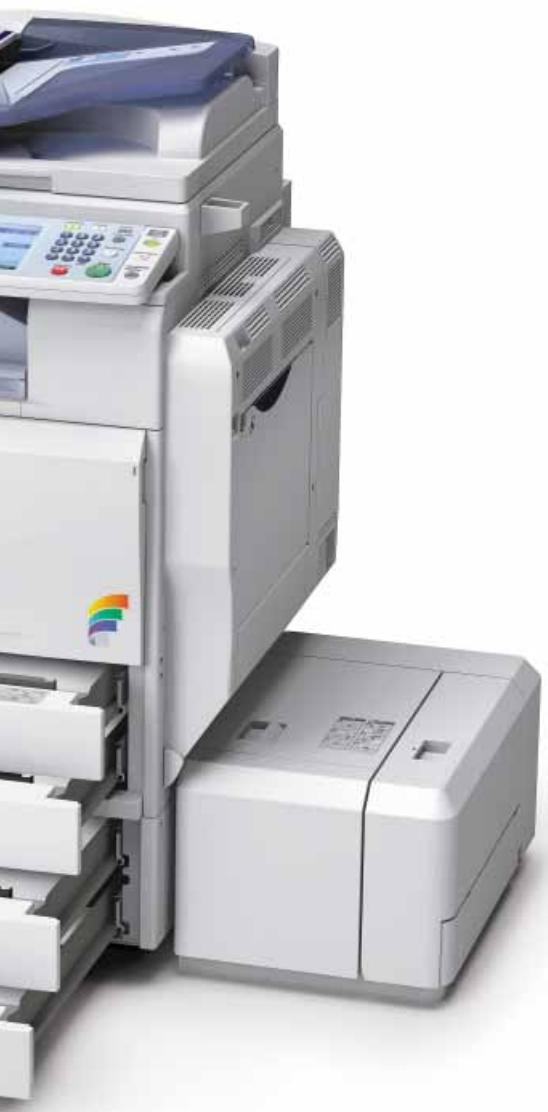
With deadlines creeping closer, pressure is on the rise. Impeccable output needs to be delivered faster and more cost-efficiently. The Afitio™ MP C4000/MP C5000 offer all the features you need. Every black-and-white functionality in the book is present. You also obtain additional colour capabilities, advanced faxing and colour network scanning. Superior in many ways, these compact and user-friendly document managers will fit right into your existing network. They boast fast output speeds and versatile finishing options to produce professional-looking output swiftly. In addition, these network communication hubs place a wealth of distribution and security possibilities at your fingertips. Put your company in the spotlights through quality and efficiency.
- All-in-one: print, copy, scan and fax from one device.
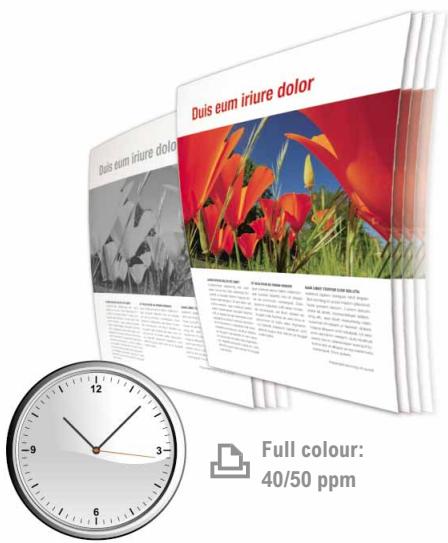
- Fast output speeds: 40/50 ppm in both black and white and colour.
- Excellent usability & up-to-date security.
Outstanding 1,200 dpi image quality with PxP^TM toner.
Full colour scanning at 60 pages per minute. - Astonishing productivity guaranteed by Induction Heating Technology.
- Scan to USB function.

Raising the bar for document management
Optimise your entire document-handling process to achieve a more efficient office workflow. The Afitio™ MP C4000/MP C5000 bring you all the necessary tools to do just that. With the added value of colour, these multifunctional devices will lift your office to a higher standard.
Complex tasks made easy
Designed to simplify your daily workflow, the MP C4000/MP C5000 allow you to create first-class documents with the greatest ease.
- Advanced widescreen colour LCD touch panel for straightforward usability.
- Simplified display showing only your most frequently used functions.
- Animated user guidance in case of irregularities.
- Easy-handling paper trays for increased accessibility.
- Simple and fast toner replacement.
Experts in finishing
Why resort to expensive outsourcing when you can create professionally-finished documents in-house? The MP C4000/MP C5000 offer an entire range of possibilities to meet your needs. Staple and collate with the 1,000-sheet or 3,000-sheet finisher. Alternatively, create attractive sales, training and presentation material with the 2,000-sheet booklet finisher.
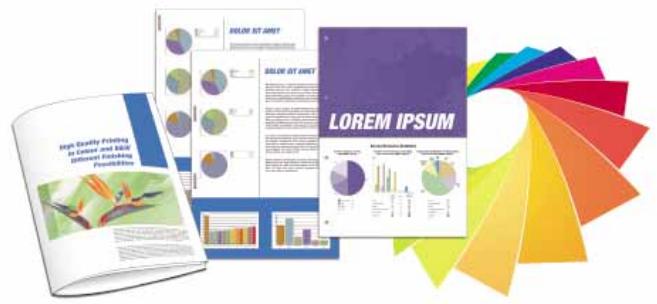
Impressive colour
Boost your business image with high-impact colour documents. The MP C4000/MP C5000 ensure that you obtain expert results with impeccable detail and sharp images. For special applications like menu cards and cover pages, the devices handle stock of up to 256 g/m². Everything is available to increase the effect of your business communication!
Cost-saving Internet faxing
Reduce costs and optimise efficiency by using the Internet for long distance faxing. Not only do you save the cost of international phone calls, you also increase your productivity. Internet faxing is as easy as sending an e-mail.
Efficient printing
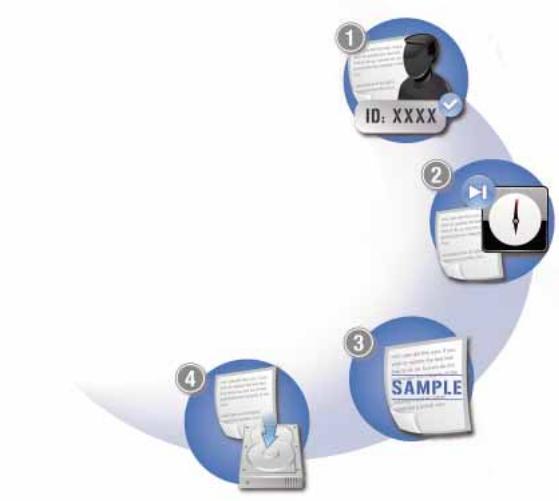
With RPCSTM's icon-based interface, any print job is only one click away. You can even save your own print settings under a personal icon for future one-click use. Additionally, the MP C4000/MP C5000 boast a number of practical print functionalities:
Protect documents with a password.
Hold print jobs until a more convenient time.
3 Produce print samples to avoid misprints.
Store print jobs for quick and easy reprinting.
Optimal document management
For streamlined document handling, all your print, copy, fax and scan data can be stored and managed. Simply access the device via the widescreen colour LCD touch panel. Then browse through your stored data in a list or with thumbnail view. Web Image Monitor provides extensive management functions anywhere, anytime. Retrieve, view, re-organise, change or delete stored data and files through a web browser at your convenience.
Advanced business faxing
Turn your fax communications into a very smooth-running and efficient workflow.
A wealth of smart capabilities is at your disposal:
- Automatically distribute incoming faxes to e-mail or folder.
- Forward taxes to a single person or an entire workgroup for optimum efficiency.
Inbound fax messages automatically go to the right person. You eliminate the distribution of printed faxes and save costs.
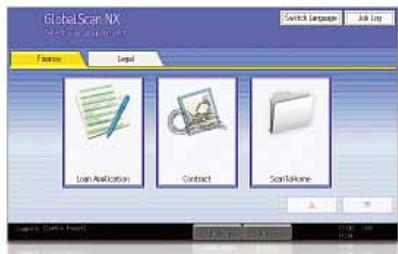
GlobalScan NX
Our intuitive GlobalScan NX streamlines your workflow with flexible scanning and distribution. Via an easy-to-use Graphical User Interface (GUI), preset icons with your customised document format and workflow. You can now scan in a single step from the MP C4000/MP C5000's control panel.

Think green
Ricoh uses toxic-free materials for all its hardware. Our low-energy toner production methods are unique. With low power consumption, clean and quiet operation and duplex functionality, the Afitio™ MP C4000/MP C5000 take environmental care even further.
Your intelligent, multi-talented office partner
As your business grows, so does the number of office tasks. To cope with current and future demands, the Afitio™ MP C4000/MP C5000 are productive, customizable document managers. Integrating efficient distribution and optimum security, they will be your preferred office partners for years to come.
- Excellent colour and B/W productivity.
- Flexible distribution.
- Extended security features.
- Embedded Software Architecture™.
First-class multifunctional performance
The MP C4000/MP C5000 efficiently combine printing, copying, scanning and faxing. Short warm-up times and first output speeds make short work of any job. Simplex, duplex and full-colour outputs are produced at a swift 40/50 ppm. The Induction Heating fusing belt system produces prints fast without compromising on quality. Even demanding jobs are completed in one smooth run with a 4,400-sheet paper capacity.
Distribution to fit your needs
In the digital info flow, transition between electronic and hard-copy documents must be seamless. Scanned documents can easily be filed for later retrieval. Deliver them to any location worldwide via shared network folders, e-mail or the web (using FTP). To reduce network traffic, heavy files can be downsized into high-compression PDFs.
Those maintain excellent image quality while minimising overloads.
Safeguard access & information
Protecting your business against security threats is vital.
The Afitio™ MP C4000/MP C5000 guarantee your peace of mind without ever interrupting your workflow. Equipped with the latest in security, they:
- Prevent unauthorised access, using Windows® authentication and a PIN code to access print jobs.
- Overwrite temporary data on the systems' Hard Disk Drive using the Data Overwrite Security Unit.
- Make unauthorised copying result in illegible output with the Copy Data Security Unit.
- Encrypt scanned PDF data for safe transmission.
Customised software solutions
The Aficio™ MP C4000/MP C5000 feature Ricoh's Embedded Software Architecture™ to meet your current and future requirements.
This innovative Java™ (J2ME™)-compatible software development platform designs customised key applications. Integrated solutions control the way in which the MP C4000/MP C5000 interact with and enhance your document workflow.
COPIER
| Copying process: | Laser beam scanning and electro-photographic printing | |
| Copy speed: | MP C4000: BW / full colour: 40 copies per minute MP C5000: BW / full colour: 50 copies per minute | |
| Resolution: | 600 dpi | |
| Multiple copy: | Up to 999 | |
| Warm-up time: | MP C4000: 34 seconds MP C5000: 51 seconds | |
| First output speed: | MP C4000: BW / full colour: 3.9/6.5 seconds MP C5000: BW / full colour: 3.5/5.9 seconds | |
| Zoom: | 25 - 400% (in 1% steps) | |
| Memory: | Standard: 1,024 MB + 160 GB Hard Disk Drive (shared with printer/fax/scanner function) | |
| Paper input capacity: | Standard: 2 x 550-sheet paper trays 1 x 100-sheet bypass tray Maximum: 4,400 sheets | |
| Paper output capacity: | Maximum: 3,675 sheets | |
| Paper size: | A6 - A3 | |
| Paper weight: | Paper trays: 60 - 256 g/m2Bypass tray: 60 - 256 g/m2Duplex tray: 60 - 169 g/m2 | |
| Duplexing: | Standard | |
| Dimensions (W x D x H): | 670 x 677 x 760 mm | |
| Weight: | Less than 130 kg (with ARDF) | |
| Power source: | 220 - 240 V, 50/60 Hz | |
| Power consumption: | Operation: Maximum 1.6 kW Energy saver mode: Less than 137 W Auto Off mode: Less than 2.9 W | |
PRINTER
| Print speed: | MP C4000: MP C5000: | B/W / full colour: 40 prints per minute B/W / full colour: 50 prints per minute |
| Printer language: | Standard: Option: | PCL5c, PCL6, RPCSTM Adobe® PostScript® 3TM |
| Resolution: | 1,200 x 1,200 dpi | |
| Interface: | Standard: | USB 2.0 USB Host I/F Ethernet 10 base-T/100 base-TX |
| Option: | Bi-directional IEEE 1284/ECP Wireless LAN (IEEE 802.11a, b, g, WPA support) Bluetooth Ethernet 1000 base-T USB 2.0/SD Slot | |
| Network protocol: | TCP/IP, IPX/SPX, AppleTalk | |
| Supported environments: | Windows® 2000/XP/Vista/Server 2003/Server 2008 Novell® NetWare® 3.12/3.2/4.1/4.1/5.0/5.1/6/6.5 UNIX Sun® Solaris 2.6/7/8/9/10 HP-UX 10.x/11.x/11iv2/11iv3 SCO OpenServer 5.0.6/5.0.7/6.0 RedHat® Linux 6.x/7.x/8.x/9.x/Enterprise IBM® AIX v4.3/5L v5.1/5L v5.2/5L v5.3 Macintosh OS 8.6 or later (OS X Classic) Macintosh OS X v10.1 or later (native mode) IBM® System i5TM HPT SAP® R/3® NDPS Gateway AS/400® using OS/400 Host Print Transform | |
SCANNER
| Scan speed: | B/W / full colour: | Maximum 63/60 originals per minute (LEF, A4) |
| Resolution: | Maximum 1,200 dpi | |
| Original size: | A5 - A3 | |
| Output formats: | PDF/JPEG/TIFF/High compression PDF | |
| Bundled drivers: | Network, TWAIN | |
| Scan to e-mail: | SMTP (optionally with POP authentication) | |
| Scan to e-maildestination addresses: | Maximum 500 per job | |
| Stored destination addresses: | Maximum 2,000 | |
| Address book: | Via LDAP or locally on Hard Disk Drive | |
| Scan to folder: | SMB, FTP, NCP | |
| Scan to folder destination: | Maximum 50 folders per job | |
SOFTWARE
| SmartDeviceMonitor™, Web SmartDeviceMonitor™, Web Image Monitor, DeskTopBinder™ Lite |
FAX (option)
| Circuit: | PSTN, PBX | |
| Compatibility: | ITU-T (CCITT) G3ITU-T (T.37 full mode) Internet faxITU-T (T.38) IP fax | |
| Modem speed: | Maximum 33.6 Kbps | |
| Resolution: | Standard/detail:200 x 100/200 dpiMaximum:400 x 400 dpi (option) | |
| Compression method: | MH, MR, MMR, JBIG | |
| Scanning speed: | 0.50 seconds (A4, SEF, standard/detail mode) | |
| Memory capacity: | Standard:4 MBMaximum:28 MB | |
| Memory backup: | Yes |
OTHER OPTIONS
Platen cover, 100-sheet Auto Reverse Document Feeder, Scanner accessibility option, 2 × 550 -sheet paper trays, 1,200-sheet side large capacity tray, 2,000-sheet large capacity tray, 1,000-sheet multi-tray finisher, 2,000-sheet booklet finisher, 3,000-sheet finisher, Several punch kits, 2nd G3 port, Fax memory unit, Internal shift tray, Browser unit, Camera Direct Print card, VM card, File Format Converter, Data Overwrite Security Unit, Copy Data Security Unit, HDD encryption unit, Counter interface unit, Key counter bracket, One bin tray, Bridge unit, Remote communication gate, GlobalScan NX, Card authentication package, Professional software solutions
For availability of models, optional apparatus and software, please contact your local Ricoh supplier.









ISO9001:2000 certified ISO14001 certified
Ricoh has designed these products to meet EC ENERGY STAR guidelines for energy efficiency.
Ricoh believes in conserving the earth's precious natural resources. This brochure is printed on environmentally friendly paper: 50% recycled fibres, 50% chlorine free bleached pulp.
All brand and/or product names are trademarks of their respective owners. Specifications and external appearance are subject to change without notice. The colour of the actual product may vary from the colour shown in the brochure. The images in this brochure are not real photographs and slight differences in detail might appear.
Copyright © 2008 Ricoh Europe PLC. All rights reserved. This brochure, its contents and/or layout may not be modified and/or adapted, copied in part or in whole and/or incorporated into other works without the prior written permission of Ricoh Europe PLC.
www.ricoh.eu
- Outstanding multifunctional performers in B/W and colour
- Astonish with in-house professional documents
- Raising the bar for document management
- Complex tasks made easy
- Experts in finishing
- Impressive colour
- Cost-saving Internet faxing
- Efficient printing
- Optimal document management
- Advanced business faxing
- GlobalScan NX
- Think green
- Your intelligent, multi-talented office partner
- First-class multifunctional performance
- Distribution to fit your needs
- Safeguard access & information
- Customised software solutions
- OTHER OPTIONS
Marque : RICOH
Modèle : MP C5000
Catégorie : Imprimante multifonction