
AFICIO GX 3000S - Imprimante à jet d'encre RICOH - Notice d'utilisation et mode d'emploi gratuit
Retrouvez gratuitement la notice de l'appareil AFICIO GX 3000S RICOH au format PDF.

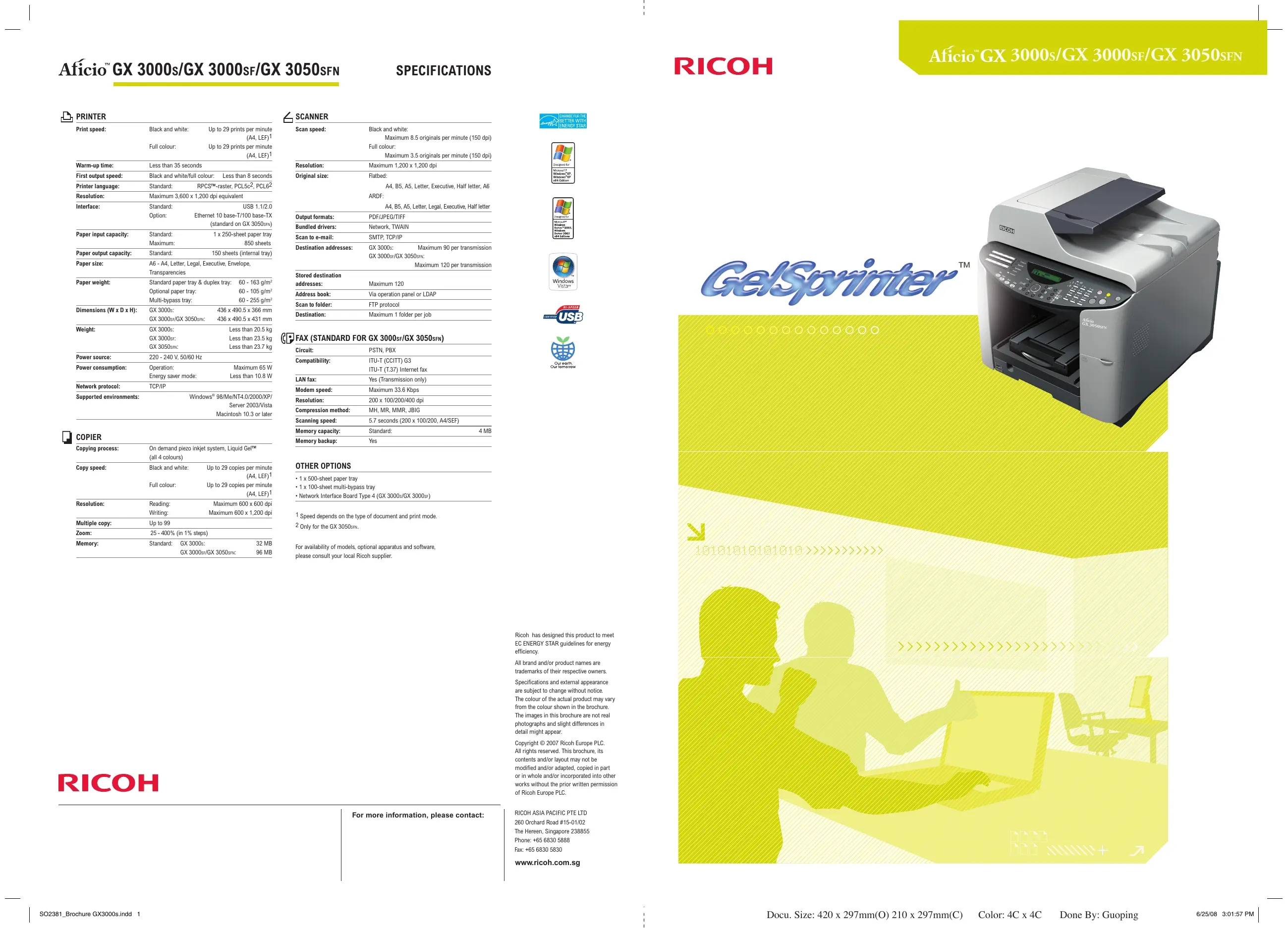
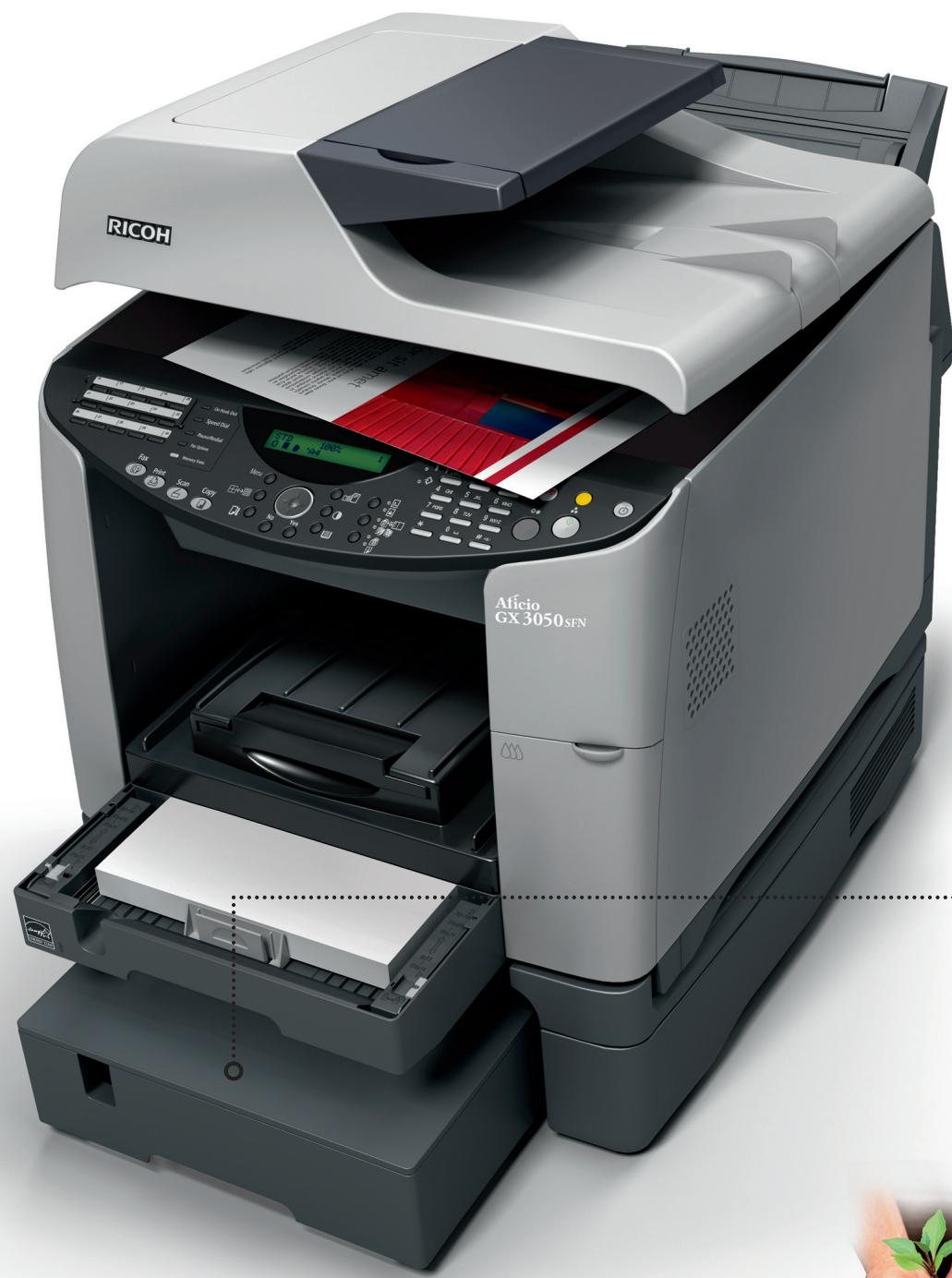
| Type de produit | Imprimante multifonction jet d'encre couleur (impression, copie, numérisation, fax en option) |
| Marque et modèle | RICOH AFICIO GX 3000S |
| Technologie d'impression | GelSprinter™, Liquid Gel™ piezo à la demande |
| Vitesse d'impression (A4) | Jusqu'à 29 ppm en noir et blanc et couleur |
| Résolution d'impression maximale | 3 600 x 1 200 dpi équivalent |
| Vitesse de copie (A4) | Jusqu'à 29 copies par minute (noir et blanc et couleur) |
| Résolution de numérisation | Jusqu'à 1 200 x 1 200 dpi |
| Formats papier supportés | A6 à A4, Letter, Legal, Enveloppe, Transparences |
| Capacité papier (bac standard) | 250 feuilles (60-255 g/m²) |
| Capacité papier maximale | 850 feuilles (avec bacs optionnels) |
| Impression recto-verso | Automatique (standard) |
| Dimensions (L x P x H) | 436 x 490,5 x 366 mm |
| Poids | Moins de 20,5 kg |
| Alimentation électrique | 220-240 V, 50/60 Hz |
| Consommation (max) | 65 W en fonctionnement, < 10,8 W en veille |
| Langages d'impression | RPCSTM, PCL5c, PCL6 |
| Interface standard | USB 1.1/2.0 |
| Option réseau | Ethernet 10/100 Base-TX (en option) |
| Entretien | Changement facile des cartouches par l'avant, maintenance minimale |
| Fonction écologique | Mode Level Color™ pour un coût couleur proche du noir et blanc |
FOIRE AUX QUESTIONS - AFICIO GX 3000S RICOH
Questions des utilisateurs sur AFICIO GX 3000S RICOH
0 question sur cet appareil. Repondez a celles que vous connaissez ou posez la votre.
Poser une nouvelle question sur cet appareil
Téléchargez la notice de votre Imprimante à jet d'encre au format PDF gratuitement ! Retrouvez votre notice AFICIO GX 3000S - RICOH et reprennez votre appareil électronique en main. Sur cette page sont publiés tous les documents nécessaires à l'utilisation de votre appareil AFICIO GX 3000S de la marque RICOH.
MODE D'EMPLOI AFICIO GX 3000S RICOH

PRINTER
| Print speed: | Black and white: | Up to 29 prints per minute (A4, LEF)1 |
| Full colour: | Up to 29 prints per minute (A4, LEF)1 | |
| Warm-up time: | Less than 35 seconds | |
| First output speed: | Black and white/full colour: | Less than 8 seconds |
| Printer language: | Standard: | RPCSTM-raster, PCL5c2, PCL62 |
| Resolution: | Maximum 3,600 x 1,200 dpi equivalent | |
| Interface: | Standard: | USB 1.1/2.0 |
| Option: | Ethernet 10 base-T/100 base-TX (standard on GX 3050SFN) | |
| Paper input capacity: | Standard: | 1 x 250-sheet paper tray |
| Maximum: | 850 sheets | |
| Paper output capacity: | Standard: | 150 sheets (internal tray) |
| Paper size: | A6 - A4, Letter, Legal, Executive, Envelope, Transparencies | |
| Paper weight: | Standard paper tray & duplex tray: | 60 - 163 g/m2 |
| Optional paper tray: | 60 - 105 g/m2 | |
| Multi-bypass tray: | 60 - 255 g/m2 | |
| Dimensions (W x D x H): | GX 3000s: | 436 x 490.5 x 366 mm |
| GX 3000sF/GX 3050sFN: | 436 x 490.5 x 431 mm | |
| Weight: | GX 3000s: | Less than 20.5 kg |
| GX 3000sF: | Less than 23.5 kg | |
| GX 3050sFN: | Less than 23.7 kg | |
| Power source: | 220 - 240 V, 50/60 Hz | |
| Power consumption: | Operation: | Maximum 65 W |
| Energy saver mode: | Less than 10.8 W | |
| Network protocol: | TCP/IP | |
| Supported environments: | Windows® 98/Me/NT4.0/2000/XP/Server 2003/Vista Macintosh 10.3 or later | |

COPIER
| Copying process: | On demand piezo inkjet system, Liquid Gel™ (all 4 colours) | |
| Copy speed: | Black and white: | Up to 29 copies per minute (A4, LEF)1 |
| Full colour: | Up to 29 copies per minute (A4, LEF)1 | |
| Resolution: | Reading: | Maximum 600 x 600 dpi |
| Writing: | Maximum 600 x 1,200 dpi | |
| Multiple copy: | Up to 99 | |
| Zoom: | 25 - 400% (in 1% steps) | |
| Memory: | Standard: GX 3000s: | 32 MB |
| GX 3000sF/GX 3050sFN: | 96 MB | |

SCANNER
| Scan speed: | Black and white: Maximum 8.5 originals per minute (150 dpi) Full colour: Maximum 3.5 originals per minute (150 dpi) |
| Resolution: | Maximum 1,200 x 1,200 dpi |
| Original size: | Flatbed: A4, B5, A5, Letter, Executive, Half letter, A6 ARDF: A4, B5, A5, Letter, Legal, Executive, Half letter |
| Output formats: | PDF/JPEG/TIFF |
| Bundled drivers: | Network, TWAIN |
| Scan to e-mail: | SMTP, TCP/IP |
| Destination addresses: | GX 3000s: Maximum 90 per transmission GX 3000sF/GX 3050sFN: Maximum 120 per transmission |
| Stored destination addresses: | Maximum 120 |
| Address book: | Via operation panel or LDAP |
| Scan to folder: | FTP protocol |
| Destination: | Maximum 1 folder per job |

FAX (STANDARD FOR GX 3000SF/GX 3050sFN)
| Circuit: | PSTN, PBX |
| Compatibility: | ITU-T (CCITT) G3 ITU-T (T.37) Internet fax |
| LAN fax: | Yes (Transmission only) |
| Modem speed: | Maximum 33.6 Kbps |
| Resolution: | 200 x 100/200/400 dpi |
| Compression method: | MH, MR, MMR, JBIG |
| Scanning speed: | 5.7 seconds (200 x 100/200, A4/SEF) |
| Memory capacity: | Standard: 4 MB |
| Memory backup: | Yes |
OTHER OPTIONS
| ·1 x 500-sheet paper tray |
| ·1 x 100-sheet multi-bypass tray |
| ·Network Interface Board Type 4 (GX 3000s/GX 3000si) |
1 Speed depends on the type of document and print mode. 2 Only for the GX 3050_SFN
For availability of models, optional apparatus and software, please consult your local Ricoh supplier.
RICOH
For more information, please contact:




Ricoh has designed this product to meet EC ENERGY STAR guidelines for energy efficiency.
All brand and/or product names are trademarks of their respective owners. Specifications and external appearance are subject to change without notice. The colour of the actual product may vary from the colour shown in the brochure. The images in this brochure are not real photographs and slight differences in detail might appear.
Copyright © 2007 Ricoh Europe PLC. All rights reserved. This brochure, its contents and/or layout may not be modified and/or adapted, copied in part or in whole and/or incorporated into other works without the prior written permission of Ricoh Europe PLC.
RICOH ASIA PACIFIC PTE LTD
260 Orchard Road #15-01/02
The Hereen, Singapore 238855
Phone: +65 6830 5888
Fax: +65 6830 5830
www.ricoh.com.sg
Full featured desktop multifunctionality
Pioneering colour technology for multifunctional
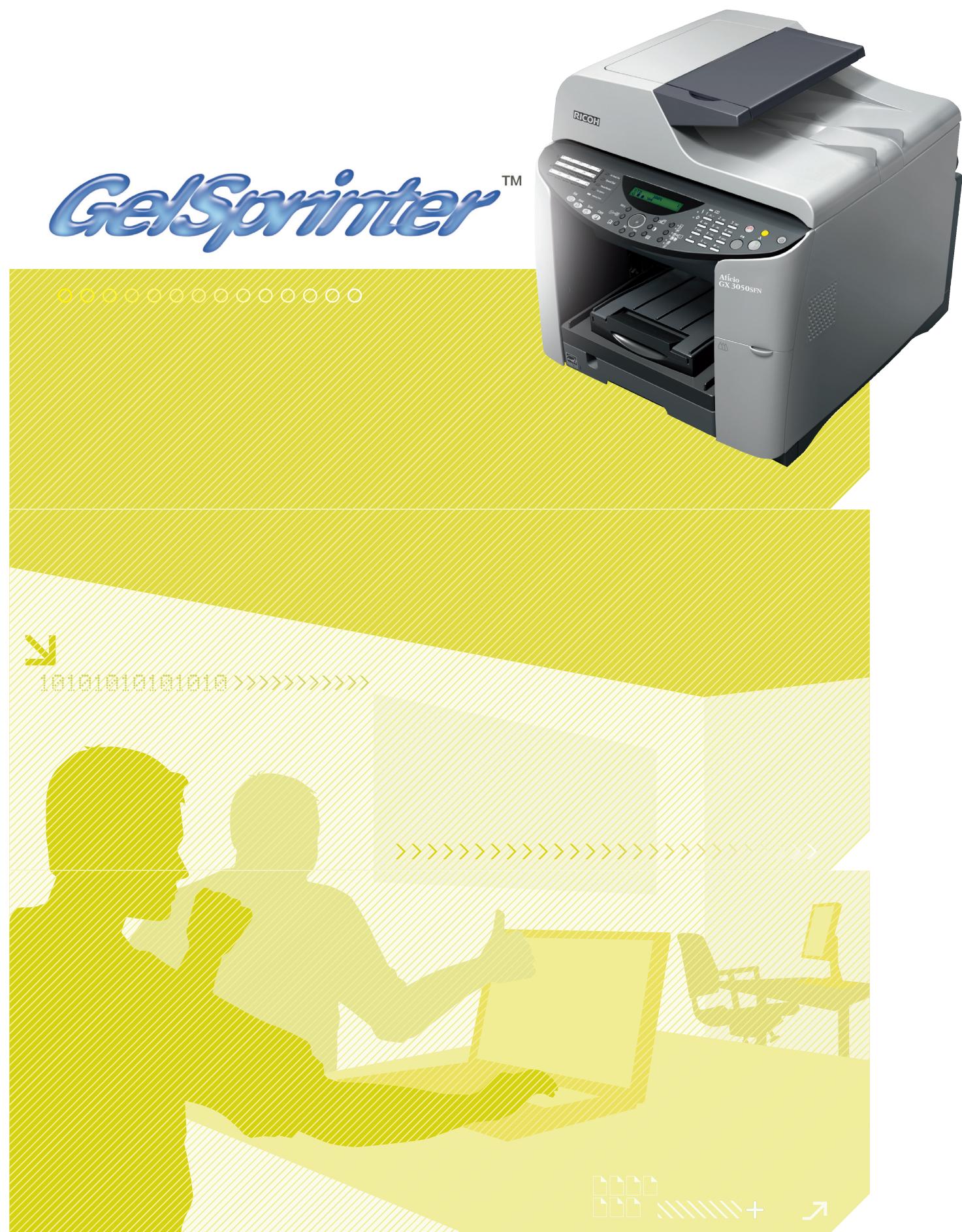
Quickly produce superior business quality documents up to 29 pages per minute (ppm) with the Aficio™ GX 3000s/GX 3000SF/GX 3050SFN. Featuring innovative GelSprinter™ technology, these colour solutions combine high productivity and superb quality. Choose the basic model with its copy, print and scan functionalities and standard duplexing or add faxing or networkability to the package. In short, the GX 3000s/ GX 3000SF/GX 3050SFN deliver fast cost-efficient colour.
- All-round A4 multitaskers: print, copy, scan and fax.
- Low Total Cost of Ownership.
- Consistent, high quality colour for business documents.
- Colour at virtually the same cost as black & white with Level Color™ mode.
- Fast automatic duplexing.
- GelSprinter™ Liquid Gel™: ultra quick drying, waterproof and sunlight resistant prints.
Colour quality
To effectively convince clients and sell projects, professional colour documents are a must. For high quality results, the GX 3000s/GX 3000SF/GX 3050SFN offer extremely fast image setting due to the quick drying Liquid Gel™.
This ensures consistently clear prints with a superb gamut of colours up to true 1,200 dpi.
Affordable multifunctional
The GX 3000s/GX 3000SF/GX 3050SFN save costs and lower the Total Cost of Ownership with their all-in-one design and individually replaceable colour print cartridges. The GelSprinter™'s Level Color™ mode is perfect for your everyday colour needs, producing quick colour prints at virtually the same cost as black & white prints. While black text is printed at normal thickness, up to 50% less Liquid Gel™ is used to print colour images on the same document.

Improved productivity
- Speedy document production at up to 29 ppm.
- First print out in less than 8 seconds; first copy out in less than 13 seconds.
- Improved business efficiency and productivity with fast automatic duplex printing.
- High quality at high speed: extra wide print head, ultra quick drying Liquid Gel™ and belt transfer system.
Easy set up & operation
- Quick installation and straightforward operation.
- Specific print settings can be saved and retrieved by selecting a single icon using the user-friendly RPCSTM printer driver.
- Practically maintenance free: just add paper and change cartridges when needed.
- Easy paper and cartridge replenishment due to full front accessibility.
Versatile connectivity
With their direct USB connection, all three models are well equipped to meet the needs of individual business users. The GX 3050sFN comes with PCL5/6 and a pre-installed Network Interface Card (optional for the GX 3000s/GX 3000sF). Ideal for small workgroups that demand easy networkability.
Increased efficiency
- Fast image capture and storage with 'scan to FTP' or 'scan to e-mail'.
- Reduced paper costs by sending faxes via Internet or directly from your PC.
- Effortless copying, scanning and faxing of double-sided, multi-page documents with the Automatic Reverse Document Feeder (GX 3000SF/GX 3050SFN).
- Practical counter function which counts pages in each mode.
- Handy e-mail alert function for easy monitoring
- Secure printing via RPCSTM driver.
Flexible media handling
No need for expensive outsourcing as you can create colour presentations, mailings, newsletters and flyers in-house. Using the optional bypass tray you can print on card stock and thick paper up to 255g / m^2 . With the optional 500-sheet paper tray, seamless switching between paper stocks is easy. Additionally, the convenient duplex functionality allows you to cut costs and reduce paper waste.
Environmental responsibility
Like all Ricoh products, the Afitio™ GX 3000s/GX 3000SF/GX 3050SFN reflect Ricoh's commitment to the environment with the usage of toxic free materials* and clean and quiet operation. With their low power consumption and duplex capability, these multitaskers take eco care even further.
Marque : RICOH
Modèle : AFICIO GX 3000S
Catégorie : Imprimante à jet d'encre