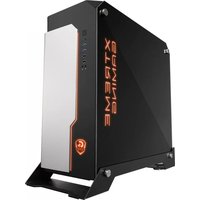
XC700W - Unite Centrale GIGABYTE - Notice d'utilisation et mode d'emploi gratuit
Retrouvez gratuitement la notice de l'appareil XC700W GIGABYTE au format PDF.


| Type de produit | Unité centrale de bureau |
| Marque | Gigabyte |
| Modèle | XC700W |
| Dimensions (L x P x H) | 200 mm x 450 mm x 420 mm |
| Poids | 8,5 kg |
| Alimentation électrique | 500 W, 230 V ~ 50 Hz |
| Processeur | Intel Core i5 ou équivalent |
| Mémoire RAM | 8 Go DDR4 (extensible) |
| Stockage | Disque dur 1 To + SSD 256 Go |
| Système d'exploitation | Windows 10 Famille (préinstallé) |
| Connectivité réseau | Ethernet Gigabit, Wi-Fi 5, Bluetooth 5.0 |
| Ports USB | 4 x USB 3.0, 2 x USB 2.0 |
| Sortie vidéo | 1 x HDMI, 1 x DisplayPort, 1 x VGA |
| Lecteur optique | Graveur DVD ±RW |
| Fonctions principales | Traitement de texte, navigation web, multimédia, bureautique |
| Entretien et nettoyage | Dépoussiérage régulier des grilles d'aération avec un chiffon doux et sec |
| Sécurité | Ne pas obstruer les ventilations, utiliser un onduleur, éviter les chocs |
| Pièces détachées disponibles | RAM, disque dur, alimentation, carte mère (sur demande) |
| Réparabilité | Indice de réparabilité estimé à 7,5/10 |
| Température de fonctionnement | 5 °C à 35 °C |
| Humidité de fonctionnement | 20 % à 80 % (sans condensation) |
| Informations générales | Garantie 2 ans, fabrication Gigabyte, manuel disponible en PDF |
FOIRE AUX QUESTIONS - XC700W GIGABYTE
Questions des utilisateurs sur XC700W GIGABYTE
0 question sur cet appareil. Repondez a celles que vous connaissez ou posez la votre.
Poser une nouvelle question sur cet appareil
Téléchargez la notice de votre Unite Centrale au format PDF gratuitement ! Retrouvez votre notice XC700W - GIGABYTE et reprennez votre appareil électronique en main. Sur cette page sont publiés tous les documents nécessaires à l'utilisation de votre appareil XC700W de la marque GIGABYTE.
MODE D'EMPLOI XC700W GIGABYTE
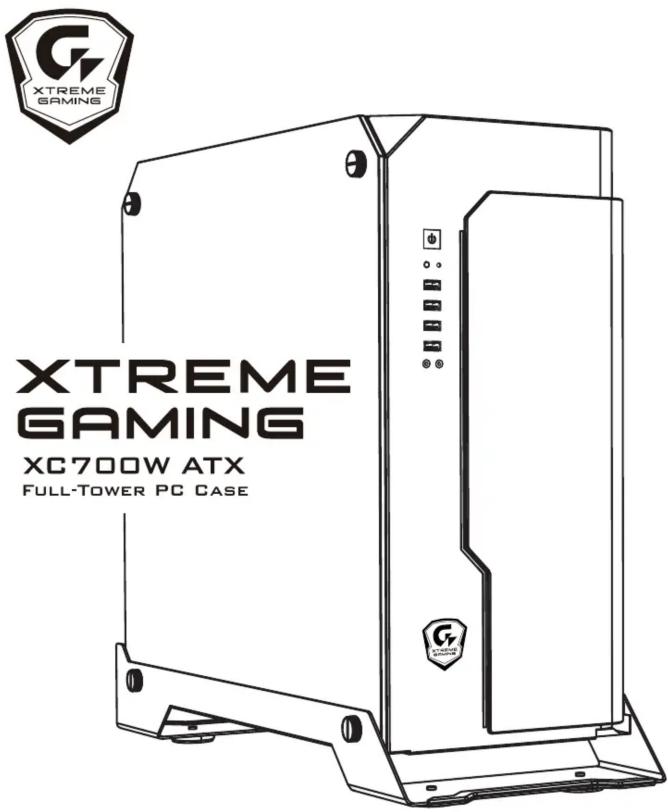
INSTALLATION GUIDE
安裝說明書 / 安装说明书
Please visit www.gigabyte.com for more product information.
Warranty
Gigabyte provides limited product warranty. For the latest and current terms of the Limited Product Warranty, please visit http://www.gigabyte.com/support-downloads/customer-service.aspx.
WEEE Information
This symbol on the product or in the instructions means that your electrical and electronic equipment should be disposed at the end its life separately from your household waste.
There are separate collection system for recycling in the EU.
For more information, please contact the local authority or your retailer where you purchased the product.
有害物质禁用表
根据中国电子信息产品污染控制管理办法的要求
| 部件名称 | 有毒有害物质或元素 | |||||
| 铅(Pb) | 汞(Hg) | 镉(Cd) | 六价铬(Cr(VI)) | 多溴联苯(PBB) | 多溴二苯醚(PBDE) | |
| 机箱组 | X | O | O | O | O | O |
| 面板组 | X | O | O | O | O | O |
| I/O模块 | X | O | O | O | O | O |
| 风扇 | X | O | O | O | O | O |
| 安装套件 | X | O | O | O | O | O |
| 电源 | X | O | O | O | O | O |
| O表示在此部件所用的同类材料中,所含此有毒或有害物质均低于SJ/T11363-2006的限制要求X表示在此部件所用的同类材料中,至少一种所含此有毒或有害物质高于SJ/T11363-2006的限制要求 | ||||||
Asia (Headquarters)
GIGA-BYTE TECHNOLOGY CO., LTD. Taiwan
Address: No.6, Baoqiang Rd., Xindian Dist., New Taipei City 231, Taiwan
Tel: +886-2-8912-4000
http://www.gigabyte.com
China
GIGABYTE CHINA
Address: 24/F, HaiTong Securities Tower, No.689 Guangdong Road, Shanghai, China
Tel: +86-21-6340-0912
Europe
G.B.T. TECHNOLOGY TRADING GMBH Germany
Address: Bullenkoppel 16, 22047 Hamburg, Deutschland
Tel: +49-40-25 33 040
North America
G.B.T. INC. USA
Address: 17358 Railroad Street, City of Industry, CA91748 USA
Tel: +1-626-854-9338
GIGABYTE™
FITTING PACK / 安装套件 / 安装套件
| Figure | Part's Name | Qty | Used For |
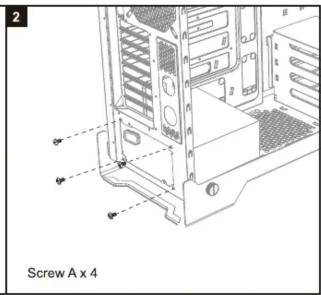
| Screw-A | 4 | PSU | |
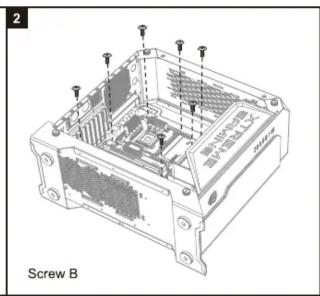
| Screw-B | 12 | Motherboard | |
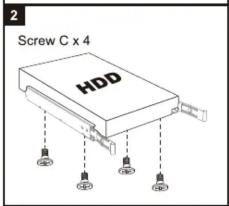
| Screw-C | 12 | 3.5"HDD | |
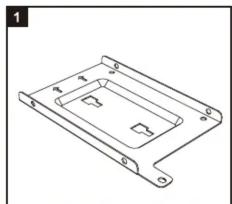
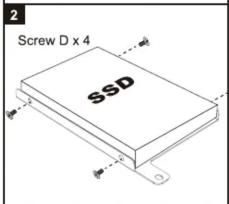
| Screw-D | 24 | 2.5"SSD | |
| Screw-E | 12 | Fan | |
| Standoff | 12 | Motherboard | |
| Nut Setter | 1 | Standoff Installation | |
| Cable Tie | 6 | Cable Management |
COMPATIBILITY / 最大相容性 / 最大兼容性
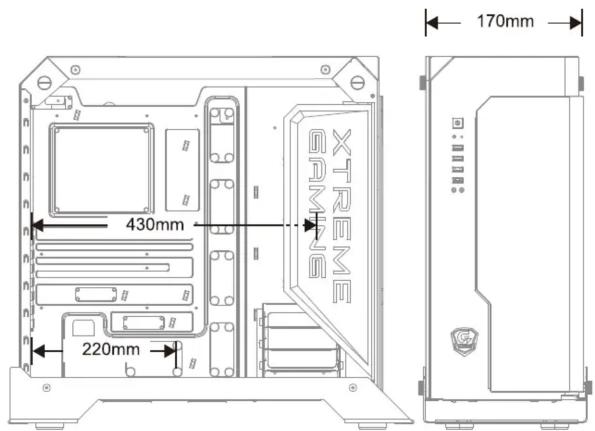
Max CPU Height : 170mm / Max VGA Length : 430mm / Max PSU Length : 220mm
THE I/O CONNECTORS RGB LIGHTING POWER
連接輸出接頭以及面板燈光電源/连接輸出接口以及面板灯光电源
▼ I / O Connectors

▼ RGB Lighting

INSTALLATION / 安裝說明 / 安裝說明
- Remove both side panels / 先拆下兩邊側板 / 先拆下两边側板


⚠️ Please handle the glass panel with care. / 請小心輕放玻璃側板 / 请小心轻放玻璃側板
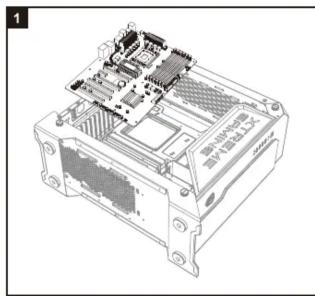
- Install the motherboard / 安装主機板 / 安装主板
- Install the power supply / 安装電源供應器 / 安装电源供应器

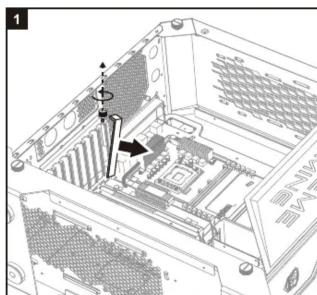
- Install the add-on cards / 安装顯示卡 / 安装显卡

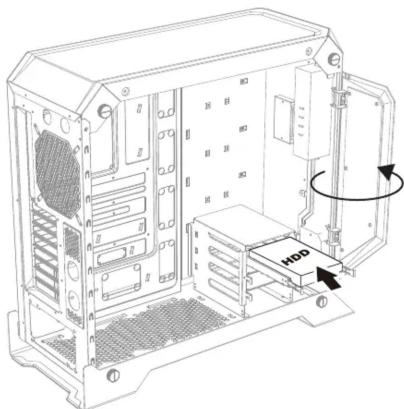
- Install the hard drive / 安装硬碟 / 安装硬盘
5.1 For 3.5" cage / 3.5" 插槽 / 3.5" 插槽

5.2 For 2.5" cage / 2.5" 插槽 / 2.5" 插槽
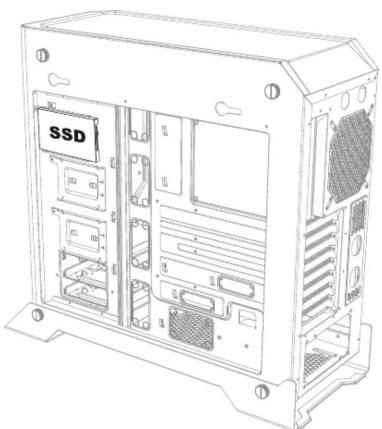
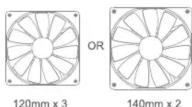
- Install the additional system fan(not included) 安装系統風扇(額外添購)/安装系統风扇(額外添购


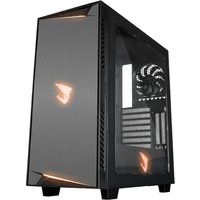
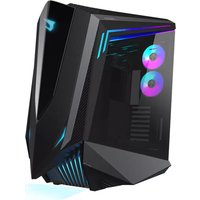
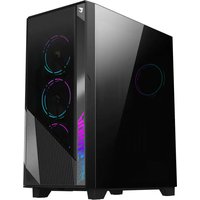
Marque : GIGABYTE
Modèle : XC700W
Catégorie : Unite Centrale