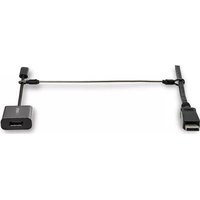
CONNLOCKPK5 - Serrure StarTech.com - Notice d'utilisation et mode d'emploi gratuit
Retrouvez gratuitement la notice de l'appareil CONNLOCKPK5 StarTech.com au format PDF.


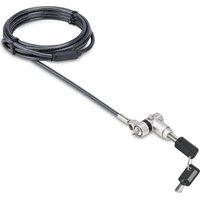
| Type de produit | Serrure de sécurité pour ordinateur portable |
| Marque | StarTech.com |
| Modèle | CONNLOCKPK5 |
| Dimensions (câble) | 1,8 m (6 pi) |
| Diamètre du câble | 4,5 mm |
| Matériau du câble | Acier tressé |
| Mécanisme de verrouillage | À clé |
| Type de clé | Clé tubulaire |
| Nombre de clés incluses | 2 |
| Compatibilité | Fente de sécurité Kensington (K-Slot) |
| Poids | 90 g |
| Couleur | Noir |
| Fonctions principales | Protection antivol pour ordinateurs portables et autres équipements avec fente de sécurité |
| Entretien et nettoyage | Nettoyer avec un chiffon sec et doux. Ne pas utiliser de solvants. |
| Sécurité | Verrouillage à clé tubulaire résistant aux tentatives d'effraction |
| Pièces détachées et réparabilité | Clés de rechange disponibles via le fabricant. Produit non réparable par l'utilisateur. |
| Garantie | 2 ans |
| Contenu de l'emballage | 1 serrure à câble, 2 clés |
FOIRE AUX QUESTIONS - CONNLOCKPK5 StarTech.com
Questions des utilisateurs sur CONNLOCKPK5 StarTech.com
0 question sur cet appareil. Repondez a celles que vous connaissez ou posez la votre.
Poser une nouvelle question sur cet appareil
Téléchargez la notice de votre Serrure au format PDF gratuitement ! Retrouvez votre notice CONNLOCKPK5 - StarTech.com et reprennez votre appareil électronique en main. Sur cette page sont publiés tous les documents nécessaires à l'utilisation de votre appareil CONNLOCKPK5 de la marque StarTech.com.
MODE D'EMPLOI CONNLOCKPK5 StarTech.com
Connectivity Lock - Steel Cable Tether
Product Diagram (CONNLOCKPK)

| Part Function | ||
| 1 | Steel Cable Tether | • Tether A/V Cables to A/V Adapters |
| 2 | Aluminum Ferrule | • Create a loop by routing the Steel Cable Tether through each opening• Crimp to secure the Steel Cable Tether loop |
| 3 | Heat Shrink Tubing • Shrink around the crimped Aluminum Ferrules | |
Requirements
- Swaging Tool x 1
• (Optional) Heat Gun x 1
• (Optional) Wire Cable Cutter x 1
For the latest requirements please visit: www.startech.com/CONNLOCKPK.
Installation
- (Optional) Thread the Heat Shrink Tubing onto the center of the Steel Cable Tether.
Note: This step is necessary if you plan to utilize the Heat Shrink Tubing.
- Thread the Aluminum Ferrules onto each end of the Steel Cable Tether.
-
Wrap one end of the Steel Cable Tether around the A/V Cable.
-
Route the working end of the Steel Cable Tether back into the second hole in the Aluminum Steel Ferrule.
- Cinch the Steel Cable Tether until it fits snugly around the A/V Cable.
Note: Do not cinch the Steel Cable Tether down all the way. Cinch the Steel Cable Tether until it is no longer possible to slip the loop over the connectors of the AV Cable.
- Crimp the Aluminum Steel Ferrule in the appropriate fitting of a Swaging Tool. (Figure 1)
Note: It may be necessary to crimp the Aluminum Steel Ferrule a few times to create a strong and circular shaped crimp.
Figure 1

-
Wrap the other end of the Steel Cable Tether around the cable portion of the A/V Adapter.
-
Repeat steps 4 to 6 to secure the Connectivity Lock to the cable portion of the A/V Adapter. (Figure 2)

-
(Optional) Slide the Heat Shrink Tubing over the crimped Aluminum Ferrules.
-
(Optional) Apply heat to the Heat Shrink Tubing using a Heat Gun. Always keep the Heat Gun moving to ensure the heat is evenly distributed over the Heat Shrink Tubing. (Figure 3)
Note: Apply just enough heat to shrink the Heat Shrink Tubing. Excessive heat will melt the nylon sheath that covers the Steel Cable Tether.

Removal
- Cut both ends of the Steel Cable Tether using a Wire Cable Cutter.
Note: Ensure the cut is made close to the Aluminum Steel Ferrule to prevent any damage to the Cables.
Use of Trademarks, Registered Trademarks, and other Protected Names and Symbols
This manual may make reference to trademarks, registered trademarks, and other protected names and/or symbols of third-party companies not related in any way to StarTech.com. Where they occur these references are for illustrative purposes only and do not represent an endorsement of a product or service by StarTech.com, or an endorsement of the product(s) to which this manual applies by the third-party company in question. StarTech.com hereby acknowledges that all trademarks, registered trademarks, service marks, and other protected names and/or symbols contained in this manual and related documents are the property of their respective holders.
Warranty Information
This product is backed by a five-year warranty.
For further information on product warranty terms and conditions, please refer to www.startech.com/warranty.
Limitation of Liability
In no event shall the liability of StarTech.com Ltd. and StarTech.com USA LLP (or their officers, directors, employees or agents) for any damages (whether direct or indirect, special, punitive, incidental, consequential, or otherwise), loss of profits, loss of business, or any pecuniary loss, arising out of or related to the use of the product exceed the actual price paid for the product. Some states do not allow the exclusion or limitation of incidental or consequential damages. If such laws apply, the limitations or exclusions contained in this statement may not apply to you.
StarTech.com Ltd.
StarTech.com LLP
2500 Creekside
Parkwy
Lockbourne, Ohio
43137
45157 USA
U.S.A.
StarTech.com Ltd.
Unit B, Pinnacle 15
Gowerton Rd.
Brackmills
Northampton
NN4 7BW
United Kingdom
FR: fr.startech.com
DE: de.startech.com
ES: es.startech.com
NL: nl.startech.com
IT: it.startech.com
JP: jp.startech.com
”
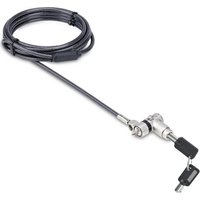
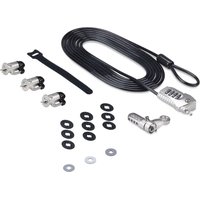
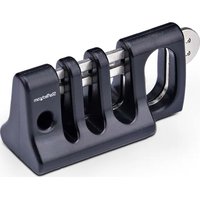
Marque : StarTech.com
Modèle : CONNLOCKPK5
Catégorie : Serrure