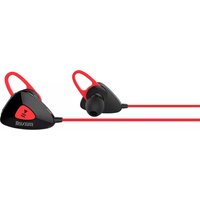
MXH-BTS500 - Ecouteur MAXELL - Notice d'utilisation et mode d'emploi gratuit
Retrouvez gratuitement la notice de l'appareil MXH-BTS500 MAXELL au format PDF.


| Type de produit | Écouteurs Bluetooth sans fil |
| Marque | Maxell |
| Modèle | MXH-BTS500 |
| Dimensions (écouteur) | Environ 4,5 x 2,5 x 2 cm |
| Poids (écouteur) | Environ 5 g par écouteur |
| Poids (étui de charge) | Environ 35 g |
| Alimentation | Batterie lithium-ion rechargeable intégrée |
| Autonomie | Environ 5 heures (écouteurs), 15 heures avec étui |
| Temps de charge | Environ 1,5 heure pour les écouteurs, 2 heures pour l'étui |
| Connectivité | Bluetooth 5.0 |
| Portée Bluetooth | Environ 10 mètres |
| Fonctions principales | Lecture/pause, contrôle du volume, appels mains-libres, réduction de bruit passive |
| Commandes tactiles | Oui, via touches capacitives |
| Résistance à l'eau | IPX5 (résistant aux éclaboussures) |
| Entretien et nettoyage | Essuyer avec un chiffon doux et sec. Ne pas immerger. |
| Sécurité | Ne pas utiliser en conduisant. Tenir hors de portée des enfants. |
| Pièces détachées | Embouts auriculaires, câble USB, étui de charge |
| Réparabilité | Non réparable par l'utilisateur. Contacter le SAV Maxell. |
| Informations générales | Garantie 2 ans. Fabriqué en Chine. |
FOIRE AUX QUESTIONS - MXH-BTS500 MAXELL
Questions des utilisateurs sur MXH-BTS500 MAXELL
0 question sur cet appareil. Repondez a celles que vous connaissez ou posez la votre.
Poser une nouvelle question sur cet appareil
Téléchargez la notice de votre Ecouteur au format PDF gratuitement ! Retrouvez votre notice MXH-BTS500 - MAXELL et reprennez votre appareil électronique en main. Sur cette page sont publiés tous les documents nécessaires à l'utilisation de votre appareil MXH-BTS500 de la marque MAXELL.
MODE D'EMPLOI MXH-BTS500 MAXELL
MXH-BTS500 User Manual
Bluetooth wireless earphones MXH-BTS500 is a portable hand free communication device with HFP, HSP and A2DP profile built-in Bluetooth wireless technology. This earbud is designed and manufactured in accordance with Bluetooth specification V4.1.
General Specification
General Earbuds Features
Bluetooth version: V4.1
Support profile: A2DP, AVRCP, HSP, HFP
Operation range: 10m (open field)
Standby time: 150hrs
Operation time: 4.5hrs
Battery type: 80mAh lithium battery
Charging: Micro USB 5Vdc
Water resistance: IPx4
Audio Characteristics
Impedance: 32Ω ± 15%
Frequency response: 20-20kHz
Output SPL: 102 ±4dB
Mic frequency response: 100-10kHz
Operation Indication

| Function | Operation | Result |
| Power On | Press and hold the MFB for 4 seconds in the power off mode | Blinking fast in Blue (LED) for 4 times, and will try to connect the last connected device. Voice prompt: Power on. |
| Power Off | Press and hold the MFB for 4 seconds in the standby mode | RED (LED) on for 4 seconds and then off Voice prompt: Power off |
| Pairing | In the power off mode, press and hold the MFB for 8 seconds | LED blinking in Blue and Red. Voice prompt: Pairing |
| Turn ON your Smartphone and search the BT devices | "MXH-BTS500" should displayed in the device list | |
| Select "MXH-BTS500" from the list on your Smartphone to perform the pairing.*If the smartphone ask pin code, please enter "0000". | When Pairing success, LED indicator will flash blueVoice prompt: Pairing Successful, Connected | |
| Music Play | One click MFB for Play/Pause | Music will start to play and pause |
| Volume Adjustment | One click Volume Up(+) or Volume Down(-) | Max. VolumeAlert tone + Voice prompt: Maximum Volume;Min. VolumeAlert tone . |
| Next/Previous Song | Press and hold the (+) for Next Song, Press and hold the (-) for Previous Song. | The playing song will skip to the Next or Previous. |
| Incoming Call | One click the multifunction button(MFB) to answer the call | Voice prompt: Incoming Call From + caller number |
| Voice Dialing or Voice control | Press and hold the multifunction button (MFB) during the music playing or standby mode until the "BI" tone to activate the voice dial of the Smartphone. | Voice dial or Voice control function will be different with different smartphones. Please refer to the operation instruction of your smartphone. |
| End call | One click MFB to end the call | Voice prompt: Call ended |
| Redial | Double click MFB button for last number redial | Smartphone will redial the last called number. Voice prompt: Re-dialing |
| Reject Call | Press and hold the MFB around 1s during incoming call ringing to reject the call | The incoming call will be rejected, Voice prompt: Call rejected |
| Call Transfer | Earphone to Smartphone: Press and Hold MFB around 1s until the "Bi" tone during the call. | Can hear the "Bi" tone from the earphone and the call transfer to the smartphone. |
| Transfer back to the Earphone: Press and Hold MFB around 1s until the "Bi" tone. | Can hear the "Bi" tone from the earphone and the call transfer back to the earphone. | |
| BT Pairing memories delete. | Connect the USB cable for charging. Press and hold both vol"+,"-" button for around 4 second. | Blue and Red LED flash 3 times and can hear the "Bi" tone from the earphone. All Pairing memories have been cleaned. (If you cannot do the pairing successful, please perform this memory clean procedure.) |
*Functions may not the same with different devices.
EN
WARNING:
- Don't use the headphone during driving, cycling and any machine operating.
- Don't use the headphone at high volume for long time. That may cause the hearing damage.
- To avoid the hearing damage by the suddenly big sound, Please minimize the volume on the playback devices before connect the headphone to the playback devices.
- Don't disassemble, modify or attempt repair the headphone.
- Please refer the user guide to use the accessories.
CAUTION:
- Do not burn or bury batteries.
- Do not disassemble.
- Lithium batteries must be recycled. Do not dispose of in the bin.
- Use only chargers rated for Lithium batteries. Be sure the charger's voltage and current settings are correct for the battery pack being charged.
- Charge batteries on a fireproof surface and away from flammable items or liquids.
- Batteries should NEVER be left unattended while charging. Only adults should charge the batteries or give clear instructions to children for charging.
- Follow the manufacturer's instructions for charging the product and do not charge longer than recommended. Unplug the charger when the battery is fully charged or not in use.
EN
- Avoid operating your unit under direct sunlight or in hot, humid or dusty places.
- Keep your unit away from heating appliances and sources of electrical noise such as lamps or motors.
- Do not let the earphone fall onto the floor or other hard surfaces. The internal circuit might get damaged.
- To prevent fire or shock hazards, disconnect your unit from the USB port of power source when cleaning.
- The finish on the unit may be cleaned with a dust cloth and cared for as other furniture; be careful when cleaning and wiping the plastic parts.
- If you feel anything abnormal about the product during use, STOP using the product immediately.
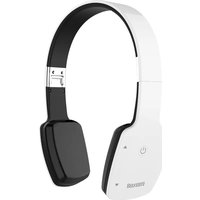

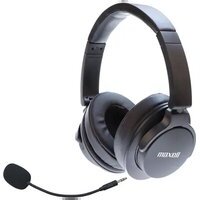
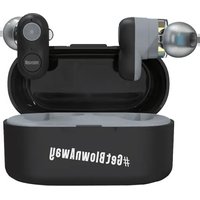
Marque : MAXELL
Modèle : MXH-BTS500
Catégorie : Ecouteur