MODE D'EMPLOI TE-2200 CASIO ELECTRONIC CASH REGISTER
TE-2200 TE-2400
DEALER'S MANUAL
Version 1.0 August 2005
natural_image
Illustration of two different types of cash register devices, one with a keypad and the other with a grid-patterned base (no text or symbols)
Eu Di U.K.
CI Canada
This manual is intended to be used as a reference to the TE-2200 and TE-2400 system. It provides details to allow whole understanding of the system capabilities, its operation, and how it can be used to solve many problems within the retail outlet.
This manual consists of the following chapters:
Hardware configuration (for installation)
IPL (initial program loading)
Initialization
This chapter describes how to set up the peripheral devices and the terminals.
Programming
This chapter explains actual programming procedure and functions.
Manager mode
X/Z report
Application system
Tips
Appendix:
Printing history
Manual version
Version 1.0 : August 2005
Software version
Version 1.0.0
Revised points
System configuration 11
Hardware configuration 11
General configuration 11
Hardware diagram 12
Display 13
Input/output connectors 13
Online configuration....14
Peripheral ports and their connectable devices 14
IPL (Initial program loading)....15
Memory map of the terminal.... 15
System configuration and procedure 15
Via COM1 port (to receive IPL data from PC).... 15
Via CF card (to send the IPL data to CF card)....16
Via CF card (to send the IPL data to register) 16
Initialization 17
Machine initialization procedure .... 17
Flag clear operation....19
Init 2 operation....19
Entering diag mode 20
Password 20
Programming (General explanation) 21
Program sub mode (P1 thru P7 mode) 21
Entering the program sub mode 21
File allocation (Program 5) ......23
File allocation program 23
Programming procedure 23
Issuing program reading report of program 5 mode....27
Issuing procedure 27
Report sample 27
Key allocation (Program 4)....29
Key allocation program 29
Programming procedure 29
Configuration of the physical key layout....30
Issuing program reading report of program 4 mode....32
Issuing procedure 32
Report sample 32
Key function/machine feature (Program 3)....33
General control program....33
Programming procedure 33
Program data (by address code) 33
Address code 01 (date order/password) 33
Address code 02 (password) 33
Address code 03 (consecutive number) 33
Address code 04 (tax system, rounding, etc.) 34
Address code 05 (print control for receipt) 35
Address code 06 (calculation & operation control) 36
Address code 07 (menu & price shift) 37
Address code 08 (print control for fixed total report) 38
Address code 09 (print control for fixed total report) 39
Address code 10 (print control for taxable amount, till timer) 40
Address code 13 (online control) 40
Address code 14 (currency exchange control) 41
Address code 15 (print control for reports) 42
Address code 16 (print control for grand total) 43
Address code 17 (print control)....44
Address code 18 (print control for guest receipt and slip) 45
Address code 19 (order control) 45
Address code 21 (message control) 46
Address code 25 (condiment etc.) 47
Address code 26 (check tracking) 47
Address code 27 (clerk control) 47
Address code 28 (Euro) 48
Address code 29 (Euro) 48
Address code 30 (Internal thermal printer control) 49
Address code 32 (direct maintenance PLU) 49
Address code 31 (scanning) 49
Address code 33 (batch PLU maintenance) 50
Address code 34 (backlight control) 50
Address code 36 (store/recall/auto new check number)....51
Address code 37 (check number) 51
Department key/flat-PLU key/PLU program (Batch feature programming) 52
Programming procedure 52
Program data 52
Department key/flat-PLU key/PLU program (Individual feature programming) ..... 54
Programming procedure 54
Program data (by address code) 54
Transaction key program 57
Programming procedure 57
Program data 57
Clerk program 80
Secret number, drawer, check number programming 80
Clerk detail link programming 80
Clerk other programming 81
Other programs....83
Time range programming 83
Table range programming 83
Tax table programming 84
Set menu programming 89
Batch X/Z report programming 89
Arrangement programming 90
Check print control programming....90
Mix & match programming 91
Employee number programming 92
Scheduler programming 93
Bottle link table programming 95
I/O parameter table programming....96
Printer connection table programming 97
Non PLU table programming 98
Scanning PLU maintenance programming 99
Batch maintenance PLU programming 99
Activation of batch maintenance PLU 99
Scanning PLU direct maintenance programming 100
Scanning PLU individual programming....101
One touch NLU programming 103
Issuing program reading report of program 3 mode....104
Issuing procedure 104
Report sample 104
Character (Program 2) 105
Programming descriptors 105
Programming procedure 105
Programming data 105
Programming item/key descriptors.... 114
Programming procedure 114
Programming data 114
Programming item/clerk descriptors by range 116
Programming procedure 116
Program data 116
Entering characters 117
By character keyboard 117
By character code 119
Character code list 119
Editing characters 120
Correcting a character just entered 120
Correcting and adding a PLU descriptor already set 120
Correcting a key descriptor already set 120
Correcting a message descriptor already set 120
Issuing program reading report of program 2 mode....121
Issuing procedure 121
Report sample 121
Unit price/rate (Program 1) 123
Date/time setting 123
Date setting....123
Time setting 123
Unit price program....123
Programming procedure 123
Rate program 125
125
, , <Premium (%+), <Discount (%−), 125
Amount program....125
, , , , , 125
Scanning PLU direct maintenance programming 125
Issuing program reading report of program 1 mode....126
Issuing procedure 126
Report sample 126
Program reading (Program 6) 127
Issuing program reading report 127
Issuing procedure 127
Report code 127
Report sample 128
Fixed totalizer 128
Transaction key 128
PLU 129
Department 130
Group 130
Clerk 131
Hourly sales 131
Scanning PLU 131
Table analysis 132
Grand total 132
General control 132
Special character 132
Report header 133
Tax table 133
Set menu table....133
Batch X/Z 133
Clerk detail link 134
Receipt message 134
Check endorsement....134
Slip/external printer message 135
Arrangement table 135
Character recall 135
Non-PLU table 135
Check print control 135
Mix & match 136
Employee 136
Scheduler 136
Bottle link table 136
One touch NLU 137
Help message 137
Terminal connection table 137
Printer connection table 137
AT command....138
Online password 138
I/O parameter table 138
Miscellaneous message 138
Printing guidance message 138
Error message 139
Registration guidance message 139
X/Z guidance message 139
Program guidance message 139
Auto-program & system utilities (Program 7)....141
Auto-programming 141
Auto-programming functions....141
Auto-programming operation 144
Other utilities 145
Manager operation 149
Manager control mode (X1 mode) 149
Entering the manager control mode 149
Assign drawers for each clerk....149
Stock quantity maintenance (PLU/flat PLU/scanning PLU) 150
To add to the actual stock quantity of a PLU/flat PLU/scanning PLU 150
To subtract from the actual stock quantity of a PLU/flat PLU/scanning PLU 150
To input the new stock quantity of a PLU/flat PLU 151
Clerk assignment 151
To link clerk button/key to interrupt buffers 151
To link clerk secret numbers to interrupt buffers 151
To link clerk numbers to clerk number keys 151
Programming for the Euro 152
Programming for the Australian GST 154
Programming of items in the program 1 mode 154
To enter the program 1 mode ....154
To exit the program 1 mode ....154
Read/reset report issuance 155
Preparation for issuing report 155
Money declaration 155
Password (X2/Z2 mode) 155
Issuing read/reset report 155
Programmability 156
Issuing procedure 156
Report sample 160
Financial report 160
Individual item/key report 160
Fixed total report 161
Transaction key report 162
PLU report 163
PLU stock report 164
Department report....165
Group report 166
Clerk report 167
Hourly sales report....168
Monthly report....168
Table analysis report 169
Open check report 169
Scanning PLU report 170
Scanning PLU stock report 172
Mix & match report....172
Time & attendance report 173
File reset 173
Application systems 175
Scanning PLU 175
System configuration of the scanning PLU system 175
Setup 175
Barcode system 175
PLU maintenance 176
Scanning PLU registration 177
Mix & match discount....179
Check tracking system....180
System configuration 180
Printing on the external printers 181
System configuration of the external printer system 181
Backup system 181
Printing control options for order 182
Time and attendance 182
Tips 183
Future order 183
Usage 183
Preparation 183
Eat-in/takeout 183
Automatic execution of Euro switchover by arrangement and scheduler ...... 184
Appendix: Calculation method .... 185
Fixed total file....185
Appendix: Font code tables 187
Standard font set (default) 187
Multilingual + Euro (Windows code page 858) 187
Special font set 188
Slavic (Windows code page 852) 188
Greek 188
Cyrillic (Windows code page 866) 189
Baltic 189
Arabic....190
Appendix: Peripheral device configuration 191
UP-360....191
SP-1300 191
Quick scan 6000....192
Fixed totalizer file 193
Fixed totalizer (daily)....193
Fixed totalizer (periodic/consolidation) 193
Transaction key file 194
Transaction key (daily) 194
Transaction key (periodic/consolidation) 194
PLU file 194
PLU (daily) 194
PLU (periodic/consolidation) 194
Department file 195
Department (daily) 195
Department (periodic/consolidation) 195
Group file 195
Group (daily) 195
Group (periodic/consolidation) 195
Clerk file....196
Clerk (programming) 196
Clerk detail (daily, periodic/consolidation) 196
Clerk detail link (program)....196
Hourly sales file 197
Hourly sales (daily) 197
Hourly sales (periodic/consolidation) 197
Monthly sales file 197
Monthly sales (daily, periodic/consolidation) 197
Scanning PLU files 198
Scanning PLU file (daily) 198
Non PLU table file (program) 198
Batch maintenance PLU file (program)....198
Direct maintenance PLU file (program) 198
One touch NLU table file....199
Mix & match table file 199
Mix & match table file (daily) 199
Mix & match table file (periodic/consolidation)....199
Bottle link table file 199
Bottle link table file (program) 199
Table analysis file 200
Table analysis (daily) 200
Table analysis (periodic/consolidation) 200
Time and attendance file....200
Time and attendance (daily) 200
Employee file 200
Grand total file 201
Grand total (daily) 201
Grand total (consolidation)....201
General control file 201
General control 201
Special character file 202
Special character 202
Report header file 202
Report header 202
Tax table file 202
Tax table 202
Set menu table file 202
Set menu table....202
Batch X/Z file 203
Batch X/Z 203
Receipt message file 203
Receipt message 203
Check endorsement message file 203
Check endorsement message 203
Slip/external printer message file 203
Slip/external printer message 203
Arrangement file 204
Arrangement file 204
Character recall file 204
Character recall 204
Check print file 204
Check print....204
Scheduler file 204
Scheduler 204
System files 205
Character key table file ....205
Key table file 206
Terminal connection table file 207
Printer connection table 207
Operation start date file 207
Initialize code file 207
AT command file 208
Online password file 208
I/O parameter table file 208
System error log file 208
Graphic image files....208
Graphic logo file 208
Graphic logo file (for external printer) 208
Watermark print file 208
Guidance message files 209
Error message file....209
Miscellaneous message file 213
Printing guidance message file 214
X/Z guidance message file 216
Program guidance message file 218
Registration guidance message file 221
Help message file 222
Appendix: Compulsory 227
Appendix: Error code....229
Index 233
System configuration
Hardware configuration
General configuration
① Operator display
Hardware diagram
flowchart
graph TD
    A["Main Display"] --> B["Journal printer"]
    B --> C["Receipt printer"]
    C --> D["Keyboard"]
    D --> E["Power supply"]
    E --> F["CF card"]
    F --> G["External printer UP-360"]
    G --> H["PRT-CB-8A-8B"]
    H --> I["Slip printer SP-1300"]
    I --> J["PRT-CB-8C"]
    J --> K["MODEM or PC"]
    K --> L["Multi drawer kit MDL-12"]
    L --> M["Drawer"]
    M --> N["Drawer disp. i/f"]
    N --> O["RS-232C COM1"]
    N --> P["RS-232C COM2"]
    O --> Q["CPU"]
    P --> R["Flash Memory"]
    P --> S["RAM"]
    style A fill:#f9f,stroke:#333
    style B fill:#ccf,stroke:#333
    style C fill:#cfc,stroke:#333
    style D fill:#fcc,stroke:#333
    style E fill:#ffc,stroke:#333
    style F fill:#fcc,stroke:#333
    style G fill:#fcc,stroke:#333
    style H fill:#fcc,stroke:#333
    style I fill:#fcc,stroke:#333
    style J fill:#fcc,stroke:#333
    style K fill:#fcc,stroke:#333
    style L fill:#fcc,stroke:#333
    style M fill:#fcc,stroke:#333
    style N fill:#fcc,stroke:#333
    style O fill:#fcc,stroke:#333
    style P fill:#fcc,stroke:#333
    style Q fill:#fcc,stroke:#333
    style R fill:#fcc,stroke:#333
    style S fill:#fcc,stroke:#333
    style T fill:#fcc,stroke:#333
    style U fill:#fcc,stroke:#333
    style V fill:#fcc,stroke:#333
    style W fill:#fcc,stroke:#333
    style X fill:#fcc,stroke:#333
    style Y fill:#fcc,stroke:#333
    style Z fill:#fcc,stroke:#333
Note: Shadowed device and dot line indicate option devices.
Display
Contrast control (Except for U.S. model)
flowchart
graph TD
    A["RECEIPT ON/OFF"] --> B["DATE/TIME"]
    B --> C["HELP"]
    C --> D["LIGHT"]
    D --> E["DARK"]
CONTRAST
Input /output connectors
COM ports are located in the leftside connector cover.
Online configuration
Peripheral ports and their connectable devices
Model Device Drawer port COM port COM1 COM2 TE-2200TE-2400 MODEM/PC √ External printer(Max. 2 printers) √ √ Slip printer √ Scanner √ Drawer 1 (Max 2)
√: can connect
Available device/cable list
External printer: UP-360 Printer cable: PRT-CB-8A(3m) or PRT-CB-8B(5m) Slip printer: SP-1300 Printer cable: PRT-CB-8C Power supply: AD31U or AD31E Scanner (Hand-held): HHS-15 Scanner (LASER): PSC Quick Scan 6000 Scanner (Fixed) PSC HS1250 MODEM: US Robotics 56K V.92 External Faxmodem/56K Faxmodem (U.S. only) PC cable: PRL-CB-2
After connecting peripheral devices, programming of I/O parameter table, printer connection table are necessary.
flowchart
graph TD
    A["START"] --> B["Connect Modem or PC?"]
    B -->|No| C["Connect it to COM1 port."]
    B -->|Yes| D["Connect a scanner?"]
    D -->|No| E["Connect it to COM2 port."]
    D -->|Yes| F["Connect external printer(s)?"]
    F -->|No| G["END"]
    F -->|Yes| H["Connect it (them) to free COM port(s)."]
    H --> F
    G --> I["End"]
IPL (Initial program loading)
IPL should be made before initializing when the application program has been modified.
Memory map of the terminal
The application programs are downloaded from PC (via COM port)/other terminal (via inline or COM port)/CF card to the internal flash memory.
CF cardbackup dataprogram data RAMtotalizer/counter,work area Flash memoryApplication program ROMbios, program loader some diagnosis
Application program
System configuration and procedure
Via COM1 port (to receive IPL data from PC)
Operation
Set the mode switch to OFF position.
While holding down the , turn the mode switch to PGM position.
Release after the register shows "INIT".
Enter "44449999" and press .
Enter “0” (communication speed: 38400 bps) and press .
Start the IPL program of the PC.
Via CF card (to send the IPL data to CF card)
Operation
Set the mode switch to OFF position.
Open the CF card slot cover and insert the CF card securely.
(Please check that the CF card is vacant. Refer to the “System utility section in PGM7”.)
Turn the mode switch to PGM position.
Enter "7" and press .
Enter "170" and press .
Enter "49" and press .
(In case of quitting, press instead of .)
Turn OFF the register and pull out the CF card.
Via CF card (to send the IPL data to register)
Operation
Set the mode switch to OFF position.
Open the CF card slot door and insert the CF card securely.
While holding down the , turn the mode switch to PGM position.
Release after the register shows "INIT".
Enter “44449999” and press .
Enter "20" and press .
CF card
natural_image
Illustration of a desktop computer with a paper feed and control panel (no text or symbols)
Never plug/unplug the CF card during IPL.
Initialization
Machine initialization procedure
Plug the power cord into an AC outlet.
Hold down .
Turn the mode switch to PGM position.
Release .
You should see “0000000000” on the display.
If 10 zeros are not shown or another character are shown, immediately set the mode switch to OFF and restart from the beginning of this procedure.
Enter 11-digit program code from the worksheet.
Press to register the program code.
(Wait until beep twice.)
Press to register the program code.
natural_image
Simple line drawing of a plug inserted into a socket with a magnified arrow pointing to the socket (no text or symbols)
flowchart
graph TD
    A["REG1"] --> B["X1"]
    C["REG2"] --> B
    D["Z1"] --> E["X2/Z2"]
    F["OFF"] --> G["PGM"]
    H["RF"] --> G
    G --> I["->"]
    style A fill:#f9f,stroke:#333
    style C fill:#f9f,stroke:#333
    style D fill:#f9f,stroke:#333
    style E fill:#f9f,stroke:#333
    style F fill:#f9f,stroke:#333
    style G fill:#ccf,stroke:#333
    style H fill:#ccf,stroke:#333
    style I fill:#cff,stroke:#333
D_11D_10D_9D_8 D_3D_2D_1 TOTAL
refer to Worksheet (Initialize)
Worksheet (Initialize)
Description Choice Program code Print password of PGM mode, when flag clear operation is performed. Yes = 0No = 4 Password in PGM3 ~ 7 mode Significant numbers Messages and descriptors are written in English = 0, French = 1, Spanish = 2, German = 4 Significant number Model for U.S. or Canada (Date order: month/day/year) = 2, Other area (0,0, Date order: day/month/year) = 1, Other area (U, Date order: day/month/year) = 3 Significant number [XY7] Fixed value: TE-2200: 25 TE-2400: 04 Significant numbers [24H6] Use1 clerk switch (clerk push switch)/2 Clerk secret number key * a 1 = 02 = 1 Initialization pattern:1 For scanning/2 For check tracking b 1 = 02 = 2 Use Euro only. No = 0Yes = 1
* When you select this option “Use clerk secret code key”, and your register doesn’t have this key on the default keyboard, be sure to allocate (clerk secret number key) just after the initialization.
(Do NOT turn to OFF before allocating this key.)
Note:
Please check the receipt after initialization operation (machine initialization, flag clear operation and init2) that the machine number is printed properly.
If error codes are printed on it, check the hardware and retry the operation.
P01 03-04-2004 11:58C01 MC#01 000001 Mode symbol/date/time Clerk descriptor/Mc-No./consecutive No. INIT(C) 2005 by CASIOCOMPUTER CO.,LTD.All rights reserved. INIT symbol Copyright TE-2200/2400 STD Model name VER. :nnnnLABEL :nnnnnn ROM version ROM label VER. :nnnnLABEL :nnnnnnINIT. :nnnnnnnnnnnnnn0002-98 2000: ROM version ROM label Initialization code I/O parameter table record No./error code
Flag clear operation
Plug the power cord into an AC outlet.
Hold down .
Turn the mode switch to PGM position.
flowchart
graph TD
    A["REG1"] --> B["OFF"]
    C["REG2"] --> D["X1"]
    E["Z1"] --> F["X2/Z2"]
    G["RF"] --> H["PGM"]
    style A fill:#f9f,stroke:#333
    style B fill:#ccf,stroke:#333
    style C fill:#cfc,stroke:#333
    style D fill:#fcc,stroke:#333
    style E fill:#cff,stroke:#333
    style F fill:#ffc,stroke:#333
    style G fill:#f9f,stroke:#333
    style H fill:#ccf,stroke:#333
Release .
You should see “FFFFFFFF” on the display.
If 10 Fs are not shown or another character are shown, immediately set the mode switch to OFF and restart from the beginning of this procedure.
Press to complete.
After completion of flag clear, receipt is issued.
Note: After flag clear, clerk 1 is assigned automatically. So do not program clerk 1 as not assignable or not operable in PGM mode.
Init 2 operation
Plug the power cord into an AC outlet.
Hold down .
Turn the mode switch to PGM position.
flowchart
graph TD
    A["REG1"] --> B["OFF"]
    C["REG2"] --> D["X1"]
    E["Z1"] --> F["X2/Z2"]
    G["RF"] --> H["PGM"]
    I["Off"] --> J["Central Y-shaped structure"]
    style A fill:#f9f,stroke:#333
    style C fill:#f9f,stroke:#333
    style E fill:#f9f,stroke:#333
    style G fill:#f9f,stroke:#333
    style I fill:#f9f,stroke:#333
    style J fill:#ccf,stroke:#333
Release .
You should see “FFFFFFFF” on the display.
If 10 Fs are not shown or another character are shown, immediately set the mode switch to OFF and restart from the beginning of this procedure.
Enter “8888888888” and press to complete.
After completion, receipt is issued.
Entering diag mode
Plug the power cord into an AC outlet.
natural_image
Simple line drawing of a plug inserted into a socket with a cable, next to an arrow symbol (no text or labels)
Hold down .
Turn the mode switch to PGM position.
flowchart
graph TD
    A["REG1"] --> B["X1"]
    C["REG2"] --> D["Z1"]
    E["OFF"] --> F["X2/Z2"]
    G["RF"] --> H["PGM"]
    style A fill:#f9f,stroke:#333
    style B fill:#ccf,stroke:#333
    style C fill:#cfc,stroke:#333
    style D fill:#fcc,stroke:#333
    style E fill:#cff,stroke:#333
    style F fill:#ffc,stroke:#333
    style G fill:#cfc,stroke:#333
    style H fill:#fcc,stroke:#333
Release .
Enter “99990000” and press to enter the diagnosis.
Password
During initialize operation, you can program the password for PGM 3 \~ 7. If it is set, every time you enter PGM 3 \~ 7 mode, you must input this password by the following procedure.
Press <#-1> (normally ).
Enter password.
Press <#-2> (normally ).
Otherwise, you can do nothing in the PGM 3 \~ 7 mode.
Programming (General explanation)
Program sub mode (P1 thru P7 mode)
Program mode contains seven sub modes listed below. When you change the mode switch to PGM mode, the register is always in the PGM 1 mode. In case of using other mode, enter the sub mode number (2 \~ 7) and press .
PGM1: unit price, rate, date, time, scanning PLU unit price maintenance
PGM2: descriptor, name, message
PGM3: machine feature (general function, clerk, etc.), key feature (department, transaction), scanning PLU maintenance
PGM4: key allocation
PGM5: file allocation
PGM6: program reading
PGM7: auto-program, system utility
Entering the program sub mode
Procedure (for PGM 1, 2 mode)
flowchart
graph TD
    A["PGM\nMode switch"] --> B["1"]
    B --> C["CA/AMT/TEND"]
    C --> D["□ □ □ □"]
    D --> E["SUB TOTAL"]
    E --> F["PGM1"]
    A --> G["2"]
    G --> H["CA/AMT/TEND"]
    H --> I["□ □ □ □"]
    I --> J["SUB TOTAL"]
    J --> K["PGM2"]
Enter password for PGM 1, 2 mode. If the register has no password for the PGM1 and 2 mode, you need not to enter it.
Press . An error occurs if you try to enter the PGM1 or 2 mode without inputting a password (when one is programmed), or if the password you input does not match the one programmed for the register.
To avoid repetition, the above operation is abbreviated to the following for all of the other procedure in this manual.
This password is defined by the address code 02 of the general function program.
Procedure (for PGM 3 \~ 7 mode)
flowchart
graph LR
    A["PGM\nMode switch"] --> B["3 ~ 7\nSUB TOTAL"]
    B --> C["CA/AMT/TEND\npassword (4-digit)"]
    C --> D["SUB TOTAL"]
    D --> E["PGM 3 ~ 7"]
Enter password for PGM 3 \~ 7 mode. If the register has no password for the PGM 3 \~ 7 mode, you need not to enter it.
Press . An error occurs if you try to enter the PGM 3 \~ 7 mode without inputting a password (when one is programmed), or if the password you input does not match the one programmed for the register.
To avoid repetition, the above operation is abbreviated to the following for all of the other procedure in this manual.
This password is defined during initialization operation.
File allocation (Program 5)
File allocation program
Programming procedure
flowchart
graph LR
    A["PGM\nMode switch"] --> B["5"]
    B --> C{SUB TOTAL}
    C --> D[" "]
    C --> E[" "]
    C --> F[" "]
    C --> G[" "]
    D --> H[" "]
    E --> I[" "]
    F --> J[" "]
    G --> K["CA/AMT/TEND"]
    K --> L["SUB TOTAL"]
    style A fill:#f9f,stroke:#333
    style L fill:#ccf,stroke:#333
File attribution code (see below.)
File attribution code daily sales Periodic 1 Periodic 2 Consolidation file Daily sales Periodic 1 Periodic 2 0 √ 1 √ √ 2 √ √ √ 3 √ √ 4 √ √ √ √ 5 √ √ √ √ √ √
File number list
File No. File description Record length Max No. of records Description Attribu-tion Allocat-able Default Rec. No. System files 088 Auto-program work 6 1 Work No 1 089 Consecutive number work 6 1 Work No 1 091 Terminal connection table 12 1 Program Yes 32 093 Printer connection table 5 7 Program Yes 3 094 Start date 4 1 Buffer No 1 095 Initialize code 7 1 Program No 1 096 AT command 62 2 Program Yes 2 097 Online password 8 1 Program Yes 1 098 I/O parameter table 4 2 Program No 4 099 System error log 11 99 Buffer Yes 99 Function and total files 001 Fixed totalizer 22 99 Pgm/Sale No 99 --- (periodic total 1) 10 99 Sales Yes 99 --- (periodic total 2) 10 99 Sales Yes 0 --- (daily consolidation) 10 99 Sales Yes 0 --- (periodic 1 consolidation) 10 99 Sales Yes 0 --- (periodic 2 consolidation) 10 99 Sales Yes 0 002 Transaction key 35 999 Pgm/Sale Yes 30 --- (periodic total 1) 10 999 Sales Yes 30 --- (periodic total 2) 10 999 Sales Yes 0 --- (daily consolidation) 10 999 Sales Yes 0 --- (periodic 1 consolidation) 10 999 Sales Yes 0 --- (periodic 2 consolidation) 10 999 Sales Yes 0 004 PLU 73 *A Pgm/Sale Yes 216 --- (periodic total 1) 30 *A Sales Yes 0 --- (periodic total 2) 30 *A Sales Yes 0 --- (daily consolidation) 30 *A Sales Yes 0 --- (periodic 1 consolidation) 30 *A Sales Yes 0 --- (periodic 2 consolidation) 30 *A Sales Yes 0 005 Department 59 99 Pgm/Sale Yes 30 --- (periodic total 1) 25 99 Sales Yes 30 --- (periodic total 2) 25 99 Sales Yes 0 --- (daily consolidation) 25 99 Sales Yes 0 --- (periodic 1 consolidation) 25 99 Sales Yes 0 --- (periodic 2 consolidation) 25 99 Sales Yes 0 006 Group 22 99 Pgm/Sale Yes 10 --- (periodic total 1) 10 99 Sales Yes 0 --- (periodic total 2) 10 99 Sales Yes 0 --- (daily consolidation) 10 99 Sales Yes 0 --- (periodic 1 consolidation) 10 99 Sales Yes 0 --- (periodic 2 consolidation) 10 99 Sales Yes 0 009 Hourly sales 24 99 Pgm/Sale Yes 24 --- (periodic total 1) 20 99 Sales Yes 0 --- (periodic total 2) 20 99 Sales Yes 0 --- (daily consolidation) 20 99 Sales Yes 0 --- (periodic 1 consolidation) 20 99 Sales Yes 0 --- (periodic 2 consolidation) 20 99 Sales Yes 0
*A: Depend on the model
File No. File description Record length Max No. of records Description Attribu-tion Allocat-able Default Rec. No. 010 Monthly sales 20 31 Pgm/Sale Yes 31 --- (periodic total 1) 20 31 Sales Yes 0 --- (periodic total 2) 20 31 Sales Yes 0 --- (daily consolidation) 20 31 Sales Yes 0 --- (periodic 1 consolidation) 20 31 Sales Yes 0 --- (periodic 2 consolidation) 20 31 Sales Yes 0 018 Table analysis 28 99 Pgm/Sale Yes 0 --- (periodic total 1) 10 99 Sales Yes 0 --- (periodic total 2) 10 99 Sales Yes 0 --- (daily consolidation) 10 99 Sales Yes 0 --- (periodic 1 consolidation) 10 99 Sales Yes 0 --- (periodic 2 consolidation) 10 99 Sales Yes 0 020 Grand total 20 3 Pgm/Sale Yes 3 --- (daily consolidation) 8 3 Sales Yes 3 Check files 015 Check index 255 200 Buffer Yes (60)*B 056 Separate check buffer 100 1500 Buffer Yes (80)*B 060 Check detail 100 9999 Buffer Yes (900)*B Clerk files 007 Clerk 38 99 Program Yes 15 030 Clerk detail link 9 200 Program Yes 10 011 Clerk detail 10 99 × 99 Sales Yes 150 --- (periodic total 1) 10 99 × 99 Sales Yes 150 --- (periodic total 2) 10 99 × 99 Sales Yes 0 --- (daily consolidation) 10 99 × 99 Sales Yes 0 --- (periodic 1 consolidation) 10 99 × 99 Sales Yes 0 --- (periodic 2 consolidation) 10 99 × 99 Sales Yes 0 Time and attendance files 019 Time and attendance 16 999 Sales Yes 0 061 Employee 17 99 Program Yes 10 Scanning PLU files 016 Scanning PLU 58 *A Pgm/Sale Yes (<-)*C 040 Non PLU table 8 100 Program Yes (10)*C 051 Mix & match table 30 99 Pgm/Sale Yes 0 --- (periodic total 1) 10 99 Sales Yes 0 --- (periodic total 2) 10 99 Sales Yes 0 --- (daily consolidation) 10 99 Sales Yes 0 --- (periodic 1 consolidation) 10 9 Sales Yes 0 --- (periodic 2 consolidation) 10 99 Sales Yes 0 070 Batch maintenance PLU 42 1000 Program Yes (100)*C 071 Direct maintenance PLU 42 1000 Program Yes (50)*C 076 Scanning PLU index 2 S-PLU + 2 Buffer Automatic (5002)*C 077 One touch NLU table 7 999 Program Yes (10)*C Arrangement file 038 Arrangement table 11 9999 Program Yes 0
*A: Depend on the model.
*B: Allocate if you select “check tracking pattern” initialization, (refer to page 24 of this manual).
*C: Allocate if you select “scanning pattern” initialization, (refer to page 24 of this manual).
File No. File description Record length Max No. of records Description Attribu-tion Allocat-able Default Rec. No. Program / message / buffer files 022 General control 5 37 Program No 37 023 Special character 16 42 Program No 42 024 Report header 12 25 Program No 26 025 Tax table 74 10 Program Yes 4 028 Set menu table 60 999 Program Yes (10)*B 029 Batch X/Z 24 10 Program Yes 4 032 Receipt message 24 42 Program Yes 4 033 Check endorse message 40 4 Program Yes 0 034 Slip/external printer message 40 42 Program Yes 0 036 Registration buffer 100 1200 Buffer Yes 80 039 Character recall 40 999 Program Yes 10 041 Check print 3 9 Program Yes 0 046 Character key table 6 *E Program No *E 047 Graphic logo 48 168 Program Yes 168 049 Print buffer (for external printer) 50 600 Buffer Yes 0 062 Scheduler 22 99 Program Yes 0 065 Order character 12 99 Program Yes 0 067 Graphic logo (for external printer) 48 168 Program Yes 0 068 Watermark print 48 168 Program Yes 0 073 Bottle link table 4 999 Program Yes 0 074 Key table 24 *F Program No 150 078 Miscellaneous message 16 52 *D Program Yes 0 079 Printing guidance message 24 68 *D Program Yes 0 080 Error message 16 191 *D Program Yes 0 081 Registration guidance message 16 11 *D Program Yes 0 082 X/Z guidance message 16 38 *D Program Yes 0 083 Program guidance message 16 92 *D Program Yes 0 085 Help message 24 199 *D Program Yes 0 086 Slip print buffer 40 500 Buffer Yes 0
*A: Depend on the model.
Issuing program reading report of program 5 mode
Issuing procedure
flowchart
graph LR
    A["PGM\nMode switch"] --> B["5"]
    B --> C["SUB TOTAL"]
    C --> D["SUB TOTAL"]
Report sample
other
| File ID | Bytes | Value |
|-------------|-------|-------|
| P05 | - | - |
| FILE0001 | 22 | 99 |
| FILE0001 | 10 | 99 |
| FILE0002 | 35 | 100 |
| FILE0002 | 10 | 100 |
| RAM | - | 20,234 |
| Program read symbol | - | - |
| File name | - | - |
| Sales file record length/No. of records of daily sales/periodic sales 1/periodic sales 2 | - | - |
| Consolidation file record length/No. of records of daily sales/periodic sales 1/periodic sales 2 | - | - |
| Hyphen means no record. | - | - |
| Remaining RAM capacity | - | - |
Key allocation (Program 4)
Key allocation program
Programming procedure
By pressing the appropriate key
flowchart
graph TD
    A["PGM\nMode switch"] --> B["4\nSUB TOTAL"]
    B --> C["Menu sheet number\n0 0 0 0\nSUB TOTAL"]
    C --> D{See Menu sheet No. section}
    D --> E["To other key"]
    E --> F["Set the same function\n#-nn\nSUB TOTAL"]
    F --> G["Appropriate key\n(white key on the next page)"]
    G --> H["Function code\nRecord No. (department/transaction)\nRandom code or record No. (flat-PLU)"]
    H --> I["This step can be skipped for transaction key"]
    I --> J["~ □"]
    J --> K["Sub Total"]
    style A fill:#f9f,stroke:#333
    style G fill:#ccf,stroke:#333
By entering physical key code
flowchart
graph TD
    A["PGM\nMode switch"] --> B["4"]
    B --> C["Sub TOTAL"]
    C --> D["Menu sheet number"]
    D --> E["Physical key code\n(see the next page.)"]
    E --> F["Sub TOTAL"]
    F --> G["Sub TOTAL"]
    G --> H["CA/AMT/TEND"]
    H --> I["Sub TOTAL"]
    I --> J["Function code"]
    J --> K["Record No. (department/transaction)"]
    J --> L["Random code or record No. (flat-PLU)"]
    K --> M["This step can be skipped for transaction key."]
    L --> M
    M --> N["~"]
    N --> O["□ ~ □"]
    O --> P["Sub TOTAL"]
    P --> Q["Sub TOTAL"]
    Q -.-> R["Sub TOTAL"]
    R -.-> S["Sub TOTAL"]
    S -.-> T["Sub TOTAL"]
    T -.-> U["Sub TOTAL"]
    U -.-> V["Sub TOTAL"]
    V -.-> W["Sub TOTAL"]
    W -.-> X["Sub TOTAL"]
    X -.-> Y["Sub TOTAL"]
Menu sheet number
Menu sheet number Description (for transaction key) Description (for Dept/flat-PLU) 0 or skip entering Set a function to the 1st ~ 6th menu sheets. Set a function to the programmed menu sheet. 1 Set a function to the 1st menu sheet. Set a function to the 1st menu sheet. 2 Set a function to the 2nd menu sheet. Set a function to the 2nd menu sheet. 3 Set a function to the 3rd menu sheet. Set a function to the 3rd menu sheet. 4 Set a function to the 4th menu sheet. Set a function to the 4th menu sheet. 5 Set a function to the 5th menu sheet. Set a function to the 5th menu sheet. 6 Set a function to the 6th menu sheet. Set a function to the 6th menu sheet.
Configuration of the physical key layout
TE-2200
TE-2400 for Eu
038 045 052 059 066 073 080 087 094 101 108 031 029 026 RECEIPT FEED JOURNAL FEED 037 044 051 058 065 072 079 086 093 100 107 030 028 025 023 019 036 043 050 057 064 071 078 085 092 099 106 C 027 024 022 018 035 042 049 056 063 070 077 084 091 098 105 7 8 9 021 017 034 041 048 055 062 069 076 083 090 097 104 4 5 6 020 015 033 040 047 054 061 068 075 082 089 096 103 1 2 3 014 016 032 039 046 053 060 067 074 081 088 095 102 0 011 012 013
TE-2400 for US
045 052 059 066 073 080 087 094 101 108 038 036 033 030 RECEIPT FEED JOURNAL FEED 044 051 058 065 072 079 086 093 100 107 037 035 032 029 023 019 043 050 057 064 071 078 085 092 099 106 C 027 031 028 022 018 042 049 056 063 070 077 084 091 098 105 7 8 9 027 021 017 041 048 055 062 069 076 083 090 097 104 4 5 6 026 020 015 040 047 054 061 068 075 082 089 096 103 1 2 3 025 014 016 039 046 053 060 067 074 081 088 095 102 0 011 012 024 013
The shadowed key cannot be programmed with any other functions.
<00>, <000>, and <.> functions are only allocated to <#011> or <#012> keys.
Function code list
Function Code Initial character Add check 094 ADD CHK Arrangement 044 ARG Bill copy 047 BILL Bottle return 053 BR Cancel 236 CANCEL Cash amount tendered 001 CASH Charge 002 CHARGE Check endorsement 039 CK.E Check print 012 CHKP Check tender 003 CHECK Clerk number 072 CLK# Clock-in/out 108 CLOCK-IN/OUT Coupon 023 COUPON Coupon 2 036 CPN2 Credit 004 CREDIT Cube 090 XXX Currency exchange 045 CE Customer number 043 CT Date/Time 101 DATE/TIME Decimal point 098 . Declaration 061 DECLA Department nn051 DEPTnn Deposit 025 DEPOSIT Discount 028 % Eat-in 128 EAT-IN EBT tender 007 EBTTD Enter 105 ENT Error correct 034 CORR Flat PLU * nnnn063 PLUnnnn Food stamp status shift 059 F/S Food stamp subtotal 081 FSST Food stamp tender 005 FSTD Help 141 HELP Ketten Bon 113 X/KETTEN Loan 019 LOAN Lock out unused key 000 Manual tax 032 TAX Media change 118 MEDIA CHG Menu shift 064 MENU Merchandise subtotal 080 MDST Minus 027 - Multiplication/Date/Time 082 X Multiplication 100 X New balance 006 NB New check 091 NEW CHK New/old check 093 NEW/OLD No sale 042 NS Non-add 040 # Non-add/No sale 041 #/NS
Function Code Initial character Normal receipt 016 NRMRCT OBR 103 OBR Old check 092 OLD CHK One touch NLU 138 NLU Open 067 OPEN Open2 068 OPEN2 Open check 117 OPEN CHK Operator read/reset 073 OPE X/Z Paid out 021 PD Pick up 022 P. UP Plus 029 + PLU 048 PLU# Previous balance 026 PB Previous balance subtotal 079 PBST Premium 030 %+ Price 049 PRC Price change 104 PRC CHG Price inquiry 008 PRCINQ Price shift 069 PRICE SHIFT Quantity/for 083 QT Rate tax 031 TAX Recall 131 RECALL Receipt 038 RCT Receipt on/off 076 RCT ON/OFF Received on account 020 RC Red price 060 RED Refund 033 RF Review 071 REVIEW Separate check 095 SEP CHK Slip back feed/release 054 SB/R Slip feed/release 056 SF/R Slip print 055 SLIP Square 084 XX Stock inquiry 009 STKINQ Store 130 STORE Subtotal 075 SUBTOTAL Table number 058 TBL# Takeout 129 TAKE-OUT Tax exempt 062 EXEMPT Tax status shift 057 T/S Taxable amount subtotal 077 TAST Text print 011 PRT Text recall 010 CHAR Three zero 097 OOO Tip 015 TIP Tray total 074 TRAY TL Two zero 096 OO Validation 037 VLD VAT 046 VAT Void 035 VOID
* These functions cannot be allocated on TE-2200.
Issuing program reading report of program 4 mode
Issuing procedure
flowchart
graph LR
    A["PGM\nMode switch"] --> B["4"]
    B --> C["SUB TOTAL"]
    C --> D["SUB TOTAL"]
Report sample
Key function/machine feature (Program 3)
General control program
Programming procedure
flowchart
graph LR
    A["PGM\nMode switch"] --> B["3 SUB TOTAL"]
    B --> C["Address code\n(2 digits)"]
    C --> D["2 2 SUB TOTAL"]
    D --> E["Program data\n(Max. 10 digits)"]
    E --> F["CA/AMT/TEND"]
    F --> G["SUB TOTAL"]
Program data (by address code)
Address code 01 (date order/password)
Description Choice Program code Initial value Date orderYear/Month/Day = 0, 1Day/Month/Year = 2, Month/Day/Year = 3 Significant number (0 ~ 3) \_10 Dependent upon initialization code Monetary mode = 0, = 1, = 2, = 3 Significant number (0 ~ 3) \_9 Dependent upon initialization code Password in Manager mode & & & \ D_8 & D_7 & D_6 & D_5 0 & 0 & 0 & 0 \ D_8 & D_7 & D_6 & D_5 Password in X2/Z2 mode & & & \ D_4 & D_3 & D_2 & D_1 0 & 0 & 0 & 0 \ D_4 & D_3 & D_2 & D_1
Address code 02 (password)
Description Choice Program code Initial value Password in PGM1/PGM2 mode Significant numbers |c|c & & \ D_10 & D_9 & D_8 & D_7 |c|c 0 & 0 & 0 & 0 \ D_10 & D_9 & D_8 & D_7 Always “00” |c 0 & 0 \ D_6 & D_5 |c 0 & 0 \ D_6 & D_5 Always “0000” |c|c 0 & 0 & 0 \ D_4 & D_3 & D_2 & D_1 |c|c 0 & 0 & 0 \ D_4 & D_3 & D_2 & D_1
Address code 03 (consecutive number)
Description Choice Program code Initial value Reset consecutive number after daily fixed total reset report is issued. Yes = 1No = 0 \_8 0\_8 Always “0” 0\_7 0\_7 Consecutive number set value.It starts “set value + 1.” & & & & & & & & & & & & & & & & & & & & & & & & & & & & & & & & & & _6 & D_5 & D_4 & D_3 & D_2 & D_1 & _6 & D_5 & D_4 & D_3 & D_2 & D_1 & _6 & D_5 & D_4 & D_3 & D_2 & D_1 & _6 & D_5 & D_4 & D_3 & D_2 & D_1 $\begin{array}{c}\textcircled{0} \\\textcircled{0} \\\textcircled{0} \\\textcircled{0} \\\textcircled{0} \\\textcircled{0} \\\textcircled{0} \\\textcircled{0} \\\textcircled{0} \\\textcircled{0} \\\textcircled{0} \\\textcircled{0} \\\textcircled{0} \\\textcircled{\text{0}} \\\textcircled{0} \\\textcircled{0} \\\textcircled{0} \\\textcircled{0} \\\textcircled{0} \\\textcircled{0} \\\textcircled{0} \\\textcircled{0} \\\textcircled{0} \\\textcircled{0} \\\textcircled{0} \\\textcircled{0} \\\text{\textcircled{0}} \\\text{\textcircled{0}} \\\text{\textcircled{0}} \\\text{\textcircled{0}} \\\text{\textcircled{0}} \\\text{\textcircled{0}} \\\text{\textcircled{0}} \\\text{\textcircled{0}} \\\text{\textcircled{0}} \\\text{\textcircled{0}} \\\text{\textcircled{0}}
\end{array}$
Address code 04 (tax system, rounding, etc.)
Description Choice Program code Initial value Apply rounding for registration.No rounding = 0, IF1 = 1, IF2 = 2, Danish = 3, Norwegian = 4,Singaporean = 5, Finnish = 6, Australian = 7, South Africa = 8 Significant number (0 ~ 8) D_10 D_10 Tax systemSingle tax system (1 ~ 10) = 0, U.S. tax system = 1Canadian tax system = 2, Singaporean tax system = 3 Significant number (0 ~ 3) D_9 (EX-U.S.) (U.S.) D_9 Receipt issuance:Controlled by receipt on/off switch/key = 0Always on (issue) = 1, Always off (not issue) = 2 Significant number (0 ~ 2) D_8 D_8 Allow amount tender in RF/REG– mode operation. a Yes = 0No = 2 (a+b) D_7 (a+b) D_7 Cash drawer opening:1Immediately when the transaction is finalized.2After validation compulsory is released. b 1= 02= 4 Food stamp system (in case of D_9 = 1)Payable = 0, Illinois rule = 1, New Jersey rule = 2 Significant number (0 ~ 2) D_6 D_6 Tax exempt quantity of donuts tax. (in case of D_9 = 2)0 ~ 9 (“0” means “No donuts tax”). Significant number (0 ~ 9) Rounding of results produced by departments, PLUs and scanning PLUsprogrammed with package prices and package quantities Round off = 0Cut off = 1Round up = 2 D_5 D_5 High amount limit specification for cash in drawer amount.(Sentinel function) Maximum value (0 ~ 9) D_4 D_3 D_4 D_3 Number of zeros (0 ~ 9) Always “00” D_2 D_1 D_2 D_1
Rounding
IF 1 rounding Australian rounding Last 1 digit of subtotal Result Last 1 digit of subtotal/cash change Result 0 ~ 2 0 0 ~ 2 0 3 ~ 7 5 3 ~ 7 5 8 ~ 9 10 8 ~ 9 10 IF 2 rounding Last 1 digit of subtotal Result Norwegian rounding 0 ~ 4 0 Last 1 digit of subtotal Result 5 ~ 9 10 00 ~ 24 0 Singaporean rounding 25 ~ 74 50 Last 1 digit of item, %+, %- registration Result 75 ~ 99 100 0 ~ 2 0 Finnish rounding 3 ~ 7 5 Last 1 digit of subtotal/cash change Result 8 ~ 9 10 0 ~ 2 0 Danish rounding 3 ~ 7 5 Last 1 digit of subtotal/change Result 8 ~ 9 10 00 ~ 12 00 South Africa rounding 13 ~ 37 25 Last 1 digit of subtotal Result 38 ~ 62 50 0 ~ 4 0 63 ~ 87 75 5 ~ 9 5 88 ~ 99 100
Address code 05 (print control for receipt)
Description Choice Program code Initial value Print total line during finalization. a Yes = 0No = 1 Time system:1 24 hour system, 2 12 hour system b 1 = 02 = 2 Feed one line after issuing receipt. c No = 0Yes = 4 Print consecutive number by double sized letter (up to 3 digits). a No = 0Yes = 1 Buffered receipt print *1 b No = 0Yes = 2 Skip item lines on journal. (journal skip) a No = 0Yes = 1 Breakdown set menu printing on receipt, post receipt, guest receipt. b No = 0Yes = 4 Always “000” Print number of item sold. a No = 0Yes = 1 Print tax symbols. b Yes = 0No = 2 Ignore receipt/journal paper end (not effective for external printer). Yes = 0No = 1 [6V7C] Print multiplication or item consolidation in one line. Yes = 0No = 4 [0650] [5C24] Print C operation. a No = 0Yes = 1 Print number of customers on header. b Yes = 0No = 2 Print PLU number on receipt. c No = 0Yes = 4
*1: Select "Yes" if you want to print receipts with watermarks.
Address code 06 (calculation & operation control)
Description Choice Program code Initial value Follow the taxable status and commission status of previous item when +/- operation is performed. a Yes = 0No = 1 Force to register rate tax before finalization. b No = 0Yes = 2 Force a money declaration by#,NS,#NSbefore read/reset operation. c No = 0Yes = 4 Force to pressSUBTOTALbefore finalization a No = 0Yes = 1 Allow credit balance while finalization. b Yes = 0No = 2 Allow multiple refund/register minus operation. c Yes = 0No = 4 Affect the result of +/-, %+/%-, mix & match to the item. (Net totalling) a No = 0Yes = 1 [7623] Include add-on/add-in tax in net total b Yes = 0No = 2 Include commission in net total. a Yes = 0No = 2 [2ASK] Treatment of department key numeric inputs:1Treat as amount override2Treat as quantity extensions b 1=02=4 Clear the key buffer when a receipt is issued. (REG1/2 only) a No = 0Yes = 1 Sounds key catch tone. b Yes = 0No = 2 Allow to issue post receipt, even if the original one is issued. c No = 0Yes = 4 Allow program 1 programming in the manager control mode(X1 mode). a No = 0Yes = 1 Display “seconds” during time display. b No = 0Yes = 2 Connect slit drawer. c No = 0Yes = 4 RF mode status a RF = 0REG- = 1 Prohibit registration when the stock quantity becomes negative. b No = 0Yes = 2 Alert when the stock quantity becomes under minimum stock quantity. c No = 0Yes = 4 Affect to stock quantity even if the refund operation. a No = 0Yes = 1 Treatment of flat-PLU/One touch NLU key numeric inputs:1Treat as amount override (effective for flat-PLU only)2Treat as quantity extensions b 1=02=2 Allow one registration of +/-, %+/%- per one transaction. c No = 0Yes = 4 Rounding on the least significant digit of %+/%- registration:0~2→0,3~7→5,8~9→10 a No = 0Yes = 1 Display separator. b Yes = 0No = 2 Allow numeric entry while compulsory drawer opening. a Yes = 0No = 2 [5BHC] PLU numbering: 1By memory No. (sequential), 2By random code b 1=02=4
Address code 07 (menu & price shift)
Description Choice Program code Initial value Maintenance of last menu shift:1 Do not maintain2 Until next menu shift specification3 Within this transaction 1 = 02 = 13 = 2 [02CH] Maintenance of last price shift:1 Do not maintain2 Until next price shift specification3 Within this transaction 1 = 02 = 13 = 2 [44A3] Always “0” Sheet number of the parent menu sheet Significant number (1 ~ 6) Summed up menu sheet 1 to parent menu sheet. a No = 0Yes = 1 [4YG3](a c)[WBXW] Summed up menu sheet 2 to parent menu sheet. b No = 0Yes = 2 Summed up menu sheet 3 to parent menu sheet. c No = 0Yes = 4 Summed up menu sheet 4 to parent menu sheet. a No = 0Yes = 1 [1YG2H](a c) [27T58](a c) Summed up menu sheet 5 to parent menu sheet. b No = 0Yes = 2 Summed up menu sheet 6 to parent menu sheet. c No = 0Yes = 4 Always “0” [X25C] Reset child menu sheets with parent menu sheet together. Yes = 0No = 1
This program is not effective for TE-2200.
Address code 08 (print control for fixed total report)
Description Choice Program code Initial value Print gross sales total on fixed total report (GROSS) a Yes = 0No = 1 Print net sales total on fixed total report (NET) b Yes = 0No = 2 Print cash in drawer total on fixed total report (CAID) c Yes = 0No = 4 Print difference between money declaration and cash in drawer total on fixed total report (CATL, CA+, CA−) (Skip these lines, if “CAID” is set to skip.) a Yes = 0No = 1 Print charge in drawer total on fixed total report (CHID) b Yes = 0No = 2 Print difference between money declaration and charge in drawer total on fixed total report (CHTL, CH+, CH−) (Skip these lines, if “CHID” is set to skip.) c Yes = 0No = 4 Print check in drawer total on fixed total report (CKID) a Yes = 0No = 1 Print difference between money declaration and check in drawer total on fixed total report (CKTL, CK+, CK−) (Skip these lines, if “CKID” is set to skip.) b Yes = 0No = 2 Print credit in drawer total on fixed total report (CRID(1)~(4)) c Yes = 0No = 4 Print difference between money declaration and credit in drawer total on fixed total report (CRTL, CR+, CR−) (Skip these lines, if “CRID” is set to skip.) a Yes = 0No = 1 Print food stamp in drawer total on fixed total report (FSID) b Yes = 0No = 2 Print food stamp cash change total on fixed total report (FSCACG) c Yes = 0No = 4 Print EBT in drawer total on fixed total report (EBTTL) a Yes = 0No = 1 Print EBT cash change total on fixed total report (EBTCACG) b Yes = 0No = 2 Print RF mode total on fixed total report (RF) c Yes = 0No = 4 Print the net number of customers on fixed total report (CUST) a Yes = 0No = 1 Print the average sales per customer on fixed total report (AVER) b Yes = 0No = 2 Print check cashing handling fee total on fixed total report (FEE) a Yes = 0No = 1 Print temporary finalize service charge total on fixed total report (+) b Yes = 0No = 2 Not used c (Always “4”) Print commission 1 total on fixed total report (C-1) a Yes = 0No = 1 Print commission 2 total on fixed total report (C-2) b Yes = 0No = 2 Print foreign currency cash in drawer and check in drawer totals on fixed total report (CECA1~4, CECK1~4) c Yes = 0No = 4 Print,%,<%->and mix & match operation net total on fixed total report (DC) a Yes = 0No = 1 Printandoperation net total on fixed total report (REF) b Yes = 0No = 2 Print total number ofoperation net total on fixed total report (CLEAR) c Yes = 0No = 4 Print nontaxable totals on fixed total report (NON TAX) a Yes = 0No = 1 1 ulia) Print rounding totals on fixed total report (ROUND) b Yes = 0No = 2 Print cancellation total on fixed total report (CANCEL) c Yes = 0No = 4
Address code 09 (print control for fixed total report)
Description Choice Program code Initial value Print taxable amount 1 total on fixed total report (TA1) a Yes = 0No = 1 Print tax 1 total on fixed total report (TX1) b Yes = 0No = 2 Print tax exempt 1 total on fixed total report (EX1) c Yes = 0No = 4 Print taxable amount 2 total on fixed total report (TA2) a Yes = 0No = 1 Print tax 2 total on fixed total report (TX2) b Yes = 0No = 2 Print tax exempt 2 total on fixed total report (EX2) c Yes = 0No = 4 Print taxable amount 3 total on fixed total report (TA3) a Yes = 0No = 1 Print tax 3 total on fixed total report (TX3) b Yes = 0No = 2 Print tax exempt 3 total on fixed total report (EX3) c Yes = 0No = 4 Print taxable amount 4 total on fixed total report (TA4) a Yes = 0No = 1 Print tax 4 total on fixed total report (TX4) b Yes = 0No = 2 Print tax exempt 4 total on fixed total report (EX4) c Yes = 0No = 4 Print taxable amount 5 total on fixed total report (TA5) a Yes = 0No = 1 Print tax 5 total on fixed total report (TX5) b Yes = 0No = 2 Print tax exempt 5 total on fixed total report (EX5) c Yes = 0No = 4 Print taxable amount 6 total on fixed total report (TA6) a Yes = 0No = 1 Print tax 6 total on fixed total report (TX6) b Yes = 0No = 2 Print tax exempt 6 total on fixed total report (EX6) c Yes = 0No = 4 Print taxable amount 7 total on fixed total report (TA7) a Yes = 0No = 1 Print tax 7 total on fixed total report (TX7) b Yes = 0No = 2 Print tax exempt 7 total on fixed total report (EX7) c Yes = 0No = 4 Print taxable amount 8 total on fixed total report (TA8) a Yes = 0No = 1 Print tax 8 total on fixed total report (TX8) b Yes = 0No = 2 Print tax exempt 8 total on fixed total report (EX8) c Yes = 0No = 4 Print taxable amount 9 total on fixed total report (TA9) a Yes = 0No = 1 Print tax 9 total on fixed total report (TX9) b Yes = 0No = 2 Print tax exempt 9 total on fixed total report (EX9) c Yes = 0No = 4 Print taxable amount 10 total on fixed total report (TA10) a Yes = 0No = 1 Print tax 10 total on fixed total report (TX10) b Yes = 0No = 2 Print tax exempt 10 total on fixed total report (EX10) c Yes = 0No = 4
Address code 10 (print control for taxable amount, till timer)
Description Choice Program code Initial value Print taxable amount 1 on receipt/journal. a Yes = 0No = 1 Print taxable amount 2 on receipt/journal. b Yes = 0No = 2 Print taxable amount 3 on receipt/journal. c Yes = 0No = 4 Print taxable amount 4 on receipt/journal. a Yes = 0No = 1 Print taxable amount 5 on receipt/journal. b Yes = 0No = 2 Print taxable amount 6 on receipt/journal. c Yes = 0No = 4 Print taxable amount 7 on receipt/journal. a Yes = 0No = 1 Print taxable amount 8 on receipt/journal. b Yes = 0No = 2 Print taxable amount 9 on receipt/journal. c Yes = 0No = 4 Print taxable amount 10 on receipt/journal. Yes = 0No = 1 Always “0” Prohibit registrations,1 while all drawers are opened. 2 while clerk’s own drawer is opened. a 1 = 02 = 1 Ignore compulsory drawer sensor. b No = 0Yes = 2 Till timer (00 ~ 59 minutes) Significant numbers Till timer (00 ~ 59 seconds) Significant numbers
Address code 13 (online control)
Description Choice Program code Initial value Issue reset report at satellites during Z consolidation. *(for in/online master/satellite) a No = 0Yes = 2 Add daily total data to consolidation file when reset operation has been performed. (for inline master/satellite) b Yes = 0No = 4 Prohibit operation when data exists in the consolidation file. No = 0Yes = 1 Always “000” & & & & \ & & & & \ D_3 & D_2 & D_1 & & & \ & & & \ D_3 & D_2 & D_1
* This option is effective, when consolidation is activated by job command.
Address code 14 (currency exchange control)
Description Choice Program code Initial value Monetary mode of CECA1 and CECK1 in fixed total report: Significant number (0 ~ 9) [0YH2] 0 \_8 Decimal for CECA1 and CECK1 in fixed total report:1 Period = 0, 2 Comma = 1 a 1 = 02 = 1 0(a+b) D_7 Separator for CECA1 and CECK1 in fixed total report:1 Comma = 0, 2 Period = 1 b 1 = 02 = 4 Monetary mode of CECA2 and CECK2 in fixed total report: Significant number (0 ~ 9) 0 D_6 Decimal for CECA2 and CECK2 in fixed total report:1 Period = 0, 2 Comma = 1 a 1 = 02 = 1 0(a+b) D_5 Separator for CECA2 and CECK2 in fixed total report:1 Comma = 0, 2 Period = 1 b 1 = 02 = 4 Monetary mode of CECA3 and CECK3 in fixed total report: Significant number (0 ~ 9) [06A6] 0 D_4 Decimal for CECA3 and CECK3 in fixed total report:1 Period = 0, 2 Comma = 1 a 1 = 02 = 1 0(a+b) D_3 Separator for CECA3 and CECK3 in fixed total report:1 Comma = 0, 2 Period = 1 b 1 = 02 = 4 Monetary mode of CECA4 and CECK4 in fixed total report: Significant number (0 ~ 9) 0 D_2 Decimal for CECA4 and CECK4 in fixed total report:1 Period = 0, 2 Comma = 1 a 1 = 02 = 1 0(a+b) D_1 Separator for CECA4 and CECK4 in fixed total report:1 Comma = 0, 2 Period = 1 b 1 = 02 = 4
Address code 15 (print control for reports)
Description Choice Program code Initial value Zero skip department report. a Yes = 0No = 1 Zero skip clerk report. b Yes = 0No = 2 Zero skip transaction report. a Yes = 0No = 1 Zero skip PLU report. b Yes = 0No = 2 Zero skip hourly report. c Yes = 0No = 4 Zero skip group report. a Yes = 0No = 1 Zero skip monthly report. b Yes = 0No = 2 Zero skip table analysis report. c Yes = 0No = 4 Skip a not clocked out employee on the time & attendance report. a Yes = 0No = 2 Zero skip mix & match report. b Yes = 0No = 4 Prohibit issuing “OPEN CHECK Z” report. a No = 0Yes = 1 [GS(C5)BENTD5 Prohibit issuing “Daily Z” report, if opened check exists. b No = 0Yes = 2 Skip the non-programmed record of scanning PLU saving data to CF card c Yes = 0No = 4 Exclude the record No. field from scanning PLU saving data to CF card a Yes = 0No = 1 [YYWC]BENTD5 [AWHY7]BENTD6 Open cash drawer when the financial or fixed total report is issued. b Yes = 0No = 2 Print PLU number on the PLU report. c No = 0Yes = 4 Print sales ratio. a No = 0Yes = 1 Issue double Z report. b No = 0Yes = 2 Print the recalculate amount of taxable amount and tax amount of single tax. c No = 0Yes = 4 Print average sales in the monthly report. a Yes = 0No = 1 Contents of double Z report:1: Fixed total report only, 2: Batch report ** Fixed total should be included in this batch. b 1 = 02 = 2 Reset actual stock quantity after PLU reset report issuance by batch X/Z. c No = 0Yes = 4 Print reset counter. a Yes = 0No = 1 [ADBD]BENTD2 Print item discount totalizer. b No = 0Yes = 2 Print order of PLU report:1 Memory No. (sequential), 2 = Random code c 1 = 02 = 4 With character of X/Z data stored to CF card a No = 0Yes = 1 With random code of X/Z data stored to CF card b No = 0Yes = 2 With OBR code of X/Z data stored to CF card c No = 0Yes = 4
Address code 16 (print control for grand total)
Description Choice Program code Initial value Contents of the periodic 1 total:• Normal registration only = 0• Training registration only = 1• Both normal registration and training registration = 2 Significant number (0 ~ 2) [K2TTC] Contents of the periodic 2 total:• Normal registration only = 0• Training registration only = 1• Both normal registration and training registration = 2 Significant number (0 ~ 2) [K7XZ] [10A2] Journal printing of the periodic 1 report a Yes = 0No = 1 (36X5) (T448) Journal printing of the periodic 2 report b Yes = 0No = 2 Print consecutive number range of the day on daily fixed total report. No = 0Yes = 1 [79/2] [85KW] Always “0000” Print grand total 1 on periodic 1/periodic 2 reset report. a Yes = 0No = 1 [74C0] Print grand total 2 on periodic 1/periodic 2 reset report. b Yes = 0No = 2 Print grand total 3 on periodic 1/periodic 2 reset report. c Yes = 0No = 4 Print grand total 1 on daily sales reset report. a Yes = 0No = 1 Print grand total 2 on daily sales reset report. b Yes = 0No = 2 Print grand total 3 on daily sales reset report. c Yes = 0No = 4
Address code 17 (print control)
Description Choice Program code Initial value Money declaration compulsory (cash) in REG/RF mode a No = 0Yes = 1 Money declaration compulsory (charge) in REG/RF mode b No = 0Yes = 2 Money declaration compulsory (check) in REG/RF mode c No = 0Yes = 4 Money declaration compulsory (credit) in REG/RF mode No = 0Yes = 1 Always “0” Commission:1 Taxable amount × commission rate2 (Taxable amount + VAT) × commission rate a 1 = 02 = 1 Whenever pressing,or,the amount registered is proportioned among all taxable amounts. b No = 0Yes = 2 Rounding of commission:Round off = 0, Cut off = 1, Round up = 2 Significant number (0 ~ 2) [WYW] Append two zeros in unit price programming. a No = 0Yes = 1 Print normal price and the difference between the normal price and the reduced price on receipt. b No = 0Yes = 2 Print date on receipt. a Yes = 0No = 1 [KSZZ] Print date on journal. b Yes = 0No = 2 Print consecutive number on receipt/journal. c Yes = 0No = 4 Print time on receipt. a Yes = 0No = 1 [WA4S] Print time on journal. b Yes = 0No = 2 Merge the same department/PLU/scanning PLU registration on buffered receipt and post receipt. (Item consolidation) c No = 0Yes = 4 Always “00” [SAK4] [SKCA]
Address code 18 (print control for guest receipt and slip)
Description Choice Program code Initial value Maximum printing lines of slip (00 ~ 99) Significant numbers |c & \ D_8 & D_7 |c 0 & 0 \ D_8 & D_7 Slip printing speed:“Maximum printing lines of slip” is necessary, if you select “High”. a Low = 0High = 2 \ (a+b) \ D_6 0 \ (a+b) \ D_6 Classify registered item by group on slip & guest receipt. b No = 0Yes = 4 Always “0” 0 \ D_5 0 \ D_5 Print date on slip & guest receipt. a Yes = 0No = 1 \ (a+b+c) \ D_4 0 \ (a+b+c) \ D_4 Print time on slip & guest receipt. b Yes = 0No = 2 Print:1 Total only, 2 Detail when D6 = 4 (item consolidated) c 1 = 02 = 4 Slip print range:1 At the top of the transaction, 2 This receipt a 1 = 02 = 1 \ (a+b+c) \ D_3 0 \ (a+b+c) \ D_3 Enable slip auto line find. b No = 0Yes = 2 Merge the same department/PLU/scanning PLU registration on slip & guest receipt. (Item consolidation) c No = 0Yes = 4 Slip auto feed lines (00 ~ 99) Significant numbers \ D_2 & D_1 0 \ D_2 & D_1
Address code 19 (order control)
Description Choice Program code Initial value Print order with order character. a No = 0Yes = 1 (a+b)D9 0(a+b)D9 Print order with amount. b No = 0Yes = 2 Alert when the order printer 1 goes down.If “No”, backup processing is performed.) a Yes = 0No = 1 (a+b+c)D8 0(a+b+c)D8 Alert when the order printer 2 goes down.(If “No”, backup processing is performed.) b Yes = 0No = 2 Breakdown set menu printing on order. c No = 0Yes = 4 Print double-height characters in UP-360/(internal R/J printer).(not only for order, but also effective for receipt) No = 0Yes = 1 D7 0D7 Show guidance for backup print of order. (when it is backed up from R/J) No = 0Yes = 1 D6 0D6 Always “0” 0D5 0D5 Cut order. a No = 0Yes = 2 (a+b)D4 0(a+b)D4 Print dashed lines (hyphens). b No = 0Yes = 4 Print orders even if training clerk is registered items. a No = 0Yes = 2 (a+b)D3 0(a+b)D3 Merge the same department/PLU/scanning PLU registration on order receipt.(Item consolidation) b No = 0Yes = 4 Number of feed lines before order printing (0 ~ 9) Significant number D2 0D2 Number of feed lines after order printing (0 ~ 9) Significant number D1 4D1
Address code 21 (message control)
Description Choice Program code Initial value Print graphic type logo.(If select “No”, character type logo is printed.) a No = 0Yes = 2 Print watermark on receipt. b No = 0Yes = 4 Print commercial message on slip/guest receipt. a No = 0Yes = 1 [WHKK] Print bottom message on slip/guest receipt. b No = 0Yes = 2 Print intermediate message on slip/guest receipt. c No = 0Yes = 4 Print bill top message. a No = 0Yes = 1 Print bill copy message. b No = 0Yes = 2 Print bill bottom message. c No = 0Yes = 4 Always “0” Print commercial message on receipts in REG/RF mode. a No = 0Yes = 1 Print bottom message on receipts in REG/RF mode. b No = 0Yes = 2 Print commercial message on journal in REG/RF mode. c No = 0Yes = 4 Print bottom message on journal in REG/RF mode. a No = 0Yes = 1 Print commercial message on receipts in X/Z mode. b No = 0Yes = 2 Print bottom message on receipts in X/Z mode. c No = 0Yes = 4 Print commercial message on journal in X/Z mode. a No = 0Yes = 1 Print bottom message on journal in X/Z mode. b No = 0Yes = 2 Print commercial message on receipt in PGM mode. c No = 0Yes = 4 Print bottom message on receipt in PGM mode. a No = 0Yes = 1 Print commercial message on journal in PGM mode. b No = 0Yes = 2 Print bottom message on journal in PGM mode. c No = 0Yes = 4 Print commercial message on FC or AUTO-PGM receipts. a No = 0Yes = 1 Print bottom message on FC or AUTO-PGM receipts. b No = 0Yes = 2 Print commercial message on FC or AUTO-PGM journal. c No = 0Yes = 4 Print bottom message on FC or AUTO-PGM journal. a No = 0Yes = 1 Print Australian GST MOF message. b No = 0Yes = 4
Address code 25 (condiment etc.)
Description Choice Program code Initial value Enable to register a non-department link PLU. Yes = 0No = 1 D_4 0 D_4 Subtotal display:1 Both “rounded” and “not rounded” subtotal2 Only “not rounded” subtotal(This option is effective for selecting Eu/Aus rounding specification only.) 1 = 12 = 0 D_3 1 (Australia)or 0 (other area) D_3 Previous item void:1 By using; ordinary procedure2 By using 1 = 02 = 1 D_2 1 D_2 Restrict (to 0 or 5) on the last one digit for amount tender. a No = 0Yes = 1 (a+b+c) D_1 4 (Australia)or 0 (other area) D_1 Obey registration quantities of child PLU to its parent PLU. b Yes = 0No = 2 Restriction (to 0 or 5) on the last one digit for,,,, money declaration amount (byor). c No = 0Yes = 4
Address code 26 (check tracking)
Description Choice Program code Initial value Check tracking method:1 Check No., 2 Table No. a 1 = 02 = 1 (a+b)D6 0(a+b)D6 Maximum digit of check number:1 6-digit, 2 12-digit(If you use “table analysis” or “table range”, select 1.) b 1 = 02 = 4 Tax calculation by new balance(Calculation result is not saved into totalizer.) No = 0Yes = 1 D5 0D5 Enable to performduring check tracking/clerk interrupt. a No = 0Yes = 1 (a+b)D4 0(a+b)D4 Print previous balance amount, when registration begins 0 with old check. b Yes = 0No = 2 Always “000” 000D3 D2 D1 000D3 D2 D1
Address code 27 (clerk control)
Description Choice Program code Initial value Enable clerk/cashier interrupt. a No = 0Yes = 1 ^ ^0 (a+b) D_10 Print of clerk/cashier's name on receipt following sign back on at D_10 = 1 . (enable clerk/cashier interrupt) b No = 0Yes = 4 Always “0000000” ^ ^0 ^0 D_9 D_3 Auto sign-off timer. (in second) (“00” means no auto sign-off.) Significant numbers ^ ^0 ^0 D_2 D_1
Address code 28 (Euro)
Description Choice Program code Initial value Define Euro as the main currency. Yes = 0No = 1 0 \_10 Select rounding option:Round off = 0, Cut off = 1, Round up = 2 Significant number (0 ~ 2) [DDOT] 0 \_9 Exchange rate (within 6-digits) Significant numbers [HZBZ] Decimal point position of exchange rate:Integer only = 01st decimal place = 1, 2nd decimal place = 2, 3rd decimal place = 3,4th decimal place = 4, 5th decimal place = 5, 6th decimal place = 6Example: (D8 ~ D2)1 Euro = 1.977 DM; Set “0019773”1 Euro = 1957.77319 Lit; Set “1957772” Significant number (0 ~ 6) Always “0”
Address code 29 (Euro)
Description Choice Program code Initial value Monetary mode of sub currency: = 0, = 1, = 2, = 3 Significant number (0 ~ 3) Apply rounding for sub currency. *No rounding = 0, IF1 = 1, IF2 = 2, Danish = 3, Norwegian = 4, Finnish = 6Australia = 7, South Africa = 8 Significant number (0 ~ 8) Cash drawer number of sub currency: 0 ~ 2(“0” means main drawer.) Significant number (0 ~ 2) Print tendered amount in sub currency converted to main currency. a No = 0Yes = 1 Selection of the currency of subtotal printout:1 Main currency only, 2 Main and sub currency b 1 = 02 = 2 Print total in sub currency by double sized letter. c No = 0Yes = 4 Selection of the currency of change:1 Main currency, 2 Sub currency a 1 = 02 = 1 Print the cash in drawer of sub currency on fixed total reports.(If the cash in drawer of main currency is skipped, this line is also skipped.) b No = 0Yes = 2 Display symbol of sub currency:1 E (Euro), 2 L (Local) c 1 = 02 = 4 The currency to restrict (to 00, 25, 50, 75) on last two digits for amount tendered: 1 Main currency, 2 Sub currency(It is necessary to set this restriction tokey.) a 1 = 02 = 1 Print rounding total of sub currency on fixed totalier report. b No = 0Yes = 2 Last 1 digit for sub currency monetary entries to 0 or 5. c No = 0Yes = 4 Selection of the change amount printout:1 Main and sub currency, 2 Dependent upon D_6 - a of this worksheet a [8ZZA] Calculation method of change amount in sub currency:1 Convert the change amount in main currency into sub currency.2 Subtract the equivalent value of subtotal amount in sub currency from the equivalent value of the tendered amount in sub currency. b Always “000”
* Refer to the Address code 04 programming.
Address code 30 (Internal thermal printer control)
Description Choice Program code Initial value Journal compressed print (print by half height characters) No = 0Yes = 1 Always “000”
Address code 31 (scanning)
Description Choice Program code Initial value The oldest item is deleted if the scanning PLU file becomes full.(If “No” is selected, alert only.) Yes = 0No = 1 \ D_8 0 \ D_8 Print consolidated scanning PLU reset report. (only for master) * a No = 0Yes = 1 \ (a+b) \ D_7 0 \ (a+b) \ D_7 Print report before scanning PLU Z consolidation. * b No = 0Yes = 4 Print scanning PLU code on receipt. a No = 0Yes = 1 \ (a+b+c) \ D_6 6 \ (a+b+c) \ D_6 Print scanning PLU code on journal. b No = 0Yes = 2 Print scanning PLU code on report. c No = 0Yes = 4 Always “00” 0 \ D_5 0 \ D_4 0 \ D_5 0 \ D_4 Inactive days:(If a scanning PLU did not move during these days period, this item will be printed on the Inactive scanning PLU report.) Significant numbers(000 ~ 999) \ D_3 \ D_2 D_1 0 \ D_3 0 \ D_2 0 \ D_1
* These options are also effective, when consolidation is activated by job command.
Address code 32 (direct maintenance PLU)
Description Choice Program code Initial value Skip the unit price field programming of direct maintenance PLU file in PGM 1 mode. a No = 0Yes = 1 [60AW] [3AAS] Skip the link field programming of direct maintenance PLU file in PGM 1 mode. b No = 0Yes = 2 Always “000” [Y8ZX] 0[D8][GYDT] Skip the optimum stock field programming of direct maintenance PLU file in PGM 3 mode. No = 0Yes = 4 [WDB7] [2ZZOZ]D5 Skip the unit price field programming of direct maintenance PLU file in PGM 3 mode. a No = 0Yes = 1 [YW70] Skip the link field programming of direct maintenance PLU file in PGM 3 mode. b No = 0Yes = 2 Skip the character field programming of direct maintenance PLU file in PGM 3 mode. c No = 0Yes = 4 Skip the status field programming of direct maintenance PLU file in PGM 3 mode. a No = 0Yes = 1 [20XH] Skip the bottle link field programming of direct maintenance PLU file in PGM 3 mode. b No = 0Yes = 2 Skip the mix & match field programming of direct maintenance PLU file in PGM 3 mode. c No = 0Yes = 4 Always “00” [DOY6]
Address code 33 (batch PLU maintenance)
Description Choice Program code Initial value Skip the record No. designation of batch maintenance PLU file. a No = 0Yes = 1 Skip the optimum stock field programming of batch maintenance PLU file. b No = 0Yes = 4 Skip the unit price field programming of batch maintenance PLU file. a No = 0Yes = 1 Skip the link field programming of batch maintenance PLU file. b No = 0Yes = 2 Skip the character field programming of batch maintenance PLU file. c No = 0Yes = 4 Skip the status field programming of batch maintenance PLU file. a No = 0Yes = 1 Skip the bottle link field programming of batch maintenance PLU file. b No = 0Yes = 2 Skip the mix & match field programming of batch maintenance PLU file. c No = 0Yes = 4 Always “000” Always “00” Always “00” [26ZB][HAWO]
Address code 34 (backlight control)
Description Choice Program code Initial value Backlight Available = 0Not available = 1 Always “0” Backlight off timer (01 ~ 59 min. “00” means always on.) Significant numbers
* This program is only effective for Eu.
Address code 36 (store/recall/auto new check number)
Description Choice Program code Initial value Reset the store/recall/auto new check starting number after open check reset report No = 0Yes = 1 0\_9 Store/recall/auto new check starting number (0000 = 0001) * Significant numbers(0000 ~ 9999) 0 & 0 & 0 & 0\_8 & D_7 & D_6 & D_5 Store/recall/auto new check ending number (0000 = 9999) * Significant numbers(0000 ~ 9999) 0 & 0 & 0 & 0\_4 & D_3 & D_2 & D_1
* The starting number should be smaller than the ending number.
Address code 37 (check number)
Description Choice Program code Initial value Auto check starting number (0000 = 0001) * Significant numbers(0000 ~ 9999) 0 & 0 & 0 & 0 \ D_8 & D_7 & D_6 & D_5 Auto check ending number (0000 = 9999) * Significant numbers(0000 ~ 9999) 0 & 0 & 0 & 0 \ D_4 & D_3 & D_2 & D_1
* The starting number should be smaller than the ending number.
Department key/flat-PLU key/PLU program (Batch feature programming)
Programming procedure
flowchart
graph TD
    A["Department/flat-PLU key"] --> B["3 SUB TOTAL"]
    B --> C["MENU SHIFT"]
    C --> D["Program data (12 digits)"]
    D --> E["☐ ~ ☐"]
    E --> F["Program data (12 digits)"]
    F --> G["FLAT-PLU"]
    G --> H["SUB TOTAL"]

    I["PLU"] --> J["3 SUB TOTAL"]
    J --> K["PLU No. (Rec No. 4 digits) (Random code 6 digits)"]
    K --> L["PLU"]
    L --> M["☐ ~ ☐"]
    M --> N["Program data (12 digits)"]
    N --> O["CA/AMT/TEND"]
    O --> P["SUB TOTAL"]

    style A fill:#f9f,stroke:#333
    style I fill:#f9f,stroke:#333
Program data
Description Choice Program code Initial value Single item control:Normal receipt = 0, Single item receipt = 3 Significant number D_12 0 D_12 Price change registration is enable.(Only effective for scanning PLU linked to this department) a No = 0Yes = 1 (a+b+c) D_11 0 (a+b+c) D_11 Multiplication registration is enable.(Only effective for scanning PLU linked to this department) b No = 0Yes = 2 Compulsory input unit price manually.(Only effective for scanning PLU linked to this department) c No = 0Yes = 4 Normal/condiment/preparation (Not for department)Normal item = 0, Condiment = 1, Preparation = 2 Significant number D_10 0 D_10 Disable operation in RF/REG– mode. a No = 0Yes = 1 (a+b+c) D_9 0 (a+b+c) D_9 Disable operation in REG 2 mode. b No = 0Yes = 2 Disable operation in REG 1 mode. c No = 0Yes = 4 Taxable status:See the next page. D_8 D_7 0 D_8 D_7 Enable 0 unit price. a No = 0Yes = 1 (a+b+c) D_6 0 (a+b+c) D_6 Enable negative price. b No = 0Yes = 2 Hash c No = 0Yes = 4 Always “0” D_5 0 D_5 Low digit limitation (LDL) for manually entered unit price. Significant number D_4 0 D_4 Multiple validation:(If “No”, validation is allowed only one time.) a Yes = 0No = 1 (a+b+c) D_3 0 (a+b+c) D_3 Print difference between the normal price and reduced price. b No = 0Yes = 2 Open PLU (only for PLU) c No = 0Yes = 4 Commission 1 a No = 0Yes = 1 (a+b+c) D_2 0 (a+b+c) D_2 Commission 2 b No = 0Yes = 2 Prepared tax status (Canadian tax) c Yes = 0No = 4 Compulsory number of condiment/preparation PLU input. Significant number (0 ~ 8) D_1 0 D_1
Taxable status
for the U.S./Singapore
Food stamp (for Singapore, always “0”) No = 0Yes = 1 Taxable 1 status a No = 0Yes = 1 (a [BXHS] z) Taxable 2 status b No = 0Yes = 2 Taxable 3 status c No = 0Yes = 4
for Canada
Donuts status No = 0Yes = 1 Non tax = 0 Taxable 3 = 3 Taxable 1 & 3 = 6 Significant number Taxable 1 = 1 Taxable 4 = 4 Taxable 1 & 4 = 7 Taxable 2 = 2 Taxable 1 & 2 = 5
for Other area
Non tax = 0 Taxable 4 = 4 Taxable 8 = 8 Significant numbers Taxable 1 = 1 Taxable 5 = 5 Taxable 9 = 9 Taxable 2 = 2 Taxable 6 = 6 Taxable 10 = 10 Taxable 3 = 3 Taxable 7 = 7
Department key/flat-PLU key/PLU program (Individual feature programming)
Programming procedure
Department/flat-PLU key
flowchart
graph LR
    A["PGM\nMode switch"] --> B["3\nSUB TOTAL"]
    B --> C["Address code"]
    C --> D["6\nSUB TOTAL"]
    D --> E["6\nProgram data"]
    E --> F["To another department/flat-PLU key\nSame program\nDepartment\nFlat-PLU"]
    F --> G["SUB TOTAL"]
flowchart
graph LR
    A["PLU\nPGM\nMode switch"] --> B["3 SUB TOTAL"]
    B --> C["Address code"]
    C --> D["6 6 SUB TOTAL"]
    D --> E["PLU No. PLU"]
    E --> F["Program data"]
    F --> G["CA/AMT/TEND"]
    G --> H["SUB TOTAL"]
    I["To a new (not sequential) PLU\nDifferent program to the next PLU\nSame program"] --> E
    I --> F
Range (Department/PLU/flat-PLU)
flowchart
graph TD
    A["PGM Mode switch"] --> B["3 SUB TOTAL"]
    B --> C["9 9 0 0 0 0"]
    C --> D{Department = 05 PLU/flat-PLU = 04}
    D --> E["SUB TOTAL"]
    E --> F["6 6"]
    F --> G["SUB TOTAL"]
    G --> H["Address code"]
    H --> I["Start rec# ~ □"]
    I --> J["Start rec# CA/AMT/TEND"]
    J --> K["End rec# ~ □"]
    K --> L["End rec# CA/AMT/TEND"]
    L --> M["Program data"]
    M --> N["Sub TOTAL"]
    I --> O["Start rec# ~ □"]
    O --> P["Start rec# End rec#"]
    P --> Q["End rec# CA/AMT/TEND"]
    Q --> R["End rec# CA/AMT/TEND"]
    R --> S["End rec# Sub TOTAL"]
Program data (by address code)
Address code 11 (link)
Description Choice Program code Link group record number: (00 ~ 99) Significant numbers |c & \ D_4 & D_3 Link department record number: (00 ~ 99)(only for PLU) Significant numbers |c & \ D_2 & D_1
Address code 12 (random code)
Description Choice Program code PLU random code (only for PLU) Significant numbers
Description Choice Program code Set menu table/bottle link table record number (only for PLU) Significant numbers Set menu table/bottle link table file number (only for PLU)File number: set menu table = 28, bottle link table = 73 Significant numbers
Address code 14 (stock)
Description Choice Program code Optimum stock quantity (0.001 ~ 99.999)Enter without decimal point. (only for PLU) Significant numbers
Address code 15 (high amount limit)
Description Choice Program code High amount limit for entering unit price manually. Significant numbers
Address code 16 (order control)
Description Choice Program code Order character record number (00 ~ 99) Significant numbers Printing color of order: Normal = 0Reverse = 1 [T2×D] Print order to “Order 1 (printer connection table)” printer. a No = 0Yes = 1 Print order to “Order 2 (printer connection table)” printer. b No = 0Yes = 2 Print order to “Order 3 (printer connection table)” printer. c No = 0Yes = 4 Always “00”
Address code 17 (Bon receipt control)
Description Choice Program code Number of Bon receipts (1 ~ 9)(If “0”, no Bon is issued.) Significant number D_1
Other address code
Address code Description Choice Program code 18 Single item control:Normal receipt = 0, Single item receipt = 3 Significant number [HTXW] 19 Price change registration is enable.(Only effective for scanning PLU linked to this department) a No = 0Yes = 1 Multiplication registration is enable.(Only effective for scanning PLU linked to this department) b No = 0Yes = 2 Compulsory input unit price manually.(Only effective for scanning PLU linked to this department) c No = 0Yes = 4 01 Normal/condiment/preparationNormal item = 0, Condiment = 1, Preparation = 2 Significant number [1H24] 02 Disable operation in RF/REG-mode. a No = 0Yes = 1 Disable operation in REG 2 mode. b No = 0Yes = 2 Disable operation in REG 1 mode. c No = 0Yes = 4 03 Taxable status:See the status table of the batch feature programming section. Significant numbers 05 Enable 0 unit price. a No = 0Yes = 1 Enable negative price. b No = 0Yes = 2 Hash c No = 0Yes = 4 07 Low digit limitation (LDL) for manually entered unit price. Significant number [2442] 04 Multiple validation:(If “No”, validation is allowed only one time.) a Yes = 0No = 1 Print difference between the normal price and reduced price. b No = 0Yes = 2 Open PLU (Only for PLU) c No = 0Yes = 4 09 Commission 1 a No = 0Yes = 1 Commission 2 b No = 0Yes = 2 Prepared tax status (Canadian tax) c Yes = 0No = 4 10 Compulsory number of condiment/preparation PLU input. Significant number (0 ~ 8) [00x7]
Transaction key program
Programming procedure
flowchart
graph LR
    A["PGM\nMode switch"] --> B["3\nSUB TOTAL"]
    B --> C{Sub Total}
    C --> D["Program data"]
    D --> E["Transaction key"]
    E --> F["SUB TOTAL"]
    G["To another transaction key"] --> E
Program data
, ,
Description Choice Program code Restriction (to 0, 5) on last digit for amount tendered. (Only effective foror) No = 0Yes = 1 Allowable number of validation printing (“0” means no limitation) *1 *2 *3 *4 *5 Significant number (0 ~ 9) [CO33] Force validation operation. *1 *2 *3 *4 *5 a No = 0Yes = 1 ( Restriction (to 00, 25, 50, 75) on last two digits for amount tendered (Only forin Danish rounding) *5 b No = 0Yes = 4 Disable operation in RF/REG- mode. *1 *4 *5 a No = 0Yes = 1 (a Disable operation in REG2 mode. *1 *4 *5 b No = 0Yes = 2 Disable operation in REG1 mode. *1 *4 *5 c No = 0Yes = 4 Force batch slip printing. *1 *2 *4 a No = 0Yes = 1 (a Force check endorsement printing (Only for). *3 *4 *5 b No = 0Yes = 2 Force check printing (Only for). *3 *4 *5 c No = 0Yes = 4 Prohibit entry of a partial payment a No = 0Yes = 1 (a [SS7X] c) Prohibit the entry of the amount tendered. b No = 0Yes = 2 Force entry of the amount tendered. c No = 0Yes = 4 Print VAT breakdown. *1 *2 *4 a No = 0Yes = 1 (a Check cashing commission (Only for) *31 Use an amount 2 Use a rate b Amount = 0Rate = 2 Validation amount *3 *41 Print subtotal amount 2 Print amount tendered c Subtotal = 0Tender = 4 Perform Finnish rounding. No = 0Yes = 4 [7ZY4] High amount limit specification for subtotal and tendering amounts. *3 Maximum value (0 ~ 9) Number of zeros (0 ~ 9) High amount limit specification for change amount due. Maximum value (0 ~ 9) Number of zeros (0 ~ 9)
*1 Those are valid options for Auto Cash as well.
*2 Those are valid options for Single item as well.
*3 Those are valid options for Cashing a check as well.
*4 Those are valid options for Currency exchange (include partial tender) as well.
*5 Those are valid options for Media change (include partial tender) as well.
Description Choice Program code Restriction (to 0, 5) on last digit for amount tendered. No = 0Yes = 1 [ZB4A] Allowable number of validation printing (“0” means no limitation) *1 Significant number(0 ~ 9) Force validation operation. *1 No = 0Yes = 1 [AYAH] Disable operation in RF/REG- mode. *1 a No = 0Yes = 1 Disable operation in REG2 mode. *1 b No = 0Yes = 2 Disable operation in REG1 mode. *1 c No = 0Yes = 4 Force batch slip printing. No = 0Yes = 1 [G2TK] Prohibit entry of a partial payment a No = 0Yes = 1 Prohibit the entry of the amount tendered. b No = 0Yes = 2 Force entry of the amount tendered. c No = 0Yes = 4 Print VAT breakdown. a No = 0Yes = 1 [W4ST] Validation amount1 Print subtotal amount 2 Print amount tendered b Subtotal = 0Tender = 4 Perform Finnish rounding. No = 0Yes = 4 High amount limit specification for subtotal and tendering amounts. Maximum value(0 ~ 9) [YHBO] Number of zeros(0 ~ 9) Always “0” Specify credit in drawer total in the fixed totalizer. *1 Significant number(0 ~ 4)
*1 Those are valid options for Media change (include partial tender) as well.
,
Description Choice Program code Allowable number of validation printing (“0” means no limitation) Significant number(0 ~ 9) \ D_11 Force validation operation. No = 0Yes = 1 \ D_10 Disable operation in RF/REG– mode. a No = 0Yes = 1 \ (a+b+c) \ D_9 Disable operation in REG2 mode. b No = 0Yes = 2 Disable operation in REG1 mode. c No = 0Yes = 4 Force batch slip printing. a No = 0Yes = 1 \ (a+b) \ D_8 Prohibit over tendering. (only for) b No = 0Yes = 4 Always “0” \ D_7 Print VAT breakdown. a No = 0Yes = 1 \ (a+b) \ D_6 Validation amount1 Print subtotal amount 2 Print amount tendered b Subtotal = 0Tender = 4 Always “0” \ D_5 High amount limit specification for subtotal and tendering amounts. Maximum value(0 ~ 9) \ D_4 D_3 Number of zeros(0 ~ 9) Always “00” \ D_2 D_1
Description Choice Program code Allowable number of validation printing (“0” means no limitation) Significant number(0 ~ 9) D_11 Force validation operation. a No = 0Yes = 1 (a+b) D_10 Cancel the transaction if no item is registered. b No = 0Yes = 4 Disable operation in RF/REG– mode. a No = 0Yes = 1 (a+b+c) D_9 Disable operation in REG2 mode. b No = 0Yes = 2 Disable operation in REG1 mode. c No = 0Yes = 4 Force batch slip printing. a No = 0Yes = 1 (a+b) D_8 Open drawer when the key is pressed. b No = 0Yes = 2 No receipt is issued. c No = 0Yes = 4 Function after normal (not in check tracking) registration:Operation error = 0, Auto Cash = 1, New balance = 2 Significantnumber D_7 Print VAT breakdown. a No = 0Yes = 1 (a+b) D_6 Service charge1 Use an amount 2 Use a rate b Amount = 0Rate = 2 Always “00000” 0 0 0 0 0 D_5 D_4 D_3 D_2 D_1
,
Description Choice Program code Disable operation in RF/REG– mode. a No = 0Yes = 1 Disable operation in REG2 mode. b No = 0Yes = 2 Disable operation in REG1 mode. c No = 0Yes = 4 Always “0” [K322] Disable to change mode switch after registration.(only effective for) a No = 0Yes = 1 Print characters on receipt, guest receipt, or slip. b Yes = 0No = 2 Always “0000” [3552] Always “00” [25W5]
Description Choice Program code Multiple validation(If “No”, only one validation printing is possible.) Yes = 0No = 4 Always “0” [32AK6] Disable operation in RF/REG- mode. a No = 0Yes = 1 Disable operation in REG2 mode. b No = 0Yes = 2 Disable operation in REG1 mode. c No = 0Yes = 4 Always “00000” [7BC5] High digit limitation (HDL) for manually entered unit price (“9” means NOT allow manual entry) Significant number Always “00”
,
Description Choice Program code Restriction (to 0, 5) on last digit for amount tendered. No = 0Yes = 1 Allowable number of validation printing (“0” means no limitation) Significant number(0 ~ 9) Force validation operation. (only effective after receipt issuance) No = 0Yes = 1 Disable operation in RF/REG- mode. a No = 0Yes = 1 Disable operation in REG2 mode. b No = 0Yes = 2 Disable operation in REG1 mode. c No = 0Yes = 4 Always “0000” High amount limit specification for entering amounts Maximum value(0 ~ 9) Number of zeros(0 ~ 9) Always “00” [KZYI]
,
Description Choice Program code Allowable number of validation printing (“0” means no limitation) Significant number (0 ~ 9) [TEKW] Force validation operation. No = 0Yes = 1 [YB3Z] Disable operation in RF/REG- mode. a No = 0Yes = 1 Disable operation in REG2 mode. b No = 0Yes = 2 Disable operation in REG1 mode. c No = 0Yes = 4 Always “0000” [TW64] High amount limit specification for entering amounts Maximum value (0 ~ 9) Number of zeros (0 ~ 9) Always “00” [ATO7]
These programmable options are not effective for the Euro function.
<+ (PLUS)>, <- (MINUS)>,
Description Choice Program code Multiple validation (If “No”, only one validation printing is possible.) Yes = 0No = 4 [AKZC] Always “0” Disable operation in RF/REG- mode. a No = 0Yes = 1 Disable operation in REG2 mode. b No = 0Yes = 2 Disable operation in REG1 mode. c No = 0Yes = 4 Taxable status:See below. [AKZS] Allow credit balance. (-, CPN only) No = 0Yes = 1 Always “0” Allow key operation after<SUBTOTAL>. a Yes = 0No = 1 Allow key operation after item registration. b Yes = 0No = 4 High digit limitation (HDL) for manually entered unit price (“9” means NOT allow manual entry.) Significant number [2762] Commission 1 a No = 0Yes = 1 Commission 2 b No = 0Yes = 2 Prepared tax status (Canadian tax) c Yes = 0No = 4 Always “0” [2ZW4]
Taxable status
for the U.S./Singapore
Food stamp (for Singapore, always “0”) No = 0Yes = 1 Taxable 1 status a No = 0Yes = 1 (a-3401) Taxable 2 status b No = 0Yes = 2 Taxable 3 status c No = 0Yes = 4
for Canada
Donuts status ( D_8D_7 = "99" means donuts and all taxable.) No = 0Yes = 1 Non tax = 0 Taxable 3 = 3 Taxable 1 & 3 = 6 Significant number Taxable 1 = 1 Taxable 4 = 4 Taxable 1 & 4 = 7 Taxable 2 = 2 Taxable 1 & 2 = 5
for Other area
Non tax = 0 Taxable 4 = 4 Taxable 8 = 8 Significant numbers [0064] \ D_ 7 Taxable 1 = 1 Taxable 5 = 5 Taxable 9 = 9 Taxable 2 = 2 Taxable 6 = 6 Taxable 10 = 10 Taxable 3 = 3 Taxable 7 = 7 All taxable = 99
Description Choice Program code Restriction (to 0, 5) on last digit for amount tendered. No = 0Yes = 1 Always “0” [14CD3] Force validation operation.(only effective after receipt issuance) a No = 0Yes = 1 Multiple validation (If “No,” only one validation is possible.) b No = 0Yes = 4 Disable operation in RF/REG– mode. a No = 0Yes = 1 Disable operation in REG2 mode. b No = 0Yes = 2 Disable operation in REG1 mode. c No = 0Yes = 4 Always “0” Key attribution DEPO+ = 0DEPO– = 1 ☐ Open cash drawer. No = 0Yes = 2 Media definition:Cash = 0, Charge = 1, Check = 2,Credit 1 = 3, Credit 2 = 4, Credit 3 = 5, Credit 4 = 6 Significant number [7Y0T] High amount limit specification for entering amounts Maximum value(0 ~ 9) Number of zeros(0 ~ 9) Always “00”
Description Choice Program code Multiple validation (If “No”, only one validation printing is possible.) Yes = 0No = 4 Always “0” [7ZKY]\ Disable operation in RF/REG– mode. a No = 0Yes = 1 Disable operation in REG2 mode. b No = 0Yes = 2 Disable operation in REG1 mode. c No = 0Yes = 4 Taxable status:See below. Key attribution a PB+ = 0PB- = 1 [T/XDA]\ [Y/GDC]\ D_6 Print when registered. b Yes = 0No = 4 Always “00” High digit limitation (HDL) for manually entered unit price(“9” means NOT allow manual entry.) Significant number [Z45S]\ [STB8] Prepared tax status (Canadian tax) Yes = 0No = 4 Always “0” [W/KAO]\
Taxable status
Food stamp (for Singapore, always “0”) No = 0Yes = 1 Taxable 1 status a No = 0Yes = 1 Taxable 2 status b No = 0Yes = 2 Taxable 3 status c No = 0Yes = 4
for Canada
Donuts status ( D_8D_7 = "99". means donuts and all taxable.) No = 0Yes = 1 Non tax = 0 Taxable 3 = 3 Taxable 1 & 3 = 6 Significant number Taxable 1 = 1 Taxable 4 = 4 Taxable 1 & 4 = 7 Taxable 2 = 2 Taxable 1 & 2 = 5
for Other area
Non tax = 0 Taxable 4 = 4 Taxable 8 = 8 Significant numbers Taxable 1 = 1 Taxable 5 = 5 Taxable 9 = 9 Taxable 2 = 2 Taxable 6 = 6 Taxable 10 = 10 Taxable 3 = 3 Taxable 7 = 7 All taxable = 99
,
Description Choice Program code Multiple validation(If “No”, only one validation printing is possible.) Yes = 0No = 4 D_11 Always “0” D_10 Disable operation in RF/REG– mode. a No = 0Yes = 1 (a+b+c) D_9 Disable operation in REG2 mode. b No = 0Yes = 2 Disable operation in REG1 mode. c No = 0Yes = 4 Taxable status:See below. D_8 D_7 Prohibit manual rate override. No = 0Yes = 2 D_6 Rounding:Round off = 0, cut off = 1, round up = 2 Significant number D_5 Allow key operation after. a Yes = 0No = 1 (a+b) D_4 Allow key operation after item registration. b Yes = 0No = 4 Always “0” D_3 Commission 1 a No = 0Yes = 1 (a+b+c) D_2 Commission 2 b No = 0Yes = 2 Prepared tax status (Canadian tax) c Yes = 0No = 4 Always “0” D_1
Taxable status
for the U.S./Singapore
Food stamp (for Singapore, always “0”) No = 0Yes = 1 D_8 Taxable 1 status a No = 0Yes = 1 (a+b+c) D_7 Taxable 2 status b No = 0Yes = 2 Taxable 3 status c No = 0Yes = 4
for Canada
Donuts status ( D_8D_7 = "99" means donuts and all taxable.) No = 0Yes = 1 D_8 Non tax = 0 Taxable 3 = 3 Taxable 1 & 3 = 6 Significant number D_7 Taxable 1 = 1 Taxable 4 = 4 Taxable 1 & 4 = 7 Taxable 2 = 2 Taxable 1 & 2 = 5
for Other area
Non tax = 0 Taxable 4 = 4 Taxable 8 = 8 Significant numbers D_8 D_7 Taxable 1 = 1 Taxable 5 = 5 Taxable 9 = 9 Taxable 2 = 2 Taxable 6 = 6 Taxable 10 = 10 Taxable 3 = 3 Taxable 7 = 7 All taxable = 99
Description Choice Program code Disable operation in RF/REG-mode. a No = 0Yes = 1 Disable operation in REG2 mode. b No = 0Yes = 2 Disable operation in REG1 mode. c No = 0Yes = 4 Always “00” Prohibit manual entry. No = 0Yes = 2 [CO3K] Rounding:Round off = 0, cut off = 1, round up = 2 Significant number [KYKB] Always “0000”
Description Choice Program code Multiple validation(If “No”, only one validation printing is possible.) Yes = 0No = 4 [OKAD] Always “0” [BCY3] Disable operation in RF/REG– mode. a No = 0Yes = 1 Disable operation in REG2 mode. b No = 0Yes = 2 Disable operation in REG1 mode. c No = 0Yes = 4 Always “00000” High digit limitation (HDL) for manually entered unit price (“9” means NOT allow manual entry.) Significant number [HXAD] Always “00” [ATDB]
Description Choice Program code Disable operation in RF/REG-mode. a No = 0Yes = 1 Disable operation in REG2 mode. b No = 0Yes = 2 Disable operation in REG1 mode. c No = 0Yes = 4 Always “0000000” A range of cancellation:1 Complete cancellation/2 Current receipt only 2 = 01 = 1 [12ZW8]
These programmable options are not effective for error correction function.
Description Choice Program code Disable operation in RF/REG-mode. a No = 0Yes = 1 Disable operation in REG2 mode. b No = 0Yes = 2 Disable operation in REG1 mode. c No = 0Yes = 4 Always “0000000” A range of item correction:1 From the beginning of this transaction2 Current receipt only a 2 = 01 = 1 Affect stock quantity b Yes = 0No = 2
Description Choice Program code Maximum number of post receipts (0 ~ 9) (“0” means 1 post receipt.) Significant number [6C47] Always “00” [3KBW] Disable operation in RF/REG- mode. a No = 0Yes = 1 Disable operation in REG2 mode. b No = 0Yes = 2 Disable operation in REG1 mode. c No = 0Yes = 4 Always “0” [066G] Print current time on guest receipt. No = 0Yes = 4 Clear finalized check. Yes = 0No = 1 Always “0” Print journal when receipt is issued by. No = 0Yes = 1 [CO6K] Receipt is issued by:•“Receipt 1 (printer connection table)” = 0•“Receipt 2 (printer connection table)” = 1•“Receipt 3 (printer connection table)” = 2 Significant number [8V4D] Line number of guest bottom message (00 ~ 10): (“00” means no bottom message.) Significant numbers
Description Choice Program code Disable operation in RF/REG-mode. a No = 0Yes = 1 Disable operation in REG2 mode. b No = 0Yes = 2 Disable operation in REG1 mode. c No = 0Yes = 4 Always “0” Line number of auto-back feed before printing (0 ~ 9) Significant number [DOGS] Always “000000”
,
Description Choice Program code Disable operation in RF/REG– mode. a No = 0Yes = 1 Disable operation in REG2 mode. b No = 0Yes = 2 Disable operation in REG1 mode. c No = 0Yes = 4 Always “0” Allow mode change or clerk change after non-add registration as first transaction.(only for non-add function) Yes = 0No = 1 Always “0000” Always “00”
Description Choice Program code Disable operation in RF/REG-mode. a No = 0Yes = 1 Disable operation in REG2 mode. b No = 0Yes = 2 Disable operation in REG1 mode. c No = 0Yes = 4 Always “0” [4WDCI] Input method:Allow replacement = 0, Prohibit replacement = 1, Add enter value = 2 Significant number [4WDCI] Always “000000”
Description Choice Program code Secret code (0000 ~ 9999) Significant numbers Enable operation in X1 mode. a Yes = 0No = 1 Enable operation in Z1 mode. b Yes = 0No = 2 Enable operation in X2/Z2 mode. c Yes = 0No = 4 Enable operation in RF/REG- mode. a Yes = 0No = 1 Enable operation in REG2 mode. b Yes = 0No = 2 Enable operation in REG1 mode. c Yes = 0No = 4 Always “0” 0\_8 Treat numeric entry as arrange table number No = 0Yes = 1 □\_7 Arrangement table link number Significant numbers
Description Choice Program code Disable operation in RF/REG-mode. a No = 0Yes = 1 Disable operation in REG2 mode. b No = 0Yes = 2 Disable operation in REG1 mode. c No = 0Yes = 4 Always “0” [8KZY] Define amount symbol. (0, 1 ~ 4)(“0” means local currency symbol.) Significant number D_7 Define foreign currency totalizer. (0, 1 ~ 4)(“0” treats as “1”.) Significant number Rounding:Round off = 0, cut off = 1, round up = 2 Significant number D_x Always “0” Monetary mode (0 ~ 9): = 2, = 1, = 0, = 3 Significant number Monetary symbol for decimal a Decimal = 0Comma = 1 (76XW) Monetary symbol for separator b Comma = 0Decimal = 4 Assigning drawer number: 0 ~ 2(“0” means drawer 1.) Significant number (0 ~ 2)
Description Choice Program code Disable operation in RF/REG-mode. a No = 0Yes = 1 Disable operation in REG2 mode. b No = 0Yes = 2 Disable operation in REG1 mode. c No = 0Yes = 4 Always “00000” 000000D8D7D6D5D4 Receipt is issued by:•“Receipt 1 (printer connection table)” = 0•“Receipt 2 (printer connection table)” = 1•“Receipt 3 (printer connection table)” = 2 Significant number [53Y0] Always “00”
Description Choice Program code Disable operation in RF/REG-mode. a No = 0Yes = 1 Disable operation in REG2 mode. b No = 0Yes = 2 Disable operation in REG1 mode. c No = 0Yes = 4 Always “0” [8ZBC] Force slip batch printing from the beginning of the transaction.If “No”, controlled by general function.) a No = 0Yes = 1 Print issuing time(only effective when slip is printed from the beginning of the transaction). b No = 0Yes = 4 Clear finalized check. Yes = 0No = 1 [6A6Z] Always “0” Print journal when slip is printed. No = 0Yes = 1 [2DSW] Always “000”
,
Description Choice Program code Maintain of tax shift:1 Do not maintain.2 Until next tax shift specification. 1 = 02 = 1 [W74] Disable operation in RF/REG-mode. a No = 0Yes = 1 Disable operation in REG2 mode. b No = 0Yes = 2 Disable operation in REG1 mode. c No = 0Yes = 4 Taxable status (00, 01 ~ 10)(“00” means taxable 1.) Significant numbers ☐ ☐D8 D7 Always “000000” [CEAT]
Description Choice Program code Disable operation in RF/REG– mode. a No = 0Yes = 1 Disable operation in REG2 mode. b No = 0Yes = 2 Disable operation in REG1 mode. c No = 0Yes = 4
• U.S., Singapore:
Exempt tax 1 a Yes = 0No = 1 [TWW3] Exempt tax 2 b Yes = 0No = 2 Exempt tax 3 c Yes = 0No = 4 (a+b+c) D_7
Not exempt donuts tax = 0Exempt donuts tax 1 = 1 Significant number Exempt all (tax 1 ~ 4) = 0Exempt tax 1 = 1, Exempt tax 2 = 2, Exempt tax 3 = 3,Exempt tax 4 = 4, Exempt tax 1 & 2 = 5,Exempt tax 1 & 3 = 6, Exempt tax 1 & 4 = 7 Significant number
Exempt all (tax 1 ~ 10) = 00 Significant numbers Exempt tax 1 = 01, Exempt tax 2 = 02, Exempt tax 3 = 03, Exempt tax 4 = 04, Exempt tax 5 = 05, Exempt tax 6 = 06, Exempt tax 7 = 07, Exempt tax 8 = 08, Exempt tax 9 = 09, Exempt tax 10 = 10
Exempt add-in tax from subtotal amount. No = 0Yes = 1 Always “00000”
Description Choice Program code Disable operation in RF/REG-mode. a No = 0Yes = 1 ^[7×5A] Disable operation in REG2 mode. b No = 0Yes = 2 Disable operation in REG1 mode. c No = 0Yes = 4 Always “0” [0W7K] Define assigning menu sheet number. (0, 1 ~ 6)(If you set “0”, menu sheets are assigned one by one.) Significant number [XYSD] Always “000000” [7WCK]
Description Choice Program code Disable operation in RF/REG-mode. a No = 0Yes = 1 Disable operation in REG2 mode. b No = 0Yes = 2 Disable operation in REG1 mode. c No = 0Yes = 4 Always “0” [X24X] Release “High amount limit.” No = 0Yes = 1 Always “000000” [GD22]
Description Choice Program code Disable operation in RF/REG-mode. a No = 0Yes = 1 Disable operation in REG2 mode. b No = 0Yes = 2 Disable operation in REG1 mode. c No = 0Yes = 4 Always “0” Release customer number compulsory. a Yes = 0No = 1 Release table number compulsory. b Yes = 0No = 2 Release check number compulsory. c Yes = 0No = 4 Release credit balance error.(If “Yes,” you can finalize the transaction even if the subtotal is negative.) a Yes = 0No = 1 Release tax calculation compulsory before finalizing. b Yes = 0No = 2 Release guest receipt compulsory. c Yes = 0No = 4 Release validation compulsory. a Yes = 0No = 1 Release check endorsement compulsory. b Yes = 0No = 2 Release check print compulsory. c Yes = 0No = 4 Release slip auto batch print compulsory. (programmed by clerk) a Yes = 0No = 2 Release slip manual batch print compulsory. (programmed by finalize key) b Yes = 0No = 4 Release condiment compulsory. Yes = 0No = 1 Release eat-in/takeout compulsory. Yes = 0No = 2 Always “0”
Description Choice Program code Disable operation in RF/REG-mode. a No = 0Yes = 1 Disable operation in REG2 mode. b No = 0Yes = 2 Disable operation in REG1 mode. c No = 0Yes = 4 Always “0” Define assigning price shift number. (0, 1 ~ 3)(If you set “0”, price shift numbers are assigned one by one.) Significant number Always “000000”
Description Choice Program code Disable operation in RF/REG-mode. a No = 0Yes = 1 Disable operation in REG2 mode. b No = 0Yes = 2 Disable operation in REG1 mode. c No = 0Yes = 4 The reviewed range of item:1 From the beginning of this transaction2 Current receipt only 2 = 01 = 1 [xC4C] Display “Check number”, “Table number”, and “Customer number”. No = 0Yes = 2 Always “0000000”
Description Choice Program code Disable operation in RF/REG– mode. a No = 0Yes = 1 Disable operation in REG2 mode. b No = 0Yes = 2 Disable operation in REG1 mode. c No = 0Yes = 4 Always “0000” Clerk secret number (0000 ~ 9999)(“0000” means no secret number.) Significant numbers
Description Choice Program code Disable operation in RF/REG-mode. a No = 0Yes = 1 Disable operation in REG2 mode. b No = 0Yes = 2 Disable operation in REG1 mode. c No = 0Yes = 4 Always “0” Issue consolidation report./Issue stand-alone report. Standalone = 0Consolidation = 1 Always “000000”
Description Choice Program code Allowable number of validation printing(“0” means no limitation) Significant number(0 ~9) Force validation operation No = 0Yes = 1 [0TX5] Disable operation in RF/REG- mode. a No = 0Yes = 1 Disable operation in REG2 mode. b No = 0Yes = 2 Disable operation in REG1 mode. c No = 0Yes = 4 Always “00” Include add-on tax. a Yes = 0No = 1 Print tray total whenis pressed. b No = 0Yes = 4 Always “00000”
, Description Choice Program code Multiple validation(If “No”, only one validation printing is possible.) Yes = 0No = 4 Always “0” Disable operation in RF/REG- mode. a No = 0Yes = 1 Disable operation in REG2 mode. b No = 0Yes = 2 Disable operation in REG1 mode. c No = 0Yes = 4 Always “00” Include add-on tax. (only) a Yes = 0No = 1 [B3WC] Print when key is pressed. b No = 0Yes = 4 Always “00000” 0 0 0 0 0D5 D4 D3 D2 D1
, , ,
Description Choice Program code Disable operation in RF/REG-mode. a No = 0Yes = 1 Disable operation in REG2 mode. b No = 0Yes = 2 Disable operation in REG1 mode. c No = 0Yes = 4 Always “00” Multiplication procedure: (andonly)1 Quantity × Amount, 2 Amount × Quantity 1 = 02 = 1 Rounding:Round off = 0, cut off = 1, round up = 2 Significant number Always “0000”
,
Description Choice Program code Disable operation in RF/REG-mode. a No = 0Yes = 1 Disable operation in REG2 mode. b No = 0Yes = 2 Disable operation in REG1 mode. c No = 0Yes = 4 Always “0” [TVTH] Enable auto check assignment No = 0Yes = 1 [SGTZ] Always “000000”
Description Choice Program code Disable operation in RF/REG- mode. a No = 0Yes = 1 Disable operation in REG2 mode. b No = 0Yes = 2 Disable operation in REG1 mode. c No = 0Yes = 4 Always “00000” High digit limitation (HDL) for manually entered unit price (“9” means NOT allow manual entry.) Significant number [5D43] Always “0” Prohibit to change price greater than the preset price. a No = 0Yes = 1 Prohibit to change price less than the preset price. b No = 0Yes = 2
Description Choice Program code Disable operation in RF/REG- mode. a No = 0Yes = 1 Disable operation in REG2 mode. b No = 0Yes = 2 Disable operation in REG1 mode. c No = 0Yes = 4 Always “00” High digit limitation (00 ~ 10), “00” means no limitation. Significant numbers Always “00” Usage: Both CLOCK-IN and CLOCK-OUT = 0,CLOCK-IN only = 1, CLOCK-OUT only = 2 Significant number Issue receipt during CLOCK-IN/OUT. Yes = 0No = 1
,
Description Choice Program code Disable operation in RF/REG– mode. a No = 0Yes = 1 (a+b+c)D9 Disable operation in REG2 mode. b No = 0Yes = 2 Disable operation in REG1 mode. c No = 0Yes = 4
• U.S., Singapore:
Exempt tax 1 a Yes = 0No = 1 0 \ D_8 \ (a+b+c) \ D_7 Exempt tax 2 b Yes = 0No = 2 Exempt tax 3 c Yes = 0No = 4
- Canada:
Not exempt donuts tax = 0Exempt donuts tax 1 = 1 Significant number D_8 Exempt all (tax 1 ~ 4) = 0Exempt tax 1 = 1, Exempt tax 2 = 2, Exempt tax 3 = 3,Exempt tax 4 = 4, Exempt tax 1 & 2 = 5,Exempt tax 1 & 3 = 6, Exempt tax 1 & 4 = 7 Significant number D_7
- Other area
Exempt all (tax 1 ~ 10) = 00Exempt tax 1 = 01, Exempt tax 2 = 02, Exempt tax 3 = 03,Exempt tax 4 = 04, Exempt tax 5 = 05, Exempt tax 6 = 06,Exempt tax 7 = 07, Exempt tax 8 = 08, Exempt tax 9 = 09,Exempt tax 10 = 10 Significant numbers D_8 D_7
Subtract add-in tax from subtotal amount.(only subtracted when the tax is exempted.) a No = 0Yes = 1 (a+b)D6 Print when the key is pressed. b No = 0Yes = 4 Always “0” 0D5 Change tax status to: (only effective for VAT)VAT 1 = 01, VAT 2 = 02, VAT 3 = 03, VAT 4 = 04, VAT 5 = 05,VAT 6 = 06, VAT 7 = 07, VAT 8 = 08, VAT 9 = 09, VAT 10 = 10(“00”: No change is made.) Significant numbers □ □D4 D3 Always “00” 00D2 D1
Description Choice Program code Disable operation in RF/REG– mode. a No = 0Yes = 1 ( ; Disable operation in REG2 mode. b No = 0Yes = 2 Disable operation in REG1 mode. c No = 0Yes = 4 Always “00000” Linked one touch NLU record number (000 ~ 999) Significant numbers
Description Choice Program code Disable operation in RF/REG-mode. a No = 0Yes = 1 Disable operation in REG2 mode. b No = 0Yes = 2 Disable operation in REG1 mode. c No = 0Yes = 4 Always “0000000” A range of item correction:1From the beginning of this transaction2Current receipt only 2= 01= 1
Description Choice Program code Disable operation in RF/REG- mode. a No = 0Yes = 1 Disable operation in REG2 mode. b No = 0Yes = 2 Disable operation in REG1 mode. c No = 0Yes = 4 Always “00” Print total validation to:Slip (paper is inserted in slip printer) or R/J = 0, Slip only = 1, R/J only = 2 Significant number D_6 Number of copies by slip validation (0 ~ 9)(“0” means 1 copy.) Significant number Number of auto feed lines between slip validation printing (00 ~ 99) Significant numbers D_4 D_3 Number of line feeds before slip validation (00 ~ 99) Significant numbers
, , , , ,
, , , , ,
, , ,
, , , ,
, , ,
, , , , , ,
Description Choice Program code Disable operation in RF/REG-mode. a No = 0Yes = 1 (3T6D)2) Disable operation in REG2 mode. b No = 0Yes = 2 Disable operation in REG1 mode. c No = 0Yes = 4 Always “00000000” 00000000000000D8 D7 D6 D5 D4 D3 D2 D1
Clerk program
Secret number, drawer, check number programming
Programming procedure

flowchart
graph LR
    A["PGM\nMode switch"] --> B["3\nSUB TOTAL"]
    B --> C["Record No. 0\n0\n0\n7\nSUB TOTAL"]
    C --> D["D12\nD11 ~ D2\nD1"]
    D --> E["CA/AMT/TEND"]
    E --> F["SUB TOTAL"]
    G["To a new (not sequential) clerk"] --> C
    H["To the next clerk"] --> E
Data
Description Choice Program code Check number for clerk interrupt Significant numbers D_12 D_11 D_10 D_9 D_8 D_7 Assigning drawer number: 00 ~ 02 ("00" means drawer 1.) Significant numbers D_6 D_5 Clerk secret number Significant numbers D_4 D_3 D_2 D_1
Clerk detail link programming

flowchart
graph TD
    A["PGM\nMode switch"] --> B["3 SUB TOTAL"]
    B --> C["Record No. 0\n3 3"]
    C --> D["SUB TOTAL"]
    D --> E["To the next total"]
    E --> F["CA/AMT/TEND"]
    E --> G["Menu"]
    G --> H{Transaction}
    H --> I["Flat-PLU"]
    G --> J["PRICE SHIFT"]
    J --> K{Scanning code OBR}
    K --> L["PLU No. PLU"]
    E --> M["Sub TOTAL"]
    N["* File No.\nFixed totalizer: 01\nTransaction key: 02\nPLU: 04\nDepartment: 05\nGroup: 06"] --> O["Record No. 0\n* File No."]
Clerk other programming
Programming procedure (individual)

flowchart
graph LR
    A["PGM\nMode switch"] --> B["3\nSUB TOTAL"]
    B --> C["Record No. 0\n0\n7\nSUB TOTAL"]
    C --> D["Address code"]
    D --> E["Program data"]
    E --> F["Sub TOTAL"]
    G["To a new (not sequential) clerk"] --> C
    H["To the next clerk"] --> E
    I["Sub TOTAL"] --> E
Programming procedure (by range)

flowchart
graph TD
    A["PGM Mode switch"] --> B["3 SUB TOTAL"]
    B --> C["9 9 0 0 0 0 0 7"]
    C --> D["Address code"]
    D --> E["Start rec-#"]
    E --> F["Start rec-# ~ □"]
    F --> G["CA/AMT/TEND"]
    G --> H["End rec-#"]
    H --> I["End rec-# ~ □"]
    I --> J["CA/AMT/TEND"]
    J --> K["Program data"]
    K --> L["Sub TOTAL"]
    style A fill:#f9f,stroke:#333
    style D fill:#ccf,stroke:#333
    style K fill:#cfc,stroke:#333
Program data
Address code 67 (Clerk control)
Description Choice Program code Check number compulsory No = 0Yes = 4 [20K8] Table number compulsory a No = 0Yes = 1 [20S3] Number of customer compulsory b No = 0Yes = 2 Guest receipt compulsory (at finalization) c No = 0Yes = 4 Guest receipt compulsory (at new balance) a No = 0Yes = 1 Slip auto-batch print compulsory (at finalization) b No = 0Yes = 2 Slip auto-batch print compulsory (at new balance) c No = 0Yes = 4 Clerk attribution:Cashier = 0, Clerk = 1, Manager = 2 Significantnumber [K0WW] Training clerk a No = 0Yes = 1 Affect stock quantity even if assigning a training clerk b No = 0Yes = 4 Enable to open clerk created by other clerk a No = 0Yes = 1 [4KXX] Disable to sign on b No = 0Yes = 2 Sign off at finalization (secret number only) c No = 0Yes = 4 Always “0” Compulsory Eat-in/Takeout operation No = 0Yes = 2 Always “00” [0TYY]
Address code 68 (Commission rate)
Description Choice Program code Commission rate 1 (integer: 00 ~ 99) Significant numbers & \ D_8 & D_7 Commission rate 1 (decimal: 00 ~ 99) Significant numbers & \ D_6 & D_5 Commission rate 2 (integer: 00 ~ 99) Significant numbers & \ D_4 & D_3 Commission rate 2 (decimal: 00 ~ 99) Significant numbers & \ D_2 & D_1
Address code 69 (Table number range)
Description Choice Program code Minimum range for table range (1 ~ 999999) (“0” means no programming.) Significant numbers D_12 D_11 D_10 D_9 D_8 D_7 Maximum range for table range (1 ~ 999999) (“0” means no programming.) Significant numbers D_6 D_5 D_4 D_3 D_2 D_1
Address code 70 (Mode control)
Description Choice Program code Disable to operate in PGM mode. a No = 0Yes = 1 Disable to operate in RF/REG- mode. b No = 0Yes = 2 Disable to operate in REG1 mode. c No = 0Yes = 4 Disable to operate in REG2 mode. a No = 0Yes = 1 Disable to operate in X1 mode. b No = 0Yes = 2 Disable to operate in Z1 mode. c No = 0Yes = 4 Disable to operate in X2/Z2 mode. No = 0Yes = 1 Always “0” Enable to finalize a transaction if the clerk is assigned by clerk key. a Yes = 0No = 1 Enable to finalize a transaction if the clerk is assigned by clerk code/switch. b Yes = 0No = 2 Skip programming fields of batch/direct PLU maintenance file in accordance with the general function program (address code 32, 33). a Yes = 0No = 1 Enable to issue individual key reset report. b Yes = 0No = 4 Enable to issue read/reset report by file. a Yes = 0No = 1 Enable to issue batch read/reset report. b Yes = 0No = 2 Enable to issue operator reset report. c Yes = 0No = 4 Default menu sheet number (0 ~ 6) after signing on. Significant number Enable to use 1st menu sheet. a Yes = 0No = 1 Enable to use 2nd menu sheet. b Yes = 0No = 2 Enable to use 3rd menu sheet. c Yes = 0No = 4 Enable to use 4th menu sheet. a Yes = 0No = 1 Enable to use 5th menu sheet. b Yes = 0No = 2 Enable to use 6th menu sheet. c Yes = 0No = 4
Other programs
Time range programming

flowchart
graph LR
    A["PGM\nMode switch"] --> B["3\nSUB TOTAL"]
    B --> C["Record No. 0\n0\n9\nSUB TOTAL"]
    C --> D["Program data"]
    D --> E["CA/AMT/TEND"]
    E --> F["SUB TOTAL"]
    G["To a new (not sequential) record\nTo the next record"] --> C
Program data
Description Choice Program code Start time (hour: 00 ~ 23) Significant numbers Start time (minute: 00 ~ 59) Significant numbers End time (hour: 00 ~ 23) Significant numbers End time (minute: 00 ~ 59) Significant numbers
Table range programming
Programming procedure

flowchart
graph LR
    A["PGM\nMode switch"] --> B["3\nSUB TOTAL"]
    B --> C["Record No. 1\n□ □"]
    C --> D["1\n8\nSUB TOTAL"]
    D --> E["Program data\n□ ~ □"]
    E --> F["CA/AMT/TEND"]
    F --> G["SUB TOTAL"]
    H["To a new (not sequential) record"] --> C
    I["To the next record"] --> E
Program data
Description Choice Program code Minimum check number (000000 ~ 999999) (“0” means “000001.”) Significant numbers Maximum check number (000000 ~ 999999) (“0” means no programming.) Significant numbers
Tax table programming
Programming procedure

flowchart
graph TD
    A["PGM Mode switch"] --> B["3 SUB TOTAL"]
    B --> C["Sub TOTAL"]
    C --> D["•"]
    D --> E["CA/AMT/TEND"]
    E --> F["D4 D3 D2 D1 CA/AMT/TEND"]
    F --> G["Sum of a cyclic pattern"]
    G --> H["Number of values in each cyclic pattern"]
    H --> I["Sum of values in each non-cyclic pattern"]
    I --> J["Actual value of difference of the non-cyclic and cyclic value. You must enter these values in 4-digit block. If the last block comes out to be only two digits, add two zeros. Loop to input the next block."]
    J --> K["SUB TOTAL"]
\*1 Rounding/Tax system code
Rounding code specification
D_4 D_3 Rounding 5 0 Rounding off two decimal places 9 0 Rounding up to two decimal places 0 0 Cut off two decimal places
Tax system code specification
D2 D1 Rounding 4 -- Singapore rounding -- 1 Tax table only -- 2 U.S. tax table with tax rate or add-on tax only -- 3 Add-in tax rate -- 4 Tax-on-tax (Canada, Singapore) -- 6 VAT-on-tax (Thailand) -- 7 VAT & VAT_2
Canadian tax system
For both add-on and add-in tax systems.
To program Tax-on-tax system, you must use the tax address “0225”, “0325” or “0425.”
To program Donuts tax system, you must use the tax address “0125” or “0225.”
Example 1:
Add-on rate tax
Tax rate (2-digit for integer + 4-digit for decimal) 8.25%
Tax table maximum value ("0" means unlimited). 0 (no limitation)
Rounding/tax table system code 5002 (Round off)
Sum of a cyclic pattern .... 0
Number of values in each cyclic pattern .... 0
Number of values in each non-cyclic pattern .... 0
Actual value of difference of the non-cyclic and cyclic values .... 0
} No need to enter.
PGM
Mode switch

flowchart
graph TD
    A["3"] --> B["SUB TOTAL"]
    B --> C["8"]
    C --> D["2"]
    D --> E["0"]
    E --> F["5"]
    F --> G["0"]
    G --> H["2"]
    H --> I["SUB TOTAL"]
    style A fill:#f9f,stroke:#333
    style I fill:#ccf,stroke:#333
Tax table No. (0125 \~ 1025)
Tax rate (2-digit for integer + 4-digit for decimal)
Tax table maximum value (“0” means unlimited).
Rounding/tax table system code
Example 2:
U.S. tax table without rate setting
TAX(6%) Price range Max. break point Difference Pattern Min. break point Max. break point Upper Lower .00 .01 $.10 10 0 = 10 Non cyclic .01 .11 .24 24 10 = 14 .02 .25 .41 41 24 = 17 Cyclic .03 .42 .58 58 41 = 17 .04 .59 .74 74 58 = 16 .05 .75 .91 91 74 = 17 Cyclic .06 .92 1.08 108 91 = 17 .07 1.09 1.24 124 108 = 16 1.41 141 124 = 17 Cyclic
Tax rate (2-digit for integer + 4-digit for decimal) 0 % (Table only)
Tax table maximum value (“0” means unlimited). 0 (Table only)
Rounding/tax table system code 01 (Table only)
Sum of a cyclic pattern 50 (17+17+16)
Number of values in each cyclic pattern 3
Number of values in each non-cyclic pattern 24 (10+14)
Actual value of difference of the non-cyclic and cyclic values ...... 10, 14, 17, 17, 16

flowchart
graph TD
    A["3"] --> B["0"]
    B --> C["0"]
    C --> D["5"]
    D --> E["3"]
    E --> F["2"]
    F --> G["1"]
    G --> H["1"]
    H --> I["4"]
    I --> J["1"]
    J --> K["6"]
    K --> L["0"]
    L --> M["SUB TOTAL"]

    N["Tax table No. (0125 ~ 0325)"] --> O["Tax rate (2-digit for integer + 4-digit for decimal)"]
    O --> P["Tax table maximum value (“0” means unlimited)."]
    P --> Q["Rounding/tax table system code"]
    Q --> R["Sum of a cyclic pattern"]
    R --> S["Number of values in each cyclic pattern"]
    S --> T["Sum of values in each non-cyclic pattern"]
    T --> U["Actual value of difference of the non-cyclic and cyclic values."]
    U --> V["You must enter these values in 4-digit block. If the last block comes out to be only two digits, add two zeros."]
Example 3:
U.S. tax table with rate setting
TAX(7%) Price range Min. break point Max. break point .00 .01 .07 .01 .08 .21 .02 .22 .35 .03 .36 .49 .04 .50 .64 .05 .65 .78 .06 .79 .92 .07 .93 1.07 .08 1.08 1.21 .09 1.22 1.35 .10 1.36 1.49 .11 1.50 1.64 .12 1.65 1.78 .13 1.79 1.92 .14 1.93 2.07 1.40 19.93 20.07 One all sales above20.07, compute the tax at the rate of 7%.
Max. break point Difference Pattern Upper Lower 7 0 = 7 Non-cyclic 21 7 = 14 Cyclic 35 21 = 14 49 35 = 14 64 49 = 15 78 64 = 14 92 78 = 14 107 92 = 15 121 107 = 14 Cyclic 135 121 = 14 149 135 = 14 164 149 = 15 178 164 = 14 192 178 = 14 207 192 = 15
Tax rate (2-digit for integer + 4-digit for decimal) 7 %
Tax table maximum value (“0” means unlimited). 2007
Rounding/tax table system code 0002 (Cut off & table + rate)
Sum of a cyclic pattern 100 (14+14+14+15+14+14+15)
Number of values in each cyclic pattern 7
Number of values in each non-cyclic pattern 7
Actual value of difference of the non-cyclic and cyclic values ...... 14, 14, 14, 15, 14, 14, 15

flowchart
graph TD
    A["3"] --> B["SUB TOTAL"]
    B --> C["□ □ □ □"]
    C --> D["7 CA/AMT/TEND"]
    D --> E["2 0 0 7 CA/AMT/TEND"]
    E --> F["0 0 0 2 CA/AMT/TEND"]
    F --> G["1 0 0 CA/AMT/TEND"]
    G --> H["7 CA/AMT/TEND"]
    H --> I["7 CA/AMT/TEND"]
    I --> J["0 7 1 4 CA/AMT/TEND"]
    J --> K["1 4 1 4 CA/AMT/TEND"]
    K --> L["1 5 1 4 CA/AMT/TEND"]
    L --> M["1 4 1 5 CA/AMT/TEND"]
    M --> N["SUB TOTAL"]
Example 4:
Add-in rate tax
Tax rate (2-digit for integer + 4-digit for decimal) 10.00 %
Rounding/tax table system code. 0003 (Cut off)

flowchart
graph TD
    A["3"] --> B["SUB TOTAL"]
    B --> C["1"]
    C --> D["0"]
    D --> E["0"]
    E --> F["0"]
    F --> G["3"]
    style A fill:#f9f,stroke:#333
    style G fill:#bbf,stroke:#333
Example 5:
Singapore tax

Tax table 1 Country tax 1%
Round off/tax on tax 5044
Tax table 2 Service charge 10%
Round off/tax on tax 5044
Tax table 3 GST 3%
Round off 5002

flowchart
graph TD
    A["3"] --> B["0"]
    B --> C["1"]
    C --> D["2"]
    D --> E["5"]
    E --> F["SUB TOTAL"]
    G["0"] --> H["1"]
    H --> I["0"]
    I --> J["4"]
    J --> K["5"]
    K --> L["SUB TOTAL"]

    M["3"] --> N["0"]
    N --> O["1"]
    O --> P["2"]
    P --> Q["5"]
    Q --> R["SUB TOTAL"]

    S["0"] --> T["1"]
    T --> U["0"]
    U --> V["4"]
    V --> W["5"]
    W --> X["SUB TOTAL"]

    Y["3"] --> Z["0"]
    Z --> AA["1"]
    AA --> AB["2"]
    AB --> AC["5"]
    AC --> AD["SUB TOTAL"]

    AE["0"] --> AF["1"]
    AF --> AG["0"]
    AG --> AH["4"]
    AH --> AI["5"]
    AI --> AJ["SUB TOTAL"]

    AK["0"] --> AL["1"]
    AL --> AM["0"]
    AM --> AN["4"]
    AN --> AO["5"]
    AO --> AP["SUB TOTAL"]

    AQ["0"] --> AR["1"]
    AR --> AS["0"]
    AS --> AT["4"]
    AT --> AU["5"]
    AU --> AV["SUB TOTAL"]

    AW["0"] --> AX["1"]
    AX --> AY["0"]
    AY --> AZ["4"]
    AZ --> BA["5"]
    BA --> BB["SUB TOTAL"]

    BC["0"] --> BD["1"]
    BD --> BE["0"]
    BE --> BF["4"]
    BF --> BG["5"]
    BG --> BH["SUB TOTAL"]

    BI["0"] --> BJ["1"]
    BJ --> BK["0"]
    BK --> BL["4"]
    BL --> BM["5"]
    BM --> BN["SUB TOTAL"]

    BO["0"] --> BP["1"]
    BP --> BQ["0"]
    BQ --> BR["4"]
    BR --> BS["5"]
    BS --> BT["SUB TOTAL"]

    BU["0"] --> BV["1"]
    BV --> BW["0"]
    BW --> BX["4"]
    BX --> BY["5"]
    BY --> BZ["SUB TOTAL"]

    CA["0"] --> CB["1"]
    CB --> CC["0"]
    CC --> CD["4"]
    CD --> CE["5"]
    CE --> CF["SUB TOTAL"]

    DG["TOTAL CODE: Always “0”"]

flowchart
graph TD
    A["PGM\nMode switch"] --> B["3 SUB TOTAL"]
    B --> C["Record No."]
    C --> D["2"]
    D --> E["8 SUB TOTAL"]
    E --> F{MENU SHIFT}
    F --> G["PLU code"]
    G --> H["PLU"]
    H --> I["SUB TOTAL"]
    I --> J["To a new (not sequential) record\nMaximum 15 items can be set."]
    J --> K["To the next record\nCA/AMT/TEND"]
    K --> L["Sub Total"]
    L --> M["Rec #: within 4 digits\nRandom code: within 6 digits"]
Batch X/Z report programming

flowchart
graph TD
    A["PGM\nMode switch"] --> B["3"]
    B --> C["SUB TOTAL"]
    C --> D["Record No. 2"]
    D --> E["2"]
    E --> F["9"]
    F --> G["SUB TOTAL"]
    G --> H["Program data"]
    H --> I["CA/AMT/TEND"]
    I --> J["Sub TOTAL"]
    K["To a new (not sequential) record"] --> L["1st to 11th field"]
    L --> M["To the next record"]
    M --> N["CA/AMT/TEND"]
Program data
Control flag (1st field)
Description Choice Program code Save X data to CF card. a No = 0Yes = 1 Save Z data to CF card. b No = 0Yes = 2 Issue report, in case of saving data to CF card. c No = 0Yes = 4 Always “0” Disable operation in X1 mode. a No = 0Yes = 1 Disable operation in Z1 mode. b No = 0Yes = 2 Disable operation in X2/Z2 mode. c No = 0Yes = 4 Report contents in the X2/Z2 mode:• Read report of periodic total 1 = 0• Read report of periodic total 2 = 2 • Reset report of periodic total 1 = 1• Reset report of periodic total 2 = 3 Significant number [ZW8Z]
Report code (2nd \~ 11th field)
Description Choice Program code Report code:Fixed totalizer = 11, Transaction key = 12, PLU = 14, PLU by group = 24, Department = 15, Group = 16, Clerk = 17, Time zone = 19, Monthly = 20, Scanning PLU = 26, Table analysis = 28, Employee = 29, Mix & match = 61, PLU stock = 64, PLU stock by group = 34 Significant numbers D_2 D_1
Arrangement programming
Programming procedure

flowchart
graph LR
    A["PGM\nMode switch"] --> B["3\nSUB TOTAL"]
    B --> C{Record No. (up to 4 digits)}
    C --> D["3\n8\nSUB TOTAL"]
    D --> E{Arrangement table No. (up to 6 digits)}
    E --> F["Key operations"]
    F --> G{ARR}
    G --> H["SUB TOTAL"]
    C -->|**| I["□ ~ □"]
    D -->|*| J["ARR"]
    J --> K["□ ~ □"]
    K --> L["CA/AMT/TEND"]
    L --> M["End"]
\* The same ARR should be pressed.
\*\*Vacant record search: If you want to set an arrangement program to a new record, “vacant record search” is possible. (enter 0 0 0 0 instead of entering a record No.)
Check print control programming
Programming procedure

flowchart
graph TD
    A["PGM\nMode switch"] --> B["3\nSUB TOTAL"]
    B --> C["Record No. 1\nSUB TOTAL"]
    C --> D["4\nSub TOTAL"]
    D --> E["Program data\n~ Sub"]
    E --> F["CA/AMT/TEND"]
    F --> G["SUB TOTAL"]
    G --> H["To the next record"]
Program data
Description Choice Program code Define printing data:1: Printing amount, 2: Printing amount (double size),3: Printing date, 4: Printing date (double size)5: Check endorsement message 1st line, 6: Check endorsement message 2nd line,7: Check endorsement message 3rd line, 8: Check endorsement message 4th line Significant number [0626] Feed before printing. a No = 0Yes = 1 Feed direction b Normal = 0Reverse = 2 Feed one line after printing.* c No = 0Yes = 4 No. of feed lines before printing (0 ~ 9) Significant number Printing offset digits (00 ~ 39) Significant numbers
\* If you set “0” to this option, one line back feed is made automatically.
Mix & match programming
Programming procedure

flowchart
graph TD
    A["PGM\nMode switch"] --> B["3\nSUB TOTAL"]
    B --> C["Record No. 1\n5\n1"]
    C --> D["Sub TOTAL"]
    D --> E["Sub TOTAL"]
    E --> F["Sub TOTAL"]
    F --> G["Program data\n(2nd field)"]
    G --> H["Program data\n(1st field)"]
    H --> I["Program data\nCA/AMT/TEND"]
    I --> J["Program data\nCA/AMT/TEND"]
    J --> K["To a new (not sequential) record\nTo the next record\nCA/AMT/TEND"]
    K --> L["Sub TOTAL"]
    L --> M["Sub TOTAL"]
Program data
Description Choice Program code • Amount (1st field) Discount amount Significant numbers D_6 D_5 D_4 D_3 D_2 D_1 • Flag (2nd field) Taxable status (see below) D_6 D_5 Always “0” 0 D_4 Mix & match type*:Discount 1 = 0: Discount every required quantityDiscount 2 = 1: Discount onceDiscount 3 = 2: Discount continuously Significant number D_3 Mix & match required quantity Significant numbers D_2 D_1
Discount amount Significant numbers D_6 D_5 D_4 D_3 D_2 D_1
Taxable status (see below) |c & \ D_6 & D_5 Always “0” 0 \ D_4 Mix & match type*:Discount 1 = 0: Discount every required quantityDiscount 2 = 1: Discount onceDiscount 3 = 2: Discount continuously Significant number \ D_3 Mix & match required quantity Significant numbers |c & \ D_2 & D_1
\* Example: (item unit price = \3.00, required quantity = 3, discount amount = \0.50)
• Discount 1: \3.00, \3.00, \2.50, \3.00, \3.00, \2.50, \3.00, \3.00, \$2.50 ...
\- Discount 2: \3.00, \3.00, \2.50, \3.00, \3.00, \3.00, \3.00, \3.00, \3.00, \3.00 ...
• Discount 3: \3.00, \3.00, \2.50, \2.50, \2.50, \2.50, \2.50, \2.50, \$2.50 ...
Taxable status
for the U.S./Singapore
Food stamp (for Singapore, always “0”) No = 0Yes = 1 [CTH8] Taxable 1 status a No = 0Yes = 1 Taxable 2 status b No = 0Yes = 2 Taxable 3 status c No = 0Yes = 4
for Canada
Donuts status (D8D7="99" means donuts and all taxable.) No = 0Yes = 1 Non tax = 0 Taxable 3 = 3 Taxable 1 & 3 = 6 Significant number [962K] Taxable 1 = 1 Taxable 4 = 4 Taxable 1 & 4 = 7 Taxable 2 = 2 Taxable 1 & 2 = 5 -5
for Other area
Non tax = 0 Taxable 4 = 4 Taxable 8 = 8 Significant numbers Taxable 1 = 1 Taxable 5 = 5 Taxable 9 = 9 Taxable 2 = 2 Taxable 6 = 6 Taxable 10 = 10 Taxable 3 = 3 Taxable 7 = 7 All taxable = 99
Employee number programming
Programming procedure

flowchart
graph LR
    A["PGM\nMode switch"] --> B["3 SUB TOTAL"]
    B --> C["Record No. 1"]
    C --> D["6 SUB TOTAL"]
    D --> E["Program data"]
    E --> F["CA/AMT/TEND"]
    F --> G["SUB TOTAL"]
    G --> H["To a new (not sequential) record"]
    H --> I["To the next record"]
Program data
Description Choice Program code Employee number (0000000001 ~ 9999999999) Significant numbers & \ D_10 & D_9 & \ D_2 & D_1
Scheduler programming
Programming procedure

flowchart
graph TD
    A["PGM\nMode switch"] --> B["3 SUB TOTAL"]
    B --> C["Record No. 6"]
    C --> D["2 SUB TOTAL"]
    D --> E["Program data 1"]
    E --> F["To the next record"]
    F --> G["Sub TOTAL"]
    G --> H["CA/AMT/TEND"]
    H --> I["CA/AMT/TEND"]
    I --> J["Sub Total"]
    J --> K["CA/AMT/TEND"]
    K --> L["CA/AMT/TEND"]
    L --> M["Sub Total"]
    M --> N["CA/AMT/TEND"]
    N --> O["CA/AMT/TEND"]
    O --> P["Sub Total"]
    P --> Q["CA/AMT/TEND"]
    Q --> R["CA/AMT/TEND"]
    R --> S["Sub Total"]
    S --> T["CA/AMT/TEND"]
    T --> U["CA/AMT/TEND"]
    U --> V["Sub Total"]
    V --> W["CA/AMT/TEND"]
    W --> X["CA/AMT/TEND"]
    X --> Y["Sub Total"]
    Y --> Z["CA/AMT/TEND"]
    Z --> AA["CA/AMT/TEND"]
    AA --> AB["Sub Total"]
    AB --> AC["CA/AMT/TEND"]
    AC --> AD["CA/AMT/TEND"]
    AD --> AE["Sub Total"]
    AE --> AF["CA/AMT/TEND"]
    AF --> AG["CA/AMT/TEND"]
    AG --> AH["Sub Total"]
Program data 2
Program data 3
Program data 1
Description Choice Program code Designate clerk by record number(“00” means the first record.) Significant numbers Scheduler type 1:Execute one time = 0, Execute every day = 1, Execute every week = 2 Significant number [YW76] Scheduler type 2:Execute even if the cash register is in the OFF mode = 0,Not execute if the cash register is in the OFF mode = 1 Significant number Execute kind:Switch menu shift/price shift = 0, Arrangement = 1, Job command = 2 Significant number [BY32] Wait until the drawer (compulsory drawer) is closed. Yes = 0No = 1 [255C]
Program data 2
Description Choice Program code
- Execute kind: Switch menu shift/price shift
Switch to: 1st menu sheet = 1, 2nd menu sheet = 2, 3rd menu sheet = 3,4th menu sheet = 4, 5th menu sheet = 5, 6th menu sheet = 6, No change = 0 Significant number D_2 Switch to:1st price = 1, 2nd price = 2, 3rd price = 3, No change = 0 Significant number D_1
- Execute kind: Arrangement
Arrangement table record No. Significant numbers D_6 D_5 D_4 D_3 D_2 D_1
- Execute kind: Job command \* Refer to the “Job command” table.
Job command No. Significant numbers D_14 D_13 D_12 D_11 D_10 D_9 Always “00” 0 0 D_8 D_7 Always “0” 0 D_6 Job command parameter Significant numbers D_5 D_4 D_3 D_2 D_1
Program data 3
Description Choice Program code Execute year (00 ~ 99; means 2000 ~ 2099) Significant numbers Execute month (01 ~ 12, “00” means no programming) Significant numbers Execute day or execute day of a week:Day (01 ~ 31 “00” means no programming)(Day of a week; Sunday = 00, Monday = 01, Tuesday = 02, Wednesday = 03,Thursday = 04, Friday = 05, Saturday = 06) Significant numbers Execute hour (00 ~ 23) Significant numbers Execute minute (00 ~ 59) Significant numbers
Job command table
Description Job No. Group/terminal ID Parameter Default menu sheet number after signing on. (D3 of address code 70 of clerk programming) 030770 00 0cddee Disabled menu sheet number (D2D1 of address code 70 of clerk programming) 030771 00 fgddee Switching to dual (Euro/local) currency system to Euro only system 200107 00 002002 Batch maintenance activation 074070 00 000000 Format CF card 070270 00 000000 Save programming data to CF card. 070070 00 000pppppp:command code Load programming data from CF card. 070020 00 000pppppp:command code Delete file in CF card. 070030 00 000pppppp:command code
c: Input default menu sheet number (0 \~ 6). (This automatically changes the D _3 value of address 70 of clerk programming by job command.)
f: Program restrictive status of menu sheet 1 \~ 3. (This automatically changes the D, value of address 70 of clerk programming by job command.)
g: Program restrictive status of menu sheet 4 \~ 6. (This automatically changes the D _1 value of address 70 of clerk programming by job command.)
dd: Input the start record number of clerk.
ee: Input the end record number of clerk.
Bottle link table programming
Programming procedure

flowchart
graph TD
    A["PGM\nMode switch"] --> B["3 SUB TOTAL"]
    B --> C["Record No. 7"]
    C --> D["3 SUB TOTAL"]
    D --> E["To a new (not sequential) total"]
    E --> F["To the next record"]
    F --> G["SUB TOTAL"]
    G --> H["Sub Total"]
    I["PLU No.\nRecord No. (4-digits)\nRandom code (6-digits)"] --> J["MENU"]
    J --> K["FLAT-PLU"]
    K --> L["CA/AMT/TEND"]
    L --> M["SUB TOTAL"]
    N["PLU"] --> O["PU"]
    O --> P["CA/AMT/TEND"]
    P --> Q["0 4"]
    Q --> R["Record No. (4-digits)"]
    R --> S["4 Sub Total"]
I/O parameter table programming
Programming procedure

flowchart
graph LR
    A["PGM\nMode switch"] --> B["3 SUB TOTAL"]
    B --> C["Record No. 9"]
    C --> D["8 SUB TOTAL"]
    D --> E["Program data"]
    E --> F["CA/AMT/TEND"]
    F --> G["SUB TOTAL"]
    C --> H["To a new record"]
    E --> I["To the next record"]
1. Power off the register, and connect all peripheral devices to COM ports.
2. Power on all peripheral devices.
3. Flag clear the register.
Program data (Address 01: for COM 1 port)
Description Choice Program code International character set number for external printer:00: U.S.A., 01: France, 02: German, 03: U.K., 04: Denmark(1), 05: Sweden,06: Italy, 07: Spain(1), 09: Norway, 10: Denmark(2) Significant numbers International character set page number for external printer:0000: Multilingual + Euro, 0002: Multilingual, 0003: Portuguese,0004: Canadian French, 0005: Nordic Significant numbers Always“0000” External printer:UP-360 = 00 Significant numbers Connected device:PC/ECR direct connection = 00, MODEM = 30,External printer (as external printer 1 in printer connection table) = 80,External printer (as external printer 2 in printer connection table) = 81 Significant numbers Baud rate:Refer to the baud rate/device table. Significant number [COYA] Always“0”
Program data (Address 02: for COM 2 port)
Description Choice Program code International character set number for external/slip printer:00: U.S.A., 01: France, 02: German, 03: U.K., 04: Denmark(1), 05: Sweden,06: Italy, 07: Spain(1), 09: Norway, 10: Denmark(2) Significant numbers International character set page number for external/slip printer:For SP-1300:0000: Multilingual + Euro, 0002: Multilingual, 0003: Portuguese,0004: Canadian French, 0005: Nordic, 0006: Slavic, 0007: Cyrillic,0008: Turkish, 0009: Windows code pageFor UP-360:0000: Multilingual + Euro, 0002: Multilingual, 0003: Portuguese,0004: Canadian French, 0005: Nordic Significant numbers Always“0000” External printer/slip printer/scanner:External printer (D _4 D _3 =80, 81): UP-360 = 00Slip printer (D _4 D _3 =70): SP-1300 = 00Scanner (D _4 D _3 =20): HHS-15 = 00, Quick Scan 6000 = 01 Significant numbers Connected device:Scanner = 20, Slip printer = 70,External printer (as external printer 1 in printer connection table) = 80,External printer (as external printer 2 in printer connection table) = 81 Significant numbers Baud rate:Refer to the baud rate/device table. Significant number [6WXS] Always“0”
Reference (Baud rate/device table)
Device Default baud rate Other selection Scanner (HHS-15) 2400bps ( D_2=0 ) 9600bps ( D_2=2 ) 4800bps ( D_2=3 ) Scanner (Quick Scan 6000) 9600bps ( D_2=0 ) 4800bps ( D_2=3 ) 2400bps ( D_2=4 ) External printer (UP-360) 9600bps ( D_2=0 ) 19200bps ( D_2=1 ) Slip printer (SP-1300) 9600bps ( D_2=0 ) None MODEM 19200bps ( D_2=0 ) 9600bps ( D_2=2 ) 4800bps ( D_2=3 ) PC/ECR direct connection 19200bps ( D_2=0 ) None
Printer connection table programming
Programming procedure

flowchart
graph LR
    A["PGM\nMode switch"] --> B["3\nSUB TOTAL"]
    B --> C["Record No. 9\n9\n3\nSUB TOTAL"]
    C --> D["Program data"]
    D --> E["CA/ANT/TEND"]
    E --> F["SUB TOTAL"]
    G["To a new record"] --> C
    H["To the next record"] --> D
Program data
Description Choice Program code Printout type:Receipt (1) = 00, Receipt (2) = 01, Receipt (3) = 02, Report = 10Order (1) =20, Order (2) = 21, Order (3) = 22 Significant numbers & \ D_10 & D_9 Always “00” 0 & 0 \ D_8 & D_7 Printout destination (Main):R/J printer = 00, External printer 1 = 01, External printer 2 = 02 Significant numbers & \ D_6 & D_5 Always “00” 0 & 0 \ D_4 & D_3 Printout destination (Backup):R/J printer = 00, External printer 1 = 01, External printer 2 = 02 Significant numbers & \ D_2 & D_1
Non PLU table programming
Programming procedure

flowchart
graph LR
    A["PGM\nMode switch"] --> B["3\nSUB TOTAL"]
    B --> C["Record No. 1\n□ □"]
    C --> D["4\n0\nSUB TOTAL"]
    D --> E["Program data 1\s~□"]
    E --> F["CA/AMT/TEND"]
    F --> G["SUB TOTAL"]
    G --> H["To the next record"]
Program data
Description Choice Program code Non PLU type: Short version = 0, Long version = 1 Significant number D_16 Price check digit is included in the price field. No = 0Yes = 1 D_15 Price × 10^n Significant number D_14 Number of digits for price Significant number D_13 Always “0000000” 0 0 0 0 0 0 D_12 D_11 D_10 D_9 D_8 D_7 D_6 Number of digits for scanning PLU search code Significant number D_5 Flag code:Number of digits for flag (1 ~ 3) Significant number D_4 Flag code:Actual value Significant numbers D_3 D_2 D_1
Program sample
\- Long version barcode (with price check digit)


Program code: 1005000000072F1F20
\- Long version barcode (without price check digit)


Program code: 1105000000073F1F2F3
\- Short version barcode


Program code: 0013000000042F1F20
Scanning PLU maintenance programming
Batch maintenance PLU programming
Programming procedure

flowchart
graph TD
    A["PGM Mode switch"] --> B["3 SUB TOTAL"]
    B --> C["0 0 7 0 SUB TOTAL"]
    C --> D["Record No. (001 ~ 999)"]
    D --> E["Proceeds the next vacant record."]
    E --> F["□ ~ □"]
    F --> G["CA/AMT/TEND"]
    G --> H["*1"]
    I["Action code"] --> J["□"]
    J --> K["CA/AMT/TEND"]
    K --> L["PRICE SHIFT"]
    L --> M["Code Scanning NLU"]
    M --> N["OBR"]
    N --> O["Add/Modify"]
    O --> P["□ ~ □"]
    P --> Q["Unit price/quantity *1"]
    Q --> R["□ ~ □"]
    R --> S["CA/AMT/TEND"]
    S --> T["*1"]
    U["Link-# DEPT"] --> V["□ ~ □"]
    V --> W["Character"]
    W --> X["CA/AMT/TEND"]
    X --> Y["Status"]
    Y --> Z["□ ~ □"]
    Z --> AA["CA/AMT/TEND"]
    AA --> AB["*1"]
    AC["Bottle link"] --> AD["□ ~ □"]
    AD --> AE["CA/AMT/TEND"]
    AE --> AF["Mix & match"]
    AF --> AG["□ ~ □"]
    AG --> AH["CA/AMT/TEND"]
    AH --> AI["Optimum stock *1"]
    AI --> AJ["□ □"]
    AJ --> AK["CA/AMT/TEND"]
    AK --> AL["*1"]
    AM["SUB TOTAL"] --> AN["□ □"]
    AN --> AO["*1"]
\*1 Skip by general function programming address code 33.
Activation of batch maintenance PLU
Activation procedure

flowchart
graph LR
    A["PGM\nMode switch"] --> B["3 SUB TOTAL"]
    B --> C["4 0 7 0 SUB TOTAL"]
    C --> D["CA/AMT/TEND Activation"]
    C --> E["SUB TOTAL Cancellation"]
Scanning PLU direct maintenance programming

flowchart
graph TD
    A["PGM Mode switch"] --> B["3 SUB TOTAL"]
    B --> C["0 0 7 1 SUB TOTAL"]
    C --> D["A"]
    D --> E["Action code"]
    E --> F{Code Scanning NLU}
    F --> G["Unit price/quantity *1"]
    G --> H["Character"]
    H --> I["Status"]
    I --> J["Bottle link *1"]
    J --> K["Mix & match *1"]
    K --> L["Optimum stock *1"]
    L --> M["SUB TOTAL"]
    M --> N["A"]
    style A fill:#f9f,stroke:#333
    style E fill:#ccf,stroke:#333
    style H fill:#cfc,stroke:#333
    style L fill:#fcc,stroke:#333
\*1 Skip by general function programming address code 32.
Scanning PLU individual programming
Programming procedure

flowchart
graph TD
    A["PGM Mode switch"] --> B["3 SUB TOTAL"]
    B --> C["0 1 7 0 (Batch maintenance) PLU direct"]
    C --> D["SUB TOTAL"]
    D --> E["Address code 6 6"]
    E --> F["SUB TOTAL"]
    F --> G["PRICE SHIFT"]
    G --> H["Code OBR Scanning NLU"]
    H --> I["Address code 22: character programming"]
    I --> J["Character"]
    J --> K["CA/AMT/TEND"]
    K --> L["B SUB TOTAL"]
    J --> M["Address code 11: link programming"]
    M --> N["Link-# CA/AMT/TEND DEPT"]
    N --> O["Sub TOTAL"]
    J --> P["Address code 13,20,21,23: other programming"]
    P --> Q["CA/AMT/TEND"]
    Q --> R["B SUB TOTAL"]
    J --> S["Program data"]
Program data
Action code
Description Choice Program code Action code:Addition = 0Modification = 1Deletion = 2 (Not effective for direct PLU maintenance) Significant number
Unit price/quantity (Address code 21 for individual feature programming)
Description Choice Program code Unit quantity (0.01 ~ 9999.99) Integer part(0000 ~ 9999) Decimal part(00 ~ 99) Unit price (000000 ~ 999999) Significant numbers
Link-# (Address code 11 for individual feature programming)
Description Choice Program code Link group record No. (00 ~ 99) Significant numbers Link department record No. (00 ~ 99) Significant numbers
Bottle link (Address code 13 for individual feature programming)
Description Choice Program code Bottle link record No. (0000 ~ 9999) Significant numbers
Optimum stock (Address code 14 for individual feature programming)
Description Choice Program code Optimum stock quantity (0.001 ~ 99.999)Enter without decimal point. Significant numbers
Mix & match (Address code 20 for individual feature programming)
Description Choice Program code Link mix & match record No. (00 ~ 99) Significant numbers
Status (Address code 23 for individual feature programming)
Description Choice Program code Taxable status:See below. (In case of “00”, follow the linked department taxable status.) Significant numbers Always “0” [3ZX8] Always “0” Enable 0 unit price.(Use this bit to change the status with that of the linked department.) a No = 0Yes = 1 Enable negative price.(Use this bit to change the status with that of the linked department.) b No = 0Yes = 2 Hash(Use this bit to change the status with that of the linked department.) c No = 0Yes = 4 Permit price change operation(Use this bit to change the status with that of the linked department.) a No = 0Yes = 1 Permit multiplication operation(Use this bit to change the status with that of the linked department.) b No = 0Yes = 2 Price input compulsory(Use this bit to change the status with that of the linked department.) c No = 0Yes = 4
Taxable status
for the U.S./Singapore
Food stamp (for Singapore, always “0”) No = 0Yes = 1 Taxable 1 status a No = 0Yes = 1 Taxable 2 status b No = 0Yes = 2 Taxable 3 status c No = 0Yes = 4
for Canada
Donuts status No = 0Yes = 1 Non tax = 0 Taxable 3 = 3 Taxable 1 & 3 = 6 Significant number Taxable 1 = 1 Taxable 4 = 4 Taxable 1 & 4 = 7 Taxable 2 = 2 Taxable 1 & 2 = 5
for Other area
Non tax = 0 Taxable 4 = 4 Taxable 8 = 8 Significant numbers Taxable 1 = 1 Taxable 5 = 5 Taxable 9 = 9 Taxable 2 = 2 Taxable 6 = 6 Taxable 10 = 10 Taxable 3 = 3 Taxable 7 = 7
One touch NLU programming

flowchart
graph LR
    A["PGM\nMode switch"] --> B["3\nSUB TOTAL"]
    B --> C["□ ~ □"]
    C --> D["7\n7\nSUB TOTAL"]
    D --> E{Code\nScanning OBR}
    E --> F["NLU"]
    F --> G["SUB TOTAL"]
    H["To the next record"] --> E
Issuing program reading report of program 3 mode
Issuing procedure

flowchart
graph LR
    A["PGM\nMode switch"] --> B["3"]
    B --> C["SUB TOTAL"]
    C --> D["SUB TOTAL"]
Report sample

bar_stacked
| Category | Item | Value |
| -------- | ---- | ----- |
| Program read symbol | P03 | 0001-02 |
| Transaction key program | CHECK | 00000000000000 |
| Transaction key program | CREDIT2 | 0002-02 |
| Transaction key program | PD | 0003-02 |
| Key character/rec-#/file-# | | |
| Key program | | |
| Department program | DEPT01 | 0001-05 |
| Department program | | |
| Key character/rec-#/file-# | | |
| Key program | | |
| Key program | 11-66 | 000000 |
| Key program | 15-66 | @1.23 |
| Key program | 16-66 | 000000 |
| Key program | 17-66 | 00 |
| Batch program 1166 | DEPT02 | 0002-05 |
| Batch program 1566 | | |
| Batch program 1666 | | |
| Batch program 1766 | | |
| Batch program 1766 | | |
| Clerk program | C01 | 0001-07 |
| Clerk program | | |
| Clerk name/rec-#/file-# | | |
| Clerk name/rec-#/file-# | | |
| Clerk #/drw-#/secret-# | 67 | 000001000001 |
| Compulsory | 68 | 000000000 |
| Commission rate | 69 | 000000000 |
| Check # range | 70 | 000000000 |
| Operation restriction | C02 | 0002-07 |
| Time range program | 0001-09 | 00:00 -> 01:00 |
| Time range program | 0002-09 | 01:00 -> 02:00 |
| Time range program | 0003-09 | 02:00 -> 03:00 |
| General control program | 0001-22 | 220000000 |
| General control program | 0002-22 | 00000000 |
| General control program | 0003-22 | 0000000 |
| Tax table | 0001-25 TX1 | 1.25% |
| Tax table | TX1 | 5.25% |
| Tax table | TX1 | 5.25% |
| Tax table | TX1 | 5.25% |
| Tax table | TX1 | 5.25% |
| Tax table | TX1 | 5.25% |
| Tax table | TX1 | 5.25% |
| Tax table | TX1 | 5.25% |
| Tax table | TX1 | 5.45% |
| Tax table | TX1 | 5.45% |
| Tax table | TX1 | 5.45% |
| Tax table | TX1 | 5.45% |
| Tax table | TX1 | 5.45% |
| Tax table | TX1 | 5.45% |
| Tax table | TX1 | 5.45% |
| Tax table | TX1 | 5.45%, Tax table

Character (Program 2)
Programming descriptors
Programming procedure


flowchart
graph TD
    A["Address code"] --> B["Rec No."]
    A --> C["File No."]
    B --> D["Sub TOTAL"]
    C --> E["Sub TOTAL"]
    D --> F["Character"]
    E --> F
    F --> G["CA/AMT/TEND"]
    G --> H["Sub TOTAL"]
    I["To other address code"] --> A
    J["To the next address code"] --> F
    K["See “Entering characters” section."] --> F
Programming data
Fixed totalizer (up to 12 characters)
Address code Contents Initial character 0101 Gross sales total GROSS 0201 Net sales total NET 0301 Cash in drawer CAID 0401 Cash declared amount CATL 0501 Declared short cash amount CA- 0601 Declared over cash amount CA+ 0701 Charge in drawer CHID 0801 Charge declared amount CHTL 0901 Declared short charge amount CH- 1001 Declared over charge amount CH+ 1101 Check in drawer CKID 1201 Check declared amount CKTL 1301 Declared short check amount CK- 1401 Declared over check amount CK+ 1501 Credit 1 in drawer CRID(1) 1601 Credit 2 in drawer CRID(2) 1701 Credit 3 in drawer CRID(3) 1801 Credit 4 in drawer CRID(4) 1901 Credit declared amount CRTL 2001 Declared short credit amount CR- 2101 Declared over credit amount CR+ 2201 Cash in drawer * CAID2 2301 Cash declared amount * CATL2 2401 Declared short cash amount * CA- 2 2501 Declared over cash amount * CA+ 2 2601 Charge in drawer * CHID2 2701 Charge declared amount * CHTL2 2801 Declared short charge amount * CH- 2 2901 Declared over charge amount * CH+ 2 3001 Check in drawer * CKID2 3101 Check declared amount * CKTL2 3201 Declared short check amount * CK- 2 3301 Declared over check amount * CK+ 2 3401 Credit 1 in drawer * CRID2(1) 3501 Credit 2 in drawer * CRID2(2) 3601 Credit 3 in drawer * CRID2(3) 3701 Credit 4 in drawer * CRID2(4) 3801 Credit declared amount * CRTL2 3901 Declared short credit amount * CR- 2 4001 Declared over credit amount * CR+ 2 4101 Food stamp in drawer FSID 4201 Food stamp cash change FSCACG 4301 EBT in drawer EBTTL 4401 EBT cash change EBTCACG 4501 Refund mode total RF 4601 Customer count CUST 4701 Average sales per customer AVRG 4801 Check cashing service fee FEE 4901 New balance fee + 5001 (not used) NB 5101 Clerk commission 1 total C-1
Address code Contents Initial character 5201 Clerk commission 2 total C-2 5301 Foreign currency cash in drawer 1 CECA1 5401 Foreign currency check in drawer 1 CECK1 5501 Foreign currency cash in drawer 2 CECA2 5601 Foreign currency check in drawer 2 CECK2 5701 Foreign currency cash in drawer 3 CECA3 5801 Foreign currency check in drawer 3 CECK3 5901 Foreign currency cash in drawer 4 CECA4 6001 Foreign currency check in drawer 4 CECK4 6101 Reduction DC 6201 Coupon COUPON 6301 Item return REF 6401 Clear counter CLEAR 6501 Rounding 2 * ROUND 6601 Rounding 1 ROUND 6701 Cancellation CANCEL 6801 Money declaration DECLA 6901 Taxable amount TA1 7001 Tax 1 TX1 7101 Tax exempt 1 EX1 7201 Taxable amount 2 TA2 7301 Tax 2 TX2 7401 Tax exempt 2 EX2 7501 Taxable amount 3 TA3 7601 Tax 3 TX3 7701 Tax exempt 3 EX3 7801 Taxable amount 4 TA4 7901 Tax 4 TX4 8001 Tax exempt 4 EX4 8101 Taxable amount 5 TA5 8201 Tax 5 TX5 8301 Tax exempt 5 EX5 8401 Taxable amount 6 TA6 8501 Tax 6 TX6 8601 Tax exempt 6 EX6 8701 Taxable amount 7 TA7 8801 Tax 7 TX7 8901 Tax exempt 7 EX7 9001 Taxable amount 8 TA8 9101 Tax 8 TX8 9201 Tax exempt 8 EX8 9301 Taxable amount 9 TA9 9401 Tax 9 TX9 9501 Tax exempt 9 EX9 9601 Taxable amount 10 TA10 9701 Tax 10 TX10 9801 Tax exempt 10 EX10 9901 Nontaxable amount NON TAX
\* Totalizers for sub currency
Group character
Up to 12 characters
Address code Contents Initial character 0106 Group 01 GROUP01 0206 Group 02 GROUP02 0306 Group 03 GROUP03 : : : 9906 Group 99 GROUP99
Clerk character
Up to 12 characters
Address code Contents Initial character TE-2200/2400 (Eu) TE-2200/2400 (US) 0107 Clerk 01 C01 C01 0207 Clerk 02 C02 C02 0307 Clerk 03 C03 C03 : : : : 9907 Clerk 99 C99 C99
Table analysis character
Up to 12 characters
Address code Contents Initial character 0118 Table 01 TBL01 0218 Table 02 TBL02 0318 Table 03 TBL03 : : : 9918 Table 99 TBL99
Grand total character
Up to 12 characters
Address code Contents Initial character 0120 Grand total 01 GT1 0220 Grand total 02 GT2 0320 Grand total 03 GT3
Special character
Address code Contents Initial character 0123 main currency symbol (2), @ (2), No. (2), split pricing (2), not used (1) training filler (1), training symbol (1), not used (1), sub currency symbol (2) U.S. $@ No/ ** Others · · @No/ ** € 0223 No. of item sold (2), No. of customer (2), scalable item @ (2), scale weight (2), new price (2), multiplication display (2) U.S. NoCT @LB *QT Others NoCT@ LB *QT 0323 multiplication (6) check in use (6) U.S. BUSY Others X BUSY 0423 taxable symbol 1 (3 each) for tax 1, tax 2, tax 3, tax 4, tax 5 T1 T2 T3 T4 T5 0523 taxable symbol 2 (3 each) for tax 6, tax 7, tax 8, tax 9, tax 10 T6 T7 T8 T9 T10 0623 taxable symbol 3 (3 each) for tax 1/2, tax 1/3, tax 1/4, not used, tax 2/3 T12T13T14 T23 0723 taxable symbol 4 (3 each) for not used, not used, not used, nontax, all, F/S F 0823 foreign currency (2 each), character edit mode (INS/OVR) (4 each) * * * * * * 0923 mode symbol 1 (4 each) REG1/2, RF, REG- REG RIF R- 1023 mode symbol 2 (4 each) PGM, Daily X, Daily Z, Periodic PnX Z XZ 1123 mode symbol 3 (4 each) training, not used, PGM read TRG PGMX 1223 decimal: amount/q'ty, separator (main/sub) (1 each), not used (3), square (7) .. . . . . . X 1323 A.M., P.M. (3 each), ST displayed on the dot display (2) AM PM ST 1423 slip continued (12), page (2) CONTINUED P 1523 (not used) ... 1623 display subtotal symbol (ST key) (16) ST 1723 subtotal symbol (16) ST 1823 total symbol (16) TL 1923 change symbol (16) CG 2023 check cashing fee (16) - 2123 check cashing amount (16) CACG 2223 Bon message (12) ** STUB ** 2323 break (16) **BREAK END** 2423 check No. (10) CHECK No. 2523 service total (16) SRVC TL 2623 item discount total (16) DISCOUNT 2723 scale manual entry (12) MANUAL ENTRY 2823 (not used) ... 2923 report total symbol (12) TL 3023 report old price symbol (16) OLD PRC 3123 red price symbol (16) RED PRC 3223 food stamp change symbol (16) FSCG 3323 table No. symbol (10) TABLE No. 3423 future order message (16) **Future Order** 3523 declared amount (16) DECLA 3623 entering child item in separate check or void item in previous item void operation Sub item ? 3723 current stock (16) STK(NEW) 3823 last stock (16) STK(OLD) 3923 added stock (16) STK(ADD) 4023 reviewing (16) *** REVIEW ** 4123 end of transaction (16) * END ** 4223 designating sub currency (16) EURO money 4323 Element title 1 of CF X/Z report (16) RECORD 4423 Element title 2 of CF X/Z report (16) DESCRIPTOR 4523 Element title 3 of CF X/Z report (16) QUANTITY/No 4623 Element title 4 of CF X/Z report (16) QUANTITY 4723 Element title 5 of CF X/Z report (16) No 4823 Element title 6 of CF X/Z report (16) AMOUNT 4923 Element title 7 of CF X/Z report (16) DISCOUNT Address code Contents Initial character 5023 element title 8 of CF X/Z report (16) OLD AMOUNT 5123 element title 9 of CF X/Z report (16) RED AMOUNT 5223 element title 10 of CF X/Z report (16) STOCK 5323 element title 11 of CF X/Z report (16) CUSTOMER 5423 element title 12 of CF X/Z report (16) GROSS AMOUNT 5523 element title 13 of CF X/Z report (16) NET NO 5623 element title 14 of CF X/Z report (16) NET AMOUNT 5723 element title 15 of CF X/Z report (16) GROSS QUANTITY 5823 element title 16 of CF X/Z report (16) No of DISCOUNT 5923 element title 17 of CF X/Z report (16) DISCOUNT AMOUNT 6023 element title 18 of CF X/Z report (16) RANDOM CODE 6123 element title 19 of CF X/Z report (16) OBR CODE 6223 element title 20 of CF X/Z report (16) CLOCK IN DATE 6323 element title 21 of CF X/Z report (16) CLOCK IN TIME 6423 element title 22 of CF X/Z report (16) CLOCK OUT DATE 6523 element title 23 of CF X/Z report (16) CLOCK OUT TIME 6623 element title 24 of CF X/Z report (16) WORKING TIME 6723 element title 25 of CF X/Z report (16) EMPLOYEE NAME 6823 element title 26 of CF X/Z report (16) EMPLOYEE No 6923 element title 27 of CF X/Z report (16) CLERK 7023 element title 28 of CF X/Z report (16) START TIME 7123 element title 29 of CF X/Z report (16) END TIME 7223 element title 30 of CF X/Z report (16) PRICE SHIFT 7323 model name 1 of CF X/Z report (16) TE-2200 7423 model name 2 of CF X/Z report (16) TE-2400 7523 header title 1 of CF X/Z report (16) MODEL 7623 header title 2 of CF X/Z report (16) MACHINE 7723 header title 3 of CF X/Z report (16) REPORT 7823 header title 4 of CF X/Z report (16) FILE 7923 header title 5 of CF X/Z report (16) MODE 8023 header title 6 of CF X/Z report (16) Z COUNTER 8123 header title 7 of CF X/Z report (16) DATE 8223 header title 8 of CF X/Z report (16) TIME
Message
Up to 24 characters
Address code Contents Initial character Yours 0132 1st line of logo message YOUR RECEIPT 0232 2nd line of logo message THANK YOU 0332 3rd line of logo message CALL AGAIN 0432 4th line of logo message 0532 1st line of commercial message 0632 2nd line of commercial message 0732 3rd line of commercial message 0832 4th line of commercial message 0932 1st line of bottom message 1032 2nd line of bottom message 1132 3rd line of bottom message 1232 4th line of bottom message 1332 1st line of bill top message 1432 2nd line of bill top message 1532 3rd line of bill top message 1632 4th line of bill top message 1732 1st line of bill copy message 1832 2nd line of bill copy message 1932 3rd line of bill copy message 2032 4th line of bill copy message 2132 1st line of bill bottom message 2232 2nd line of bill bottom message 2332 3rd line of bill bottom message 2432 4th line of bill bottom message 2532 Post receipt message DUPLICATE RECEIPT 2632 1st line of guest intermediate message 2732 2nd line of guest intermediate message 2832 3rd line of guest intermediate message 2932 4th line of guest intermediate message 3032 1st line of guest bottom message 3132 2nd line of guest bottom message 3232 3rd line of guest bottom message 3332 4th line of guest bottom message 3432 5th line of guest bottom message 3532 6th line of guest bottom message 3632 7th line of guest bottom message 3732 8th line of guest bottom message 3832 9th line of guest bottom message 3932 10th line of guest bottom message 4032 1st line of Australian GST MOF message TAX INVOICE 4132 2nd line of Australian GST MOF message * INDICATES 4232 3rd line of Australian GST MOF message TAXABLE SUPPLY
Up to 12 characters
Address code Contents Initial character 0124 Fixed totalizer report FIX 0224 Transaction key report TRANS 0324 PLU report PLU 0424 Department report DEPT 0524 Group report GROUP 0624 Cashier/clerk report CASHIER 0724 Not used 0824 Hourly sales report HOURLY 0924 Monthly sales report MONTHLY 1024 Not used SUB DEPT 1124 Table analysis report ANALYSIS 1224 Open check report OPEN CHK 1324 Scanning PLU SCAN PLU 1424 Hourly item HOURLY ITEM 1524 PLU stock report PLU STOCK 1624 Financial report FLASH 1724 Mix & match MIX&MATCH 1824 PLU by amount PLU AMT 1924 PLU by quantity PLU QTY 2024 Department by amount DEPT AMT 2124 Department by quantity DEPT QTY 2224 Scanning PLU best PLU BEST 2324 Inactive scanning PLU NON ACTIVE 2424 Individual item INDIVIDUAL 2524 Not used NFP 2624 Time & attendance ATTENDANCE 2724 Scanning PLU stock SCAN STOCK
Up to 12 characters
Address code Contents Initial character 0129 Batch 01 BATCH 01 0229 Batch 02 BATCH 02 0329 Batch 03 BATCH 03 : : : 1029 Batch 10 BATCH 10
Check endorsement message
Up to 40 characters
Address code Contents Initial character 0133 Check endorsement message 01 0233 Check endorsement message 02 0333 Check endorsement message 03 0433 Check endorsement message 04
Slip/external printer message
Up to 40 characters (Contents are the same as file032.)
Address code Contents Initial character 0134 Slip/external printer message 01 YOUR RECEIPT 0234 Slip/external printer message 02 THANK YOU 0334 Slip/external printer message 03 CALL AGAIN : : : 4134 Slip/external printer message 41 * INDICATES TAXABLE SUPPLY
Recall character message
Up to 40 characters
Address code Contents Initial character 0139 Recall character 01 0239 Recall character 02 0339 Recall character 03 : : 99939 Recall character 999
Mix & match character
Up to 12 characters
Address code Contents Initial character 0151 Mix & match 01 DISCOUNT01 0251 Mix & match 02 DISCOUNT02 0351 Mix & match 03 DISCOUNT03 : : : 9951 Mix & match 99 DISCOUNT99
Employee character
Up to 12 characters
Address code Contents Initial character 0161 Employee 01 CSHR01 0261 Employee 02 CSHR02 0361 Employee 03 CSHR03 : : : 9961 Employee 99 CSHR99
Help message
Up to 24 characters
Address code Contents Initial character 00185 Help message 001 ENTER NUMBER THEN 00285 Help message 002 PRESS <HELP> KEY. 00385 Help message 003 : : : 19985 Help message 199
Terminal connection table
Up to 8 characters
Address code Contents Initial character 0191 Physical No. 01 MC#01
AT command
Up to 62 characters
Address code Contents Initial character 0196 Command set to MODEM AT COMMAND***** - - -*** 0296 on hook, confirmation ATA ATI4
Error message
Up to 16 characters
Address code Contents Initial character 0180 Error code E001 0280 Mode switch position changed before... Wrong mode 0380 Error code E002 : : : 23880 Flash memory format is illegal. Illegal format
Miscellaneous message
Up to 16 characters
Address code Contents Initial character 0178 Register total working time GT TIME 0278 Register start date message START DATE 0378 RAM message in PGM5 RAM : : : 5878 Model name
Printing guidance message
Up to 24 characters
Address code Contents Initial character 0179 not used 0279 not used 0379 not used : : : 8579 Euro currency system setup set.
X/Z guidance message
Up to 16 characters
Address code Contents Initial character 0182 PLU range report message 1st line PLU by range 0282 Input start No. message 1st line Input start No. 0382 Input start No. message 2nd line and press <#1> : : : 4882 PLU reset message 1st line PLU Z clear
Program guidance message
Up to 16 characters
Address code Contents Initial character 0183 Range program message 1st line Range PGM 0283 Input start No. message 1st line Input start No. 0383 Input start No. message 2nd line and press <#1> : : : 9783
Registration guidance message
Up to 16 characters
Address code Contents Initial character 0181 Guidance message of NFP 1st line Not Found PLU 0281 Guidance message of NFP 2nd line Input Unit Price 0381 Guidance message of NFP 3rd line ,and press DEPT : : : 2281 Guidance message of price comp 4th line > key
Online password
Up to 8 characters
Address code Contents Initial character 0197 Online password
Programming item/key descriptors
Programming procedure
Department key/transaction key

flowchart
graph TD
    A["PGM\nMode switch"] --> B["2 SUB TOTAL"]
    B --> C["Characters\nSee "Entering characters" section."]
    C --> D["Department key\nTransaction key"]
    D --> E["SUB TOTAL"]
    F["To another department/transaction key"] --> C

flowchart
graph TD
    A["PGM\nMode switch"] --> B["2\nSUB TOTAL"]
    B --> C["PLU No. (Rec No.: 4 digits)\n(Random code: 6 digits)"]
    C --> D["PLU"]
    D --> E["Characters"]
    E --> F["CA/AMT/TEND"]
    F --> G["SUB TOTAL"]
    G --> H["To a new (not sequential) PLU"]
    H --> I["To the next PLU"]
    I --> J["See "Entering characters" section."]

flowchart
graph TD
    A["PGM\nMode switch"] --> B["2"]
    B --> C["Characters"]
    C --> D["MENU SHIFT"]
    D --> E["Flat-PLU key"]
    E --> F["SUB TOTAL"]
    G["To another flat-PLU key"] --> C
    H["See “Entering characters” section."] --> C
Programming data
Department
up to 16 characters
Contents Initial character Department 01 DEPT01 Department 02 DEPT02 Department 03 DEPT03 : : Department 99 DEPT99
PLU/flat-PLU
up to 16 characters
PLU No. Contents Initial character 0001 PLU 0001 PLU0001 0002 PLU 0002 PLU0002 0003 PLU 0003 PLU0003 : : :
Maximum No.: Depend on the model
Transaction key
Up to 12 characters
Function Code Initial character Add check 094 ADD CHK Arrangement 044 ARG Bill copy 047 BILL Bottle return 053 BR Cancel 236 CANCEL Cash amount tendered 001 CASH Charge 002 CHARGE Check endorsement 039 CK.E Check print 012 CHKP Check tender 003 CHECK Clerk number 072 CLK# Clock-in/out 108 CLOCK-IN/OUT Coupon 023 COUPON Coupon 2 036 CPN2 Credit 004 CREDIT Cube 090 XXX Currency exchange 045 CE Customer number 043 CT Date/Time 101 DATE/TIME Decimal point 098 . Declaration 061 DECLA Department nn051 DEPTnn Deposit 025 DEPOSIT Discount 028 % Eat-in 128 EAT-IN EBT tender 007 EBTTD Enter 105 ENT Error correct 034 CORR Flat PLU * nnnn063 PLUnnnn Food stamp status shift 059 F/S Food stamp subtotal 081 FSST Food stamp tender 005 FSTD Help 141 HELP Ketten Bon 113 X/KETTEN Loan 019 LOAN Lock out unused key 000 Manual tax 032 TAX Media change 118 MEDIA CHG Menu shift 064 MENU Merchandise subtotal 080 MDST Minus 027 - Multiplication/Date/Time 082 X Multiplication 100 X New balance 006 NB New check 091 NEW CHK New/old check 093 NEW/OLD No sale 042 NS Non-add 040 # Non-add/No sale 041 #/NS
Function Code Initial character Normal receipt 016 NRMRCT OBR 103 OBR Old check 092 OLD CHK One touch NLU 138 NLU Open 067 OPEN Open2 068 OPEN2 Open check 117 OPEN CHK Operator read/reset 073 OPE X/Z Paid out 021 PD Pick up 022 P. UP Plus 029 + PLU 048 PLU# Previous balance 026 PB Previous balance subtotal 079 PBST Premium 030 %+ Price 049 PRC Price change 104 PRC CHG Price inquiry 008 PRCINQ Price shift 069 PRICE SHIFT Quantity/for 083 QT Rate tax 031 TAX Recall 131 RECALL Receipt 038 RCT Receipt on/off 076 RCT ON/OFF Received on account 020 RC Red price 060 RED Refund 033 RF Review 071 REVIEW Separate check 095 SEP CHK Slip back feed/release 054 SB/R Slip feed/release 056 SF/R Slip print 055 SLIP Square 084 XX Stock inquiry 009 STKINQ Store 130 STORE Subtotal 075 SUBTOTAL Table number 058 TBL# Takeout 129 TAKE-OUT Tax exempt 062 EXEMPT Tax status shift 057 T/S Taxable amount subtotal 077 TAST Text print 011 PRT Text recall 010 CHAR Three zero 097 OOO Tip 015 TIP Tray total 074 TRAY TL Two zero 096 OO Validation 037 VLD VAT 046 VAT Void 035 VOID
Programming item/clerk descriptors by range
Programming procedure

flowchart
graph TD
    A["PGM Mode switch"] --> B["2 SUB TOTAL"]
    B --> C["9 9 0 0 0 0 0"]
    C --> D{Department = 05 PLU/flat-PLU = 04}
    D --> E["SUB TOTAL"]
    E --> F["Start rec# (Max. 4 digits)"]
    E --> G["End rec# (Max. 4 digits)"]
    F --> H["Start rec# (Max. 4 digits)"]
    G --> I["End rec# (Max. 4 digits)"]
    H --> J["Program data (character)"]
    I --> J
    J --> K["Sub TOTAL"]
    style A fill:#f9f,stroke:#333
    style K fill:#ccf,stroke:#333
Program data
Department
up to 16 characters
Contents Initial character Department 01 DEPT01 Department 02 DEPT02 Department 03 DEPT03 : : : Department 99 DEPT99
PLU/flat-PLU
up to 16 characters
PLU No. Contents Initial character 0001 PLU 0001 PLU0001 0002 PLU 0002 PLU0002 0003 PLU 0003 PLU0003 : : :
Maximum No.: Depend on the model.
Entering characters
By character keyboard
TE-2200 character keyboard
Example:


TE-2200 Eu

TE-2200 US
TE-2400 character keyboard
Example:
Input “ ^A ” p p l e J u i c e ”, enter “DBL”“A” “SHIFT”“p” “p” “l” “e” “SPACE” “CAP”“J” “SHIFT”“u” “i” “c” “e” 00 .

other
| | 007 | 014 | 021 | 028 | 035 | 042 | 049 | 056 | 063 | 070 | | MENU | | | RECEIPT FEEDJOURNAL FEED
; : 006- + 013/ ? 020. 027, 034• 041' 048055062069
1 ! 0052 @ 0123 # 0194 $ 0265 % 0336 ∧ 0407 & 0478 * 0549 ( 061)0 0682 C ← →
Q q 004W w 011E e 018R r 025T t 032Y y 039U u 046I i 053O o 060P p 0678 7
A a 003S s 010D d 017F f 024G g 031H h 038J j 045K k 052L l 059066
Z z 002X x 009C c 016V v 023B b 030N n 037M m 044051058065
CAP 001SHIFT 008015022029036043050OVR /INS 057DBL 064

① Shift key
TE-2200:
Pressing this key shifts the character through the upper-case letter, lower case letter and numerics.
TE-2400:
Pressing this key shifts the character from the uppercase letter to lower case letter and vice versa.
② Left cursor key
Move the cursor to the left one by one to modify characters.
③ Right cursor key
Move the cursor to the right one by one to modify characters.
④ Double size letter key
Specifies that the next character you enter a double size character.
You must press this key before each double size character.
⑤ Space key
Set a space by depression.
⑥ CAP key
Pressing this key shifts the character to the uppercase letter.
⑦ Alphabet keys
Use those keys to enter characters.
⑧ Numeric keys
Use those keys to enter program codes, memory number and character codes.
⑨ Character fixed key
Press this key to fix all entered characters before you assign them to function keys, PLUs, department keys and so on.
⑩ Backspace/Character code fixed key
Registers one character with code (2 or 3 digit).
Clears the last entered character, much like a back space key.
⑪ Program end key
Terminates the character programming.
⑫ Character enter key
Registers the programmed characters.
⑬ Insert/Override key
Press this key to change the status “Insert” between the original characters or “Override” the original characters.
By character code
Every time you enter a character, choose character codes by the character code list (below) and press the key to settle it. After you complete entering characters, press the 00 key to fix them.
Example:
Input “ A p p l e J u i c e ”, enter “ 255 65 112 112 108 101 32 74 117 105 99 101
Character code list
Chara Code Chara Code Chara Code Chara Code Chara Code Chara Code Chara Code Space 32 0 48 @ 64 P 80 ` 96 p 112 Ç 128 ! 33 1 49 A 65 Q 81 a 97 q 113 ü 129 ” 34 2 50 B 66 R 82 b 98 r 114 é 130 # 35 3 51 C 67 S 83 c 99 s 115 â 131 $ 36 4 52 D 68 T 84 d 100 t 116 ä 132 % 37 5 53 E 69 U 85 e 101 u 117 à 133 & 38 6 54 F 70 V 86 f 102 v 118 å 134 ’ 39 7 55 G 71 W 87 g 103 w 119 Ç 135 ( 40 8 56 H 72 X 88 h 104 x 120 ê 136 ) 41 9 57 I 73 Y 89 i 105 y 121 ë 137 * 42 : 58 J 74 Z 90 j 106 z 122 è 138 + 43 ; 59 K 75 [ 91 k 107 { 123 ï 139 , 44 < 60 L 76 \ 92 l 108 | 124 î 140 - 45 = 61 M 77 ] 93 m 109 } 125 ì 141 . 46 > 62 N 78 ^ 94 n 110 ~ 126 Ä 142 / 47 ? 63 O 79 _ 95 o 111 127 Å 143
Chara Code Chara Code Chara Code Chara Code Chara Code Chara Code Chara Code É 144 á 160 176 L 192 ð 208 Ó 224 - 240 æ 145 í 161 177 ⊥ 193 D 209 ß 225 ± 241 Æ 146 ó 162 178 T 194 Ê 210 Ô 226 - 242 ô 147 ú 163 | 179 | 195 Ë 211 ò 227 ^3/_4 243 ö 148 ñ 164 |- 180 - 196 È 212 õ 228 ¶ 244 ò 149 Ñ 165 Á 181 + 197 € 213 õ 229 § 245 Û 150 a 166 Â 182 ã 198 í 214 μ 230 ÷ 246 ù 151 o 167 À 183 Ã 199 Î 215 p 231 ↘ 247 ÿ 152 ò 168 © 184 ■ 200 Ï 216 P 232 ° 248 Ö 153 ® 169 | 185 r 201 」 217 Ú 233 .. 249 Ü 154 ¬ 170 | 186 ↓ 202 r 218 Û 234 . 250 φ 155 ^1/_2 171 ↑ 187 T 203 ■ 219 Ù 235 1 251 £ 156 ^1/_4 172 ↓ 188 | 204 ■ 220 ÿ 236 3 252 ø 157 i 173 ∅ 189 - 205 | 221 ÿ 237 2 253 × 158 « 174 ¥ 190 + 206 ì 222 - 238 ■ 254 f 159 » 175 1 191 α 207 ■ 223 , 239 Double sized 255
Editing characters
Correcting a character just entered
OPERATION DISPLAY (character) “L” “E” “N” “O” “N” ← Enter LENON, instead of LEMON. LENON ← ← ← ← Press left arrow key three times. LENON INS/ OVR ← Override mode LENON “M” ← Enter “M”. LEMON
Correcting and adding a PLU descriptor already set
OPERATION DISPLAY (character) 00 ⇐ Enter “00”. 1 5 PLU ⇐ Enter PLU No. Lemon “S”, “o”, “d”, “a”, “” ⇐ Enter “Soda” and “space”. Soda Lemon INS/ OVR ⇐ Override mode Soda Lemon “L” ⇐ Enter “L”. Soda Lemon
Correcting a key descriptor already set
OPERATION DISPLAY (character) 00 ← Enter “00”. 1 ← Designate an appropriate key LENON → → ← Press right arrow key two times. LENON “M” ← Enter “M”. LEMON • ← Delete “N”. LEMON
Correcting a message descriptor already set
OPERATION DISPLAY (character) 0 1 0 1 SUB TOTAL ← Enter record and file number. GRASS → → ← Press right arrow key two times. GRASS “O” ← Enter “O”. GROSS • ← Delete “A”. GROSS
\* Reverse or blinking digit indicates cursor position.
Issuing program reading report of program 2 mode
Issuing procedure

flowchart
graph LR
    A["PGM\nMode switch"] --> B["2"]
    B --> C["SUB TOTAL"]
    C --> D["SUB TOTAL"]
Report sample


Unit price/rate (Program 1)
Date/time setting
Date setting

flowchart
graph LR
    A["PGM\nMode switch"] --> B["1"]
    B --> C["SUB TOTAL"]
    C --> D["Year"]
    D --> E["Month"]
    E --> F["Day"]
    F --> G["*\ndATE/TIME\nor\nX/FOR/\ndATE/TIME"]
    G --> H["C"]
Range: 2000 \~ 2099

flowchart
graph LR
    A["PGM\nMode switch"] --> B["1 SUB TOTAL"]
    B --> C["2 0\nYear"]
    C --> D["Month\n□ □"]
    D --> E["Day\n□ □"]
    E --> F["* DATE/TIME or C\n×/FOR/DATE/TIME"]
Range: 2000 \~ 2099
\* You can use , or instead of these keys.
Time setting

flowchart
graph LR
    A["PGM\nMode switch"] --> B["1 SUB TOTAL"]
    B --> C["Hour (00 ~ 23)"]
    C --> D["Minute (00 ~ 59)"]
    D --> E["* DATE/TIME or C"]
    E --> F["X / FOR / DATE TIME"]

flowchart
graph LR
    A["PGM\nMode switch"] --> B["1 SUB TOTAL"]
    B --> C["Hour (00 ~ 23)"]
    C --> D["Minute (00 ~ 59)"]
    D --> E["10 second (0 ~ 5)"]
    E --> F["* DATE/TIME or C"]
    F --> G["X / FOR/ DATE TIME"]
\* You can use , or instead of these keys.
Unit price program
Programming procedure
Programming the 1st unit price and unit quantity (to department/flat-PLU key)

flowchart
graph TD
    A["PGM\nMode switch"] --> B["1"]
    B --> C["SUB TOTAL"]
    C --> D["MENU SHIFT"]
    D --> E["Program data\n(12 digits)"]
    E --> F["□ ~ □"]
    F --> G["Department"]
    F --> H["Flat-PLU"]
    G --> I["SUB TOTAL"]
    H --> I
    style A fill:#f9f,stroke:#333
    style I fill:#ccf,stroke:#333
Programming the unit price and unit quantity (to PLU)

flowchart
graph TD
    A["PGM\nMode switch"] --> B["1\nSUB TOTAL"]
    B --> C["PLU No.\nPLU\n(Rec No.: 4 digits)\n(Random code: 6 digits)"]
    C --> D["Program data\n(12 digits)"]
    D --> E["CA/AMT/TEND"]
    E --> F["SUB TOTAL"]
    G["To a new (not sequential) PLU"] --> C
    H["Different program to the next PLU"] --> D
    I["Same program"] --> E
Program data
Description Choice Program code D_12 D_7 for non scalable item (unit quantity/2nd unit quantity) Unit quantity (integer) Significant numbers D_12 D_11 D_10 D_9 Unit quantity (decimal) Significant numbers D_8 D_7 D_12 D_7 for scalable item (unit quantity/2nd unit quantity) Unit quantity (integer) Significant numbers D_12 D_11 Unit quantity (decimal) Significant numbers D_10 D_9 D_8 Always “0” 0 D_7 Unit price Significant numbers D_6 D_5 D_4 D_3 D_2 D_1
Rate program

flowchart
graph LR
    A["PGM Mode switch"] --> B["1 SUB TOTAL"]
    B --> C["Integer (Max. 4-digits)"]
    C --> D["Decimal (Max. 4-digits)"]
    D --> E["CE"]
    E --> F["SUB TOTAL"]
    G["Example: $1.00 = ¥110.50"] --> H["1 • 1 0 5"]
    I["¥100 = $0.9050"] --> J["0 • 9 0 5"]
    H --> K["Preset rate"]
    J --> K
, , , ,

flowchart
graph LR
    A["PGM\nMode switch"] --> B["1"]
    B --> C["SUB TOTAL"]
    C --> D["Integer\n(Max. 2-digits)"]
    D --> E["Preset rate"]
    F["•"] --> G["Decimal\n(Max. 2-digits)"]
    G --> H["Appropriate key"]
    H --> I["SUB TOTAL"]
Amount program
, , , , ,

flowchart
graph LR
    A["PGM\nMode switch"] --> B["1 SUB TOTAL"]
    B --> C["Amount\n(Max. 6-digits)"]
    C --> D["Appropriate key"]
    D --> E["SUB TOTAL"]
Scanning PLU direct maintenance programming
Programming procedure

flowchart
graph TD
    A["PGM\nMode switch"] --> B["1 SUB TOTAL"]
    B --> C["0 0 7 1 SUB TOTAL"]
    C --> D["Sub TOTAL"]
    D --> E{Sub TOTAL}
    E --> F["Link Department"]
    F --> G["Link Dept No. CA/AMT/TEND"]
    G --> H["*1"]
    H --> I["Program data"]
    I --> J["Code Scanning NLU"]
    J --> K["PRICE SHIFT"]
    K --> L["End"]
    style A fill:#f9f,stroke:#333
    style E fill:#ccf,stroke:#333
\*1 Skip by general function programming address code 32.
Program data
Description Choice Program code Unit quantity (0.01 ~ 9999.99) integer part(0000 ~ 9999) D_12 D_11 D_10 D_9 decimal part(00 ~ 99) D_8 D_7 Unit price (000000 ~ 999999) Significant numbers D_6 D_5 D_4 D_3 D_2 D_1
Issuing program reading report of program 1 mode Issuing procedure

flowchart
graph LR
    A["PGM\nMode switch"] --> B["1"]
    B --> C["SUB TOTAL"]
    C --> D["SUB TOTAL"]
Report sample

Program reading (Program 6)
Issuing program reading report
Issuing procedure
Reading by file

flowchart
graph LR
    A["PGM\nMode switch"] --> B["6"]
    B --> C["SUB TOTAL"]
    C --> D["Reading code"]
    D --> E["SUB TOTAL"]
Reading by range

flowchart
graph LR
    A["PGM\nMode switch"] --> B["6 SUB TOTAL"]
    B --> C["Reading code"]
    C --> D["Start rec-#"]
    D --> E["CA/AMT/TEND"]
    E --> F["End rec-#"]
Report code
File name Report code Note Unit price Character Status, etc. Fixed totalizer ---- 201 ---- Transaction key 102 202 302 PLU 104 204 304 By range reading Department 105 205 305 By range reading Group ---- 206 ---- Clerk ---- 207 307 By range reading Hourly sales ---- ---- 309 Scanning PLU ---- ---- 316 Table analysis ---- 218 318 Grand total ---- 220 ---- General control ---- ---- 322 Special character ---- 223 ---- Report header ---- 224 ---- Tax table ---- ---- 325 Set menu table ---- ---- 328 Batch X/Z ---- 229 329 Clerk detail link ---- ---- 330 Receipt message ---- 232 ---- Check endorsement message ---- 233 ---- Slip/external printer message ---- 234 Arrangement table ---- ---- 338 Character recall ---- 239 Non-PLU table ---- ---- 340 Check print control ---- ---- 341 Mix & match ---- 251 351 Employee ---- ---- 361 Scheduler ---- ---- 362 Bottle link table ---- ---- 373 One touch NLU table ---- ---- 377 Miscellaneous message ---- 278 ---- Printing guidance message ---- 279 ---- Error message ---- 280 ---- Registration guidance message ---- 281 ---- X/Z guidance message ---- 282 ---- Program guidance message ---- 283 ---- Help message ---- 285 ---- Terminal connection table ---- 291 391 Printer connection table ---- ---- 393 AT command ---- 296 ---- Online password ---- 297 ---- I/O parameter table ---- ---- 398
Report sample
Fixed totalizer

Transaction key
Program 1

other
| Metric | Value |
| :--- | :--- |
| CHECK | @10.00 |
| CASH | @1.00 |
| - | @2.20 |
| %- | 10.24% |
Program 1 mode symbol
Transaction key descriptor/unit price
Transaction key descriptor/rate
Program 2

Program 3

PLU
Program 1

Program 2

Program 3

Department
Program 1

Program 2

Program 3

Group

Clerk
Program 2

Program 3

Hourly sales

Scanning PLU

Table analysis
Program 2

Program 3

Grand total

General control

Special character

Report header

Tax table

other
| Component | Value |
| :--- | :--- |
| P03. . . . . . . . . . . . . . . . . . . . . . . . . . . . . . . . . . . . . . . . . . . . . . . . . . . . . . . . . . . . . . . . . . . . . . . . . . . . . . . . . . . . . . . . . . . . . . . . . . | Program 3 mode symbol |
| 0001-25 | |
| TX1 | 12.3456% |
| TX1 | 0000 |
| TX1 | 5003 |
Set menu table

Batch X/Z
Program 2

Program 3

Clerk detail link

Receipt message

Check endorsement

Slip/external printer message

Arrangement table

Character recall

Non-PLU table

Check print control

Mix & match
Program 2

Program 3

Employee

Scheduler

Bottle link table

One touch NLU

Help message

Terminal connection table
Program 2

Program 3

Printer connection table

AT command

Online password

I/O parameter table

Miscellaneous message

Printing guidance message

Error message

Registration guidance message

X/Z guidance message

Program guidance message

Auto-program & system utilities (Program 7)
Auto-programming
Using the auto-program function makes it possible to save and load the terminal program files. Methods available for saving the terminal program are as follows:
1) Saving onto a personal computer connected through online.
2) Saving onto a CF card.
To ensure quick recovery from a corrupted file resulting from user error or system failure, it is recommended that you maintain backup copies of current terminal programs on a file basis.
Terminal program files can be loaded using procedures opposite to those used for saving.
Note
Data except for program data and totalizer/counters, such as subtotal amount, item counter, and work area, cannot be saved by the auto-programming function.
Never plug/unplug the CF card during auto-programming.
Auto-programming functions
The terminal is capable of saving and loading terminal program files. The terminal has the following transfer functions:
1) Copy complete terminal files (send/receive: activation by source terminal): Command code 900
This function copies complete terminal files (except system work files) with counter and totalizers. When a file is not reserved on the target terminal, the file is created automatically. This function is used for backing up a terminal.
2) Copy all terminal files (send/receive: activation by source terminal): Command code 090 (or 990)
This function copies all terminal files (except system work files and terminal ID No.) with counter and totalizers. When a file is not reserved on the target terminal, the file is created automatically. This function is used for copying a terminal data to other terminal.
3) Copy all terminal program files (send/receive: activation by source terminal): Command code 092
This function copies all terminal files (except system work files, terminal ID No., I/O parameter table file, and consecutive No.) without counters and totalizers. When a file is not reserved on the target terminal, the processing file is skipped.
4) Copy all terminal program files with file allocation (send/receive: activation by source terminal): Command code 992
This function copies all terminal files (except system work files, terminal ID No., I/O parameter table file, and consecutive No.) without counters and totalizers. When a file is not reserved on the target terminal, the file is created automatically.
5) Copy individual terminal program files (send/receive: activation by source terminal) Command code 0xx (xx: file No.)
This function copies the specific terminal program file (except system work files) without counters and totalizers. When the specific file is not reserved on the target terminal, it is skipped.
6) Copy individual terminal program files with file creation (send/receive: activation by source terminal)
Command code 9xx (xx: file No.)
This function copies the specific terminal program file (except system work files) without counters and totalizers. When the specific file is not reserved on the target terminal, it is allocated automatically.
Command code list
File No. File description Command 900 Command 090/990 Command 092/992 Command 0xx/9xx System files 089 Consecutive number work ✓ --- --- --- 091 Terminal connection table ✓ ✓ ✓ 091/991 093 Printer connection ✓ ✓ ✓ 093/993 094 Start date ✓ --- --- --- 095 Initialize code ✓ ✓ --- --- 096 AT command ✓ ✓ ✓ 096/996 097 Online password ✓ ✓ ✓ 097/997 098 I/O parameter table ✓ --- --- 098/998 099 System error log ✓ --- --- --- Function and total files 001 Fixed totalizer ✓ ✓ ✓ 001/901 101 (periodic total 1) ✓ ✓ --- --- 201 (periodic total 2) ✓ ✓ --- --- 301 (daily consolidation) ✓ ✓ --- --- 401 (periodic 1 consolidation) ✓ ✓ --- --- 501 (periodic 2 consolidation) ✓ ✓ --- --- 002 Transaction key ✓ ✓ ✓ 002/902 102 (periodic total 1) ✓ ✓ --- --- 202 (periodic total 2) ✓ ✓ --- --- 302 (daily consolidation) ✓ ✓ --- --- 402 (periodic 1 consolidation) ✓ ✓ --- --- 502 (periodic 2 consolidation) ✓ ✓ --- --- 004 PLU ✓ ✓ ✓ 004/904 104 (periodic total 1) ✓ ✓ --- --- 204 (periodic total 2) ✓ ✓ --- --- 304 (daily consolidation) ✓ ✓ --- --- 404 (periodic 1 consolidation) ✓ ✓ --- --- 504 (periodic 2 consolidation) ✓ ✓ --- --- 005 Department ✓ ✓ ✓ 005/905 105 (periodic total 1) ✓ ✓ --- --- 205 (periodic total 2) ✓ ✓ --- --- 305 (daily consolidation) ✓ ✓ --- --- 405 (periodic 1 consolidation) ✓ ✓ --- --- 505 (periodic 2 consolidation) ✓ ✓ --- --- 006 Group ✓ ✓ ✓ 006/906 106 (periodic total 1) ✓ ✓ --- --- 206 (periodic total 2) ✓ ✓ --- --- 306 (daily consolidation) ✓ ✓ --- --- 406 (periodic 1 consolidation) ✓ ✓ --- --- 506 (periodic 2 consolidation) ✓ ✓ --- --- 009 Hourly sales ✓ ✓ ✓ 009/909 109 (periodic total 1) ✓ ✓ --- --- 209 (periodic total 2) ✓ ✓ --- --- 309 (daily consolidation) ✓ ✓ --- --- 409 (periodic 1 consolidation) ✓ ✓ --- --- 509 (periodic 2 consolidation) ✓ ✓ --- --- 010 Monthly sales ✓ ✓ --- --- 110 (periodic total 1) ✓ ✓ --- --- 210 (periodic total 2) ✓ ✓ --- --- 310 (daily consolidation) ✓ ✓ --- --- 410 (periodic 1 consolidation) ✓ ✓ --- --- 510 (periodic 2 consolidation) ✓ ✓ --- --- 018 Table analysis ✓ ✓ ✓ 018/918 118 (periodic total 1) ✓ ✓ --- --- 218 (periodic total 2) ✓ ✓ --- --- 318 (daily consolidation) ✓ ✓ --- --- 418 (periodic 1 consolidation) ✓ ✓ --- --- 518 (periodic 2 consolidation) ✓ ✓ --- --- 020 Grand total ✓ ✓ ✓ 020/920 320 (daily consolidation) ✓ ✓ --- --- Check files 015 Check Index ✓ ✓ --- --- 056 Separate check buffer ✓ ✓ --- --- 060 Check detail ✓ ✓ --- --- Clerk files 007 Clerk ✓ ✓ ✓ 007/907 030 Clerk detail link ✓ ✓ ✓ 030/930 011 Clerk detail ✓ ✓ --- --- 111 (periodic total 1) ✓ ✓ --- --- 211 (periodic total 2) ✓ ✓ --- --- 311 (daily consolidation) ✓ ✓ --- --- 411 (periodic 1 consolidation) ✓ ✓ --- --- 511 (periodic 2 consolidation) ✓ ✓ --- --- Time & attendance files 019 Time & attendance ✓ ✓ --- --- Scanning PLU files 016 Scanning PLU ✓ ✓ ✓ 016/916 040 Non PLU table ✓ ✓ ✓ 040/940 051 Mix & match table ✓ ✓ ✓ 051/951 151 (periodic total 1) ✓ ✓ --- --- 251 (periodic total 2) ✓ ✓ --- --- 351 (daily consolidation) ✓ ✓ --- --- 451 (periodic 1 consolidation) ✓ ✓ --- --- 551 (periodic 2 consolidation) ✓ ✓ --- --- 070 Batch maintenance PLU ✓ ✓ ✓ 070/970 071 Direct maintenance PLU ✓ ✓ --- --- 076 Scanning PLU index ✓ ✓ ✓ 016/916 077 One touch NLU table ✓ ✓ ✓ 077/977 Arrangement file 038 Arrangement table ✓ ✓ ✓ 038/938 Program / message / buffer files 022 General control ✓ ✓ ✓ 022/922 023 Special character ✓ ✓ ✓ 023/923 024 Report header ✓ ✓ ✓ 024/924 025 Tax table ✓ ✓ ✓ 025/925 028 Set menu table ✓ ✓ ✓ 028/928 029 Batch X/Z ✓ ✓ ✓ 029/929 032 Receipt/slip message ✓ ✓ ✓ 032/932 033 Endorse message ✓ ✓ ✓ 033/933 034 Slip/external printer message ✓ ✓ ✓ 034/934 036 Registration buffer ✓ ✓ --- --- 039 Character recall ✓ ✓ ✓ 039/939 041 Check print ✓ ✓ ✓ 041/941 046 Character key table ✓ ✓ ✓ 046/946 047 Graphic logo *1 ✓ ✓ ✓ 047/947 049 External printer print buffer ✓ ✓ --- --- 062 Scheduler ✓ ✓ ✓ 062/962 068 Watermark print ✓ ✓ ✓ 068/968 073 Bottle link table ✓ ✓ ✓ 073/973 074 Key table ✓ ✓ ✓ 074/974 078 Miscellaneous message ✓ ✓ ✓ 078/978 079 Printing guidance message ✓ ✓ ✓ 079/979 080 Error message ✓ ✓ ✓ 080/980 081 Registration guidance message √ √ √ 081/981 082 X/Z guidance message √ √ √ 082/982 083 Program guidance message √ √ √ 083/983 085 Help message √ √ √ 085/985 086 Slip print buffer √ √ --- ---
Auto-programming operation
To CF card

flowchart
graph TD
    A["PGM\nMode switch"] --> B["7\nSUB TOTAL"]
    B --> C["7\n0\nSUB TOTAL"]
    C --> D["Command code\n□ □ □ CA/AMT/TEND"]
    D --> E["* File name\n(file name:8 + suffix: 3)"]
    E --> F["00"]
    F --> G["CA/AMT/TEND\n(Execution)"]
    F --> H["SUB TOTAL\n(Cancellation)"]
    H --> I["End"]
\* File name: You can use only the capital alphabet (A \~ Z), numeric (0. 1 \~ 9) and minus sign.
Note: You cannot overwrite the same file name.
If there is no enough room for auto-program delete other files in the CF card or format it.
If you use the CF card for the first time, format it.
From CF card

flowchart
graph TD
    A["PGM\nMode switch"] --> B["7 SUB TOTAL"]
    B --> C["2 0 SUB TOTAL"]
    C --> D["File selection by the cursor keys"]
    D --> E["CA/AMT/TEND (Execution)"]
    D --> F["SUB TOTAL (Cancellation)"]
    F --> G["Next Step"]
Cursor keys

Other utilities
Issuing system error log report

flowchart
graph LR
    A["PGM\nMode switch"] --> B["7 SUB\nTOTAL"]
    B --> C["1 0 3 3 SUB\nTOTAL"]
Report sample

Issuing CF card directory report

flowchart
graph LR
    A["PGM\nMode switch"] --> B["7\nSUB TOTAL"]
    B --> C["1\n1\n7\n0\nSUB TOTAL"]
Report sample

Formatting of CF card

flowchart
graph LR
    A["PGM\nMode switch"] --> B["7 SUB\nTOTAL"]
    B --> C["0 2 7 0 SUB\nTOTAL"]
    C --> D["CA/AMT\n/TEND (Execution)"]
    D --> E["SUB\nTOTAL (Cancellation)"]
Deleting a file from CF card

flowchart
graph TD
    A["PGM\nMode switch"] --> B["7\nSUB TOTAL"]
    B --> C["3\n0\nSUB TOTAL"]
    C --> D{File selection by the cursor keys}
    D --> E["CA/AMT/TEND (Execution)"]
    D --> F["SUB TOTAL (Cancellation)"]
    F --> G["Next Step"]
Cursor keys

Set the AT command to default value

flowchart
graph LR
    A["PGM\nMode switch"] --> B["7 SUB\nTOTAL"]
    B --> C["2 3 1 0 SUB\nTOTAL"]
Set the AT command to MODEM
Before executing this command, you should connect a MODEM.

flowchart
graph LR
    A["PGM\nMode switch"] --> B["7 SUB TOTAL"]
    B --> C["4 3 1 0 SUB TOTAL"]
    C --> D["CA/AMT/TEND (Execution)"]
    C --> E["SUB TOTAL (Cancellation)"]
Report sample

Set the graphic logo to the external printer
Before executing this command, you should connect UP-350.

flowchart
graph LR
    A["PGM\nMode switch"] --> B["7 SUB TOTAL"]
    B --> C["4 3 5 0 SUB TOTAL"]
    C --> D["CA/AMT/TEND (Execution)"]
    C --> E["SUB TOTAL (Cancellation)"]
Manager operation
This section describes modes and operations that are generally used by management only. Besides user programming procedure, it also describes how to perform clerk assignments for clerk interrupt function and set stock quantities.
Manager control mode (X1 mode)
Manager control consists of the six operations listed below. Access to these operations can be restricted by password that makes it impossible to perform operations unless the correct password is input.
- Drawer assignments for each clerk (when optional multi-drawer system is used)
• Stock quantity maintenance
- Clerk assignment for clerk interrupt function
- Clerk number to clerk number key
- Programming for the Euro
- Programming for Australian GST
- Program 1 programming (programming unit prices for department keys, PLUs; programming unit prices, rates, times, dates for function keys)
- Master re-connection
- Resetting the busy flag
Entering the manager control mode

flowchart
graph LR
    A["X1\nMode switch"] --> B["CLK#"]
    B --> C["Password (4-digit)"]
    C --> D["CHK/TEND"]
    D --> E["MGR"]
Procedure
1. If the register has no password for the manager mode, you need not to enter it.
2. Press the clerk number key if you want the password you input not to appear on the display.
3. An error occurs if you try to enter the manager control mode without inputting a password (when one is programmed), or if the password you input does not match the one programmed for the register.
To avoid repetition, the above operation is abbreviated to the following for all of the other procedure in this section.
Assign drawers for each clerk

flowchart
graph LR
    A["MGR"] --> B["Sign on by clerk button"]
    B --> C["Drawer assignment\nDrawer 1 = 0, 1\nDrawer 2 = 2"]
    C --> D["RC"]
Procedure (by clerk code)

flowchart
graph LR
    A["MGR"] --> B["Drawer assignment\nDrawer 1 = 0, 1\nDrawer 2 = 2"]
    B --> C["Clerk No."]
    C --> D["RC"]
Note:
1. Each clerk can be assigned a drawer when optional multi-drawer system is being used.
2. Input a 4-digit clerk number (0001 \~ 9999) that identifies the clerk you want to assign the drawer to.
Stock quantity maintenance (PLU/flat PLU/scanning PLU)
You can make changes in actual stock quantities for PLU using the procedures described in this section.
To add to the actual stock quantity of a PLU/flat PLU/scanning PLU

flowchart
graph LR
    A["MGR"] --> B["2 SUB TOTAL"]
    B --> C["PLU No./random code"]
    C --> D["□ ~ □"]
    D --> E["PLU"]
    E --> F["Added value"]
    F --> G["CA/AMT/TEND"]
    G --> H["SUB TOTAL"]
    C --> I["To a new PLU"]
    E --> J["To the next PLU"]
    J --> K["Same value to the next PLU"]

flowchart
graph TD
    A["MGR"] --> B["2 SUB TOTAL"]
    B --> C["MENU SHIFT"]
    C --> D["Added value"]
    D --> E["Flat-PLU"]
    E --> F["SUB TOTAL"]
    G["To a new flat PLU"] --> C
    H["Same value to the next PLU"] --> E

flowchart
graph TD
    A["MGR"] --> B["2 SUB TOTAL"]
    B --> C["Added value"]
    C --> D["Scanning PLU code"]
    D --> E["OBR"]
    E --> F["Added value"]
    F --> G["Sub TOTAL"]
    C --> H["To a new scanning PLU"]
    H --> I["OTN"]
    F --> J["CA/AMT/TEND"]
To subtract from the actual stock quantity of a PLU/flat PLU/scanning PLU

flowchart
graph TD
    A["MGR"] --> B["2 SUB TOTAL"]
    B --> C["PLU No./random code"]
    C --> D["□ ~ □"]
    D --> E["PLU"]
    E --> F["RF"]
    F --> G["Subtracted value"]
    G --> H["□ ~ □"]
    H --> I["CA/AMT/TEND"]
    I --> J["SUB TOTAL"]
    C --> K["To a new PLU"]
    E --> L["To the next PLU"]
    G --> M["Same value to the next PLU"]

flowchart
graph TD
    A["MGR"] --> B["2 SUB TOTAL"]
    B --> C["MENU SHIFT"]
    C --> D["RF"]
    D --> E["Subtracted value"]
    E --> F["Flat-PLU"]
    F --> G["SUB TOTAL"]
    H["To a new flat PLU"] --> C
    I["Same value to the next PLU"] --> F
    style A fill:#f9f,stroke:#333
    style G fill:#f9f,stroke:#333

flowchart
graph TD
    A["MGR"] --> B["2 SUB TOTAL"]
    B --> C["RF"]
    C --> D["Subtracted value"]
    D --> E["Scanning PLU code"]
    E --> F["OBR"]
    F --> G["Subtracted value"]
    G --> H["SubTOTAL"]
    I["To a new scanning PLU"] --> C
    J["Scanning"] --> K["OTN"]
    K --> G
    L["Subtracted value"] --> M["CA/AMT/TEND"]
    M --> H
To input the new stock quantity of a PLU/flat PLU

flowchart
graph TD
    A["MGR"] --> B["8 SUB TOTAL"]
    B --> C["PLU No./random code"]
    C --> D["□ ~ □ PLU"]
    D --> E["Adjusted value"]
    E --> F["CA/AMT/TEND"]
    F --> G["SUB TOTAL"]

    H["MGR"] --> I["8 SUB TOTAL"]
    I --> J["MENU SHIFT"]
    J --> K["□ ~ □"]
    K --> L["Adjusted value"]
    L --> M["Flat-PLU"]
    M --> N["SUB TOTAL"]

    O["MGR"] --> P["8 SUB TOTAL"]
    P --> Q["Scanning PLU code"]
    Q --> R["OBR"]
    R --> S["□ ~ □"]
    S --> T["Adjusted value"]
    T --> U["OTN"]
    U --> V["SUB TOTAL"]

    W["Procedure for PLU"] --> X["To a new PLU"]
    X --> Y["To the next PLU"]
    Y --> Z["Same value to the next PLU"]

    subgraph FLU_PLU_PLU_PLU_PLU_PLU_PLU_PLU_PLU_PLU_PLU_PLU_PLU_PLU_PLU_PLU_PLU_PLU_PLU_PLU_PLU_PLU_PLU_PLU_PLU_PLU_PLU_PLU_PLU_PLU_PLU_PLU_PLU_PLU_PL
        direction TB
        E --> F
        K --> M
        M --> N
        N --> O
        O --> P
        P --> Q
        Q --> R
        R --> S
        S --> T
        T --> U
        U --> V
    end
Clerk assignment
Linking a clerk to a clerk interrupt buffer enables clerk interrupt while a transaction is in progress.
Procedure

flowchart
graph LR
    A["MGR"] --> B["Sign on by clerk button/key"]
    B --> C{Check No. for clerk interrupt (Max. 6 digits)}
    C --> D["×"]
    C --> E["X / FOR / DATE / TIME"]
Procedure

flowchart
graph TD
    A["MGR"] --> B["Check No. for clerk interrupt (Max. 6 digits)"]
    B --> C["Clerk No. (4 digits)"]
    C --> D{X / FOR DATE TIME}
    D --> E["SUB TOTAL"]
    style A fill:#f9f,stroke:#333
    style E fill:#ccf,stroke:#333
To link clerk numbers to clerk number keys
Procedure

flowchart
graph TD
    A["MGR"] --> B["0 0"]
    B --> C["Clerk No. (4 digits)"]
    C --> D["CLK#"]
    D --> E["SUB TOTAL"]
    F["To other clerk"] --> B
Note:
To clear the programming, enter “000000.”
Programming for the Euro
This procedure is used for defining main/sub currency, currency exchange rate for the Euro, and drawer number for sub currency at the same time. Please follow the guidance receipts issued in each time during this procedure.
General procedure

flowchart
graph TD
    A["MGR"] --> B["0"]
    B --> C["1"]
    C --> D["0"]
    D --> E["7"]
    E --> F["2"]
    F --> G["0"]
    G --> H["0"]
    H --> I["2"]
    I --> J["SUB TOTAL"]
    J --> K["CA/AMT/TEND"]
    K --> L["Guidance message"]
    L --> M["SubTOTAL"]
    M --> N["Currency definition type (1 ~ 4)"]
    N --> O["(enter "1")"]
    O --> P["(enter "2")"]
    P --> Q["(enter "3")"]
    Q --> R["(enter "4")"]
    R --> S["Refer to type 1 procedure"]
    R --> T["Refer to type 2 procedure"]
    R --> U["Refer to type 3 procedure"]
    R --> V["Refer to type 4 procedure"]
    style A fill:#f9f,stroke:#333
    style M fill:#ccf,stroke:#333
Note: After this operation, the Init 2 (Memory all clear except the program area) is automatically performed.
Data (Currency definition type)
Description Choice Program code Currency definition type * :Main = local, sub = Euro, change = local ...... 1Main = local, sub = Euro, change = Euro ...... 2Main = Euro, sub = local, change = Euro ...... 3Euro only (No sub currency) ...... 4 Significant number
\* Once you have chosen one of these numbers, do NOT select the smaller number of the type.
Type 1 procedure

flowchart
graph LR
    A["Currency conversion rate"] --> B["CA/AMT/TEND"]
    B --> C["Drawer No."]
    C --> D["CA/AMT/TEND (Execution)"]
    C --> E["SUB TOTAL (Cancellation)"]
    F["Guidance message"] --> C
    G["Result printing"] --> D
    H["Abortion: SUB TOTAL"] --> A
Type 2 procedure

flowchart
graph TD
    A["Start"] --> B["Currency conversion rate"]
    B --> C["CA/AMT/TEND"]
    C --> D["Drawer No."]
    D --> E["Sub TOTAL (Cancellation)"]
    F["Start"] --> G["Result printing"]
    G --> H["Guidance message"]
    H --> I["Execution"]
    style A fill:#f9f,stroke:#333
    style B fill:#ccf,stroke:#333
    style C fill:#cfc,stroke:#333
    style D fill:#fcc,stroke:#333
    style E fill:#ffc,stroke:#333
    style F fill:#fcc,stroke:#333
    style G fill:#fcc,stroke:#333
    style H fill:#cff,stroke:#333
    style I fill:#ffc,stroke:#333
Type 3 procedure

flowchart
graph LR
    A["Currency conversion rate"] --> B["CA/AMT/TEND"]
    B --> C["Drawer No."]
    C --> D["CA/AMT/TEND"]
    D --> E["Unit price conversion"]
    E --> F["CA/AMT/TEND (Execution)"]
    F --> G["SUB TOTAL (Cancellation)"]
    H["Abortion: SUB TOTAL"] --> A
    I["* This step is skipped, if the rate had been already set."] --> C
    J["Sub Total"] --> E
    K["Sub TOTAL"] --> G
    L["Guidance message"] --> D
    M["Result printing"] --> F
Type 4 procedure

flowchart
graph TD
    A["Currency conversion rate"] --> B["CA/AMT/TEND"]
    B --> C["Unit price conversion"]
    C --> D["CA/AMT/TEND (Execution)"]
    D --> E["SUB TOTAL (Cancellation)"]
    F["* This step is skipped, if the rate had been already set."] --> C
    G["* The unit price conversion is skipped, if the Euro had been used as main currency."] --> C
    H["Abortion: SUB TOTAL"] --> C
    I["Result printing"] --> D
Data (Currency conversion rate)
Description Choice Program code Currency exchange rate: (6 digit with decimal point key) example: 1 Euro = DM 1.95583 Significant numbers
Data (Drawer number for sub currency)
Description Choice Program code Cash drawer number of sub currency: 0 - 2 (“0” means main drawer) Significant number D_1
Date (Unit price conversion to Euro)
Description Choice Program code All unit price (department, PLU, flat-PLU, scanning PLU) are converted in Euro.Note: All unit price/rate of the following function keys (,,),<+>,<->,) are set to zero. Yes = 0No = 1
Automatic execution of this procedure on the preset date/time
You can execute this Euro switchover procedure automatically by using arrangement and scheduler. Please refer to the programming example on page 184.
Programming for the Australian GST
This procedure is used for defining
• Tax symbol (\*) is printed.
• Taxable amount (receipt) is skipped.
- “GST INCLUDED” is set to the TX1 descriptor.
- “TAXABLE AMT” is set to the TA1 descriptor.
- Total line is printed even in direct (cash) sales.
• Australian rounding is set.
\- “\$” is set to the monetary symbol.
\- Print “MOF message” on receipt.
\- Tax (10% tax rate, add-in tax, fraction rounding off) is set to the tax table 1. No data is set to other tax tables.
\- The taxable amount and tax amount except TA1/TX1 are not printed on fixed totalizer report.
\- “RND/ST” is set to the subtotal descriptor for display.
\- After subtotal, both “rounded ST” and “not rounded ST” are displayed.
at the same time.
Procedure

flowchart
graph LR
    A["MGR"] --> B["0 1 0 1 2 0 0 1"]
    B --> C["SUB TOTAL"]
    C --> D["CA/AMT /TEND (Execution)"]
    C --> E["SUB TOTAL (Cancellation)"]
Programming of items in the program 1 mode
Use the manager control mode to program the items in the program 1 mode. These items can be preset to prohibit programming by manager control mode. The following is a list of items that you can program using the manager control mode.
- Unit prices for departments, and PLUs
- Unit prices for the plus, minus, coupon keys
• Second unit price for PLU
• Percentage for discount/premium key
- Rate or amount service charge for check cashing using the check tender key
- Rate or amount service charge for temporary finalization using the new balance key
- Date
- Time
• Currency exchange rate for currency exchange key
- Rate tax
- Scanning PLU direct maintenance
To enter the program 1 mode

flowchart
graph LR
    A["X1\nMode switch"] --> B["1\nSUB TOTAL"]
    B --> C["PGM1"]
1. The register enters the program 1 mode at this point. You do not need to change the mode switch to the program position.
2. Perform program 1 programming as explained in the programming manual.
To exit the program 1 mode
Change the position of the mode control key to another setting (REG1/2, RF, OFF, Z1, X2/Z2 or PGM).
This procedure cancels program 1 mode of manager control (X1) mode.
Read/reset report issuance
Preparation for issuing report
Money declaration
There are two ways to declare the money in drawer amount; money declaration in the REG1/REG2/RF mode or money declaration in the X1/Z1 mode. Both declarations release “money declaration compulsory.”
Money declaration in the REG1/REG2/RF modes
The register stores the declaration amount, declaration over and declaration short totalizers for each payment medium, and you can issue reports in the status of each totalizer.

flowchart
graph TD
    A["REG1/2 RF\nMode switch"] --> B["DECLA"]
    B --> C["PD"]
    C --> D{Amount\n(Max. 10-digits)}
    D --> E["CA/AMT/TEND"]
    D --> F["CH"]
    D --> G["CHK/TEND"]
    D --> H["CR1"]
    D --> I["CR4"]
    E --> J["DECLA"]
    F --> J
    G --> J
    H --> J
    I --> J
    C --> K["Sub currency"]
- Declaration amount: Stores declared amount (added in the REG1/2, subtracted in RF).
- Declaration over: Stores difference between declared amount and in drawer amount if declared amount is greater than the in drawer amount.
- Declaration short: Stores difference between declared amount and in drawer amount if declared amount is less than the in drawer amount.
Money declaration in the X1/Z1 modes

flowchart
graph LR
    A["X1/Z1\nMode switch"] --> B["PD"]
    B --> C["Sub currency"]
    C --> D["Amount\n(Max. 10-digits)"]
    D --> E["#/#/NS/NS"]
Password (X2/Z2 mode)
Without entering password of X2/Z2 mode, an error will occur if it is programmed.

flowchart
graph LR
    A["X2/Z2\nMode switch"] --> B["CLK#"]
    B --> C["Password (4-digits)"]
    C --> D["CHK/TEND"]
Press the clerk number key if you want the password you input not to appear on the display.
Issuing read/reset report
- The formats of read reports are similar to those of reset reports, except that the reset reports contain the symbol “Z” and the non-resettable number of resets at the top. Also, the non-resettable grand total is printed on the fixed totalizer reset report.
- If money declaration is programmed as compulsory, you must input an amount before you can perform read or reset operations, otherwise an error will occur.
- “\*” is printed on the left side of the “X or Z” symbol on the read or reset report if an overflow occurs in any of the counters or totalizers.
- A report header message (report title) that indicates the report code and report contents is printed in the header line of each report. The report header message is programmable up to maximum of 12 characters. Note that the report header is programmable for each totalizer file or for batch X/Z report file record, not for each report code.
Programmability
Report issuance can be programmed with the following features:
- Suppress printing of zero total lines.
• Money declaration compulsory
• Report header message (report title)
- Print sales ratio
- Suppress printing of grand total
- Print two copies of the fixed total reset report.
- Print PLU number/random PLU codes on the PLU report and individual report.
- Clear (reset) actual stock quantity when the stock reset report programmed in a batch report is issued.
- Printing control for totalizers and counters in the fixed total report
- Start time period for the hourly sales and hourly item report
- Print the monthly sales average amount on the monthly sales report.
Issuing procedure
The following procedures are available for issuing reports:
- Individual read/reset report issuance.
- PLU/scanning PLU range read/reset report issuance
- Report code input for individual files for read/reset report issuance
- Batch read/reset report issuance for string report
- File reset (clear totalizers/counters) with no report
Individual report
• Finance report

flowchart
graph LR
    A["X1\nMode switch"] --> B{}
    B --> C["X"]
    B --> D["X / FOR\n/ DATE\TIME"]
- Individual item/key report

flowchart
graph TD
    A["X1\nMode switch"] --> B["0 9 1 CA/AMT/TEND"]
    C["Z1\nMode switch"] --> B
    B --> D["Menu"]
    D --> E["PLU No./random code"]
    E --> F["Menu"]
    F --> G["PRICE SHIFT"]
    G --> H["OBR code"]
    H --> I["Sub TOTAL"]
    E --> J["PLU"]
    F --> K["Flat-PLU"]
    G --> L["NLU"]
    H --> M["OBR"]
    I --> N["Sub TOTAL"]
- Individual clerk/PLU by group, dept./PLU stock by group, dept. report

flowchart
graph LR
    A["X1/Z1\nX2/Z2\nMode switch"] --> B["Report code"]
    B --> C["CA/AMT/TEND"]
    C --> D["Target No."]
    D --> E["CA/AMT/TEND"]
    E --> F["SUB TOTAL"]
    style A fill:#f9f,stroke:#333
    style F fill:#ccf,stroke:#333
Report name Report code (Read: #=0 / Reset: # = 1) Target-No. Consolidation file Daily Periodic 1 Periodic 2 Daily Periodic 1 Periodic 2 Clerk individual 20017 2#117 2#217 20317 2#417 2#517 Clerk-No. PLU individual by group 1020014 102#114 102#214 1020314 102#414 102#514 Group-No. PLU individual by department 2020014 202#114 202#214 2020314 202#414 202#514 Department-No. PLU stock individual by group 1020064 ---- ---- ---- ---- ---- Group-No. PLU stock individual by department 2020064 ---- ---- ---- ---- ---- Department-No.
- Individual open check report

flowchart
graph TD
    A["X1\nMode switch"] --> B["0 2 5 CA/AMT/TEND"]
    B --> C{Clerk rec-#}
    C --> D["□ ~ □"]
    C --> E{Check No.}
    D --> F["CA/AMT/TEND"]
    E --> G{OLD CHK}
    E --> H{NEW/OLD}
    F --> I["SUB TOTAL (All)"]
    G --> J["(By clerk)"]
    H --> K["(By check No.)"]
Note: Press TOTAL to terminate this procedure.
Range report
- PLU range report
- Scanning PLU range report


flowchart
graph LR
    A["Report code"] --> B["Start No. *1"]
    B --> C["End No. *2"]
    C --> D["CA/AMT/TEND"]
    D --> E["..."]
Note: Press TOTAL to terminate this procedure.
\*1 If you skip to enter the start No., it starts the first record No./random code.
\*2 If you skip to enter the end No., it starts the last record No./random code.
Report name Report code (Read: #=0 / Reset: # = 1) Target-No. Daily Periodic 1 Periodic 2 Daily Periodic 1 Periodic 2 Start number End number PLU range by record number 10014 1#114 1#214 10314 1#414 1#514 Start rec-No. End rec-No. PLU range by random code 10014 1#114 1#214 10314 1#414 1#514 Start random code End random code PLU stock range by record number 10064 ---- ---- 10364 ---- ---- Start rec-No. End rec-No. PLU stock range by random code 10064 ---- ---- 10364 ---- ---- Start random code End random code Scanning PLU by range group 1000026 ---- ---- ---- ---- ---- Start group-No. End group-No. Scanning PLU by range department 2000026 ---- ---- ---- ---- ---- Start department-No. End department-No. Scanning PLU best 50 by range department 80026 ---- ---- ---- ---- ---- Start department-No. End department-No. Scanning PLU inactive item by range department 90026 ---- ---- ---- ---- ---- Start department-No. End department-No Scanning PLU stock by range group 1000065 ---- ---- ---- ---- ---- Start group-No. End group-No. Scanning PLU stock by range department 2000065 ---- ---- ---- ---- ---- Start department-No. End department-No.
Individual file report

flowchart
graph LR
    A["X1/Z1\nX2/Z2\nMode switch"] --> B["Report code"]
    B --> C["CA/AMT/TEND"]
Report name Report code (Read: #=0 / Reset: # = 1) Daily Periodic 1 Periodic 2 Consolidation file Daily Periodic 1 Periodic 2 Fixed totalizer 11 #111 #211 311 #411 #511 Transaction key 12 #112 #212 312 #412 #512 PLU by record number/random code (all) 14 #114 #214 314 #414 #514 best 50 (amount order) 60014 60114 60214 60314 60414 60514 best 50 (quantity order) 70014 70114 70214 70314 70414 70514 by group 24 #124 #224 324 #424 #524 menu (1st) (except TE-2200) 81 #181 #281 381 #481 #581 menu (2nd) (except TE-2200) 82 #182 #282 382 #482 #582 menu (3rd) (except TE-2200) 83 #183 #283 383 #483 #583 menu (4th) (except TE-2200) 84 #184 #284 384 #484 #584 menu (5th) (except TE-2200) 85 #185 #285 385 #485 #585 menu (6th) (except TE-2200) 86 #186 #286 386 #486 #586 PLU stock all PLU by record number 64 ---- ---- ---- ---- ---- by group 34 ---- ---- ---- ---- ---- Department 15 #115 #215 315 #415 #515 best 50 (amount order) 60015 60115 60215 60315 60415 60515 best 50 (quantity order) 70015 70115 70215 70315 70415 70515 Group 16 #116 #216 316 #416 #516 Clerk 17 #117 #217 317 #417 #517 Hourly sales 19 #119 #219 319 #419 #519 Monthly sales 20 #120 #220 320 #420 #520 Open check 25 ---- ---- ---- ---- ---- total only 40025 ---- ---- ---- ---- ---- Scanning PLU by range department (all) 26 ---- ---- ---- ---- ---- Scanning PLU stock by range department (all) 65 ---- ---- ---- ---- ---- Table analysis 28 #128 #228 328 #428 #528 Mix & match 61 #161 #261 361 #461 #561 Time & attendance 29 ---- ---- ---- ---- ----
Batch report

flowchart
graph TD
    A["X1/Z1\nX2/Z2\nMode switch"] --> B["□ D4 □ D3 □ D2 □ D1"]
    B --> C["CA/AMT/TEND"]
    B --> D["Report code"]
Note: If you skip to enter the report code, the 1st batch X/Z is executed.

flowchart
graph TD
    A["D4"] --> B["The value (record No. of the batch X/Z file - 1)"]
    C["D3"] --> B
    D["D2"] --> B
    E["D1"] --> B
    F["In X1 mode, "Issue daily file report" = 00, "Issue consolidation file report" = 03"] --> G["In Z1 mode, "Issue daily file report" = 00, "Issue consolidation file report" = 03"]
    H["In X2/Z2 mode, "Issue daily file report" = 00, "Issue consolidation file report" = 03"] --> G
“Issue periodic 1/2 read/reset file report” = 00
(Read/reset and periodic 1/2 are the dependent upon the control flag of the batch X/Z file.)
“Issue periodic 1 file read report” = 01
“Issue periodic 1 file reset report” = 11
“Issue periodic 2 file read report” = 02
“Issue periodic 2 file reset report” = 12
“Issue periodic 1 consolidation file read report” = 04
“Issue periodic 1 consolidation file reset report” = 14
“Issue periodic 2 consolidation file read report” = 05
“Issue periodic 2 consolidation file reset report” = 15
File reset

flowchart
graph LR
    A["Z1\nX2/Z2\nMode switch"] --> B["Report code"]
    B --> C["CA/AMT/TEND"]
Report name Report code Daily Periodic 1 Periodic 2 PLU reset (no report) 50014 51114 51214 Scanning PLU reset (no report) 50026 ---- ---- Scanning PLU stock reset (no report) 50065 ---- ----
Report sample
Financial report
X 03-04-2006 19:00 X1 mode symbol/date/time C01 MC#01 000001 Clerk descriptor/Mc-No./consecutive No. X FLASH 0000071 Report header/title Report code DECLA 13,575.07 Declared amount of main currency Difference between declared amount and accumulated amount EURO MONEY €26.33 Declared amount of sub currency Difference between declared amount and accumulated amount GROSS 2734.973 Gross character/gross quantity Gross amount NET No 846 Net character/net count Net amount CAID13,576.43 Cash in drawer of main currency CATL 13,575.07 Declared cash in drawer amount of main currency CA- -1.36 Declared short cash amount CAID2 €28.06 Cash in drawer of sub currency CATL2 €26.33 Declared cash in drawer of sub currency CA- -1.73 Declared cash in drawer amount of sub currency CR+ 21.29 FSID $4.63 Food stamp in drawer EBTTL -4.63 EBT total in drawer
Individual item/key report
X 03-04-2006 19:05 X1 mode symbol/date/time C01 MC#01 000002 Clerk descriptor/Mc-No./consecutive No. X INDIVIDUAL Report header/title PLU0001 83.933 PLU character/quantity 25.27% 1,373.39 Sales ratio/amount OLD PRC26.35 Old price total RED PRC 18.98 Red price total DISCOUNT56.37 Discount total #000001 PLU code (4-digit) or Random code (6-digit) SCAN-PLU0001 108 Scanning PLU character/quantity 6.10% 76.89 Sales ratio/amount #49012345678904 Scanning PLU code CASH No 12 Key descriptor/counter 240.43 Amount DEPT01 15 Key descriptor/quantity 10%780.92 Sales ratio/amount OLD PRC 29.08 Old price total RED PRC25.33 Red price total DISCOUNT 30.16 Discount total TL 207.933 Quantity total 2,871.63 Amount total RED PRC 44.31 Red price total DISCOUNT86.53 Discount total
Fixed total report
Z 03-04-2006 19:10 Mode symbol/date/time C01 MC#01 012343 Clerk descriptor/Mc-No./consecutive No. Z FIX 0001 Report header/title/reset counter (Z only) 0001011 Report code DECLA 13,575.07 Declared amount of main currency -1.36 Difference between declared amount and accumulated amount EURO MONEY €26.33 Declared amount of sub currency -1.73 Difference between declared amount and accumulated amount GROSS 2734.973 Gross character/gross quantity 15,362.37 Gross amount NET No 846 Net character/net count 13,601.80 Net amount CAID 13,576.43 Cash in drawer of main currency CATL 13,575.07 Declared cash in drawer amount of main currency CA- 1.36 Declared short cash amount CAID2 €28.06 Cash in drawer of sub currency CATL2 €26.33 Declared cash in drawer of sub currency CA- 1.73 Declared cash in drawer amount of sub currency CR+ 2 1.29 FSID 4.63 Food stamp in drawer EBTTL -4.63 EBT total in drawer RF No 1 Refund mode count 10.25 Refund mode total CUST CT 123 Customer count AVRG 110.58 Average sales amount per customer FEE 2.73 Check cashing service fee total + 10.25 New balance fee C-1 2.38 Clerk commission 1 total C-2 57.46 Clerk commission 2 total CECA1 ¥12,793 Foreign currency cash in drawer 1 CECK1 ¥1,000 Foreign currency check in drawer 1 CECK4 DM12.52 DC 95.96 Reduction total COUPON 10.26 Coupon total REF 7.68 Item return total CLEAR 866 Clear count ROUND €2.55 Rounding total of sub currency ROUND 6.37 Rounding total of main currency CANCEL No 6 Cancellation count 7.36 Cancellation total DECLA No 4 Declaration count TA1 1,364.76 Taxable amount 1 total TY1 136.48 Tax amount 1 total EX10 107.53 NON TAX 9.75 Nontaxable amount GT1 00000000462846.73 Grand total 1 GT2 00000000645230.72 Grand total 2 GT3 $00000000449096.81 Grand total 3 011462--->012343 Consecutive number range of the day
Transaction key report

other
| Category | Value |
| :--- | :--- |
| Mode symbol/date/time | 19:15 |
| Clerk descriptor/Mc-No./consecutive No. | 000004 |
| Report header/title/reset counter (Z only) | 0001012 |
| Report code | 0001012 |
| Cash count | 846 |
| Cash total | $13,601.80 |
| Charge count | 12 |
| Check print count | 31.80 |
| Void total | 4 |
| Validation count | $64.48 |
| VLD | No 3 |
| RCT | No 18 |
| STORE | No 23 |
| RECALL | No 23 |
| Store count | 23 |
| Recall count | 23 |
Transaction keys are printed by function code order.
PLU report
All PLU/range/menu report

other
| Category | Value |
| :--- | :--- |
| Mode symbol/date/time | 19:25 |
| Clerk descriptor/Mc-No./consecutive No. | 000006 |
| Report header/title/reset counter (Z only) | 0001014 |
| Report code | 0001014 |
| PLU range (range report only) | 000500 |
| PLU character/quantity | 83.933 |
| Sales ratio/amount | $1,373.39 |
| Old price total | $26.35 |
| Red price total | $18.98 |
| Discount total | $56.37 |
| PLU code (4-digit) or Random code (6-digit) | 23 |
| 4.37% | $62.1 |
| DISCOUNT | $0.00 |
| #000500 | |
| TL | 207.933 |
| Amount total | $2,871.63 |
| Red price total | $44.31 |
| Discount total | $86.53 |
By group/department report

other
| Category | Value ($) | Percentage (%) |
| :--- | :--- | :--- |
| GROUP01 | 83.933 | 0.01 |
| PLU0001 | 1,373.39 | 25.27 |
| OLD PRC | 26.35 | |
| RED PRC | 18.98 | |
| DISCOUNT | 56.37 | #000001 |
| --- | --- | --- |
| RED PRC | 26.35 | |
| DISCOUNT | 56.37 | --- |
| PLU0101 | 9 | 12.27 |
| OLD PRC | 6.35 | |
| RED PRC | 1.98 | |
| DISCOUNT | 9.37 | |
| --- | --- | --- |
| RED PRC | 1.98 | |
| DISCOUNT | 9.37 | |
| TL | 207.933 | 9 |
| Amount total | 2,871.63 | $389.80 |
| Quantity total | - | - |
| Red price total | $44.31 | - |
| Discount total | $86.53 | - |
The chart displays a single column of values for each item (e.g., 'Classification title (by group/dept.)', 'Total column of this classification', 'Not classified items') with corresponding dollar amounts and percentages.
Best 50 report

other
| Rank | Metric | Value ($) |
| :--- | :--- | :--- |
| 1 | PLU0001 | 83.933 |
| 2 | 25.27% | 1,373.39 |
| 3 | OLD PRC | 26.35 |
| 4 | RED PRC | 18.98 |
| 5 | DISCOUNT | 56.37 |
| 6 | #000001 | |
| 7 | PLU0050 | 67 |
| 8 | 21.19% | 1,152.06 |
| 9 | OLD PRC | 66.75 |
| 10 | RED PRC | 38.96 |
| 11 | DISCOUNT | 42.5 |
| 12 | #000045 | |
| 13 | 50 | |
| 14 | PLU0038 | 3 |
| 15 | 6.87% | 373.39 |
| 16 | OLD PRC | 2.57 |
| 17 | RED PRC | 7.64 |
| 18 | DISCOUNT | 8.37 |
| 19 | #000038 | |
| 20 | TL | 207.933 |
| 21 | Amount total (Ranking) | |
| 22 | Amount total (PLU character/quantity) | |
| 23 | Sales ratio/amount (Old price total) | |
| 24 | Red price total (Red price total) | |
| 25 | Discount total (Discount total) | |
| 26 | PLU code (4-digit) or Random code (6-digit) (Ranking) | |
| 27 | TL | 2,871.63 |
| 28 | Amount total (Red price total) | |
| 29 | Discount total (Discount total) | |
The chart displays the dollar values associated with each metric in the table above the data table. The 'Ranking' column is left blank, so it is not included in the table.
PLU stock report
All PLU/range report

By group/department report

Department report
All department report

other
| Category | Value |
| :--- | :--- |
| Mode symbol/date/time | 19:30 |
| Clerk descriptor/Mc-No./consecutive No. | 000007 |
| Report header/title/reset counter (Z only) | 0001 |
| Report code | 0001015 |
| Department character/quantity | 83.933 |
| Sales ratio/amount | $1,373.39 |
| Old price total | $26.35 |
| Red price total | $18.98 |
| Discount total | $56.37 |
| Discount total | 23 |
| 4.37% | $63.44 |
| DISCOUNT | $0.00 |
| TL | 207.933 |
| Amount total | $2,871.63 |
| Red price total | $44.31 |
| Discount total | $86.53 |
Best 50 report

other
| Item | Value ($) | Percentage (%) |
| :--- | :--- | :--- |
| 1. . . . . . . . . . . . . . . . . . . . . . . . . . . . . . . . . . . . . . . . . . . . . . . . . . . . . . . . . . . . . . . . . . . . . . . . . . . . . . . . . . . . . . . . . . . . . . . . . . | 83.933 | — |
| DEPT01 | 83.933 | — |
| 25.27% | 1,373.39 | — |
| OLD PRC | 26.35 | — |
| RED PRC | 18.98 | — |
| DISCOUNT | 56.37 | — |
| 2. .. . . . . . . . . . . . . . . . . | 67 | — |
| DEPT50 | 67 | — |
| 21.19% | 1,152.06 | — |
| OLD PRC | 66.75 | — |
| RED PRC | 38.99 | — |
| DISCOUNT | 43.37 | — |
| 50. .. . . . . . . . . . . . | 3 | — |
| DEPT38 | 3 | — |
| 6.87% | 373.39 | — |
| OLD PRC | 2.57 | — |
| RED PRC | 7.64 | — |
| DISCOUNT | 8.37 | — |
| TL | 207.933 | — |
| Amount total | 2,871.63 | — |
| RED PRC | 44.31 | — |
| DISCOUNT | 86.53 | — |
| Ranking Department character/quantity Sales ratio/amount Old price total Red price total Discount total Quantity total Amount total Red price total Discount total
Group report

other
| Category | Value | Description |
| :--- | :--- | :--- |
| Z | 03-04-2006 | 19:35 |
| C01 | MC#01 | 000008 |
| Z | GROUP | 0001 |
| | | 0001016 |
| GROUP01 | 83.933 | |
| 25.27% | $1,373.39 | |
| GROUP02 | 23 | |
| 4.37% | $63.44 | |
| OR | 45 | |
| 4.37% | $55.44 | |
| TL | 207.933 | Quantity total |
| | $2,871.63 | Amount total |
Clerk report
Z 03-04-2006 19:10 Mode symbol/date/time C01 MC#01 000008 Clerk descriptor/Mc-No./consecutive No. Z CASHIER 0001 Report header/title/reset counter (Z only) 0001017 Report code DECLA 13,575.07 Declared amount of main currency -1.36 Difference between declared amount and accumulated amount EURO MONEY €26.33 Declared amount of sub currency -1.73 Difference between declared amount and accumulated amount C01 ......1 Clerk (manager) name/drawer No. GROSS 2734.973 Gross character/gross count 15,362.37 Gross amount NET No 846 Net character/net count 13,601.80 Net amount CAID 13,576.43 Cash in drawer CHID 4.87 Charge in drawer CKID 273.97 Check in drawer CRID 28.06 Credit in drawer RF No 1 Refund mode total 10.00 C-1 5.09 Commission amount C-2 8.93 Clear total CLEAR No 325 C02 ......1 Separator between manager and cashier GROSS 734 Clerk (cashier) name/drawer No. 7,362.37 NET No 346 8,601.80 CLEAR No 315 C05 ......1 Separator between cashier and clerk GROSS 34 Clerk name/drawer No. 362.37 NET No 26 501.80 CLEAR No 15
Hourly sales report

other
| Date Range | Amount ($) | Percentage (%) |
| :--- | :--- | :--- |
| 03-04-2006 | 19:45 | - |
| C01 MC#01 | 000010 | - |
| HOURSY | 0001 | - |
| 00:00->01:00 | 12 | - |
| GROSS NET | 1,373.39 | 10.67 |
| 01:00->02:00 | 26 | - |
| GROSS NET | 4,253.64 | 2.67 |
| 03-04-2006 (Time frame) | - | - |
| C01 (Customer count) | - | - |
| GROSS (Gross total) | - | - |
| NET (Net count) | - | - |
| 03-04-2006 (Sales ratio/Net amount) | - | - |
| C01 (Customer count total) | - | - |
| GROSS (Gross amount total) | - | - |
| HOURSY (Net count total) | - | - |
| 00:00->01:00 (Net amount total) | - | - |
| GROSS (Net amount total) | - | - |
| 01:00->02:00 (Net amount total) | - | - |
| GROSS (Net amount total) | - | - |
| 03-04-2006 (Mode symbol/date/time) | - | - |
| C01 (Clerk descriptor/Mc-No./consecutive No.) | - | - |
| GROSS NET (Gross total) | $12,871.63 | 3674 |
| GROSS NET (Net amount total) | $12,881.00 | 3674 |
| 03-04-2006 (Report header/title/reset counter (Z only)) | - | - |
| C01 (Report code) | - | - |
| GROSS NET (Sales ratio/Net amount) | $1,373.39 | 12.67 |
| GROSS NET (Customer count) | $1,373.39 | 12.67 |
| HOURSY NET (Sales ratio/Net amount) | $1,373.39 | 12.67 |
| GROSS NET (Sales ratio/Net amount) | $1,373.39 | 12.67 |
| GROSS NET (Gross amount total) | $12,871.63 | 3674 |
| GOURSY NET (Gross amount total) | $12,881.00 | 3674 |
The chart displays the data for each period from 2006 to 2012. The table also includes the corresponding sales value and percentage of the total sales for each period. The data is presented in a table format with columns for 'Period' and 'Amount' categories.
Monthly report

other
| Category | Value |
| :--- | :--- |
| Mode symbol/date/time | 19:50 |
| Clerk descriptor/Mc-No./consecutive No. | 000011 |
| Report header/title/reset counter (Z only) | 0001020 |
| Report code | |
| Day | |
| Gross count | 198.486 |
| Gross total | $1,373.39 |
| Net count | 12 |
| Net amount | $1,373.39 |
| 2....GROSS | 498 |
| NET | $4,253.64 |
| 12 | $4,203.64 |
| TL | 74657 |
| Gross count total | |
| Gross amount total | |
| Average gross sales total | $0.17 |
| Net count total | 574 |
| Net amount total | $12,881.00 |
| Average net sales total | $22.44 |
Table analysis report

other
| Category | Value |
| :--- | :--- |
| Z 03-04-2006 19:55 | Mode symbol/date/time |
| C01 MC#01 000012 | Clerk descriptor/Mc-No./consecutive No. |
| Z ANALYSIS 0001 0001028 | Report header/title/reset counter (Z only) Report code |
| TBL01 CT 34 | Table character/customer count Sales ratio/net amount |
| 10.66% $1,373.39 | |
| TBL02 CT 27 | |
| 29.24% $3,767.65 | |
| TBL20 2.67%$344.84 | |
| TL CT 162 $12,881.00 | Customer count total Net amount total |
Open check report

Scanning PLU report
By group/department report

Best 50 report

bar_stacked
| Category | Classified title | Ranking | Scanning PLU character/quantity | Sales ratio/total | Scanning PLU code |
| :--- | :--- | :--- | :--- | :--- | :--- |
| DEPT01 | 01 | 1 | SCAN_PLU002 382 38.01% $3,526.46 #4934567890124 2.... | 01 | 01 |
| #4912345678904 | 01 | 1 | SCAN_PLU003 72 10.49% $973.45 #4956789012344 2.... | 01 | 01 |
| #4990123456784 | 01 | 1 | DEPT02 1.... | 02 | 02 |
| 1243 | 01 | 1 | TL 12653 $273,375.93 | 02 | 02 |
| $9,275.83 | 01 | 1 | Total of this classification | 02 | 02 |
| $1,583.47 | 01 | 1 | Total of this classification | 02 | 02 |
| $10,375.93 | 01 | 1 | Quantity total Amount total | 02 | 02 |
| $3,526.46 | 01 | 1 | Total of this classification | 02 | 02 |
| $973.45 | 01 | 1 | Total of this classification | 02 | 02 |
| $9,275.83 | 01 | 1 | Total of this classification | 02 | 02 |
| $1,583.47 | 01 | 1 | Total of this classification | 02 | 02 |
| $273,375.93 | 01 | 1 | Total of this classification | 02 | 02 |
| $3,526.46 | 01 | 1 | Total of this classification | 02 | 02 |
| $973.45 | 01 | 1 | Total of this classification | 02 | 02 |
| $9,275.83 | 01 | 1 | Total of this classification | 02 | 02 |
Inactive report

bar_stacked
| Category | Classified title | Scanning PLU character/quantity | Sales total | Scanning PLU code |
| :--- | :--- | :--- | :--- | :--- |
| DEPT01 | 0.00 | 0.00 | 0.00 | 0.00 |
| SCAN_PLU001 | 3 | 0.00 | 5.83 | 0.00 |
| #4901234567894 | 0.00 | 0.00 | 0.00 | 0.00 |
| SCAN_PLU002 | 0.00 | 0.00 | 0.00 | 0.00 |
| SCAN_PLU050 | 0.00 | 0.00 | 5.83 | 0.00 |
| #4934567890124 | 3 | 0.00 | 5.83 | 0.00 |
| DEPT02 | 0.00 | 0.02 | 0.00 | 0.00 |
| #123456 | 2 | 10.93 | 25 | 15.93 |
| TL | 0.00 | 15.93 | 15.93 | 15.93 |
Total of this classification
Scanning PLU stock report

Mix & match report

other
| Category | Value |
| :--- | :--- |
| Mode symbol/date/time | 20:25 |
| Clerk descriptor/Mc-No./consecutive No. | 000019 |
| Report header/title/reset counter (Z only) | 0001061 |
| Report code | 0001061 |
| Mix & match character/count | 6 |
| Mix & match total | $3.00 |
| DISCOUNTO1 No | 12 |
| DISCOUNTO2 No | 12.00 |
| DISCOUNTO3 No | 24 |
| DISCOUNTO4 No | 24 |
| Count total | 65 |
| Amount total | $75.93 |
| TL | No |
| DISCOUNTO1 No | 6 |
| DISCOUNTO2 No | 12 |
| DISCOUNTO3 No | 24 |
TLC | No |
Z 03-04-2006
Time & attendance report

File reset
PLU reset

Scanning PLU reset

Application systems
Scanning PLU
You can register items by scanning.
System configuration of the scanning PLU system

natural_image
Line drawing of a scanner device with a paper feeding nozzle (no text or symbols on the device itself)
Setup
1. After connecting a barcode scanner, program I/O parameter table to fit the scanner.
2. Allocate scanning PLU function keys (such as , , , and ). If you use multi price, allocate too.
3. Allocate scanning PLU files and non-PLU table file.
4. Program the non-PLU table to suit your scanning system.
5. Program batch maintenance PLU file to add items.
6. Activate the batch maintenance PLU file.
Barcode system
Scanning PLU code Input method Scanner OBR code One touch NLU PLU type EAN-13 (JAN-13) √ 13 digits with check digit √ EAN-8 (JAN-8) √ 8 digits with check digit √ UPC-A √ 11 digits without check digit √ UPC-E √ 6 digits without check digit √ Non PLU type EAN-13 (JAN-13) √ 13 digits with check digit √ EAN-8 (JAN-8) √ 8 digits with check digit √ UPC-A √ 11 digits without check digit √
PLU maintenance
There are three ways to maintain scanning PLU, i.e. not found PLU maintenance, batch PLU maintenance and direct PLU maintenance.
Not found PLU maintenance
When an item which code is not existed in the scanning PLU file is registered, the “Not found” error occurs. You can register this item by not found PLU maintenance procedure. After this maintenance, this item is registered without the “Not found” error and stored in the PLU file.
Batch maintenance
Batch maintenance is used for adding items to the scanning PLU file, changing the scanning PLU item programming data or deleting items from the scanning PLU file.
① Program the batch maintenance PLU file.
② Activate the batch maintenance file.

flowchart
graph TD
    A["Register"] --> B["Scanning PLU file"]
    B --> C["Batch maintenance PLU file"]
    C --> D["①"]
    C --> E["②"]
Direct maintenance
Direct maintenance is used for adding items to the scanning PLU file, or changing the scanning PLU item programming data.
① Program the direct maintenance PLU file.

flowchart
graph TD
    A["Register"] --> B["Scanning PLU file"]
    B --> C["Direct maintenance PLU file"]
    style A fill:#f9f,stroke:#333
    style B fill:#ccf,stroke:#333
    style C fill:#cfc,stroke:#333
Scanning PLU registration

Not found PLU item
OPERATION RECEIPT Item 1 (scan) Scan-PLU (1.00) "Scanning" Does not exist in the scanning PLU file "Not Found Error" Input price and press the linked department key. "Scanning" Register normally. 1 DEPT01 ·1.00 #49012361 1 DEPT01 ·1.00 #49012361 TL -2.00 CASH ·2.00 Link department descriptor/amount PLU code 49012361 Dept. 1 Item 2 (scan) Scan-PLU (1.00) PLU code 49012361 Payment Cash $2.00

Price change operation
When a scanning PLU item is programmed to enable to change price, you can change the unit price temporarily. The preset price in the scanning PLU file is not changed by this operation. You can restrict the temporary price is less/greater than the programmed unit price by the general function program.
OPERATION
RECEIPT
Item Scan-PLU (1.20)↓1.00 PLU code 49012361 Dept. 1 Payment Cash $1.00

Temporary unit price
"Scanning"
This item should be programmed as “Enable to price change.”
CA/AMT/TEND
1 SCAN-PLU0001 ·1.00 #49012361 TL ·1.00 CASH ·1.00
Force to enter price manually
When a scanning PLU item is programmed to force to enter unit price, you must enter the unit price. The preset price in the scanning PLU file is not changed by this operation. You can restrict the temporary price is less/greater than the programmed unit price by the general function program.
OPERATION
RECEIPT
Item Scan-PLU (1,20)↓1.00 PLU code 49012361 Dept. 1 Payment Cash $1.00
"Scanning"
The message “Input Price” is shown.

CA/AMT/TEND
1 SCAN-PLU0001 ·1.00 #49012361 TL ·1.00 CASH ·1.00
Multiple price
Before registering multiple price PLU, allocate and program the appropriate price shift number to the key.
OPERATION
RECEIPT
Item 1 Scan-PLU(1st rec.) (1.00) PLU code 49016321 Item 2 Scan-PLU(2nd rec.) (2.00) PLU code 49016321 Item 3 Scan-PLU(3rd rec.) (6.00) PLU code 49016321 Payment Cash 9.00
"Scanning"
No designates the 1st record of the item.
PRC SFT2
"Scanning"
PRC SFT3
"Scanning"
CA/AMT/TEND
1 SCAN-PLU(1st) ·1.00 #49016321 1 SCAN-PLU(2nd) ·2.00 #49016321 1 SCAN-PLU(3rd) ·6.00 #49016321 TL ·9.00 CASH ·9.00
Mix & match discount
There are three types of mix & match processing:
- Discount 1 (discount every required quantity)
- Discount 2 (discount one time per one transaction)
- Discount 3 (discount continuously)
Mix & match discount affects to the item totalizer, link department totalizer and link department discount totalizer, when the “Net totaling” option is selected.
Discount type 1:
In this type of processing, a discount is made when the quantity of a particular scanning PLU reaches a certain number during registration.
For example, assume that when three units of a particular scanning PLU, \0.34 a piece, are sold at \1.00. In this case, a discount is made automatically when the third unit of that scanning PLU is registered.
OPERATION RECEIPT Item Scan-PLU (0.34) “Scanning”“Scanning”“Scanning”Mix & match discount is made.CA/AMT/TEND 1 SCAN-PLU0001 ·0.34#490123611 SCAN-PLU0001 ·0.34#490123611 SCAN-PLU0001 ·0.34#49012361DISCOUNT01 -0.02TL - 1.00CASH ·1.00 PLU code 49012361 Quantity 3 Discount type 1: 3/ 0.02 Payment Cash $1.00
Discount type 2:
In this type of processing, a discount is made when the quantity of a particular scanning PLU reaches a certain number during registration. But this discount is made only one time per one transaction.
OPERATION RECEIPT Item Scan-PLU (0.34) “Scanning”“Scanning”“Scanning”Mix & match discount is made. 1 SCAN-PLU0001 · 0.34#490123611 SCAN-PLU0001 · 0.34#490123611 SCAN-PLU0001 · 0.34#49012361DISCOUNT01 -0.021 SCAN-PLU0001 · 0.34#490123611 SCAN-PLU0001 · 0.34#490123611 SCAN-PLU0001 · 0.34#49012361TL -2.02CASH · 2.02 PLU code 49012361 Quantity 6 Discount type 2: 3/ 0.02 Payment Cash $2.02
Discount type 3:
In this type of processing, a discount is made when the quantity of a particular scanning PLU reaches a certain number during registration. And this discount is made after this item registration.
OPERATION RECEIPT Item Scan-PLU (0.34) “Scanning”“Scanning”“Scanning”Mix & match discount is made.“Scanning”Mix & match discount is made.CA/AMT/TEND 1 SCAN-PLU0001 · 0.34#490123611 SCAN-PLU0001 · 0.34#490123611 SCAN-PLU0001 · 0.34#49012361DISCOUNT01 -0.021 SCAN-PLU0001 · 0.34#49012361DISCOUNT01 -0.02TL - 1.32CASH · 1.32 PLU code 49012361 Quantity 4 Discount type 3: 3/ 0.02 Payment Cash $1.32
Check tracking system
System configuration

Printing on the external printers
You can print receipts/orders on external printer. Maximum 2 external printers can be connected to a terminal. It is possible to print out to another printer (i.e. another external, or internal R/J) for backup.
The printouts from R/J printer and external printer can be divided into 3 types; 1. Receipt type, 2. Report type, and 3. Order type.
For receipt type, only and have this option – Receipt 1/Receipt 2/Receipt 3 – of the target printer; R/J, external 1, or external 2.
For report type, you can define one target printer; R/J, external 1 or external 2.
For order type, each item has its own option – Order1/Order 2/Order 3 – of the target printer; R/J, external 1, or external 2.

flowchart
graph LR
    A["• Receipt type"] --> B["Receipt type definition"]
    C["• Report type"] --> D["Order type definition"]
    E["• Order type"] --> F["Order type definition"]
    B --> G["Printer definition"]
    D --> G
    F --> G
    G --> H["I/O parameter of this terminal"]
    H --> I["Own R/J"]
    H --> J["external 1"]
    H --> K["external 2"]
    G --> L["Receipt type 1 ~ 3"]
    G --> M["Report type"]
    G --> N["Order type 1 ~ 3"]
    L --> O["Main = R/J, external 1 or external 2\nBackup = R/J, external 1 or external 2"]
    M --> P["Main = R/J, external 1 or external 2\nBackup = R/J, external 1 or external 2"]
    N --> Q["Main = R/J, external 1 or external 2\nBackup = R/J, external 1 or external 2"]
    O --> R["local 1 = COM port\nPrinter model\nlocal 2 = COM port\nPrinter model"]
    P --> R
    Q --> R
System configuration of the external printer system
- Maximum 2 printers/1 terminal (Refer to the system configuration chapter.)
- External printer buffer (file 049) should be allocated. (Refer to the program 5 chapter.)
Setup
1. Program the target printer (Order1, Order 2, Order 3) to each item by address 16 of the item individual feature programming.
2. Program the target printer (Receipt 1, Receipt 2, Receipt 3) to or . If you want to print out these receipt to an external printer, select “Buffered print” of the address 05 of the general function program.
3. Program the main printout destination and backup destination to the printer connection table.
4. Program the I/O parameter table to define the peripheral devices including external printer(s).
Note: FC operation is necessary, if you change the I/O parameter table.
Backup system
If the main destination printer is out of order (such as power failure, or paper out), the terminal sends this data to the backup destination printer automatically.
Note:
1. The destination of normal registrations is “Receipt 1” (fixed).
“Buffered print” of the address 05 of the general function is necessary.
2. The destination of post receipts/guest receipts is programmable.
“Buffered print” of the address 05 of the general function is NOT necessary.
3. The destination of bill copy is programmable.
“Buffered print” of the address 05 of the general function is necessary.
4. You cannot back up the printouts to the R/J printer to external printers.
That is, R/J printer is the last backup printer.
Printing control options for order
Below shows the summary of the programmable options for order printing.
Programmable option for R/J for local/remote printer Program location Number of feed lines before order printing (1 ~ 9) √ Address code 19 of the general control program Number of feed lines after order printing (1 ~ 9) √ Address code 19 of the general control program Cut order √ Address code 19 of the general control program Show guidance for backup print of order. √ Address code 19 of the general control program Alert when the external printer goes down. √ Address code 19 of the general control program Baud rate √ I/O parameter table Backup destination √ Printer connection table Merge the same item registration on order receipt. (Item consolidation) √ √ Address code 19 of the general control program Breakdown set menu printing on order. √ √ Address code 19 of the general control program Print order with amount. √ √ Address code 19 of the general control program Print order with order character. √ √ Address code 19 of the general control program Print order even if training clerk is registered items. √ √ Address code 19 of the general control program Printing color of order √ Address code 16 of item program Definition of order 1 ~ 3 √ √ Address code 16 of item program Definition of order character √ √ Address code 16 of item program
Time and attendance
You can control your employees' working time.
For this function, the employee file (file 061), the time and attendance file (file 019) and the key is necessary.
Clock-in operation
1. Press the key, enter employee number and press the key. And then press the key.
If you enter the employee number who has clocked in already, this operation is treated as clocked-out.
Clock-out operation
1. Press the key, enter employee number and press the key. And then press the key.
If you enter the employee number who does not have clocked in yet, this operation is treated as clocked-in.
Tips
Future order
This is an enhancement of the training function.
By using the original training specification, the training clerk cannot accept any customer. Because no journal printing and no memory affection of this function is made.
By using “Future order”, you can get this sales data and journal printing even if the transaction is registered by the training clerk.
Usage
Receipt issuance: OFF
1. Start training. (Sign on a training clerk.)
During training
2. Register items and finalize this transaction.
In case of accepting a customer
3. Register items and finalize this transaction.
4. Issue receipt or slip. (Press or .)
Journal printing and memory affection is made at this point.
5. End training. (Sign off the clerk.)
Preparation
1. Allocate or . (See program 4.)
2. Set training flag to the training clerk. (See clerk program in the program 3 mode.)
3. Set the option “print journal when the key is pressed” to the key , .
4. Set to affect training registrations to the periodic 1 (or 2) total, all registrations (both normal and training) to the periodic 2 (or 1) by the address code 16 of the general control program in the program 3 mode.
5. Set space to the training filler and future order message in the special character table in the program 2 mode.
Eat-in/takeout
This function is used for specifying if the customer eat in the restaurant or takeout. When the or is pressed before finalize operation, the “Eat-in/takeout” compulsion is released and the tax exemption is applied.
After pressing or , only finalize operation is possible.
The compulsion is released by , so be sure to allocate this key before using this function.
Receipt sample
1 HAMBURGER · 2.00 1 POTATO · 1.50 1 COKE · 1.00 TAKE-OUT
Automatic execution of Euro switchover by arrangement and scheduler
The following sample shows an automatic execution program of arrangement and scheduler.
Sample program
Execution date/time: 31. December 2003 23:59
Currency definition type: 3 (Main currency = Euro, Sub currency = Local, Change = Euro)
Currency conversion rate: 1 Euro = 6.55957 F Franc
Drawer of sub currency: Main
Unit price conversion: Yes
- Arrangement

flowchart
graph TD
    A["PGM\nMode switch"] --> B["3 SUB TOTAL"]
    B --> C["Record No. 2 ~ □"]
    C --> D["3 8 SUB TOTAL"]
    D --> E["Arrangement table No. (up to 6 digits)"]
    E --> F["ARR"]
    F --> G["CA/AMT/TEND"]
    G --> H["Turn the mode switch to X."]
    H --> I["Press the appropriate clerk button. (In case of clerk button system)"]
    I --> J["0 1 0 7 2 0 0 2 SUB TOTAL"]
    J --> K["CA/AMT/TEND"]
    K --> L["3 CA/AMT/TEND"]
    L --> M["6 · 5 5 9 5 7 CA/AMT/TEND"]
    M --> N["Skip this step, when the exchange rate has been set already."]
    N --> O["0 CA/AMT/TEND"]
    O --> P["0 CA/AMT/TEND"]
    P --> Q["Turn the mode switch to PGM."]
    Q --> R["ARR"]
    R --> S["SUB TOTAL"]
^*1 The same ARR should be pressed.
\*2 Vacant record search: If you want to set an arrangement program to a new record, “vacant record search” is possible. (enter 0 0 0 0 instead of entering a record No.)
^*3 A clerk who is programmed to enable to operate in X1 mode must be signed on.
\*4 If necessary, sign on the original clerk who is programmed to disable to operate in X1 mode.
- Scheduler

flowchart
graph TD
    A["PGM\nMode switch"] --> B["3 SUB TOTAL"]
    B --> C["Record No. 0 ~ 6 2 SUB TOTAL"]
    C --> D[" Clerk record No.\n• Set a clerk who is programmed to\nenable to operate in X1 mode."]
    D --> E["CA/AMT/TEND"]
    E --> F["Above arrangement table No.\n(up to 6 digits)"]
    F --> G["Execution date/time 0 3 1 2 3 1 2 3 5 9 CA/AMT/TEND SUB TOTAL"]
    G --> H["Sub Total"]
Appendix: Calculation method
The following calculation methods of totalizer memories are explained in this chapter.
- All formulas in these explanations are calculated in the registration mode.
- In the RF mode, the values in totalizers are calculated using the opposite sign.
- In the REG– mode, the value in totalizers and counters are calculated using the opposite sign.
Fixed total file
Total or Counter Increments or Decrements by Gross sales quantity Number of products registered for Departments + PLUs + Scanning PLUs (non hash){For Department, PLUs and Scanning PLUsSingle items : +1Multiplication : Input quantitySplit price : Input quantitySquare : Input quantity × Input quantityCube : Input quantity × Input quantity × Input quantity }- Last item void - Return item - Previous item void - Cancel Gross sales amount Number of products registered for Departments + PLUs + Scanning PLUs (non hash){For Department, PLUs and Scanning PLUsSingle items : Preset or manually input pricesMultiplication : Preset or manually input prices × Input quantitySplit price : (Preset or manually input prices / Input unit quantity)× Input quantitySquare : Preset or manually input prices × Input quantity× Input quantityCube : Preset or manually input prices × Input quantity× Input quantity × Input quantity }- Last item void - Return item - Previous item void - Cancel In gross/net calculation:1) When gross calculation is specified2) When net calculation is specified Adjustment amounts in Minus, Plus, Discount (%-), Premium (%+), Coupon transactions are not reflected.Adjustment amounts in Minus, Plus, Discount (%-), Premium (%+) Coupon transactions are reflected. Net sales quantity +1 (When a transaction is finalized for sale. For REG- mode -1 is affected.) Net sales amount {Department + PLU + Scanning PLU product registration amounts- Last item void amounts for the above- Item return amounts for the above- Previous item void amounts for the above- Cancel amounts for the above}+ {Plus (+ key)+ Premium (%+ key)- Error correction amounts- Cancel amounts}- {Minus (- key)- Discount(%- key)- Coupon- Error correction amounts- Cancel amounts}+ {Manual tax- Error correction amounts- Cancel amounts}+ Results of tax table calculations (add-on tax) Medium in drawer(Cash, charge, check, credit, Food stamp, EBT) Sales total or tendered total by specified medium+ Received on account total (Cash in drawer only)- Paid out (Cash in drawer only)+ Loan totals (by selected medium)- Pick up totals (by selected medium)- Change amounts (Cash in drawer only)- Total of check cashing transaction (When specified as cash in drawer) Declared short medium amount(except Food stamp, EBT) Declared medium in drawer- Medium in drawer(Only effective when the result of this formula becomes negative) Declared over medium amount(except Food stamp, EBT) Medium in drawer- Declared medium in drawer(Only effective when the result of this formula becomes negative) Number of RF mode items +1 (When cash sales, charge sales, credit sales, and check sales transaction are finalized in the RF/REG-mode.) RF mode amount Absolute value of total sales amount for RF/REG-mode registrations. Customer count Entered number of covers Average sales per customer Net sales amount / Customer count Check cashing service fee + Check amount × Service ratio or+ Service fee amount New balance fee + MD/ST amount × Service charge ratio or+ Service charge fee amount Clerk commission total Item sales (commissionable) × Clerk commission rate Foreign currency in cash drawer Entered amount in cash payment in foreign currency. Foreign currency in check drawer Entered amount in check payment in foreign currency. Discount amount + Registered amount of Minus/Discount key Coupon amount + Registered amount of Coupon key Item return amount + Registered item amount by RF/Void key Clear count + 1 (REG, RF, REG-mode) (When thekey is pressed.) Declaration count + 1 (whenever declaration is performed) Rounding + Fraction amount by roundings(Roundings include IF1/2, Danish, Norwegian, Singaporean, and Finnish.) Taxable amount Subtotal of taxable amount at finalization of sale (in case of add-on tax)Subtotal of taxable amount - VAT (in case of add-in tax) Tax amount Result of calculation using tax table for taxable amount at finalization of sales GT 1 Grand total of net sales totals GT 2 Absolute value of{Registration amount (Department, PLU)+ Last item void amount+ Previous item void amount+ Refund amount}+ {Plus, Minus, Premium, Discount, Coupon+ Last item void amount}+ Tax GT 3 Net sales total- add-on tax- add-in tax- commission
Appendix: Font code tables
These models have the capability to print/display in Slavic, Greek, Cyrillic, Baltic, Arabic fonts.
If you want to use these special font set, initialize the machine and enter the special initialization code (D_14_12) before the original code 1 (D_11_1) . (Refer to the initialization chapter.)
Standard font set (default)
Multilingual + Euro (Windows code page 858)
Chara Code Chara Code Chara Code Chara Code Chara Code Chara Code Space 32 0 48 @ 64 P 80 ` 96 p 112 ! 33 1 49 A 65 Q 81 a 97 q 113 ” 34 2 50 B 66 R 82 b 98 r 114 # 35 3 51 C 67 S 83 c 99 s 115 $ 36 4 52 D 68 T 84 d 100 t 116 % 37 5 53 E 69 U 85 e 101 u 117 & 38 6 54 F 70 V 86 f 102 v 118 , 39 7 55 G 71 W 87 g 103 w 119 ( 40 8 56 H 72 X 88 h 104 x 120 ) 41 9 57 I 73 Y 89 i 105 y 121 * 42 : 58 J 74 Z 90 j 106 z 122 + 43 ; 59 K 75 ^ 91 k 107 { 123 , 44 < 60 L 76 ¥ 92 l 108 | 124 - 45 · 61 M 77 [ 93 m 109 } 125 . 46 > 62 N 78 \ 94 n 110 ~ 126 / 47 ? 63 O 79 ] 95 o 111 127
Chara Code Chara Code Chara Code Chara Code Chara Code Chara Code Chara Code Chara Code Ç 128 É 144 á 160 176 L 192 ð 208 ó 224 - 240 ü 129 æ 145 í 161 177 ⊥ 193 Đ 209 ß 225 ± 241 é 130 Æ 146 ó 162 178 τ 194 Ê 210 ô 226 - 242 â 131 ô 147 ú 163 | 179 † 195 Ë 211 ò 227 ^3/_4 243 ä 132 ö 148 ñ 164 † 180 - 196 È 212 õ 228 ¶ 244 à 133 ò 149 Ñ 165 Á 181 † 197 € 213 õ 229 § 245 å 134 û 150 æ 166 Â 182 ã 198 Í 214 μ 230 ÷ 246 Ç 135 ù 151 ø 167 À 183 Ã 199 Î 215 þ 231 , 247 ê 136 ÿ 152 ò 168 © 184 L 200 Ï 216 Þ 232 ° 248 ë 137 Ö 153 ® 169 † 185 r 201 J 217 Ú 233 .. 249 è 138 Ü 154 ¬ 170 | 186 ⊥ 202 r 218 Û 234 · 250 ï 139 φ 155 1/2 171 ¶ 187 T 203 219 Ù 235 1 251 î 140 £ 156 1/4 172 188 † 204 220 ý 236 3 252 ì 141 ∅ 157 i 173 ¢ 189 - 205 221 Ÿ 237 2 253 Ä 142 × 158 « 174 ¥ 190 † 206 222 - 238 ■ 254 Å 143 ƒ 159 » 175 1 191 ¤ 207 223 , 239 Double size 255
Special font set
Slavic (Windows code page 852)
Special initialization code D_14D_13D_12=010
Chara Code Chara Code Chara Code Chara Code Chara Code Chara Code Chara Code Chara Code Ç 128 É 144 á 160 176 L 192 ð 208 Ó 224 - 240 ü 129 Í 145 í 161 177 ⊥ 193 Đ 209 ß 225 " 241 é 130 Í 146 ó 162 178 T 194 Ď 210 Ô 226 、 242 â 131 ô 147 ú 163 | 179 † 195 Ë 211 Ñ 227 ' 243 ä 132 ö 148 A 164 † 180 - 196 d' 212 ń 228 ~ 244 ü 133 Ľ 149 a 165 Á 181 † 197 Ñ 213 ň 229 § 245 ć 134 ǐ 150 Ž 166 Ã 182 Ä 198 Í 214 Š 230 ÷ 246 ç 135 Ś 151 ž 167 Ě 183 ă 199 Î 215 š 231 , 247 ł 136 ś 152 E 168 Ş 184 Ł 200 ě 216 Ř 232 ° 248 ë 137 Ö 153 e 169 † 185 r 201 」 217 Ú 233 " 249 Ü 138 Ü 154 170 | 186 ⊥ 202 r 218 ř 234 • 250 ő 139 Ť 155 ź 171 ¶ 187 T 203 ■ 219 Ü 235 ü 251 î 140 ť 156 Č 172 」 188 † 204 ■ 220 ý 236 Ř 252 ź 141 Ł 157 ş 173 Ż 189 - 205 T 221 Ý 237 ř 253 Ä 142 158 « 174 ż 190 † 206 Û 222 t 238 ■ 254 Ć 143 č 159 » 175 I 191 α 207 ■ 223 ' 239 Double size 255
Greek
Special initialization code D_14 D_13 D_12=020
Chara Code Chara Code Chara Code Chara Code Chara Code Chara Code Chara Code Chara Code A 128 P 144 ι 160 176 192 208 ω 224 ≡ 240 B 129 Σ 145 κ 161 177 193 209 á 225 ± 241 Γ 130 T 146 λ 162 178 194 210 é 226 ≥ 242 Δ 131 Υ 147 μ 163 179 195 211 ή 227 ≤ 243 E 132 Φ 148 ν 164 180 196 212 ï 228 ∫ 244 Z 133 χ 149 ξ 165 181 197 213 i 229 ∫ 245 H 134 ψ 150 ο 166 182 198 214 ó 230 ÷ 246 Θ 135 Ω 151 π 167 183 199 215 ú 231 ≈ 247 I 136 α 152 ρ 168 184 200 216 ü 232 ° 248 K 137 β 153 σ 169 185 201 217 ów 233 • 249 Λ 138 γ 154 ς 170 186 202 218 Ω 234 · 250 M 139 δ 155 τ 171 187 203 219 δ 235 √ 251 N 140 ε 156 ν 172 188 204 220 ∞ 236 n 252 Ξ 141 ζ 157 φ 173 189 205 221 ∅ 237 2 253 Ο 142 η 158 χ 174 190 206 222 ∈ 238 ■ 254 Π 143 θ 159 ψ 175 191 207 223 ∩ 239 Double size 255
Cyrillic (Windows code page 866)
Special initialization code D_14D_13D_12=030
Chara Code Chara Code Chara Code Chara Code Chara Code Chara Code Chara Code Chara Code A 128 P 144 a 160 176 192 208 p 224 240 Б 129 C 145 б 161 177 193 209 c 225 241 В 130 T 146 в 162 178 194 210 т 226 € 242 Г 131 У 147 г 163 179 195 211 у 227 243 Д 132 Ф 148 д 164 180 196 212 ф 228 244 Е 133 Х 149 е 165 181 197 213 х 229 245 Ж 134 Ц 150 ж 166 182 198 214 ц 230 246 З 135 Ч 151 з 167 183 199 215 ч 231 247 И 136 Ш 152 и 168 184 200 216 ш 232 ° 248 Й 137 Щ 153 й 169 185 201 217 щ 233 • 249 К 138 Ъ 154 к 170 186 202 218 ъ 234 • 250 Л 139 Ы 155 л 171 187 203 219 ы 235 ч 251 М 140 Ь 156 м 172 188 204 220 ь 236 n 252 Н 141 Э 157 н 173 189 205 221 э 237 ^2 253 О 142 Ю 158 о 174 190 206 222 ю 238 ■ 254 П 143 Я 159 л 175 191 207 223 я 239 Double size 255
Baltic
Special initialization code D_14D_13D_12=040
Chara Code Chara Code Chara Code Chara Code Chara Code Chara Code Chara Code Chara Code 128 144 160 176 A 192 Š 208 a 224 š 240 129 145 161 177 l 193 N 209 j 225 ń 241 130 146 ∅ 162 178 Ä 194 N 210 ä 226 ŋ 242 131 147 £ 163 179 Ć 195 Ó 211 ć 227 ó 243 132 148 ¤ 164 180 Ä 196 Ö 212 ä 228 õ 244 133 • 149 165 181 Å 197 Ö 213 å 229 õ 245 134 150 166 182 E 198 Ö 214 e 230 ö 246 135 151 § 167 183 Ë 199 x 215 ë 231 247 136 152 ∅ 168 ø 184 Č 200 U 216 č 232 y 248 137 153 169 185 É 201 Ł 217 é 233 ł 249 138 154 R 170 r, 186 Ž 202 Ś 218 ź 234 ś 250 139 155 « 171 » 187 Ë 203 Ü 219 è 235 ū 251 140 156 172 188 G 204 Ü 220 g 236 ü 252 141 157 173 189 K 205 Ž 221 k 237 ż 253 142 158 174 190 I 206 Ž 222 ī 238 ž 254 143 159 Æ 175 æ 191 L 207 ß 223 l, 239 Double size 255
Arabic
Special initialization code D_14D_13D_12 = 050
Chara Code Chara Code Chara Code Chara Code Chara Code Chara Code Chara Code Chara Code ° 128 ß 144 160 ٠ 176 ¢ 192 ٢ 208 - 224 ٤ 240 . 129 ∞ 145 161 ١ 177 ٥ 193 ٧ 209 - 225 ٥ 241 • 130 ø 146 162 ٢ 178 ١ 194 ١ 210 - 226 ن 242 √ 131 ± 147 £ 163 ٣ 179 ١ 195 س 211 ك 227 ه 243 132 12 148 α 164 ٤ 180 و 196 ش 212 - 228 ٣ 244 - 133 14 149 ١ 165 ٥ 181 ع 197 ص 213 - 229 ي 245 | 134 ≈ 150 ! 166 ٦ 182 د 198 ض 214 - 230 ي 246 + 135 « 151 إ 167 ٧ 183 ا 199 ط 215 ه 231 غ 247 - 136 » 152 ١ 168 ٨ 184 ب 200 ظ 216 و 232 ق 248 T 137 ٢١ 153 ب 169 ٩ 185 ة 201 ع 217 ي 233 لا 249 + 138 ١٢ 154 ت 170 ف 186 ت 202 غ 218 ي 234 لا 250 ⊥ 139 ٢٢ 155 ث 171 ; 187 ث 203 | 219 ض 235 ل 251 ١ 140 ١٢ 156 ; 172 س 188 ج 204 - 220 ع 236 ك 252 ٢ 141 ٢٢ 157 خ 173 ش 189 ح 205 ÷ 221 غ 237 ي 253 ١ 142 ١٢ 158 خ 174 ص 190 خ 206 × 222 غ 238 - 254 ٢ 143 ١٢ 159 خ 175 ? 191 د 207 ع 223 م 239 Double size 255
Appendix: Peripheral device configuration
UP-360
Dip switch is located at the bottom of the printer.
SW No. Function ON OFF 1 1 Reset by DTR Yes No 2 reserved --- fixed 3 Protocol DTR/DSR XON/XOFF 4 Transmission speed See transmission speed setting 5 6 Parity See paritysetting 7 8 undifined --- --- 9 Low power consumption Yes No 10 undifined --- ---

Transmission speed setting
bps SW No. 4 5 4800 OFF OFF 9600 OFF ON 19200 ON OFF 38400 ON ON
Parity setting
SW No. 6 7 Non OFF OFF Even OFF ON Odd ON OFF Non ON ON
SP-1300
SW No. Function ON OFF 1 Baud rate setting See baud rate setting 2 3 Data length 8 bits 7 bits 4 Parity check Disabled Enabled 5 Parity Odd Even 6 Handshake DTR/DSR XON/XOFF 7 Receive buffer size 2 kbytes * 35 bytes 8 Character code set Katakana PC437 9 Pin 6 (DSR) reset signal Enabled Disabled 10 Pin 25 (INIT) reset signal Enabled Disabled
DIP switch under the document table

Baud rate setting
bps SW No. 7 8 1200 OFF OFF 2400 ON OFF 4800 OFF ON 9600 ON ON
\* Please select this option.
Quick scan 6000
Select these options:
1. Interface selection: SNI RS-232C interface selection
2. Baud rate:
Baud rate = 9600 bps
3. Data format settings:
Parity = Odd
Stop bits = One
Data bits = Eight bits
4. Software control:
Hardware control = Enable CTS/RTS flow control
Software control = Disable Xon/Xoff
5. RS-232C ACK/NAK options:
ACK/NAK enable = Disable ACK/NAK
6. Setting symbology specific label identifiers:
Transmit label I.D. as prefix
"SNI RS232C" default value:
1. General features:
Audible signal = Enable
Power-up beeping = Enable
Beeper volume = Low
Beeper duration = 100ms
When to beep = Beep/LED after decode
Low power mode = Disable
Debug mode = Disable
Auto sense stand mode = Disable
2. RS-232 I/F settings:
RS-232 I/F = N/A
SNI RS-232 I/F = Enable
Baud rate = 9600
Parity = Odd
Stop bit = 1
Data bit = 8
Hardware control = Use CTS/RTS flow control
Software control = Disable = Xon/Xoff
Intercharacter delay = 0
Keyboard wedge I/F settings:
KBD wedge I/F type = N/A
External keyboard/No keyboard = N/A
Send control characters = N/A
Intercharacter delay = N/A
3. Label transmit format config items:
Prefix = Disable
Suffix = Global D00
Label I.D. control = Transmit as prefix
UPC-A label I.D. = 4100
4. Symbology:
UPC/EAN = Enable
5. UPC/EAN options:
UPC-A to EAN-13 expansion = Expand
UPC-E to UPC-A expansion = Don't expand
EAN-8 to EAN-13 expansion = Don't expand
UPC-E to EAN-13 expansion = Don't expand
Fixed totalizer file
Fixed totalizer (daily)
File name: Fixed totalizer (daily)
Character Counter Totalizer
File No.: 001 Max. allocatable records: 99(fixed)
Fixed totalizer (periodic/consolidation)
File name: Fixed totalizer (periodic 1)
File name: Fixed totalizer (periodic 2)
File name: Fixed totalizer (daily consolidation)
File name: Fixed totalizer (periodic 1 consolidation)
File name: Fixed totalizer (periodic 2 consolidation)
File No.: 101 Max. allocatable records: 99(fixed)
File No.: 201 Max. allocatable records: 99(fixed)
File No.: 301 Max. allocatable records: 99(fixed)
File No.: 401 Max. allocatable records: 99(fixed)
File No.: 501 Max. allocatable records: 99(fixed)
Rec No. Description 001 Gross sales total 002 Net sales total 003 Cash in drawer 004 Cash declared amount 005 Declared short cash amount 006 Declared over cash amount 007 Charge in drawer 008 Charge declared amount 009 Declared short charge amount 010 Declared over charge amount 011 Check in drawer 012 Check declared amount 013 Declared short check amount 014 Declared over check amount 015 Credit 1 in drawer 016 Credit 2 in drawer 017 Credit 3 in drawer 018 Credit 4 in drawer 019 Credit declared amount 020 Declared short credit amount 021 Declared over credit amount 022 Cash in drawer * 023 Cash declared amount * 024 Declared short cash amount * 025 Declared over cash amount * 026 Charge in drawer * 027 Charge declared amount * 028 Declared short charge amount * 029 Declared over charge amount * 030 Check in drawer * 031 Check declared amount * 032 Declared short check amount * 033 Declared over check amount *
Rec No. Description 034 Credit 1 in drawer * 035 Credit 2 in drawer * 036 Credit 3 in drawer * 037 Credit 4 in drawer * 038 Credit declared amount * 039 Declared short credit amount * 040 Declared over credit amount * 041 Food stamp in drawer 042 Food stamp cash change 043 EBT in drawer 044 EBT cash change 045 Refund mode total 046 Customer count 047 Average sales per customer 048 Check cashing service fee 049 New balance fee 050 not used 051 Clerk commission 1 total 052 Clerk commission 2 total 053 Foreign currency cash in drawer 1 054 Foreign currency check in drawer 1 055 Foreign currency cash in drawer 2 056 Foreign currency check in drawer 2 057 Foreign currency cash in drawer 3 058 Foreign currency check in drawer 3 059 Foreign currency cash in drawer 4 060 Foreign currency check in drawer 4 061 Reduction 062 Coupon 063 Item return 064 Clear counter 065 Rounding2 * 066 Rounding1
Rec No. Description 067 Cancellation 068 Money declaration count 069 Taxable amount 1 070 Tax 1 071 Tax exempt 1 072 Taxable amount 2 073 Tax 2 074 Tax exempt 2 075 Taxable amount 3 076 Tax 3 077 Tax exempt 3 078 Taxable amount 4 079 Tax 4 080 Tax exempt 4 081 Taxable amount 5 082 Tax 5 083 Tax exempt 5 084 Taxable amount 6 085 Tax 6 086 Tax exempt 6 087 Taxable amount 7 088 Tax 7 089 Tax exempt 7 090 Taxable amount 8 091 Tax 8 092 Tax exempt 8 093 Taxable amount 9 094 Tax 9 095 Tax exempt 9 096 Taxable amount 10 097 Tax 10 098 Tax exempt 10 099 Nontaxable amount
\* Totalizers for sub currencies
Transaction key file
Transaction key (daily)
File name: Transaction key (daily)
File No.: 002
Max. allocatable records: 999
0 2 14 21 25 30 35 Function code Character Program @/Rate Counter Totalizer
Transaction key (periodic/consolidation)
File name: Transaction key (periodic 1)
File No.: 102
Max. allocatable records: 999
File name: Transaction key (periodic 2)
File No.: 202
Max. allocatable records: 999
File name: Transaction key (daily consolidation)
File No.: 302
Max. allocatable records: 999
File name: Transaction key (periodic 1 consolidation)
File No.: 402
Max. allocatable records: 999
File name: Transaction key (periodic 2 consolidation)
File No.: 502
Max. allocatable records: 999
PLU file
PLU (daily)
File name: PLU
File No.: 004
Max. allocatable records: Depend on the model
Character Program Link Unit quantity @ Random code Minimum stock Bottle/set-menu link HALO Counter 48 53 58 63 68 73
Totalizer Discount totalizer Old amount totalizer Red amount totalizer Stock
PLU (periodic/consolidation)
File name: PLU (periodic 1)
File No.: 104
Max. allocatable records: see above
File name: PLU (periodic 2)
File No.: 204
Max. allocatable records: see above
File name: PLU (daily consolidation)
File No.: 304
Max. allocatable records: see above
File name: PLU (periodic 1 consolidation)
File No.: 404
Max. allocatable records: see above
File name: PLU (periodic 2 consolidation)
File No.: 504
Max. allocatable records: see above
Counter Totalizer Discount totalizer Old amount totalizer Red amount totalizer Stock
Department file
Department (daily)
File name: Department (daily)
File No.: 005 Max. allocatable records: 99
Character Program Link Unit quantity @ HALO Counter Totalizer Discount totalizer Old amount totalizer Red amount totalizer
Department (periodic/consolidation)
File name: Department (periodic 1)
File name: Department (periodic 2)
File name: Department (daily consolidation)
File name: Department (periodic 1 consolidation)
File name: Department (periodic 2 consolidation)
File No.: 105 Max. allocatable records: 99
File No.: 205 Max. allocatable records: 99
File No.: 305 Max. allocatable records: 99
File No.: 405 Max. allocatable records: 99
File No.: 505 Max. allocatable records: 99
Counter Totalizer Discount totalizer Old amount totalizer Red amount totalizer
Group file
Group (daily)
File name: Group (daily)
Character Counter Totalizer
File No.: 006 Max. allocatable records: 99
Group (periodic/consolidation)
File name: Group (periodic 1)
File name: Group (periodic 2)
File name: Group (daily consolidation)
File name: Group (periodic 1 consolidation)
File name: Group (periodic 2 consolidation)
File No.: 106 Max. allocatable records: 99
File No.: 206 Max. allocatable records: 99
File No.: 306 Max. allocatable records: 99
File No.: 406 Max. allocatable records: 99
File No.: 506 Max. allocatable records: 99
Clerk file
Clerk (programming)
File name: Clerk (programming)
Character Clerk initial check # Drawer # Clerk # Program Commission rate Check # range Mode/operation control
File No.: 007 Max. allocatable records: 99
Clerk detail (daily, periodic/consolidation)
File name: Clerk detail (daily)
File name: Clerk detail (periodic 1)
File name: Clerk detail (periodic 2)
File name: Clerk detail (daily consolidation)
File name: Clerk detail (periodic 1 consolidation)
File name: Clerk detail (periodic 2 consolidation)
File No.: 011 Max. allocatable records: 99 x 99
File No.: 111 Max. allocatable records: 99 x 99
File No.: 211 Max. allocatable records: 99 x 99
File No.: 311 Max. allocatable records: 99 x 99
File No.: 411 Max. allocatable records: 99 x 99
File No.: 511 Max. allocatable records: 99 x 99
Clerk detail link (program)
File name: Clerk detail link
Record No/ScanningPLU code Multi price flag File No.
File No.: 030 Max. allocatable records: 200
Hourly sales file
Hourly sales (daily)
File name: Hourly sales (daily)
File No.: 009 Max. allocatable records: 99
Start time End time No. of customer Gross total No. of transaction Net total
Hourly sales (periodic/consolidation)
File name: Hourly sales (periodic 1)
File No.: 109 Max. allocatable records: 99
File name: Hourly sales (periodic 2)
File No.: 209 Max. allocatable records: 99
File name: Hourly sales (daily consolidation)
File No.: 309 Max. allocatable records: 99
File name: Hourly sales (periodic 1 consolidation)
File No.: 409 Max. allocatable records: 99
File name: Hourly sales (periodic 2 consolidation)
File No.: 509 Max. allocatable records: 99
0 5 10 15 20 No. of customer Gross total No. of transaction Net total
Monthly sales file
Monthly sales (daily, periodic/consolidation)
File name: Monthly sales (daily)
File No.:010 Max. allocatable records: 31 (fixed)
File name: Monthly sales (periodic 1)
File No.:110 Max. allocatable records: 31 (fixed)
File name: Monthly sales (periodic 2)
File No.:210 Max. allocatable records: 31 (fixed)
File name: Monthly sales (daily consolidation)
File No.:310 Max. allocatable records: 31 (fixed)
File name: Monthly sales (periodic 1 consolidation)
File No.:410 Max. allocatable records: 31 (fixed)
File name: Monthly sales (periodic 2 consolidation)
File No.:510 Max. allocatable records: 31 (fixed)
Counter (Gross) Totalizer (Gross) Counter (Net) Totalizer (Net)
Scanning PLU files
Scanning PLU file (daily)
File name: Scanning PLU
File No.: 016
Max. allocatable records: Depend on the model
0 7 8 - - - - 24 27 29 32 35 37 39 40 43 48 53 58 PLU code Multi price flag Character Program Link Unit quantity @ Bottle link Last update date Mix & match link Minimum stock Counter Totalizer Actual stock
Non PLU table file (program)
File name: Non PLU table
File No.:040 Max. allocatable records: 100

Batch maintenance PLU file (program)
File name: Batch maintenance PLU
File No.:070 Max. allocatable records: 1000
0 7 8 9 25 28 30 33 36 3839 42 PLU code Multi price flag Flag Character Program Link Unit quantity @ Bottle link Mix & match link Minimum stock
Direct maintenance PLU file (program)
File name: Direct maintenance PLU
File No.:071 Max. allocatable records: 1000
0 7 8 9 25 28 30 33 36 3839 42 PLU code Multi price flag Flag Character Program Link Unit quantity @ Bottle link Mix & match link
One touch NLU table file
File name: One touch NLU table
File No.:077 Max. allocatable records: 999

Mix & match table file
Mix & match table file (daily)
File name: Mix & match table (daily)
File No.: 051 Max. allocatable records: 99
Character @ Program Counter Totalizer Work
Mix & match table file (periodic/consolidation)
File name: Mix & match table (periodic 1) File No.: 151 Max. allocatable records: 99
File name: Mix & match table (periodic 2) File No.: 251 Max. allocatable records: 99
File name: Mix & match table (daily consolidation) File No.: 351 Max. allocatable records: 99
File name: Mix & match table (periodic 1 consolidation) File No.: 451 Max. allocatable records: 99
File name: Mix & match table (periodic 2 consolidation) File No.: 551 Max. allocatable records: 99

Bottle link table file
Bottle link table file (program)
File name: Bottle link table
File No.: 073 Max. allocatable records: 999
Record No./randomPLU code File No.
Table analysis file
Table analysis (daily)
File name: Table analysis (daily)
File No.: 018 Max. allocatable records: 99
Character Minimum check No. Maximum check No. Counter (customer) Totalizer
Table analysis (periodic/consolidation)
File name: Table analysis (periodic 1) File No.: 118 Max. allocatable records: 99
File name: Table analysis (periodic 2) File No.: 218 Max. allocatable records: 99
File name: Table analysis (daily consolidation) File No.: 318 Max. allocatable records: 99
File name: Table analysis (periodic 1 consolidation) File No.: 418 Max. allocatable records: 99
File name: Table analysis (periodic 2 consolidation) File No.: 518 Max. allocatable records: 99
0 5 10 Counter (customer) Totalizer
Time and attendance file
Time and attendance (daily)
File name: Time and attendance (daily) File No.: 019 Max. allocatable records: 99
0 3 5 8 10 12 14 16 Clock-in date Clock-in time Clock-out date Clock-out time Employee rec-# Next rec-# Work time
Employee file
File name: Employee
File No.: 061 Max. allocatable records: 99
Grand total file
Grand total (daily)
File name: Grand total (daily)
File No.: 020 Max. allocatable records: 3 (fixed)
Grand total (consolidation)
File name: Grand total (consolidation)

File No.: 320 Max. allocatable records: 3 (fixed)
General control file
General control
File name: General control
File No.: 022 Max. allocatable records: 37 (fixed)

Rec No. Contents 001 Date order, Monetary mode 002 Password, Machine ID., Machine No. 003 Consecutive number 004 Clerk interrupt, Rounding, Tax system 005 Receipt control (1) 006 Calculation, Operation control 007 Menu shift control 008 Fixed totalizer report control (1) 009 Fixed totalizer report control (2) 010 Print control, Till timer 011 (future use) 012 (future use) 013 Communication control 014 Print control (currency exchange totalizers) 015 Report control (1) 016 Report control (2) 017 Report control (3), Money declaration 018 Slip/Guest/KP print 019 Order control
Rec No. Contents 020 (future use) 021 Message control 022 (future use) 023 (future use) 024 (future use) 025 Condiment 026 Check tracking 027 Clerk control 028 Euro (definition, exchange rate) 029 Euro (display, rounding) 030 Internal thermal printer control 031 Scanning PLU 032 Direct maintenance PLU 033 Batch PLU maintenance 034 Backlight control 035 (future use) 036 Store/Recall range 037 Auto check range
Special character file
Special character
File name: Special character

File No.: 023 Max. allocatable records: 42 (fixed)
See page nn of this manual for the detail of each record.
File name: Report header
File No.: 024 Max. allocatable records: 27 (fixed)

See page nn of this manual for the detail of each record.
Tax table file
Tax table
File name: Tax table
File No.: 025 Max. allocatable records: 10

File name: Set menu table
File No.: 028 Max. allocatable records: 999

Batch X/Z file
Batch X/Z
File name: Batch X/Z
0 12 14 15 16 17 18 19 20 21 22 23 24
Character Mode X/Z code (1) X/Z code (2) X/Z code (3) X/Z code (4) X/Z code (5) X/Z code (6) X/Z code (7) X/Z code (8) X/Z code (9) X/Z code (10)
File No.: 029 Max. allocatable records: 10
Receipt message file
Receipt message
File name: Receipt message

File No.: 032 Max. allocatable records: 42
Rec No. Message 1 ~ 4 Receipt logo message 5 ~ 8 Receipt commercial message 9 ~ 12 Receipt bottom message 13 ~ 16 Bill top message 17 ~ 20 Bill copy message 21 ~ 24 Bill bottom message 25 Post receipt message 26 ~ 29 Guest/slip intermediate message 30 ~ 39 Guest bottom message 40 ~ 42 Australian MOF message
Check endorsement message file
Check endorsement message
File name: Check endorsement message
File No.: 033 Max. allocatable records: 4

Slip/external printer message file
Slip/external printer message
File name: Slip/external printer message

File No.: 034 Max. allocatable records: 42
Rec No. Message 1 ~ 4 Receipt logo message 5 ~ 8 Receipt/slip commercial message 9 ~ 12 Receipt/slip bottom message 13 ~ 16 Bill top message 17 ~ 20 Bill copy message 21 ~ 24 Bill bottom message 25 Post receipt message 26 ~ 29 Guest/slip intermediate message 30 ~ 39 Guest bottom message 40 ~ 42 Australian MOF message
Arrangement file
Arrangement file
File name: Arrangement
0 1 2 3 4 5 6 7 8 9 10 11
Flag Key code (1) Key code (2) Key code (3) Key code (4) Key code (5) Key code (6) Key code (7) Key code (8) Key code (9) Key code (10)
File No.: 038 Max. allocatable records: 9999
Character recall file
Character recall
File name: Character recall

File No.: 039 Max. allocatable records: 999
Check print file
Check print
File name: Check print

File No.: 041 Max. allocatable records: 9
Scheduler file
Scheduler
File name: Scheduler
0 3 10 15 22 Type Job Date/time Work
File No.: 062 Max. allocatable records: 99
System files
Character key table file
File name: Character key table
File No.: 046
Max. allocatable records: depends on the model
1st character code 2nd character code 3rd character code
Key/character key table record No.
TE-2200

TE-2400 (Eu)
007 014 021 028 035 042 049 056 063 070 077 RECEIPT FEED JOURNAL FEED 006 013 020 027 034 041 048 055 062 069 076 005 012 019 026 033 040 047 054 061 068 075 C 004 011 018 025 032 039 046 053 060 067 074 7 8 9 003 010 017 024 031 038 045 052 059 066 073 4 5 6 002 009 016 023 030 037 044 051 058 065 072 1 2 3 001 008 015 022 029 036 043 050 057 064 071 O
TE-2400 (US)
007 014 021 028 035 042 049 056 063 070 RECEIPT FEED JOURNAL FEED 006 013 020 027 034 041 048 055 062 069 005 012 019 026 033 040 047 054 061 068 C 004 011 018 025 032 039 046 053 060 067 7 8 9 003 010 017 024 031 038 045 052 059 066 4 5 6 002 009 016 023 030 037 044 051 058 065 1 2 3 001 008 015 022 029 036 043 050 057 064 O
No character can be programmed to shadowed keys.
Key table file
File name: Character key table
File No.: 074
Max. allocatable records:
depends on the model
0 3 4 7 8 11 12 15 16 19 20 23 24 Record No./randomPLU code File No. Record No./randomPLU code File No. Record No./randomPLU code File No. Record No./randomPLU code File No. Record No./randomPLU code
Key/key table record No.
TE-2200

TE-2400 (Eu)
038 045 052 059 066 073 080 087 094 101 108 031 029 026 RECEIPT FEED JOURNAL FEED 037 044 051 058 065 072 079 086 093 100 107 030 028 025 023 019 036 043 050 057 064 071 078 085 092 099 106 C 027 024 022 018 035 042 049 056 063 070 077 084 091 098 105 7 8 9 021 017 034 041 048 055 062 069 076 083 090 097 104 4 5 6 020 015 033 040 047 054 061 068 075 082 089 096 103 1 2 3 014 016 032 039 046 053 060 067 074 081 088 095 102 0 011 012 013
TE-2400 (US)
045 052 059 066 073 080 087 094 101 108 038 036 033 030 RECEIPT FEED JOURNAL FEED 044 051 058 065 072 079 086 093 100 107 037 035 032 029 023 019 043 050 057 064 071 078 085 092 099 106 C 027 031 028 022 018 042 049 056 063 070 077 084 091 098 105 7 8 9 027 021 017 041 048 055 062 069 076 083 090 097 104 4 5 6 026 020 015 040 047 054 061 068 075 082 089 096 103 1 2 3 025 014 016 039 046 053 060 067 074 081 088 095 102 0 011 012 024 013
The shadowed key cannot be programmed with any other function keys.
Terminal connection table file
File name: Terminal connection table
0 8 12 Machine ID. character Program
File No.: 091 Max. allocatable records: 1
Printer connection table
File name: Printer definition table
Type Main prt ID Main printer Backup prt ID Backup printer
File No.: 093 Max. allocatable records: 7
Operation start date file
File name: Operation start date

File No.: 094 Max. allocatable records: 1 (fixed)
Initialize code file
File name: Initialize code

File No.: 095 Max. allocatable records: 1 (fixed)
AT command file
File name: AT command
File No.: 096 Max. allocatable records: 2 (fixed)

Online password file
File name: Online password
File No.: 097 Max. allocatable records: 1

I/O parameter table file
File name: I/O parameter table
File No.: 098 Max. allocatable records: 2 (fixed)

System error log file
File name: System error log
File No.: 099 Max. allocatable records: 99
0 2 4 5 6 9 11 Error code Job No. Source terminal Target terminal Date Time
Graphic image files
Graphic logo file
File name: Graphic logo
File No.: 047 Max. allocatable records: 168 (fixed)
Graphic logo file (for external printer)
File name: Graphic logo
File No.: 067 Max. allocatable records: 168 (fixed)
Watermark print file
File name: Watermark print
File No.: 068 Max. allocatable records: 168 (fixed)

Guidance message files
Error message file
File name: Error message

File No.: 080 Max. allocatable records: 191(fixed)
Rec-No. Meaning Default (English) message 001 Error code (do NOT change) E001 E001 002 Mode switch position changed before finalization. Wrong mode WRONG MODE 003 Error code (do NOT change) E003 E003 004 Clerk button pressed before finalization of a registration being performed under another clerk button. The signed on clerk differs from the clerk performed the tracking check registration. Wrong operator WRONG OPERATOR 005 Error code (do NOT change) E004 E004 006 Initialization or unit lock clear operation in progress. Error INIT/FC ERROR INIT/FC 007 Error code (do NOT change) E005 E005 008 Memory allocation exceeds total memory capacity. (1/2) Insufficient m INSUFFICIENT M 009 Memory allocation exceeds total memory capacity. (2/2) emory EMOPY 010 Error code (do NOT change) E008 E008 011 Registration without entering a clerk number. Please sign on PLEASE SIGN ON 012 Error code (do NOT change) E009 E009 013 Operation without entering the password. Enter password ENTER PASSWORD 014 Error code (do NOT change) E010 E010 015 The drawer is left open longer than the program time (drawer open alarm). Close the drawer CLOSE THE DRAWER 016 Error code (do NOT change) E011 E011 017 Attempt to register while the cash drawer is open. Close the drawer CLOSE THE DRAWER 018 Error code (do NOT change) E013 E013 019 Journal paper near end. (option) (1/2) Journal paper ne JOURNAL PAPER NE 020 Journal paper near end. (option) (2/2) ar end AR END 021 Error code (do NOT change) E016 E016 022 Two consecutive transactions attempted in the refund mode. (1/2) Change back to R CHANGE BACK TO R 023 Two consecutive transactions attempted in the refund mode. (2/2) EG mode EG MODE 024 Error code (do NOT change) E017 E017 025 Attempt made to register an item without inputting a check number. (1/2) Enter CHK/TBL nu ENTER CHK/TBL NU 026 Attempt made to register an item without inputting a check number. (2/2) mber MBER 027 Error code (do NOT change) E018 E018 028 Attempt made to register an item without inputting a table number. (1/2) Enter Table numb ENTER TABLE NUMB 029 Attempt made to register an item without inputting a table number. (2/2) er ER 030 Error code (do NOT change) E019 E019 031 Finalize operation attempted without entering the number of customer. (1/2) Enter number of ENTER NUMBER OF 032 Finalize operation attempted without entering the number of customer. (2/2) customers CUSTOMERS 033 Error code (do NOT change) E021 E021 034 No department linked PLU is registered. No DEPT Link NO DEPT LINK 035 not used 036 not used 037 Error code (do NOT change) E023 E023 038 Actual stock quantity becomes less than the minimum stock quantity. Stock shortage STOCK SHORTAGE 039 Error code (do NOT change) E024 E024 040 Actual stock quantity becomes/is negative. No stock NO STOCK 041 Error code (do NOT change) E025 E025 042 Scale read error/perform non-scale registration to scalable item. (1/2) Illegal scale re ILLEGAL SCALE PE 043 Scale read error/perform non-scale registration to scalable item. (2/2) ad or entry AD OP ENTRY 044 Error code (do NOT change) E026 E026 045 No condiment/preparation PLU is registered. (1/2) Enter condiment/ ENTER CONDIMENT/ 046 No condiment/preparation PLU is registered. (2/2) preparation PLU PREPARATION PLU 047 Error code (do NOT change) E029 E029 048 Item registration is prohibited, while partial tender. (1/2) In the tender op IN THE TENDER OP 049 Item registration is prohibited, while partial tender. (2/2) eration ERRATION 050 Error code (do NOT change) E030 E030 051 Finalization of a transaction attempted without registering rate-tax. (1/2) Press RATE TAX k PRESS RATE TAX K 052 Finalization of a transaction attempted without registering rate-tax. (2/2) ey EY 053 Error code (do NOT change) E031 E031 054 Finalization of a transaction attempted without confirming the subtotal. Press ST key PRESS ST KEY 055 Error code (do NOT change) E032 E032 056 Finalization of a transaction attempted without confirming of the food stamp subtotal. Press FSST key PRESS FSST KEY 057 Error code (do NOT change) E033 E033 058 Finalize operation attempted without entering amount tender. (1/2) Enter tendered a ENTER TENDERED A 059 Finalize operation attempted without entering amount tender. (2/2) mount MOUNT 060 Error code (do NOT change) E035 E035 061 Change amount exceeds preset limit. (1/2) Change amount ex CHANGE AMOUNT EX 062 Change amount exceeds preset limit. (2/2) ceeds limit CEEDS LIMIT 063 Error code (do NOT change) E036 E036 064 Contents of the drawer exceed programmed limit. (1/2) Remove money fro REMOVE MONEY FRO 065 Contents of the drawer exceed programmed limit. (2/2) m the drawer M THE DRAWER 066 Error code (do NOT change) E037 E037 067 High amount lock out/low digit lock out error (1/2) Digit or amount DIGIT OR AMOUNT 068 High amount lock out/low digit lock out error (2/2) limitation over LIMITATION OVER 069 Error code (do NOT change) E038 E038 070 Read/reset operation without declaring cash in drawer.This error appears only when this function is activated. (1/2) Perform money de PERFORM MONEY DE 071 Same as above (2/2) claration CLARATION 072 Error code (do NOT change) E040 E040 073 Attempt to register a new transaction without issuing a guest receipt. (1/2) Issue guest rece ISSUE GUEST RECE 074 Attempt to register a new transaction without issuing a guest receipt. (2/2) ipt IPT 075 Error code (do NOT change) E041 E041 076 Attempt to register a new transaction without validation. Print validation PRINT VALIDATION 077 Error code (do NOT change) E042 E042 078 Validation paper (slip printer) has run out. (1/2) Insert VLD paper INSERT VLD PAPER 079 Validation paper (slip printer) has run out. (2/2) and retry AND PETRY 080 Error code (do NOT change) E044 E044 081 Attempt to register a new transaction without printing check. Print Cheque PRINT CHEQUE 082 Error code (do NOT change) E045 E045 083 Attempt to register a new transaction without printing check endorsement. (1/2) Print Check Endo PRINT CHECK ENDO 084 Attempt to register a new transaction without printing check endorsement. (2/2) rsement PSEMENT 085 Error code (do NOT change) E046 E046 086 Registration buffer full. Separate check buffer full. REG buffer full REG BUFFER FULL 087 Error code (do NOT change) E047 E047 088 Attempt to register a new transaction without printing slip. Print bill PRINT BILL 089 Error code (do NOT change) E048 E048 090 No paper is inserted or paper is out in the slip printer. (1/2) Insert slip pape INSERT SLIP PAPCE 091 No paper is inserted or paper is out in the slip printer. (2/2) r and retry R AND PETRY 092 Error code (do NOT change) E049 E049 093 Check tracking index memory full. (1/2) Check memory ful CHECK MEMORY FUL 094 Check tracking index memory full. (2/2) l L 095 Error code (do NOT change) E050 EOSO 096 Check tracking detail memory full. (1/2) DETAIL memory fu DETAIL MEMORY FU 097 Check tracking detail memory full. (2/2) ll LL 098 Error code (do NOT change) E051 EOS1 099 Attempt to made useto open a new check using a number that is already used for an existing check in check tracking memory. (1/2) CHK/TBL No. is o CHK/TBL NO, IS O 100 Same as above (2/2) ccupied CCUPIED 101 Error code (do NOT change) E052 EOS2 102 Attempt to made useto open a check using a number that is already opened. (1/2) CHK/TBL No. is B CHK/TBL NO, IS B 103 Same as above (2/2) usy USY 104 Error code (do NOT change) E053 EOS3 105 Attempt made to usereopen a new check using a number that is not used for an existing check in check tracking memory. (1/2) CHK/TBL No. is n CHK/TBL NO, IS N 106 Same as above (2/2) ot opened OT OPENED 107 Error code (do NOT change) E054 EOS4 108 Check number range over (1/2) Out of CHK/TBL N OUT OF CHK/TBL N 109 Check number range over (2/2) o. range O. RANGE 110 Error code (do NOT change) E055 EOS5 111 Normal registration is prohibited during separate check operation. (1/2) In the SEP CHK o IN THE SEP CHK O 112 Normal registration is prohibited during separate check operation. (2/2) peration PERATION 113 Error code (do NOT change) E056 EOS6 114 Store/auto new check range full CHK range full CHK RANGE FULL 115 Error code (do NOT change) E059 E059 116 Attempt to finalize a transaction without specifyingor.(1/2) Press EAT-IN or PRESS EAT-IN OR 117 Attempt to finalize a transaction without specifyingor.(2/2) TAKE-OUT key TAKE-OUT KEY 118 Error code (do NOT change) E060 E060 119 External printer offline Printer offline PPINTER OFFLINE 120 Error code (do NOT change) E061 E061 121 External printer went down. Printer error PPINTER ERROR 122 Error code (do NOT change) E062 E062 123 External printer paper end (1/2) Printer paper en PPINTER PAPER EN 124 External printer paper end (2/2) d J 125 Error code (do NOT change) E063 E063 126 External printer is now printing. Printer busy PPINTER BUSY 127 Error code (do NOT change) E064 E064 128 Printing buffer full (1/2) Print buffer ful PRINT BUFFER FUL 129 Printing buffer full (2/2) l L 130 Error code (do NOT change) E075 E075 131 Attempt to finalize a transaction when balance is less than or equal to zero. (1/3) Negative balance NEGATIVE BALANCE 132 Attempt to finalize a transaction when balance is less than or equal to zero. (2/3) cannot be final CANNOT BE FINAL 133 Attempt to finalize a transaction when balance is less than or equal to zero. (3/3) ized IZED 134 Error code (do NOT change) E085 E085 135 Data exists in the consolidation file. (1/2) Data exist in co DATA EXIST IN CO 136 Data exists in the consolidation file. (2/2) nsolidation file NSOLIDATION FILE 137~138 not used 139 Error code (do NOT change) E099 E099 140 Disable to read/reset or consolidate the not found PLU item. Check NFP items CHECK NFP ITEMS 141 Error code (do NOT change) E100 E100 142 Prohibit master operation. (1/2) Operate at the M OPERATE AT THE M 143 Prohibit master operation. (2/2) aster terminal ASTER TERMINAL 144 Error code (do NOT change) E101 E101 145 Scanning PLU direct maintenance/batch maintenance file becomes full. (1/3) PLU maintenance PLU MAINTENANCE 146 Scanning PLU direct maintenance/batch maintenance file becomes full. (2/3) file full. Press FILE FULL PRESS 147 Scanning PLU direct maintenance/batch maintenance file becomes full. (3/3) <#2> to exit. #:#2: TO EXIT. 148 Error code (do NOT change) E102 E102 149 Not found PLU file becomes full. (1/3) NFP maintenance NFP MAINTENANCE 150 Not fount PLU file becomes full. (2/3) file full. Press FILE FULL PRESS 151 Not found PLU file becomes full. (3/3) <#2> to exit. #:#2: TO EXIT. 152 Error code (do NOT change) E105 E105 153 Scanning PLU/not found PLU file full PLU file full PLU FILE FULL 154 Error code (do NOT change) E121 E121 155 Network startup error. (1/2) Inline startup e INLINE STARTUP E 156 Network startup error. (2/2) rror RROR 157~158 not used 159 Error code (do NOT change) E139 E139 160 Attempt to register <-> orwhen the balance becomes negative. (1/2) Negative balance NEGATIVE BALANCE 161 Attempt to register <-> orwhen the balance becomes negative. (2/2) is not allowed IS NOT ALLOWED 162~164 not used 165 Error code (do NOT change) E146 E146 166 Arrangement file is full. (1/2) Arrangement file ARRANGEMENT FILE 167 Arrangement file is full. (2/2) full FULL 168~169 not used 170 Error code (do NOT change) E170 E170 171 No CF card is set. Insert CF card INSERT CF CARD 172 Error code (do NOT change) E202 E202 173 Can not read, because no designated file is in the CF card or internal flash memory. File not found FILE NOT FOUND 174 Error code (do NOT change) E203 E203 175 Insufficient memory in the CF card or internal flash memory. (1/2) Insufficient mem INSUFFICIENT MEM 176 Insufficient memory in the CF card or internal flash memory. (2/2) ory ORY 177 Error code (do NOT change) E204 E204 178 Write protect switch of the CF card is on. (1/2) Check the write CHECK THE WRITE 179 Write protect switch of the CF card is on. (2/2) protect switch PROTECT SWITCH 180 Error code (do NOT change) E205 E205 181 Can not write, because designated file has already been in the CF card or internal flash memory. (1/2) File already exi FILE ALREADY EXI 182 Same as above (2/2) st ST 183 Error code (do NOT change) E066 E066 184 Attempt to print the last separated transaction on slip. (1/3) Print from the b PRINT FROM THE B 185 Attempt to print the last separated transaction on slip. (2/3) eginning of the BEGINNING OF THE 186 Attempt to print the last separated transaction on slip. (3/3) transaction TRANSACTION 187 Error code (do NOT change) E015 EO IS 188 Printer error: Paper jam, Printer head is released. (1/2) Check R/J printe CHECK R/J PRINTE 189 Printer error: Paper jam, Printer head is released. (2/2) r P 190 Error code (do NOT change) E201 E201 191 Flash memory format is illegal. Illegal Format ILLEGAL FORMAT 192 Error code (do NOT change) E140 E140 193 This sheet holder is prohibited by PGM. Wrong menu WRONG MENU 194 Error code (do NOT change) E164 E164 195 Employee No. is not found. (1/3) Employee No. is EMPLOYEE NO. IS 196 Employee No. is not found. (2/3) not Found in the NOT FOUND IN THE 197 Employee No. is not found. (3/3) Employee File EMPLOYEE FILE 198 Error code (do NOT change) E165 E165 199 This employee is not clocking in. (1/2) Employee No. is EMPLOYEE NO. IS 200 This employee is not clocking in. (2/2) not Clocking-in NOT CLOCKING-IN 201 Error code (do NOT change) E166 E166 202 This employee No. is used on another terminal. (1/2) Employee No. is EMPLOYEE NO. IS 203 This employee No. is used on another terminal. (2/2) Occupied OCCUPIED 204 Error code (do NOT change) E176 E176 205 Time & attendance file becomes full. (1/2) Time&Attendance TIMEGATTENANCE 206 Time & attendance file becomes full. (2/2) file full FILE FULL 207 Error code (do NOT change) E177 E177 208 Time & attendance data communication error (1/3) Time&Attendance TIMEGATTENANCE 209 Time & attendance data communication error (2/3) Data Communicati DATA COMMUNICATI 210 Time & attendance data communication error (3/3) on Error ON ERROR 211 Error code (do NOT change) E110 E110 212 Communication error message with master terminal (1/3) Master is busy/d MASTER IS BUSY/D 213 Communication error message with master terminal (2/3) own. Retry: OWN. RETRY:CA: 214 Communication error message with master terminal (3/3) Remove: REMOVED:ST: 215 Error code (do NOT change) E103 E103 216 Entered scanning PLU code is illegal or not found. (1/3) PLU Code is not PLU CODE IS NOT 217 Entered scanning PLU code is illegal or not found. (2/3) exist. Input PLU E:*IST. INPUT PLU 218 Entered scanning PLU code is illegal or not found. (3/3) Code CODE 219 CHK/TBL master is removed from the system. (1/4) **PressKey ** **PRESS:C:KEY ** 220 CHK/TBL master is removed from the system. (2/4) CHK/TBL Master i CHK:TBL MASTER I 221 CHK/TBL master is removed from the system. (3/4) s removed from s S REMOVED FROM S 222 CHK/TBL master is removed from the system. (4/4) system SYSTEM 223 Error code (do NOT change) E070 E070 224 The terminal connected with the target printer is busy/down. (1/2) Target print ter TARGET PRINT TER 225 The terminal connected with the target printer is busy/down. (2/2) minal busy/down MINAL BUSY:DOWN 226 Error code (do NOT change) E071 E071 227 The print buffer of the terminal connected with the target printer becomes full. (1/2) Target terminal TARGET TERMINAL 228 The print buffer of the terminal connected with the target printer becomes full. (2/2) print BF full PRINT BF FULL 229 Error code (do NOT change) E073 E073 230 Receipt/order print error (1/3) Your receipt/ord YOUR RECEIPT:OPD 231 Receipt/order print error (2/3) er may not be is ER MAY NOT BE IS 232 Receipt/order print error (3/3) sued SUED 233 Error code (do NOT change) E012 EO 12 234 Journal paper end (1/2) Journal paper en JOURNAL PAPER EN 235 Journal paper end (2/2) d D 236 Error code (do NOT change) E013 EO 13 237 Receipt paper end (1/2) Receipt paper en RECEIPT PAPER EN 238 Receipt paper end (2/2) d D
Miscellaneous message file
File name: Miscellaneous message
File No.: 078 Max. allocatable records: 58 (fixed)
Rec-No. Meaning Default (English) message 001 Register total working time message G T T I M E 002 Register start date message S T A R T D A T E 003 RAM message in PGM5 R A M 004 bytes message in PGM5 b y t e s 005 FILE message in PGM5 F I L E 006 ROM version message V E R . : 007 ROM label name message L A B E L : 008 IPL message while initial program loading I P L 009 INIT message while initializing I N I T . : 010 FC message while flag clear F C : 011 Error End message after completion of communication E r r o r E n d 012 Normal End message after completion of communication N o r m a l E n d 013 not used 014 Separator of date symbol - - 015 Day of a week (monday) ( M O N ) 016 Day of a week (tuesday) ( T U E ) 017 Day of a week (wednesday) ( W E D ) 018 Day of a week (thursday) ( T H U ) 019 Day of a week (friday) ( F R I ) 020 Day of a week (saturday) ( S A T ) 021 Day of a week (sunday) ( S U N ) 022 Communicating message - - - - - - - - - - - - - 023 Program downloading/uploading message A U T O P G M 024 Flash memory message F L A S H 025 Inline message I N L I N E 026 Online COM1 port message C O M 1 027 Job No. message J O B N o . 028 REG1 mode message in arrangement program R E G 1 029 REG2 mode message in arrangement program R E G 2 030 RF mode message in arrangement program R F 031 not used 032 X1 mode message in arrangement program X 1 033 Z1 mode message in arrangement program Z 1 034 X2/Z2 mode message in arrangement program X 2 / Z 2 035 Receipt on/off message in arrangement program R C T O N / O F F 036 Menu sheet 1st page message in arrangement program M E N U - 1 037 Menu sheet 2nd page message in arrangement program M E N U - 2 038 Designation of sub currency to the Euro message E U R O m o n e y 039 Designation of sub currency to the local money message L O C A L m o n e y 040 Daily read report message X 042 Daily reset report message Z 042 Periodic 1 read report message X X 1 043 Periodic 1 reset report message Z Z 1 044 Periodic 2 read report message X X 2 045 Periodic 2 reset report message Z Z 2 046 Daily consolidation read report message C X 047 Daily consolidation reset report message C Z 048 Periodic 1 consolidation read report message C X X 1 049 Periodic 1 consolidation reset report message C Z Z 1 050 Periodic 2 consolidation read report message C X X 2 051 Periodic 2 consolidation reset report message C Z Z 2 052 Model name (do NOT change) 053 Taxable amount 1 descriptor for Australian GST T A X A B L E A M T 054 Tax amount 1 descriptor for Australian GST G S T I N C L U D E D 055 Main currency monetary symbol for Australian GST $ 056 Taxable 1 symbol for Australian GST * 057 Subtotal key descriptor (display) for Australian GST R N D / S T 058 Delete file in the CF card. D E L E T E
Printing guidance message file
File name: Printing guidance message
File No.: 079 Max. allocatable records: 85(fixed)
Rec-No. Meaning Default (English) message 001-4 not used 005 Direct maintenance result: success D i r e c t M a i n t e N o r m a l E n d 006 Direct maintenance result: failure D i r e c t M a i n t e E r r o r E n d 006 Batch maintenance result: success B a t c h M a i n t e N o r m a l E n d 008 Batch maintenance result: failure B a t c h M a i n t e E r r o r E n d 009-15 not used 016 Flash memory format result: success F o r m a t N o r m a l E n d 017 Flash memory format result: failure F o r m a t E r r o r E n d 018-21 not used 022 PLU file reset result: success P L U R e s e t N o r m a l E n d 023 PLU file reset result: failure P L U R e s e t E r r o r E n d 024-25 not used 026 Initialize AT command message A T c o m m a n d i n i t i a l i z e 027 MODEM set message M o d e m s e t 028-31 not used 032 PLU reset result: success P L U Z c l e a r N o r m a l E n d 033 PLU reset result: failure P L U Z c l e a r E r r o r E n d 034 Euro currency system setup message 1-1 E U R O c u r r e n c y s y s t e m 035 Euro currency system setup message 1-2 c o n f i g u r a t i o n s e t t i n g 036 Euro currency system setup message 1-3 * * * * * * * W A R N I N G * * * * * * * 037 Euro currency system setup message 1-4 T h i s o p e r a t i o n r e s e t s 038 Euro currency system setup message 1-5 a l l t o t a l i z e r s . 039 Euro currency system setup message 1-6 * * * * * * * * * * * * * * * * * * * * * * * 040 Euro currency system setup message 1-7 O K : < # 1 > 041 Euro currency system setup message 1-8 C A N C E L : < # 2 > 042 Euro currency system setup message 2-1 1 . M a i n : L O C A L 043 Euro currency system setup message 2-2 S u b : E U R O 044 Euro currency system setup message 2-3 C h a n g e : L O C A L 045 Euro currency system setup message 2-4 2 . M a i n : L O C A L 046 Euro currency system setup message 2-5 S u b : E U R O 047 Euro currency system setup message 2-6 C h a n g e : E U R O 048 Euro currency system setup message 2-7 3 . M a i n : E U R O 049 Euro currency system setup message 2-8 S u b : L O C A L 050 Euro currency system setup message 2-9 C h a n g e : E U R O 051 Euro currency system setup message 2-10 4 . E U R O o n l y 052 Euro currency system setup message 2-11 E n t e r c o n f i g u r a t i o n N o . 053 Euro currency system setup message 2-12 a n d p r e s s < # 1 > k e y . 054 Euro currency system setup message 2-13 C A N C E L : < # 2 > 055 Euro currency system setup message 3-1 E n t e r E U R O e x c h a n g e r a t e 056 Euro currency system setup message 3-2 a n d p r e s s < # 1 > k e y . 057 Euro currency system setup message 3-3 e × ) 1 E U R O = ? . ? ? ? ? 058 Euro currency system setup message 3-4 C A N C E L : < # 2 > 059 Euro currency system setup message 4-1 E n t e r d r a w e r N o . o f s u b 060 Euro currency system setup message 4-2 c u r r e n c y a n d p r e s s < # 1 > 061 Euro currency system setup message 4-3 k e y . 062 Euro currency system setup message 4-4 C A N C E L : < # 2 > 063 Euro currency system setup message 6-1 E U R O c u r r e n c y s y s t e m w a s 064 Euro currency system setup message 6-2 c h a n g e d . 065 Euro currency system setup message 6-3 1 E U R O = 066 Euro currency system setup message 6-4 D r a w e r N o . = 067 Euro currency system setup message 6-5 A l l t o t a l i z e r s w e r e r e - 068 Euro currency system setup message 6-6 s e t . 069 Australian GST setup message G S T s y s t e m w a s c h a n g e d . 070 Euro currency system setup message 5-1 A u t o m a t i c U N I T P R I C E s 071 Euro currency system setup message 5-2 c h a n g e t o E U R O m o n e y . 072 Euro currency system setup message 5-3 O K : O < # 1 > Rec-No. Meaning Default (English) message 073 Euro currency system setup message 5-4 N O : 1 < # 1 > 074 Euro currency system setup message 5-5 C A N C E L : < # 2 > 075 Euro currency system setup message 6-7 U N I T P R I C E s w e r e c h a n g e d 076 Euro currency system setup message 6-8 t o E U R O . 077 Euro currency system setup message 7-1 U N I T P R I C E s w e r e n o t 078 Euro currency system setup message 7-2 c h a n g e d t o E U R O . 079 -083 not used 084 Clock-in message C L O C K - I N 085 Clock-out message C L O C K - O U T 086 CF card data save: success C F C A R D N o r m a l E n d 087 CF card data save: failure C F C A R D E r r o r E n d
X/Z guidance message file
File name: X/Z guidance message
File No.: 082 Max. allocatable records: 48(fixed)

Rec-No. Meaning Default (English) message 001 PLU range report message 1st line PLU by range [CPU BY RANGE] 002 Input start No. message 1st line Input start No. INPUT START NO. 003 Input start No. message 2nd line and press <#1> AND PRESS :#1: --- PLU range report message 1st line (quote from rec-001) PLU by range [CPU BY RANGE] 004 Input end No. message 1st line Input end No. an INPUT END NO, AN 005 Input end No. message 2nd line d press <#1> D PRESS :#1: 006 PLU stock range report message 1st line STOCK by RANGE [STOCK BY RANGE] --- Input start No. message 1st line (quote from rec-002) Input start No. INPUT START NO. --- Input start No. message 2nd line (quote from rec-003) and press <#1> AND PRESS :#1: --- PLU stock range report message 1st line (quote from rec-006) STOCK by RANGE [STOCK BY RANGE] --- Input end No. message 1st line (quote from rec-004) Input end No. an INPUT END NO, AN --- Input end No. message 2nd line (quote from rec-005) d press <#1> D PRESS :#1: 007 PLU individual group report message 1st line PLU by GROUP [PLU BY GROUP] 008 Input target No. message 1st line Input No. and pr INPUT NO, AND PR 009 Input target No. message 2nd line ess <#1> ESS :#1: 010 PLU individual department report message 1st line PLU by DEPT [PLU BY DEPT] --- Input target No. message 1st line (quote from rec-008) Input No. and pr INPUT NO, AND PR --- Input target No. message 2nd line (quote from rec-009) ess <#1> ESS :#1: 011 PLU individual subdepartment report message 1st line PLU by SUBDEPT [PLU BY SUBDEPT] --- Input target No. message 1st line (quote from rec-008) Input No. and pr INPUT NO, AND PR --- Input target No. message 2nd line (quote from rec-009) ess <#1> ESS :#1: 012 Group stock report message 1st line STOCK by GROUP [STOCK BY GROUP] --- Input target No. message 1st line (quote from rec-008) Input No. and pr INPUT NO, AND PR --- Input target No. message 2nd line (quote from rec-009) ess <#1> ESS :#1: 013 Department stock report message 1st line STOCK by DEPT [STOCK BY DEPT] --- Input target No. message 1st line (quote from rec-008) Input No. and pr INPUT NO, AND PR --- Input target No. message 2nd line (quote from rec-009) ess <#1> ESS :#1: 014 Subdepartment stock report message 1st line STOCK by SUBDEPT [STOCK BY SUBDEPT] --- Input target No. message 1st line (quote from rec-008) Input No. and pr INPUT NO, AND PR --- Input target No. message 2nd line (quote from rec-009) ess <#1> ESS :#1: 015 Individual clerk report message 1st line Individual CLK [INDIVIDUAL CLK] --- Input target No. message 1st line (quote from rec-008) Input No. and pr INPUT NO, AND PR --- Input target No. message 2nd line (quote from rec-009) ess <#1> ESS :#1: 016 Scanning PLU by group report message 1st line SCAN PLU by GP [SCAN PLU BY GP] --- Input start No. message 1st line (quote from rec-002) Input start No. INPUT START NO. --- Input start No. message 2nd line (quote from rec-003) and press <#1> AND PRESS :#1: --- Scanning PLU by group report message 1st line (quote from rec-016) SCAN PLU by GP [SCAN PLU BY GP] --- Input end No. message 1st line (quote from rec-004) Input end No. an INPUT END NO, AN --- Input end No. message 2nd line (quote from rec-005) d press <#1> D PRESS :#1: 017 Scanning PLU by department report message 1st line SCAN PLU by DEPT [SCAN PLU BY DEPT] --- Input start No. message 1st line (quote from rec-002) Input start No. INPUT START NO. --- Input start No. message 2nd line (quote from rec-003) and press <#1> AND PRESS :#1: --- Scanning PLU by department report message 1st line (quote from rec-017) SCAN PLU by DEPT [SCAN PLU BY DEPT] --- Input end No. message 1st line (quote from rec-004) Input end No. an INPUT END NO, AN --- Input end No. message 2nd line (quote from rec-005) d press <#1> D PRESS :#1: 018 Scanning PLU by subdepartment report message 1st line SCAN PLU by SDPT [SCAN PLU BY SDPT] --- Input start No. message 1st line (quote from rec-002) Input start No. INPUT START NO. --- Input start No. message 2nd line (quote from rec-003) and press <#1> AND PRESS :#1: --- Scanning PLU by subdepartment report message 1st line (quote from rec-018) SCAN PLU by SDPT [SCAN PLU BY SDPT] --- Input end No. message 1st line (quote from rec-004) Input end No. an INPUT END NO, AN --- Input end No. message 2nd line (quote from rec-005) d press <#1> D PRESS :#1: 019 PLU best report message 1st line PLU BEST by DEPT PLU BEST BY DEPT --- Input start No. message 1st line (quote from rec-002) Input start No. INPUT START NO. --- Input start No. message 2nd line (quote from rec-003) and press --- PLU best report message 1st line (quote from rec-016) PLU BEST by DEPT PLU BEST BY DEPT --- Input end No. message 1st line (quote from rec-004) Input end No. an INPUT END NO, AN --- Input end No. message 2nd line (quote from rec-005) d press 020 PLU inactive report message 1st line PLU NON ACTIVE PLU NON ACTIVE --- Input start No. message 1st line (quote from rec-002) Input start No. INPUT START NO. --- Input start No. message 2nd line (quote from rec-003) and press --- PLU inactive report message 1st line (quote from rec-020) PLU NON ACTIVE PLU NON ACTIVE --- Input end No. message 1st line (quote from rec-004) Input end No. an INPUT END NO, AN --- Input end No. message 2nd line (quote from rec-005) d press 021 not used 022 Scanning PLU reset message 1st line SCAN PLU Z clear SCAN PLU Z CLEAR 023 Execution message Start Yes: 024 Cancellation message No: 025 NFP reset message 1st line NFP Z clear NFP Z CLEAR --- Execution message (quote from rec-023) Start Yes: START YES: --- Cancellation message (quote from rec-024) No: 026 NFP file reset 1st message NFP reset NFP RESET --- Execution message (quote from rec-023) Start Yes: START YES: --- Cancellation message (quote from rec-024) No: 027 NFP maintenance file reset message 1st line NFP MAINT reset NFP MAINT RESET --- Execution message (quote from rec-023) Start Yes: START YES: --- Cancellation message (quote from rec-024) No: 028 PLU stock maintenance (addition) message 1st line PLU STOCK PLU STOCK 029 PLU stock maintenance (addition) message 2nd line Add stock QTY ADD STOCK QTY 030 PLU stock maintenance (input new stock) message 1st line PLU STOCK PLU STOCK 031 PLU stock maintenance (input new stock) message 2nd line Input new QTY INPUT NEW QTY 032 Inline consolidation (terminal by terminal) message 1st line ---- INLINE ---- ---- INLINE ---- 033 Input target machine No. message 1st line Input Term No. a INPUT TERM NO. A 034 Input target machine No. message 2nd line nd press --- Inline consolidation message 1st line (quote from rec-032) ---- INLINE ---- ---- INLINE ---- 035 Input report code message 1st line Input Report COD INPUT REPORT COD 036 Input report code message 2nd line E and press 037 Inline consolidation (all terminal) message 1st line ---- INLINE ---- ---- INLINE ---- --- Input report code message 1st line (quote from rec-035) Input Report COD INPUT REPORT COD --- Input report code message 2nd line (quote from rec-036) E and press 038 PLU reset message 1st line PLU Z clear PLU Z CLEAR --- Execution message (quote from rec-023) Start Yes: --- Cancellation message (quote from rec-024) No: 039 Reconnection master terminal message 1st line Master Connect MASTER CONNECT 040 Reconnection master terminal message 2nd line Start Yes: START YES: 041 Reconnection master terminal message 3rd line No: 042 Succeeded result message of master reconnection 1st line Master Connectio MASTER CONNECTIO 043 Succeeded result message of master reconnection 2nd line n Normal End N NORMAL END 044 Failed result message of master reconnection 1st line Master Connectio MASTER CONNECTIO 045 Failed result message of master reconnection 2nd line n Error End N ERROR END 046 Busy reset message 1st line Busy Reset BUSY RESET 047 Busy reset message 2nd line Input CHK/TBL# a INPUT CHK/TBL# A 048 Busy reset message 3rd line nd press
Program guidance message file
File name: Program guidance message
0 16
Character
File No.: 083 Max. allocatable records: 93(fixed)
Rec-No. Meaning Default (English) message 001 Range program message 1st line Range PGM RANGE PGM 002 Input start No. message 1st line Input start No. INPUT START NO. 003 Input start No. message 2nd line and press <#1> AND PRESS :#1: --- Range program message 1st line (quote from rec-001) Range PGM RANGE PGM 004 Input end No. message 1st line Input end No. and INPUT END NO. AND 005 Input end No. message 2nd line d press <#1> D PRESS :#1: --- Range program message 1st line (quote from rec-001) Range PGM RANGE PGM 006 Input program data message 1st line Input PGM data a INPUT PGM DATA A 007 Input program data message 2nd line nd press <#1> ND PRESS :#1: 008 PLU direct maintenance message 1st line Direct Mainte DIRECT MAINTE 009 Input PLU code message PLU Code ? PLU CODE ? --- PLU direct maintenance message 1st line (quote from rec-008) Direct Mainte DIRECT MAINTE 010 Input unit price/quantity message Unit Qty&Price ? UNIT QTY&PRICE ? --- PLU direct maintenance message 1st line (quote from rec-008) Direct Mainte DIRECT MAINTE 011 Input link department message DEPT Linkage ? DEPT LINKAGE ? 012 NFP maintenance activation message 1st line NFP Maintenance NFP MAINTENANCE 013 Execution message Start Yes:<#1> START YES:<#1: 014 Cancellation message No:<#2> NO:<#2: 015 NFP maintenance programming message 1st line NFP Maintenance NFP MAINTENANCE 016 Input action code message 1st line Update:1 Delete UPDATE:1 DELETE 017 Input action code message 2nd line :2 :2 --- NFP maintenance programming message 1st line (quote from rec-015) NFP Maintenance NFP MAINTENANCE 018 Input PLU code message PLU Code ? PLU CODE ? --- NFP maintenance programming message 1st line (quote from rec-015) NFP Maintenance NFP MAINTENANCE --- Input unit price/quantity message (quote from rec-010) Unit Qty&Price ? UNIT QTY&PRICE ? --- NFP maintenance programming message 1st line (quote from rec-015) NFP Maintenance NFP MAINTENANCE --- Input link department message (quote from rec-011) DEPT Linkage ? DEPT LINKAGE ? --- NFP maintenance programming message 1st line (quote from rec-015) NFP Maintenance NFP MAINTENANCE 019 Input descriptor message PLU Descriptor ? PLU DESCRIPTOR ? --- NFP maintenance programming message 1st line (quote from rec-015) NFP Maintenance NFP MAINTENANCE 020 Input status message PLU Status ? PLU STATUS ? --- NFP maintenance programming message 1st line (quote from rec-015) NFP Maintenance NFP MAINTENANCE 021 Input bottle link message Bottle Link ? BOTTLE LINK ? --- NFP maintenance programming message 1st line (quote from rec-015) NFP Maintenance NFP MAINTENANCE 022 Input mix & match link message Mix&Match Link ? MI&MATCH LINK ? 023 One touch NLU key program message 1st line One touch NLU ONE TOUCH NLU --- Input PLU code message (quote from rec-018) PLU Code ? PLU CODE ? --- One touch NLU key program message 1st line (quote from rec-023) One touch NLU ONE TOUCH NLU 024 Designate NLU key message Press <NLU> Key PRESS :NLU: KEY 025 Direct maintenance programming message 1st line Direct Mainte DIRECT MAINTE 026 Input action code message Add:0 Modify:1 ADD:0 MODIFY:1 --- Direct maintenance programming message 1st line (quote from rec-025) Direct Mainte DIRECT MAINTE --- Input PLU code message (quote from rec-018) PLU Code ? PLU CODE ? --- Direct maintenance programming message 1st line (quote from rec-025) Direct Mainte DIRECT MAINTE --- Input unit price/quantity message (quote from rec-010) Unit Qty&Price ? UNIT QTY&PRICE ? --- Direct maintenance programming message 1st line (quote from rec-025) Direct Mainte DIRECT MAINTE --- Input link department message (quote from rec-011) DEPT Linkage ? DEPT LINKAGE ? --- Direct maintenance programming message 1st line (quote from rec-025) Direct Mainte DIRECT MAINTE --- Input descriptor message (quote from rec-019) PLU Descriptor ? PLU DESCRIPTOR ? --- Direct maintenance programming message 1st line (quote from rec-025) Direct Mainte DIRECT MAINTE --- Input status message (quote from rec-020) PLU Status ? PLU STATUS ? --- Direct maintenance programming message 1st line (quote from rec-025) Direct Mainte DIRECT MAINTE --- Input bottle link message (quote from rec-021) Bottle Link ? BOTTLE LINK ? --- Direct maintenance programming message 1st line (quote from rec-025) Direct Mainte DIRECT MAINTE --- Input mix & match link message (quote from rec-022) Mix&Match Link ? MI&MATCH LINK ? 027 Batch maintenance activation message 1st line Batch mainte BATCH MAINTE --- Execution message (quote from rec-013) Start Yes:<#1> START YES:<#1: --- Cancellation message (quote from rec-014) No:<#2> NO:<#2: 028 Batch maintenance programming message 1st line Batch Mainte BATCH MAINTE 029 Input batch maintenance record No. message RECH ? RECH ? --- Batch maintenance programming message 1st line (quote from rec-028) Batch Mainte BATCH MAINTE 030 Input action code message 1st line Add:0 Modify:1 ADD:0 MODIFY:1 031 Input action code message 2nd line Delete:2 DELETE:2 --- Batch maintenance programming message 1st line (quote from rec-028) Batch Mainte BATCH MAINTE --- Input PLU code message (quote from rec-018) PLU Code ? PLU CODE ? --- Batch maintenance programming message 1st line (quote from rec-028) Batch Mainte BATCH MAINTE --- Input unit price/quantity message (quote from rec-010) Unit Qty&Price ? UNIT QTY&PRICE ? --- Batch maintenance programming message 1st line (quote from rec-028) Batch Mainte BATCH MAINTE --- Input link department message (quote from rec-011) DEPT Linkage ? DEPT LINKAGE ? --- Batch maintenance programming message 1st line (quote from rec-028) Batch Mainte BATCH MAINTE --- Input descriptor message (quote from rec-019) PLU Descriptor ? PLU DESCRIPTOR ? --- Batch maintenance programming message 1st line (quote from rec-028) Batch Mainte BATCH MAINTE --- Input status message (quote from rec-020) PLU Status ? PLU STATUS ? --- Batch maintenance programming message 1st line (quote from rec-028) Batch Mainte BATCH MAINTE --- Input bottle link message (quote from rec-021) Bottle Link ? BOTTLE LINK ? --- Batch maintenance programming message 1st line (quote from rec-028) Batch Mainte BATCH MAINTE --- Input mix & match link message (quote from rec-022) Mix&Match Link ? MI&MATCH LINK ? 032 Tax table programming message 1st line Tax table TA: TABLE 033 Input tax rate message 1st line Input tax rate a INPUT TA: RATE A 034 Input tax rate message 2nd line nd press <#1> NO PRESS :#1: --- Tax table programming message 1st line (quote from rec-032) Tax table TA: TABLE 035 Input tax table maximum message 1st line Input maximum ta INPUT MA:INUM TA 036 Input tax table maximum message 2nd line ble amount and p BLE AMOUNT AND P 037 Input tax table maximum message 3rd line ress <#1> PRESS :#1: --- Tax table programming message 1st line (quote from rec-032) Tax table TA: TABLE 038 Input rounding/calculation type message 1st line Input rounding, INPUT ROUNDING, 039 Input rounding/calculation type message 2nd line cal.type and pre CAL TYPE AND PRE 040 Input rounding/calculation type message 3rd line ss <#1> SS :#1: --- Tax table programming message 1st line (quote from rec-032) Tax table TA: TABLE 041 Input sum of cyclic patterns message 1st line Input sum of cyc INPUT SUM OF CYC 042 Input sum of cyclic patterns message 2nd line lic patterns and LIC PATTERNS AND 043 Input sum of cyclic patterns message 3rd line press <#1> PRESS :#1: --- Tax table programming message 1st line (quote from rec-032) Tax table TA: TABLE 044 Input No. of cyclic patterns message 1st line Input No. of cyc INPUT NO. OF CYC 045 Input No. of cyclic patterns message 2nd line lic values and p LIC VALUES AND P 046 Input No. of cyclic patterns message 3rd line ress <#1> PRESS :#1: --- Tax table programming message 1st line (quote from rec-032) Tax table TA: TABLE 047 Input sum of non-cyclic values message 1st line Input sum of non INPUT SUM OF NON 048 Input sum of non-cyclic values message 2nd line -cyclic values a -CYCLIC VALUES A 049 Input sum of non-cyclic values message 3rd line nd press <#1> NO PRESS :#1: --- Tax table programming message 1st line (quote from rec-032) Tax table TA: TABLE 050 Input actual values message 1st line Input actual val INPUT ACTUAL VAL 051 Input actual values message 2nd line ues and press <# UES AND PRESS :# 052 Input actual values message 3rd line 1> 1: 053 Mix & match programming message 1st line Mix&Match table MI&MATCH TABLE 054 Input discount amount message 1st line Input discount a INPUT DISCOUNT A 055 Input discount amount message 2nd line mount and press HOUNT AND PRESS 056 Input discount amount message 3rd line <#1> :#1: --- Mix & match programming message 1st line (quote from rec-052) Mix&Match table MI&MATCH TABLE 057 Input status message 1st line Input status and INPUT STATUS AND 058 Input status message 2nd line press <#1> PRESS :#1: 059 Memory allocation programming message 1st line Memory Alloc MEMORY ALLOC 060 Input No. of records of file message 1st line Input No. of rec INPUT NO. OF REC 061 Input No. of records of file message 2nd line ords and press < OIPS AND PRESS : 062 Input No. of records of file message 3rd line #1> #1: 063 Program reading by range message 1st line PGM read PGM READ --- Input start No. message 1st line (quote from rec-002) Input start No. INPUT START NO. --- Input start No. message 2nd line (quote from rec-003) and press <#1> AND PRESS :#1: --- Program reading by range message 1st line (quote from rec-03) PGM read PGM READ --- Input start No. message 1st line (quote from rec-002) Input start No. INPUT START NO. --- Input start No. message 2nd line (quote from rec-003) and press <#1> AND PRESS :#1: 064 Please wait message Please wait PLEASE WAIT 065 066 Auto-program (register to register) message INLINE AUTO PGM INLINE AUTO PGM 067 Input target machine No. message 1st line Input Term/GP No INPUT TERM/GP NO 068 Input target machine No. message 2nd line . and press <#2> , AND PRESS :#2: --- Auto-program (register to register) message (quote from rec-066) INLINE AUTO PGM INLINE AUTO PGM 069 Input command code message 1st line Input OPE CODE a INPUT OPE CODE A 070 Input command code message 2nd line nd press <#1> ND PRESS :#1: 071 CF card formatting message 1st line CF format CF FORMAT --- Execution message (quote from rec-013) Start Yes:<#1> START YES::#1: --- Cancellation message (quote from rec-014) No:<#2> NO::#2: 072 Internal flash memory formatting message 1st line FLASH format FLASH FORMAT --- Execution message (quote from rec-013) Start Yes:<#1> START YES::#1: --- Cancellation message (quote from rec-014) No:<#2> NO::#2: 073 Auto-program (register to internal flash) message 1st line Save to FLASH SAVE TO FLASH 074 Input command code message 1st line Input OPE CODE a INPUT OPE CODE A 075 Input command code message 2nd line nd press <#1> ND PRESS :#1: 076 Auto-program (register to CF card) message 1st line Save to CF SAVE TO CF --- Input command code message 1st line (quote from rec-013) Start Yes:<#1> START YES::#1: --- Input command code message 2nd line (quote from rec-014) No:<#2> NO::#2: 077 Auto-program (CF card to register) message 1st line Restore CF RESTORE CF --- Input command code message 1st line (quote from rec-074) Input OPE CODE a INPUT OPE CODE A --- Input command code message 2nd line (quote from rec-075) nd press <#1> ND PRESS :#1: 078 Auto-program (internal flash to register) message 1st line Restore FLASH RESTORE FLASH --- Input command code message 1st line (quote from rec-074) Input OPE CODE a INPUT OPE CODE A --- Input command code message 2nd line (quote from rec-075) nd press <#1> ND PRESS :#1: 079 Auto-program (register to COM port) message 1st line COM AUTO PGM COM AUTO PGM --- Input command code message 1st line (quote from rec-074) Input OPE CODE a INPUT OPE CODE A --- Input command code message 2nd line (quote from rec-075) nd press <#1> ND PRESS :#1: 080 Send IPL data to INLINE message 1st line IPL to INLINE IPL TO INLINE --- Input command code message 1st line (quote from rec-074) Input OPE CODE a INPUT OPE CODE A --- Input command code message 2nd line (quote from rec-075) nd press <#1> ND PRESS :#1: 081 Send IPL data to CF card message 1st line IPL to CF IPL TO CF --- Input command code message 1st line (quote from rec-074) Input OPE CODE a INPUT OPE CODE A --- Input command code message 2nd line (quote from rec-075) nd press <#1> ND PRESS :#1: 082 Send IPL data to COM port message 1st line IPL to COM PORT IPL TO COM PORT --- Input command code message 1st line (quote from rec-074) Input OPE CODE a INPUT OPE CODE A --- Input command code message 2nd line (quote from rec-075) nd press <#1> ND PRESS :#1: 083 Set AT command to MODEM message 1st line Modem Set MODEM SET --- Execution message (quote from rec-013) Start Yes:<#1> START YES::#1: --- Cancellation message (quote from rec-014) No:<#2> NO::#2: 084 Arrangement table program message Arrange No.? ARRANGE NO.? 085 086 Setting the graphic logo to the external printer message Logo image set LOGO IMAGE SET --- Execution message (quote from rec-013) Start Yes:<#1> START YES::#1: --- Cancellation message (quote from rec-014) No:<#2> NO::#2: 087 Error code E106 E106 088 Error message 1st line of an attempt of adding an existing item in the PLU file Item exists in t ITEM EXISTS IN T 089 Error message 2nd line of an attempt of adding an existing item in the PLU file he PLU FILE HE PLU FILE 090 Error message 1st line of an attempt of adding an existing item in the batch maintenance file PLU is occupied PLU IS OCCUPIED 091 Error message 2nd line of an attempt of adding an existing item in the batch maintenance file Modify:<#1> Ski MODIFY::#1:SKI 092 Error message 3rd line of an attempt of adding an existing item in the batch maintenance file p:<#2> P::#2: --- NFP Maintenance (quote from rec-015) NFP Maintenance NFP MAINTENANCE 093 Field number inputting for partial maintenance Input Field No. INPUT FIELD NO. --- Direct Maintenance (quote from rec-025) Direct Mainte DIRECT MAINTE --- Field number inputting for partial maintenance (quote from rec 093) Input Field No. INPUT FIELD NO. --- Batch Maintenance (quote from rec-028) Batch Mainte BATCH MAINTE --- Field number inputting for partial maintenance (quote from rec 093) Input Field No. INPUT FIELD NO. 094 Restore from CF activation 1st line Restore CF RESTORE CF 095 Restore from CF activation 2nd line Select FILE NAME SELECT FILE NAME 096 Restore from CF activation 3rd line and press <#1> AND PRESS :#1: 097 Delete file from CF activation 1st line Delete CF DELETE CF --- Delete file from CF activation 2nd line (quote from rec 095) Select FILE NAME SELECT FILE NAME --- Delete file from CF activation 3rd line (quote from rec 096) and press <#1> AND PRESS :#1: --- Save to CF activation 1st line (quote from 076) Save to CF SAVE TO CF --- Save to CF activation 2nd line (quote from rec 013) Start Yes:<#1> START YES::#1: --- Save to CF activation 3rd line (quote from rec 014) No:<#2> NO::#2:
Registration guidance message file
File name: Registration guidance message
File No.: 081 Max. allocatable records: 23(fixed)

Rec-No. Meaning Default (English) message 001 Guidance message of registering not found PLU 1st line Not Found PLU NOT FOUND PLU 002 Guidance message of registering not found PLU 2nd line Input Unit Price INPUT UNIT PRICE 003 Guidance message of registering not found PLU 3rd line ,and Press DEPT AND PRESS DEPT 004 Guidance message of registering not found PLU 4th line Key KEY 005 Guidance message of backup printing of order 1st line Backup Print BACKUP PRINT 006 Guidance message of backup printing of order 2nd line :Backup :CA:-BACKUP:ST; 007 Guidance message of backup printing of order 3rd line :Retry :RETRY 008 Guidance message of scanning PLU price input compulsory 1st line Price Entry PRICE ENTRY 009 Guidance message of scanning PLU price input compulsory 2nd line Input Unit Price INPUT UNIT PRICE 010 Guidance message of scanning PLU price input compulsory 3rd line , and Press , AND PRESS:PRC 011 Guidance message of scanning PLU price input compulsory 4th line > key ; KEY 012 (not used) 013 (not used) 014 (not used) 015 (not used) 016 Guidance message of registering employee 1st line Time&Attendance TIMEATTENANCE 017 Guidance message of registering employee 1st line Input EMPLOYEE N INPUT EMPLOYEE N 018 Guidance message of registering employee 3rd line o. and press O. AND PRESS:CL 019 Guidance message of registering employee 4th line OCK-IN/OUT> OCK-IN/OUT; 020 Guidance message of clock-in operation 1st line CLOCK-IN OK? CLOCK-IN OK? 021 Guidance message of clock-in operation 2nd line Yes:No: YES:CA:NO:ST; 022 Guidance message of clock-out operation 1st line CLOCK-OUT OK? CLOCK-OUT OK? 023 Guidance message of clock-out operation 2nd line (quote from rec-021) Yes:No: YES:CA:NO:ST;
Help message file
File name: Help message
File No.: 085 Max. allocatable records: 199 (fixed)

Note: It is necessary to allocate this file, if you want to make your original help.
Rec-No. Meaning Default (English) message 001 Header message of help receipt (1/19) ENTER NUMBER THEN 002 Header message of help receipt (2/19) PRESS <HELP> KEY. 003 Header message of help receipt (3/19) 004 Header message of help receipt (4/19) 01:HOW TO PROGRAM 005 Header message of help receipt (5/19) DATE AND TIME? 006 Header message of help receipt (6/19) 007 Header message of help receipt (7/19) 02:UNIT PRICE FOR 008 Header message of help receipt (8/19) DEPARTMENTS AND PLUS 009 Header message of help receipt (9/19) 010 Header message of help receipt (10/19) 03:HOW TO PROGRAM 011 Header message of help receipt (11/19) TAX TABLE? 012 Header message of help receipt (12/19) 013 Header message of help receipt (13/19) 04:HOW TO REPLACE 014 Header message of help receipt (14/19) PAPER ROLL? 015 Header message of help receipt (15/19) 016 Header message of help receipt (16/19) 05:HOW TO TAKE REPORTS? 017 Header message of help receipt (17/19) 018 Header message of help receipt (18/19) 019 Header message of help receipt (19/19) 020 First help item message (1/17) 01:HOW TO PROGRAM 021 First help item message (2/17) DATE AND TIME? 022 First help item message (3/17) 023 First help item message (4/17) 1)TURN MODE KEY TO PGM. 024 First help item message (5/17) 025 First help item message (6/17) 2)ENTER HHMM 026 First help item message (7/17) PRESS <X> KEY. 027 First help item message (8/17) 028 First help item message (9/17) 3)PRESS <C> KEY. 029 First help item message (10/17) 030 First help item message (11/17) 4)ENTER YYMMDD 031 First help item message (12/17) PRESS <X> KEY. 032 First help item message (13/17) 033 First help item message (14/17) 5)PRESS <C> KEY. 034 First help item message (15/17) 035 First help item message (16/17) 036 First help item message (17/17) 037 Second help item message (1/53) 02:UNIT PRICE FOR 038 Second help item message (2/53) DEPARTMENTS AND PLUS 039 Second help item message (3/53) 040 Second help item message (4/53) A)SET UP UNIT PRICES FOR 041 Second help item message (5/53) DEPARTMENTS 042 Second help item message (6/53) 043 Second help item message (7/53) 044 Second help item message (8/53) KEY. 045 Second help item message (9/53) 046 Second help item message (10/53) 1)TURN MODE KEY TO PGM. 047 Second help item message (11/53) 048 Second help item message (12/53) 2)ENTER xxxxxx 049 Second help item message (13/53) THEN PRESS <DEPT>.
instead of for the U.S.
instead of for the U.S.
Rec-No. Meaning Default (English) message 050 Second help item message (14/53) 051 Second help item message (15/53) 3)REPEAT 2). 052 Second help item message (16/53) 053 Second help item message (17/53) 4)PRESS. 054 Second help item message (18/53) 055 Second help item message (19/53) B)SET UP UNIT PRICES FOR PLUS 056 Second help item message (20/53) 057 Second help item message (21/53) 058 Second help item message (22/53) 1)TURN MODE KEY TO PGM. 059 Second help item message (23/53) 060 Second help item message (24/53) 2)ENTER nnnn 061 Second help item message (25/53) THEN PRESS. 062 Second help item message (26/53) 063 Second help item message (27/53) nnnn=PLU No. 064 Second help item message (28/53) 065 Second help item message (29/53) 3)ENTER xxxxxx 066 Second help item message (30/53) PRESS. 067 Second help item message (31/53) 068 Second help item message (32/53) 4)REPEAT 2),3) 069 Second help item message (33/53) 070 Second help item message (34/53) 5)PRESS. 071 Second help item message (35/53) 072 Second help item message (36/53) xxxxxx IS AN UNIT PRICE 073 Second help item message (37/53) YOU WANT TO SET UP. 074 Second help item message (38/53) AN UNIT PRICE MUST BE 075 Second help item message (39/53) WITHIN THE RANGE OF 076 Second help item message (40/53) 0.01-9999.99 077 Second help item message (41/53) 078 Second help item message (42/53) 079 Second help item message (43/53) 080 Second help item message (44/53) 081 Second help item message (45/53) 082 Second help item message (46/53) 083 Second help item message (47/53) 084 Second help item message (48/53) 085 Second help item message (49/53) 086 Second help item message (50/53) 087 Second help item message (51/53) 088 Second help item message (52/53) 089 Second help item message (53/53) 090 Third help item message (1/26) 03:HOW TO PROGRAM 091 Third help item message (2/26) TAX TABLE? 092 Third help item message (3/26) 093 Third help item message (4/26) 1)TURN MODE KEY TO PGM 094 Third help item message (5/26) 095 Third help item message (6/26) 2)ENTER 3 THEN PRESS 096 Third help item message (7/26) KEY. 097 Third help item message (8/26) 098 Third help item message (9/26) 3)ENTER 0125 THEN PRESS 099 Third help item message (10/26) KEY. 100 Third help item message (11/26) 101 Third help item message (12/26) 4)XX.XXXXKEY 102 Third help item message (13/26) 103 Third help item message (14/26) 5)OKEY 104 Third help item message (15/26) 105 Third help item message (16/26) 6)YYZZKEY 106 Third help item message (17/26) 107 Third help item message (18/26) 7)PRESSKEY. 108 Third help item message (19/26) 109 Third help item message (20/26) XX.XXXX=RATE 110 Third help item message (21/26) YY=00(CUT OFF) 111 Third help item message (22/26) YY=50(ROUND OFF) 112 Third help item message (23/26) YY=90(ROUND UP) 113 Third help item message (24/26) ZZ=02(ADD-ON) 114 Third help item message (25/26) ZZ=03(VAT) 115 Third help item message (26/26) 116 Fourth help item message (1/20) 04:HOW TO REPLACE 117 Fourth help item message (2/20) PAPER ROLL? 118 Fourth help item message (3/20) 119 Fourth help item message (4/20) 1)TAKE PRINTER COVER OUT 120 Fourth help item message (5/20) 121 Fourth help item message (6/20) 2)PULL UP PLATEN ARM. 122 Fourth help item message (7/20) 123 Fourth help item message (8/20) 3)LOAD PAPER ROLL FROM 124 Fourth help item message (9/20) BOTTOM UP. 125 Fourth help item message (10/20) 126 Fourth help item message (11/20) 4)PULL DOWN PLATEN ARM. 127 Fourth help item message (12/20) 128 Fourth help item message (13/20) 5)REPLACE PRINTER COVER. 129 Fourth help item message (14/20) 130 Fourth help item message (15/20) 131 Fourth help item message (16/20) 132 Fourth help item message (17/20) 133 Fourth help item message (18/20) 134 Fourth help item message (19/20) 135 Fourth help item message (20/20) 136 Fifth help item message (1/64) 05:HOW TO TAKE REPORTS? 137 Fifth help item message (2/64) 138 Fifth help item message (3/64) YOU CAN TAKE THE 139 Fifth help item message (4/64) FOLLOWING REPORTS. 140 Fifth help item message (5/64) 141 Fifth help item message (6/64) 1)DAILY X REPORT 142 Fifth help item message (7/64) PRESSKEY @X MODE 143 Fifth help item message (8/64) 144 Fifth help item message (9/64) 2)DAILY Z REPORT 145 Fifth help item message (10/64) PRESSKEY @Z MODE 146 Fifth help item message (11/64) 147 Fifth help item message (12/64) 3)PERIODIC1 X REPORT 148 Fifth help item message (13/64) 100KEY @ X2/Z2 149 Fifth help item message (14/64) MODE 150 Fifth help item message (15/64) 151 Fifth help item message (16/64) 4)PERIODIC1 Z REPORT 152 Fifth help item message (17/64) 1100KEY @ X2/Z2 153 Fifth help item message (18/64) MODE 154 Fifth help item message (19/64) 155 Fifth help item message (20/64) 5)PERIODIC2 X REPORT 156 Fifth help item message (21/64) 200KEY @ X2/Z2 157 Fifth help item message (22/64) MODE 158 Fifth help item message (23/64) 159 Fifth help item message (24/64) 6)PERIODIC2 Z REPORT 160 Fifth help item message (25/64) 1200KEY @ X2/Z2 161 Fifth help item message (26/64) MODE 162 Fifth help item message (27/64) 163 Fifth help item message (28/64) 7)PLU X REPORT 164 Fifth help item message (29/64) 14KEY @ X MODE 165 Fifth help item message (30/64) 166 Fifth help item message (31/64) 8)PLU Z REPORT 167 Fifth help item message (32/64) 14KEY @ Z MODE 168 Fifth help item message (33/64) 169 Fifth help item message (34/64) 9)HOURLY X REPORT 170 Fifth help item message (35/64) 19KEY @ X MODE 171 Fifth help item message (36/64) 172 Fifth help item message (37/64) 10 )HOURLY Z REPORT 173 Fifth help item message (38/64) 19KEY @ Z MODE 174 Fifth help item message (39/64) 175 Fifth help item message (40/64) 11 )MONTHLY X REPORT 176 Fifth help item message (41/64) 20KEY @ X MODE 177 Fifth help item message (42/64) 178 Fifth help item message (43/64) 12 )MONTHLY Z REPORT 179 Fifth help item message (44/64) 20KEY @ Z MODE 180 Fifth help item message (45/64) 181 Fifth help item message (46/64) 182 Fifth help item message (47/64) 183 Fifth help item message (48/64) 184 Fifth help item message (49/64) 185 Fifth help item message (50/64) 186 Fifth help item message (51/64) 187 Fifth help item message (52/64) 188 Fifth help item message (53/64) 189 Fifth help item message (54/64) 190 Fifth help item message (55/64) 191 Fifth help item message (56/64) 192 Fifth help item message (57/64) 193 Fifth help item message (58/64) 194 Fifth help item message (59/64) 195 Fifth help item message (60/64) 196 Fifth help item message (61/64) 197 Fifth help item message (62/64) 198 Fifth help item message (63/64) 199 Fifth help item message (64/64)
Appendix: Compulsory
This section explains the priority compulsions and the methods to solve them.
Compulsions at the first item registration
Priority Error code Meaning Released by Action 1 E017 Force to enter check number. ✓ Register check number by, , . 2 E018 Force to enter table number. ✓ Register table number. 3 E019 Force to enter the number of customer. ✓ Register the number of customer.
Compulsion during item registration
Priority Error code Meaning Released by Action 1 E026 Force to register condiment/preparation item. √ Register condiment/preparation item. 2 E041 Force to validate. √ Perform validation.
Compulsions during finalizing
Priority Error code Meaning Released by Action 1 E030 Force to register. √ Register. 2 E075 Disable to finalize while the ST amount is negative or equal to zero. √ Register items until the ST amount becomes positive. 3 E059 Force to registeror. √ Registeror. 4 E032 Force to register. Press. 5 E031 Force to register. Press. 6 E033 Force to enter tendered amount. Enter tendered amount. 7 E047 Force to print slip auto batch printing √ Insert paper to slip printer.
Compulsions after finalization
Priority Error code Meaning Released by Action 1 E047 Force to slip batch print manually. ✓ Insert paper to slip and press 2 E040 Force to issue guest receipt. ✓ Issue guest receipt. 3 E041 Force to print validation. ✓ Insert paper and press 4 E044 Force to print check. ✓ Insert check to slip and press 5 E045 Force to print check endorsement. ✓ Insert check to slip and press
Appendix: Error code
Error code Message Meaning Action E001 Wrong mode Mode switch position changed before finalization. Return the mode switch to its original setting and finalize the operation. E003 Wrong operator Clerk button pressed before finalization of a registration being performed under another clerk button.The signed on clerk differs from the clerk performed the tracking check registration. Press the original clerk button and finalize the transaction before pressing another clerk button.Input correct check number or assign the proper clerk number. E004 Error INIT/FC Initialization or unit lock clear operation in progress. Complete operation. E005 Insufficient memory Memory allocation exceeds total memory capacity. Reallocate memory or expand memory (if possible). E008 Please sign on Registration without entering a clerk number. Enter a clerk number. E009 Enter password Operation without entering the password. Enter password. E010 Close the drawer The drawer is left open longer than the program time (drawer open alarm). Close the drawer. E011 Close the drawer Attempt to register while the cash drawer is open. Shut the cash drawer. E016 Change back to REG mode Two consecutive transactions attempted in the refund mode. Switch to another mode and then back to the RF mode for the next transaction. E017 Enter CHK/TBL number Attempt made to register an item without inputting a check number. Input a check number. E018 Enter Table number Attempt made to register an item without inputting a table number. Input a table number. E019 Enter number of customers Finalize operation attempted without entering the number of customer. Enter the number of customer. E021 No DEPT Link No department linked PLU is registered. Correct the program. E023 Stock shortage Actual stock quantity becomes less than the minimum stock quantity. Perform stock maintenance. E024 No stock Actual stock quantity becomes/is negative. Perform stock maintenance. E026 Enter condiment/preparation PLU No condiment/preparation PLU is registered. Register condiment/preparation PLU. E029 In the tender operation Item registration is prohibited, while partial tender. Finalize the transaction. E030 Press RATE TAX key Finalization of a transaction attempted without registering rate-tax. Register. E031 Press ST key Finalization of a transaction attempted without confirming the subtotal. Press. E032 Press FSST key Finalization of a transaction attempted without confirming of the food stamp subtotal. Press. E033 Enter tendered amount Finalize operation attempted without entering amount tender. Enter the amount tendered. E035 Change amount exceeds limit Change amount exceeds preset limit. Input amount tendered again. E036 Remove money from the drawer Contents of the drawer exceed programmed limit. Perform pick up operation. E037 Digit or amount limitation over High amount lock out/low digit lock out error Enter correct amount. E038 Perform money declaration Read/reset operation without declaring cash in drawer.This error appears only when this function is activated. Perform money declaration. E040 Issue guest receipt Attempt to register a new transaction without issuing a guest receipt. Issue a guest receipt. E041 Print validation Attempt to register a new transaction without validation. Perform validation operation. E042 Insert VLD paper and retry Validation paper (slip printer) has run out. Insert new validation paper. E044 Print Cheque Attempt to register a new transaction without printing check. Perform check print. E045 Print Check Endorsement Attempt to register a new transaction without printing check endorsement. Perform check endorsement. E046 REG buffer full Registration buffer full.Separate check buffer full. Finalize the transaction.Allocate sufficient separate check buffer. E047 Print bill Attempt to register a new transaction without printing slip. Perform slip printing operation. E048 Insert slip paper and retry No paper is inserted or paper is out in the slip printer. Insert new slip paper.
Error code (...continued)
Error code Message Meaning Action E049 CHECK memory full Check tracking index memory full. Finalize and close the check number currently used. E050 DETAIL memory full Check tracking detail memory full. Finalize and close the check number currently used. E051 CHK/TBL No. is occupied Attempt to made useto open a new check using a number that is already used for an existing check in check tracking memory. Finalize and close the check that is currently under the number that you want to use or use a different check number. E052 CHK/TBL No. is busy Attempt to use the same check number whilst the specified number is being used in the other terminal. Use another check number or close the check at that terminal. E053 CHK/TBL No. is not opened Attempt made to usereopen a new check using a number that is not used for an existing check in check tracking memory. Use the correct check number (if you want to reopen a check that already exists in check tracking memory) or useto open a new check. E054 Out of CHK/TBL No. range Check number range over. Enter correct number. E055 In the SEP CHK operation Normal registration is prohibited during separate check operation. Terminate separate check operation. E056 CHK range full All check number are occupied in range. Recall the stored data. E059 Press EAT-IN or TAKE-OUT key Attempt to finalize a transaction without specifyingor. Pressor. E060 Printer offline External printer offline E061 Printer error External printer went down. E062 Printer paper end External printer paper end Replace new paper. E064 Print buffer full Printing buffer full E066 Print from the beginning of the transaction Attempt to print the last separated transaction on slip. Print from the beginning of the transaction E075 Negative balance cannot be finalized Attempt to finalize a transaction when balance is less than or equal to zero. Register item(s) until the balance becomes positive amount. E085 Data exist in consolidation file Data exists in the consolidation file. Clear the data. E100 Operate at the master terminal Prohibit master operation. Perform it at master terminal. E101 PLU maintenance file full. Press <#2> to exit Scanning PLU direct maintenance/batch maintenance file becomes full. Terminate the maintenance. E103 PLU Code is not exist. Input the PLU Code PLU code is not existed in the file. Enter proper PLU code. E105 PLU file full Scanning PLU/not found PLU file full Modify the designated item. E106 Item exists in the PLU FILE The designated item has already existed in the scanning PLU file. E112 Close the journal platen arm The journal platen arm is opened. Close the journal platen arm. E114 Close the receipt platen arm The receipt platen arm is opened. Close the receipt platen arm. E139 Negative balance is not allowed Attempt to register <-> orwhen the balance becomes negative. Enter proper minus/coupon amount. E146 Arrangement file full Arrangement file is full. Set the arrangement properly. E164 Employee No. is not Found in the Employee File Attempt to enter a wrong employee number which is not set to the employee file. Enter proper employee number. E165 Employee No. is not Clocking-in. Attempt to clock out the employee who is not clocked in. Enter proper employee number. E166 Employee No. is Occupied Attempt to clock in the employee who has clocked in already. Enter proper employee number. E176 Time&Attendance file full Time and attendance file becomes full. Delete unused employee number or reallocate the time and attendance file. E200 Insert CF card No CF card is set. Set CF card. E201 Illegal Format Illegally formatted CF card Format the CF card. E202 File not found The designated file is not found in the CF card. Enter proper file name. E203 Insufficient memory Insufficient memory in the CF card. Use a vacant (formatted) CF card. E205 File already exist. Can not write, because designated file has already been in the CF card. Check the operation and retry.
System error code
Error code Meaning File I/O errors 750 File cannot be created. 751 No designated drive 752 FCB area shortage of flash memory 753 No appropriate record number is designated. 754 No partition exists. 755 No vacant record is remained. 756 Changing is not permitted. 757 The designate file cannot be found. 758 The same file has already existed. 759 The same page has already existed. 760 No vacant record is remained. 762 The contents of internal memory and CF card are different. 763 The contents of scanning PLU file among the master/satellite terminals are different. 764 Write error CF card I/O errors 781 CF card device error 783 CF card format error 785 No designated file 788 The file is already existed in the CF card. Communication errors 2000 Network join error 2001 Inline port open error 2002 Inline synchronize error 2003 Inline command error 2004 Time over 2005 Parameter error 2006 Time out 2007 ID number over error 2008 Packet error 2009 ID 2010 WAK receive error 2011 Packet type error 2012 Sequence error 2013 Packet format error 2014 Time over (5 seconds) 2015 User time out 2016 Other communication error 2017 Not found PLU area error 2018 Online port open error 2019 No response 2020 File not found 2021 File create error
Error code Meaning 2022 File I/O error 2023 Retry error 2024 Receive SYN error 2025 Receive FIN error 2026 FIN is in sending sequence whole recalling n_write() 2027 Illegal format 2028 Illegal command 2029 Busy with response 2030 Communication abortion 2031 Online receiving hardware error 2032 Inline receiving hardware error 2033 Online receiving overrun 2034 Online sending hardware error 2035 Inline sending hardware error 2036 Token is not detected while sending 2037 Time over while detecting DSR ON Program data send/receive (auto-program) errors 2100 Command code error 2101 Index format error 2102 Machine ID number error 2103 Maximum record number error Mail box function errors 2300 Mail box full error 2301 Job number error Other errors 2900 Break operation 2901 Password error 2902 I/O parameter program error Logic driver initialize common errors 5000 Parameter error (Illegal information of I/O parameter) 5001 No connection (Illegal information of I/O parameter) 5010 Logical driver COM open error 5011 Logical driver COM double open 5012 Logical driver COM not open 5013 Logical driver COM device error 5014 Logical driver COM remain data error MODEM errors 5300 MODEM initialize error 5301 MODEM open error 5302 Negotiation error 5303 AT command sending error 5304 Control ER error 5305 Receive status error
Index
A
action code 102
activation of batch maintenance 99
add check 31, 79, 115
add-in rate tax 88
add-in tax 186
add-on rate tax 85
add-on tax 185
Arabic font 190
arrangement 25, 31, 69, 90, 115, 204
arrangement table 25, 127, 135
AT command 24, 112, 127, 138
AT command file 208
Australian GST 47, 154
auto sign-off 46
auto-program 141, 144
average sales per customer 186
B
backup system for external printer 181
Baltic font 189
barcode system 175
batch feature programming 52
batch maintenance PLU 25, 99, 176
batch maintenance PLU file 198
batch X/Z 26, 89, 110, 127, 133, 159, 203
best 50 report 164, 166, 171
bill 70
bill bottom message 47
bill copy 31, 115
bill copy message 47
bill top message 47
Bon receipt control 56
bottle link 102
bottle link table 26, 95, 127, 136, 199
bottle return 31, 79, 115
bottom message 47
C
calculation & operation control 36
calculation method 185
cancel 31, 79, 115, 185
cash 31, 57, 115, 125
CF card 11, 12
CF card directory report 146
character code 119
character key table 26
character key table file 205
character keyboard 117
character print 60
character recall 26, 60, 127, 135
character recall file 204
charge 31, 57, 115
check 57, 125
check cashing service fee 186
check detail 25
check endorse message 26
check endorsement 31, 68, 115, 134
check endorsement message 110, 127
check endorsement message file 203
check file 25
check index 25
check number 51, 80
check print 26, 31, 79, 115
check print control 90, 127, 135
check print file 204
check tender 31, 115
check tracking 47, 180
clerk 25, 89, 106, 127, 131, 157, 159
clerk assignment 149, 151
clerk control 81
clerk detail 25, 134, 196
clerk detail link 25, 80, 127, 196
clerk file 25, 196
clerk number 31, 74, 115, 149
clerk program 80
clerk report 167
clock-in 182
clock-in/out 31, 77, 115
clock-out 182
commercial message 47
commission 186
commission rate 82
condiment 47, 57
consecutive number 24, 33
contrast control 13
coupon 31, 62, 115, 125, 185, 186
coupon 2 31, 79, 115
credit 31, 58, 115
cube 31, 76, 115, 185
currency exchange 31, 70, 115, 125
currency exchange control 41
customer 69, 186
customer display 11
customer number 31, 115
Cyrillic font 189
D
date order 33
date setting 123
decimal point 31, 115
declaration 31, 38, 79, 115, 160, 161, 167, 186
deleting a file from CF card 146
department
24, 31, 52, 54, 115, 116, 127, 130, 159
department best 50 159
department file 195
department report 165
deposit 31, 63, 115
descriptor 105
diag mode 20
direct maintenance PLU 25, 176
direct maintenance PLU file 198
discount 31, 65, 115, 125, 185, 186
drawer 12, 14, 34, 38, 40, 58, 59, 80, 149, 152
drawer assignment 149
E
eat-in 31, 78, 115, 183
EBT 59
EBT tender 31, 115
editing character 120
employee 25, 111, 127, 136
employee file 200
employee number 92
enter 31, 115
error code 229, 230, 231
error correction 31, 66, 115, 185
error message 26, 112, 127, 139
error message file 209
Euro 48, 149, 152, 184, 187
exempt 72
external printer 12, 14, 181
F
file allocation 23
file reset 159, 173
financial report 160
fixed totalizer 24, 89, 105, 127, 128, 159, 185
fixed totalizer file 193
flag clear 19
flat-PLU 31, 52, 54, 115, 116
font code 187
food stamp shift 31, 79, 115
food stamp subtotal 31, 79, 115
food stamp tender 31, 59, 115
foreign currency in drawer 186
formatting CF card 146
function and total file 24
future order 183
G
general control 26, 127, 132
general control file 201
general control program 33
grand total 25, 106, 127, 132, 186
grand total file 201
graphic image file 208
graphic logo 26, 47
graphic logo file 208
Greek font 188
gross sales 185
group 24, 89, 106, 127, 130, 159
group file 195
group report 166
guest receipt 183
guidance message file 209
H
hardware configuration 11
help message 111
HHS-15 12, 14
high amount limit 55
hourly sales 24, 127, 131, 159
hourly sales file 197
hourly sales report 168
HS1250 14
|
I/O parameter table 24, 96, 127, 138
I/O parameter table file 208
in drawer 155, 160, 161, 167, 186
individual feature programming 54
individual item/key report 160
init 2 19
initialization 17
initialize code 24
initialize code file 207
intermediate message 47
IPL (Initial program loading) 15
IPL via CF card 16
IPL via COM port 15
issuing program reading report 127
item/clerk descriptors by range 116
J
job command table 94
K
key allocation 29
key function/machine feature 33
key table 26
key table file 206
L
link 54
loan 31, 61, 115, 186
M
manager control mode 149
manager operation 149
manual tax 31, 66, 115, 185
media change 31, 79, 115
memory map 15
menu 72
menu & price shift 37
menu shift 31, 115
merchandise subtotal 31, 75, 115
message 109
message control 46
minus 31, 62, 115, 125, 185
miscellaneous message 26, 112, 127, 138
miscellaneous message file 213
mix & match
89, 91, 102, 111, 127, 136, 159, 179
mix & match report 172
mix & match table 25
mix & match table file 199
mode control 82
mode switch 11
MODEM 14
money declaration 37, 155, 156
money declaration in the REG1/REG2/RF modes 155
monthly 89
monthly report 168
monthly sales 25, 159
monthly sales file 197
multi drawer 12
multilingual font 187
multiple price 178
multiplication 31, 76, 115, 185
N
net sales 185
new balance 31, 59, 115, 125
new balance fee 186
new check 31, 76, 115
new/old check 31, 76, 115
no sale 31, 79, 115
non add 31, 68, 115
non add/no sale 31, 68, 115
non PLU table 25, 98, 127, 135, 175
non PLU table file 198
not found PLU 177, 178, 179
O
OBR 31, 79, 115, 175
old check 31, 79, 115
one touch NLU 31, 78, 103, 115, 137, 175, 177
one touch NLU table 25, 127
one touch NLU table file 199
online control 40
online password 24, 127, 138
online password file 208
open 31, 115
open check 31, 79, 115, 159
open check report 169
open2 31, 73, 115
operation control 36
operation start date file 207
operator display 11
operator read/reset 31, 115
operator x/z 74
order control 45, 55
P
paid out 31, 61, 115, 186
password 20, 21, 33, 155
peripheral device 14, 191
pick up 31, 61, 115, 186
PLU 24, 31, 52, 54, 79, 115, 116, 127, 129
PLU best 50 159
PLU by group 89, 159
PLU by record number/random code 159
PLU file 194
PLU individual by department 157
PLU individual by group 157
PLU range by random code 158
PLU range by record number 158
PLU report 163
PLU reset 159, 173
PLU stock 89
PLU stock all PLU by record number 159
PLU stock by group 89, 159
PLU stock individual by department 157
PLU stock individual by group 157
PLU stock range by random code 158
PLU stock range by record number 158
PLU stock report 164
plus 31, 62, 115, 125, 185
premium 31, 65, 115, 125, 185
preparation 227
previous balance 31, 64, 115
previous balance subtotal 31, 79, 115
price 31, 79, 115
price change 31, 77, 115, 175
price inquiry 31, 79, 115, 175
price shift 31, 37, 73, 115, 175
print control 44
print control for fixed total report 38, 39
print control for grand total 43
print control for guest receipt and slip 45
print control for receipt 35
print control for report 42
print control for taxable amount 40
printer connection table 24, 127, 137, 181, 207
printer cover 11
printing guidance message 26, 112, 127, 138
printing guidance message file 214
printing history 2
program / message / buffer file 26
program 1 programming in X1 mode 149, 154
program guidance message 26, 113, 127, 139
program guidance message file 218
program reading report of program 1 126
program reading report of program 2 121
program reading report of program 3 104
program reading report of program 4 32
program reading report of program 5 27
program sub mode 21
Q
quantity/for 31, 76, 115
Quick Scan 6000 14, 192
R
random code 55
rate 125
rate tax 31, 66, 115, 125
read/reset report 155
recall 31, 79, 115
recall character message 111
receipt 31, 67, 115
receipt message 26, 127, 134
receipt message file 203
receipt on/off 31, 79, 115
received on account 31, 61, 115, 186
red price 31, 79, 115
refund 31, 79, 115
registration buffer 26
registration guidance message 26, 113, 127, 139
registration guidance message file 221
remote printer buffer 26
report (batch) 159
report (individual file) 158
report (individual item/key) 156
report (range) 157
report code 89
report header 26, 110, 127, 133
report header file 202
return 185
review 31, 74, 115
revised point 2
RF mode 186
Robotics 14
rounding 34, 186
s
sales ratio 156
scanner 12, 14
scanning 49
scanning PLU 25, 127, 131, 159, 175
scanning PLU best 50 by range department 158
scanning PLU by range department 158
scanning PLU by range group 158
scanning PLU direct maintenance 100, 125
scanning PLU file 25, 198
scanning PLU inactive item by range department 158
scanning PLU index 25
scanning PLU maintenance 99
scanning PLU report 170
scanning PLU reset 159, 173
scanning system setup 175
scheduler 26, 93, 127, 136
scheduler file 204
secret number 80
separate check 31, 79, 115
separate check buffer 25
set menu 55
set menu table 26, 127, 133
set menu table file 202
set the AT command to default value 147
set the AT command to MODEM 147
Singapore tax 88
single item 185
Slavic font 188
slip 71
slip back feed/release 31, 115
slip backfeed/release 79
slip feed/release 31, 79, 115
slip print 31, 115, 183
slip print buffer 26
slip printer 12, 14
slip/external printer message 26, 111, 127, 135
slip/external printer message file 203
slit drawer 37
SP-1300 12, 14, 191
special character 26, 107, 127, 132
special character file 202
split price 185
square 31, 76, 115, 185
standard font 187
start date 24
stock 55, 102
stock inquiry 31, 79, 115
stock quantity maintenance 149, 150
store 31, 79, 115
store/recall/auto new check number 50, 51
stroke keyboard 11
subtotal 31, 75, 115
system configuration 11
system error log 24
system error log file 208
system error log report 145
system file 24
system utilities 141
T
table analysis 25, 89, 106, 127, 132, 159
table analysis file 200
table analysis report 169
table number 31, 79, 115
table number range 82
table range 83
takeout 31, 78, 115, 183
tax exempt 31, 115
tax shift 31, 71, 115
tax system 34
tax table 26, 84, 127, 133
tax table file 202
taxable amount subtotal 31, 115
taxable status 53, 62, 64, 65, 91, 103
taxable subtotal 71
terminal connection table 24, 112, 127, 137
text print 31, 115
text recall 31, 115
three zero 31, 115
till timer 40
time & attendance 159
time & attendance report 173
time and attendance 25, 182
time and attendance file 25, 200
time setting 123
time zone 83, 89
tip 31, 60, 115
touch keyboard 11
transaction key 24, 89, 115, 127, 128, 159, 194
transaction key program 57
transaction key report 162
tray total 31, 75, 115
two zero 31, 115
U
U.S. tax table with rate setting 87
U.S. tax table without rate setting 86
unit price 123
unit price and unit quantity (1st) 123
UP-360 12, 191
V
validation 31, 79, 115
VAT 31, 79, 115
void 31, 67, 115, 185
W
watermark 47
watermark print 26
watermark print file 208
X
X/Z guidance message 26, 113, 127, 139
X/Z guidance message file 216
CASIO®


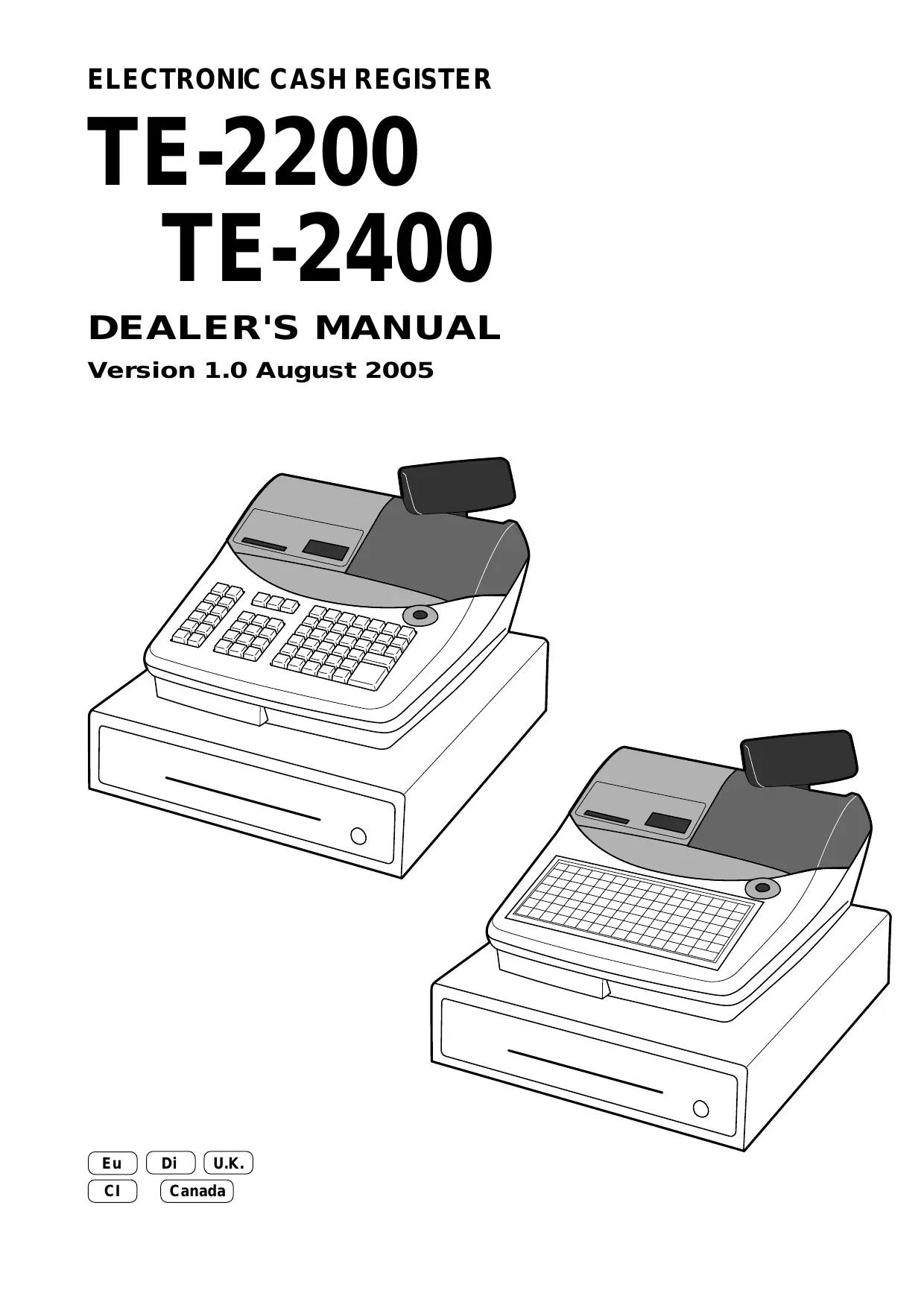

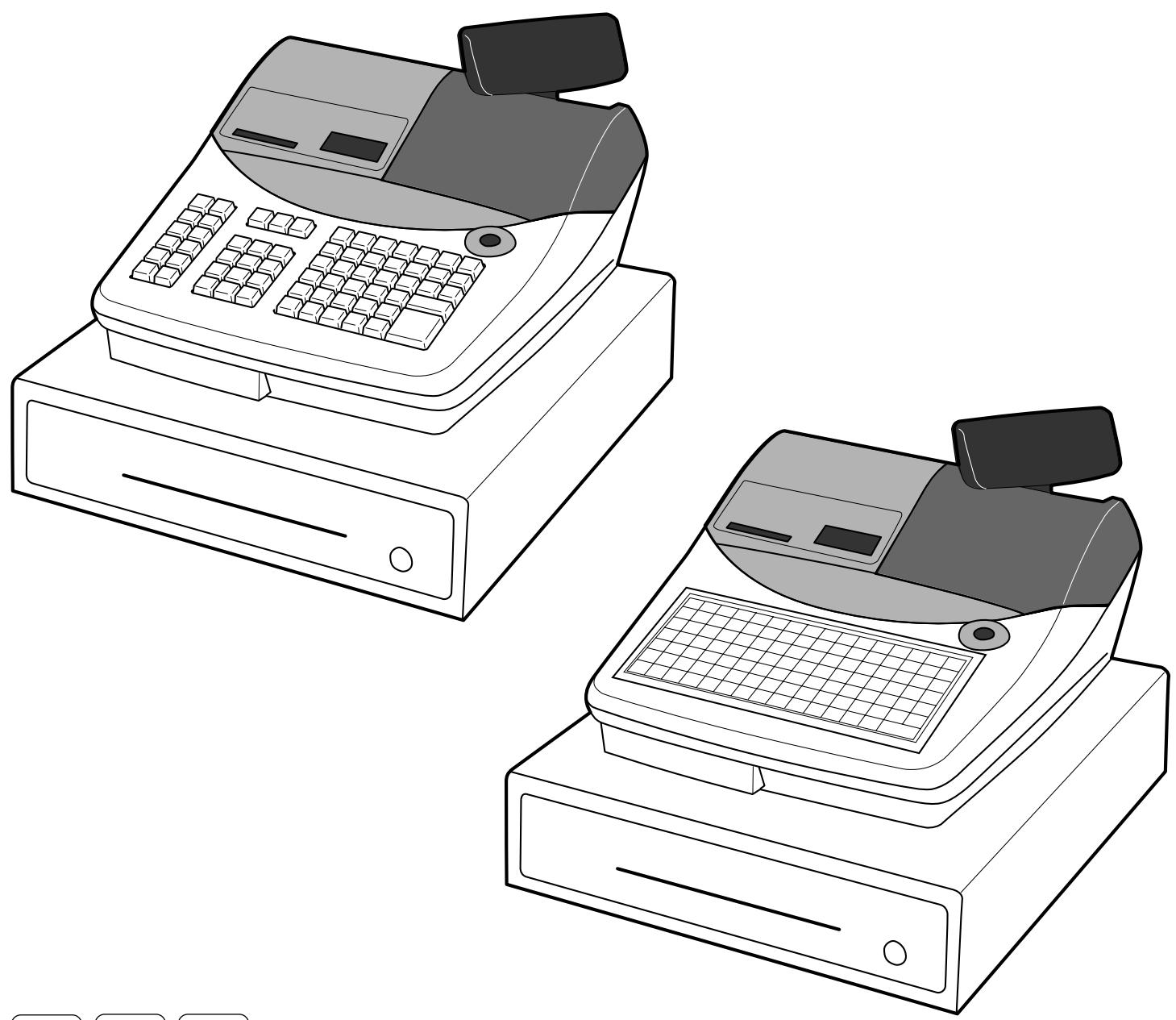
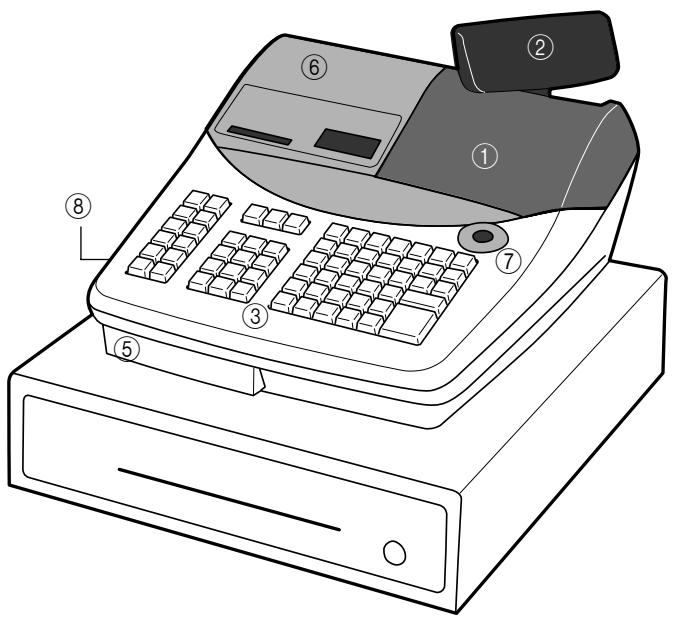
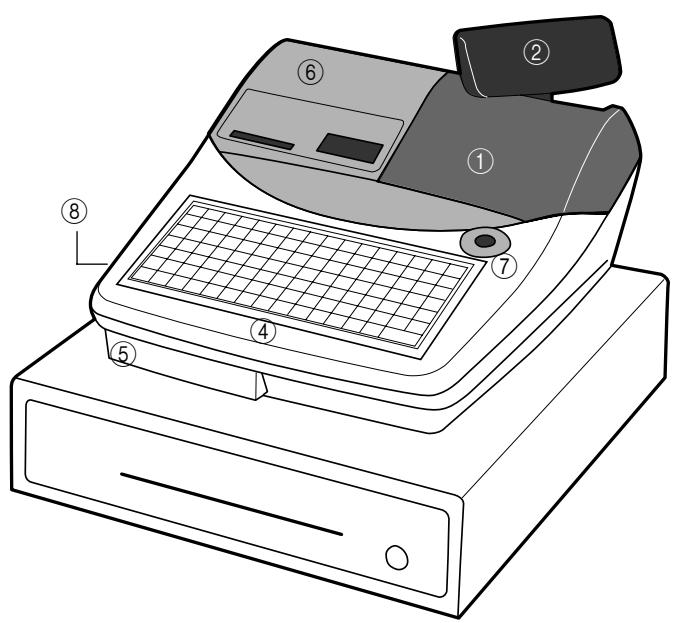
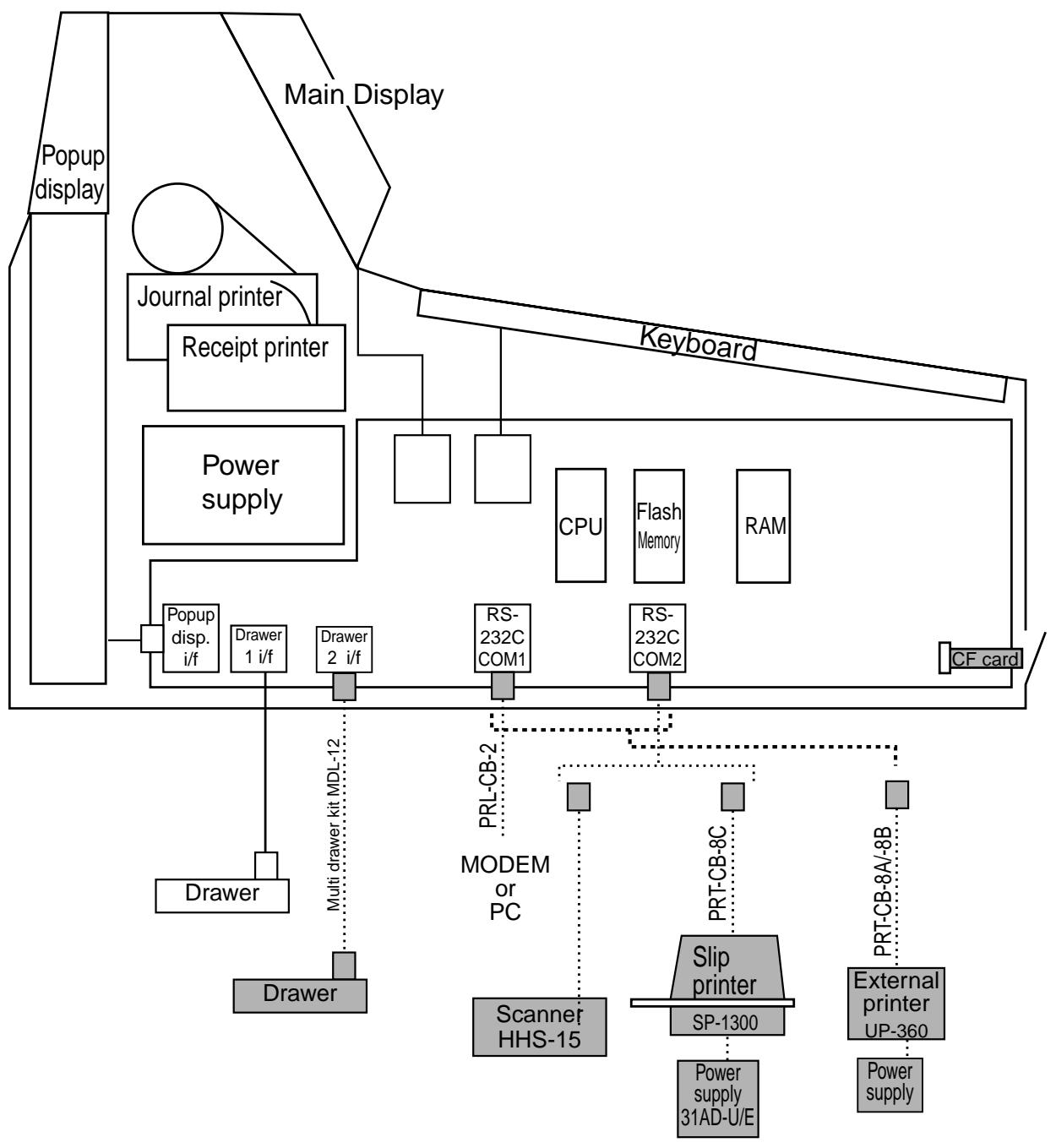
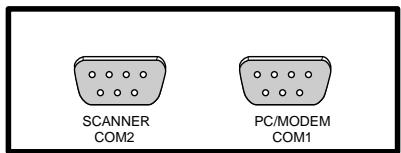
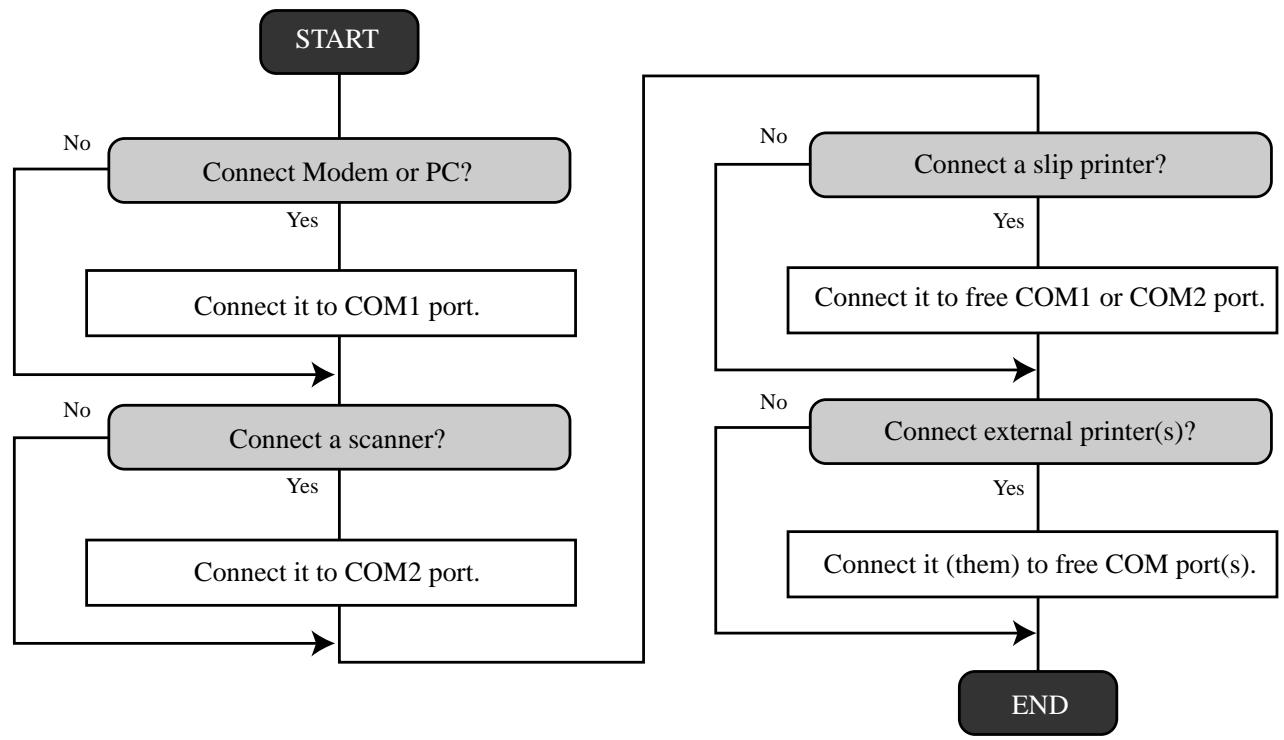

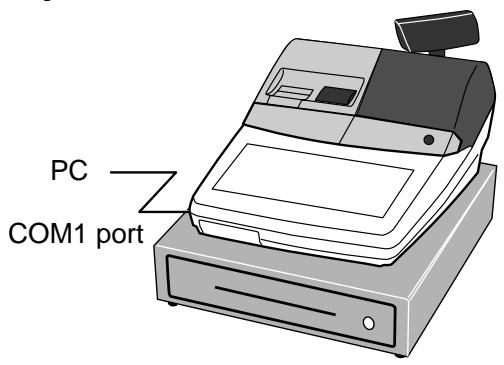
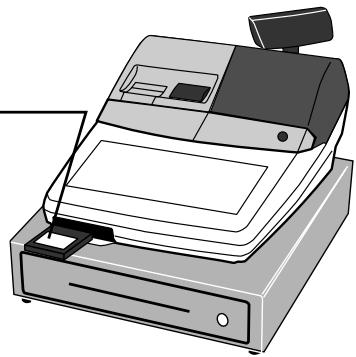
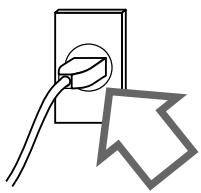
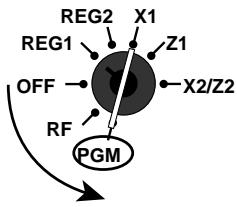
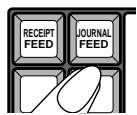

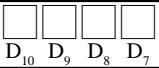


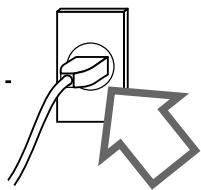
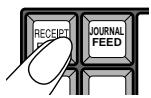
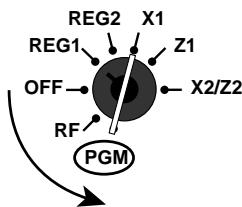
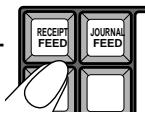
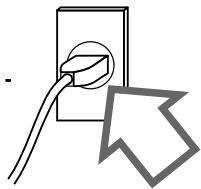
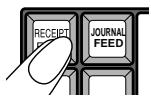
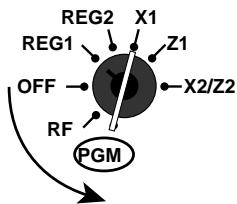
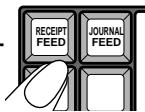
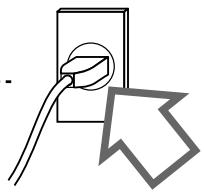
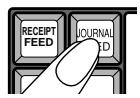
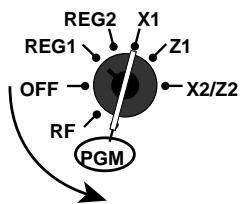
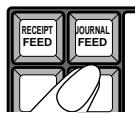
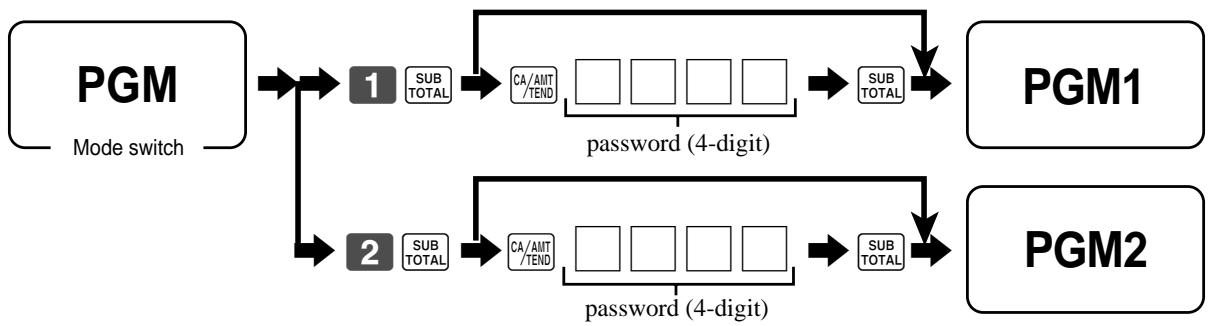


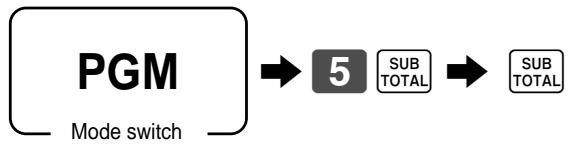
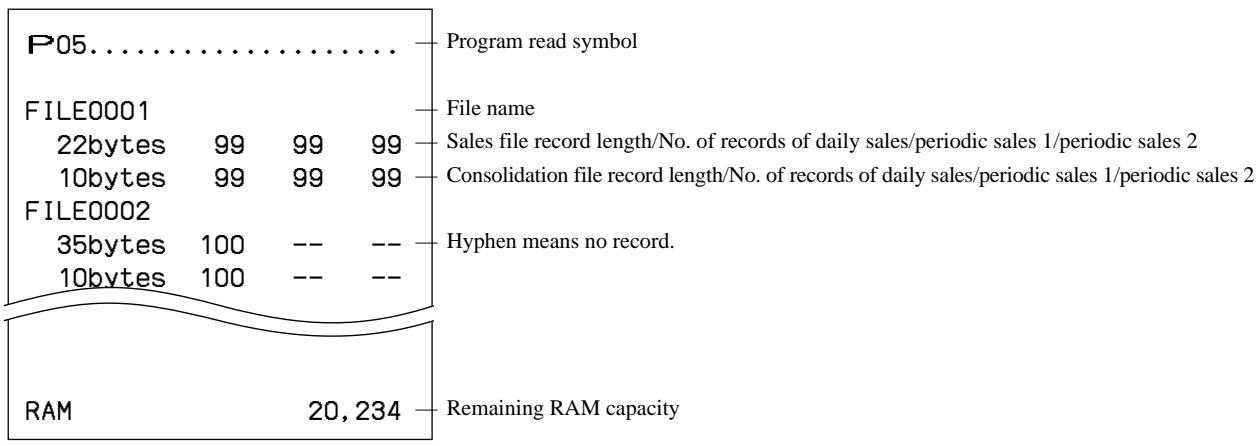
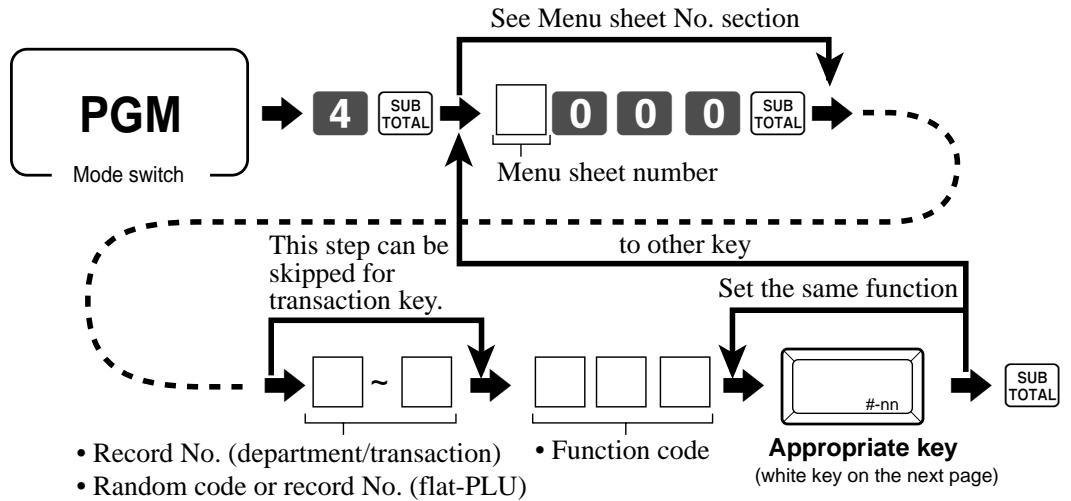
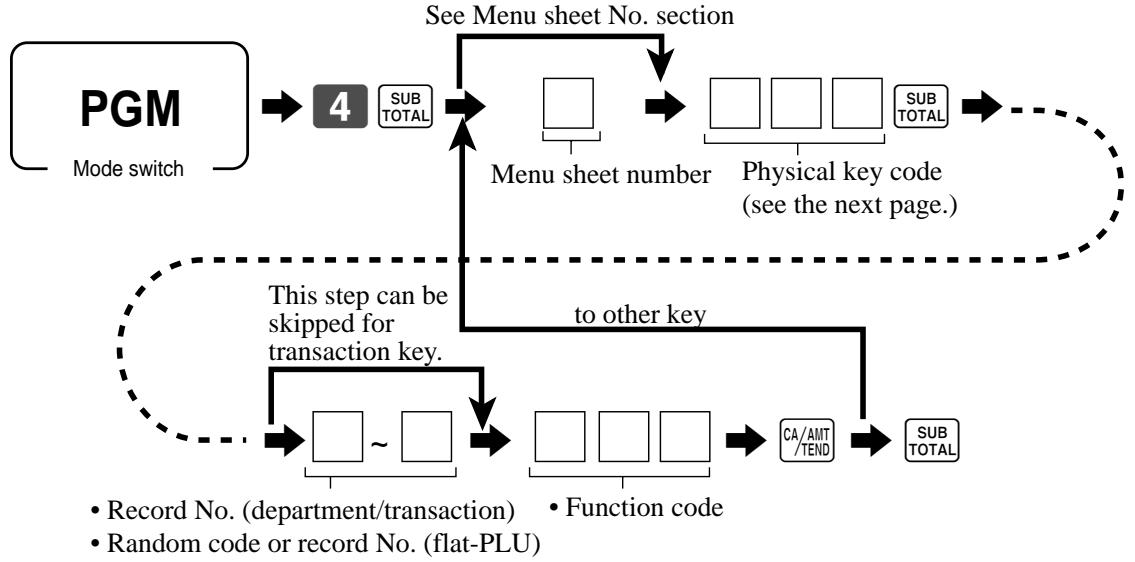
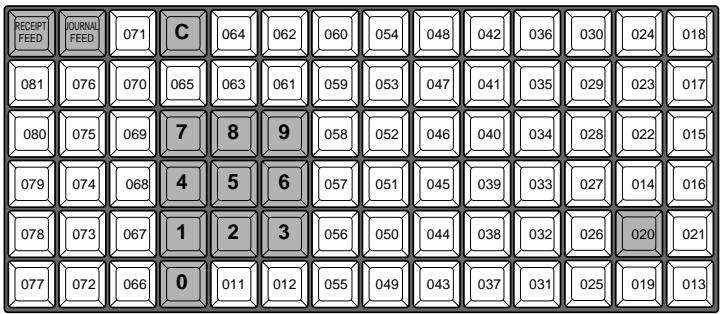
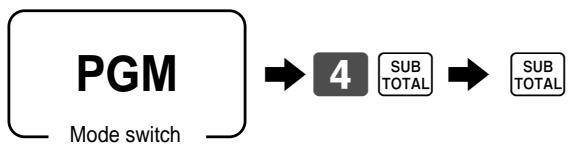
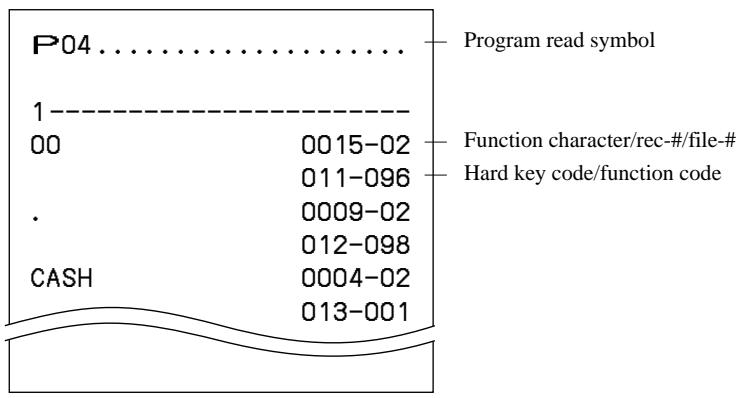



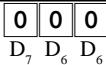
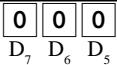

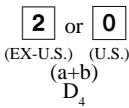


 (a c)
(a c)


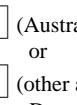 3 area) D_1


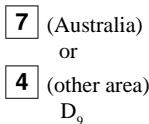


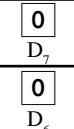


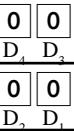


 2D(KW)D10
 SW(H5)SW(H4)
 XTOY)D9
 AY(SH)
 BARTD8
 BRTD5
BRTD5 BENTD7
 BENTD6
 BENTD6
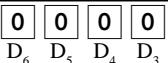
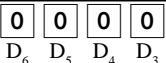


 [HC07]


 [N02D]
 [G840][G840]
 [H520][N020]
 [G940]
 [G940]
 [G840][G840]
 [G870][N020]
 [G820][G820]
 [G870][G870]
 [G770][G770]
 [G820][G820]
 [G820][G820]
 [G820][G820]
 [G700][G700]
 (a+b) D_10
 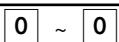 D_9 D_3
  D_2 D_1
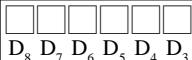


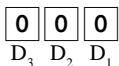
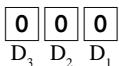


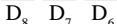


 [0D28]
 [ZZWY]


 [2SYW]
 [3870]
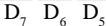
 [0440]


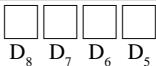
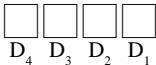
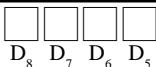
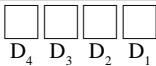
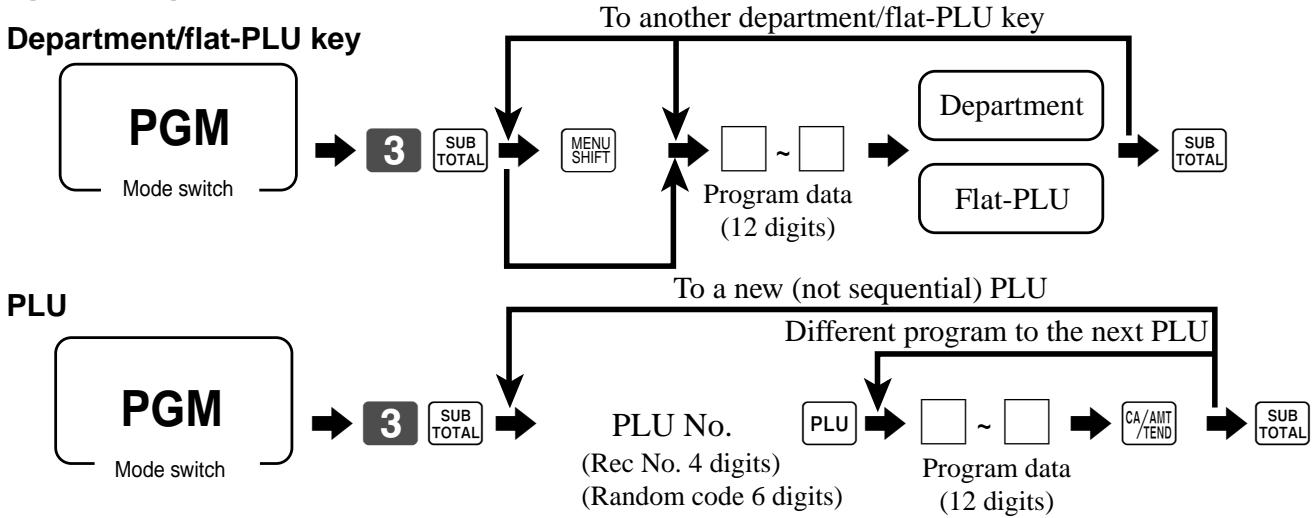




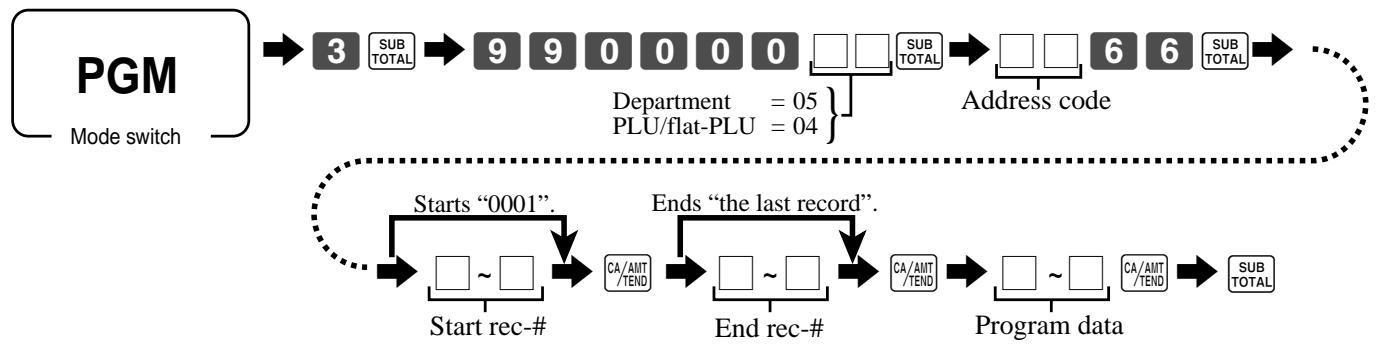
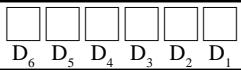
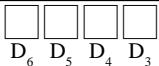

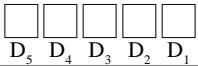
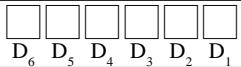


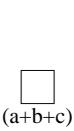


 )
) c)
c) c)
c) c)
c)


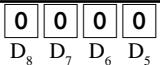


 \ _11
\ _11 
 \ [H44A]\ D_9
  \
\ 
 \
\ 
 \
\ 


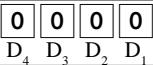

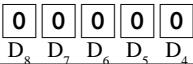

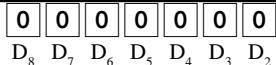
 :)
:)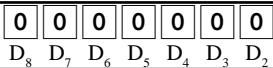


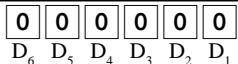


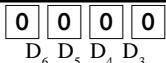


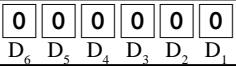
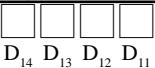


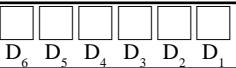


 = 4
= 4

 1
1


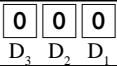


 D_8
D_8 
