
EYEPIECE CUP DK-10 - Accessoires photo NIKON - Notice d'utilisation et mode d'emploi gratuit
Retrouvez gratuitement la notice de l'appareil EYEPIECE CUP DK-10 NIKON au format PDF.

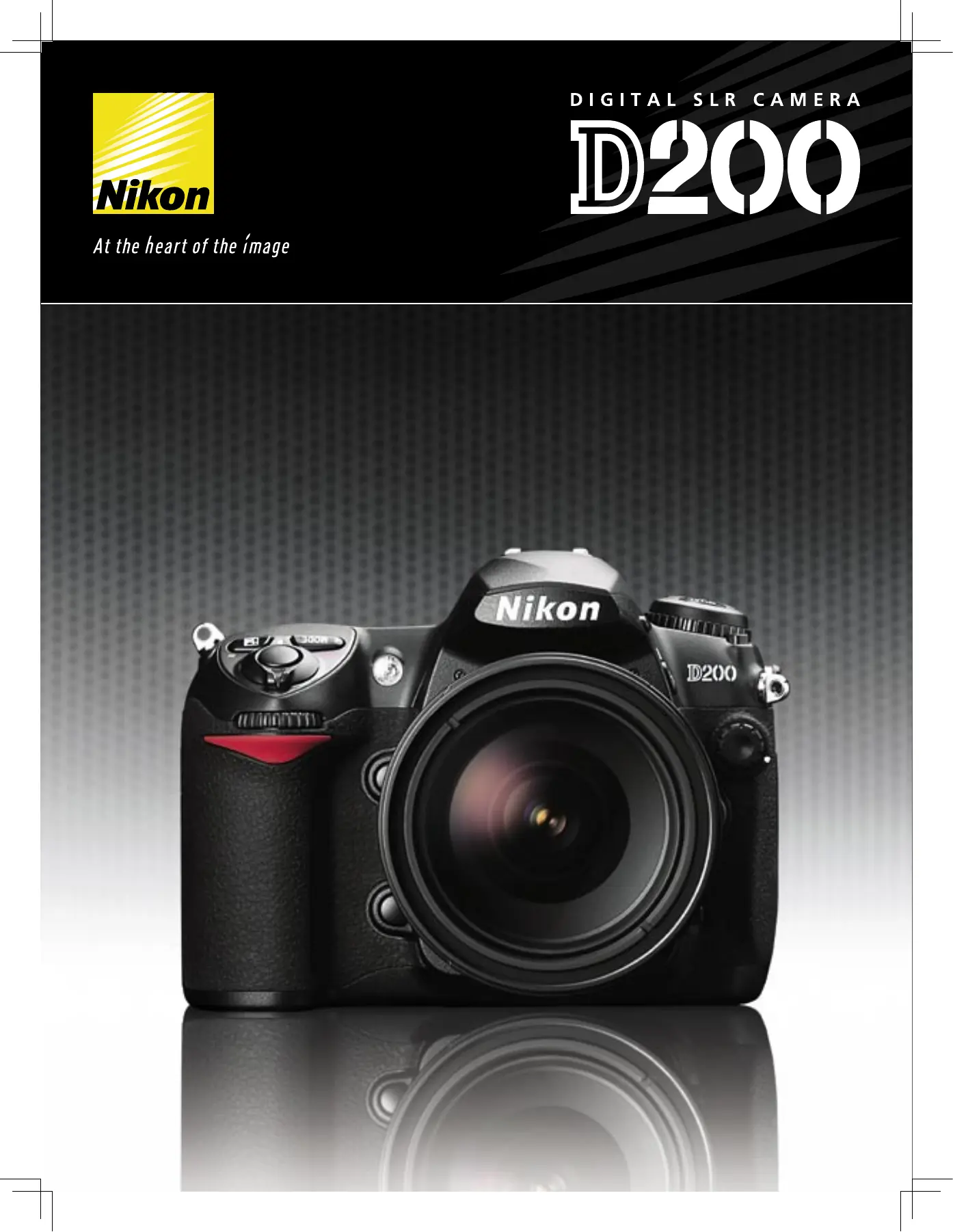

| Type d'appareil | Reflex numérique |
| Capteur | CCD |
| Résolution effective | Non précisé |
| Monture d'objectif | Monture compatible reflex |
| Écran | Non précisé |
| Viseur | Optique reflex |
| Système autofocus | Multi points |
| Modes de prise de vue | Automatique et manuel |
| Format d'image | JPEG, RAW |
| Sensibilité ISO | Non précisé |
| Enregistrement vidéo | Non précisé |
| Stockage | Carte mémoire compatible |
| Connectivité | USB |
| Alimentation | Batterie rechargeable |
| Dimensions | Non précisé |
| Poids | Non précisé |
FOIRE AUX QUESTIONS - EYEPIECE CUP DK-10 NIKON
Questions des utilisateurs sur EYEPIECE CUP DK-10 NIKON
0 question sur cet appareil. Repondez a celles que vous connaissez ou posez la votre.
Poser une nouvelle question sur cet appareil
Téléchargez la notice de votre Accessoires photo au format PDF gratuitement ! Retrouvez votre notice EYEPIECE CUP DK-10 - NIKON et reprennez votre appareil électronique en main. Sur cette page sont publiés tous les documents nécessaires à l'utilisation de votre appareil EYEPIECE CUP DK-10 de la marque NIKON.
MODE D'EMPLOI EYEPIECE CUP DK-10 NIKON
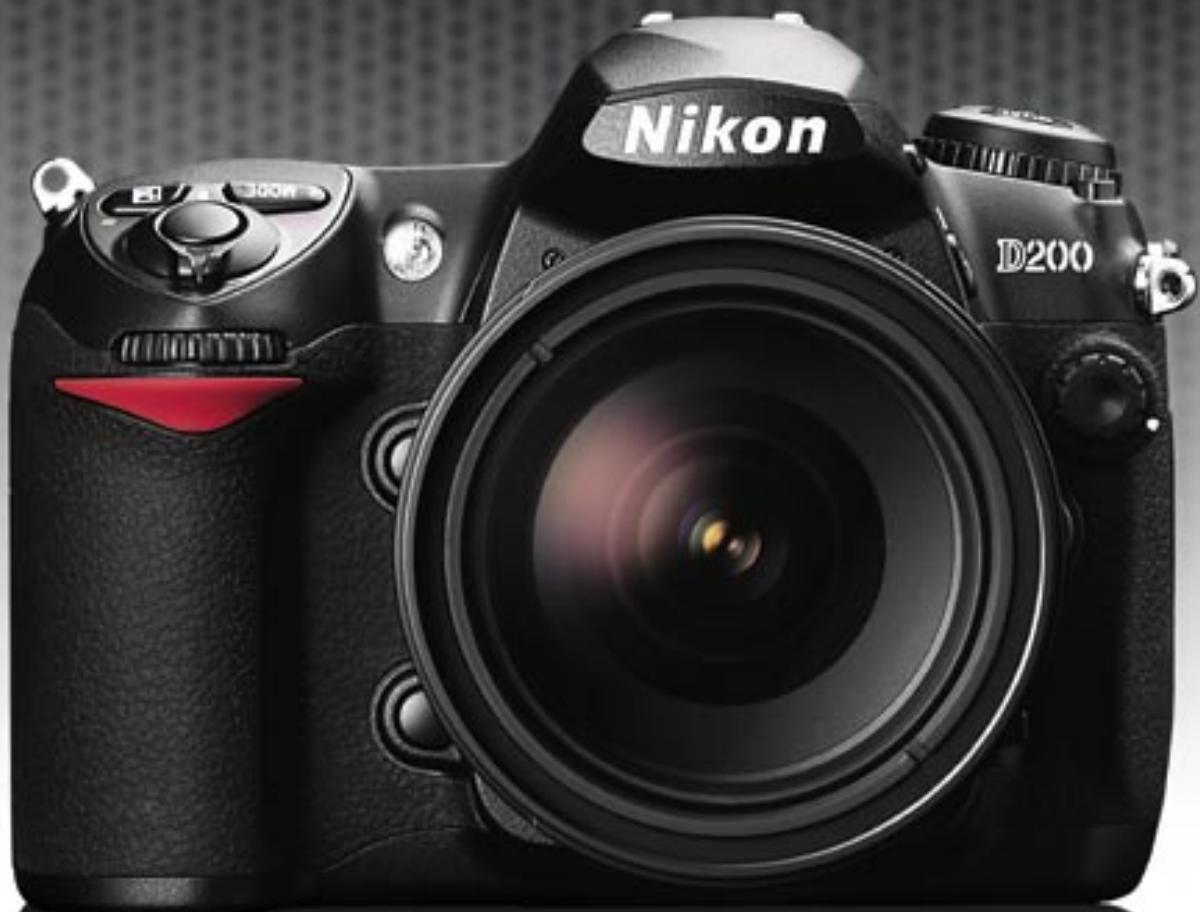
Picture a new generation of digital SLR camera, one that is uniquely enabled to tackle photographic challenges quickly and efficiently, while achieving beautiful results that faithfully reproduce the scene in remarkable detail. Crafted to combine the best of newly developed technologies with Nikon's decades of innovative engineering experience, this high-precision, high-performance digital SLR camera responds instantly to the will and needs of the photographer. It also delivers unrivalled handling efficiency, a large, bright optical viewfinder and 10.2 effective megapixels of extraordinarily sharp resolution. Tight integration with Nikon's Total Imaging System ensures compatibility with the lineup of renowned Nikkor lenses, while full support for Nikon's advanced Creative Lighting System adds further creative freedom. What's more, all these capabilities are underscored by additional Nikon advantages. In fact, with the Nikon Electronic Format (NEF) file format for raw image data and powerful Nikon Capture software, image quality is enhanced and workflow made more efficient, from camera to NEF, to Capture, and on to display and output.
Fast forward to new creative possibilities – with the D200.
D200
10.2 effective megapixel high-performance Nikon DX format CCD image sensor
- Advanced high-speed, precision image processing engine
- NEF (RAW) and JPEG file versatility
- 5fps; 0.15 second power-up; instant response
- New selectable 11-area AF or 7 wide-area AF
Magnesium alloy (Mg) body
Large, bright 0.94x viewfinder
2.5-inch LCD and industry's largest top control panel
Full integration with Nikon's Total Imaging System
Precision crafted, for the ultimate digital SLR experience.
Sharp resolution with pure color fidelity, delivered by instant response from high-precision subsystems
CAPTURE
10.2 megapixel DX Format CCD
image sensor
The D200 employs a newly developed 10.2 effective megapixel Nikon DX Format CCD image sensor that captures images with
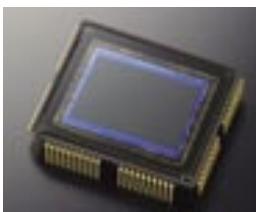
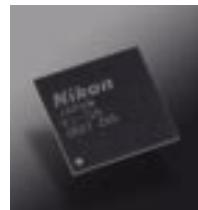
sharp details and versatile color imaging at 3,872 x 2,592 pixels size, yielding extraordinarily high-resolution images that leave plenty of leeway for enlargements or creative cropping. This new image sensor incorporates high-speed 4-channel data output, and is fitted with a newly developed Optical Low Pass Filter that helps prevent
moiré, color fringing and shifting, while also complementing the sensor's improved resolving power.
Industry-leading image processing for exceptional color performance
An added benefit of the image sensor's 4-channel output is that it allows the D200 to adopt the advanced image-processing engine of the D2x. Combining color independent pre-conditioning prior to A/D conversion with advanced digital image processing algorithms, it raises the level of precision achieved by a high-performance system LSI processor. As a result, it provides fine color gradations with consistent and smooth transitions, all rendered exceptionally well throughout the selection of available color modes.
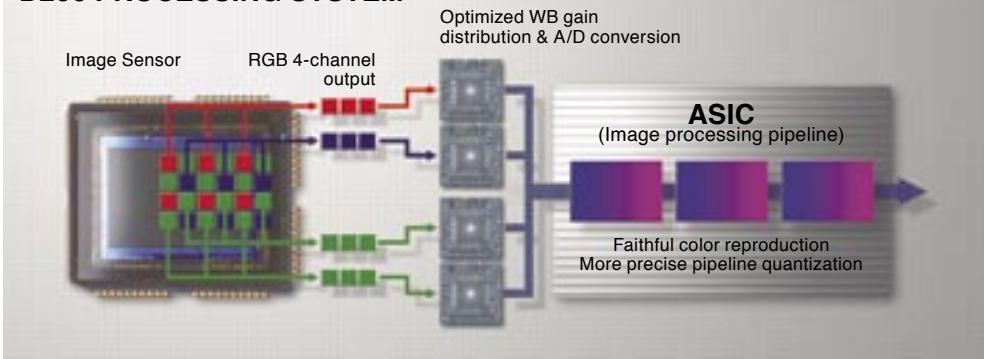
D200 PROCESSING SYSTEM
RESPONSE
Fast SLR response that's always ready to capture the moment
Instant power-up in just 0.15 seconds, a shutter release time lag of a mere 50 milliseconds, and a shortened viewfinder blackout time of just 105 milliseconds combine with optimized subsystems throughout the D200 to provide fast handling — making it ready to respond to a photographer's instincts. These capabilities better enable the capture of unexpected picture opportunities, and support more confident subject tracking during continuous shooting, all of which combine to offer more assured photographic control.
New, highly reliable and highly flexible 11-area AF
The D200 is equipped with a newly developed advanced Multi-CAM 1000 AF Sensor Module offering 11-area AF that ensures consistently fast and precise focus lock under varying shooting conditions, all while adding
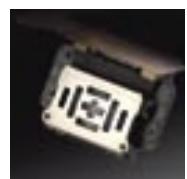
diverse and effective new focus area options. Not only is this system able to use each of its 11 focus areas individually, aiding in


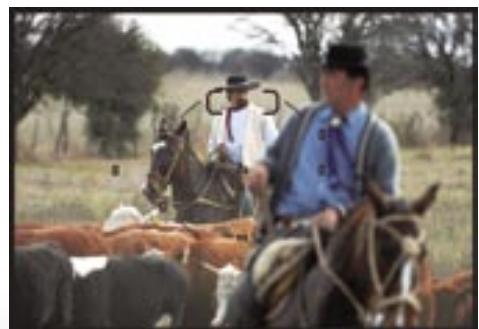
pinpoint focus on still subjects, but it can also operate as a 7-wide area AF system, offering broad coverage that improves the camera's ability to acquire moving subjects and delivers greater compositional freedom. Lens focus action is controlled by the latest programming algorithms, which further improve system
11-area AF
7 wide-area AF
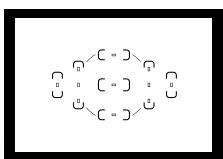
response, focus precision, as well as subject acquisition and tracking abilities.
- Single Area AF is great for picking a single subject out of a scene with multiple elements. Use any one of the 11-area AF or 7 wide-area AF spot sensors individually to achieve sharp results, even when your intended subject is located off center and surrounded by other objects. Assisting operation with easy confirmation, the selected area is indicated within the viewfinder and on the Top Control Panel if desired.
- Dynamic AF used with Continuous servo-AF mode operation helps maintain precise focus should the subject move from its original position – instantly and automatically shifting the selected focus area to correspond to the subject's new location.
- Closest Subject Priority Dynamic AF can be ideal for portraiture in characteristic settings that include action or complex elements. It automatically identifies the subject closest to the camera using the 11 sensors, and enables composition that captures the entire scene while keeping the focus emphasis on the closest subject.
- Group Dynamic AF recognizes patterns of action in the scene and allocates a group of AF sensors accordingly. Both Dynamic AF and Closest Subject options are also available, enabling the capture of specific moving subjects in a frame that may also contain peripheral activity. Such broad ranging focus capability is well suited to composition situations, such as sports, where the action can be expected to take place in a particular part of the frame but at a speed too fast for focus on a single spot.
5fps high-speed continuous shooting
Capture fast action and fleeting expressions with the ability to capture high-resolution images at a rapid 5 frames per second in continuous bursts of up to 22 NEF (RAW) or 37 JPEG (FINE - LARGE) shots*.
- When using the SanDisk SDCFX (Extreme III) 1GB CompactFlash™ card.
Shutter speed range to cover
every shoot
Shutter speeds from 30 to 1/8,000 second can be selected manually or used in conjunction with automated program modes to provide a range that will match challenging conditions. Additionally, flash-synchronized shutter speeds of up to 1/250 second, and up to 1/8,000 second with Auto FP High Speed Sync, greatly enhance creative exposure flexibility and fill-flash effects.
High-speed data processing
and handling
4-channel data output from the D200's new DX Format CCD image sensor works with fast image processing to deliver high-speed continuous shooting. These elements also work in conjunction with the high-speed memory buffer and optimized system buses to achieve faster read and write access to CompactFlash™ (CF) cards, while camera-to-computer data transfer takes place via the USB 2.0 Hi-Speed interface.
Precision exposure metering, broad control over available light, combined with advanced options that expand the creative possibilities
METERING
Variations of light are infinite, so Nikon provides you with a selection of meters that enable you to creatively address virtually any lighting condition.
Advanced Auto-Exposure system
Nikon's exclusive 3D-Color Matrix Metering II achieves optimum exposure that is able to more precisely determine the position and size of shadow or highlight areas through new technology developed for the Nikon 1,005-pixel RGB Exposure/Color Matrix Metering Sensor. This innovative system evaluates brightness, color, contrast, selected focus area and camera-to-subject
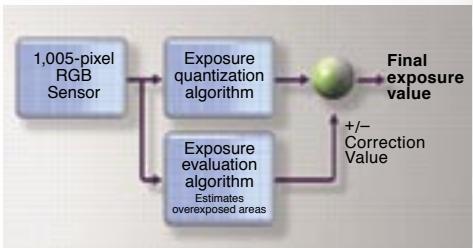
3D-Color Matrix Metering II better adjusts to overcome washed-out highlights
distance information, references the results against the expanded onboard database created from over 30,000 actual photographic scenes, and then calculates the final value instantly to deliver consistently dependable exposure, for both automatic and manual operation. This meter is ideally suited for general photography and particularly effective when precious time will not allow you to make manual selections. Nikon's exclusive 3D-Color Matrix Metering II is unequaled in speed, accuracy and efficiency.
-
Variable Center-weighted Metering concentrates 75% of sensitivity within the center-weighted circle and the remaining 25% in the surrounding area, enabling more precise results in conditions where lighting differs greatly at the periphery of the shot. This meter is ideally suited for capturing portraits and for high-contrast conditions.
-
Spot Metering is an excellent solution when the lighting on your subject is markedly different from that in the rest of the frame. Supporting both the 7 wide-area AF and 11-area AF groups of the new AF system, it provides precise metering by reading a 3mm-diameter area that corresponds to the active AF area, even when using the Dynamic AF modes. This meter is ideally suited for those times when you want more personal control.
Exposure modes
Available exposure modes include [P] Programmed Auto with Flexible Program,
[S] Shutter-Priority Auto, [A] Aperture-Priority Auto, and [M] Manual.
[P] Auto Multi Program mode automatically sets both shutter speed and aperture, and includes Flexible Program for swift selection of alternate combinations.
[S] Shutter-Priority Auto offers shutter speed selection from 1/8,000 to 30 seconds.
[A] Aperture-Priority Auto allows free selection from among all aperture settings.
[M] Manual gives full control over both shutter speed and aperture.
Broad ISO sensitivity range
The D200 offers a range of sensitivity broad enough to satisfy your needs throughout diverse lighting conditions. Sensitivity can be set manually between ISO 100 and 1600 in increments of 1/3EV , or increased to HI-1 settings for those special occasions that call for yet higher sensitivity. Automatic sensitivity adjustment is also available, freeing you to concentrate on composition.
Options for Image Optimization
A range of easily accessed optimization options produces images tuned to more closely match your intended results.
Optimization of sharpening, tone (contrast), color, saturation and hue with choices from Normal, Softer, Vivid, More vivid, Portrait, Custom and Black-and-white Optimization closely tailors results to the scene at hand or the intended use of the image.

Black-and-white Optimization
White balance control
The flexible options for matching white balance to the light source of the shot include Advanced Auto white balance, which capably handles most situations, white balance bracketing, a choice of manual settings, including direct selection of Kelvin color temperature and selections for specific lighting situations with fine-tuning (Incandescent, Fluorescent, Direct Sunlight, Flash, Cloudy, and Shade), as well as a preset option for using a gray or white object as a white balance reference.
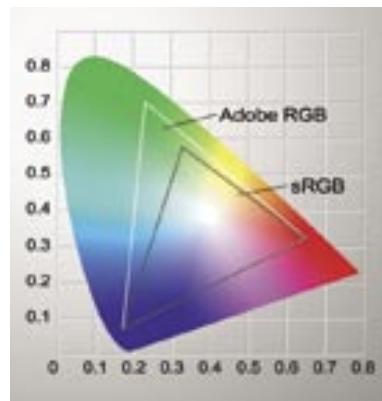
Color mode options
Nikon's advanced color reproduction system optimizes three color modes to best match the specific assignment and workflow environment.
Mode I: renders more natural-looking skin tones in portraits (Color profile: Adobe RGB or sRGB)
Mode II: realizes a wider color reproduction range for high-quality output with a wider color gamut (Color profile: Adobe RGB)
Mode III: renders more vivid landscape colors and greenery (Color profile: Adobe RGB or sRGB)
Multiple exposure
This creative function enables you to create a single image from up to 10 separate exposures within the camera, producing imaginative results.

Image overlay function
Create a composite image in-camera from two selected NEF (RAW) images, taking advantage of precise opacity control for each of the images to achieve your desired result. The original files remain unaffected, and the composite image produced can be saved in either RAW, JPEG or TIFF format.

GPS (Global Positioning System) support
Connect a GPS unit using the GPS Adapter Cord (MC-35, optionally available), and record data on latitude, longitude, elevation and UTC (Coordinated Universal Time) directly to the file for each image.
Smooth operation and accurate image evaluation with refined mechanisms housed in a rugged, but lightweight body
OPERATION
Large LCD monitor
The new 2.5-inch high-resolution LCD monitor for the D200 provides an ultra-wide 170^ viewing angle covering all directions. Assisting accurate sharpness assessment, the LCD offers image previews at up to 400% magnification, and its RGB histogram display enables greater precision in evaluating exposures.
Easy-to-view displays
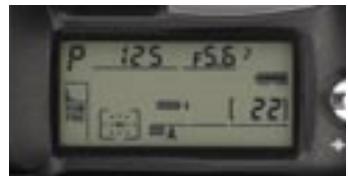
A new and larger top LCD panel is designed to convey maximum information at a glance, providing easy access to shooting data that ranges from shooting mode, battery condition, card information, gridline display, shutter speed, F stop and number of remaining shots.
Improved operation and menus
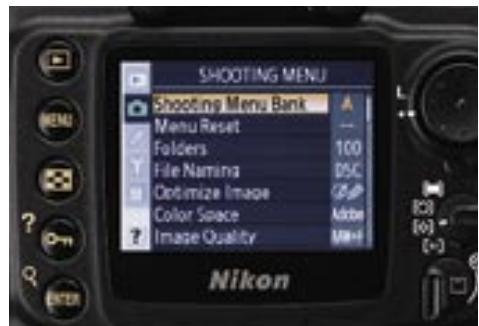
Menu navigation is made easier with a new color-coded menu display that features a carefully chosen color scheme that's remarkably easy to read, and with instantly intuitive keywords it's even easier to use. There's also a Recent Settings list that further smoothes operation by displaying the last 14 settings selected from the shooting and Custom menus. Playback options include single frame, 4 or 9-image thumbnail display, zoom with scroll, histogram indication and highlight point display.
Large viewfinder for bright, comprehensive viewing
The new eye-level optical viewfinder developed for the D200 features large magnification (0.94x) that helps ensure a clear view for precise composition, and built-in diopter adjustment that allows it to be fine-tuned to your eyesight. Furthermore, grids can be displayed without the need to replace the actual screen, adding greater convenience while assisting composition.
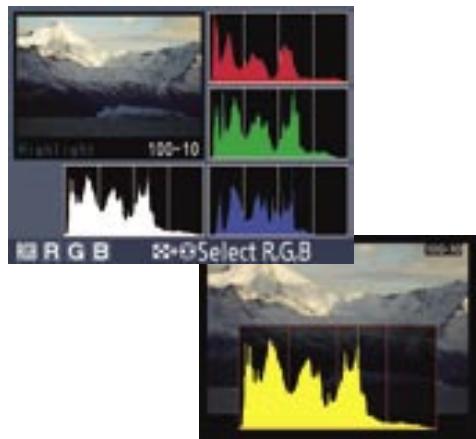
RGB Histograms
RGB histogram functions enable convenient exposure confirmation at a glance. Conventional RGB display represents all three color channels simultaneously, while Selectable RGB allows each color channel to be viewed independently – indicating saturated highlights for the chosen channel to assist adjustment decisions for exposure and white balance.
RELIABLE
Refined shutter unit blends stability with speed
The double-bladed shutter unit has been thoroughly tested to well over 100,000 cycles, ensuring the highest level of durability and reliability. Employing a refined mirror balance mechanism that completes its motion cycle and reaches a full stop virtually without mirror bounce, it promotes maximum stability and speed as well as smoother AF detection. It also provides the extended viewfinder visibility essential for fast, accurate focus tracking and continuous shooting.
Magnesium alloy (Mg) body delivers lightweight durability
With Nikon advanced technologies and mechanisms housed within a rugged, but lightweight magnesium body, the D200 is durable, dependable and ready for the most rigorous of assignments. And, with an
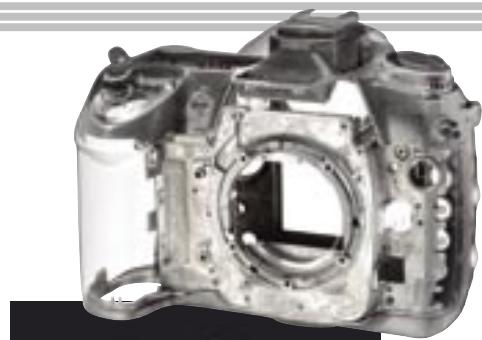
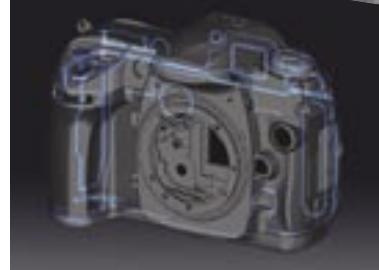
Principal points where sealing protects against drops of water and dust
enhanced sealing system protecting each and every seam, the D200 body offers reassuring resistance to causal moisture and dust.
Rechargeable battery with Fuel gauge function
The newly developed high-energy EN-EL3e rechargeable lithium-ion battery lets you take approx. 1,800 shots per charge*. Furthermore, it can be recharged at any time and it even features an accurate real-time Fuel gauge system that displays the percentage of remaining charge, number of shots since last charge and overall status of battery service life.
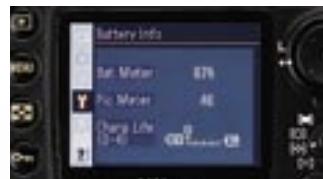
*Achieved under following test conditions: Fully charged EN-EL3e battery; temperature of 20^ / 68^ ; Zoom-Nikkor AF-S VR 70-200mm/1/2.8G IF ED lens (VR off); continuous shooting mode; continuous-servo autofocus; image quality set to JPEG BASIC; image size set to Medium; shutter speed 1/250 second; shutter release pressed halfway for three seconds and focus cycled from infinity to minimum range three times with each shot; monitor turned on for five seconds after six shots and then turned off; cycle repeated once exposure meters have turned off.
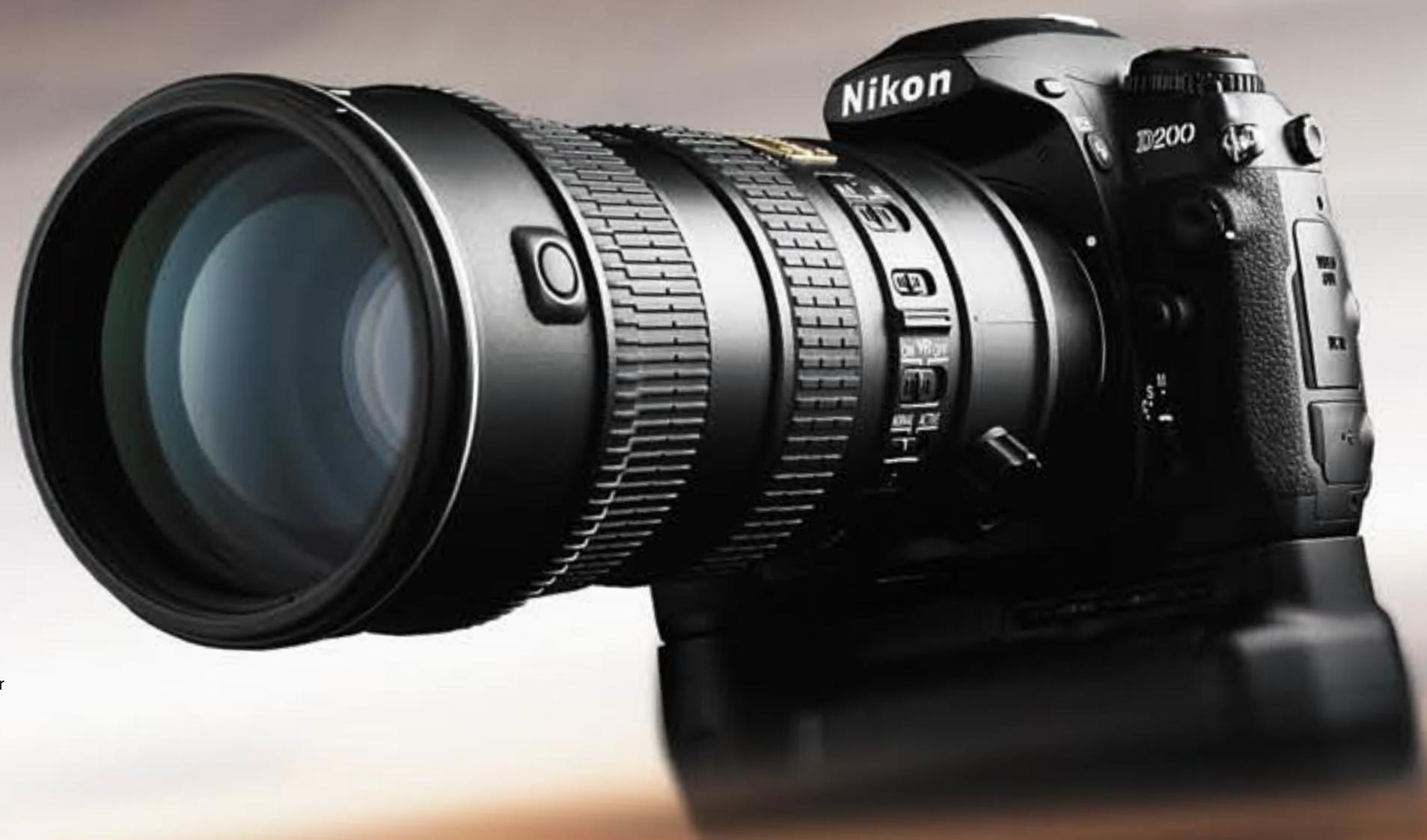
New Multi-Power Battery Pack MB-D200
The ergonomically designed MB-D200 blends extended stability and shooting potential.
Running on either six AA-size batteries or two EN-EL3e batteries*, the battery pack provides
an extra command dial and alternative buttons for shutter release and AF start to facilitate more comfortable shooting in vertical format.
- Compatible AA-size batteries comprise alkaline, NiMH, lithium and nickel-manganese batteries.
Wireless Transmitter WT-3* (optional, available 2006)
Taking added convenience a step further, the Wireless Transmitter WT-3 provides wireless functionality. Delivering the convenience of IEEE 802.11b/g capability, it enables cable-free image transfer to a compatible computer, with the added safety and versatility of wide-ranging network and security protocols.
*The WT-3 is sold in countries where governments approve the use of thirteen frequency channels.
10-pin remote connection
The 10-pin connection terminal offers flexible remote shooting possibilities by enabling use of optional accessories such as the Remote Cord MC-30/MC-36 and Modulite Remote Control Set ML-3.
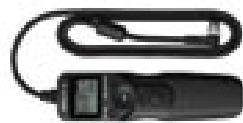
Remote Cord MC-36
Sync terminal
Accepting all PC-type plug-in flash sync cords, the sync terminal enables computer-based flash control to handle complex lighting with high-level accuracy.
PictBridge support
The D200 can be quickly and conveniently connected to any PictBridge-compatible printer for swift, direct printing. The D200 also offers in-camera page setup to make printing easier still and deliver more precise control over the photograph.
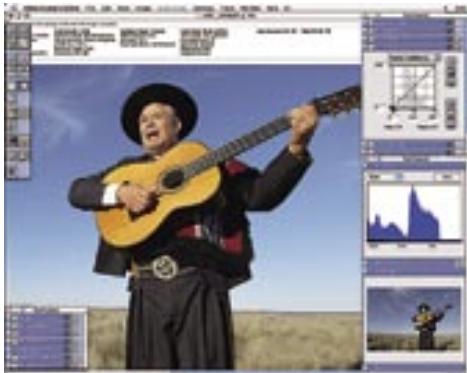
Nikon takes a unique approach to the development of Nikon Digital Imaging System products by fully integrating the flow of image creation, from Camera to NEF to Nikon Capture software. By ensuring that camera operation and processing information is faithfully transported with the NEF file and made available for Nikon Capture's advanced image processing capability, this unique integrated system harnesses the power of the computer to extend the photographer's ability to modify and extend the processing of each NEF file. Nikon Capture therefore becomes a tool with which the photographer can further refine images, or create alternative versions of images, without the need to take multiple shots or employ bracket exposure and other camera settings. Nikon Capture is also capable of high quality image editing for JPEG and TIFF files, and accepts Nikon's Plug-in System software, including the creative sets of filters and effects of nik Color Efex Pro 2.0 for Nikon
Capture 4. Nikon Capture software also provides convenient interoperability with Nikon's PictureProject software, which is provided complimentary with each D200.
Note: Nikon Capture 4 (Ver. 4.4) or later is required for working with NEF files from the D200
The NEF Advantage
NEF (Nikon Electronic Format) is Nikon's original design for RAW format, developed for versatility and the ability to satisfy the continually changing dynamics of digital photography. Each NEF file contains not only the RAW image data captured by the camera's image sensor, but also a thumbnail image and an all-important "Instruction Set" as a permanent record of the camera's original settings. The embedded Instruction
■ Nikon Capture 4 (Ver. 4.4) (Optional)
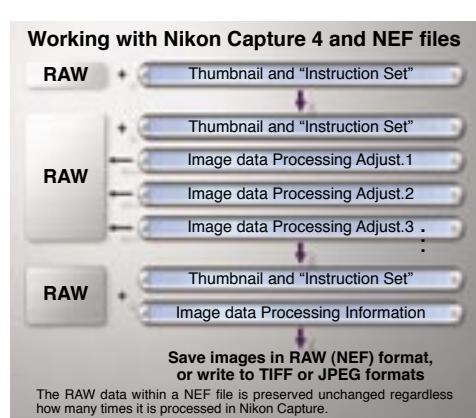
Set is interpreted through Nikon Capture software to render an idealized image. Optimized versatility makes it possible to freely re-process nearly every one of the file's settings – such as, white balance, color balance, tone curves and noise reduction after shooting. The reprocessed image will be saved with the new settings, yet all of the original image data settings will be retained. Return to the original image rendering is just a few clicks away. Additional Instruction Sets can be created and saved separately to produce variations of the same image, or for application to individual files or collections of images using automated batch processing. A format that pushes photographic potential
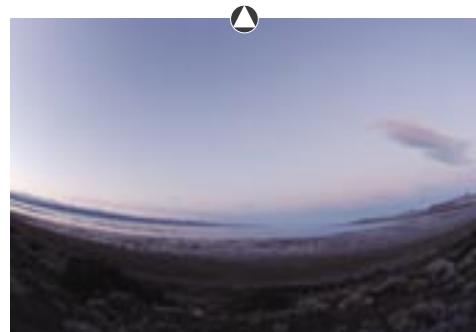
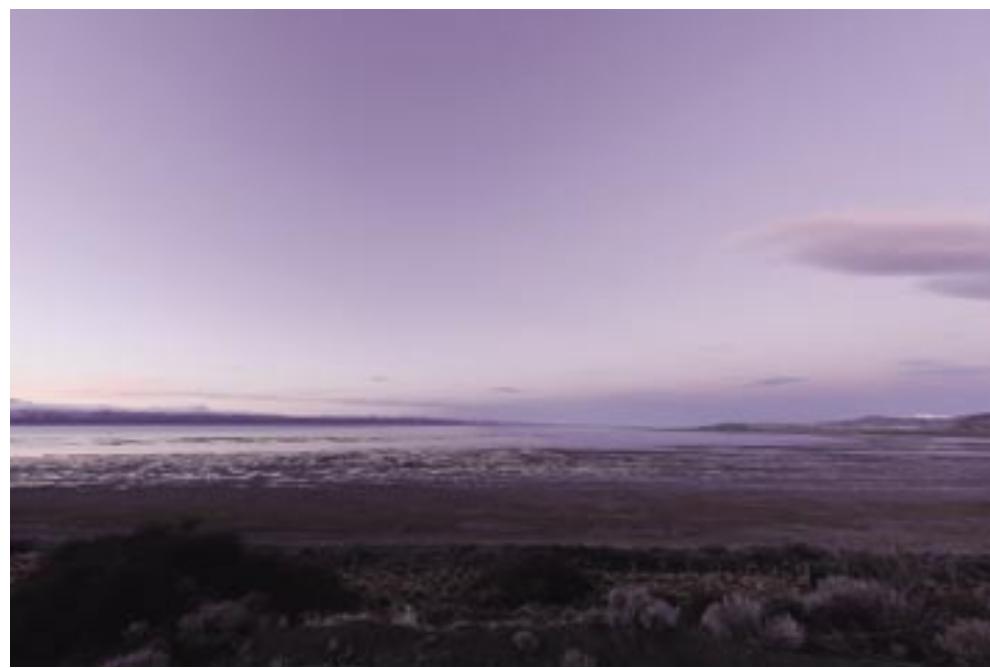
Image refined with the use of Fisheye-to-rectilinear Image Transformation, Color Aberration Control, and LCH editing.
while making precious savings in hard disk space, NEF adds versatile innovation to the entire image editing process.
Nikon Capture: Impressive functions that unlock NEF potential
Nikon Capture unleashes the full power of NEF. Processing and displaying NEF files using a full 16 bits per color channel, it delivers smoother fidelity for tonal and other color corrections. Enabling reprocessing changes to be saved to the original NEF file with a new Instruction Set, or as a TIFF or JPEG file, Nikon Capture and NEF deliver wide-ranging versatility without compromising RAW data*.
-
Operates only on NEF (RAW) files shot using Nikon digital SLR cameras.
-
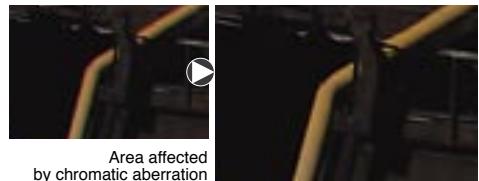
Color Aberration Control can be activated using the Nikon Capture 4 Color Aberration Control Menu. Making excellent use of NEF file format advantages at the stage of digital processing, it detects the occurrence of color fringing caused by chromatic differences in magnification and reduces the effect automatically – producing satisfying color alignment in the image periphery.
- Red Eye Correction is available for use not only with JPEG and TIFF images, but also with NEF files – automatically and effectively diminishing the appearance of red pupils that can sometimes result from the use of flash.
- D-Lighting enables photographers to manipulate shadows and highlights while maintaining mid-tones to produce optimized results from images with areas of under- or overexposure. It's outstanding for correcting exposure for strongly back-lighted images and when flash illumination is not sufficiently bright. Choose from D-lighting HQ when quality is the priority, or D-Lighting HS for high-speed results.
- Snapshot automatically records the parameters for each image at every step of processing, making it easy to tailor the results for various applications.
- Improved color noise reduction produces more reliable results with longer exposures, higher ISO settings or higher temperatures – filtering out random colors and guarding against resolution loss.
- Fisheye-to-Rectilinear Image Transformation - offers a choice of two correction modes, (vertical or horizontal), which transform the 180^ diagonal angle-of-view of fisheye pictures shot using the AF DX Fisheye-Nikkor 10.5mm f/2.8G ED lens into straight-edged ultra-wideangle images. Image Dust-off: shoot an Image Dust Reference file and apply it through Nikon Capture to quickly erase the dark spots created by dust on the sensor. It's fast to use and highly effective.
LCH Editor: enables creative modification of an image's Color Lightness, Chroma and Hue. A very effective tool for desaturing an image to near-gray-tone level, and then resurrecting selected colors to achieve unique color-on-black & white effects. - Filter Plug-in support allows ongoing Nikon Capture feature expansion using optionally available filters that open a new world of creative photography. First to be offered are the nik Color Efex Pro 2.0 for Nikon Capture 4 range of filters and effects, which make enhancing and transforming images more fun and rewarding than ever.
Not only do they make it possible to perform professional-looking filter work, but they also add a new dimension of enjoyment to working with digital pictures.
Color Efex Pro offers an extensive choice including filters such as Burnt Sienna, which adds a warm glow akin to late afternoon sunshine; Old Photo: Black and White, which makes subtle adjustments to age the appearance of the image while removing color information; and Solarization: Color, which accurately reproduces the solarizing effect that was previously the preserve of the darkroom.
Additional tools include: Straighten, Histogram tool, Curves, Unsharp Mask, Color Booster, Size/Resolution, Photo Effects, Advanced RAW settings, White Balance, Vignette Control, Birds-eye view, Image information, Multi-image windows and Markers, plus many additional and very convenient tools to round out Nikon Capture's unique capabilities.
Remote Camera Control
Nikon Capture 4 can also be used to control most camera settings and trigger release of the D200 shutter remotely via USB 2.0 Hi-Speed connection or the WT-3's wireless capabilities*. Images can even be downloaded direct to a computer during shooting, adding further workflow speed and convenience.
*PTP/IP wireless camera control requires Windows XP or Mac OS X.
Nikon Capture 4 (Ver. 4.4) System Requirements
| Windows | Macintosh | |
| OS | Preinstalled versions of Windows XP Home Edition, Windows XP Professional, Windows 2000 Professional, Windows Millennium Edition (Me), Windows 98 Second Edition (SE) | Mac OS 9.0.4, 9.1, 9.2, Mac OS X (version 10.1.5 or later) |
| CPU/Model | 300 MHz Pentium or better recommended | iMac, iMac DV, Power Macintosh G3 (Blue/White), Power Mac G4 or later, iBook, PowerBook G3 or later |
| RAM | 256MB (768MB or more recommended) | Mac OS X: 256MB (768MB or more recommended) Mac OS 9: memory allocation of 64MB or more to Nikon Capture 4 Camera Control, 512MB or more to Nikon Capture 4 (Ver. 4.4) |
| HDD | 200MB required for installation | |
| Display | 800 x 600 pixels or more with 16-bit color (High Color/thousands of colors). 24-bit color (True Color/millions of colors) recommended | |
| Others | CD-ROM drive required for installation. Only computers with built-in USB ports supported. | |
Note 1: Data transfer may


ARGENTINA
The passion of a once-in-a-lifetime experience.
The "Land of Silver" drew many to her shores, good people who built homes,
lay down roots, and fully experienced life's successes and disappointments as they blended with the native geography and developed into a unique culture.




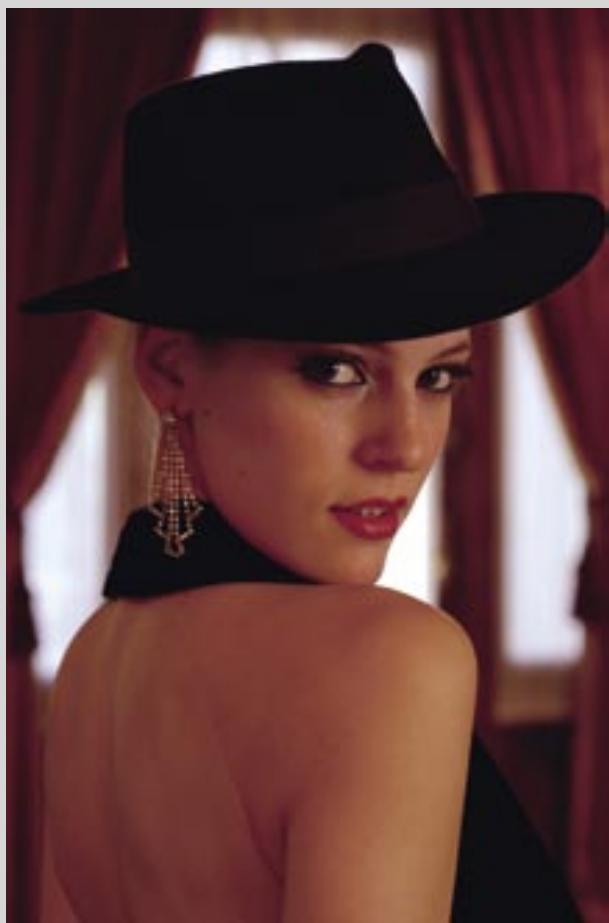

-All photos taken with image quality mode: RAW (NEF)
Left page, top: MIGUEL ANGEL ZOTTO TANGO X 2; Buenos Aires, ARGENTINA · Lens: AF-S VR Zoom-Nikkor 70-200mm f/2.8G IF-ED · 1/30 second, f/2.8 · White balance: Auto · ISO sensitivity: 400
Left page, bottom left: LA VENTANA TANGO SHOW; Buenos Aires, ARGENTINA · Lens: AF-S VR Zoom-Nikkor 70-200mm f/2.8G IF-ED · 1/400 second, f/2.8 · White balance: Auto · ISO sensitivity: 800
Left page, bottom right: BIYI Y OSVALDO, BAR SUR; Buenos Aires, ARGENITA · Lens: AF-S Zoom-Nikkor 28-70mm f/2.8D IF-ED · 1/20 second, f/4 · White balance: Auto · ISO sensitivity: 200
Right page, top: MIGUEL ANGEL ZOTTO TANGO X 2; Buenos Aires, ARGENTINA · Lens: AF-S VR Zoom-Nikkori 70 - 200mm f/2.8G IF-ED /1*30 second, f/5.6 · White balance: Auto · ISO sensitivity: 100
Right page, bottom left: Lens: AF Micro-Nikkor 60mm f/2.8D · 1/15 second, f/5.6 · White balance: Auto · ISO sensitivity: 200
Right page, bottom right: Lens: AF-S Zoom-Nikkor 28-70mm f/2.8D IF-ED · 1/30 second, f/5.6 White balance: Auto · ISO sensitivity: 200
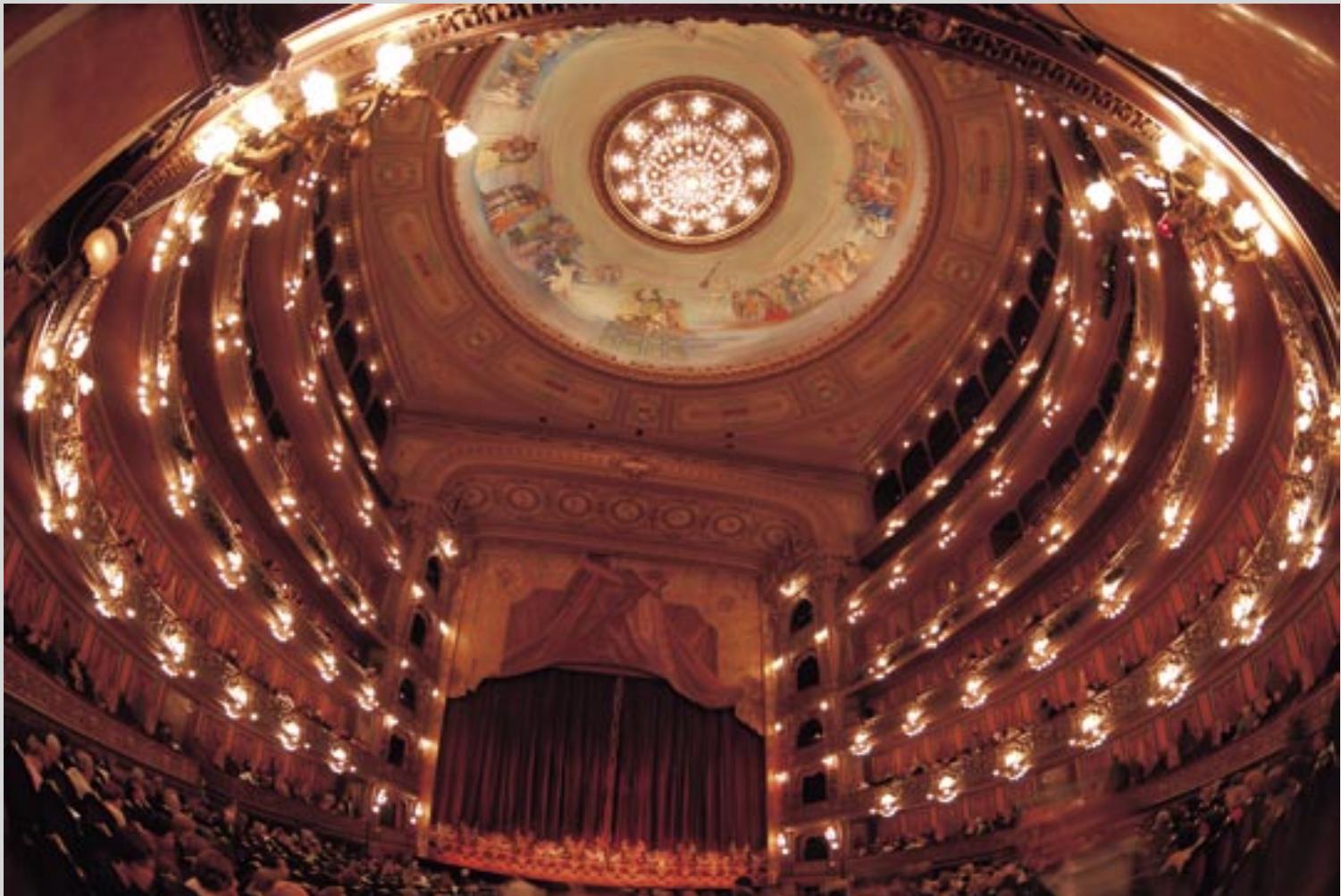
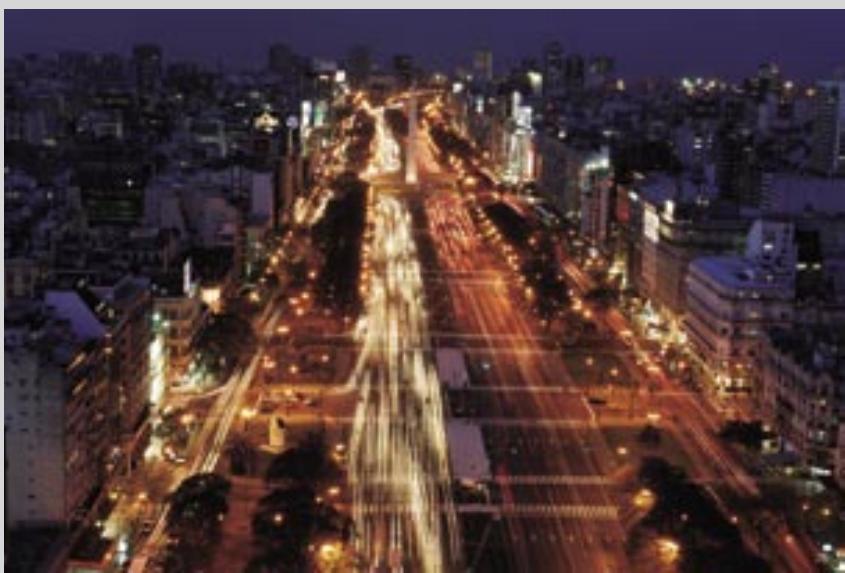
Left page, top: Lens: AF DX Fisheye-Nikkor 10.5mm f/2.8G ED · 1 second, f/3.2 · White balance: Auto · ISO sensitivity: 100
Left page, bottom left: Lens: AF-S Zoom-Nikkor 28-70mm f/2.8D IF-ED
-6 seconds, f/14 •White balance: Auto •ISO sensitivity: 100
Left page, bottom right: Lens: AF-S Zoom-Nikkor 28-70mm f/2.8D IF-ED
· 1 / 3 second, f/6.3 · White balance: Auto · ISO sensitivity: 100
Right page, upper left: Lens: AF-S Zoom-Nikkor 28-70mm f/2.8D IF-ED
· 1 second, f/8 · White balance: Auto · ISO sensitivity: 100
Right page, top right: Lens: AF-S DX Zoom-Nikkor 18-200mm f/3.5-5.6G IF-ED
· 1 / 250 second, f/11 · White balance: Auto · ISO sensitivity: 100
Right page, middle right: Lens: AF-S DX Zoom-Nikkor 12-24mm f/4G IF-ED
1/60 second, f/13 White balance: Auto ISO sensitivity: 100
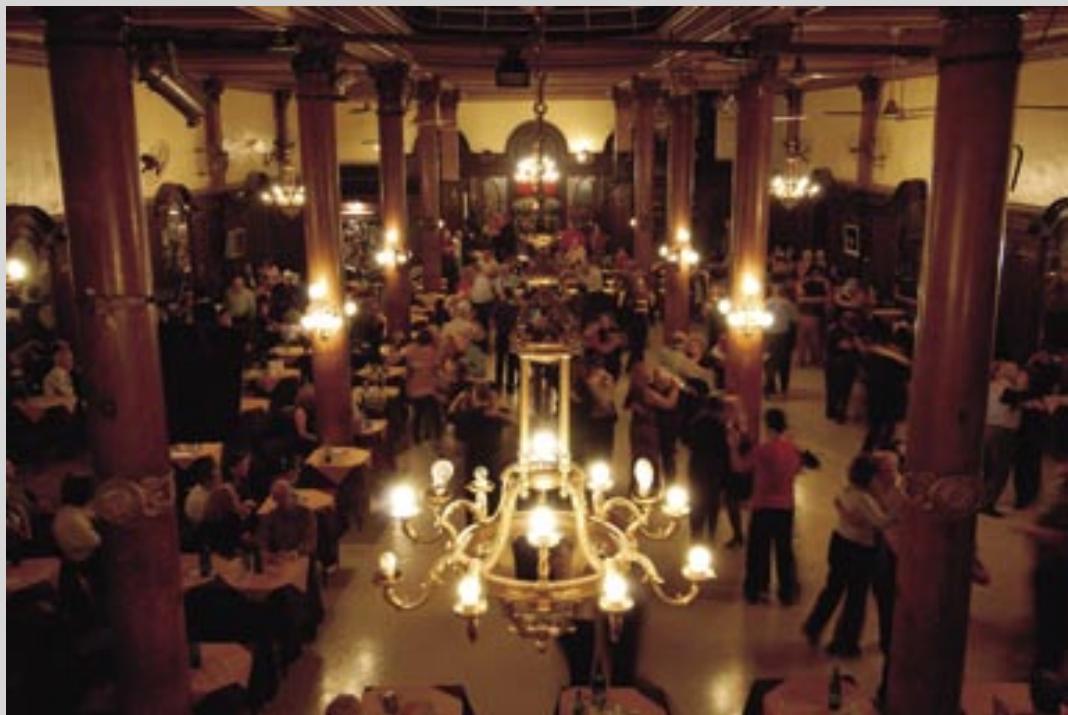
Right page, bottom: CONFITERIA IDEAL; Buenos Aires, ARGENTINA
· Lens: AF-S DX Zoom-Nikkor 12-24mm f/4G IF-ED · 1/3 second, f/4.5 · White balance: Auto · ISO sensitivity: 200
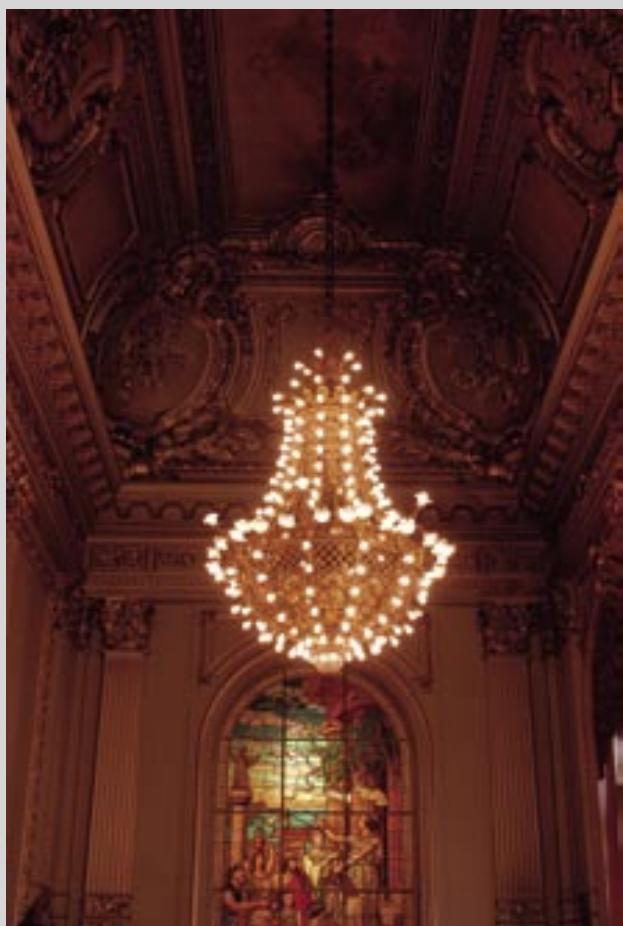
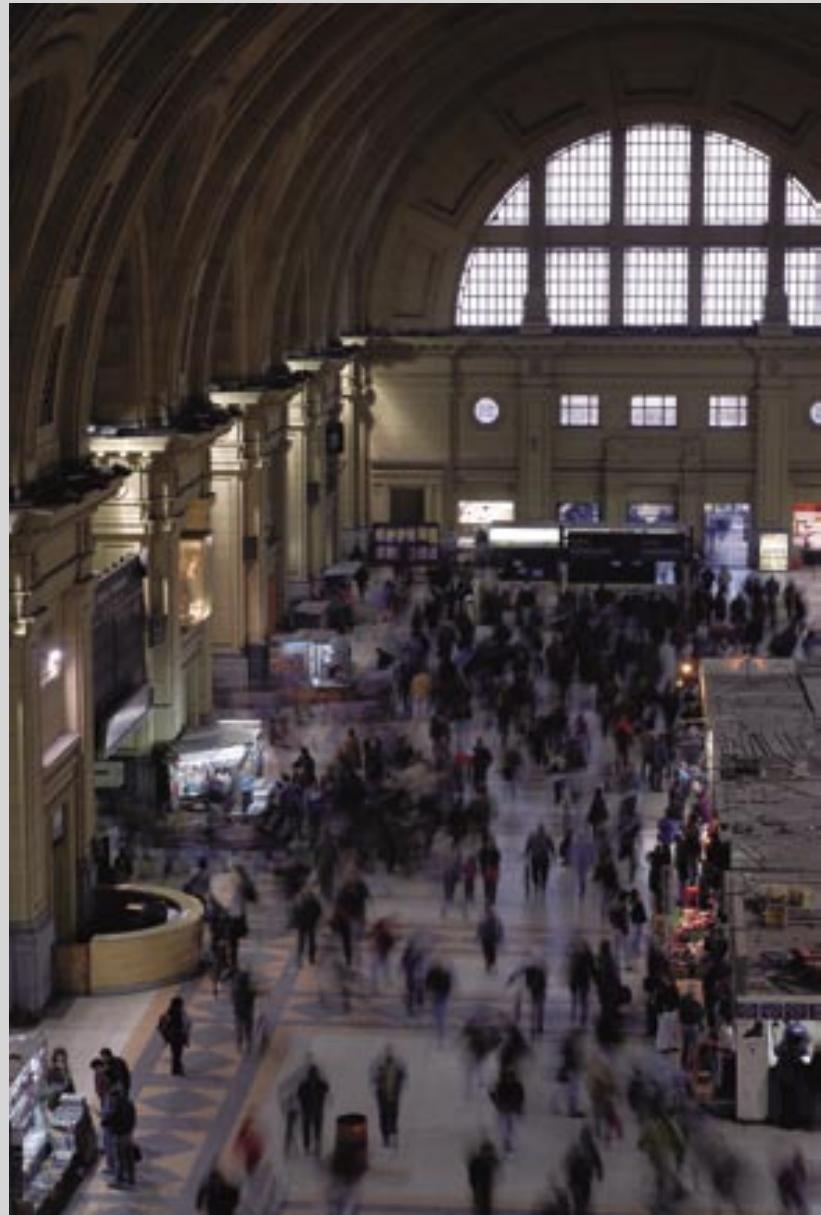
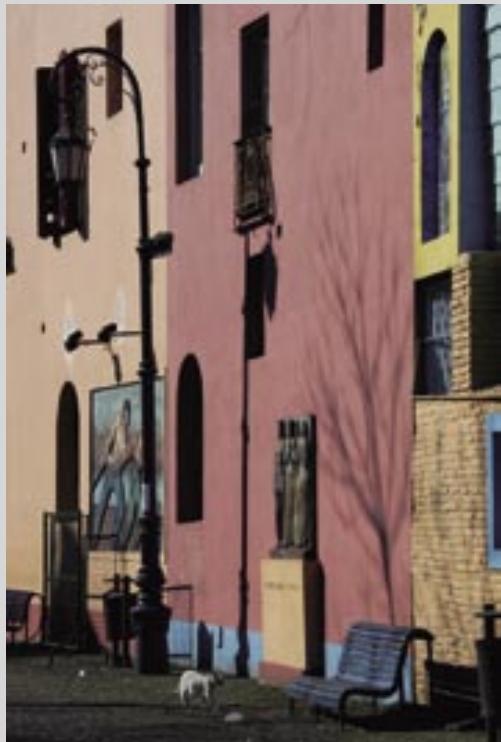



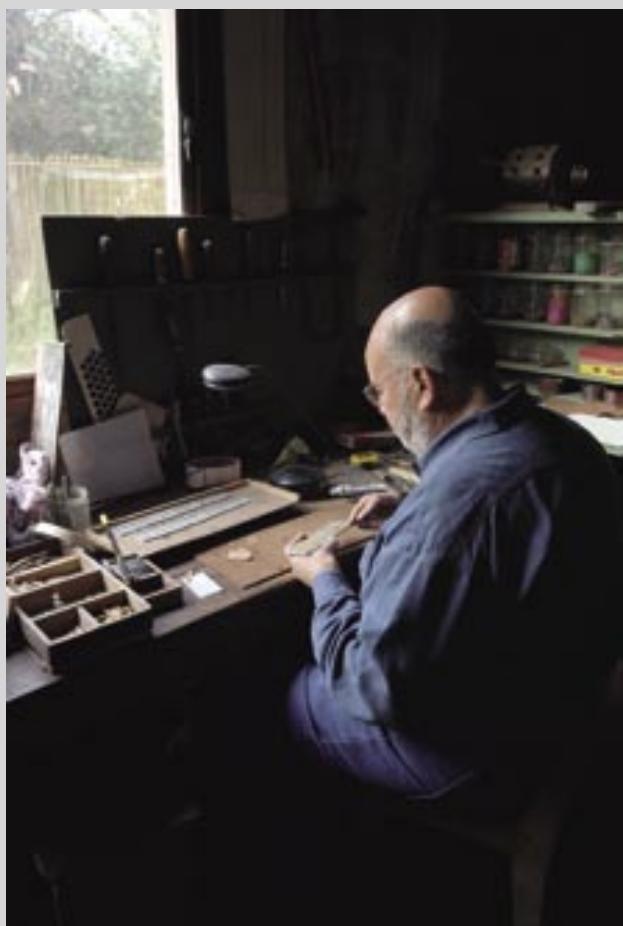



Left page, top: Lens: AF-S DX Zoom-Nikkor 17-55mm f/2.8G IF-ED · 1/13 second, f/4 White balance: Auto · ISO sensitivity: 200
Left page, bottom left: LA VENTANA TANGO SHOW; Buenos Aires, ARGENTINA
•Lens: AF-S VR Zoom-Nikkor 70-200mm f/2.8G IF-ED *1/8 second, f/8
White balance: Auto · ISO sensitivity: 800
Left page, bottom right: Lens: AF-S DX Zoom-Nikker 17-55mm f/2.8G IF-ED · 1 / 60 second,f/4 · White balance:Auto · ISO sensitivity:200
Right page, top: Lens: AF-S Zoom-Nikkor 28-70mm f/2.8D IF-ED
1/80 second, f/9 •White balance: Auto •ISO sensitivity: 100
Right page, bottom left: LA VENTANA; Buenos Aires, ARGENTINA
· Lens: AF-S Zoom-Nikkor 28-70mm f/2.8D IF-ED · 1 / 60 second, f/9
White balance: Cloudy · ISO sensitivity: 100
Right page, bottom right: Lens: AF Micro-Nikkor 60mm f/2.8D · 1/80 second, f/2.8
White balance: Auto · ISO sensitivity: 100
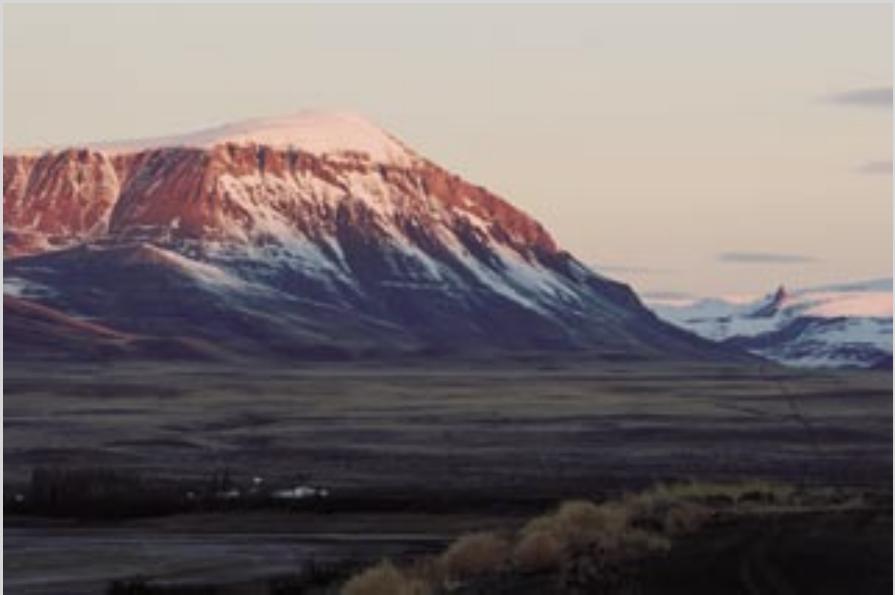
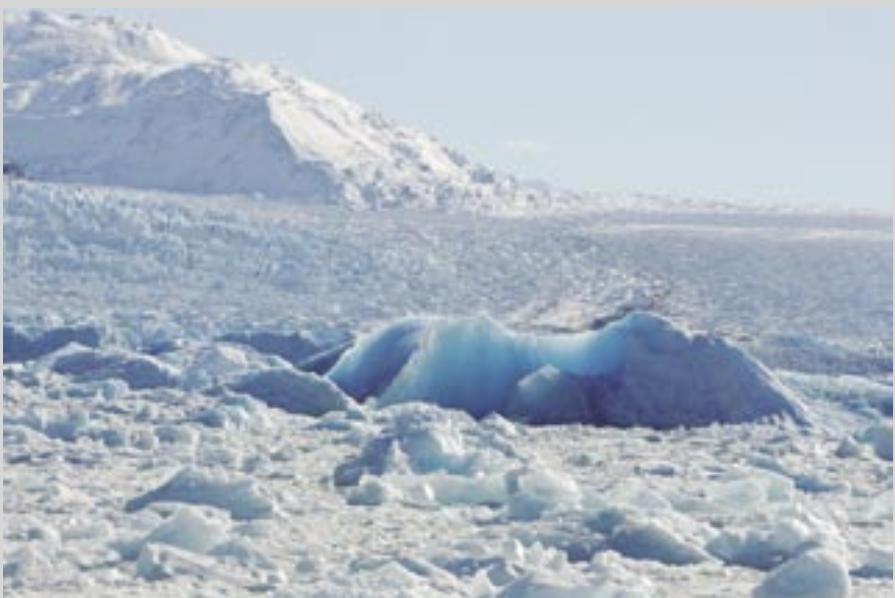

Left page, top left: Lens: AF-S VR Zoom-Nikkor
70-200mm f/2.8G IF-ED · 1 / 15 second, f/11
-White balance: Auto -ISO sensitivity: 100
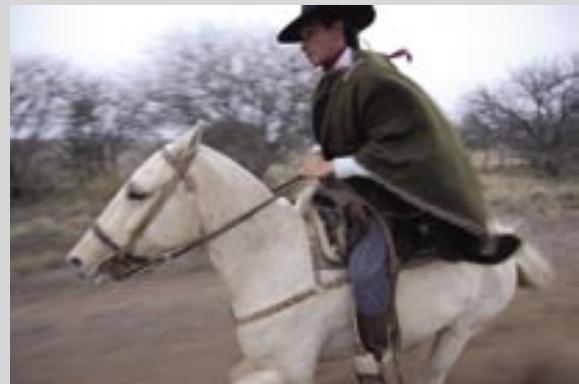
Left page, left column, second from top: Lens: AF-S
VR Zoom-Nikkor 70-200mm f/2.8G IF-ED
· 1 / 400 second, f/7.1 · White balance: Auto
ISO sensitivity: 100
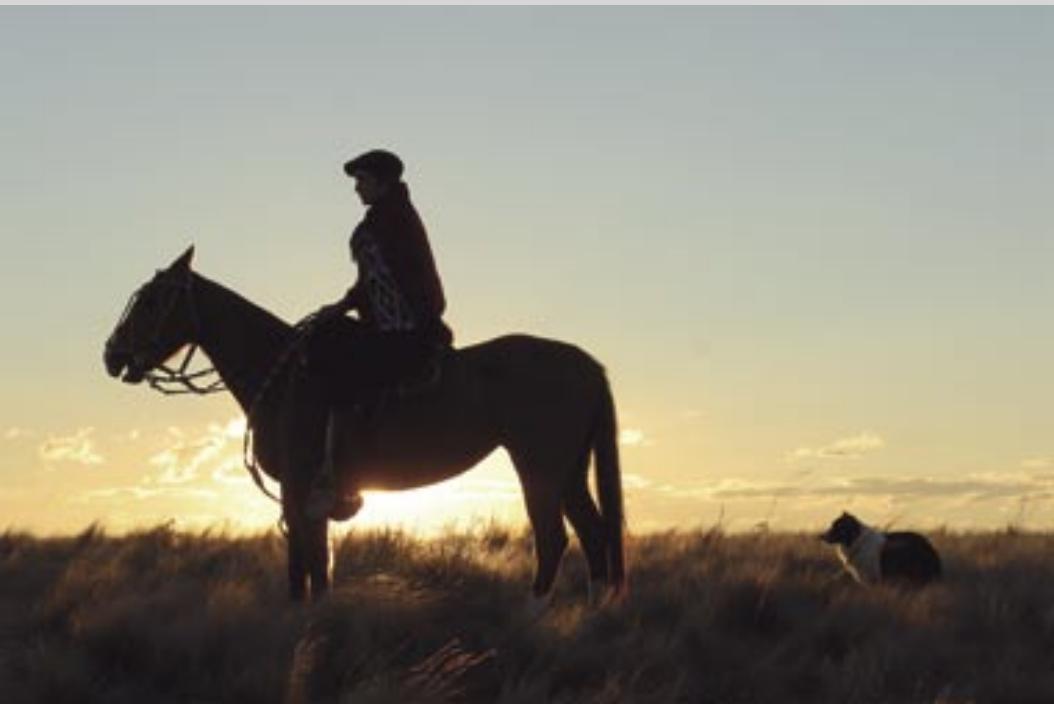
Left page, top right: ESTANCIA SAN CARLOS;
Provincia de La Pampa, ARGENTINA · Lens: AF-S
DX Zoom-Nikkor 12-24mm f/4G IF-ED
1/50 second, f/5.6 White balance: Cloudy
-ISO sensitivity: 200
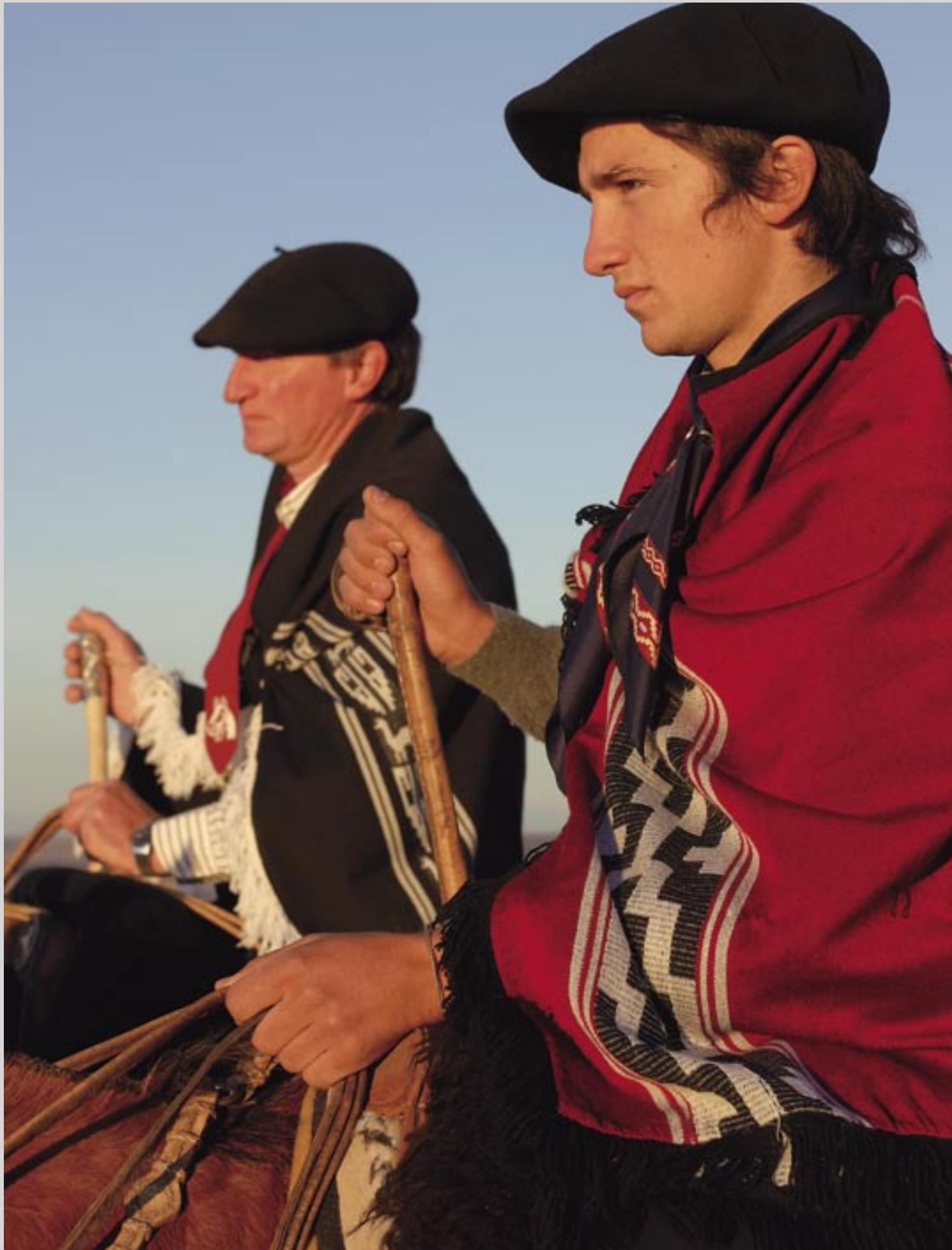
Left page, upper middle right: ESTANCIA SAN
CARLOS; Provincia de La Pampa, ARGENTINA
· Lens: AF-S DX Zoom-Nikkor 12-24mm f/4G IF-ED
1/60 second, f/4 •White balance: Auto
ISO sensitivity: 400
Left page, lower middle right: ESTANCIA LA
MERCEDES; Provincia de La Pampa, ARGENTINA
· Lens: AF Micro-Nikkor 60mm f/2.8D
· 1 / 250 second, f/5.6 · White balance: Auto
-ISO sensitivity: 100
Left page, bottom: ESTANCIA LA MERCEDES;
Provincia de La Pampa, ARGENTINA · Lens: AF-S
Zoom-Nikkor 28-70mm f/2.8D IF-ED
1/125 second, f/8 White balance: Auto
-ISO sensitivity: 100
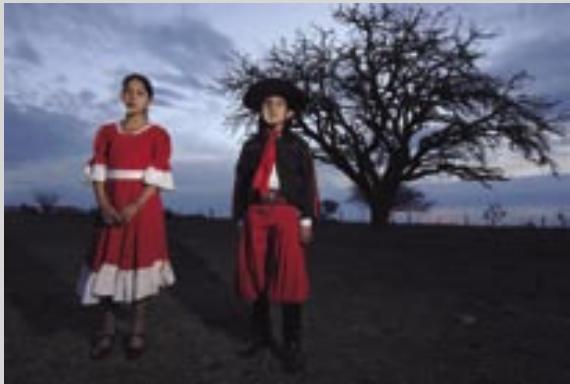
Right page: ESTANCIA LA MERCEDES; Provincia de
La Pampa, ARGENTINA · Lens: AF-S Zoom-Nikkor
28-70mm f/2.8D IF-ED · 1 / 250 second, f/5.6
White balance: Auto · ISO sensitivity: 100
Nikon Creative Lighting System
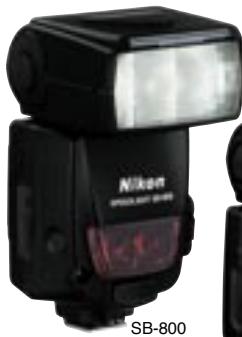
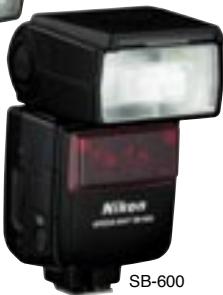
The D200 works seamlessly with
SB-800, SB-600 and SB-R200
Speedlights to deliver the full
benefits of i-TTL flash control's
advanced monitor pre-flash, ac
measurement for bounce, and robust
wireless operation. SB-800 and SB-600
Speedlights also feature a Wide-Area
AF-Assist Illuminator tailored to the
D200's 11-area Multi-CAM 1000 AF
Sensor Module, as well as Auto Zoom
flash coverage.
Built-in Flash
The built-in flash can be popped up when natural light is inadequate or to add balanced fill flash when backlighting is excessive.
Alternatively, it can be used in Commander mode, which provides the photographer with direct control over the master and two remote groups.
i-TTL flash control
Building on the accuracy of the monitor pre-flash, the brighter, shorter i-TTL pre-flash enables more precise evaluation of flash exposure to achieve outstanding results born of better automatic flash balance.
Advanced Wireless Lighting System
Exclusive technology does away with the need for cables and flash meters to provide you with a totally flexible lighting solution.
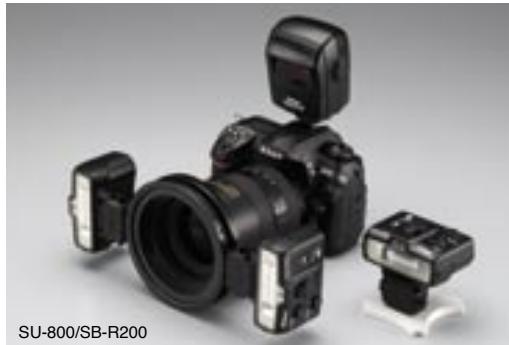
With the built-in Speedlight or an SB-800 or SU-800 serving as the Master controller,
up to 3 remote groups of any number of SB-800, SB-600 or SB-R200 Speedlights can be arranged as you like for total lighting control, with mode settings (i-TTL, AA, A, M, Repeating and Flash cancel) available for each individual group and the Master controller, and full i-TTL control available based not only on general output ratios for each group, but also on subject brightness. As a result, each flash output ratio can be set, even if a remote is repositioned. Flash compensation can also be adjusted on the fly for each group, with settings easily made and confirmed on the Master controller's large dot matrix LCD. There's also a choice of 4 frequency channels to minimize the risk of interference with Speedlights of other photographers.
FV (Flash Value) Lock is the flash equivalent of AE Lock, allowing the photographer to change composition while maintaining a desired flash value.
Repeating flash function serves as an
excellent advantage for capturing fast-moving subjects.
Modeling Flash fires a one-second
(approx.) stroboscopic burst, enabling the photographer to visually check for shadows and reflective objects and assess overall lighting prior to shooting.
AUTO FP High-Speed Sync automatically
fires at shutter speeds up to 1/8,000 second
- providing ample fill flash that achieves
effective background blur, even when
shooting in bright conditions.

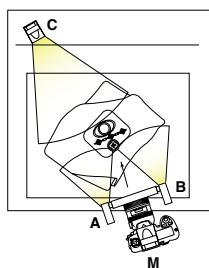
Lens: AF Micro-Nikkor 60mm f/2.8D
1/60 second, f/5.6
ISO sensitivity: 400
Speedlight mode settings:
Remote A:Remote B = 1:3
Remote C: Manual 1/16

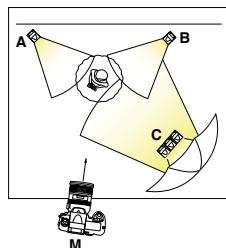
Lens: AF-S Zoom-Nikkor 28-70mm f/2.8D IF-ED
1/8 second, f/6.3
-White balance: Auto
ISO sensitivity: 200
Speedlight mode settings:
Master (SB-800): Flash canceled,
Remote A: Manual, Remote B: Manual
Remote C: Manual
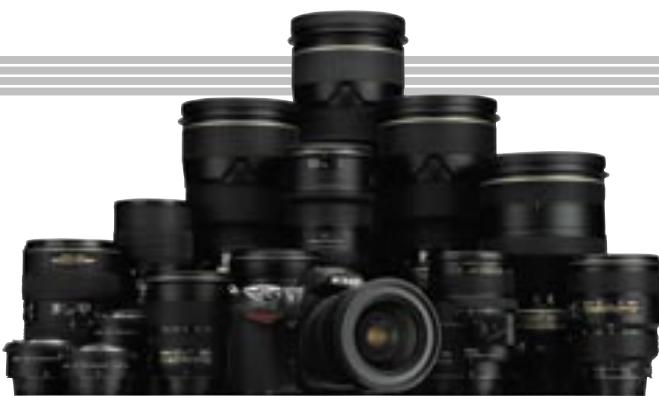
Nikkor lenses
The image quality achieved by any SLR
camera system is directly influenced
by the quality of the lenses it can
accommodate; and none equal the
performance and quality of Nikon's AF,
AF-S and dedicated DX Nikkor lenses.
A solid heritage of producing the finest
optics, precision mechanisms, and
optimized performance has long earned
Nikkor optics the highest praises of
photographers.
AF Nikkor lens
Employing the Nikon F lens mount, the D200 offers seamless compatibility with the broad range of high-quality AF and AF-S Nikkor lenses long favored by professionals around the world for their superb color, razor-sharp images, and consistently excellent autofocus performance.
DX Nikkor lens
Designed expressly for use with Nikon
DX Format digital SLR cameras, many
DX Nikkor lenses deliver enhanced wide
picture angle performance, and outstanding center-to-edge-to-corner image quality,
while featuring designs that are both light and compact. DX Nikkors add to a Nikkor
lens assortment of more than 50 superb optics designed to meet the needs of any photographic requirement.
AF-S DX Zoom-Nikkor 18-200mm
f/3.5-5.6 G IF-ED The first DX Nikkor lens to
feature a high-power zoom (of roughly 11x)
handily covers everything from wide-angle
to telescopic shots with its focal length
range of 18-200mm, (which is equivalent to
27-300mm in 35mm [135] format).
Function Compatibility Chart
| Camera setting Lens/accessory | Focus mode | Exposure mode | Metering system | ||||||
| AF | M (with electronic range finder) | M | P S | A M | [ ] | [ ] | |||
| 3D | Color | [ ] | |||||||
| CPU lenses1 | Type G or D AF Nikkor2 AF-S, AF-I Nikkor | √ | √ | √ | √ | √ | √ | - | √3 |
| PC-Micro Nikkor 85 mm f/2.8D4 | - | √5 | √ | - | √6 | √ | - | √3 | |
| AF-S / AF-I Teleconverter7 | √8 | √8 | √ | √ | √ | √ | - | √3 | |
| Other AF Nikkor (except lenses for F3AF) | √9 | √9 | √ | √ | √ | - | √ | √3 | |
| AI-P Nikkor | - | √10 | √ | √ | √ | - | √ | √3 | |
| Non-CHU lenses11 | AI-, AI-S, or Series E Nikkor12 AI modified Nikkor | - | √10 | √ | - | √13 | - | √14 | √15 |
| Medical Nikkor 120 mm f/4 | - | √ | √ | - | √16 | - | - | - | |
| Reflex Nikkor | - | - | √ | - | √13 | - | - | √15 | |
| PC-Nikkor | - | √5 | √ | - | √17 | - | - | √ | |
| AI-type Teleconverter18 | - | √8 | √ | - | √13 | - | √14 | √15 | |
| TC-16A AF Teleconverter | - | √8 | √ | - | √13 | - | √14 | √15 | |
| PB-6 Bellows Focusing Attachment19 | - | √8 | √ | - | √20 | - | - | √ | |
| Auto extension rings (PK-series 11A, 12, or 13; PN-11) | - | √8 | √ | - | √13 | - | - | √ | |
When used with the D200 or any DX Format SLR, all AF, AF-S and DX Nikkor lenses offer a picture angle comparable to 1.5x that of a 35mm format.
1 IX Nikkor lenses can not be used. 2 Vibration Reduction (VR) supported with VR lenses. 3 Spot metering meters selected
focus area. 4 The camera's exposure metering and flash control systems do not work properly when smiting and/or tilting the lens, or when an aperture other than the maximum aperture is used. 5 Electronic range finder can not be used with shifting or tilting. 6 Manual exposure mode only. 7 Compatible with AF-I Nikkor lenses and with all AF-S lenses except DX ED 12-24 mm f/4G and AF-S series ED 17-35 mm f/2.8D, ED 17-55 mm f/2.8G, ED 24-85 mm f/3.5-4.5G, VR ED 24-120 mm f/3.5-5.6G, and ED 28-70 mm f/2.8D. 8 With maximum effective aperture of f/5.6 or faster. 9 If AF 80-200 mm f/2.8S, AF 35-70 mm f/2.8S, new-model AF 28-85 mm f/3.5-4.5S, or AF 28-85 mm f/3.5-4.5S is zoomed in while focusing at minimum range, image on matte screen in viewfinder may not be in focus when in-focus indicator is displayed. Focus manually using image in viewfinder as guide. 10 With maximum aperture of f/5.6 or faster. 11 Some lenses can not be
used. 12 Range of rotation for Ai 80 - 200mm f/2.8S ED tripod mount limited by camera body. Filters can not be exchanged while Ai 200 - 400mm f/4S ED is mounted on camera. 13 If maximum aperture is specified using Non-CPU Lens Data option in shooting menu, aperture value will be displayed in viewfinder and control panel. 14 Can be used only if lens focal length and maximum aperture are specified using Non-CPU Lens Data option in shooting menu. Use spot or center-weighted metering if desired results are not achieved. 15 For improved precision, specify lens focal length and maximum aperture using Non-CPU Lens Data option in shooting menu. 16 Can be used in manual exposure modes at shutter speeds slower than 1/125 s. If maximum aperture is specified using Non-CPU Lens Data option in shooting menu, aperture value will be displayed in viewfinder and control panel. 17 Exposure determined by presetting lens aperture. In exposure-priority auto exposure mode, preset aperture using lens aperture ring before performing AE lock or shifting lens. In manual exposure mode, preset aperture using lens aperture ring and determine exposure before shifting lens. 18 Exposure compensation required when used with Al 28 - 85mm f/3.5-4.5S, Al 35 - 105mm f/3.5-4.5S, Al 35 - 135mm f/3.5-4.5S, or AF-S 80 - 200mm f/2.8D. See teleconverter manual for details. 19 Requires PK-12 or PK-13 auto extension ring. 20 Use preset aperture. In exposure mode A, set aperture using focusing attachment before determining exposure and taking photograph.
PictureProject (Supplied)
PictureProject's intuitive user interface provides fast and easy access to powerful image organizing, creative and effective image editing, designing of album pages and image sharing tools. Connect the camera to a compatible computer to automatically import pictures. Access Mail, Slideshow, CD/DVD burning, Auto Enhance and other creative functions via handy buttons. Organize pictures into collections with simple drag 'n' drop operation, and quickly locate any file by name, keyword, or date. Handy design templates make it easy to produce prints, tailor images to e-mail and layout several images on one page to produce creative album layouts. And with
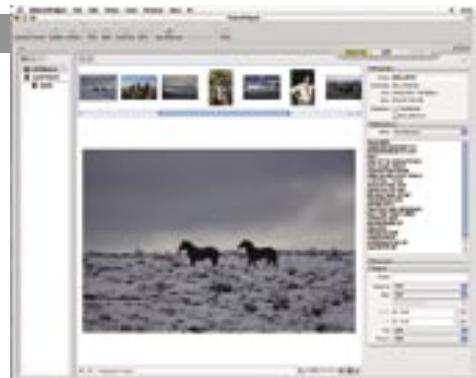
support for JPEG, TIFF and NEF file formats, PictureProject serves as an ideal companion to the powerful Nikon Capture 4 feature set. PictureProject is provided complimentary with your purchase of the Nikon D200.
PictureProject System Requirements
| Windows | Macintosh | |
| OS | Preinstalled versions of Windows XP Home Edition, Windows XP Professional, Windows 2000 Professional, Windows Millennium Edition (Me), Windows 98 Second Edition (SE) | Mac OS X version 10.1.5 or later (Mac OS X version 10.2.8 or later required for "Burn Disc" function) |
| CPU/Model | 300 MHz Pentium or better recommended (500 MHz Pentium III or better for muvee option) | Model with built-in USB or FireWire port |
| HDD | 60MB required for installation | |
| RAM | 64MB or more (128MB or more with RAW images or muvee option) | |
| Display | 800 x 600 pixels or more with 16-bit color (High Color / thousands of colors) or more | |
| Others | • CD-ROM drive required for installation. Write-capable drive required for "Burn Disc" function. • Internet connection required for some options. E-mail option requires Internet connection and supported e-mail program. | |
Note 1: Data transfer may not work properly if the connection to a computer is via a USB hub.
ACCESSORIES
A full array of original Nikon accessories is available to help customize system setups for optimum performance matched to the requirements of the shoot.
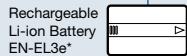
- Nikon's EN-EL3e rechargeable lithium-ion battery combines high energy capacity, extended life, charge-anytime convenience and the accurate status displays of the new fuel gauge system to maximize efficiency, convenience and field performance.
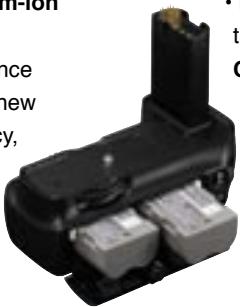
Storage media (CF Card, MicrodriveTM)
The D200 is compatible with CompactFlash™ cards and Microdrive™ media of up to 8GB capacity.
The following cards have been tested and approved for use in the D200:
SanDisk Corporation
SDCFB 128MB, 256MB, 512MB, 1GB, 2GB, 4GB
SDCFB (Type II) 300MB
SDCF2B (Type II) 256ME
SDCFH (Ultra II) 256MB, 512MB, 1GB, 2GB, 4GB, 8GB
SDCFX (Extreme III) 1GB, 2GB, 4GB
- Microdrive™
1GB, 2GB, 4GB, 6GB
- Lexar Media Corporation
Entry-level CompactFlash cards 128MB, 256MB, 512MB High speed 40× with Write Acceleration (WA) 256MB, 5 Professional 40× with WA 8GB
Professional 80x with WA 512MB, 1GB, 2GB, 4GB Professional 80x with WA and LockTight technology
Operation is not guaranteed with other makes of card. For more details on the above cards, please contact the manufacturer.
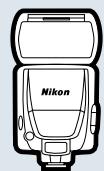
Flash units (Speedlights)
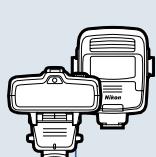
Speedlight SB-800
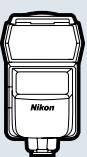
Speedlight SB-600
light 80/00/1
SB-R200

Studio peedlights**
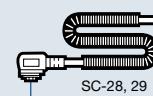

10-pin remote terminal accessories
Extension Cord MC-21(3m) MC-22/MC-30/MC-36

Adapter Cord MC-25(0.2m) Modulite Control Set ML-3
GPS Adapter Cord MC-35
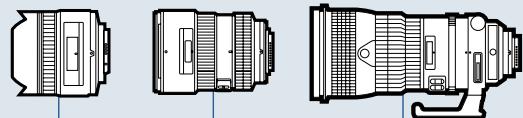
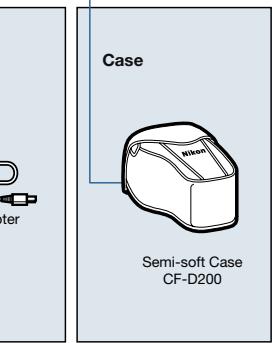
Lenses
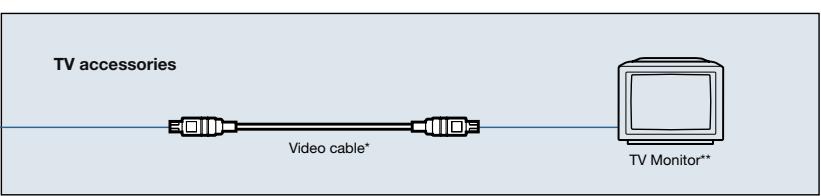
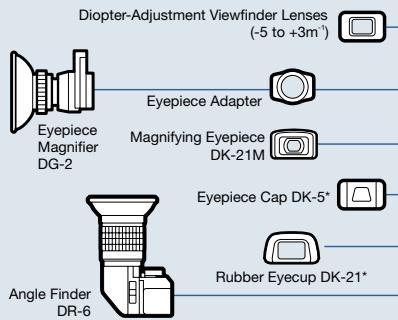
Viewfinder accessories
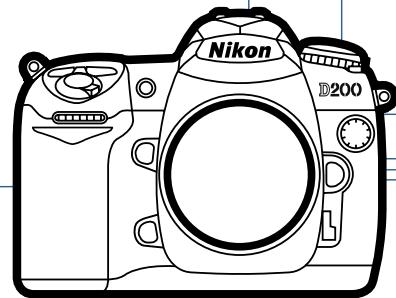
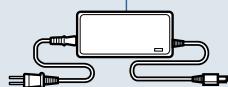
AC adapters, Batteries, and Battery packs
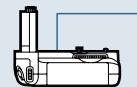
Multi-Power Battery Pack MB-D200
12x - 1 > 0
Wireless Transmitter WT-3

Computer related accessories
CompactFlash™Card/ MicrodriveTM
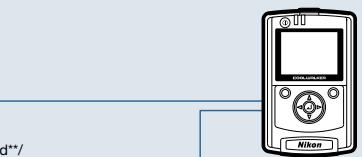
COOLWALKER MSV-01
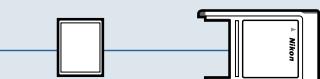
CompactFlash™ Card/PC Card Adapter EC-AD1/MicrodriveTM Microdrive™ Adapter
JSB cable UC-E4
Xon Capture 4

Supplied accessories *Non-Nikon products
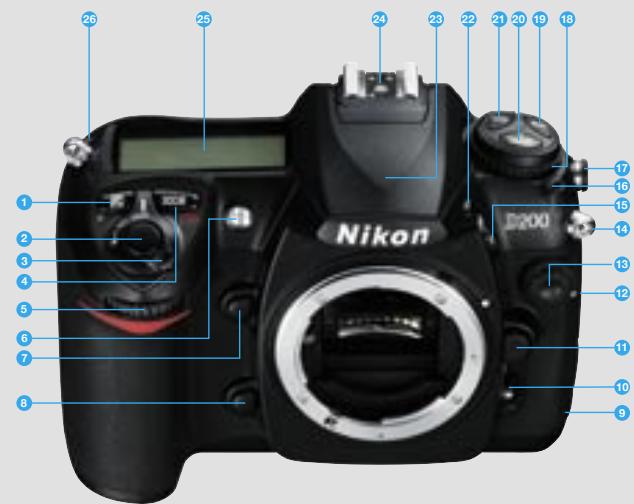
Exposure compensation button
Shut-up button Power/ LCD illuminator switch
Exposure/format mode button Sub-command dial
Self-timer/ AF-assist illuminator / Red-eye reduction lamp
Depth of Field preview button FUNC. button
USB connector (under cover)
Easy mode accelerometer
Focus-mode selector
Lens release button
Video connector (under cover) DC-in connector (under cover)
10-pin remote terminal
Eyelet for camera strap Flash sync mode / Flash exposure compensation button
16 Mode dial lock release
Flash sync terminal Mode dial
WB (white balance) button Flash nop-up button.
3 Flash pop-up button 4 QUAL (image quality/size) / reset button
ISO (ISO sensitivity) button
Built-in Flash
Accessory shoe
Control panel
26 Focal plane mark
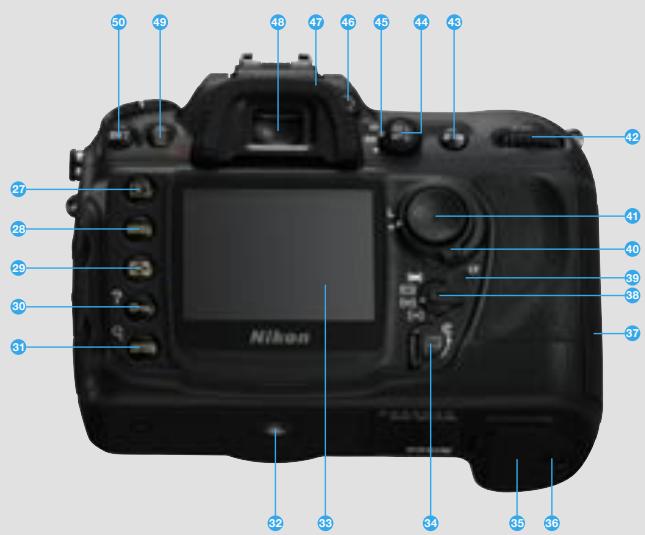
27Playback button
28 Menu button
29 Thumbnail button
30 Protect/Help button
③ Playback zoom /
Enter button
Tripod socket
LCD Monitor
Card slot cover latch
Batten's chamber cove
Battery chamber cover
Battery chamber cover latch Memory card slot cover
Memory card slot cover AFs rce mode calster
At area mode selector
39 Memory card access lamp
40 Focus select
1 Multi selector
42 Main command dial
43 (AF-ON) lock button
44 AE/AE lock button
5 Metering selector
Diopter adjustment control
Viewfinder eveniece gun
Viewfinder eyepiece cup Viewfinder eyepiece
Viewinlveeyepiece 10. Peltate button /
Delete button Format button
Format button Bracketing button
Nikon Digital SLR Camera D200 Specifications
| Type of Camera | Single-lens reflex digital camera |
| Effective Pixels | 10.2 million |
| Image Sensor | RGB CCD, 23.6 x 15.8mm; total pixels: 10.92 million |
| Image Size (pixels) | 3,872 x 2,592 [L], 2,896 x 1,944 [M], 1,936 x 1,296 [S] |
| Sensitivity | 100 to 1600 (ISO equivalent) in steps of 1/3, 1/2 or 1 EV with additional settings up to 1 EV over 1600 |
| Storage Media | CompactFlash™ (CF) Card (Type I and II) and Microdrive™ |
| Storage System | Compressed NEF (RAW): 12-bit compression, JPEG: JPEG baseline-compliant |
| File System | Exif 2.21, Compliant DCF 2.0 and DPOF |
| White Balance | Auto (TTL white balance with 1,005-pixel RGB sensor), six manual modes with fine-tuning, color temperature setting, preset white balance, white balance bracketing possible (2 to 9 frames in increments of 1, 2 or 3) |
| LCD Monitor | 2.5-in., 230,000-dot, low-temperature polysilicon TFT LCD with brightness adjustment |
| Playback Function | Full frame 2) Thumbnail (4 or 9 segments) 3) Zoom 4) Slideshow 5) RGB histogram indication 6) Shooting data 7) Highlight point display 8) Auto image rotation |
| Delete Function | Card format, All photographs delete, Selected photographs delete |
| Video Output | Can be selected from NTSC and PAL |
| Interface | USB 2.0(Hi-speed)(mini-B connector); mass storage and PTP connectable; FTP file transfer and PTP/IP camera control/file transfer is also available with optional WT-3 (IEEE 802.11b/g); CF card slot Type II: supports firmware updates via CF cards |
| Text Input | Up to 36 characters of alphanumeric text input available with LCD monitor and multi selector; stored in Exif header |
| Compatible Lenses | Refer to page 21 |
| Picture Angle | Equivalent in 35mm [135] format is approx. 1.5 times lens focal length |
| Viewfinder | Fixed eye-level pentaprism type; built-in diopter adjustment (-2.0 to +1.0m-1) |
| Eyepoint | 19.5mm (-1.0m-1) |
| Focusing Screen | Type-B BriteView Clear Matte screen Mark II with superimposed focus brackets and On-Demand grid lines |
| Viewfinder Frame Coverage | Approx. 95% (vertical and horizontal) |
| Viewfinder Magnification | Approx. 0.94x with 50mm lens at infinity; -1.0m-1 |
| Viewfinder Information | Focus indications, Metering system, AE/FV lock indicator, Flash sync indicator, Shutter speed, Aperture value, Exposure/Exposure compensation indicator, ISO sensitivity, Exposure mode, Flash output level compensation, Exposure compensation, Number of remaining exposures |
| Autofocus | TTL phase detection by Nikon Multi-CAM 1000 autofocus module with AF-assist illuminator (approx. 0.5m to 3.0m) Detection range: EV-1 to +19 (ISO 100 equivalent, at normal temperature: 20°C/68°F) |
| Lens Servo | Instant single-servo AF (S); continuous-servo AF (C); manual (M); predictive focus tracking automatically activated according to subject status in continuous-servo AF |
| Focus Area | Normal: 11 areas; single area or group can be selected; Wide: focus area can be selected from 7 areas |
| AF Area Mode | 1) Single Area AF 2) Dynamic Area AF 3) Group Dynamic AF 4) Dynamic area AF with closest subject priority |
| Focus Lock | Focus can be locked by pressing shutter-release button halfway (single-servo AF) or by pressing AE-L/AF-L button |
| Exposure Metering System | Three-mode through-the-lens (TTL) exposure metering 1) 3D Color Matrix Metering II (type G and D lenses); color matrix metering II (other CPU lenses); color matrix metering available with non-CPU lenses if user provides lens data; metering performed by 1,005-segment RGB sensor 2) Center-weighted: Weight of 75% given to 6, 8, 10, or 13mm dia. circle in center of frame 3) Spot: Meters 3mm dia. circle (about 2.0% of frame) centered on active focus area (on center focus area when non-CPU lens is used) |
| Exposure Metering Range (ISO 100, f/1.4 lens, 20°C) | 1) EV 0 to 20 (3D Color Matrix or center-weighted metering) 2) EV 2 to 20 (spot metering) |
| Exposure Meter Coupling | Combined CPU and AI |
| Exposure Modes | Programmed Auto [P] with flexible program; Shuttor-Priority Auto [S]; Aperture Priority Auto [A]; Manual [M] |
| Exposure Compensation | ±5 EV in increments of 1/3, 1/2 or 1 EV |
| Auto Exposure Lock | Luminosity locked at detected value with AE-L/AF-L button |
| Auto Exposure Bracketing | 2 to 9 exposures in increments of 1, 2, or 3 |
| Shooting Modes | 1) Single frame shooting mode 2) Continuous low speed (CL) shooting mode: 1 to 4 frames per second 3) Continuous high-speed shooting mode: 5 frames per second 4) Self-timer shooting mode 5) Mirror-up mode |
| Shutter | Electronically-controlled vertical-travel focal plane shutter, 30 to 1/8,000 sec. in steps of 1/3, 1/2 or 1 EV, bulb |
Memory Card Capacity and Image Quality/Size
| Sync Contact | X-contact only; flash synchronization at up to 1/250 sec. |
| Flash Control | 1) TTL: TFT light control by 1,005-pixel RGB sensorBuilt-in Speedlight: i-TTL balanced fill-flash or standard i-TTL flash (spot metering or mode dial set to [M])SB-800, 600 or SB-R200: i-TTL balanced fill-flash for digital SLR and standard i-TTL flash for digital SLR2) Auto aperture: Available with SB-800 with CPU lens3) Non-TTL Auto: Available with Speedlights such as SB-800, 80DX, 28DX, 28, 27, and 22s4) Range-priority manual; available with SB-800 |
| Flash Sync Mode | 1) Front-curtain Sync (normal sync), 2) Red-eye Reduction, 3) Red-eye Reduction with Slow Sync, 4) Slow Sync, 5) Rear-curtain Sync |
| Built-in Speedlight | Manual pop-up with button releaseGuide number (ISO 100, m): approx. 12 (manual 13) |
| Flash Compensation | -3 to +1 EV in increments of 1/3 or 1/2 EV |
| Accessory Shoe | Standard ISO hot-shoe contact with safety lock provided |
| Sync Terminal | ISO 519 standard terminal |
| Self-timer | Electronically controlled timer with 2 to 20 seconds duration |
| Depth of Field Preview | When CPU lens is attached, lens aperture can be stopped down to value selected by user (A and M mode) or value selected by camera (P and S mode) |
| Remote Control | Via 10-pin Remote Cord MC-22/30/36 (optional) or Wireless Remote Contro WT-3 (optional) |
| GPS | NMEA 0183 (Ver. 2.01) interface standard supported with 9-pin D-sub cable (optional) and GPS Cable MC-35 (optional) |
| Power Source | One Rechargeable Li-ion Battery EN-EL3e, MB-D200 battery pack (optional) with one or two rechargeable Nikon EN-EL3e Li-ion batteries or six AA alkaline (LR6), NiMH (HR6), lithium (FR6) batteries, or ZR6 nickel-manganese AA batteries, AC Adapter EH-6 (optional) |
| Tripod Socket | 1/4 in. (ISO 1222) |
| Dimensions (W x H x D) | Approx. 147 x 113 x 74mm |
| Weight | Approx. 830g without battery, memory card, body cap, or monitor cover |
| Supplied Accessories* | Rechargeable Li-ion Battery EN-EL3e, Quick Charger MH-18a, Video Cable, USB Cable UC-E4, Strap, Body cap, Eyepiece Cap DK-5, Rubber Eyecup DK-21, LCD monitor cover BM-6, PictureProject CD-ROM |
| Optional Accessories | Wireless Transmitter WT-3, AC Adapter EH-6, Speedlight SB-800/ SB-600/SB-R200, Nikon Capture 4 (Ver. 4.4), CompactFlash card For more details, refer to system chart on page 23. |
*Supplied accessories may differ in each country or area.
The following table shows the approximate number of pictures that can be stored on a 1GB card* at different image quality and settings.
- When using the SanDisk SDCFX (Extreme III) 1GB CompactFlash™ card.
| Image Quality | Image Size | File Size | Number of Available Shots*1 | Number of Consecutive Shots Available*1 *2 |
| RAW (NEF) + JPEG*3*4*5*6*Fine | L*6 | Approx.20.7MB | Approx.44 shots | 19 shots |
| M*6 | Approx.18.6MB | Approx.49 shots | 19 shots | |
| S*6 | Approx.17.1MB | Approx.55 shots | 19 shots | |
| RAW (NEF) + JPEG*3*4*5*6*Normal | L*6 | Approx.18.3MB | Approx.50 shots | 19 shots |
| M*6 | Approx.17.2MB | Approx.54 shots | 19 shots | |
| S*6 | Approx.16.5MB | Approx.57 shots | 19 shots | |
| RAW (NEF) + JPEG*3*4*5*6*Basic | L*6 | Approx.17.1MB | Approx.55 shots | 19 shots |
| M*6 | Approx.16.5MB | Approx.57 shots | 19 shots | |
| S*6 | Approx.16.2MB | Approx.58 shots | 19 shots | |
| RAW(NEF) | - | Approx.15.8MB | Approx.60 shots | 22 shots |
| JPEG FINE*5 | L | Approx.4.8MB | Approx.167 shots | 37 shots |
| M | Approx.2.7MB | Approx.294 shots | 56 shots | |
| S | Approx.1.2MB | Approx.650 shots | 74 shots | |
| JPEG NORMAL*5 | L | Approx.2.4MB | Approx.332 shots | 54 shots |
| M | Approx.1.4MB | Approx.578 shots | 74 shots | |
| S | Approx.0.63MB | Approx.1.2K shots | 76 shots | |
| JPEG BASIC*3 | L | Approx.1.2MB | Approx.650 shots | 57 shots |
| M | Approx.0.7MB | Approx.1.1K shots | 75 shots | |
| S | Approx.0.33MB | Approx.2.2K shots | 76 shots |
*1 All figures are approximate. File size varies with scene recorded and make of memory card.
2 Maximum number of frames that can be stored in memory buffer at ISO 100. Capacity of memory buffer will drop if noise reduction is on.
3 Total for NFE and JPEG
*4 Figures assume Raw Compression is set to NFF (RAW). Selecting Comp. NFF (RAW) decreases file size of NFF (RAW)
images by approximately forty to fifty percent; although camera displays do not change, actual number of images and buffer capacity increase.
Figures assume JPEG Compression is set to Fixed Size. Selecting Optimal Quality increases file size of JPEG images by up to eighty percent: number of images and buffer capacity drop accordingly.
by up to slightly percent, number of images and buffer capacity are accordingly ^ 念 _ 念 Applies to JPEG images only. Size of NEF (RAW) images can not be changed.
Online Video Tutorial - Digitutor
http://www.nikondigitutor.com/index_eng.html
Microsoft® and Windows® are either registered trademarks or trademarks of Microsoft Corporation in the United States and/or other countries. Macintosh® is a registered trademark or a trademark of Apple Computer Inc. in the United States and/or other countries. CompactFlash™ is a trademark of SanDisk Corporation. Products and brand names are trademarks or registered trademarks of their respective companies. Images in viewfinders, on LCDs and monitors shown in this brochure are simulated.
Specifications and equipment are subject to change without any notice or obligation on the part of the manufacturer. November 2005 © 2005 NIKON CORPORATION
WARNING
TO ENSURE CORRECT USAGE, READ MANUALS CAREFULLY BEFORE USING YOUR EQUIPMENT. SOME DOCUMENTATION IS SUPPLIED ON CD-ROM ONLY.

PictBridge

THEOPEN CHAMPIONSHIP

Nikon