
D-NE900LS - Lecteur CD portable SONY - Notice d'utilisation et mode d'emploi gratuit
Retrouvez gratuitement la notice de l'appareil D-NE900LS SONY au format PDF.


| Type de produit | Lecteur CD portable (ATRAC CD Walkman) |
| Dimensions (L x H x P) | Environ 127 x 21,8 x 139,4 mm (parties saillantes non comprises) |
| Poids | Environ 168 g (sans accessoires) |
| Alimentation | Batterie rechargeable NH-14WM (1,2 V CC), pile alcaline LR6 (AA) (1,5 V CC), adaptateur secteur (DC IN 3 V) |
| Autonomie (approximative) | Jusqu'à 50 h (CD audio) avec batterie rechargeable + pile alcaline ; jusqu'à 85 h (ATRAC CD) avec les deux |
| Formats audio compatibles | CD audio (CDDA), ATRAC CD (ATRAC3plus/ATRAC3), MP3 CD |
| Fonctions de lecture | Répétition, lecture aléatoire, programmée (PGM), lecture par groupe, lecture de listes de lecture (m3u), lecture par signet, lecture par classement automatique |
| Protection anti-saut (G-PROTECTION) | Deux modes : G-PRO 1 (qualité sonore optimale) et G-PRO 2 (protection renforcée contre les chocs) |
| Écoute sécurisée (AVLS) | Limiteur automatique de volume pour protéger l'audition |
| Égaliseur paramétrique | Préréglages (SOFT, ACTIVE, HEAVY, CUSTOM) avec réglage sur 3 bandes (LOW, MID, HIGH) |
| Sorties audio | Prise casque / LINE OUT (OPTICAL) : sortie casque (5 mW + 5 mW sous 16 Ω), sortie ligne (0,7 V rms sous 47 kΩ), sortie optique numérique |
| Accessoires fournis | Adaptateur secteur, batterie rechargeable, étui de transport pour batterie, écouteurs/casque, télécommande, socle de charge, pochette de transport, boîtier de piles externe, CD-ROM (SonicStage Simple Burner) |
| Entretien et nettoyage | Nettoyer le boîtier avec un chiffon doux légèrement humide ; nettoyer les bornes du socle de charge avec un coton-tige sec |
| Sécurité | Laser classe 1M (invisible) ; ne pas exposer l'appareil à la pluie ou à l'humidité ; ne pas regarder directement le faisceau |
| Informations générales | Réponse en fréquence : 20 - 20 000 Hz (+1 dB) ; température de fonctionnement : 5 °C à 35 °C |
FOIRE AUX QUESTIONS - D-NE900LS SONY
Questions des utilisateurs sur D-NE900LS SONY
0 question sur cet appareil. Repondez a celles que vous connaissez ou posez la votre.
Poser une nouvelle question sur cet appareil
Téléchargez la notice de votre Lecteur CD portable au format PDF gratuitement ! Retrouvez votre notice D-NE900LS - SONY et reprennez votre appareil électronique en main. Sur cette page sont publiés tous les documents nécessaires à l'utilisation de votre appareil D-NE900LS de la marque SONY.
MODE D'EMPLOI D-NE900LS SONY
Lecteur CD portable
Mode d'emploi
GB
CS
KR


"WALKMAN" est une marque déposée de Sony Corporation pour représenter les produits stéréo à casque. WALKMAN est une marque de Sony Corporation.
D-NE900LS
AVERTISSEMENT
Pour éviter tout risque d'incendie ou de choc électrique, n'exposez pas l'appareil à la pluie ou à l'humidité.
N'installez pas l'appareil dans un espace confiné, comme une bibliothèque ou une armoire encastrée.
Pour éviter tout risque d'incendie, ne couvrez pas les ouvertures de ventilation de l'appareil avec des journaux, des nappes, des rideaux, etc. Et ne placez pas de bougies allumées sur l'appareil.
Pour éviter tout risque d'incendie ou de choc électrique, ne placez pas d'objets remplis de liquide, comme des vases, sur l'appareil.
ATTENTION
L'utilisation d'instruments optiques avec ce produit augmente le risque de lésions oculaires.
Certains pays peuvent réglementer l'élimination de la batterie utilisée pour alimenter ce produit. Veuillez consulter les autorités locales.
ATTENTION
- RAYONNEMENT LASER INVISIBLE EN CAS D'OUVERTURE. NE PAS REGARDER DIRECTEMENT LE FAISCEAU NI AVEC DES INSTRUMENTS OPTIQUES. CLASSE 1M. RAYONNEMENT LASER INVISIBLE EN CAS D'OUVERTURE. NE PAS REGARDER DIRECTEMENT AVEC DES INSTRUMENTS OPTIQUES.
La validité du marquage CE est limitée aux pays où il est légalement exigé, principalement dans les pays de l'EEE (Espace économique européen).
ATRAC3plus et ATRAC3 sont des marques de commerce de Sony Corporation.
Table des matières
Profitez de votre ATRAC CD Walkman !
Sources musicales lisibles sur ce lecteur CD .. 6
ATRAC3plus et ATRAC3 7
MP3 7
La structure des fichiers ATRAC3plus/ATRAC3 et MP3 8
Pour commencer
Vérification des accessoires fournis 10
Localisation des commandes 11
Lecture d'un CD
1. Insérez un CD. 15 2. Connectez votre lecteur CD. 15 3. Lisez un CD. 16
Options de lecture
Lecture répétée des plages (Lecture répétée) ... 19 Lecture de tous les fichiers d'un groupe sélectionné (Lecture de groupe) (CD ATRAC/CD MP3 uniquement) 19 Lecture d'une seule plage (Lecture unique) 20 Lecture des plages dans un ordre aléatoire (Lecture aléatoire) 20 Lecture de tous les fichiers d'un groupe sélectionné dans un ordre aléatoire (Lecture aléatoire de groupe) (CD ATRAC/CD MP3 uniquement) 20 Lecture de vos listes de lecture préférées (lecture de liste de lecture m3u) (CD MP3 uniquement) 20 Lecture de vos plages préférées en ajoutant des signets (lecture de plage avec signet) 21 Lecture des 10 plages que vous avez le plus souvent écoutées (lecture de classement automatique) 22
Lecture des plages que vous avez le plus souvent écoutées dans un ordre aléatoire (lecture aléatoire de classement automatique) 22 Lecture des plages dans votre ordre préféré (lecture PGM) 23 Recherche de groupes ou de plages/fichiers 24
Fonctions disponibles
Réglage de la qualité sonore (égaliseur paramétrique) 25 La fonction G-PROTECTION 26 Protection de votre ouïe (AVLS) 27 Arrêt automatique de la lecture (MINUTERIE D'ARRÊT) 27 Verrouillage des commandes (HOLD) 28 Désactivation du bip sonore 28 Économie d'énergie 29 Lecture continue des plages (SEAMLESS) (CD ATRAC uniquement) 30
Connexion de votre lecteur CD
Connexion à une chaîne stéréo 31
Connexion à une source d'alimentation
Utilisation de la batterie rechargeable 33 Utilisation de la pile sèche 35 Remarques sur la source d'alimentation 36
Informations complémentaires
Liste des menus 37 Précautions 38 Entretien 38 Dépannage 39 Spécifications 42 Accessoires en option 43
Profitez de votre ATRAC CD Walkman !
Merci d'avoir acheté le D-NE900LS. Ce CD Walkman est appelé « ATRAC CD Walkman » car vous pouvez y écouter des « CD ATRAC ».
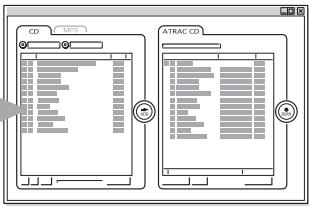
Vous pouvez créer facilement vos propres CD ATRAC.
Étape 1 Installation
Installez le logiciel "SonicStage Simple Burner" fourni.
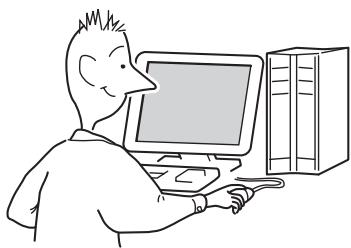
Étape 2 : Graver
Créez une image disque et gravez-la sur un CD-R/RW à l'aide de votre PC.
CD audio, fichiers MP3 ou

Les données audio sont converties au format ATRAC3plus/ATRAC3 par le SonicStage Simple Burner.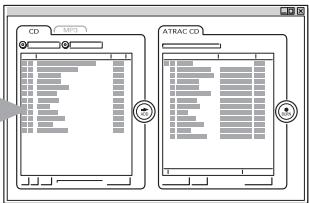
Comment utiliser le SonicStage Simple Burner
Reportez-vous à la brochure fournie "SonicStage Simple Burner".
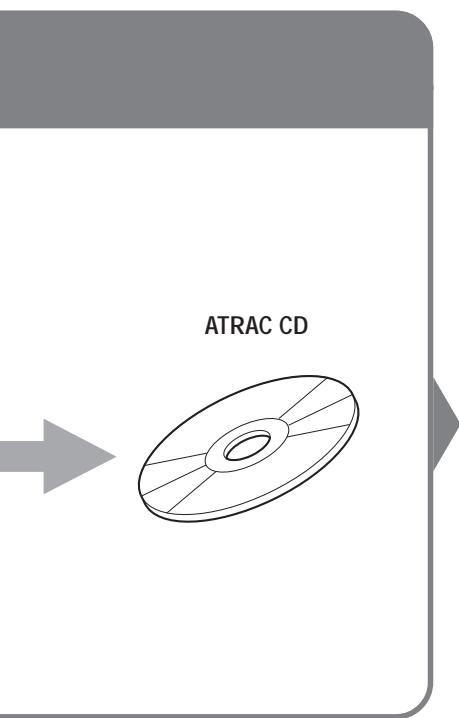
Qu'est-ce qu'un CD ATRAC ?
Un CD ATRAC est un CD-R/RW sur lequel des données audio compressées au format ATRAC3plus/ATRAC3 ont été enregistrées. Environ 30 CD audio peuvent être enregistrés sur un CD-R/RW.* Vous pouvez également enregistrer des fichiers MP3 en les convertissant au format ATRAC3plus/ATRAC3.
- Lorsque la durée totale de lecture d'un CD (album) est estimée à 60 minutes et que vous enregistrez sur un CD-R/RW de 700 Mo à 48 kbps au format ATRAC3plus.
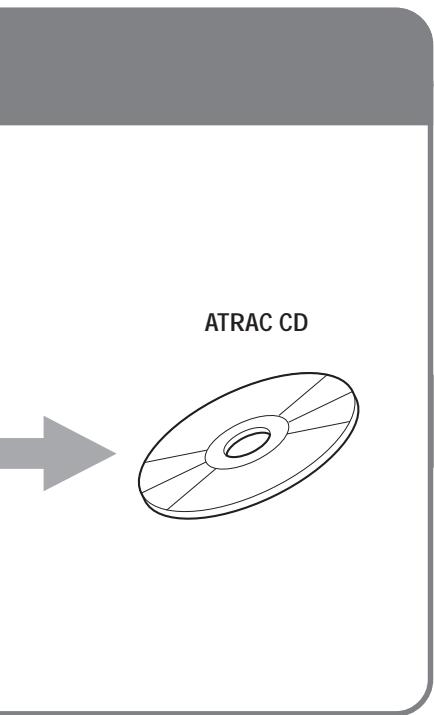
Étape 3 : Écouter
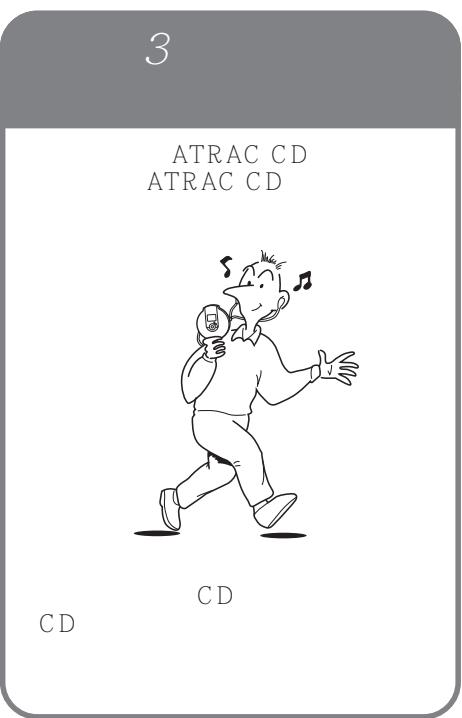
Vous pouvez profiter de l'écoute de vos propres CD ATRAC sur votre ATRAC CD Walkman.
Vous pouvez également profiter de CD audio sur votre CD Walkman.
Qu'est-ce que le format ATRAC3plus/ATRAC3 ?
Reportez-vous aux pages 6 à 9 de ce manuel.
Sources musicales pouvant être lues sur ce lecteur CD
Vous pouvez lire les 3 sources musicales suivantes sur ce lecteur CD :
CD audio (format CDDA) - CD contenant des fichiers au format ATRAC3plus/ATRAC3 (CD ATRAC) - CD contenant des fichiers au format MP3 (CD MP3)
Formats de disque utilisables
Vous ne pouvez utiliser que les disques aux formats ISO 9660 niveau 1/2 et extension Joliet.
À propos des CD-R/RW
Ce lecteur CD peut lire les CD-R/RW enregistrés aux formats ATRAC3plus/ATRAC3, MP3 ou CDDA*, mais la capacité de lecture peut varier en fonction de la qualité du disque et de l'état du dispositif d'enregistrement.
- CDDA est l'abréviation de Compact Disc Digital Audio. C'est une norme d'enregistrement utilisée pour les CD audio.
Disques musicaux encodés avec des technologies de protection des droits d'auteur
Ce produit est conçu pour lire les disques conformes à la norme Compact Disc (CD). Récemment, divers disques musicaux encodés avec des technologies de protection des droits d'auteur sont commercialisés par certaines maisons de disques. Veuillez noter que parmi ces disques, certains ne sont pas conformes à la norme CD et peuvent ne pas être lus par ce produit.
Remarques
- Ce lecteur CD ne peut pas enregistrer de contenu musical sur des supports enregistrables, tels que les CD-R/RW.
- Les CD-R/RW enregistrés au format ATRAC3plus/ATRAC3 ne peuvent pas être lus sur votre ordinateur.
ATRAC3plus et ATRAC3
"ATRAC3plus", qui signifie "Adaptive Transform Acoustic Coding3plus", est une technologie de compression audio, développée à partir du format ATRAC3. Bien que le format ATRAC3plus puisse compresser le contenu musical à environ 1/20 de sa taille originale à 64 kbps, vous pouvez toujours profiter d'un son de haute qualité. Les débits binaires de transfert disponibles sont 256 kbps, 64 kbps et 48 kbps.
« ATRAC3 », qui signifie « Adaptive Transform Acoustic Coding3 », est une technologie de compression audio qui répond à la demande de haute qualité sonore et de taux de compression élevés. Le format ATRAC3 peut compresser le contenu musical à environ 1/10 de sa taille d'origine, ce qui contribue à la réduction du volume des supports. Les débits de transfert disponibles sont de 132 kbps, 105 kbps et 66 kbps.
Le nombre utilisable de groupes et de fichiers
Nombre maximal de groupes : 255 Nombre maximal de fichiers : 999
Pour plus de détails, reportez-vous à la brochure fournie « SonicStage Simple Burner ».
Remarque sur l'enregistrement de fichiers sur le support
N'enregistrez pas de fichiers dans d'autres formats (sauf les fichiers MP3) et ne créez pas de dossiers inutiles sur un disque contenant des fichiers ATRAC3plus/ATRAC3.
MP3
MP3, qui signifie MPEG-1 Audio Layer3, une norme de compression de fichiers audio prise en charge par le Motion Picture Experts Group, un groupe de travail de l'ISO (Organisation internationale de normalisation), permet de compresser des fichiers audio à environ 1/10 de la taille des données d'un disque compact standard.
Les principales spécifications du format de disque acceptable sont :
Niveaux de répertoire maximaux : 8 Caractères acceptés : A - Z, a - z, 0 - 9, (tiret bas)
Remarques
- Lorsque vous nommez des fichiers, veillez à ajouter l'extension de fichier « mp3 » au nom du fichier.
- Si vous ajoutez l'extension « mp3 » à un fichier autre qu'un fichier MP3, le lecteur ne pourra pas reconnaître correctement le fichier.
(Suite)
Le nombre utilisable de groupes et de fichiers
Nombre maximal de groupes : 255 Nombre maximal de fichiers : 999
Réglages pour le logiciel de compression et d'écriture
- Ce lecteur de CD peut lire des fichiers MP3 avec les spécifications suivantes : débit binaire : 16 - 320 kbps, et fréquences d'échantillonnage : 32/44,1/48 kHz. Les fichiers à débit binaire variable (VBR) peuvent également être lus.
Pour compresser une source en fichier MP3, nous recommandons de régler le logiciel de compression sur « 44,1 kHz », « 128 kbps » et « débit binaire constant ».
- Pour enregistrer jusqu'à la capacité maximale, réglez sur « arrêt de l'écriture ».
- Pour enregistrer en une seule fois jusqu'à la capacité maximale sur un support vierge, réglez sur « Disc at Once ».
Remarques sur l'enregistrement de fichiers sur le support
- N'enregistrez pas de fichiers dans d'autres formats (sauf les fichiers MP3/ATRAC3plus/ATRAC3) ou des dossiers inutiles sur un disque contenant des fichiers MP3.
- Lorsqu'un disque est inséré, le lecteur de CD lit toutes les informations des dossiers et fichiers de ce disque. S'il y a de nombreux dossiers sur le disque, le démarrage de la lecture ou le passage au fichier suivant peut prendre du temps.
La structure des fichiers ATRAC3plus/ATRAC3 et MP3
Groupes et dossiers
Le format ATRAC3plus/ATRAC3 a une structure très simple. Il se compose de « fichiers » et de « groupes ». Un « fichier » équivaut à une « piste » d'un CD audio. Un « groupe » est un ensemble de fichiers et équivaut à un « album ». Un « groupe » n'a pas de structure de type répertoire (un nouveau groupe ne peut pas être créé dans un groupe existant).
En ce qui concerne les CD MP3, un « fichier » équivaut à une « piste » et un « groupe » équivaut à un « album ». Ce lecteur de CD est conçu pour reconnaître un dossier MP3 comme un « groupe » afin de pouvoir lire les CD-R/RW enregistrés au format ATRAC3plus/ATRAC3 et ceux enregistrés au format MP3 avec la même opération.
Structure des fichiers ATRAC3plus/ATRAC3/MP3 et ordre de lecture
-ATRAC3plus/ATRAC3
MP3
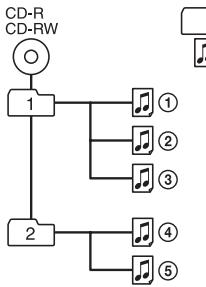
Groupe de fichiers ATRAC3plus/ATRAC3
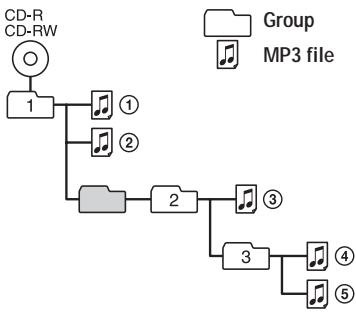
Remarques
- Un groupe qui ne contient pas de fichier MP3 est ignoré.
- Si des fichiers ATRAC3plus/ATRAC3 et des fichiers MP3 sont enregistrés sur le même CD, ce lecteur CD lit d'abord les fichiers ATRAC3plus/ATRAC3.
- Selon la méthode utilisée pour enregistrer les fichiers MP3 sur le disque, l'ordre de lecture peut différer de celui indiqué ci-dessus.
Vérification des accessoires fournis
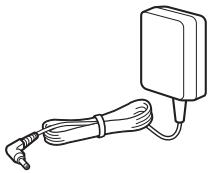
Adaptateur secteur (1)
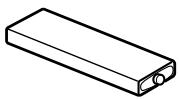
Batterie rechargeable (1)
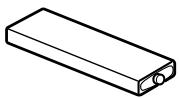
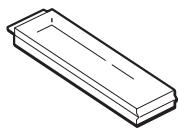
Étui de transport pour batterie (1)
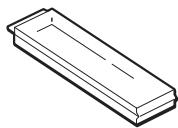
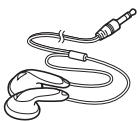
Casque/écouteurs (1)
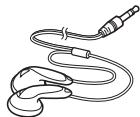
Télécommande (1)
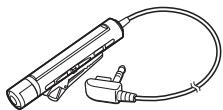
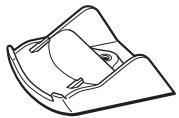
Station de charge (1)
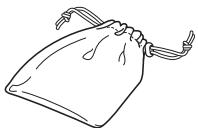
Pochette de transport (1)
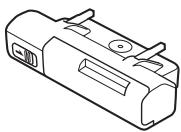
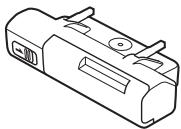
Boîtier de piles externe (1)
CD-ROM* (SonicStage Simple Burner) (1)
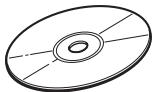
*Ne pas lire un CD-ROM sur un lecteur de CD audio.
Guide de l'utilisateur pour SonicStage Simple Burner (1)
Localisation des commandes
Lecteur de CD
Pour plus de détails, voir les pages entre parenthèses.
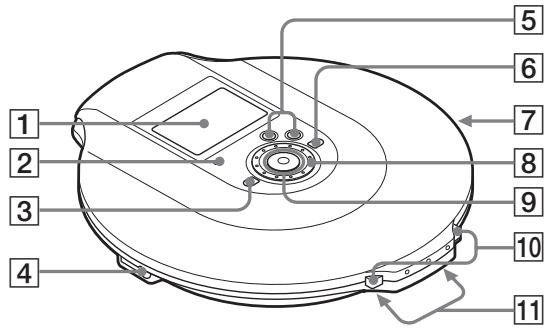
1 Afficheur (12, 17, 19, 24, 37) 2 Voyant OPERATION (15, 28, 29, 34) La couleur du voyant change selon le type de source musicale en cours de lecture. Rouge : CD audio, Vert : fichier ATRAC3plus/ATRAC3, Orange : fichier MP3. Pendant un certain temps après l'insertion du CD, le voyant s'allume en rouge, orange et vert successivement.
Ce voyant sert également de voyant HOLD et de voyant CHG (charge).
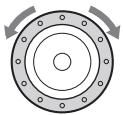
3 Bouton (groupe) - (16, 23, 24, 26, 28, 37) 4 Prise (casque)/LINE OUT (OPTICAL) (15, 31) Changez la fonction de la prise à l'aide du menu. 5 Boutons VOL (volume) +*1 / - (16) 6 Bouton (groupe) + (16, 23, 24) 7 Interrupteur HOLD (arrière) (28) Faites glisser l'interrupteur dans le sens de la flèche pour désactiver les boutons du lecteur de CD. Molette jog (19 - 31, 37) Utilisez-la pour sélectionner un fichier, un mode de lecture, etc. La direction de recherche change selon le sens de rotation de la molette jog.
Touche de commande à 5 directions (15, 16, 19 - 31, 34, 37)
DISPLAY/MENU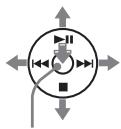
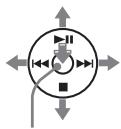
II : lecture/pause AMS*2/retour rapide I : AMS/avance rapide CHG : arrêt/charge DISPLAY/MENU : Utilisez-la pour sélectionner les éléments du menu et valider la sélection.
Poussez la touche de commande vers II, I, ou CHG avec votre doigt sur DISPLAY/MENU.
10 Interrupteur OPEN (15, 33) Pressez l'interrupteur des deux côtés. 11 Bornes pour le socle de chargement/boîtier de piles externe (15, 34, 35)
1 Le bouton comporte un point tactile. 2 Capteur de musique automatique
(Suite)
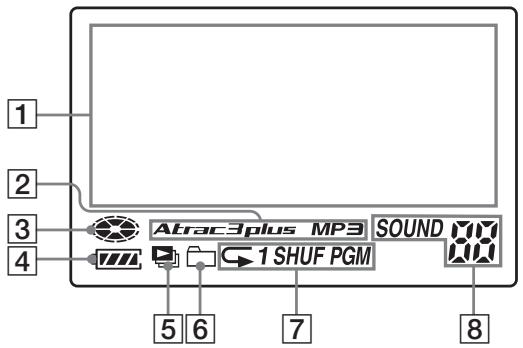
Affichage (lecteur CD)
Pour plus de détails, voir les pages entre parenthèses.
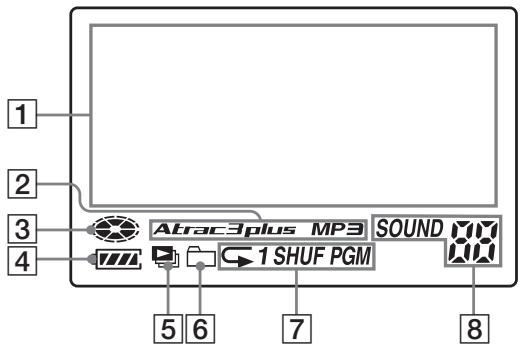
1 Affichage des informations (17) Pendant la lecture d'un CD audio, le nom du disque, le nom de la piste, etc. apparaissent sur 4 lignes, s'ils sont enregistrés sur le CD. Pendant la lecture d'un CD ATRAC/MP3, le nom du groupe, le nom du fichier, etc. apparaissent sur 4 lignes, s'ils sont enregistrés sur le CD. Les éléments de menu apparaissent également dans cet affichage. 2 Indication ATRAC3plus/MP3 3 Indication du disque S'allume pendant la lecture du CD. 4 Indication de la batterie (33) Indique approximativement la puissance restante de la batterie. Si * " clignote, la batterie est épuisée.
5 Indication de la liste de lecture (21) Pour CD MP3 uniquement 6 Indication du groupe (19, 20) Pour CD ATRAC/MP3 uniquement 7 Indication du mode de lecture (19 - 23) Affiche différents modes de lecture tels que la lecture aléatoire et la lecture programmée. * indique la lecture répétée. Indication SOUND (25, 26) Affiche le réglage SOUND sélectionné dans le menu.
Télécommande
Pour plus de détails, voir les pages entre parenthèses.
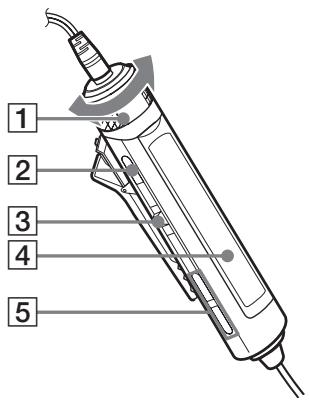
1 Commande VOL (volume) + / - (16, 26, 28) Tourner pour régler le volume. 2 Bouton (arrêt) (16, 26, 28, 37) 3 Levier Jog (I<ENT) 16, 21-23, 25-31
II (lecture/pause)/ENT (entrée) :
Appuyer pendant l'arrêt pour démarrer la lecture, et appuyer pendant la lecture pour mettre en pause. Lors de la sélection d'éléments de menu, appuyer pour valider la sélection.
Faire basculer vers ou : AMS, retour rapide, avance rapide
4 Affichage (14, 17) Boutons (groupe) + / - (16, 23, 24)
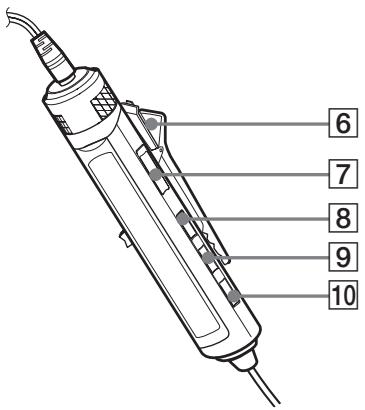
6 Clip (14) Interrupteur HOLD (28)
Faire glisser l'interrupteur dans le sens de la flèche (une marque jaune apparaît) pour désactiver les boutons de la télécommande.
Bouton DISPLAY (23, 26 - 31, 37) Bouton P MODE 一 (19-23) 10 Bouton SOUND (25, 37)
Note
Utilisez uniquement la télécommande fournie. Vous ne pouvez pas faire fonctionner ce lecteur CD avec la télécommande fournie avec d'autres lecteurs CD.
(Suite)
Affichage (télécommande)
Pour plus de détails, voir les pages entre parenthèses.
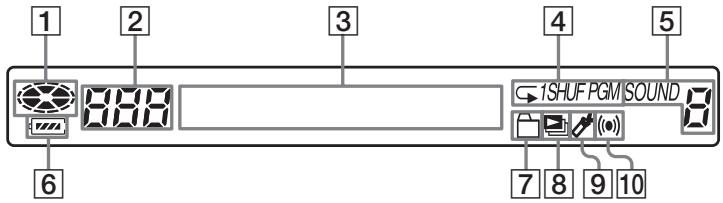
1 Indication de disque 2 Indication de numéro de piste (23) 3 Affichage des informations de caractères (17) 4 Indication de mode de lecture (19 - 23) Indication SOUND (25, 26) 6 Indication de batterie (33) Indication de groupe (19, 20)
Indication de liste de lecture (21) 9 Indication de signet (21)
Pendant la lecture, l'indication montre qu'une piste a un signet.
10 Indication de minuterie (27)
Indique que le réglage OFF TIMER a été sélectionné dans le menu.
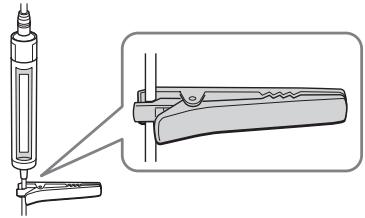
Pour utiliser la pince sur la télécommande
Vous pouvez retirer la pince de la télécommande et changer son orientation.
Pour retirer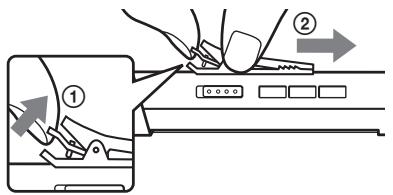
Pour fixer dans le sens inverse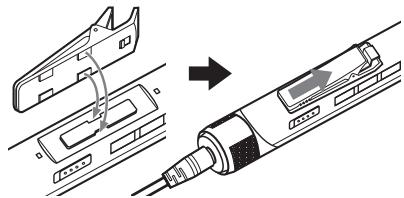
Vous pouvez faire passer le cordon de la télécommande dans ce clip.
1. Insérez un CD.
Appuyez sur OPEN des deux côtés pour ouvrir le couvercle du lecteur CD.
Interrupteur OPEN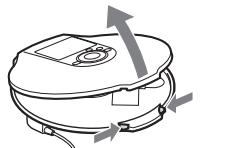
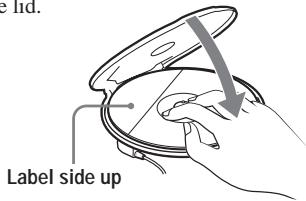
Placez le CD sur le plateau et fermez le couvercle.
2. Connectez votre lecteur CD.
Vous pouvez utiliser les sources d'alimentation suivantes :
- Batterie rechargeable (page 33)
- Piles alcalines LR6 (format AA) (boîtier de piles externe) (page 35)
- Adaptateur secteur
Nous expliquons comment utiliser votre lecteur CD sur le secteur dans cette page.
Connectez fermement les fiches et les bornes.
Connectez l'adaptateur secteur au socle de chargement. Connectez le casque/les écouteurs avec la télécommande au lecteur CD. Placez le lecteur CD sur le socle de chargement.
Assurez-vous que le témoin OPERATION clignote.
vers une prise secteur Télécommande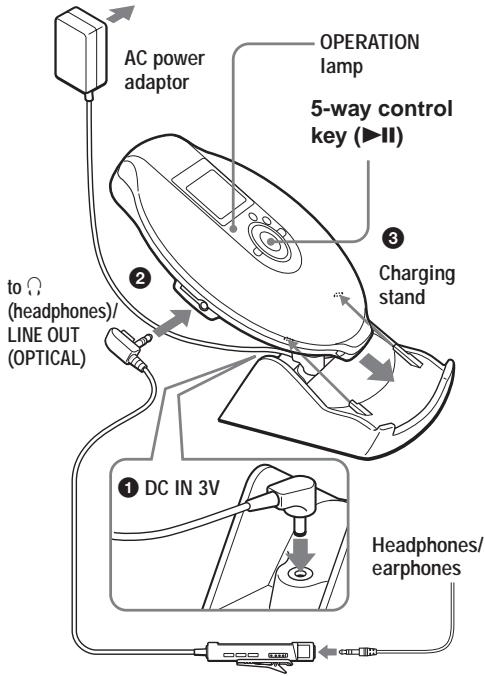
(Suite)
3. Lire un CD.
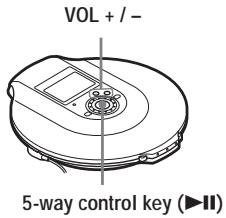
Poussez la touche de commande vers Réglez le volume en appuyant sur VOL ^+ ou -.
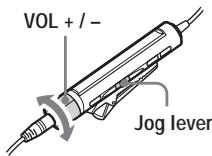
1 Appuyez sur le levier jog. Réglez le volume en tournant VOL + / -
| To | CD player | Remote control |
| Play (from a point where you stopped previously) | Push the control key toward ➔II. Playback starts from the point where you stopped. | Press the jog lever. Playback starts from the point where you stopped. |
| Play (from the first track) | While the CD player is stopped, push and hold the control key toward ➔II until the play of the first track starts. | While the CD player is stopped, press and hold the jog lever until the play of the first track starts. |
| Pause/resume play after pause | Push toward ➔II. | Press the jog lever. |
| Stop*2 | Push toward ■/CHG. | Press ■. |
| Find the beginning of the current track (AMS*1)*2 | Push toward ▲. | Flick the jog lever toward ▲ once. |
| Find the beginning of previous tracks (AMS)*3 | Push toward ▲ repeatedly. | Flick the jog lever toward ▲ repeatedly. |
| Find the beginning of the next track (AMS)*2, *3 | Push toward ▲. | Flick the jog lever toward ▲ once. |
| Find the beginning of succeeding tracks (AMS)*3 | Push toward ▲ repeatedly. | Flick the jog lever toward ▲ repeatedly. |
| Go backwards quickly*2, *5 | Push and hold toward ▲. | Hold the jog lever toward ▲. |
| Go forward quickly*2, *5 | Push and hold toward ▲. | Hold the jog lever toward ▲. |
| Jump to succeeding groups*4 | Press □ + repeatedly. | Press □ + repeatedly. |
| Jump to previous groups*4 | Press □ – repeatedly. | Press □ – repeatedly. |
1 Capteur de musique automatique 2 Ces opérations peuvent être effectuées pendant la lecture et la pause. 3 Après avoir écouté la dernière plage, vous pouvez revenir au début de la première plage en poussant le levier jog vers ▶▶ (en poussant la touche de commande vers ▶▶ sur le lecteur CD). De même, si vous êtes sur la première plage, vous pouvez localiser la dernière plage en poussant le levier jog vers ▶▶ (en poussant la touche de commande vers ▶▶ sur le lecteur CD). 4 Uniquement lorsque vous lisez un CD ATRAC/MP3 *5 Ces opérations ne peuvent pas être effectuées lors de l'utilisation d'un fichier MP3 enregistré sur un CD-R/RW au format d'écriture par paquets.
Vérification des informations du CD sur l'écran
Vous pouvez vérifier les informations du CD en appuyant à plusieurs reprises sur DISPLAY/MENU sur le lecteur CD ou sur DISPLAY sur la télécommande.
Lorsque vous lisez un CD contenant des informations textuelles telles que CD-TEXT, "nom de plage", "nom d'album", "nom d'artiste", etc. sont affichés comme indiqué entre parenthèses dans le tableau suivant. Lorsque vous lisez un CD ATRAC, les informations saisies à l'aide du logiciel SonicStage Simple Burner sont affichées. Lorsque vous lisez un CD MP3 contenant des fichiers MP3 avec une balise ID3 *1 , les informations de la balise ID3 sont affichées.
Lecteur CD
Chaque fois que vous appuyez sur DISPLAY/MENU, l'affichage change comme suit :
| Audio CD | ATRAC CD/MP3 CD |
| Track number, elapsed playing time (Track name, artist name, album name) | File name, artist name*3, group name, file number, elapsed playing time |
| Track number, remaining time of the current track (Track name, artist name) | File name, CODEC information*4, file number, remaining time of the current file |
| The total number of tracks on the CD, the total playing time of the CD, the number of tracks left*2, the time remaining on the CD*2 | Total number of files, total number of groups, file number, elapsed playing time |
| List of track names | List of group names/file names |
Télécommande
Chaque fois que vous appuyez sur DISPLAY, l'affichage change comme suit :
| Audio CD | ATRAC CD/MP3 CD |
| Track number, elapsed playing time, (Track name) | File number, file name, elapsed playing time |
| Track number, remaining time of the current track (Track name, artist name) | File number, artist name, CODEC information*4, remaining time of the current file |
| The number of tracks left*2, the time remaining on the CD*2 (Album name, artist name) | Group name, total number of files |
| Animation screen |
1 Une balise ID3 est un format permettant d'ajouter certaines informations (nom de plage, nom d'album, nom d'artiste, etc.) aux fichiers MP3. Ce lecteur CD est conforme aux versions 1.1/2.2/2.3 du format de balise ID3 (pour les fichiers MP3 uniquement). 2 Non affiché pendant la lecture simple, la lecture aléatoire, la lecture de plages marquées, la lecture de classement automatique, la lecture aléatoire de classement automatique ou la lecture PGM. 3 Pendant la lecture, "nom d'artiste" n'est pas affiché si le disque ne contient pas d'informations de balise ID3. Lorsque la liste des noms de groupes/fichiers apparaît à l'écran, "nom d'artiste" n'est pas affiché. 4 Débit binaire et fréquences d'échantillonnage. Lorsqu'un fichier MP3 encodé en VBR (débit binaire variable) est en cours de lecture, "VBR" apparaît à l'écran au lieu du débit binaire. Dans certains cas, "VBR" apparaît en cours de lecture, pas dès le début.
Remarques
- Les caractères suivants peuvent être affichés sur ce lecteur CD :
- les caractères alphanumériques A - Z, a - z, 0 - 9 et _
- les caractères chinois (pour le modèle chinois) - les caractères coréens (pour le modèle coréen)
Sur la télécommande fournie, ni les caractères chinois ni les caractères coréens ne peuvent être affichés.
- Avant de lire un fichier, le lecteur de CD lit toutes les informations sur les fichiers et les groupes (ou dossiers) du CD. "READING" s'affiche. Selon le contenu du CD, cette lecture peut prendre un certain temps.
- Si le groupe n'a pas de nom de groupe, "ROOT" apparaît à l'écran.
- Si le fichier ne contient pas d'informations de balise ID3, "---" apparaît à l'écran.
Retrait du CD
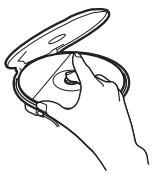
Retirez le CD en appuyant sur le pivot au centre du plateau.
▶Options de lecture
Vous pouvez profiter des options de lecture suivantes à l'aide de la touche P MODE/ de la télécommande ou de la fonction menu du lecteur de CD.
- Lecture répétée des pistes (lecture répétée)
- Lecture de tous les fichiers d'un groupe sélectionné (lecture de groupe)
- Lecture d'une seule piste (lecture unique)
- Lecture des pistes dans un ordre aléatoire (lecture aléatoire)
- Lecture des fichiers d'un groupe sélectionné dans un ordre aléatoire (lecture aléatoire de groupe)
- Lecture de vos listes de lecture préférées (lecture de liste de lecture m3u)
- Lecture de vos pistes préférées en ajoutant des signets (lecture de pistes avec signets)
- Lecture des 10 pistes que vous avez écoutées le plus souvent (lecture de classement automatique)
- Lecture des pistes que vous avez écoutées le plus souvent dans un ordre aléatoire (lecture aléatoire de classement automatique)
- Lecture des pistes dans votre ordre préféré (lecture PGM)
Sélection des options de lecture sur le lecteur CD
Entrez dans le menu PLAY MODE en suivant les procédures ci-dessous, puis sélectionnez chaque option de lecture.
1 Appuyez sur DISPLAY/MENU jusqu'à ce que l'écran MENU apparaisse. 2 Tournez la molette jog pour sélectionner "PLAY MODE", puis appuyez sur DISPLAY/MENU. 3 Tournez la molette jog pour sélectionner l'option de lecture souhaitée. Le réglage par défaut est "ALL" (lecture normale).
Les options de lecture apparaissent.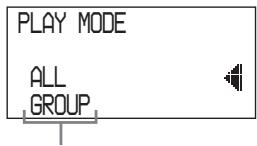
Sélection des options de lecture à l'aide de la télécommande
Appuyez plusieurs fois sur P MODE/ → pour sélectionner l'option de lecture souhaitée.
Lecture répétée des pistes (lecture répétée)
Vous pouvez répéter différentes options de lecture.
Utilisation de la télécommande
Pendant la lecture, maintenez enfoncée la touche P MODE/ jusqu'à ce que "" apparaisse.
02:34
Sur le lecteur CD
1 Appuyez sur DISPLAY/MENU jusqu'à ce que l'écran MENU apparaisse. 2 Tournez la molette jog pour sélectionner "REPEAT", puis appuyez sur DISPLAY/MENU. 3 Tournez la molette jog pour sélectionner "ON", puis appuyez sur DISPLAY/MENU pour valider la sélection.
Lecture de tous les fichiers d'un groupe sélectionné
(Lecture de groupe) (ATRAC CD/MP3 CD uniquement)
Pendant la lecture, appuyez plusieurs fois sur P MODE/ jusqu'à ce que "□" apparaisse. (Lecteur CD : effectuez les étapes 1 et 2 de "Sélection des options de lecture sur le lecteur CD" (cette page), tournez la molette jog pour sélectionner "GROUP", puis appuyez sur DISPLAY/MENU pour valider la sélection.)
005 03:45
Lecture d'une seule plage
(Lecture unique)
Pendant la lecture, appuyez plusieurs fois sur P MODE/ jusqu'à ce que "1" apparaisse. (Lecteur CD : effectuez les étapes 1 et 2 de "Sélection des options de lecture sur le lecteur CD" (page 19), tournez la molette jog pour sélectionner "1", puis appuyez sur DISPLAY/MENU pour valider la sélection.)

005
03:45
1
Lecture des plages dans un ordre aléatoire (lecture aléatoire)
Pendant la lecture, appuyez plusieurs fois sur P MODE/ jusqu'à ce que « SHUF » apparaisse. (Lecteur CD : effectuez les étapes 1 et 2 de « Sélection des options de lecture sur le lecteur CD » (page 19), tournez la molette jog pour sélectionner « SHUFFLE », puis appuyez sur DISPLAY/MENU pour valider la sélection.)

103
01:25
SHUF
Lecture de tous les fichiers d'un groupe sélectionné dans un ordre aléatoire (lecture aléatoire de groupe) (ATRAC CD/MP3 CD uniquement)
Pendant la lecture, appuyez plusieurs fois sur P MODE/ jusqu'à ce que « SHUF » apparaisse. (Lecteur CD : effectuez les étapes 1 et 2 de « Sélection des options de lecture sur le lecteur CD » (page 19), tournez la molette jog pour sélectionner « GROUP SHUFFLE », puis appuyez sur DISPLAY/MENU pour valider la sélection.)

103
01:25

Lecture de vos listes de lecture préférées (lecture de liste de lecture m3u) (MP3 CD uniquement)
Vous pouvez lire vos listes de lecture m3u préférées.* * Une « liste de lecture m3u » est un fichier dans lequel l'ordre de lecture des fichiers MP3 a été encodé. Pour utiliser la fonction de liste de lecture, enregistrez des fichiers MP3 sur un CD-R/RW à l'aide d'un logiciel d'encodage prenant en charge le format m3u.
1 Pendant la lecture, appuyez plusieurs fois sur P MODE/ jusqu'à ce que « PL » (liste de lecture) apparaisse. (Lecteur CD : effectuez les étapes 1 et 2 de « Sélection des options de lecture sur le lecteur CD » (page 19), tournez la molette jog pour sélectionner « PLAY LIST », puis appuyez sur DISPLAY/MENU pour valider la sélection.)

1
MODERN
Liste de lecture
2 Faites basculer le levier rotatif vers I ou pour sélectionner la liste de lecture souhaitée. (Lecteur CD : tournez la molette rotative pour sélectionner une liste de lecture.)

RÉCENT

3 Appuyez sur le levier rotatif. (Lecteur CD : poussez la touche de commande à 5 directions vers II.)

Lecture de vos morceaux préférés en ajoutant des signets (lecture de morceaux avec signets)
Pendant la lecture du lecteur CD, vous pouvez ajouter des signets aux morceaux que vous souhaitez et ne lire que ceux-ci.
CD audio : jusqu'à 99 morceaux par CD (jusqu'à 10 CD)
CD ATRAC : jusqu'à 999 morceaux par CD (jusqu'à 5 CD)
CD MP3 : jusqu'à 999 morceaux par CD (jusqu'à 5 CD)
Ajout de signets
1 Pendant la lecture du morceau auquel vous souhaitez ajouter un signet, maintenez enfoncé le levier rotatif jusqu'à ce que « 一 » clignote. (Lecteur CD : poussez et maintenez la touche de commande à 5 directions vers jusqu'à ce que « 一 » clignote.) Lorsque le signet a été ajouté avec succès, « 一 » clignote plus lentement.
2 Faites basculer le levier rotatif vers ou (Lecteur CD : poussez la touche de commande à 5 directions vers ou pour sélectionner le morceau auquel vous souhaitez ajouter un signet, puis répétez l'étape 1 pour ajouter des signets aux morceaux souhaités.
Lecture des morceaux avec signets
1 Appuyez sur P MODE/ à plusieurs reprises jusqu'à ce que « (signet) » clignote rapidement. (Lecteur CD : effectuez les étapes 1 et 2 de « Sélection des options de lecture sur le lecteur CD » (page 19), tournez la molette rotative pour sélectionner « BOOK MARK », puis appuyez sur DISPLAY/MENU. La lecture des morceaux avec signets commence.)
2 Appuyez sur le levier rotatif pour allumer 喜 _ · ^ La lecture des morceaux avec signets commence.
Pour supprimer les signets
Pendant la lecture d'un morceau avec un signet, maintenez enfoncé le levier de jogging jusqu'à ce que "" disparaisse de l'affichage. (Lecteur CD : poussez la touche de commande à 5 directions vers jusqu'à ce que "" disparaisse de l'affichage.)
Pour vérifier les morceaux avec signets
Pendant la lecture des morceaux avec signets, "" clignote lentement à l'affichage.
Remarques
- Pendant la lecture des morceaux avec signets, les morceaux sont lus dans l'ordre des numéros de piste, et non dans l'ordre où vous avez ajouté les signets.
- Si vous essayez d'ajouter des signets aux morceaux du 11e CD (ou du 6e CD lors de la lecture de CD ATRAC/MP3), les signets du CD que vous avez lu en premier seront effacés.
- Tous les signets mémorisés seront effacés : - si vous retirez toutes les sources d'alimentation, ou - si vous continuez à utiliser le lecteur CD sur les piles rechargeables sans les recharger alors que "Lobatt" est affiché.
Lecture des 10 morceaux les plus fréquemment écoutés (lecture par classement automatique)
Le lecteur CD mémorise automatiquement jusqu'à 10 morceaux les plus fréquemment écoutés parmi ceux du CD en cours de lecture, et les lit du 10e au premier.
Pendant la lecture, appuyez plusieurs fois sur P MODE/ pour sélectionner "a00 (classement auto)" et appuyez sur le levier de jogging pour valider la sélection. (Lecteur CD : effectuez les étapes 1 et 2 de "Sélection des options de lecture sur le lecteur CD" (page 19), tournez la molette de jogging pour sélectionner "AUTO RANKING", puis appuyez sur DISPLAY/MENU pour valider la sélection.)
01:25
Lecture des morceaux les plus fréquemment écoutés dans un ordre aléatoire (lecture aléatoire par classement automatique)
Le lecteur CD lit jusqu'à 32 morceaux qu'il a automatiquement mémorisés comme étant les plus fréquemment écoutés. En lecture aléatoire par classement automatique, ces morceaux sont lus dans un ordre aléatoire.
Pendant la lecture, appuyez plusieurs fois sur P MODE/c → pour sélectionner "a00 (classement auto) SHUF" et appuyez sur le levier de jogging pour valider la sélection. (Lecteur CD : effectuez les étapes 1 et 2 de "Sélection des options de lecture sur le lecteur CD" (page 19), tournez la molette de jogging pour sélectionner "RANKING SHUF", puis appuyez sur DISPLAY/MENU pour valider la sélection.)
01:25
SHUF
Note
Le lecteur CD mémorise les plages que vous avez écoutées à partir de 10 CD, que vous ayez changé les CD ou non. Si le lecteur CD essaie de mémoriser des plages d'un 11e CD, les données mémorisées en premier seront effacées.
Lecture des plages dans votre ordre préféré (lecture PGM)
Vous pouvez programmer le lecteur CD pour lire jusqu'à 64 plages dans votre ordre préféré.
1 Pendant que la lecture est arrêtée, appuyez plusieurs fois sur P MODE/ jusqu'à ce que "PGM" (programme) apparaisse. (Lecteur CD : Pendant que la lecture est arrêtée, effectuez les étapes 1 et 2 de "Sélection des options de lecture sur le lecteur CD" (page 19), tournez la molette pour sélectionner "PROGRAM", puis appuyez sur DISPLAY/MENU pour valider la sélection.)
CD audio/CD-TEXT
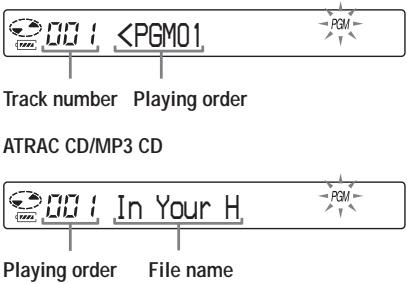
2 Poussez le levier vers I ou pour sélectionner la plage souhaitée, puis maintenez le levier enfoncé jusqu'à ce que l'affichage change pour valider la sélection. (Lecteur CD : Poussez la touche de commande 5 directions vers I ou pour sélectionner la plage et appuyez sur DISPLAY/MENU pour valider la sélection.)
La plage a été mémorisée. Lors de la lecture d'un CD ATRAC/MP3, vous pouvez également sélectionner un groupe à l'aide de + ou - .
CD audio/CD-TEXT

Lors de la lecture d'un CD ATRAC/MP3, l'ordre de lecture et le nom du fichier sont affichés.
3 Répétez l'étape 2 pour sélectionner les plages dans votre ordre préféré. 4 Appuyez sur le levier pour démarrer la lecture PGM. (Lecteur CD : Poussez la touche de commande 5 directions vers II.)
Vérification du programme
Pendant la programmation :
Appuyez plusieurs fois sur la molette de commande avant l'étape 4. (Lecteur CD : poussez et maintenez la touche de commande à 5 directions vers plusieurs fois, ou appuyez plusieurs fois sur DISPLAY/MENU.)
Pendant que la lecture est arrêtée :
Appuyez sur DISPLAY. Pendant que les indications sont affichées, appuyez plusieurs fois sur P MODE/ jusqu'à ce que "PGM" clignote, puis tournez la molette de commande jusqu'à ce que l'affichage change. (Lecteur CD : appuyez plusieurs fois sur DISPLAY/MENU jusqu'à ce que la liste des plages programmées apparaisse. Pour afficher les plages à partir de la troisième, poussez la touche de commande à 5 directions vers
Remarques
- Lorsque vous avez terminé de saisir la 64e plage à l'étape 3, le numéro de la première plage sélectionnée (CD audio) ou le nom du premier fichier sélectionné (CD ATRAC/MP3) apparaît à l'écran.
- Si vous sélectionnez 65 plages ou plus, les premières plages sélectionnées sont effacées.
Recherche de groupes ou de plages/fichiers
Pendant la lecture du CD, vous pouvez rechercher et lire rapidement le groupe (CD ATRAC uniquement) ou la plage/fichier souhaité à l'aide de la molette de commande du lecteur CD.
1 Pendant la lecture, tournez la molette de commande jusqu'à ce que l'écran de recherche apparaisse.
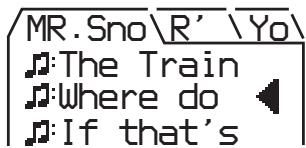
2 Appuyez sur + ou - pour sélectionner le groupe souhaité, puis poussez la touche de commande à 5 directions vers
Le lecteur CD commence la lecture à partir du premier fichier du groupe sélectionné.
Sélection de la plage/fichier souhaité
1 Effectuez l'étape 1 ci-dessus, puis appuyez sur + ou - pour sélectionner le groupe souhaité. 2 Tournez la molette de commande pour sélectionner la plage/fichier souhaité, puis poussez la touche de commande à 5 directions vers
Le lecteur CD commence la lecture à partir de la plage/fichier sélectionné.
Pour quitter le mode de recherche
Poussez la touche de commande à 5 directions vers
■/CHG. Si environ 40 secondes au maximum se sont écoulées sans aucune opération, l'écran revient à l'écran précédent.
Remarque
Si vous essayez d'utiliser le lecteur CD avec la télécommande pendant une recherche, "MENU" apparaît et vous ne pouvez effectuer aucune opération.
Réglage de la qualité sonore
(Égaliseur paramétrique)
Vous pouvez profiter de vos sons préférés en réglant la qualité sonore de deux manières suivantes :
- Sélection d'un motif sonore préréglé "Sélection de la qualité sonore souhaitée"
- Réglage de la qualité sonore par vous-même "Personnalisation de la qualité sonore"
Sélection de la qualité sonore souhaitée
| Indication | Sound quality |
| SOFT/ SOUND S | For vocals, stressing middle range audio |
| ACTIVE/ SOUND A | Lively sounds, emphasizing high and low range audio |
| HEAVY/ SOUND H | Powerful sounds, further emphasizing high and low ranges compared with ACTIVE sound |
| CUSTOM/ SOUND C | Customized sound |
Utilisation de la télécommande
Appuyez plusieurs fois sur SOUND pour sélectionner la qualité sonore souhaitée.
Sur le lecteur CD
1 Appuyez sur DISPLAY/MENU jusqu'à ce que l'écran MENU apparaisse. 2 Tournez la molette jog pour sélectionner "SOUND", puis appuyez sur DISPLAY/MENU. 3 Tournez la molette jog pour sélectionner la qualité sonore souhaitée, puis appuyez sur DISPLAY/MENU pour valider la sélection.
Personnalisation de la qualité sonore
Vous pouvez personnaliser la qualité sonore en réglant le volume dans les 3 gammes de fréquences "LOW" (fréquences graves), "MID" (fréquences moyennes) et "HIGH" (fréquences aiguës). Pour chaque gamme de fréquences, vous pouvez choisir la forme d'onde parmi 3 formes, et également régler le volume sur 7 niveaux pour la forme sélectionnée.
Réglez la qualité sonore en vérifiant la forme de l'onde sur l'écran.
1 Appuyez plusieurs fois sur SOUND pour sélectionner "SOUND C", puis appuyez sur SOUND jusqu'à ce que l'affichage change. (Lecteur CD : effectuez les étapes 1 à 3 de "Sélection de la qualité sonore souhaitée" et sélectionnez "CUSTOM.") 2 Faites glisser et maintenez le levier de commande vers I ◄ ou ► → jusqu'à ce que la gamme de fréquences souhaitée apparaisse. (Lecteur CD : poussez la touche de commande à 5 directions vers I ◄ ou ► → pendant 2 secondes ou plus pour sélectionner la gamme de fréquences.)
"LOW" s'affiche en premier. (Lecteur CD : "LOW" clignote.)
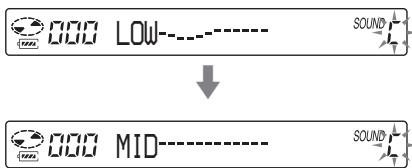
(Suite)
Réglage de la qualité sonore
3 Faites glisser le levier de commande vers I ou ► I à plusieurs reprises pour sélectionner la forme de l'onde parmi les 3 formes mémorisées pour chaque gamme de fréquences, puis tournez VOL + / - à plusieurs reprises pour sélectionner le volume. (Lecteur CD : poussez la touche de commande à 5 directions vers I ou ► I à plusieurs reprises pour sélectionner la forme de l'onde, puis tournez la molette de commande pour sélectionner le volume.)
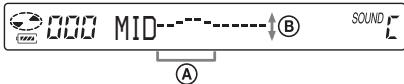
A : Gamme de fréquences B : Volume (Pour augmenter le volume, utilisez VOL-. Pour le diminuer, utilisez VOL +)

4 Répétez les étapes 2 et 3 pour régler les 2 gammes de fréquences restantes. 5 Appuyez sur le levier de commande pour valider la sélection. (Lecteur CD : appuyez sur DISPLAY/MENU pour valider la sélection.)
Pour revenir à l'écran précédent
Appuyez sur - sur le lecteur CD.
Pour annuler l'opération de réglage
Appuyez pendant 2 secondes ou plus. (Lecteur CD : poussez la touche de commande à 5 directions vers CHG.)
Remarques
- Lorsque vous sélectionnez le son CUSTOM, le son peut être déformé selon vos réglages sonores si vous augmentez le volume. Si cela se produit, baissez le volume.
- Vous pouvez ressentir une différence de volume sonore entre le réglage sonore PERSONNALISÉ et les autres réglages sonores. Ajustez le volume selon vos préférences.
La fonction G-PROTECTION
La fonction G-PROTECTION a été développée pour offrir une excellente protection contre les sauts de son lors d'utilisations actives.
1 Pendant que la lecture est arrêtée, appuyez sur DISPLAY jusqu'à ce que l'affichage change. (Lecteur CD : Pendant que la lecture est arrêtée, appuyez sur DISPLAY/MENU jusqu'à ce que l'écran MENU apparaisse. Tournez la molette jog pour sélectionner "OPTION", puis appuyez sur DISPLAY/MENU.) 2 Faites basculer le levier jog vers I ou pour sélectionner "G-PRO", puis appuyez sur le levier jog pour valider la sélection. (Lecteur CD : Tournez la molette jog pour sélectionner "G-PROTECTION", puis appuyez sur DISPLAY/MENU pour valider la sélection.) 3 Faites basculer le levier jog vers I ou pour sélectionner "G-PRO 1" ou "G-PRO 2", puis appuyez sur le levier jog pour valider la sélection. (Lecteur CD : Tournez la molette jog pour sélectionner "G-PRO 1" ou "G-PRO 2", puis appuyez sur DISPLAY/MENU pour valider la sélection.)
Si vous sélectionnez "G-PRO 2", la fonction G-PROTECTION sera renforcée par rapport à "G-PRO 1". Pour profiter d'un son CD de haute qualité, sélectionnez "G-PRO 1".
Remarque
Le son peut sauter :
- si le lecteur CD reçoit des chocs continus plus forts que prévu,
- si un CD sale ou rayé est lu, ou
- lors de l'utilisation de CD-R/RW de mauvaise qualité ou s'il y a un problème avec le dispositif d'enregistrement d'origine ou le logiciel d'application.
Protection de votre ouïe (AVLS)
La fonction AVLS (Automatic Volume Limiter System) maintient le volume maximum à un niveau bas pour protéger votre ouïe.
1 Appuyez sur DISPLAY jusqu'à ce que l'affichage change. (Lecteur CD : Appuyez sur DISPLAY/MENU jusqu'à ce que l'écran MENU apparaisse. Tournez la molette jog pour sélectionner "OPTION", puis appuyez sur DISPLAY/MENU.) 2 Faites basculer le levier jog vers I ou pour sélectionner "AVLS", puis appuyez sur le levier jog pour valider la sélection. (Lecteur CD : Tournez la molette jog pour sélectionner "AVLS", puis appuyez sur DISPLAY/MENU pour valider la sélection.) 3 Faites basculer le levier jog vers I ou pour sélectionner "ON", puis appuyez sur le levier jog pour valider la sélection. (Lecteur CD : Tournez la molette jog pour sélectionner "ON", puis appuyez sur DISPLAY/MENU pour valider la sélection.)
Pour annuler la fonction AVLS
Effectuez les étapes 1 à 3 en réglant AVLS sur « OFF ».
Arrêt automatique de la lecture (MINUTERIE D'ARRÊT)
Vous pouvez régler le lecteur CD pour qu'il arrête automatiquement la lecture dans un délai de 1 à 99 minutes. Pendant que la fonction de minuterie est active, les indications suivantes apparaissent :
- Lecteur CD : « ④ » apparaît à intervalles d'environ 5 secondes.
- Télécommande : « () » s'affiche.
1 Appuyez sur DISPLAY jusqu'à ce que l'affichage change. (Lecteur CD : appuyez sur DISPLAY/MENU jusqu'à ce que l'écran MENU apparaisse. Tournez la molette jog pour sélectionner « OPTION », puis appuyez sur DISPLAY/MENU.) 2 Faites basculer le levier jog vers I ou pour sélectionner « TIMER », puis appuyez sur le levier jog pour valider la sélection. (Lecteur CD : tournez la molette jog pour sélectionner « TIMER », puis appuyez sur DISPLAY/MENU pour valider la sélection.) 3 Faites basculer le levier jog vers I ← ou > pour sélectionner « 10 min ». (Lecteur CD : tournez la molette jog pour sélectionner « 10 min », puis appuyez sur DISPLAY/MENU.)
- Réglage par défaut. Si vous avez modifié le réglage, la durée déjà définie apparaît.
(Suite)
Arrêt automatique de la lecture
4 Tournez VOL +/- pour sélectionner la durée souhaitée, puis appuyez sur le levier jog pour valider la sélection. (Lecteur CD : tournez la molette jog pour sélectionner la durée souhaitée, puis appuyez sur DISPLAY/MENU pour valider la sélection.)
Pour augmenter/diminuer par paliers de 5 minutes (télécommande uniquement) : tournez VOL + / - à plusieurs reprises. Pour augmenter/diminuer par paliers de 1 minute : continuez à tourner VOL + / - . (Lecteur CD : continuez à tourner la molette jog.)
Pour revenir à l'écran précédent
Appuyez sur. (Lecteur CD : appuyez sur -.)
Pour annuler l'opération de réglage
Appuyez sur DISPLAY ou sur ■ pendant 2 secondes ou plus. (Lecteur CD : poussez la touche de commande à 5 directions vers ■/CHG.)
Pour vérifier le temps restant avant l'arrêt de la lecture du lecteur CD
Pendant la lecture, effectuez les étapes 1 à 3.
Pour annuler la fonction OFF TIMER
Effectuez les étapes 1 à 3, en réglant OFF TIMER sur « OFF ».
Verrouillage des commandes (HOLD)
Vous pouvez verrouiller les commandes de votre lecteur CD pour éviter toute pression accidentelle des touches. La lampe OPERATION clignote si vous appuyez sur une touche lorsque la fonction HOLD est activée.
Faites glisser HOLD dans le sens de la flèche.
Vous pouvez utiliser la fonction HOLD avec le lecteur CD et la télécommande. Vous pouvez toujours utiliser votre lecteur CD avec la télécommande lorsque HOLD sur la télécommande est désactivé.
Pour déverrouiller les commandes
Faites glisser HOLD dans le sens opposé à la flèche.
Remarque
Même si la fonction HOLD est active, « HOLD » n'apparaît pas sur l'afficheur de la télécommande.
Désactivation du signal sonore
Vous pouvez désactiver le signal sonore émis par vos écouteurs/casque lorsque vous utilisez votre lecteur CD.
1 Appuyez sur DISPLAY jusqu'à ce que l'affichage change. (Lecteur CD : Appuyez sur DISPLAY/MENU jusqu'à ce que l'écran MENU apparaisse. Tournez la molette jog pour sélectionner "OPTION", puis appuyez sur DISPLAY/MENU.)
2 Faites basculer le levier jog vers I ou pour sélectionner "BEEP", puis appuyez sur le levier jog pour valider la sélection. (Lecteur CD : Tournez la molette jog pour sélectionner "BEEP", puis appuyez sur DISPLAY/MENU pour valider la sélection.) 3 Faites basculer le levier jog vers I ou pour sélectionner "OFF", puis appuyez sur le levier jog pour valider la sélection. (Lecteur CD : Tournez la molette jog pour sélectionner "OFF", puis appuyez sur DISPLAY/MENU pour valider la sélection.)
Pour activer le son du bip
Effectuez les étapes 1 à 3 en modifiant le réglage BEEP sur "ON".
Économie d'énergie
Vous pouvez sélectionner les options d'éclairage du rétroéclairage LCD de la télécommande et de la lampe OPERATION du lecteur CD afin d'économiser l'énergie des piles.
1 Appuyez sur DISPLAY jusqu'à ce que l'affichage change. (Lecteur CD : Appuyez sur DISPLAY/MENU jusqu'à ce que l'écran MENU apparaisse. Tournez la molette jog pour sélectionner "OPTION", puis appuyez sur DISPLAY/MENU.) 2 Faites basculer le levier jog vers I ou pour sélectionner "LIGHT", puis appuyez sur le levier jog pour valider la sélection. (Lecteur CD : Tournez la molette jog pour sélectionner "LIGHT", puis appuyez sur DISPLAY/MENU pour valider la sélection.)
3 Faites basculer le levier jog vers I ou pour sélectionner "LIGHT OFF" ou "LIGHT 2", puis appuyez sur le levier jog pour valider la sélection. (Lecteur CD : Tournez la molette jog pour sélectionner "LIGHT OFF" ou "LIGHT 2", puis appuyez sur DISPLAY/MENU pour valider la sélection.)
À propos du réglage LIGHT
| Setting | OPERATION lamp on the CD player | LCD backlight on the remote control |
| LIGHT OFF | Turned off | Turned off |
| LIGHT 1 | Lights up fully during play or during operation | Lights up for about 5 seconds when you press a button and also lights up between tracks |
| LIGHT 2* | Lights up with less brightness during play or during operation | Lights up for about 5 seconds when you press a button |
- Vous pouvez économiser de l'énergie en sélectionnant "LIGHT 2" plutôt que "LIGHT 1".
Le rétroéclairage LCD de la télécommande
Le rétroéclairage LCD est toujours allumé lorsque vous utilisez l'adaptateur secteur.
Lecture continue des plages (SEAMLESS) (ATRAC CD uniquement)
Vous pouvez écouter de la musique de concert en direct, etc., sans espace entre les plages.
1 Pendant que la lecture est arrêtée, appuyez sur DISPLAY jusqu'à ce que l'affichage change. (Lecteur CD : Pendant que la lecture est arrêtée, appuyez sur DISPLAY/MENU jusqu'à ce que l'écran MENU apparaisse. Tournez la molette jog pour sélectionner "OPTION", puis appuyez sur DISPLAY/MENU.) 2 Faites basculer le levier jog vers I ou pour sélectionner "SEAMLESS", puis appuyez sur le levier jog pour valider la sélection. (Lecteur CD : Tournez la molette jog pour sélectionner "SEAMLESS", puis appuyez sur DISPLAY/MENU pour valider la sélection.) 3 Faites basculer le levier jog vers I ou pour sélectionner "ON", puis appuyez sur le levier jog pour valider la sélection. (Lecteur CD : Tournez la molette jog pour sélectionner "ON", puis appuyez sur DISPLAY/MENU pour valider la sélection.)
Note
Les pistes peuvent ne pas être lues en continu selon la façon dont la musique source a été enregistrée.
Connexion d'une chaîne stéréo
Vous pouvez écouter des CD via une chaîne stéréo et enregistrer des CD sur une cassette ou un MiniDisc. Pour plus de détails, consultez le manuel d'instructions fourni avec l'appareil que vous souhaitez connecter.
Assurez-vous d'éteindre tous les appareils avant d'effectuer les connexions.
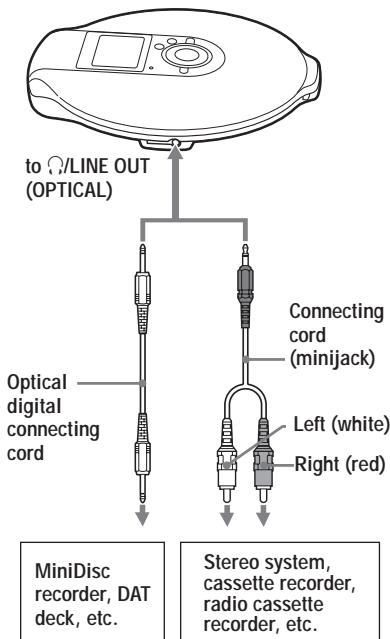
1 Pendant que la lecture est arrêtée, appuyez sur DISPLAY jusqu'à ce que l'affichage change. (Lecteur CD : Pendant que la lecture est arrêtée, appuyez sur DISPLAY/MENU jusqu'à ce que l'écran MENU apparaisse. Tournez la molette jog pour sélectionner "OPTION", puis appuyez sur DISPLAY/MENU.)
2 Poussez le levier jog vers I ▶ ou > pour sélectionner "AUDIO OUT", puis appuyez sur le levier jog pour valider la sélection. (Lecteur CD : Tournez la molette jog pour sélectionner "AUDIO OUT", puis appuyez sur DISPLAY/MENU pour valider la sélection.) 3 Poussez le levier jog vers I ou ▶ pour sélectionner le réglage approprié à l'appareil connecté, puis appuyez sur le levier jog pour valider la sélection. (Lecteur CD : Tournez la molette jog pour sélectionner le réglage, puis appuyez sur DISPLAY/MENU pour valider la sélection.)
| Connected device* | Setting |
| Headphones | “HP” |
| Device connected using the connecting cord | “LINE” |
- Lorsque vous connectez l'appareil à l'aide du câble de connexion numérique optique, vous n'avez pas besoin de choisir le réglage. Le réglage sera automatiquement commuté sur celui de la connexion optique.
(Suite)
Connexion d'une chaîne stéréo
Remarques
- Avant de lire un CD, baissez le volume de l'appareil connecté pour éviter d'endommager les enceintes connectées.
- Utilisez l'adaptateur secteur pour l'enregistrement. Si vous utilisez la batterie rechargeable ou la pile sèche comme source d'alimentation, la batterie peut se décharger complètement pendant l'enregistrement.
- Réglez correctement le volume sur l'appareil connecté afin que le son ne soit pas déformé.
- Ce lecteur CD utilise le système de gestion de copie en série, qui n'autorise que les copies numériques de première génération.
- Lors de l'enregistrement ou de la lecture d'un CD ATRAC/MP3 à l'aide d'un appareil connecté, utilisez uniquement le cordon de connexion analogique.
- Si vous changez d'appareil connecté, pensez à modifier le réglage "AUDIO OUT".
Lorsque des écouteurs ou d'autres appareils sont connectés à la prise / LINE OUT (OPTICAL)
Lorsqu'un cordon de connexion optique numérique est connecté, la sortie est automatiquement commutée sur la sortie optique numérique.
Lorsqu'une télécommande ou un cordon de connexion est connecté, le réglage AUDIO OUT actuel ("HP" ou "LINE") clignote pendant environ 5 secondes.
Si vous connectez un autre appareil à la prise /LINE OUT (OPTICAL), retirez d'abord l'appareil et reconnectez les écouteurs, puis basculez le réglage AUDIO OUT sur "HP".
Lorsque AUDIO OUT est réglé sur "LINE"
Vous ne pouvez pas régler le volume à l'aide de VOL + / - sur le lecteur CD ou la télécommande.
Lors de l'utilisation d'un cordon de connexion optique numérique
Pour enregistrer un CD sur un MiniDisc, un DAT, etc., assurez-vous que le lecteur CD est en pause avant de commencer les procédures d'enregistrement.
À propos des fonctions G-PROTECTION et égaliseur lors de l'utilisation du cordon de connexion ou du cordon de connexion optique numérique
- Pour enregistrer un son CD de haute qualité, réglez le paramètre G-PROTECTION sur "G-PRO 1" dans le menu.
- Si le réglage AUDIO OUT est défini sur "LINE", la fonction d'égaliseur paramétrique ne fonctionne pas.
Connexion à une source d'alimentation
Vous pouvez vérifier la puissance restante de la pile dans l'affichage.

Lobatt*
- Bips sonores.
Lorsque la batterie est déchargée, rechargez la batterie rechargeable ou remplacez la pile sèche par une neuve.
- Utilisation de la batterie rechargeable (cette page)
- Utilisation de la pile sèche (page 35)
Remarques
- Les segments de l'indicateur indiquent approximativement le niveau de charge restant de la batterie. Un segment ne correspond pas toujours à un quart de la charge. Selon les conditions d'utilisation, le nombre de segments peut augmenter ou diminuer.
- Lorsque vous utilisez la batterie rechargeable et la pile sèche ensemble pour prolonger l'autonomie, utilisez une batterie rechargeable complètement chargée et une pile sèche neuve.
Pour la durée de vie de la batterie et le temps de charge de la batterie rechargeable, reportez-vous à la section « Spécifications ».
Utilisation de la batterie rechargeable
Chargez la batterie rechargeable avant la première utilisation. Pour préserver la capacité d'origine de la batterie le plus longtemps possible, ne la chargez que lorsqu'elle est complètement déchargée. Vous ne pouvez utiliser que la batterie rechargeable suivante pour votre lecteur CD.
- NH-14WM (fournie)
1. Appuyez sur OPEN des deux côtés pour ouvrir le couvercle de votre lecteur CD, puis ouvrez le couvercle du compartiment à batterie à l'intérieur du lecteur.
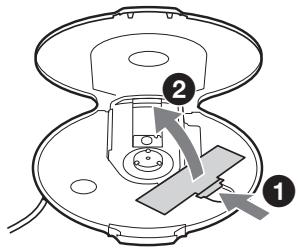
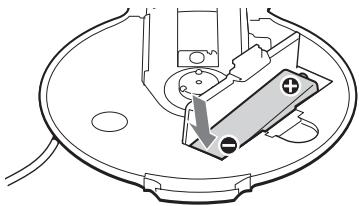
2. Insérez la batterie rechargeable en alignant le ① sur le schéma du compartiment à batterie, puis fermez le couvercle jusqu'à ce qu'il s'enclenche.
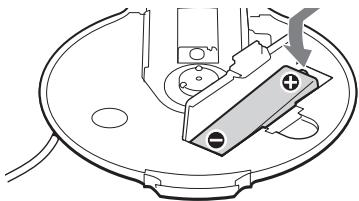
Insérez d'abord l'extrémité .
Utilisation de la batterie rechargeable
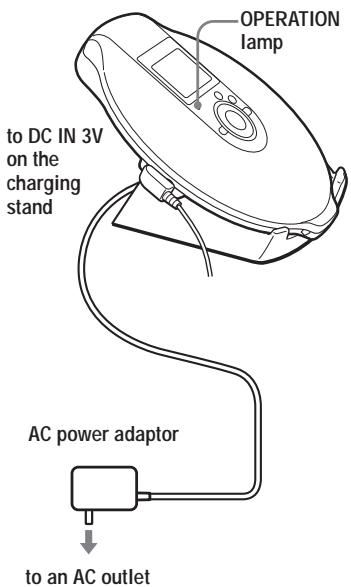
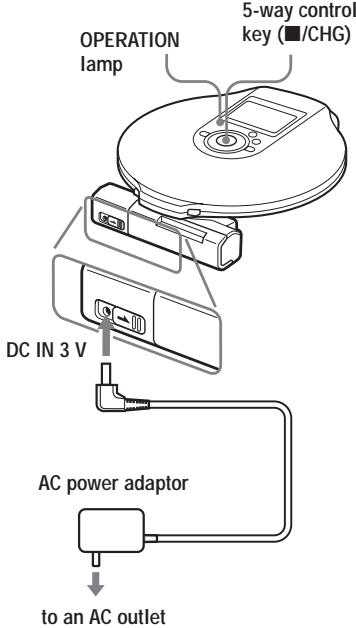
3 Connectez l'adaptateur secteur à la prise DC IN 3 V du socle de chargement fourni et à une prise secteur. Placez ensuite le lecteur CD sur le socle de chargement fourni (page 15).
La charge de la batterie commence. Sur l'afficheur de la télécommande, l'indication « Charging » clignote et les segments de l'indicateur s'allument successivement. Le témoin OPERATION s'allume sur le lecteur CD. Lorsque la batterie est complètement chargée, toutes les indications de l'afficheur disparaissent et le témoin OPERATION s'éteint.
Remarques sur le socle de chargement fourni
- Le socle de chargement fourni ne peut être utilisé qu'avec ce lecteur CD. Aucun autre modèle ne peut être chargé avec ce socle.
- Lorsque vous utilisez le socle de chargement fourni, ne chargez que la batterie rechargeable. Ne chargez aucune autre batterie.
- Pendant la charge, le lecteur CD et la batterie rechargeable deviennent chauds. Cela ne présente aucun danger.
- Ne placez pas de pièces de monnaie ou d'autres objets métalliques sur le socle de chargement. Si la borne du socle de chargement entre accidentellement en contact avec un objet métallique, elle peut provoquer un court-circuit et commencer à chauffer.
Pour charger la batterie rechargeable sans utiliser le socle de chargement fourni
1 Effectuez les étapes 1 et 2 de « Utilisation de la pile sèche » (page 35) pour fixer le boîtier de piles externe au lecteur CD. 2 Tout en maintenant la glissière du boîtier de piles externe dans le sens de la flèche, connectez l'adaptateur secteur. 3 Poussez la touche de commande à 5 directions vers /CHG.
La charge commence.
Remarques
- Pendant la charge, le lecteur CD et la batterie rechargeable deviennent chauds. Cela ne présente aucun danger.
- Si vous appuyez sur la touche de commande à 5 directions vers pendant la charge, la charge s'arrête et la lecture du CD commence.
- Si vous placez le lecteur CD sur le socle de charge pendant la lecture, la lecture s'arrête et la charge commence.
- Placez le lecteur CD sur le socle de charge de manière sûre. Assurez-vous que le témoin OPERATION du lecteur CD s'allume. Un mauvais placement interrompt la charge ou la lecture.
Pour retirer la batterie rechargeable
Poussez l'extrémité pour retirer la batterie.
Quand remplacer la batterie rechargeable
Si l'autonomie de la batterie diminue d'environ moitié, remplacez la batterie par une nouvelle batterie rechargeable.
Remarque sur la batterie rechargeable
Si la batterie est neuve ou n'a pas été utilisée pendant longtemps, elle peut ne pas être complètement chargée. Dans ce cas, chargez-la jusqu'à ce que le témoin OPERATION s'éteigne, puis utilisez le lecteur CD jusqu'à ce que la batterie soit complètement déchargée ("Lobatt" apparaît à l'écran). Répétez cette procédure plusieurs fois.
Remarque sur le transport de la batterie rechargeable
Utilisez l'étui de transport fourni pour éviter une chaleur inattendue. Si la batterie rechargeable entre en contact avec des objets métalliques, de la chaleur ou un incendie peut se produire en raison d'un court-circuit.
Utilisation de la pile sèche
Vous pouvez prolonger l'alimentation en insérant une batterie rechargeable dans le lecteur CD et en fixant le boîtier de piles externe.
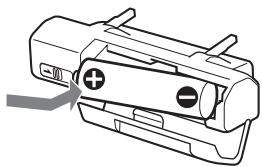
1 Insérez la pile alcaline LR6 (format AA) (non fournie) en faisant correspondre le au schéma à l'intérieur du boîtier de piles et fermez le couvercle du boîtier de piles.
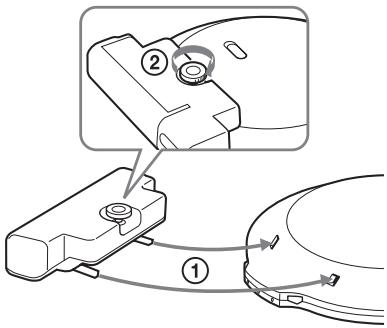
2 Fixez solidement le boîtier de piles au lecteur CD et serrez la vis dans le sens LOCK.
Remarques
- Si l'interrupteur du boîtier de piles externe est glissé dans le sens de la flèche pendant la lecture, la lecture peut s'arrêter.
- Lorsque les piles sont épuisées, remplacez-les par des piles neuves.
- Les piles du lecteur CD et celles du boîtier de piles externe se déchargent simultanément.
Remarques sur la source d'alimentation
Débranchez toutes les sources d'alimentation lorsque le lecteur CD n'est pas utilisé pendant une longue période.
Sur l'adaptateur secteur
- Utilisez uniquement l'adaptateur secteur fourni. Si votre lecteur CD n'est pas fourni avec celui-ci, utilisez l'adaptateur secteur AC-E30HG. N'utilisez aucun autre adaptateur secteur. Cela pourrait provoquer un dysfonctionnement.
Polarité de la fiche
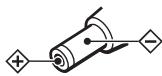
- Ne touchez pas l'adaptateur secteur avec des mains mouillées.
- Branchez l'adaptateur secteur sur une prise secteur facilement accessible. Si vous remarquez une anomalie dans l'adaptateur secteur, débranchez-le immédiatement de la prise secteur.
Sur les piles rechargeables et les piles sèches
- Ne chargez pas les piles sèches.
- Ne jetez pas les piles au feu.
- Ne transportez pas les piles avec des pièces de monnaie ou d'autres objets métalliques. Cela peut générer de la chaleur si les bornes positive et négative de la pile sont accidentellement mises en contact avec un objet métallique.
- Ne mélangez pas des piles rechargeables avec des piles sèches.
- Ne mélangez pas des piles neuves avec des piles usagées.
- N'utilisez pas différents types de piles ensemble.
- Lorsque les piles ne doivent pas être utilisées pendant une longue période, retirez-les.
- En cas de fuite de la pile, essuyez tout dépôt dans le compartiment à piles et installez des piles neuves. Si le dépôt adhère à vous, lavez-le soigneusement.
Liste des menus
Sur le lecteur CD, appuyez sur DISPLAY/MENU jusqu'à ce que l'écran MENU apparaisse, puis tournez la molette jog pour sélectionner le menu souhaité.
Sur la télécommande, appuyez plusieurs fois sur SOUND (pour le réglage du son) ou DISPLAY (pour d'autres réglages).
Lecteur CD
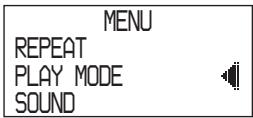
Télécommande

Pour revenir à l'écran précédent, appuyez sur (lecteur CD : appuyez sur -*1 ).
Pour annuler l'opération de réglage, appuyez sur DISPLAY (pour le menu OPTION uniquement) ou sur ■ pendant 2 secondes ou plus (lecteur CD : poussez la touche de commande à 5 directions vers ■/CHG).
Les éléments marqués sont les réglages par défaut.
| Setting sound (page) | Menu 1 → | Menu 2 → | Menu 3 |
| Adjusting sound quality (25) | SOUND*2 | ● OFF SOFT ACTIVE HEAVY CUSTOM | — |
| Setting various functions (page) | Menu 1 → | Menu 2 → | Menu 3 |
| Protecting against sound skipping (26) | OPTION | G-PROTECTION*4 | ● G-PRO 1 G-PRO 2 |
| Protecting your hearing (27) | OPTION | AVLS | ON ● OFF |
| Stopping playback automatically (27) | OPTION | TIMER | 10 min*3 ● OFF |
| Connecting a stereo system (31) | OPTION | AUDIO OUT*4 | ● HP LINE |
| Turning off the beep sound (28) | OPTION | BEEP | ● ON OFF |
| Saving power (29) | OPTION | LIGHT | LIGHT OFF ● LIGHT 1 LIGHT 2 |
| Playing tracks continuously (30) | OPTION | SEAMLESS*4, *5 | ON ● OFF |
1 Lorsque "PGM" n'est pas affiché. 2 Affiché uniquement sur le lecteur CD. 3 Réglage par défaut. Si vous avez modifié le réglage, la durée déjà définie apparaît. 4 Vous pouvez effectuer ces réglages pendant que la lecture est arrêtée. *5 Pour ATRAC CD uniquement
Précautions
Sécurité
- Si des objets solides ou des liquides tombent dans le lecteur CD, débranchez-le et faites-le vérifier par un personnel qualifié avant de l'utiliser à nouveau.
- Ne mettez aucun objet étranger dans la prise DC IN 3 V (entrée d'alimentation externe).
Sur le lecteur CD
- Gardez la lentille du lecteur CD propre et ne la touchez pas. Si vous le faites, la lentille peut être endommagée et le lecteur CD ne fonctionnera pas correctement.
- Ne posez aucun objet lourd sur le lecteur CD. Le lecteur CD et le CD peuvent être endommagés.
- Ne laissez pas le lecteur CD dans un endroit proche de sources de chaleur, ou dans un endroit exposé à la lumière directe du soleil, à une poussière ou un sable excessifs, à l'humidité, à la pluie, à des chocs mécaniques, à une surface inégale, ou dans une voiture avec les fenêtres fermées.
- Si le lecteur CD provoque des interférences avec la réception radio ou télévision, éteignez le lecteur CD ou éloignez-le de la radio ou de la télévision.
- Les disques de forme non standard (par exemple, cœur, carré, étoile) ne peuvent pas être lus sur ce lecteur CD. Tenter de le faire peut endommager le lecteur CD. N'utilisez pas de tels disques.
Manipulation des CD
- Pour garder le CD propre, tenez-le par les bords. Ne touchez pas la surface.
- Ne collez pas de papier ou de ruban adhésif sur le CD.
- N'exposez pas le CD à la lumière directe du soleil ou à des sources de chaleur telles que les conduits d'air chaud. Ne laissez pas le CD dans une voiture garée en plein soleil.
Sur les écouteurs/casques Sécurité routière
N'utilisez pas de casque/écouteurs en conduisant, en faisant du vélo ou en utilisant tout véhicule motorisé. Cela peut créer un danger pour la circulation et est illégal dans certaines régions. Il peut également être potentiellement dangereux d'écouter vos casques à volume élevé en marchant, en particulier aux passages pour piétons. Vous devez faire preuve d'une extrême prudence ou cesser l'utilisation dans des situations potentiellement dangereuses.
Prévention des dommages auditifs
Évitez d'utiliser des casques/écouteurs à volume élevé. Les experts en audition déconseillent une écoute continue, forte et prolongée. Si vous ressentez un bourdonnement dans vos oreilles, réduisez le volume ou cessez l'utilisation.
Considération pour les autres
Maintenez le volume à un niveau modéré. Cela vous permettra d'entendre les sons extérieurs et d'être respectueux envers les personnes autour de vous.
Entretien
Nettoyage du boîtier
Utilisez un chiffon doux légèrement humidifié avec de l'eau ou une solution détergente douce. N'utilisez pas d'alcool, de benzine ou de diluant.
Nettoyage des bornes
Si les bornes du socle de chargement sont sales, la batterie peut ne pas se charger correctement. Nettoyez les bornes avec un coton-tige ou un chiffon sec périodiquement comme illustré ci-dessous.
Bornes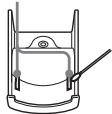
Dépannage
Si un problème persiste après avoir vérifié ces symptômes, consultez votre revendeur Sony le plus proche.
| Symptom | Cause and/or corrective action |
| The volume does not increase even if you turn VOL +/- in the + direction repeatedly (even if you press VOL + repeatedly on the CD player). | → AVLS is set to “ON.” Set it to “OFF.” (page 27)→ AUDIO OUT is set to “LINE.” Set it to “HP.” (page 31) |
| No sound, or noise is heard. | → Connect the headphones/earphones plugs firmly. (page 15)→ Plugs are dirty. Clean the headphones/earphones plugs with a dry soft cloth periodically. |
| Certain files cannot be played. | → You tried to play files saved in a format that is not compatible with this CD player. (page 6) |
| The playing time is too short when powered with the dry battery. | → Check that you are using an alkaline battery and not manganese battery. (page 35)→ Replace the battery with a new LR6 (size AA) alkaline battery. (page 35) |
| The playing time is too short when powered with the rechargeable battery. | → Charge and discharge the rechargeable battery several times. (pages 33 - 35) |
| “Lobatt” appears in the display. The CD does not play. | → The rechargeable battery is used up completely. Charge the battery. (pages 33 - 35)→ Replace the battery with a new LR6 (size AA) alkaline battery. (page 35) |
| “HI dc In” appears in the display. | → An AC power adaptor which is rated higher than the one supplied or recommended is being used. Use only the supplied AC power adaptor or the car battery cord recommended in “Optional accessories.” (page 43) |
(Suite)
Dépannage
| Symptom | Cause and/or corrective action |
| The CD does not play or “No disc” appears in the display when a CD is placed in the CD player. | → The CD is dirty or defective. → Check that the CD is inserted with the label side up. (page 15) → Moisture condensation has occurred. Leave the CD player aside for several hours until the moisture evaporates. → Close the lid of the battery compartment firmly. (page 33) → Make sure the battery is inserted correctly. (pages 33, 35) → Connect the AC power adaptor to an AC outlet securely. (page 15) → Press the jog lever (CD player: Push the 5-way control key toward ➔II) after one second or more has passed since the AC power adaptor was connected. → The CD-R/RW is blank. → There is a problem with the quality of the CD-R/RW, recording device, or application software. |
| OPERATION lamp flashes on the CD player when you press a button, and the CD does not play. | → The buttons are locked. Slide the HOLD switch back. (page 28) |
| Cannot adjust the volume. | → AUDIO OUT is set to “LINE.” Adjust the volume using the volume control on the connected device. (page 31) → Set AUDIO OUT to “HP.” Adjust the volume using VOL +/- on the CD player. (page 31) |
| During recording with optical digital connection, the track number cannot be recorded correctly. | → Record the track number again using a MiniDisc recorder, DAT recorder, etc. (page 31) → See the instruction manual that comes with the recording device. (page 31) |
| The rechargeable battery cannot be charged. | → The rechargeable battery is not inserted in the battery compartment. → The terminals of the charging stand are dirty. Wipe them with a soft, dry cloth. (page 38) → The CD is playing. Turn it off. → The CD player is not placed correctly on the charging stand. Place the player on the stand securely and make sure that the OPERATION lamp lights up. (page 34) |
| Playback starts from the point you stopped. (resume function) | → The resume function is working. To start play from the first track, press the jog lever during stop (CD player: push and hold the 5-way control key toward ➔II) until the first track starts playing, or open the lid of the CD player. Or remove all power sources, then insert the battery or connect the AC power adaptor again. (pages 15, 16, 33, 35) |
| Rustling noise is heard from the CD. | → Close the lid of the battery compartment firmly. (page 33) |
| When using with a connected stereo system, the sound is distorted or noisy. | → AUDIO OUT is set to “LINE.” Adjust the volume of the connected device. (page 31) → AUDIO OUT is set to “HP.” Adjust the volume using VOL +/- on the CD player. (page 31) |
| During playback of an ATRAC CD or MP3 CD, the CD does not rotate but you can hear the sound normally. | → The CD player is designed to stop the rotation of an ATRAC CD or MP3 CD during playback to reduce the power consumption. The player is not malfunctioning. |
| “NO FILE” appears on the display after you press the jog lever (CD player: after you push the 5-way control key toward ▶□) or when the lid of the CD player is closed. | → There are no ATRAC3plus/ATRAC3/MP3 files in the CD. → A CD-R/RW from which the data has been erased is being used. → The CD is dirty. |
| When closing the lid of the CD player, the CD starts to rotate. | → The CD player is reading the information on the CD. The player is not malfunctioning. |
| The LCD display becomes hard to see or slows down. | → You are using your CD player at high temperatures (above 40°C/104°F) or at low temperatures (below 0°C/32°F). At room temperature, the display will return to its normal operating condition. |
| “√” is flashing quickly on the display of the remote control, and you cannot locate the beginning of the track or a specific point in the track. | → The CD player has entered the preparation stage of Bookmark track play. Change the PLAY MODE setting to “ALL.” |
| You cannot operate the CD player properly using the remote control. | → The buttons on the CD player are kept pressed by mistake. |
| Play stopped abruptly. | → OFF TIMER has been set. Change the setting to “OFF.” |
Spécifications
Système
Système audio numérique à disque compact
Propriétés de la diode laser
Matériau : GaAlAs
Longueur d'onde : λ = 770 - 800 nm
Durée d'émission : continue
Puissance laser : inférieure à 44,6 μW
(Cette puissance est la valeur mesurée à une distance de 200 mm de la surface de la lentille d'objectif sur le bloc de lecture optique avec une ouverture de 7 mm.)
Conversion numérique-analogique
Contrôle de l'axe temporel à 1 bit
Réponse en fréquence
20 - 20 000 Hz +2 dB (mesuré selon JEITA)
Sortie (au niveau d'entrée de 3 V)
Sortie ligne (mini-jack stéréo)
Niveau de sortie : 0,7 V efficaces sous 47 kΩ
Impédance de charge recommandée : supérieure à 10 kΩ
Casque (mini-prise stéréo)
Environ 5 mW + 5 mW sous 16 Ω
Sortie numérique optique (connecteur de sortie optique)
Niveau de sortie : -21 à -15 dBm
Longueur d'onde : 630 à 690 nm au niveau de crête
Alimentation
- Batterie rechargeable Sony NH-14WM : 1,2 V CC × 1
- Pile LR6 (format AA) : 1,5 V CC × 1
- Adaptateur secteur (prise DC IN 3 V) :
220 V, 50 Hz (modèle pour la Chine)
120 V, 60 Hz (modèle pour le Mexique)
Autonomie de la batterie*1 (heures environ)
Lorsque vous utilisez le lecteur CD sur une surface plane et stable.
Lorsque les modes LIGHT et SOUND sont réglés sur "OFF" :
La durée de lecture varie selon l'utilisation du lecteur CD.
Avec une pile NH-14WM (chargée pendant environ 5 heures*2)
| G-PROTECTION | ||
| “G-PRO 1” | “G-PRO 2” | |
| Audio CD | 20 | 20 |
| ATRAC CD*3 | 35 | 35 |
| MP3 CD*4 | 28 | 28 |
Avec le boîtier de piles externe (une pile alcaline*5)
| G-PROTECTION | ||
| "G-PRO 1" | "G-PRO 2" | |
| Audio CD | 30 | 30 |
| ATRAC CD*3 | 50 | 50 |
| MP3 CD*4 | 40 | 40 |
Avec une pile NH-14WM et le boîtier de piles externe (une pile alcaline*5)
| G-PROTECTION | ||
| "G-PRO 1" | "G-PRO 2" | |
| Audio CD | 50 | 50 |
| ATRAC CD*3 | 85 | 85 |
| MP3 CD*4 | 70 | 70 |
1 Valeur mesurée selon la norme JEITA (Japan Electronics and Information Technology Industries Association) 2 Le temps de charge varie selon l'utilisation de la pile rechargeable. 3 Enregistré à 48 kbps 4 Enregistré à 128 kbps *5 Avec une pile alcaline Sony LR6 (SG) (fabriquée au Japon)
Température de fonctionnement
5°C - 35°C (41°F - 95°F)
Dimensions (l/h/p) (sans les parties saillantes et les commandes)
Environ 127 × 21,8 × 139,4 mm
(5 × 7/8 × 5 1/2 po)
Masse (sans les accessoires)
Environ 168 g (6,0 oz)
Licences américaines et étrangères délivrées par Dolby Laboratories.
La conception et les spécifications sont sujettes à modification sans préavis.
Accessoires en option
| AC power adaptor* | AC-E30HG |
| Active speaker system | SRS-Z1 SRS-Z30 |
| Car battery cord | DCC-E345 |
| Car battery cord with car connecting pack DCC-E34CP | |
| Car connecting pack | CPA-9C |
| Connecting cord | RK-G129 RK-G136 |
| Earphones | MDR-EX71SL MDR-Q55SL |
- Les spécifications des adaptateurs secteur varient selon les régions. Vérifiez la tension locale et la forme de la prise avant d'acheter.
Votre revendeur peut ne pas proposer certains des accessoires listés ci-dessus. Veuillez demander à votre revendeur des informations détaillées sur les accessoires disponibles dans votre pays/région.
Classe 1M
CE EEE
ATRAC CD
CD 6
ATRAC3plus ATRAC3 7
MP3 7
ATRAC3plus/ATRAC3 MP3 8
10
11
CD
- CD 15
- CD 15
- CD 16
19
ATRAC CD/MP3 CD 19
20
.....20
ATRAC CD/MP3 CD 20
m3u MP3 CD 20
Bookmark ..21
10 22
22
PGM 23
24
G-PROTECTION 26
(AVLS) 27
(OFF TIMER) 27
(MAINTIEN) 28
28
29
ATRAC CD 30
CD
31
33 35 36
37
38
38 39 42 43
ATRAC CD
D-NE 900LS CD "ATRAC CD"
ATRACCD
ATRAC CD
1
SonicStage Simple Burner
2
CD-R/RW
CD

PC
MP3

SonicStage Simple Burner ATRAC3plus/ATRAC3
SonicStage Simple Burner
SonicStage Simple Burner
ATRAC CD
ATRAC CD
CD-R/RW
ATRAC3plus/ATRAC3
30
CD
CD-R/RW
ATRAC3plus/ATRAC3
* CD
MP3
60
48 kbps
ATRAC3plus
700
Mo
CD-R/RW
ATRAC3plus/ATRAC3
6-9
CD
CD 3
CD, CDDA, ATRAC3plus/ATRAC3 CD (ATRAC CD), MP3 CD (MP3CD)
ISO 9660 Niveau 1/2, extension Joliet
CD-R/RW
CD ATRAC3plus/ATRAC3, MP3, CDDA*, CD-R/
RW
- CDDA (Compact Disc Digital Audio), CD
Disque compact (CD)
CD
CD, CD-R/RW, ATRAC3plus/ATRAC3, CD-R/RW
| ATRAC 3plus | ATRAC 3 | ||||
| “A TRAC 3plus” | “ | 3+” | |||
| ATRAC3 | ATRAC3plus | 64 kbps | |||
| 1/20 | 256 kbps | 64 kbps | |||
| 48 kbps | |||||
| “A TRAC 3” | “ | 3” | |||
| ATRAC3 | 132 kbps | 105 kbps | 66 kbps | 1/10 | |
| · | 255 | ||||
| · | 999 | ||||
| “ SonicStage Simple Burner” | |||||
| MP3 | ATRAC3plus/ATRAC3 | ||||
MP3
MP3
MPEG-1 Audio Layer 3
ISO
1/10
8, A-Z, a-z, 0-9
.
MP3
"mp3"
"mp3"
255 999
CD MP3 16-320 kbps 32/
44.1/48 kHz (VBR) MP3 44.1 kHz" 128 kbps
" Constant Bit Rate"
“ halting of writing” Disc at Once
MP3/ATRAC3plus/ATRAC3 MP3 C D
ATRAC 3plus/ATRAC 3 MP3
ATRAC3plus/ATRAC3
CD
MP3CD
MP3
ATRAC3 CD-R/RW MP3 CD-R/RW
- ATRAC 3plus/ATRAC 3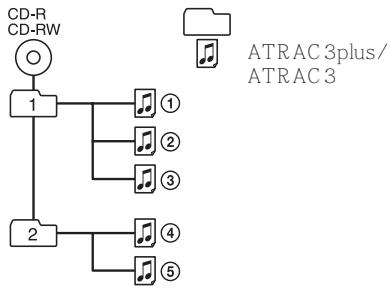
- MP3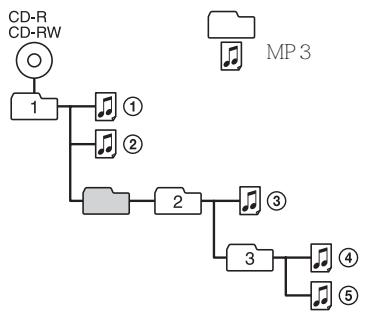
MP3 ATRAC3plus/ATRAC3 ATRAC3plus/ATRAC3 MP3
MP3
CD
CD
AC
(1) (AC-ES301OK)
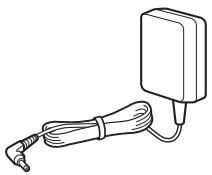
(1)
(1)
(1)
(1)
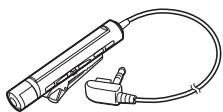
(1)
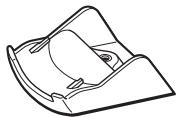
(1)
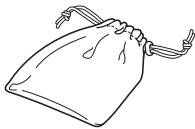
(1)
CD-ROM* SonicStage Simple Burner (1)
CD CD-ROM
SonicStage Simple Burner (1)
CD
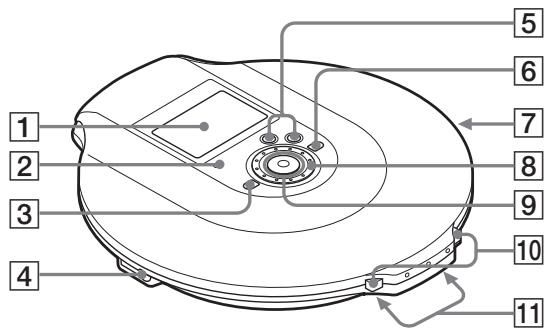
1 (12, 17, 19, 24, 37) 2 OPERATION (15, 28, 29, 34)
95 (15, 16, 19 - 31, 34, 37)
11 AMS*2/ AMS/ CHG DISPLAY/MENU
CD ATRAC3plus/ATRAC3 MP3 CD
CD
HOLD
CHG
3 37) (16,23,24,26,28, 4 (OPTICAL) (15,31)
[5] VOL +*1 / - (16) 6 + (16, 23, 24) 7HOLD (28) CD
8 (19-31,37)
AFFICHAGE/MENU
10 OUVERT (15, 33)
11 / (15, 34, 35)
- 1 *2
CD
1
(17)
CD
CD
CD ATRAC/MP3 CD
5
(21)
6
MP3
(19, 20)
ATRAC CD/MP3 CD
7
(19-23)
2
Atrac3plus/MP3
3
CD
4
(33)
8 SOUND
(25, 26)
SOUND

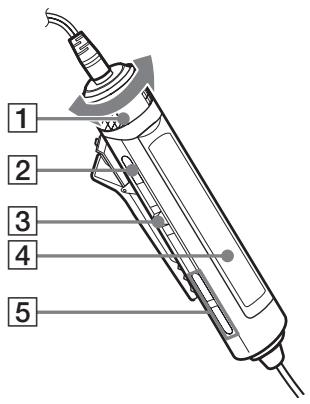
1 VOL +/ (16, 26, 28) 2 (16, 26, 28, 37) 3 (ENT 16, 21-23, 25-31) /ENT


AMS
4 (17) 5 +/ (16, 23, 24)
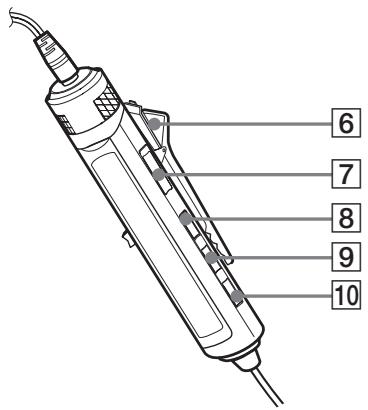
6 (14) 7 HOLD (28)
DISPLAY (23, 26 - 31, 37) 9 P MODE/ (19-23) 10 SOUND (25, 37)
CD
CD
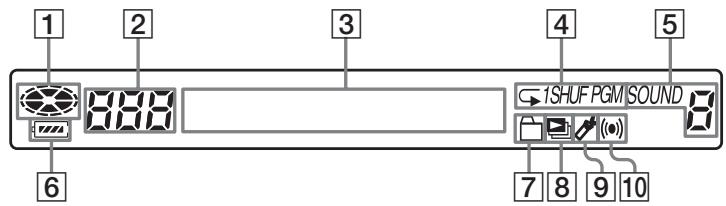
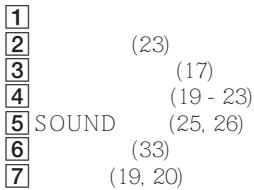
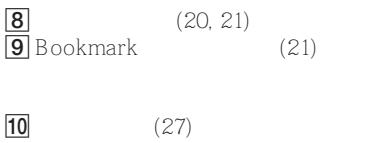
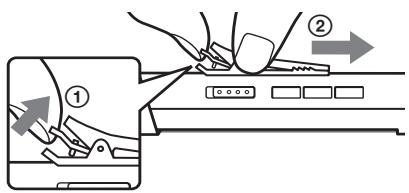
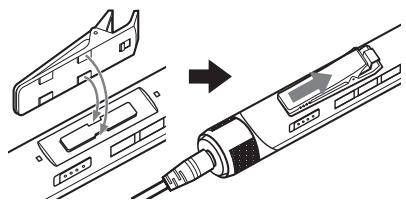
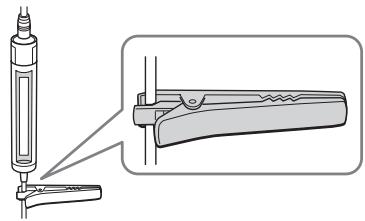
1. CD
1 OPEN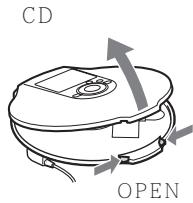
2 CD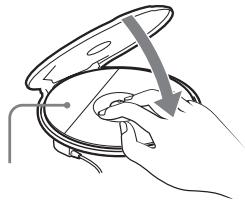
2. CD
33 • LR6 AA 5 35 AC
CD
1 AC 2
CD
CD OPERATION
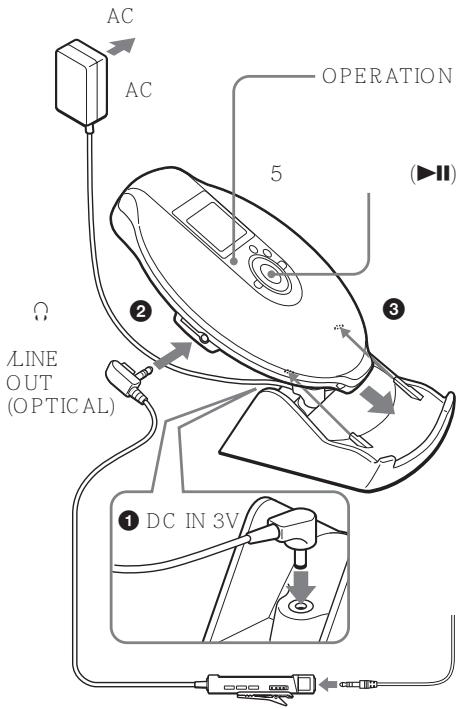
3. CD
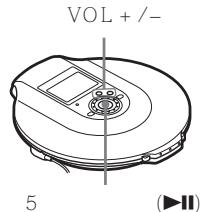
1 2 VOL + -
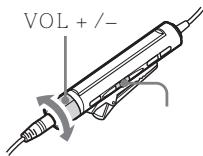
1 2 VOL + / -
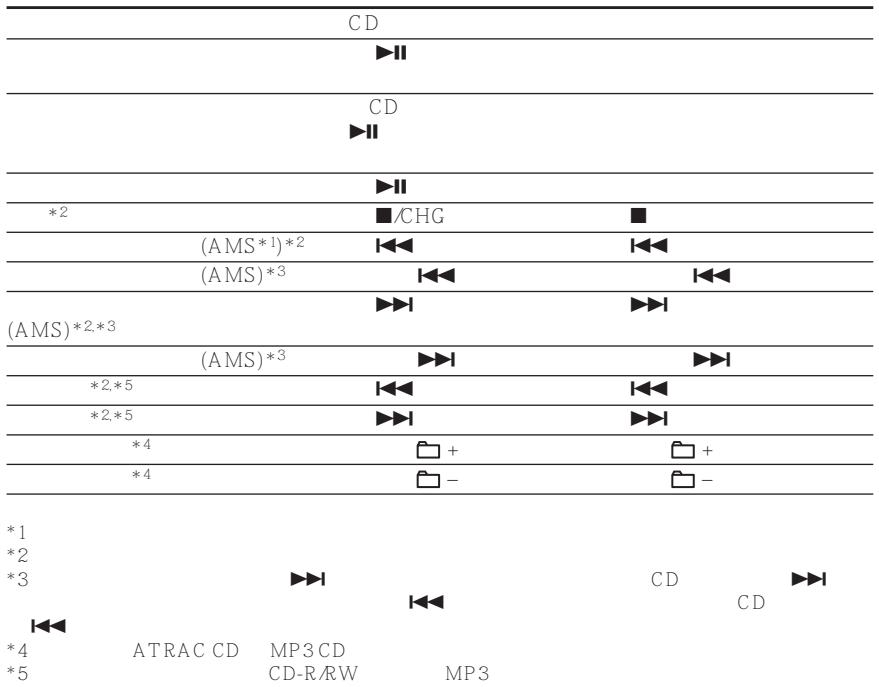
| CD | ||||
| CD | DISPLAY/MENU | / | ||
| DISPLAY | CD | |||
| CD-TEXT | CD “ ” | “ ” “ ” | ||
| ATRAC CD | SonicStage Simple | |||
| Burner | ID3 tag*1 MP3 | MP3 CD | ID3 | |
| tag | ||||
CD
DISPLAY/MENU
| CD | ATRAC CD/MP3 CD | |
| *3 | ||
| CODEC | *4 | |
| CD | *2 CD | *2 |
| / | ||
DISPLAY
| CD | ATRAC CD/MP3 CD | ||||
| CODEC *4 | |||||
| *2 CD | *2 | ||||
| *1ID3 tag | MP3 | CD | |||
| ID3 tag | 1.1/2.2/2.3 | MP3 | PGM | ||
| *2 | |||||
| *3 | ID3 tag | " " | / | ||
| " | |||||
| *4 | VBR | MP3 | " VBR" | ||
| " VBR" | |||||
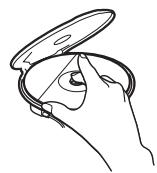


CD
P MODE
P MODE/
m3u
Bookmark
10
PGM
CD
PLAY MODE
1
DISPLAY/MENU
2
ENU
"PLAY MODE"
DISPLAY/MENU
3
"ALL"
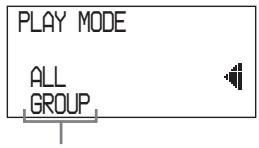
P MODE

02:34
CD
1
MENU
2
"REPEAT
DISPLAY/MENU
3
ON
DISPLAY/MENU
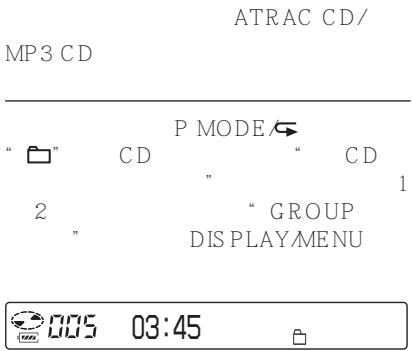

005
03:45
1

003
01:25
SHUF
ATRAC CD MP3 CD

003
01:25


P MODE
CD
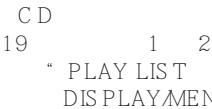

001
MODERN


ATRAC CD
CD
999
Signet
5
CD
MP3 CD
CD
999
Signet
5
CD
Signet
1
Signet


MODE P

AFFICHAGE/MENU
Signet
2

Signet
Signet
Signet

CD
5

Signet
Signet

Signet
.
11
CD
ATRAC CD/
MP3 CD
6
Signet
1
CD
Signet
Signet
一
"Lobatt"
CD
10
CD
10
CD
10
1
a00
P MODE
CD
CD
19
1 2
AUTO
RANKING
DISPLAY/MENU
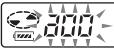
01:25
CD
32
P MODE
SHUF"
CD
CD
19
1 2
RANKING
SHUF
DISPLAYMENU
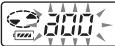
01:25
SHUF

CD
CD
10
CD
1 CD
11
PGM
CD
64
1
PGM
P MODE
CD
“ CD
19
1 2
PROGRAM
DISPLAY/MENU
CD/CD-TEXT

1

ATRAC CD/MP3 CD

1
In Your H,

2


CD


5
DISPLAY/
MENU
ATRAC CD/MP3CD


CD/CD-TEXT

005 <PGM12
PGM
ATRAC CDMP3CD
3
2
4
PGM
CD

5
4
CD

5
AFFICHAGE/MENU
AFFICHAGE
MODE P
PGM
CD
AFFICHAGE/MENU

5

3
64
CD
(ATRAC CD/MP3 CD)
.
65
65
CD CD ATRAC CD
1
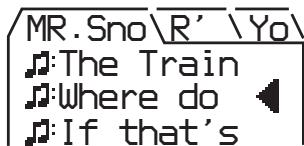
2
1
" MENU
CD
SOFT/
SOUND S
ACTIVE/
SON A
HEAVY/
SON H ACTIF
CUSTOM/
SON C
SON
CD
1 AFFICHAGE MENU
MENU
2 "SON"
AFFICHAGE/MENU
3
AFFICHAGE MENU
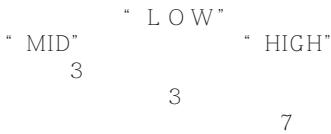
"CUSTOM"
"LOW" CD "LOW"
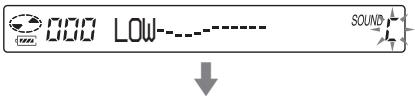

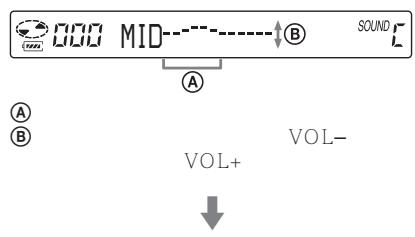


(AVLS)
AVLS
1 DISPLAY CD DISPLAY/MENU MENU "OPTION" DISPLAY/MENU 2 AVLS CD AVLS 3 ON" CD "ON DISPLAY/MENU
CD 5 1 DISPLAY CD DISPLAY/MENU MENU "OPTION" DISPLAY/MENU 2 "TIMER" CD "TIMER" DISPLAY/MENU 3 10min* CD 10 min" DISPLAYMENU

VOL ^+
CD
DISPLAYMENU
5
VOL+/-
1
VOL + CD

CD

DISPLAY
CD
2
CHG
5
CD
1-3
OFF TIMER
1-3 OFF TIMER OFF
(HOLD)
CD
HOLD
OPERATION
HOLD
CD
HOLD
MAINTIEN
CD
MAINTIEN
MAINTIEN
"MAINTIEN"
CD

AFFICHAGE
CD
AFFICHAGE/MENU
MENU
"OPTION"
AFFICHAGE/
MENU
2 1
« BIP »
CD
« BIP »
MENU
AFFICHAGE/
3
« ARRÊT »
CD
ARRÊT
AFFICHAGE MENU
1-3
BIP
« MARCHE »
LCD
CD
FONCTIONNEMENT
1 DISPLAY CD
DISPLAY/MENU
MENU
"OPTION"
PLAY/
MENU
2
"LIGHT"
CD
"LIGHT"
DISPLAY/
MENU
3
"LIGHT OFF"
"LIGHT 2"
CD
"LIGHT
OFF" “LIGHT 2”
DISPLAY MENU
LIGHT
CD
LCD
OPERATION
LIGHT
OFF
LIGHT 1
5
LIGHT
2*
5
*
"LIGHT 2"
"LIGHT1"
LCD
AC
LCD
ATRAC CD
1 DISPLAY CD DISPLAY/MENU MENU "OPTION" DISPLAY/MENU 2 SEAMLESS CD SEAMLESS DISPLAY MENU 3 ON" CD ON 1 DISPLAY/ MENU
MD
CD CD
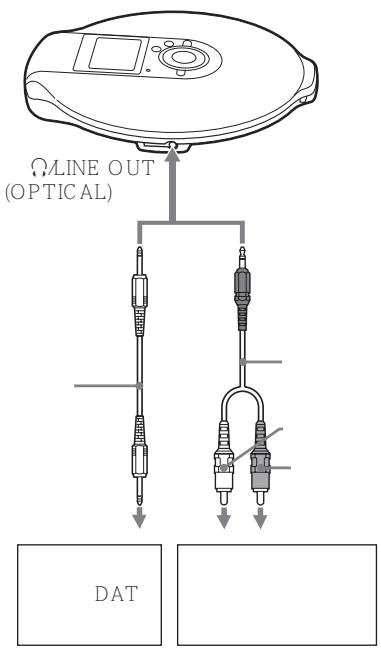
1 DISPLAY
CD
DISPLAY/MENU
MENU
"OPTION"
AFFICHAGE/
MENU
2
"SORTIE AUDIO"
CD
"SORTIE AUDIO"
AFFICHAGE/MENU
3
CD
AFFICHAGE/MENU
*
HP
"LIGNE"
G-PROTECTION CD CD G-PROTECTION 1" ACU AUDIO OUT LINE"
CD
ATRAC CD/ MP3CD "AUDIO OUT LINEOUT (OPTICAL) AUDIO OUT HP" 5 LINE OUT (OPTICAL) AUDIO OUT VOL+CD MD

*
:

35

CD
NH-14WM
1
OPEN
CD
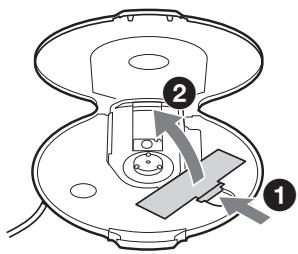
2
+
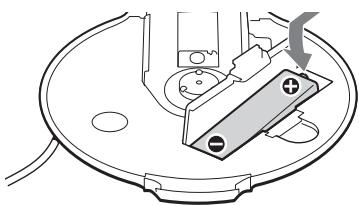
AC
DC IN 3V AC
CD
15
"Charging"
3
CD
OPERATION
OPERATION
2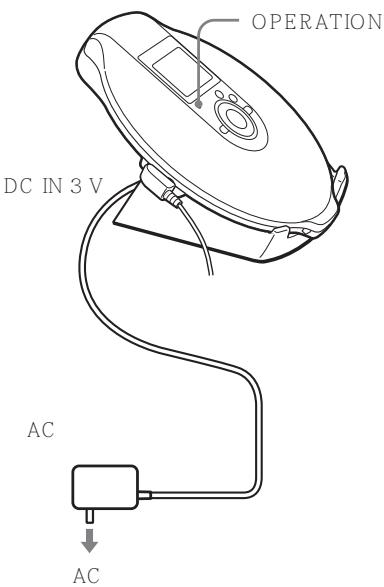
1
1 2
”
35
AC
CHG
5
3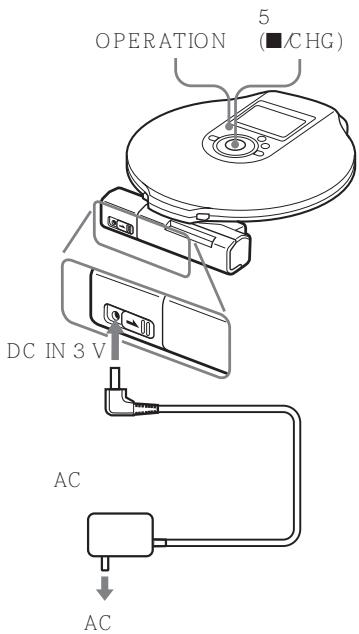
CD

5
FONCTIONNEMENT
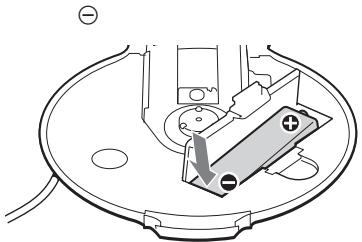
FONCTIONNEMENT
"Lobatt"
1
LR6 AA 5
+
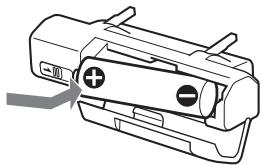
2
VERROUILLAGE
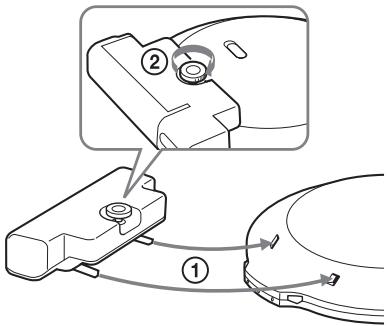

CD
CD
AC
AC CD AC AC-E30HG AC AC
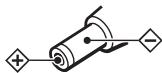
AC AC AC AC AC
- -

CD
MENU D'AFFICHAGE
MENU
SON
AFFICHAGE
CD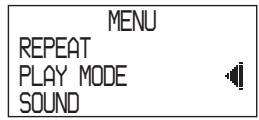
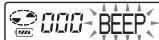
CD

CD
AFFICHAGE

CHG 5

*-1
OPTION


| 1 → | 2 → | 3 | |
| (25) | SOUND*2 | ● OFF SOFT ACTIVE HEAVY CUSTOM | — |
| 1 → | 2 → | 3 | |
| (26) | OPTION | G-PROTECTION*4 | ● G-PRO 1 G-PRO 2 |
| (27) | OPTION | AVLS | ON ● OFF |
| (27) | OPTION | TIMER | 10 min*3 ● OFF |
| (31) | OPTION | AUDIO OUT*4 | ● HP LINE |
| (28) | OPTION | BEEP | ● ON OFF |
| (29) | OPTION | LIGHT | LIGHT OFF ● LIGHT 1 LIGHT 2 |
| (30) | OPTION | SEAMLESS*4,*,5 | ON ● OFF |
1 “PGM” *2 3 4 5
ATRAC CD
CD DC IN 3V CD CD CD CD CD CD CD CD CD CD CD CD CD CD
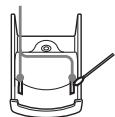
Sony
| VOL +/- CD | → AVLS “ ON” “ OFF” 27 | |
| → AUDIO OUT “ LINE” “ HP” | ||
| VOL + | → 15 | |
| → | ||
| → CD | ||
| 6 | ||
| → LR6 AA 5 35 | ||
| → 33 - 35 | ||
| CD | “ Lobatt ” | → 33 - 35 |
| → LR6 AA 5 35 | ||
| “ HI dc In” | → AC AC “ AC | |
| ” 43 | ||
| CD | CD CD “No disc” | → CD → CD → AC → CD → CD-R/RW → CD-R/RW | CD 33 33 5 | 15 33 5 | 15 |
| CD OPERATION CD | → | HOLD | 28 | ||
| → AUDIO OUT | “ LINE” | ||||
| → AUDIO OUT | 31 “ HP” | CD | VOL +/- | ||
| 31 | |||||
| → DAT | 31 | ||||
| → | |||||
| → CD | 38 | ||||
| → CD | OPERATION | 34 | |||
| → | CD | 5 CD | AC | ||
| 15 16 33 35 | |||||
| CD | → | 33 | |||
| → AUDIO OUT | 31 | “ LINE” | |||
| → AUDIO OUT | 31 | “ HP” | CD | VOL +/- | |
| CD | ATRAC CD CD | MP3 | → CD | ATRAC CD | MP3 CD |
| CD 5 | → CD | ATRAC3plus/ATRAC3MP3 CD-R/RW | |||
| CD | → CD | ||||
| " NO FILE" | |||||
| CD CD | → CD | CD | |||
| → | 40 | 0 | CD | ||
| "✔" | → CD | Bookmark PLAY MODE | " ALL" | ||
| CD | → | CD | |||
| → | OFF TIMER | " OFF" | |||
CD
GaAlAs
λ = 770 - 800 nm
44.6 μW
7 mm
200 mm
D-A
1
20 20 000 Hz +1 dB
3V
JEITA
0.7V rms 47kΩ
10 kΩ
5 mW +
5 mW
16 Ω
-21 -15 dBm
630 690 nm
- Sony NH-14WM × 1
1.2 V DC
LR6 AA 5
1.5V DC × 1
AC
DC IN 3 V
220V 50Hz
120V 60Hz
1A
*1
CD
LIGHT SOUND OFF
CD
| NH-14WM | 5 | |
| *2 | ||
| G-PROTECTION “G-PRO 1”“G-PRO 2” | ||
| CD | 20 | 20 |
| ATRAC CD*3 | 35 | 35 |
| MP3 CD*4 | 28 | 28 |
*5
G-PROTECTION G-PRO1"“G-PRO2"
| CD | 30 | 30 |
| ATRAC CD*3 | 50 | 50 |
| MP3 CD*4 | 40 | 40 |
NH-14WM
| G-PROTECTION “ G-PRO 1” “ G-PRO 2” | ||
| CD | 50 | 50 |
| ATRAC CD*3 | 85 | 85 |
| MP3 CD*4 | 70 | 70 |
*1 JEITA (Japan Electronics and Information Technology Industries Association)
*2
*3 48 kbps
*4 128 kbps
*5 Sony LR6 (SG)
5 35
127 × 21,8 × 139,4 mm
168 g
Dolby Laboratories
| AC | * | AC-E 30HG |
| SRS-Z1 | ||
| SRS-Z30 | ||
| DCC-E 345 | ||
| DCC-E 34CP | ||
| CPA-9C | ||
| RK-G 129 | ||
| RK-G 136 | ||
| MDR-EX71SL | ||
| MDR-Q55SL |
* AC

ATRAC CD Walkman!
CD 6
ATRAC3plus/ATRAC3, MP3. 7 ATRAC3plus/ATRAC3, MP3 8
CD
1. CD 15 2. CD 15 3. CD 16
( ). 19
( ) (ATRAC CD/MP3 CD) 19 ( ) 20 ( 20
(ATRAC CD/MP3 CD) 20
(m3u ) (MP3 CD) 20 ( ) 21 10 ( ) 22
( ) 22 (PGM) 23 / 24
( 25
G-PROTECTION 26
(AVLS) 27
(OFF TIMER) ... 27
(HOLD) 28
28
29
(SEAMLESS)
(ATRAC CD) 30
CD
31
33
35
36
D-NE900LS
CD Walkman "ATRAC CD"
"ATRAC CD Walkman"
ATRAC CD
1
SonicStage Simple Burner
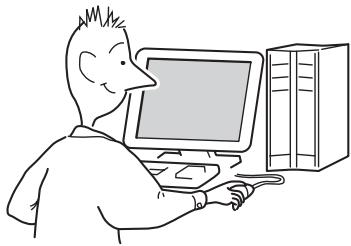
2
PC CD-R/RW
CD MP3

SonicStage Simple Burner ATRAC3plus/ATRAC3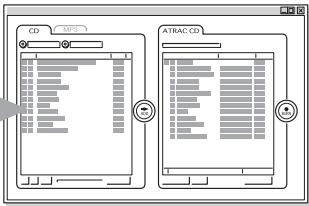
SonicStage Simple Burner "SonicStage Simple Burner"
ATRAC CD ?
ATRAC CD ATRAC3plus/ATRAC3
30
CD
CD-R/RW
ATRAC3 MP3
- 1 CD
RW
60
ATRAC3plus
48 kbps
CD-R/RW
ATRAC3plus/
700 MB CD-R/
3
ATRAC CD ATRAC CD Walkman
ATRAC CD
CD Walkman
CD
ATRAC3plus/ATRAC3
?
6-9
CD
CD 3
CD (CDDA - ATRAC3plus/ATRAC3 - MP3 CD (MP3 CD)
CD (ATRAC CD)
ISO 9660 Level 1/2 Joliet
CD-R/RW
CD ATRAC3plus/ATRAC3, MP3 CDDA* CD-R/RW
* CDDA : Compact Disc Digital Audio
(CD)
CD
CD CD-R/RW - ATRAC3plus/ATRAC3 CD-R/RW
ATRAC3plus ATRAC3
"ATRAC3plus" "Adaptive Transform Acoustic Coding3plus" ATRAC3 64kbps 1/20 256kbps,64kbps,48kbps
“ATRAC3” “Adaptive Transform Acoustic Coding3” .ATRAC3 1/10 132 kbps, 105 kbps, 66 kbps
:255 :999
"SonicStage Simple Burner"
(MP3 ATRAC3plus/ATRAC3
MP3
MPEG-1 Audio Layer3 MP3 ISO( ) Motion Picture Experts Group 1/10
:8 :A-Z,a- z,0-9,_( ) - "mp3" - MP3 - "mp3"
:255 :999
CD MP3 : 16-320 kbps
: 32/44.1/48 kHz. (VBR) “44.1 kHz”, “128 kbps”, “Constant
MP3
Bit Rate"
"halting of writing"
"Disc at Once"
- MP3 (MP3 / ATRAC3plus / ATRAC3) CD
ATRAC3plus/ATRAC3 MP3
ATRAC3plus/ATRAC3
CD
MP3CD
ATRAC3plus/ATRAC3
MP3
MP3
CD-R/RW
-ATRAC3plus/ATRAC3 MP3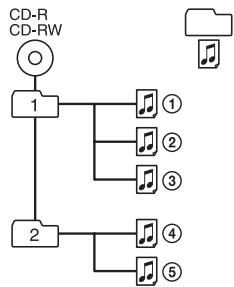
ATRAC3plus/ ATRAC3
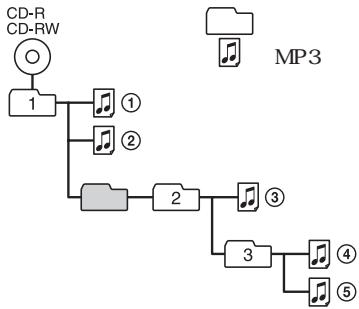
- MP3 CD ATRAC3plus/ATRAC3 MP3 ATRAC3plus/ATRAC3 MP3
CD
AC
(1)
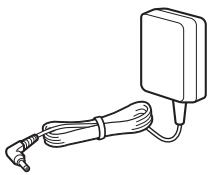
(1)
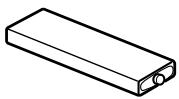
(1)
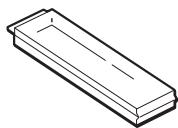
(1)
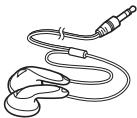
(1)
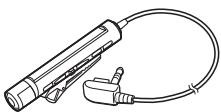
(1)
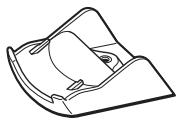
(1)
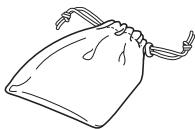
(1)
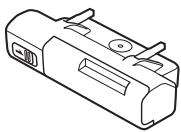
CD-ROM (SonicStage Simple Burner) (1)
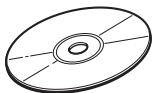
CD-ROM
CD
SonicStage Simple Burner (1)
CD
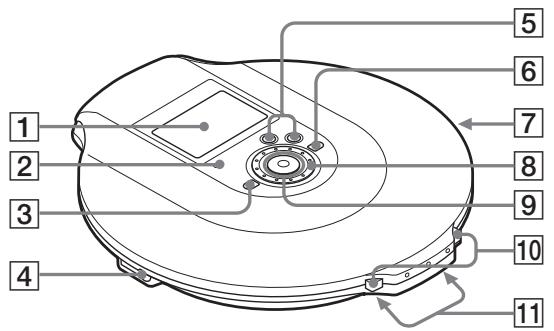
1 (12, 17, 19, 24, 37) 2 OPERATION (15, 28, 29, 34)
: ATRAC3plus/ATRAC3, MP3
CD
HOLD CHG(
3 □ ( ) - (16,23,24,26,28,37) 4 ∩ ( )/LINE OUT(OPTICAL) (15, 31)
5 VOL( ) + *1/- (16) 6 ( ) + (16, 23, 24) 7 HOLD ( ) (28) CD
8 (19-31,37)
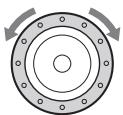
95 (15, 16, 19-31, 34, 37)
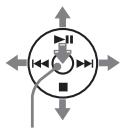
II: AMS*2/ ▶AMS/ CHG: / DISPLAY/MENU:
DISPLAY/MENU
DISPLAY/MENU
II 1,CHG
10 OPEN (15, 33) 11 / (15, 34, 35) *1 *2Automatic Music Sensor(
(CD
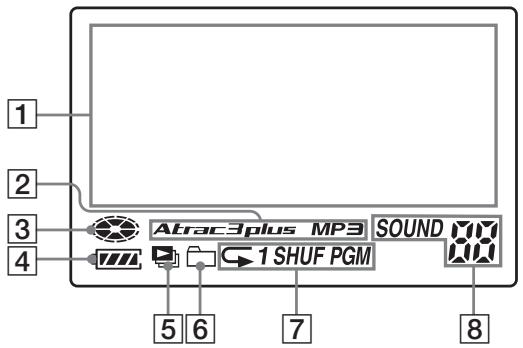
1 (17) CD C
ATRAC CD/MP3CD 4
CD
5 MP3 CD (21)
(19,20) ATRAC CD/MP3 CD
[7] (19-23)
. “
2 Atrac3plus/MP3 3 CD (33)
SOUND (25, 26)
SOUND
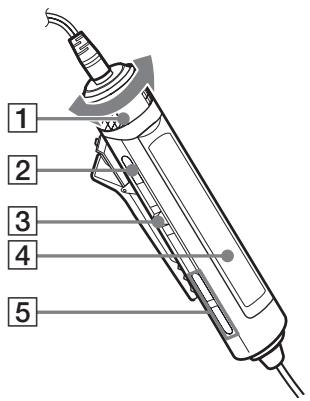
VOL( ) +/ - (16, 26, 28) 2 (16, 26, 28, 37) 3 (I▶ENT) (16, 21-23, 25-31)
II/ /ENT(

:AMS,
4 (14, 17) 5 () + / - (16, 23, 24)
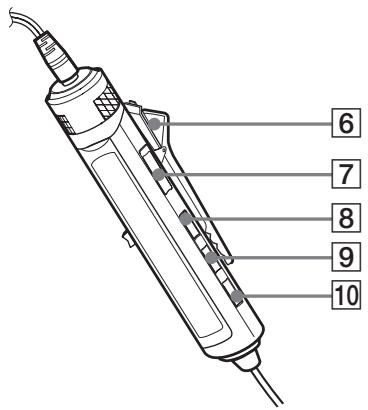
6 (14) 7 HOLD (28)
( ).
DISPLAY (23, 26-31, 37) 9 P MODE/ (19-23) 10 SOUND (25, 37)

CD
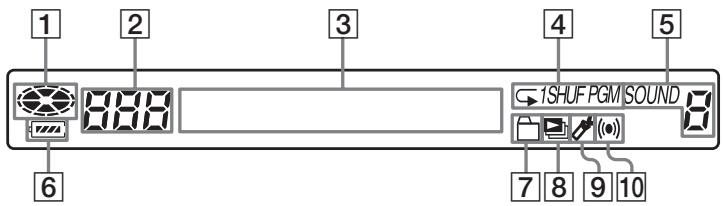
| 1 | ||
| 2 | (23) | |
| 3 | (17) | |
| 4 | (19- 23) | |
| 5 SOUND | (25, 26) | |
| 6 | (33) | |
| 7 | (19, 20) |
| 8 | (21) |
| 9 | (21) |
| 10 | (27) |
MINUTEUR D'ARRÊT
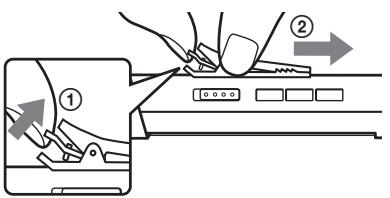
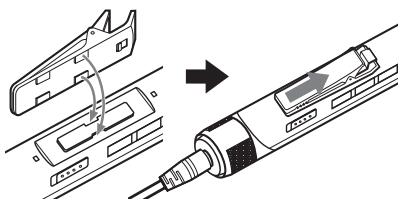
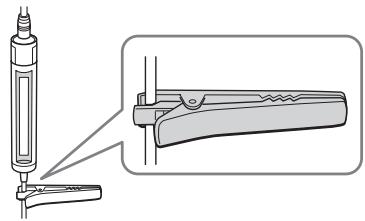
1. CD
1 OUVRIR LE CD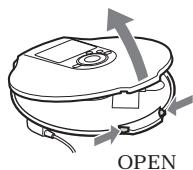
CD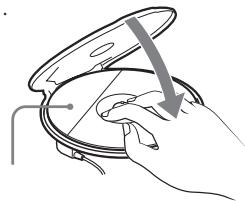
2. CD
(33) LR6(AA) ( ) (35 AC
CD
1AC CD CD
FONCTIONNEMENT
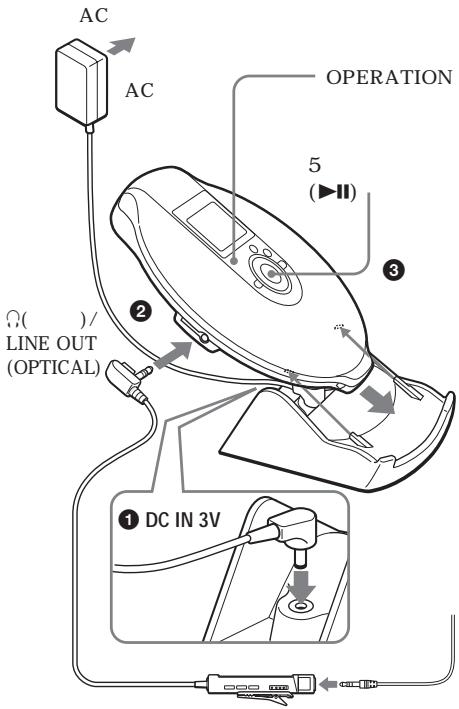
3. CD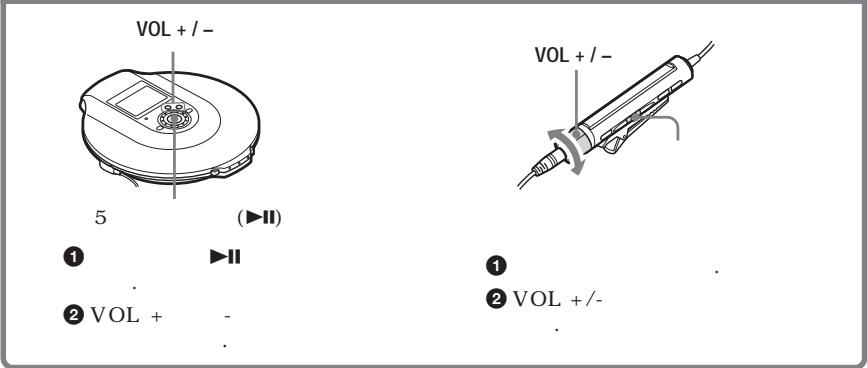
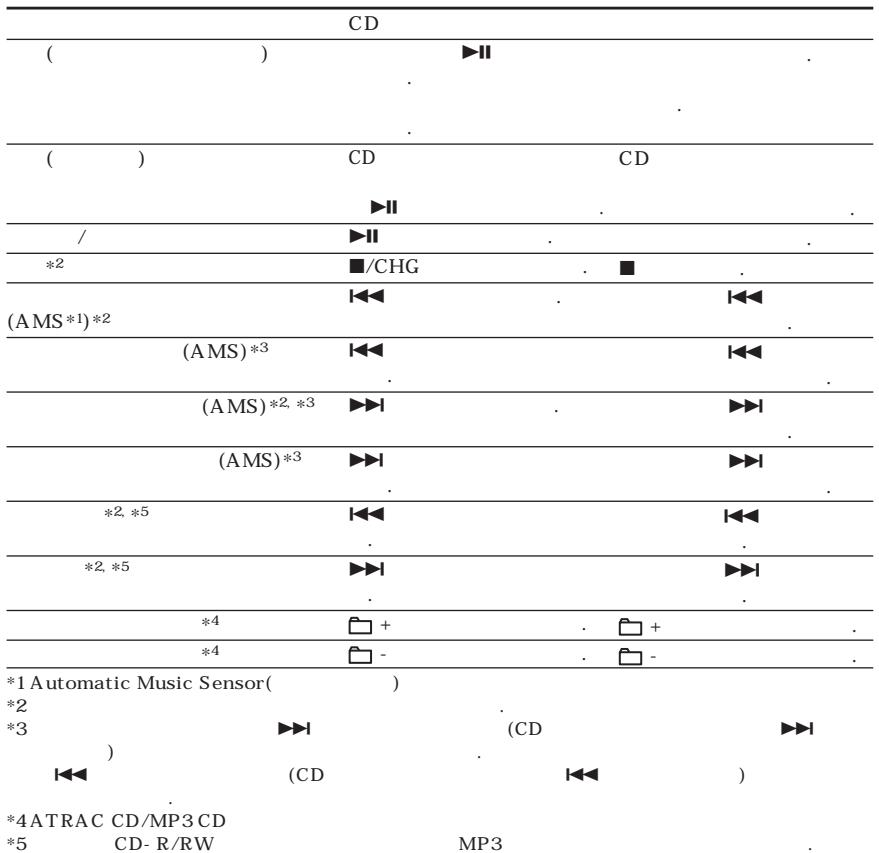
| CD | |||
| CD | DISPLAY/MENU | DISPLAY | CD |
| . | |||
| CD- TEXT | CD | “ | |
| ”, “ , ” | . ATRAC CD | . ID3 | SonicStage |
| Simple Burner | *1 MP3 | ||
| MP3 CD | ID3 | ||
CD AFFICHAGE/MENU
| CD | ATRAC CD/MP3 CD | |||||
| , | , | *3, | ||||
| ( , | , | |||||
| , | , | CODEC | *4, | |||
| ( , | ) | |||||
| CD | , CD *2, CD | , *2 | , | , | , | |
| / | ||||||
AFFICHAGE
| CD | ATRAC CD/MP3 CD | ||||
| , | ( ) | , | , | ||
| , | , | ,CODEC | *4, | ||
| ( , | |||||
| *2, CD | *2 | ||||
| ( , | |||||
| *1 ID3 | MP3 | ( , | . CD | ||
| ID3 | 1.1/2.2/2.3 | .(MP3) | |||
| *2 | , | , | PGM | ||
| *3 | ID3 | " | / | ||
| " | |||||
| *4 | “VBR” | .VBR( ) | MP3 | ||
| "VBR" | |||||
CD A-Z, a-z, 0-9, - (
CD "READING" CD
"ROOT"
ID3
CD
CD
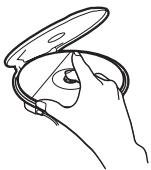
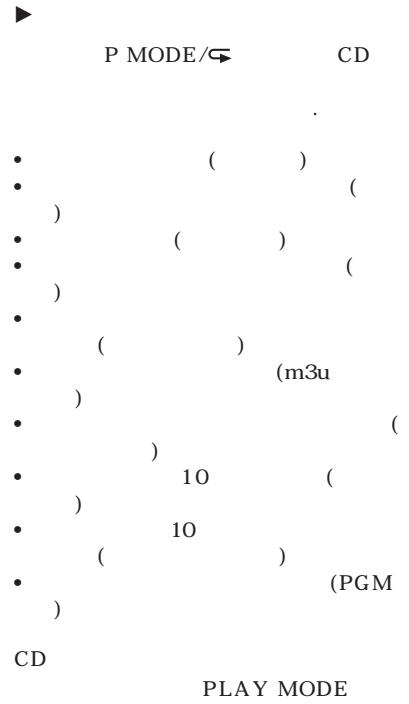
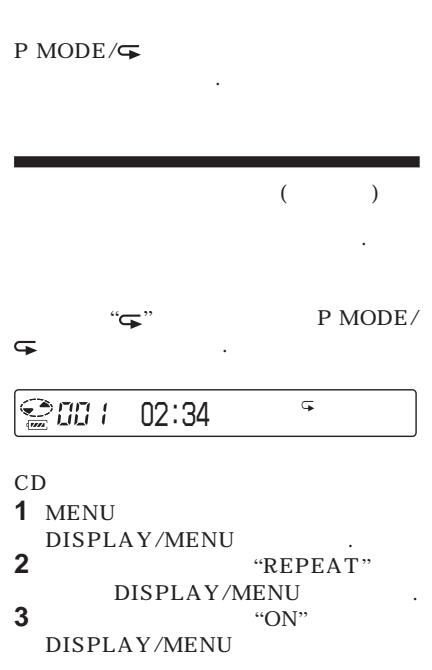
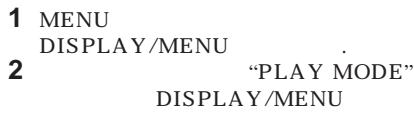
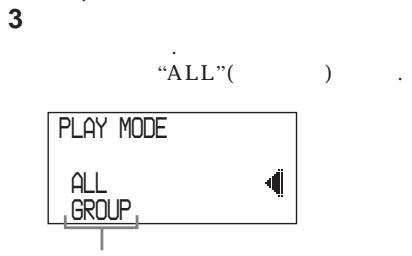
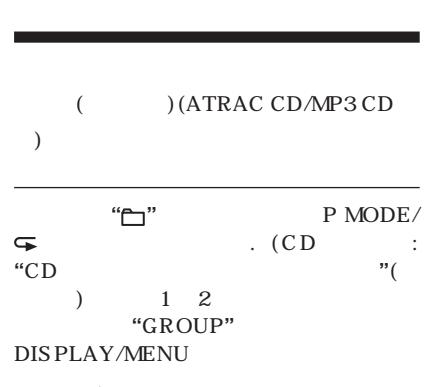

(
"1"
P MODE/
. (CD)
:
"CD
"(19
)
AFFICHAGE/
MENU

005
03:45
1
(
"SHUF"
P MODE/
. (CD)
:"CD
"(19 )
"SHUFFLE"
AFFICHAGE/MENU
.)

13
01:25
SHUF
( (ATRAC CD/MP3 CD
)
SHUF
P MODE/
:“CD
"(19
. (CD)
"LECTURE ALÉATOIRE DE GROUPE" AFFICHAGE/MENU
.)

13
01:25
SHUF
(m3u
(2) (MP3 CD)
m3u
*
*m3u play list
MP3
m3u
CD-R/RW
MP3
1
“
P MODE/
. (CD)
"PLAY LIST"
AFFICHAGE/
MENU
)

001
MODERNE






10
(
CD
10
CD
10
P MODE/
“a00( )
. (CD)
:“CD
”
(19
1 2
"AUTO RANKING"
DISPLAY/MENU
.)
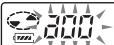
01:25
(
CD
32
P MODE/
"a00(
) SHUF"
. (CD)
:“CD
"(19
1 2
"RANKING SHUF"
DISPLAY/MENU
.)
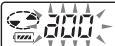
01:25
SHUF
CD
CD
CD
11
CD
CD
(PGM
CD
1
« PGM » ( )
P MODE/
. (CD : « CD » (19
12
« PROGRAM »
DISPLAY/MENU
CD/CD-TEXT

1
<PGM01

ATRAC CD/MP3 CD

In Your H

2


(CD)
:5


DISPLAY/MENU
MP3 CD
ATRAC CD/

-
CD/CD-TEXT

G5 <PGM12
PGM
ATRAC CD/MP3 CD
3
2
4
. (CD)
PGM
:5

.)
4
(CD : 5
DISPLAY/MENU
:
DISPLAY
“PGM”
P MODE/
. (CD)
:
DISPLAY/MENU.3
5
.)

3
64
( CD)
(ATRAC CD/MP3 CD)
65
CD
CD
(ATRAC CD /
1
MR.Sno\R' \Yo
The Train
Where do
If that's
2

5

CD
1


2


CD

5
CHG
40
"MENU"
CD

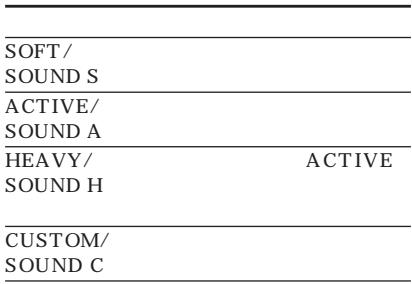
SOUND
CD
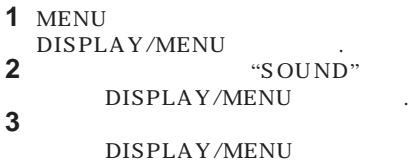
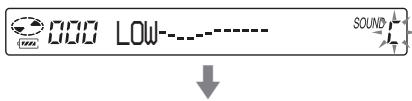

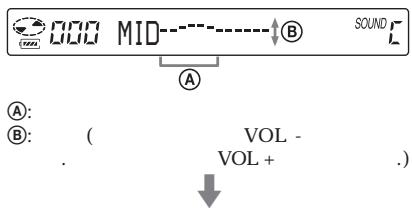
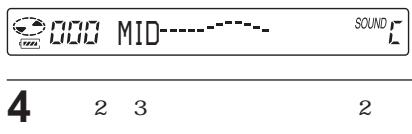
- CUSTOM
- CUSTOM
G-PROTECTION
G-PROTECTION
. (CD : "G-PROTECTION"
DISPLAY/MENU
"G-PRO2" G-PROTECTION "G-PRO 1 CD "G-PRO1
| (OFF TIMER) | ||
| 1~99 | CD | |
| : | : | |
| CD | 5 | “◇” |
| : “(◇)” | . | |
| 1 | DISPLAY . (CD : MENU DISPLAY/MENU “OPTION” DISPLAY/MENU | |
| 2 | “TIMER” | |
| (CD “TIMER” DISPLAY/ | : | |
| (MENU “TIMER” MENUR.) | ||
| 3 | “10 min*” | |
| (CD “10min” | : | |
| “ON” | . | |
| (AVLS 1-3 | AVLS “OFF” | |
(HOLD)
4 VOL + / -
. (CD
DISPLAY/MENU .)
·5 / ( ):
VOL + / -
·1 / :VOL+/-
. (CD
.)
CHG
CD
1-3
OFF TIMER
1-3
OFF TIMER
"OFF"
HOLD
OPERATION
HOLD
HOLD
CD
CD
CD
/
1 DISPLAY . (CD : MENU DISPLAY/ MENU OPTION" DISPLAY/MENU
| 2 | “BEEP” | |
| (CD “BEEP”) | : | DISPLAY/MENU.) |
| 3 | “OFF” | |
| (CD “OFF” MENU.) | : | DISPLAY/ |
| 1-3 | BEEP | “ON” |
| LCD OPERATION | CD |
| 1 | DISPLAY . (CD : MENU DISPLAY/ MENUM "OPTION" DISPLAY/ MENU .) |
| 2 | “LIGHT” |
| (CD : “LIGHT” DISPLAY/ MENU .) |
| 3 | ↓←→ | "LIGHT OFF" |
| "LIGHT 2" | . (CD | |
| : | "LIGHT | |
| OFF" | "LIGHT 2" | |
| DISPLAY/MENU | ||
| .) | ||
| LIGHT | ||
| CD OPERATION | LCD | |
| LIGHT OFF | ||
| LIGHT 1 | 5 | |
| . | ||
| . | ||
| LIGHT 2* | 5 | |
| . | ||
| *“LIGHT 1” “LIGHT 2” LCD AC | LCD | |
(SEAMLESS)(ATRAC CD
1
DISPLAY . (CD
MENU
DISPLAY/MENU
"OPTION"
DISPLAY/MENU
2


"SEAMLESS"
. (CD
"SEAMLESS"
DISPLAY/MENU
.)
3


"ON"
(CD
"ON" DISPLAY/MENU
.)
CD CD
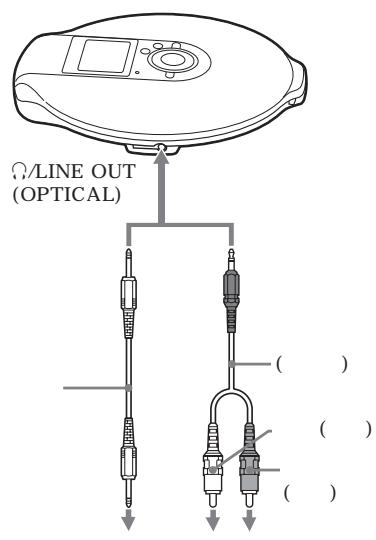
, DAT
1 DISPLAY. (CD
MENU
DISPLAY/MENU
"OPTION"
DISPLAY/MENU
2
"AUDIO OUT"
. (CD
"AUDIO OUT"
DISPLAY/MENU
.)
3
. (CD
DISPLAY/
MENU
"HP"
"LINE"
(
G-PROTECTION
CD
AC
CD
G-PROTECTION “G-PRO1
- AUDIO OUT
"LINE"
CD
Serial Copy Management System
ATRAC CD/MP3 CD "AUDIO
OUT"
LINE OUT
(OPTICAL)
AUDIO OUT ("HP" "LINE")
5
O/L LINE OUT (OPTICAL)
AUDIO OUT
HP
AUDIO OUT "LINE" CD VOL +/- CD, DAT CD

Lobatt*
*
. CD
- NH-14WM ( )
1 OPEN
CD
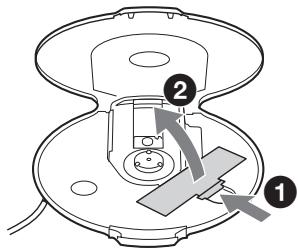
2 ⊕
2
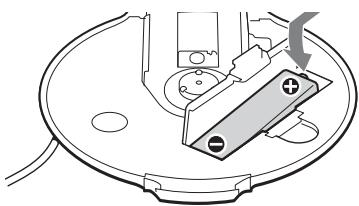
(
C DC IN 3V
CD
(15).
"Charging"
3 AC
OPERATION
OPERATION
AC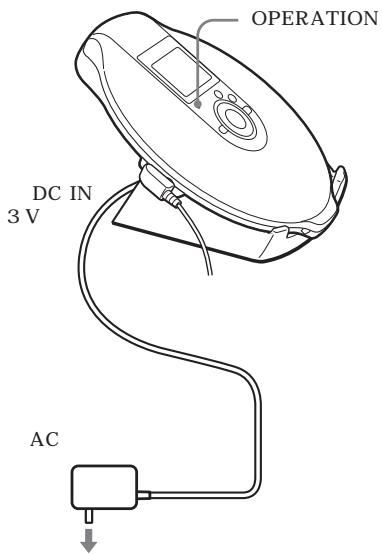
CD
CD
1 2
CD
2 AC
35
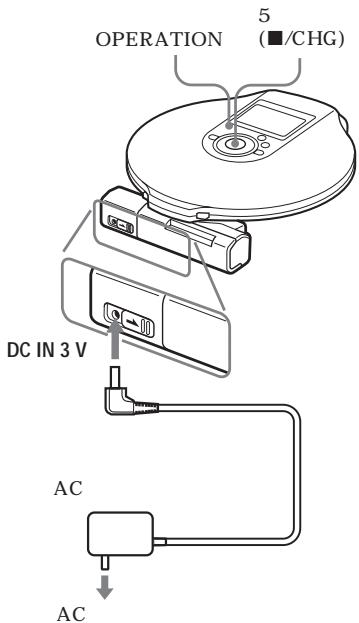
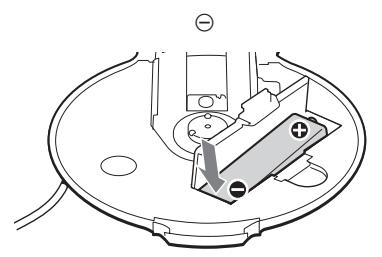
CD

2 CD LOCK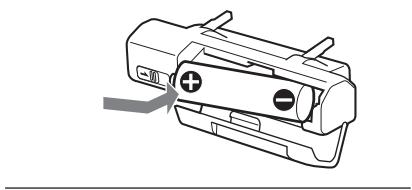
. OPERATION ("Lobatt") CD
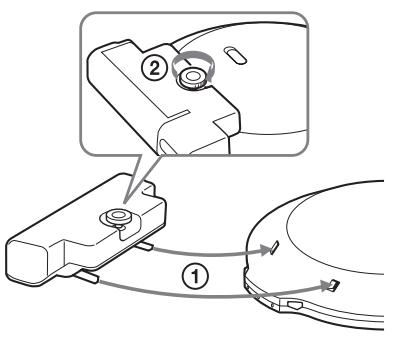
CD
AC
AC
CD
AC-E30HG AC
AC
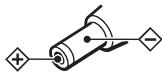
AC
AC
AC
. AC
AC

CD
MENU
DISPLAY/MENU
SOUND( ) DISPLAY( )
CD
MENU
REPEAT
PLAY MODE
SOUND


:5
. (CD)
DISPLAY (OPTION
CHG

*1
)
2
.)
.(CD
| ( ) | 1 → 2 → 3 | ||
| (25) | SOUND*2 | OFF SOFT ACTIVE HEAVY CUSTOM | |
| ( ) | 1 → 2 → 3 | ||
| (26) | OPTION | G- PROTECTION*4 | G- PRO 1 G- PRO 2 |
| (27) | OPTION | AVLS | ON |
| OFF | |||
| (27) | OPTION | TIMER | 10 min*3 |
| OFF | |||
| (31) | OPTION | AUDIO OUT*4 | HP LINE |
| (28) | OPTION | BEEP | ON OFF |
| (29) | OPTION | LIGHT | LIGHT OFF |
| LIGHT 1 LIGHT 2 | |||
| (30) | OPTION | SEAMLESS*4, *5 | ON |
| OFF | |||
1 "PGM" 2 CD 3 4 *5 ATRAC CD
- DC IN 3 V( )
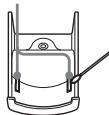
?
Sony
| VOL +/- + (CD) | → AVLS “ON” . (27) | . “OFF” |
| VOL + ) | → AUDIO OUT “LINE” . (31) | . “HP” |
| → / | . (15) | |
| → | . | |
| → CD . (6) | ||
| → . (35) | ||
| → LR6(AA) . (35) | ||
| → (33-35) | ||
| “Lobatt” . CD | → . (33-35) | |
| → LR6(AA) . (35) | ||
| “HI dc In” | → AC | . (43) |
| . | AC | |
| AC | “ | |
| . | (43) |
(
| ? | ||
| CD | CD | → CD |
| “No disc” | → CD(15 ) | |
| → CD | ||
| → (33, 35 ) | ||
| → AC(15 ) | ||
| → AC | ||
| → CD-R/RW | ||
| → CD-R/RW | ||
| → . | ||
| CD | OPERATION | → . HOLD |
| CD | . (28 ) | |
| . | → AUDIO OUT “LINE”(. (31 ) | |
| → AUDIO OUT “HP”(. (31 ) | ||
| → , DAT(. (31 ) | ||
| → . (31 ) | ||
| . | → . | |
| →(. (38 ) | ||
| → CD | ||
| → CD | ||
| → . (34 ) | ||
| . | . | → . |
| : 5 | ||
| AC(. (33 ) | ||
| CD | . | → . |
| → AUDIO OUT “LINE”(. (31 ) | ||
| → AUDIO OUT “HP”(. (31 ) | ||
| ATRAC CD CD MP3 CD → CD CD MP3 CD | ATRAC | ||||
| (CD : 5) | → CD | ATRAC3plus/ATRAC3/MP3 CD-R/RW | . | ||
| CD | → CD | ||||
| “NO FILE” | |||||
| CD CD | → CD | CD | . | ||
| LCD | → CD | (40°C) | (0°C) | ||
| “✓” | → CD MODE | “ALL” | . | PLAY | |
| CD | → CD | ||||
| → OFF TIMER | . | “OFF” | |||
:GaAlAs
λ = 770 800 nm
: 44.6 µW (
7 mm
200 mm )
D-A
1
20 20000 Hz -2+1 dB (JEITA)
(3V
: 47 kΩ 0,7 V eff.
: 10 kΩ
16 Ω 5 mW + 5 mW
: -21 ~ -15 dBm
630 ~ 690 nm
- Sony NH-14WM
1,2 V CC × 1
LR6 (AA) 1,5 V CC × 1
- CA (entrée CC 3 V) :
220 V, 50 Hz
120 V, 60 Hz (
*1 ( )
CD
LIGHT SOUND "OFF"
CD
| NH-14WM 1 | (5*2) | |
| G-PROTECTION | ||
| "G-PRO 1" | "G-PRO 2" | |
| CD | 20 | 20 |
| ATRAC CD*3 | 35 | 35 |
| MP3 CD*4 | 28 | 28 |
| (1 *5) | ||
| G-PROTECTION | ||
| "G-PRO 1" | "G-PRO 2" | |
| CD | 30 | 30 |
| ATRAC CD*3 | 50 | 50 |
| MP3 CD*4 | 40 | 40 |
NH-14WM1
(1 *5)
G-PROTECTION
"G-PRO 1" "G-PRO 2"
| CD | 50 | 50 |
| ATRAC CD*3 | 85 | 85 |
| MP3 CD*4 | 70 | 70 |
*1 JEITA ( )
*2
*3 48 kbps
*4 128 kbps
*5 Sony LR6(SG)
(
5°C 35°C
(w/h/d) (
127 × 21,8 × 139,4 mm
168 g
Dolby Laboratories
| AC | * | AC-E30HG |
| SRS-Z1 | ||
| SRS-Z30 | ||
| DCC-E345 |
| DCC - E34CP |
| CPA - 9C |
| RK - G129 |
| RK - G136 |
| MDR- EX71SL |
| MDR- Q55SL |
*AC
http://www.sony.net/
Sony Corporation Imprimé en Malaisie
- LECTEUR CD PORTABLE
- AVERTISSEMENT
- POUR ÉVITER TOUT RISQUE D'INCENDIE OU DE CHOC ÉLECTRIQUE, N'EXPOSEZ PAS L'APPAREIL À LA PLUIE OU À L'HUMIDITÉ
- ATTENTION
- TABLE DES MATIÈRES
- PROFITEZ DE VOTRE ATRAC CD WALKMAN
- POUR COMMENCER
- LECTURE D'UN CD
- OPTIONS DE LECTURE
- FONCTIONS DISPONIBLES
- CONNEXION DE VOTRE LECTEUR CD
- CONNEXION À UNE SOURCE D'ALIMENTATION
- INFORMATIONS COMPLÉMENTAIRES
- VOUS POUVEZ CRÉER FACILEMENT VOS PROPRES CD ATRAC
- ÉTAPE 1 INSTALLATION
- ÉTAPE 2 : GRAVER
- COMMENT UTILISER LE SONICSTAGE SIMPLE BURNER
- QU'EST-CE QU'UN CD ATRAC
- ÉTAPE 3 : ÉCOUTER
- QU'EST-CE QUE LE FORMAT ATRAC3PLUS/ATRAC
- SOURCES MUSICALES POUVANT ÊTRE LUES SUR CE LECTEUR CD
- FORMATS DE DISQUE UTILISABLES
- À PROPOS DES CD-R/RW
- DISQUES MUSICAUX ENCODÉS AVEC DES TECHNOLOGIES DE PROTECTION DES DROITS D'AUTEUR
- REMARQUES
- ATRAC3PLUS ET ATRAC
- LE NOMBRE UTILISABLE DE GROUPES ET DE FICHIERS
- REMARQUE SUR L'ENREGISTREMENT DE FICHIERS SUR LE SUPPORT
- MP
- RÉGLAGES POUR LE LOGICIEL DE COMPRESSION ET D'ÉCRITURE
- REMARQUES SUR L'ENREGISTREMENT DE FICHIERS SUR LE SUPPORT
- LA STRUCTURE DES FICHIERS ATRAC3PLUS/ATRAC3 ET MP
- GROUPES ET DOSSIERS
- STRUCTURE DES FICHIERS ATRAC3PLUS/ATRAC3/MP3 ET ORDRE DE LECTURE
- ATRAC3PLUS/ATRAC
- VÉRIFICATION DES ACCESSOIRES FOURNIS
- LOCALISATION DES COMMANDES
- LECTEUR DE CD
- AFFICHAGE (LECTEUR CD)
- TÉLÉCOMMANDE
- AFFICHAGE (TÉLÉCOMMANDE)
- POUR UTILISER LA PINCE SUR LA TÉLÉCOMMANDE
- INSÉREZ UN CD
- CONNECTEZ VOTRE LECTEUR CD
- LIRE UN CD
- VÉRIFICATION DES INFORMATIONS DU CD SUR L'ÉCRAN
- LECTEUR CD
- RETRAIT DU CD
- SÉLECTION DES OPTIONS DE LECTURE SUR LE LECTEUR CD
- SÉLECTION DES OPTIONS DE LECTURE À L'AIDE DE LA TÉLÉCOMMANDE
- LECTURE RÉPÉTÉE DES PISTES (LECTURE RÉPÉTÉE)
- UTILISATION DE LA TÉLÉCOMMANDE
- SUR LE LECTEUR CD
- LECTURE DE TOUS LES FICHIERS D'UN GROUPE SÉLECTIONNÉ
- LECTURE D'UNE SEULE PLAGE
- LECTURE DES PLAGES DANS UN ORDRE ALÉATOIRE (LECTURE ALÉATOIRE)
- LECTURE DE TOUS LES FICHIERS D'UN GROUPE SÉLECTIONNÉ DANS UN ORDRE ALÉATOIRE (LECTURE ALÉATOIRE DE GROUPE) (ATRAC CD/MP3 CD UNIQUEMENT)
- LECTURE DE VOS LISTES DE LECTURE PRÉFÉRÉES (LECTURE DE LISTE DE LECTURE M3U) (MP3 CD UNIQUEMENT)
- RÉCENT
- LECTURE DE VOS MORCEAUX PRÉFÉRÉS EN AJOUTANT DES SIGNETS (LECTURE DE MORCEAUX AVEC SIGNETS)
- AJOUT DE SIGNETS
- LECTURE DES MORCEAUX AVEC SIGNETS
- POUR SUPPRIMER LES SIGNETS
- POUR VÉRIFIER LES MORCEAUX AVEC SIGNETS
- LECTURE DES 10 MORCEAUX LES PLUS FRÉQUEMMENT ÉCOUTÉS (LECTURE PAR CLASSEMENT AUTOMATIQUE)
- LECTURE DES MORCEAUX LES PLUS FRÉQUEMMENT ÉCOUTÉS DANS UN ORDRE ALÉATOIRE (LECTURE ALÉATOIRE PAR CLASSEMENT AUTOMATIQUE)
- NOTE
- LECTURE DES PLAGES DANS VOTRE ORDRE PRÉFÉRÉ (LECTURE PGM)
- VÉRIFICATION DU PROGRAMME
- PENDANT LA PROGRAMMATION
- PENDANT QUE LA LECTURE EST ARRÊTÉE
- RECHERCHE DE GROUPES OU DE PLAGES/FICHIERS
- SÉLECTION DE LA PLAGE/FICHIER SOUHAITÉ
- POUR QUITTER LE MODE DE RECHERCHE
- REMARQUE
- RÉGLAGE DE LA QUALITÉ SONORE
- (ÉGALISEUR PARAMÉTRIQUE)
- SÉLECTION DE LA QUALITÉ SONORE SOUHAITÉE
- PERSONNALISATION DE LA QUALITÉ SONORE
- POUR REVENIR À L'ÉCRAN PRÉCÉDENT
- POUR ANNULER L'OPÉRATION DE RÉGLAGE
- LA FONCTION G-PROTECTION
- PROTECTION DE VOTRE OUÏE (AVLS)
- POUR ANNULER LA FONCTION AVLS
- ARRÊT AUTOMATIQUE DE LA LECTURE (MINUTERIE D'ARRÊT)
- ARRÊT AUTOMATIQUE DE LA LECTURE
- POUR VÉRIFIER LE TEMPS RESTANT AVANT L'ARRÊT DE LA LECTURE DU LECTEUR CD
- POUR ANNULER LA FONCTION OFF TIMER
- VERROUILLAGE DES COMMANDES (HOLD)
- FAITES GLISSER HOLD DANS LE SENS DE LA FLÈCHE
- POUR DÉVERROUILLER LES COMMANDES
- DÉSACTIVATION DU SIGNAL SONORE
- POUR ACTIVER LE SON DU BIP
- ÉCONOMIE D'ÉNERGIE
- À PROPOS DU RÉGLAGE LIGHT
- LE RÉTROÉCLAIRAGE LCD DE LA TÉLÉCOMMANDE
- LECTURE CONTINUE DES PLAGES (SEAMLESS) (ATRAC CD UNIQUEMENT)
- CONNEXION D'UNE CHAÎNE STÉRÉO
- LORSQUE DES ÉCOUTEURS OU D'AUTRES APPAREILS SONT CONNECTÉS À LA PRISE / LINE OUT (OPTICAL)
- LORSQUE AUDIO OUT EST RÉGLÉ SUR "LINE
- LORS DE L'UTILISATION D'UN CORDON DE CONNEXION OPTIQUE NUMÉRIQUE
- À PROPOS DES FONCTIONS G-PROTECTION ET ÉGALISEUR LORS DE L'UTILISATION DU CORDON DE CONNEXION OU DU CORDON DE CONNEXION OPTIQUE NUMÉRIQUE
- UTILISATION DE LA BATTERIE RECHARGEABLE
- CONNECTEZ L'ADAPTATEUR SECTEUR À LA PRISE DC IN 3 V DU SOCLE DE CHARGEMENT FOURNI ET À UNE PRISE SECTEUR. PLACEZ ENSUITE LE LECTEUR CD SUR LE SOCLE DE CHARGEMENT FOURNI (PAGE 15)
- REMARQUES SUR LE SOCLE DE CHARGEMENT FOURNI
- POUR CHARGER LA BATTERIE RECHARGEABLE SANS UTILISER LE SOCLE DE CHARGEMENT FOURNI
- POUR RETIRER LA BATTERIE RECHARGEABLE
- QUAND REMPLACER LA BATTERIE RECHARGEABLE
- REMARQUE SUR LA BATTERIE RECHARGEABLE
- REMARQUE SUR LE TRANSPORT DE LA BATTERIE RECHARGEABLE
- UTILISATION DE LA PILE SÈCHE
- REMARQUES SUR LA SOURCE D'ALIMENTATION
- SUR L'ADAPTATEUR SECTEUR
- SUR LES PILES RECHARGEABLES ET LES PILES SÈCHES
- LISTE DES MENUS
- PRÉCAUTIONS
- SÉCURITÉ
- MANIPULATION DES CD
- SUR LES ÉCOUTEURS/CASQUES SÉCURITÉ ROUTIÈRE
- PRÉVENTION DES DOMMAGES AUDITIFS
- CONSIDÉRATION POUR LES AUTRES
- ENTRETIEN
- NETTOYAGE DU BOÎTIER
- NETTOYAGE DES BORNES
- DÉPANNAGE
- SPÉCIFICATIONS
- SYSTÈME
- PROPRIÉTÉS DE LA DIODE LASER
- CONVERSION NUMÉRIQUE-ANALOGIQUE
- RÉPONSE EN FRÉQUENCE
- SORTIE (AU NIVEAU D'ENTRÉE DE 3 V)
- ALIMENTATION
- AUTONOMIE DE LA BATTERIE*1 (HEURES ENVIRON)
- TEMPÉRATURE DE FONCTIONNEMENT
- DIMENSIONS (L/H/P) (SANS LES PARTIES SAILLANTES ET LES COMMANDES)
- MASSE (SANS LES ACCESSOIRES)
- ATRAC CD
- CD
- CD-R/RW
- ATRAC CD MP3 CD
- SIGNET
- ATRAC CD WALKMAN
- ATRAC3PLUS ATRAC
- ATRAC3PLUS/ATRAC3 MP
- G-PROTECTION
Marque : SONY
Modèle : D-NE900LS
Catégorie : Lecteur CD portable