SunBlast - Dockingstasjon Pyle - Gratis bruksanvisning og manual
Finn enhetens veiledning gratis SunBlast Pyle i PDF-format.


Brukerspørsmål om SunBlast Pyle
0 spørsmål om dette apparatet. Svar på dem du kjenner, eller still ditt eget.
Still et nytt spørsmål om dette apparatet
Last ned instruksjonene for din Dockingstasjon i PDF-format gratis! Finn veiledningen din SunBlast - Pyle og ta den elektroniske enheten tilbake i hendene. På denne siden er alle dokumenter som er nødvendige for bruken av enheten din publisert. SunBlast av merket Pyle.
BRUKSANVISNING SunBlast Pyle

natural_image
Simple line drawing of a house with a letter 'P' inside, no text or symbols present.PYLE® Home
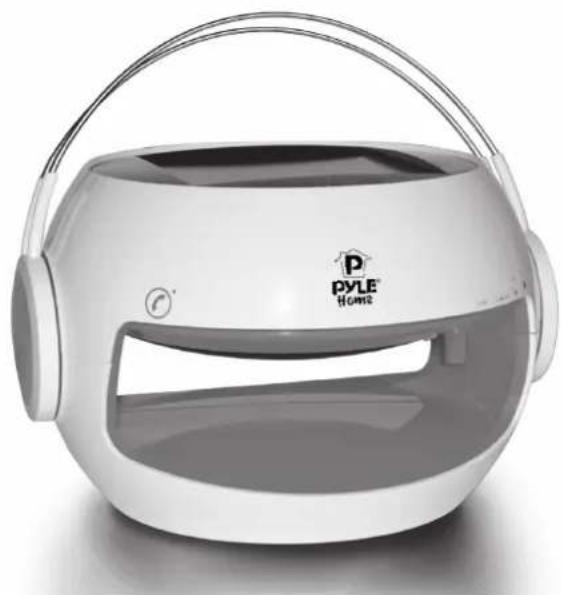
SunBlast Bluetooth Solar Power Rechargeable Speaker & Hands Free Speaker-Phone
PBTSN50
natural_image
Exterior view of a modern PYLE Home smart home device with dual-band head cover (no signage or text beyond branding)www.pyleaudio.com
Instruction Manual
EXPRESS.YOURSELF
WITH THE SUNBLAST
Portable Bluetooth Solar Power Rechargeable Wireless Amplified Speaker & Hands Free Speaker-phone
Table of contents
Preface 4
Short Guide 5
Equipment Overview 6
Notes on Handling 8
Notes on Safety 8
SunBlast PBTSN50 Installation Site 8
Description of the device 9
Scope of Delivery 9
SunBlast PBTSN50 Special Features 9
Loudspeaker Operation 10
Telephone Calls with SunBlast PBTSN50 11
Bluetooth ^® 12
Optional Accessories 13
Power and Battery 13
USB Connection 14
Notes 15
Specifications 16
Notes on Disposal 17
Preface
This operation manual serves to assist you with using your solar loudspeaker
- as intended
• and in a safe manner.
The respective device is hereinafter referred to as SunBlast PBTSN50.
This operation manual addresses those, who
- set up;
- operate;
- clean; and
- dispose of
the solar loudspeaker.
The operation manual's various elements have been marked with defined design features. This enables you to easily determine whether it involves
normal text;
- numbers; or
→ steps.
Short Guide
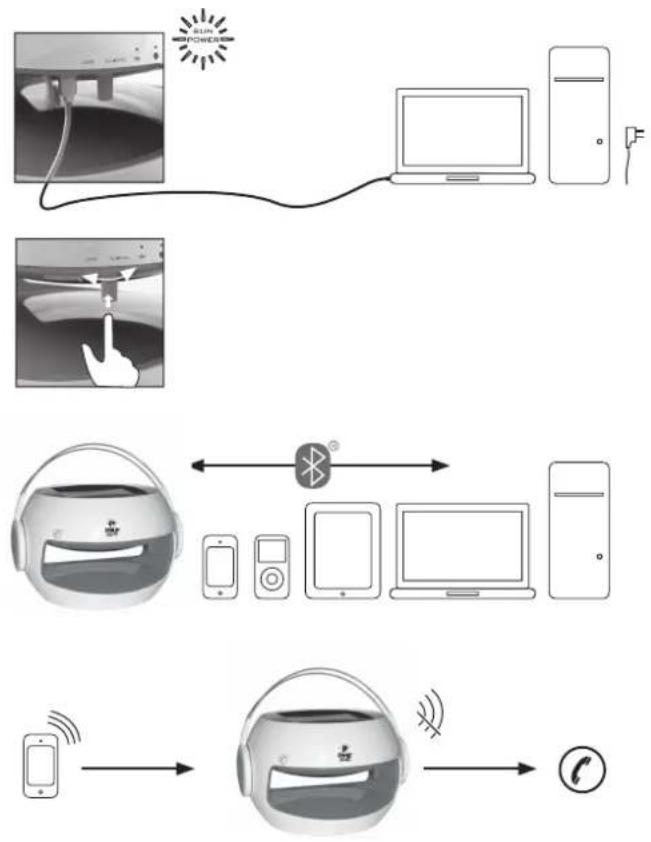
1] Charge your SunBlast PBTSN50 before first use (see p. 9, *p.13).
2] In order to switch the device on, press the On/Off button (which also serves as volume control). The Bluetooth® display will flash in blue colour.
3] Activate the Bluetooth® connection on your output device. When first connecting via Bluetooth®, the password (Code: 2633) is to be entered in your output device.
If your SunBlast PBTSN50 is connected to a mobile telephone, the music will be muted when incoming phone calls are received. In order to take the phone call, please use your SunBlast PBTSN50 telephone button (see p. 11).
flowchart
graph TD
    A["Device 1: Smart Home"] --> B["Device 2: Wireless"]
    B --> C["Device 3: Mobile Phone"]
    C --> D["Device 4: Smartphone"]
    D --> E["Device 5: Tablet, Phone, Monitor, Laptop"]
    E --> F["Device 6: Phone & Phone"]
    F --> G["Device 7: Bluetooth"]
    G --> H["Device 8: Telephone & Phone"]
Equipment Overview
[1] On/Off button and volume control
[2] USB port
[3] Telephone button
[4] 2 high-sensitivity microphones on the front and back
[5] 2 LED lights (yellow/orange) incl. twilight sensor
[6] Handle
![[6] [3] PYLE Home [4] [5] [2] [1] [5]](/content/2026/05/1126590/images/ad93bf8cc558b2275360a9ef4742599b84b12d6adad0b868b1b75483881693fd.jpg)
Equipment Overview
[7] Battery control indicator lamp
[8] Bluetooth® control indicator lamp
[9] Sun power display
[10] Solar panel
![USB VOL [7] [8]](/content/2026/05/1126590/images/5b6ea2ed42cbbec9a21799cc867f4666a60b39f5c40ae34fb9d1731a29a28ff4.jpg)
![[10] [9]](/content/2026/05/1126590/images/e98774878e3b2c47ef3d7b3a8296e4134afd6c8f84f1444cca852eb9e70fa531.jpg)
Notes on Handling
Please ensure to carefully read all safety notes and keep them for future reference. Generally ensure to comply with the warnings and notes provided herein.

Safety notes - caution!
- Generally do not attempt to repair a defective device. Always refer to one of our customer service stations.
- Do generally not open the solar loudspeaker - this is reserved to professionals.
- Ensure foreign bodies such as pins, coins, etc. not to enter the SunBlast PBTSN50 interior.
-
Ensure not to place open fire such as lit candles on the solar loudspeaker.
-
Never leave children unattended when using SunBlast PBTSN50.
- In order not to risk your own safety and the safety of third parties, ensure all maintenance is performed by qualified personnel.
- Do not listen to music at high volume. This may result in permanent hearing damage.

Risk of suffocation!
Keep packaging and parts thereof out of the reach of children. Films and other packaging materials pose the risk of suffocation.
SunBlast PBTSN50 Installation Site
- Ensure not to install the unit nearby equipment that generates strong magnetic fields.
- Do not place any heavy objects onto the solar loudspeaker.
Description
Scope of Delivery
Please ensure that all of the accessory parts on the list below are present:
- Solar loudspeaker
- USB cable
• Operation manual
SunBlast PBTSN50 Special Features
Your SunBlast PBTSN50 is a high-performance, convenient, and flexible device. Since the solar loudspeaker is charged by solar energy, it features various additional usage options in combination with Bluetooth®-compatible devices such as iPod®, iPhone®, iPad®, mobile phones, MP3 Players, PC, notebooks or tablet PCs, and game consoles.
In absence of sunlight the solar loudspeaker may be charged via power grid by using the USB cable (requires an adaptor, which is not included with the scope of delivery but is sold as accessory item, see p. 13).
Charge time if charged via grid: approx. 5 hours. Charge time if charged by direct solar radiation: approx. 10 hours. At full charge and maximum volume, the solar loudspeaker's operating time will amount to approx. 8 hours.
In order to facilitate the experience of great sounds completely off-grid and independent from cables, SunBlast PBTSN50 offers the ideal option of connecting a Bluetooth®-compatible output device.
A charge status display provided on SunBlast PBTSN50 serves to inform you on its current charge status.
Description
Loudspeaker Operation
→ We recommend charging the solar loudspeaker for at least 2 hours prior to initial use by using the USB cable included with the scope of delivery (required adaptor is not included with the scope of delivery, see p. 13).
→Self-evidently, the solar loudspeaker may also be charged by using direct sunlight. However, please note the respectively extended charge time.
→ In order to switch on the solar loudspeaker, please press the on/off button [1]. The display will light up green as soon as the solar loudspeaker has been switched on. Bluetooth® connection will be displayed by blue signal.
→ Now activate Bluetooth® on the output device.
→ Allow your output device to search for the solar loudspeaker (M5 + type series number).
→ Connect both devices. Upon initial connection, you will be requested to enter a code.
Please enter code 2633.
→ If you connect the device to the solar loudspeaker later, you will not have to enter the code again. You will only have to activate Bluetooth® on your output device and switch on the solar loudspeaker in order to link both devices. Successfully established connection will be indicated by a brief acoustic signal.
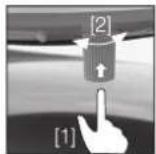
[1] Press On/Off
[2] Turn the control in order to adjust the volume.
Description
→ When disconnecting your output device from the solar loudspeaker, please deactivate the output device's Bluetooth® function. The devices' disconnection will be indicated by a brief acoustic signal. Your SunBlast PBTSN50 will switch off automatically when not being connected to any other device for 10 minutes or longer.
Telephone calls with SunBlast PBTSN50
Your SunBlast PBTSN50 has been equipped with a particularly convenient call answering function. If your solar loudspeaker has been connected to your mobile phone via Bluetooth® and there is an incoming call while you are listening to music etc., the music will fade down automatically, and the solar loudspeaker will play the ring tone.
You can then optionally directly phone via your SunBlast PBTSN50.
→ With incoming telephone calls, simply press the telephone button on your solar loudspeaker.
→ Two high-sensitive microphones and the speaker installed in the solar loudspeaker enable you to speak and listen to the caller as usual, without having to hand-hold your mobile phone.
- At the end of the call, the music will be re-played without the need of making any further settings.
Description
→ As long as your mobile phone and the solar loudspeaker are linked to each other via Bluetooth®, you may also make outgoing phone calls via the solar loudspeaker. In order to do so, just dial the requested number directly on your mobile phone - you can then speak and listen via SunBlast PBTSN50.
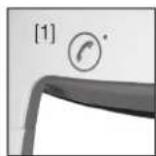
- If incoming calls are being received, the LED next to the solar loudspeaker's telephone button will flash in green; if phone calls are made via solar loudspeaker, the LED will be on uninterruptedly.
Depending on the status (incoming phone call, currently made phone call), a green or blue LED will be on uninterruptedly!
[1] Incoming call: LED flashes green. Ongoing phone call: continuously lit LED.
[2] High-sensitive microphone on front and back side
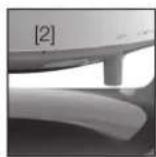
Bluetooth®
Please ensure the distance between your output device and the MU 802 does not exceed 32' feet. Bluetooth® 2.1 and an EDR module have been integrated with your solar loudspeaker.
Description
Bluetooth® control lamp
[1] Bluetooth ^® control
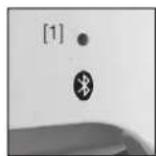
- If the Bluetooth® control lamp is neither on nor flashing, there is no current connection.
- A blue flashing lamp indicates the device is searching for an active Bluetooth® connection.
- An uninterruptedly blue lit lamp indicates that the SunBlast PBTSN50 is connected to an output device via Bluetooth®.
- Every time the solar loudspeaker is connected to or disconnected from an output device by Bluetooth®, it will generate a brief acoustic signal.
Optional Accessories:
In case the output device you intend to connect to the solar loudspeaker should not be equipped with Bluetooth ^® , respective accessories
serving to connect your output device to the solar loudspeaker are commercially available.
- USB Bluetooth® adaptor / USB Bluetooth® dongle (connection via USB interface)
- Audio Bluetooth® adaptor (connection via audio frequency interface)
- USB adaptor* - s.p.5 (all-purpose power supply unit output: DC 5V-1 A) (connected to grid and via USB cable)
Power and Battery
The solar loudspeaker has been equipped with integrated rechargeable Li-Fe battery, which is temperature-resistant in between -10 and +60°F. Your MU 802 solar panel has exclusively been designed for this loudspeaker. If fully charged, the solar loudspeaker's operating time amounts to 8 to 10 hours.
Description
Battery control lamp
[1] Battery control lamp
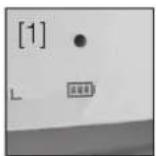
- Green light = battery charge exceeds 80%
- Green flashing = battery is being charged
- Yellow light = battery status 20% to below 80%
- Red light = battery charge falls below 20%
The display „Sun Power“ (flashing in green [2]) serves to indicate the solar loudspeaker's charging of by solar radiation.
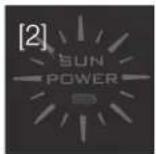
USB Connection
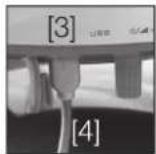
- Your solar loudspeaker has been equipped with USB port. It offers the opportunity of charging your SunBlast PBTSN50 independent from solar radiation by deploying appropriate adaptors (for accessories, please refer to page 13).
→ Open the USB cover flap, and plug the USB cable into the USB port.
→ If necessary, connect the cable to the corresponding adaptor (not included with the scope of delivery, see accessories on p. 13).
[3] USB port
[4] USB cable
Notes
→ In daytime, please ensure to place SunBlast PBTSN50 in a manner, which allows for full sun-light absorption in order to guarantee full battery charge.
→ Please ensure to always keep the solar panel clean. Clean it as required and do not use any aggressive abrasives or similar but a soft cloth only (no microfiber cloth).
- The solar loudspeaker's to simultaneous connection to several audio devices is infeasible.
→ Please ensure the maximum distance between solar loudspeaker and output device not to exceed approx. 10 meters. Sound interferences might be caused by too far distances and/or possible obstacles between output device and solar speaker.
- Sounds are exclusively transferred by Bluetooth®. Consequently, the solar loudspeaker can only be used in combination with suchlike devices. In case you wish to link additional devices (e.g. laptop, PC, etc.), which are not equipped with Bluetooth®, respective adapters are available on the market (see p. 13).
Specifications\*
| Dimensions | 8.54" x 7.6" x 7.8" |
| Weight | 50 oz |
| Bluetooth® | 2.1 |
| USB connection | Yes |
| Output power | 3 W (1KHz) |
| Battery | 1 x 3.2 V LiFePO4 |
| Frequency range | 100 Hz - 20 KHz |
| Ambient conditions | -10 C bis +60 C |
| 0-90% relative humidity | |
| non-condensing | |
| Decibels | 83 dB |
| Loudspeaker | 4 ohm / 70 mm |
| LED class | 1 |
CE
Directives and standards: product complies with CE Identification Directive.
Manufacturer
Pyle Audio 1600 63rd St Brooklyn, NY 11204
www.pyleaudio.com
product support: support@pyleaudio.com
(718)535-1800
Notes on Disposal
Important note on waste disposal:
Your product employs batteries, which cannot be disposed of in normal domestic waste. Please inform yourself on your local applicable law regarding the separate collection of batteries. Proper disposal of batteries serves to prevent negative effects on environment and health.
Disposal of packaging
In delivery, your new product was protected by its packaging. Please contribute and dispose of the package in an environmentally friendly manner. For more information on advanced waste disposal methods, please contact your local distributor or waste disposal facility.
Disposal of device
Waste equipment is not without value. Environmentally responsible waste disposal serves to recover precious raw materials. Your local authorities will inform you on the device's environmentally friendly and proper disposal. Please ensure to remove the batteries prior to the device's disposal.

At the end of its useful life, this product may not be disposed via normal household waste, but is to be delivered to a collection point for recyclable electrical and electronic devices, as indicated by the symbol on the product, its directions for use or packaging. All materials employed are recyclable in accordance with their identification. By ensuring its re-use, material utilization, or other forms of waste equipment utilization you contribute to environmental protection.